How to Exclude an Opportunity Card from the customer profile, Sales tab and within the opportunity
Learn step-by-step methods to exclude opportunity cards from your conversion rate and sales statistics. Discover how to use the Summary tab, Sales tab, and card details to manage your sales data effectively.
By Dominik Black
In this guide, we'll learn how to exclude an opportunity card from your conversion rate calculations. Excluding these cards helps ensure your sales statistics are accurate and reflect only relevant opportunities.
We will cover how to exclude a card: from the Summary tab, the Sales tab, and directly within the opportunity or quote.
Let's get started
This article explains how to exclude an opportunity card. Excluding your card is important because you do not want these cards included in your conversion rate. To begin, open any customer profile. You can exclude a card in several ways.
1
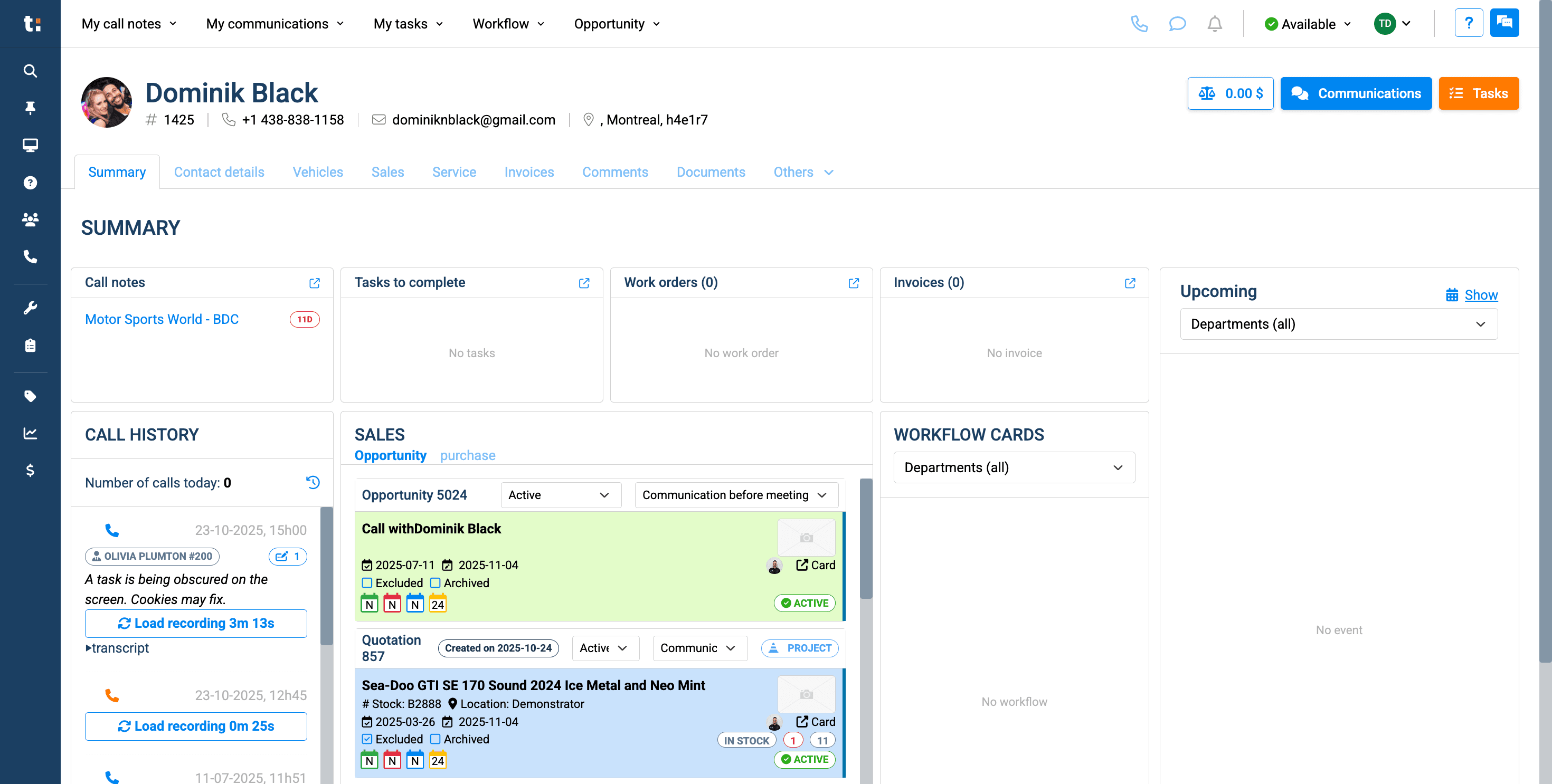
The first method is through the Summary tab.
2
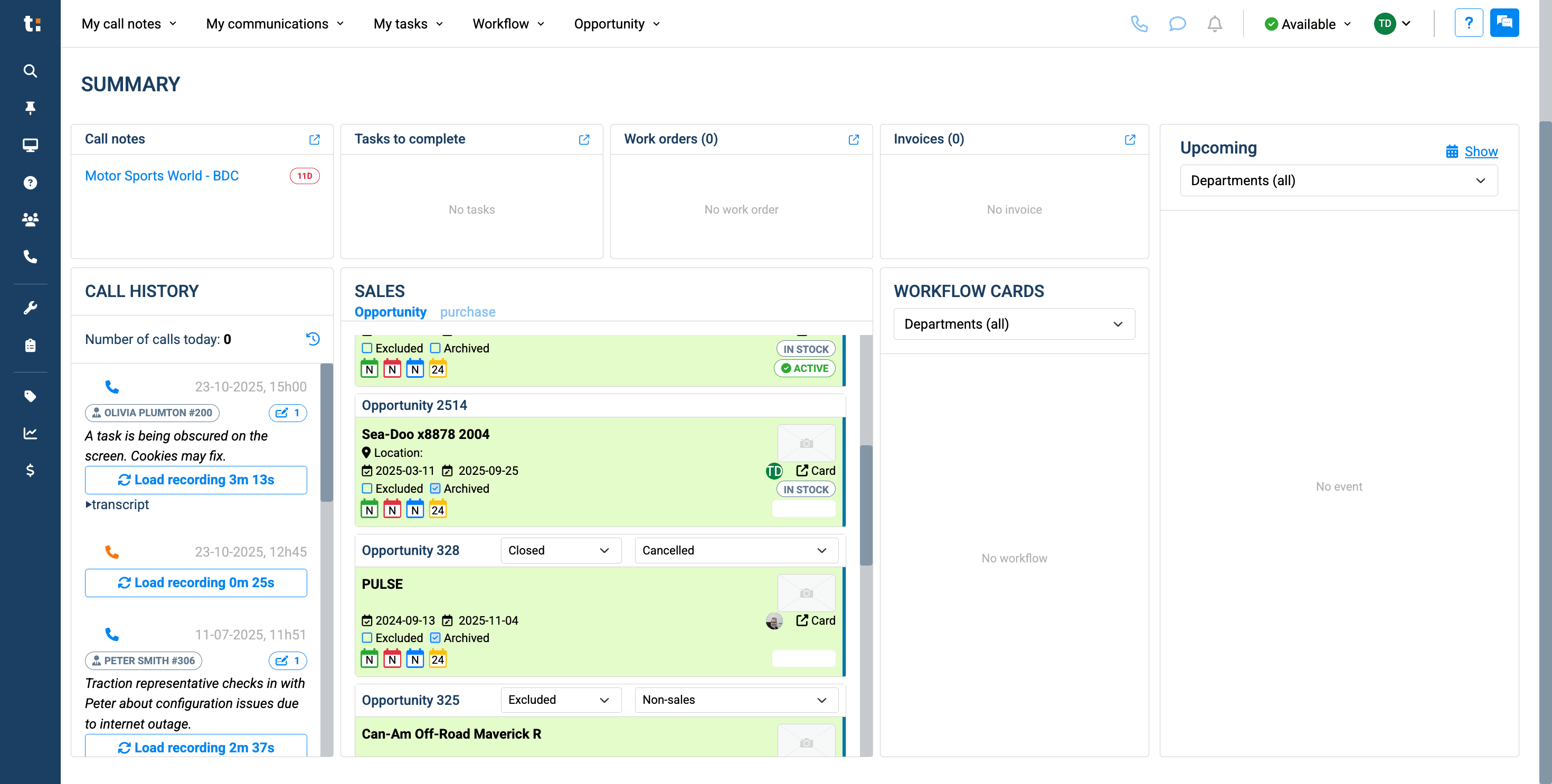
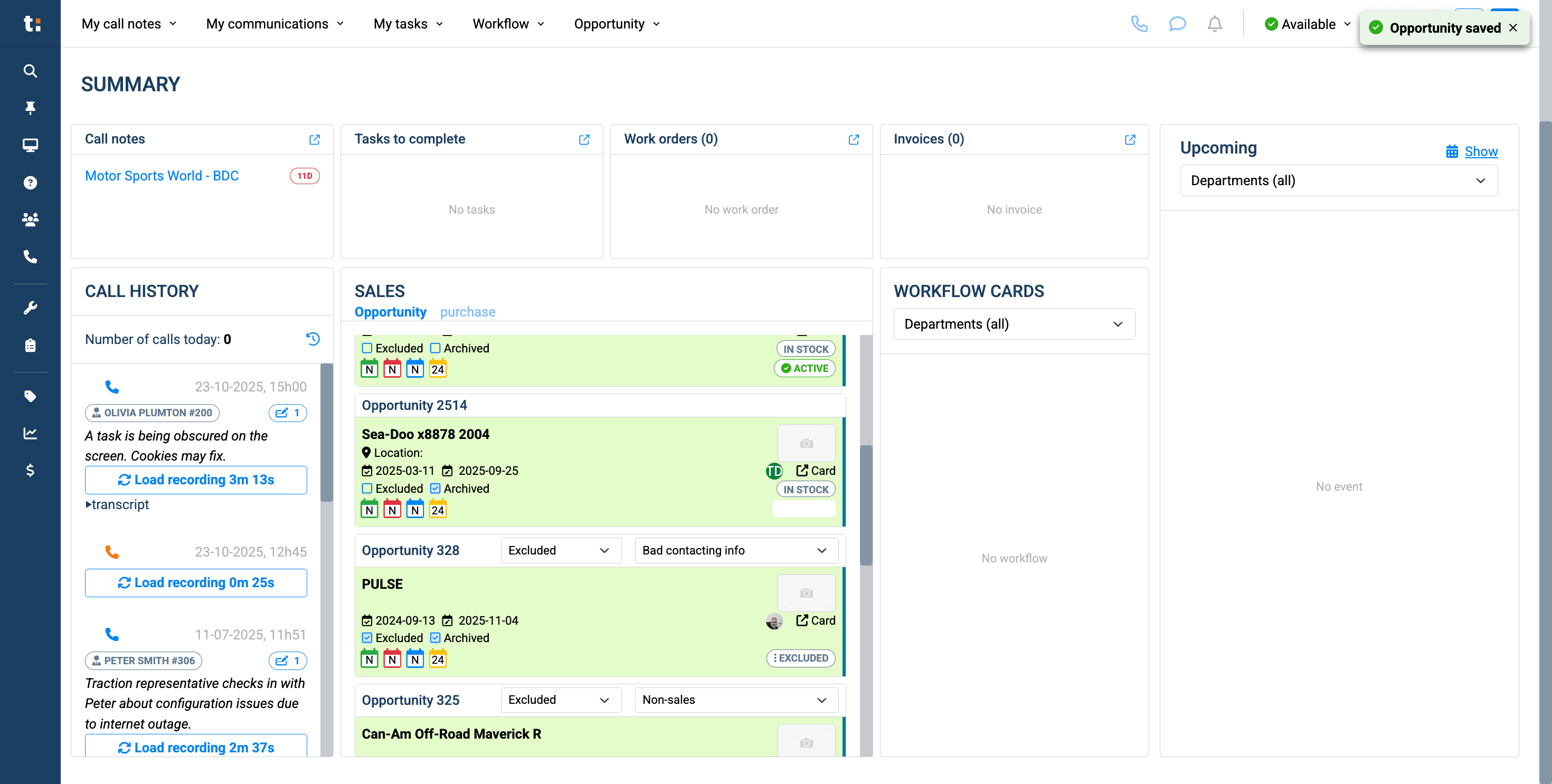
In the Summary tab, you can view some of your sales opportunities and cards. You can exclude the status by clicking here, selecting "Exclude,"....
3
and choosing the reason.
4
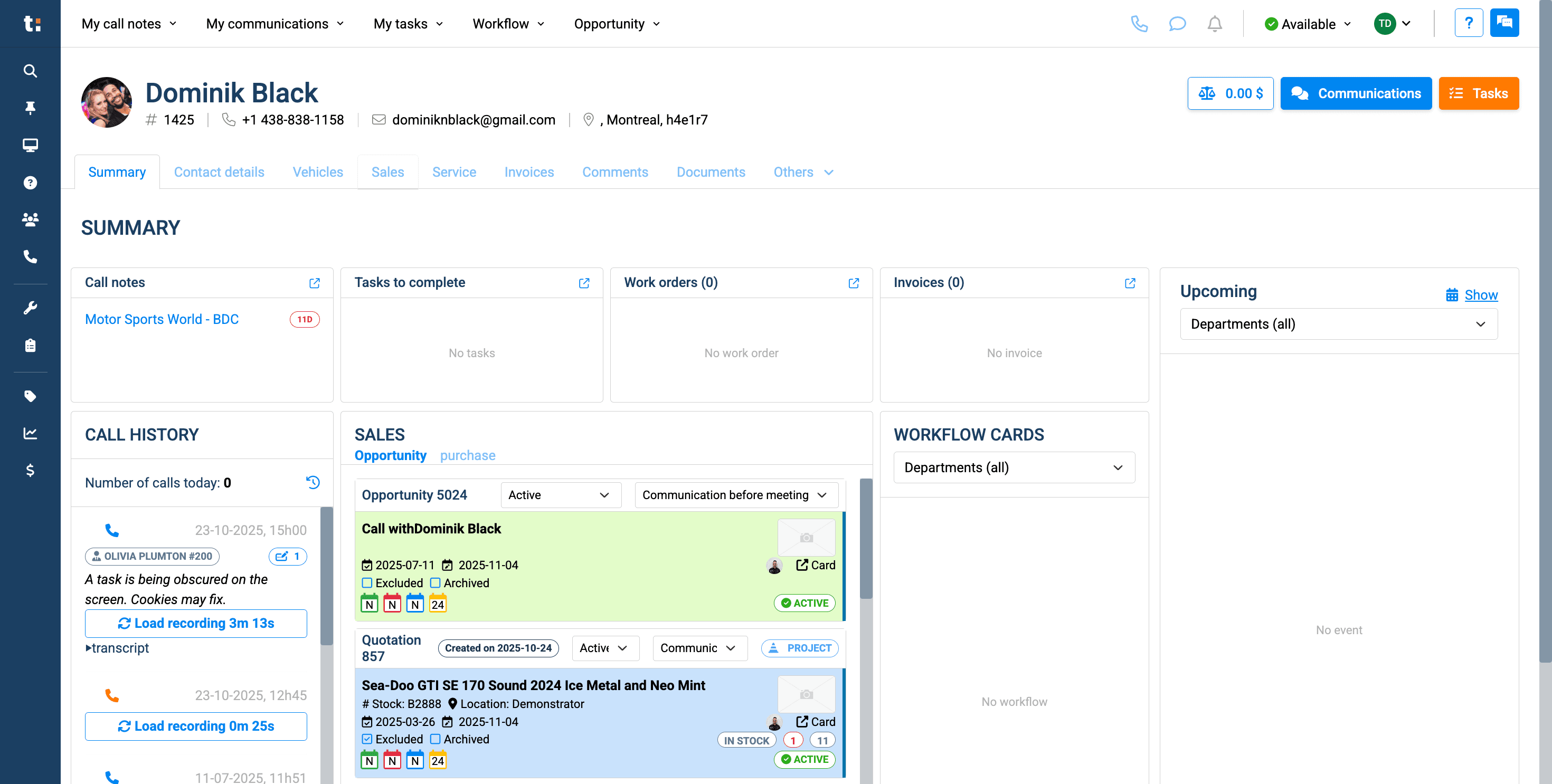
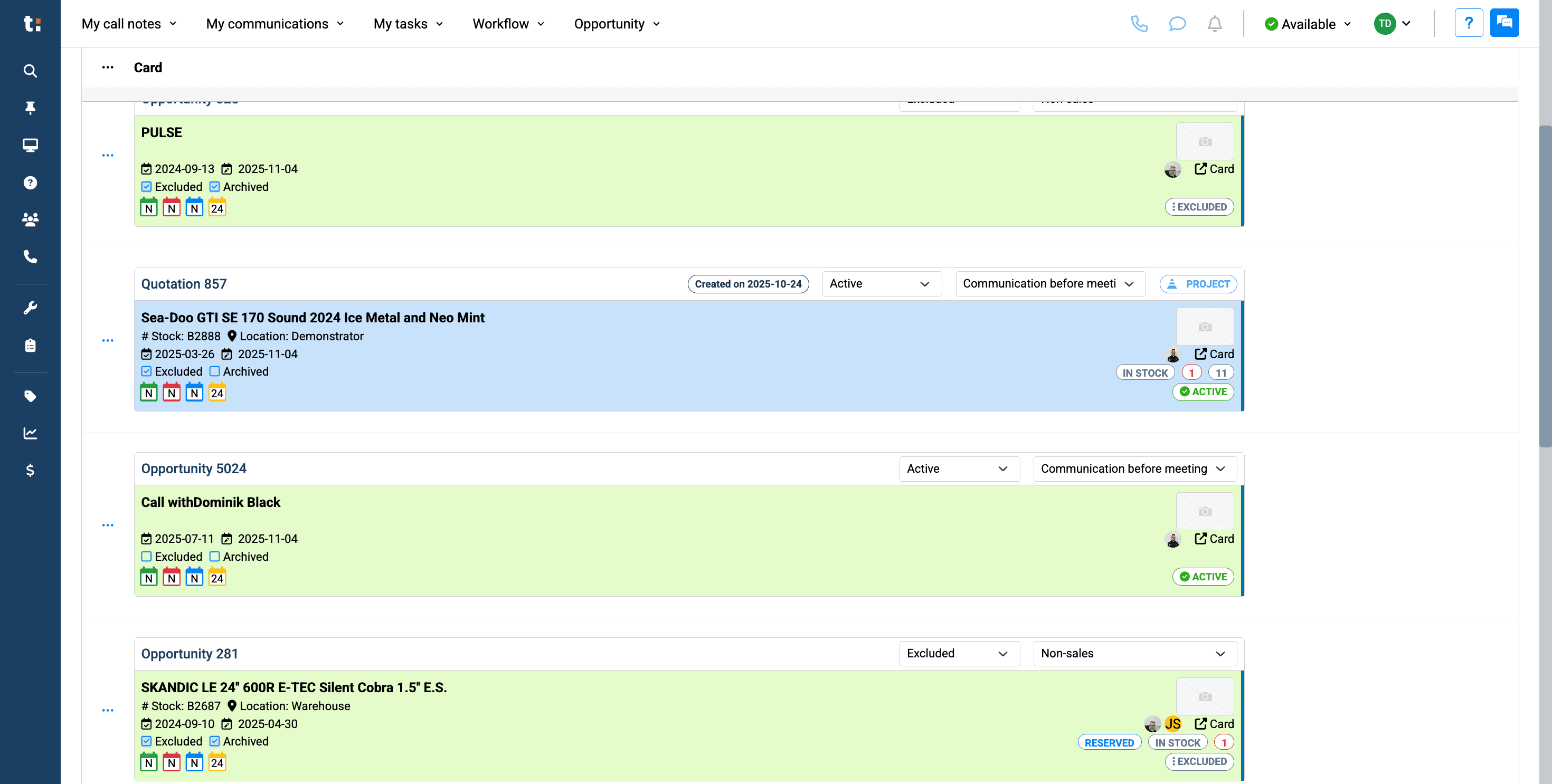
Another way to exclude a card is by going to your Sales tab.
5
You can exclude any card directly from your Sales tab.
6
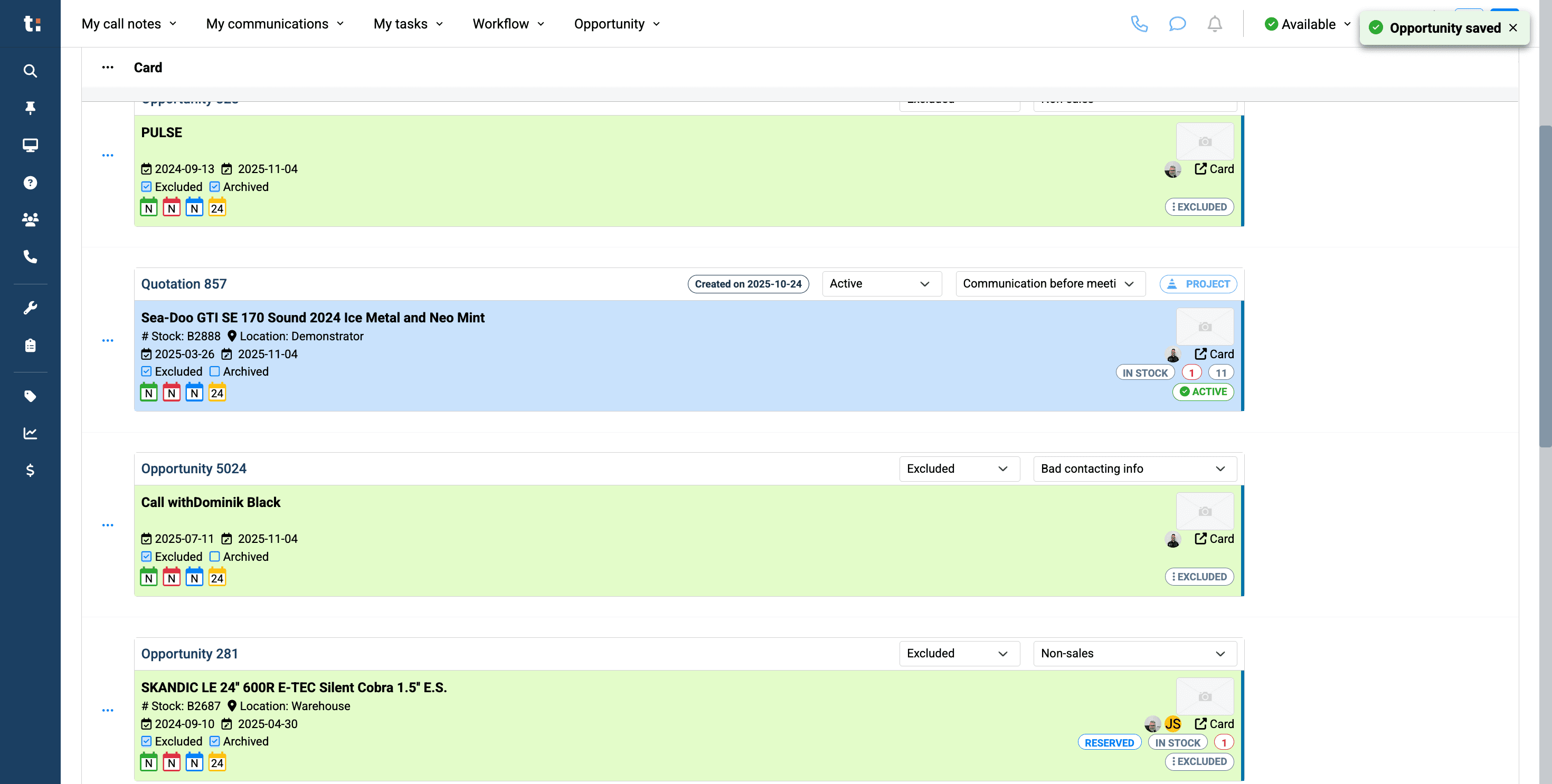
Click on Status and select the reason.
7
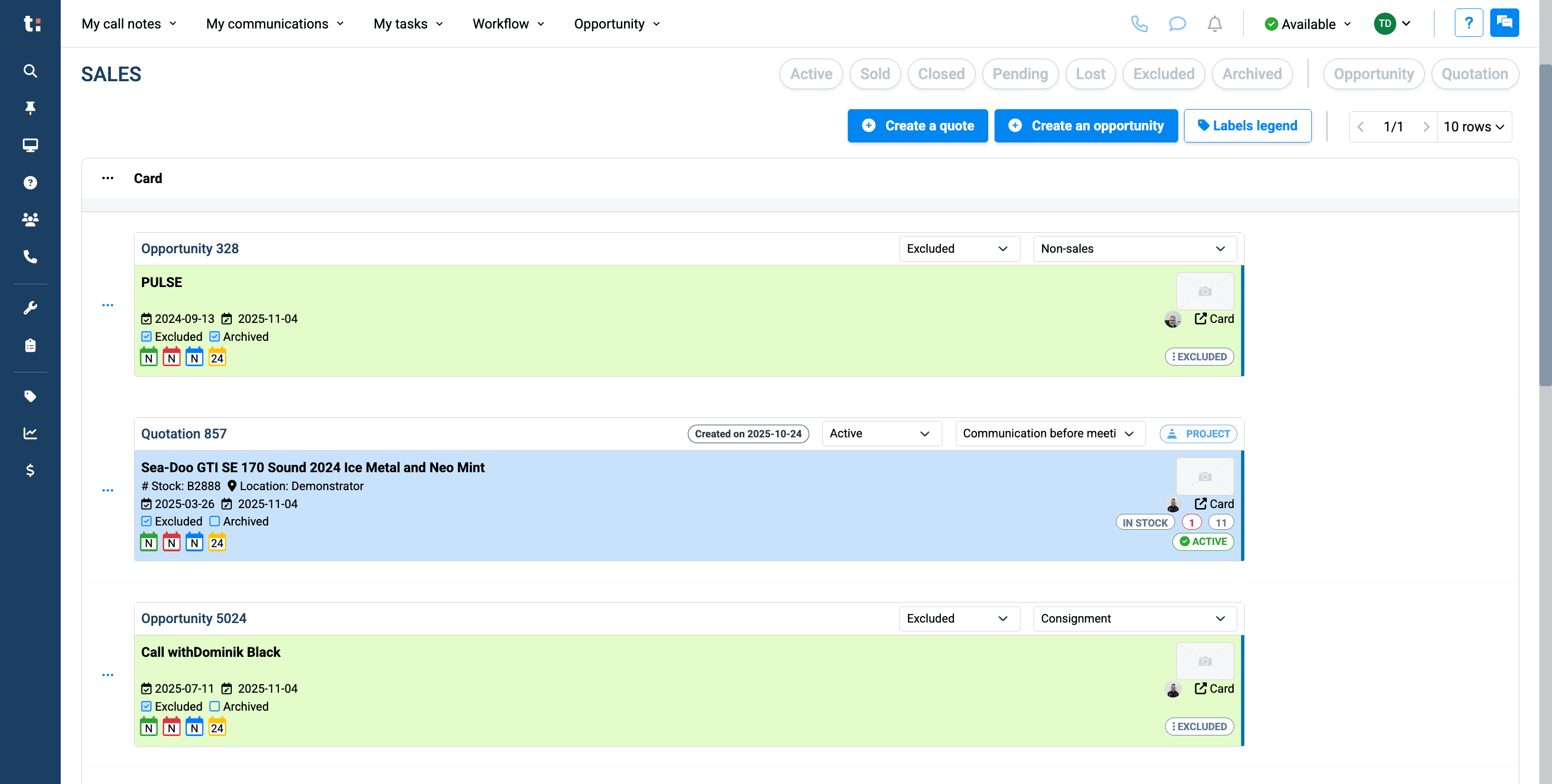
The last way to exclude a card is to click on the card, open the opportunity or quote.....
8
9
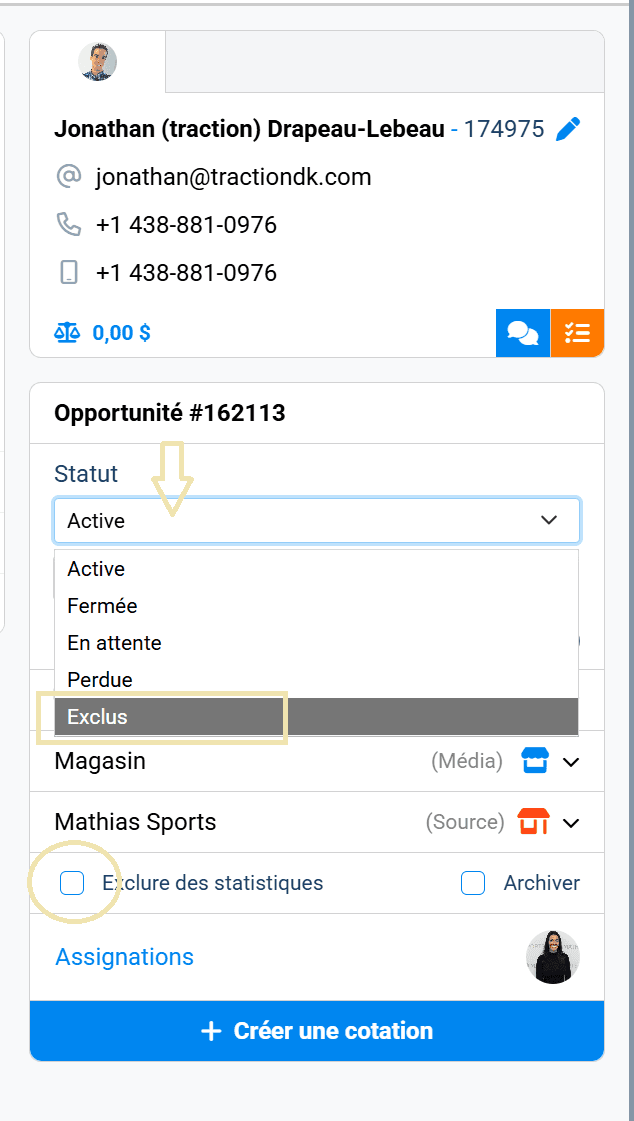
If you enter the opportunity, you can change the status and also check the “Exclude from statistics” box on the tab located on the far right of the screen.
If you still have questions after consulting this article, please feel free to contact our support team at: support@tractiondk.zohodesk.com