
How to Filter Transactions by Type: Sales, Transfer, and Expenses Guide
Learn how to filter your transactions by type, including sales, transfer, and expenses. This step-by-step guide explains how to view all types.
By Aasma Technology Solutions
This guide explains how to filter transactions according to their type. Using these filters, you can display only sales, transfers, or expense transactions. Applying type-based filters simplifies financial tracking and improves record management.
Let's get started
1
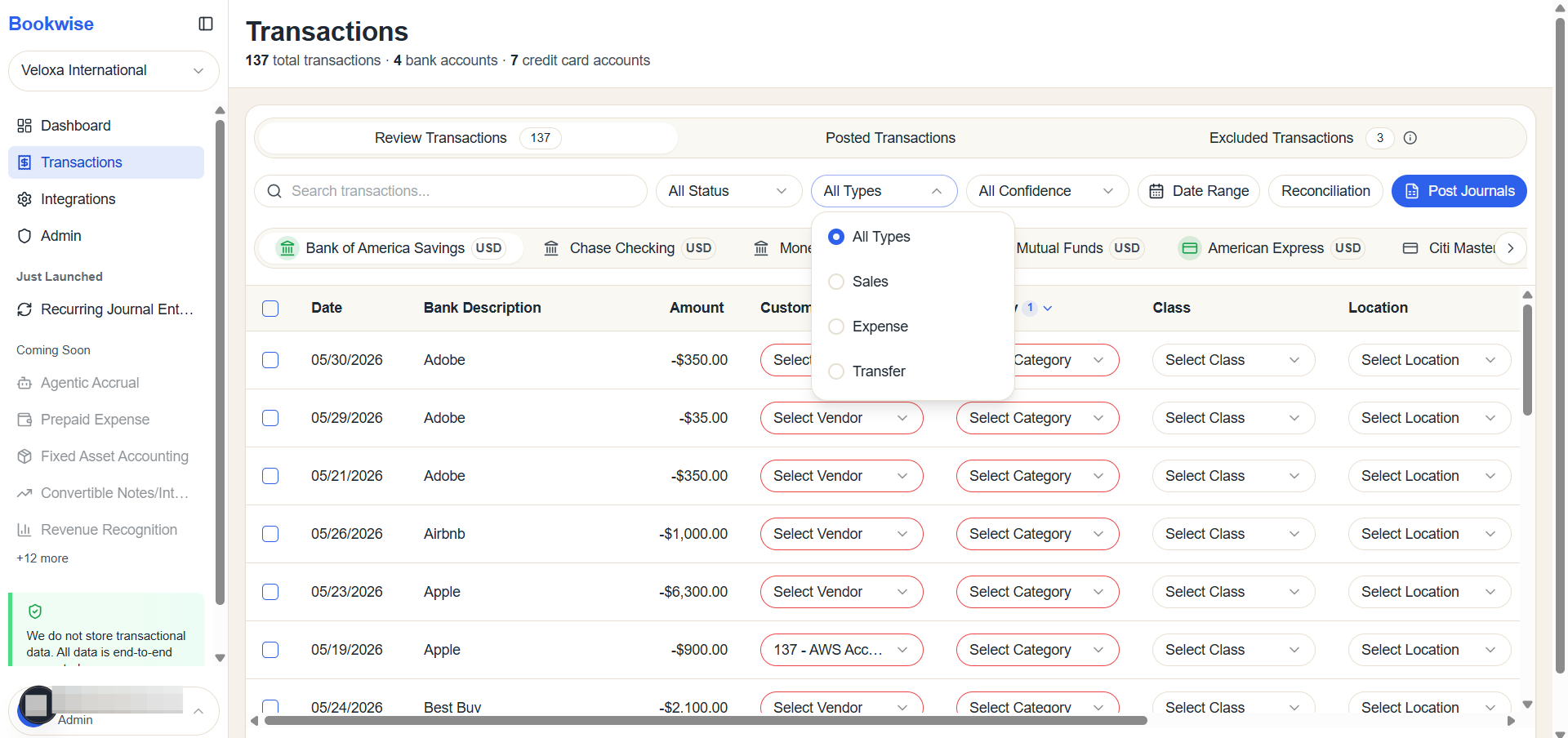
Clicking All Types reveals the full list of available types.
2
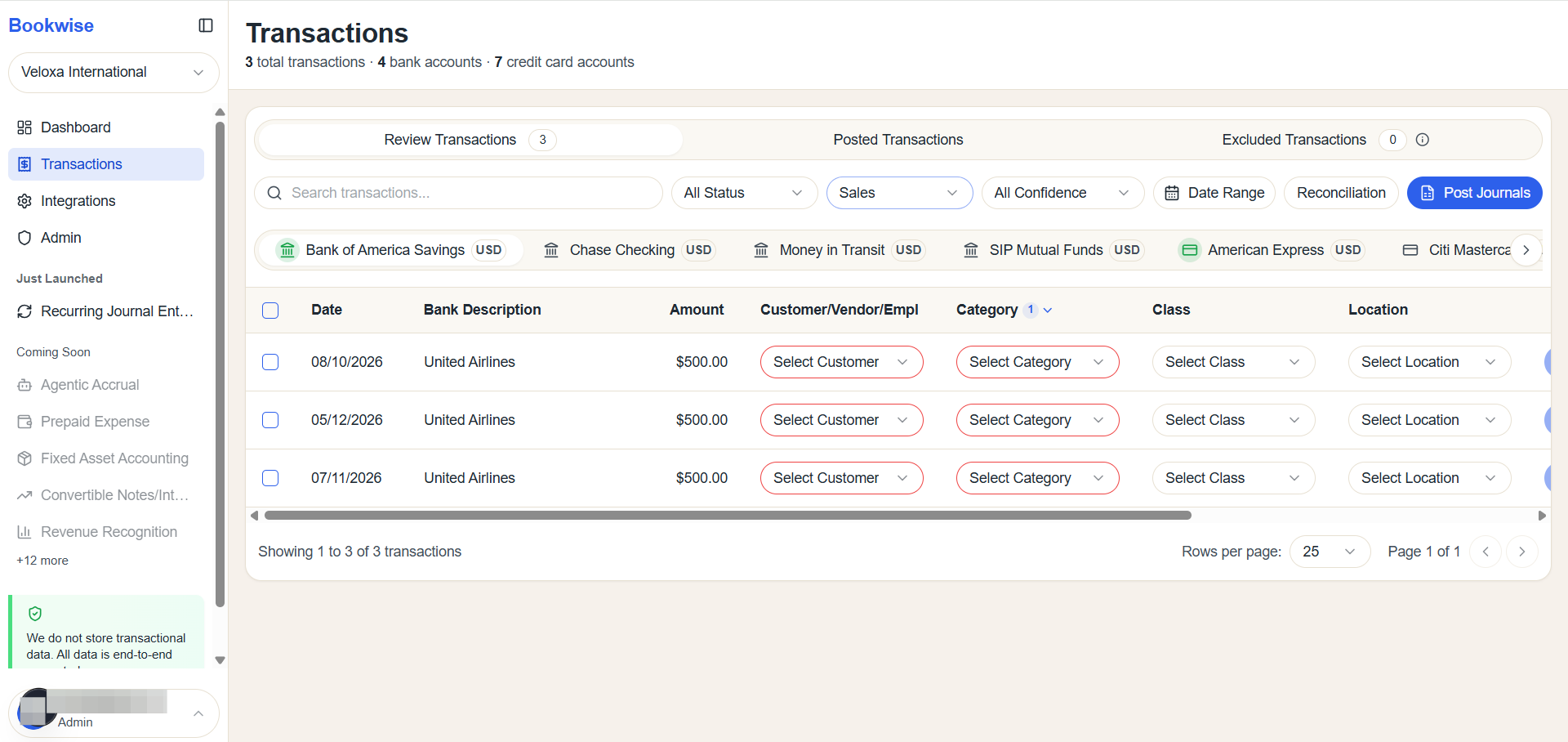
Select Sales to display only the Sales-type transactions.
3
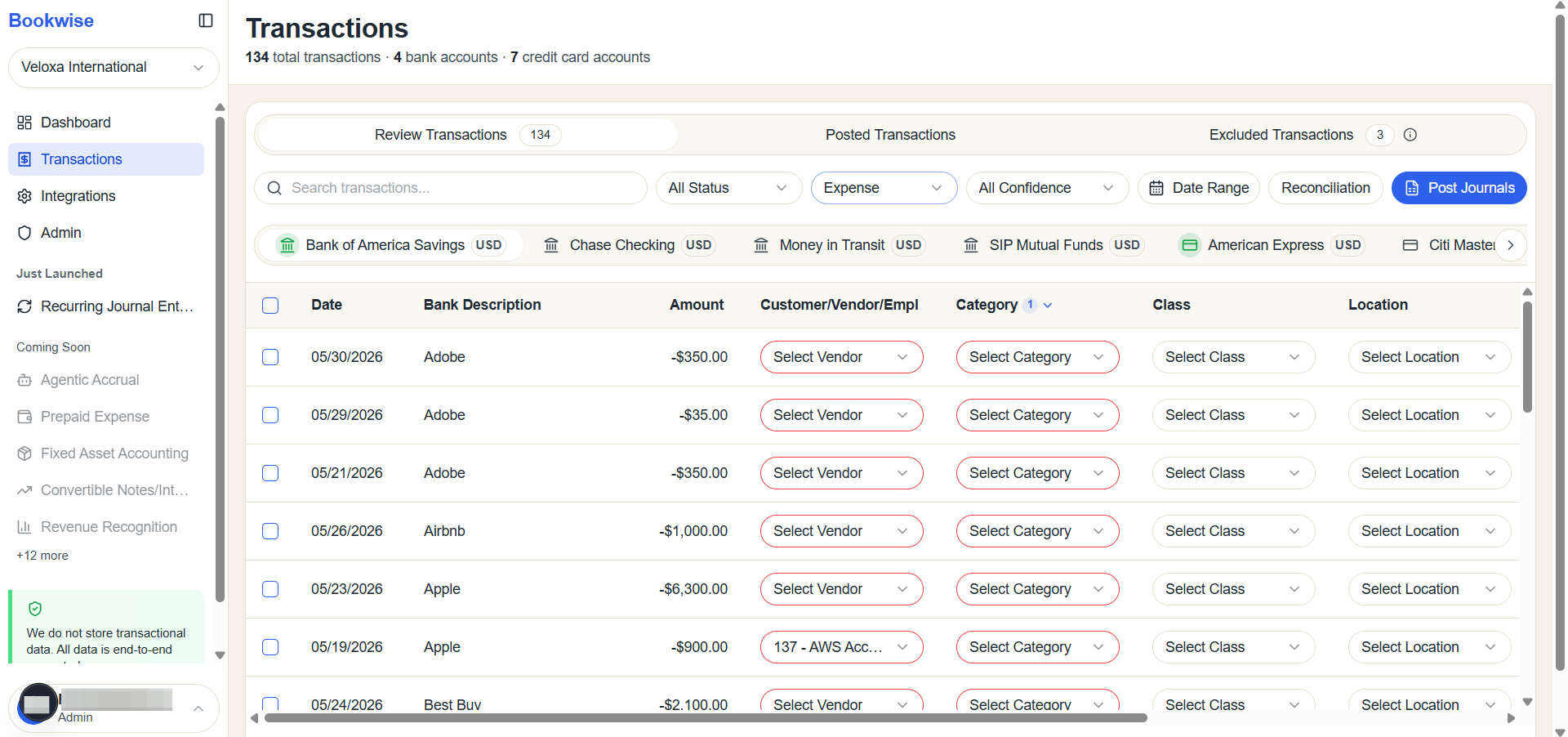
Select Expenses to display only the Expense-type transactions.
4
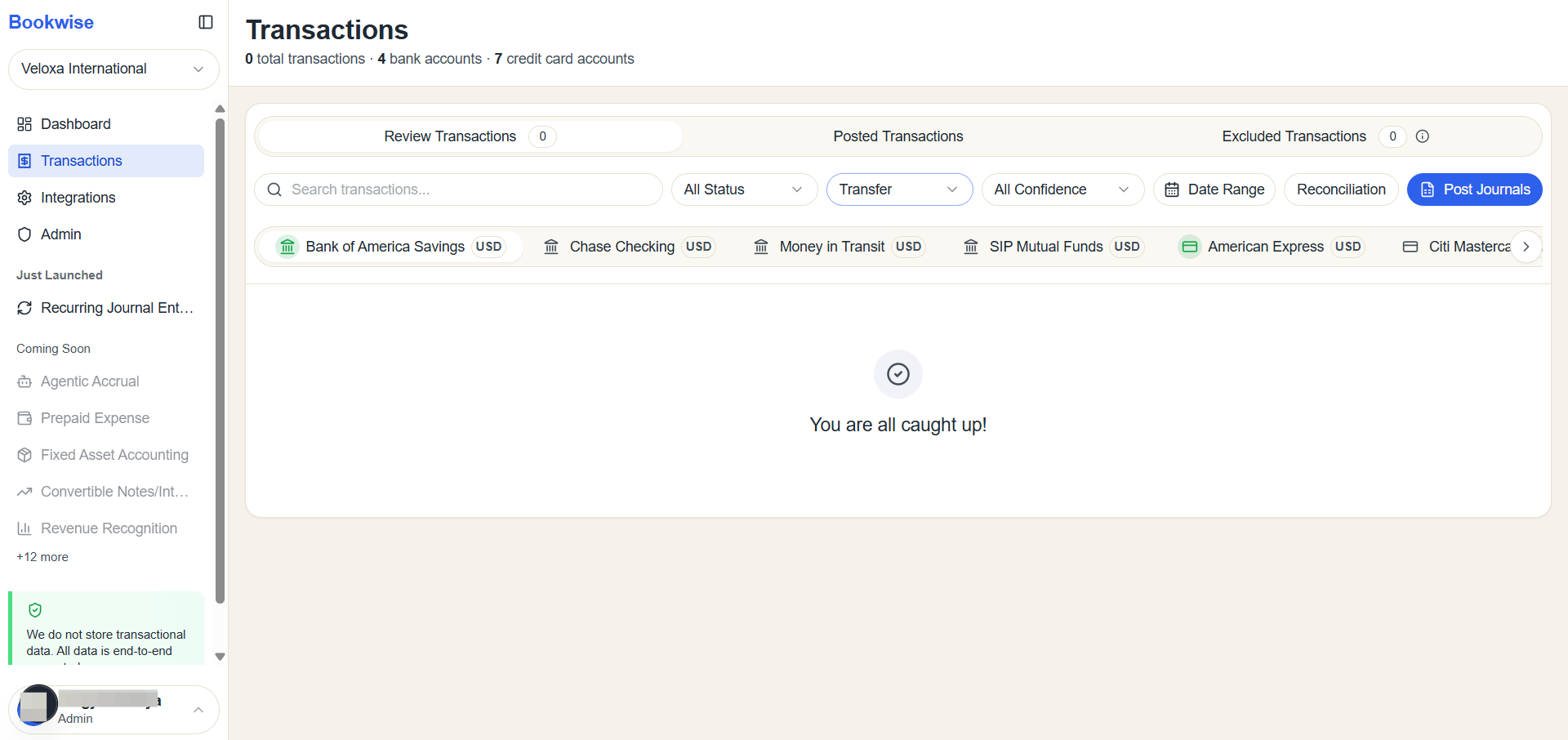
When you click on "transfer," there is currently no transfer available.
The following steps explain how to filter transactions by type.