How to Find Customer Information Using Swagger
Learn how to access and retrieve customer information in Swagger using an email address. Step-by-step guide to viewing account details, device serial numbers, Play Pass status, and more.
In this guide, we'll learn how to find customer information using Swagger. This process helps you access details like account email, device serial number, activation date, and subscription status by searching with an email address.
You will also see if the customer uses Shopify or Stripe. This guide is useful for quickly checking customer data and subscription details.
Let's get started
To find customer information, access Swagger using the email address.
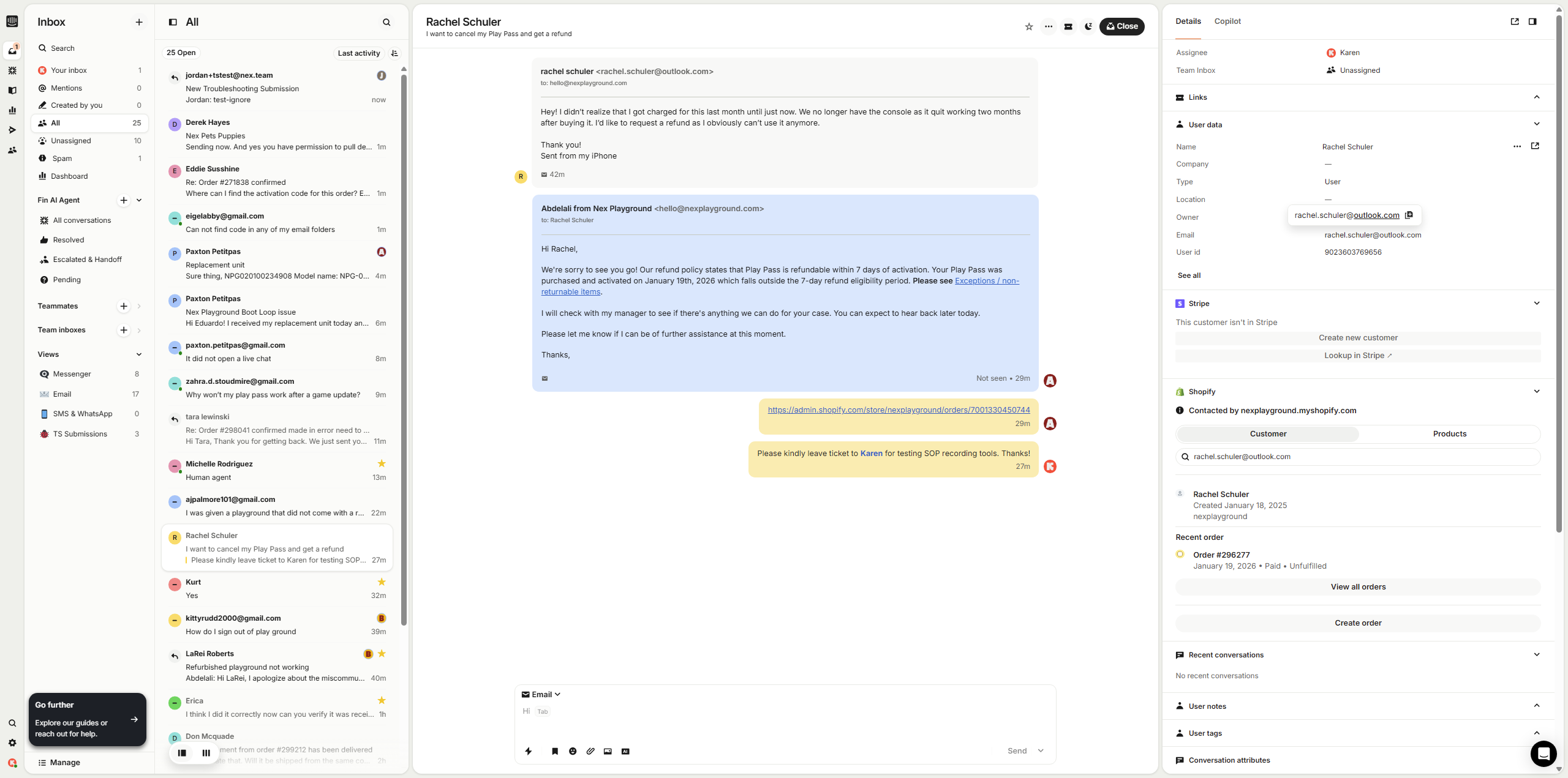
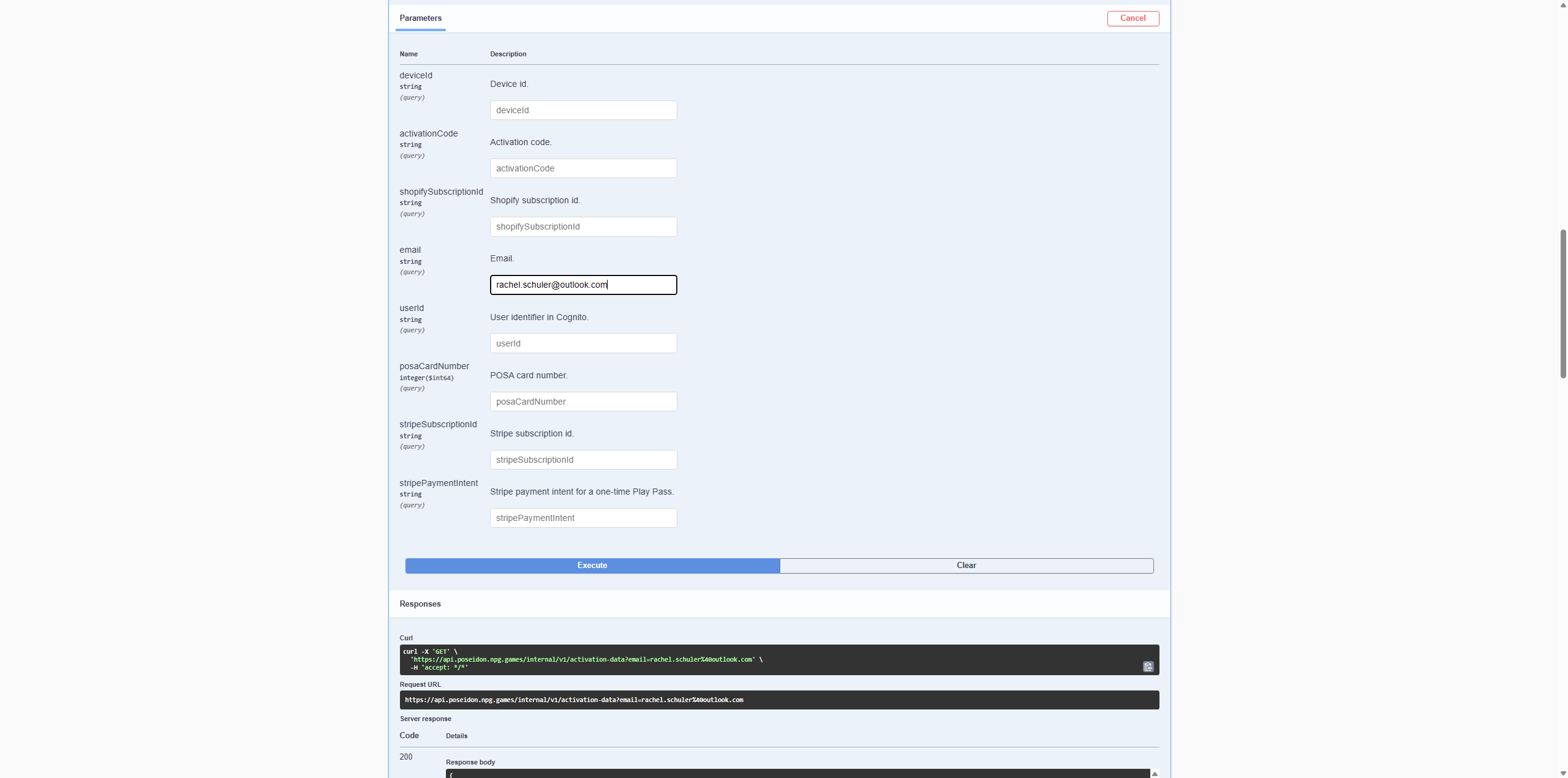
Click here to copy the email address, then go to Swagger. Under the Activations tab, go to Email. Paste it and execute.
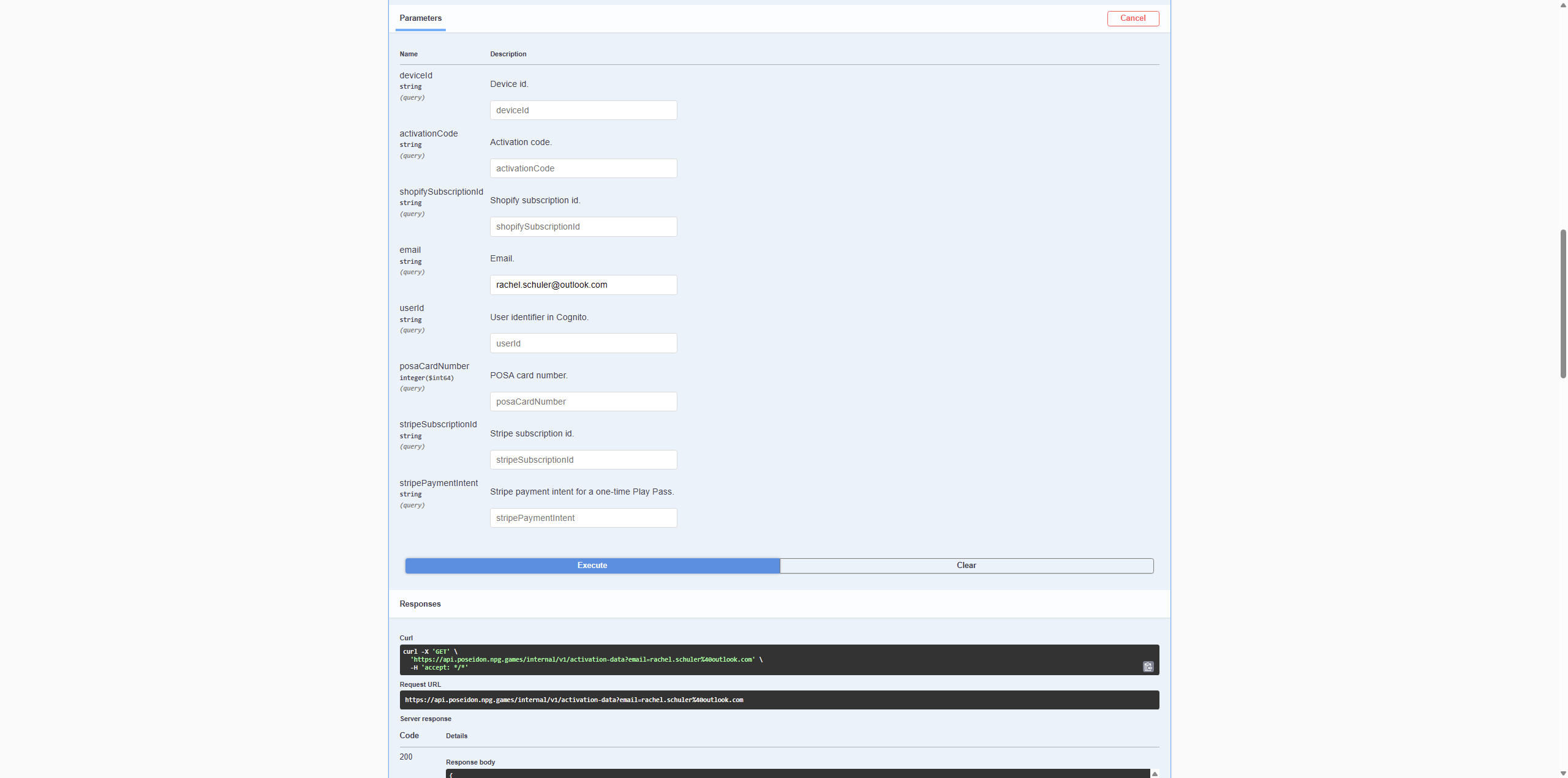
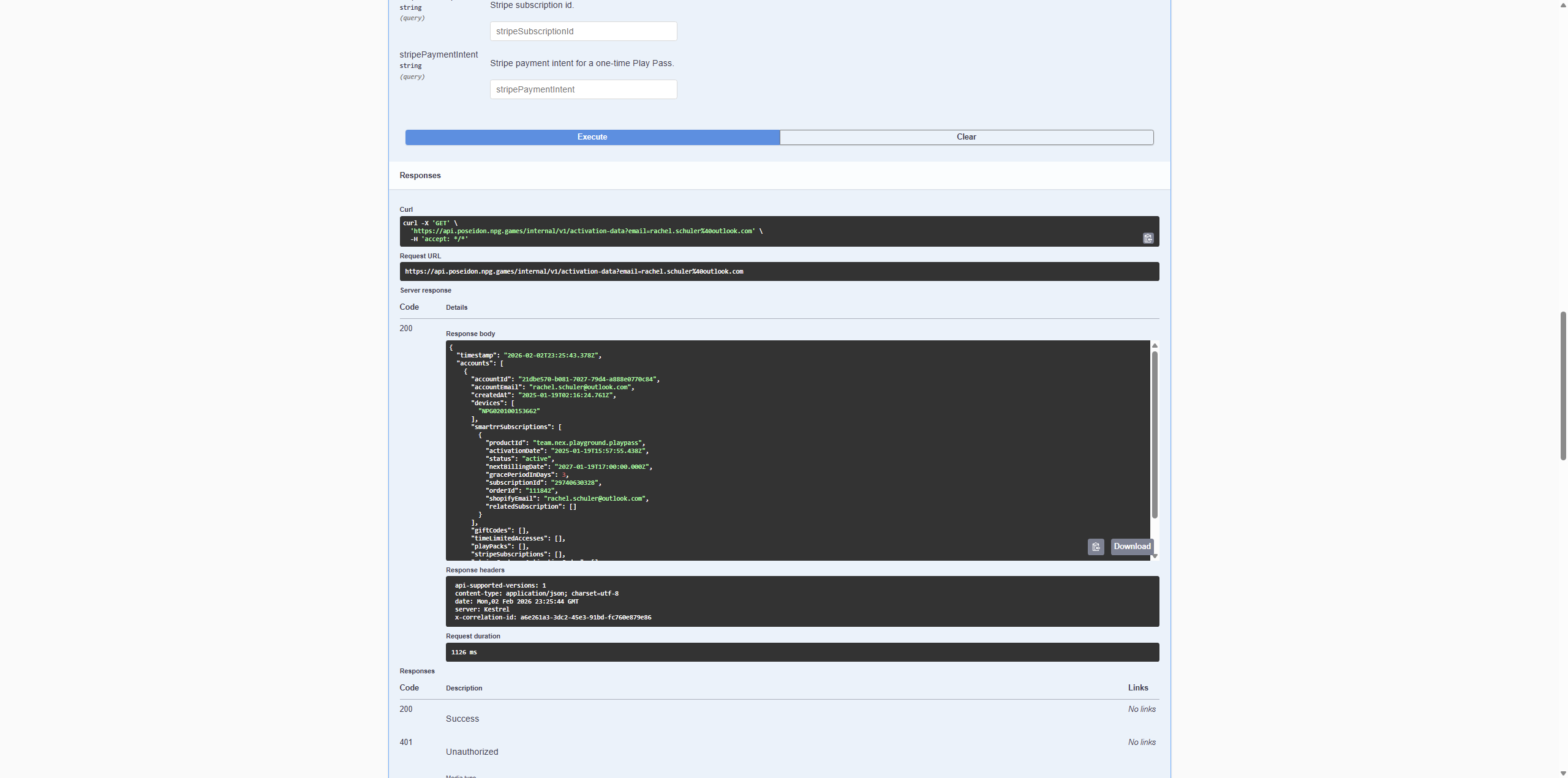
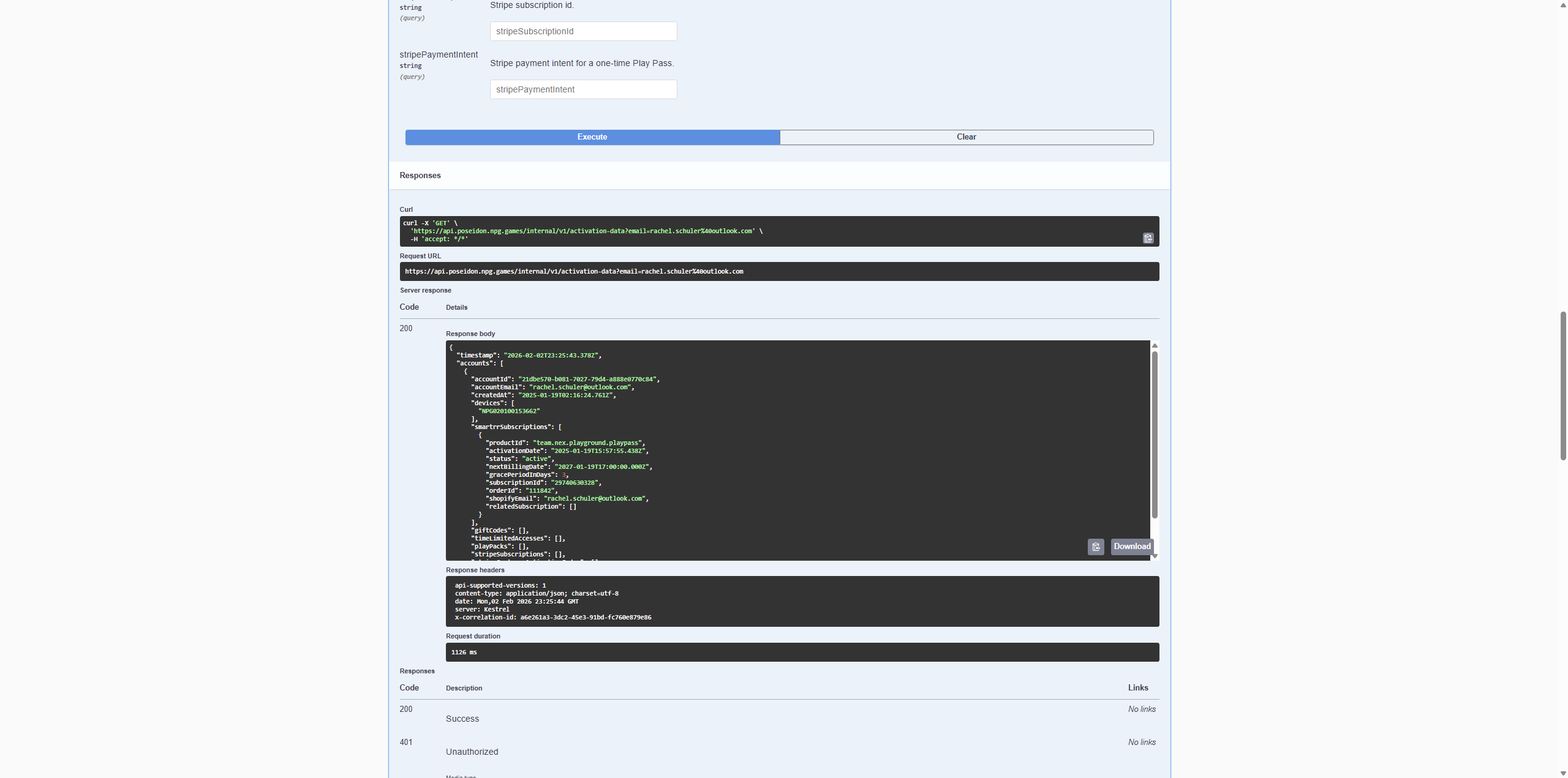
You should see the customer information here. You can view the Nex account email, Playground device serial number, Play Pass activation date, Play Pass status, Play Pass order ID, and Play Pass email address.
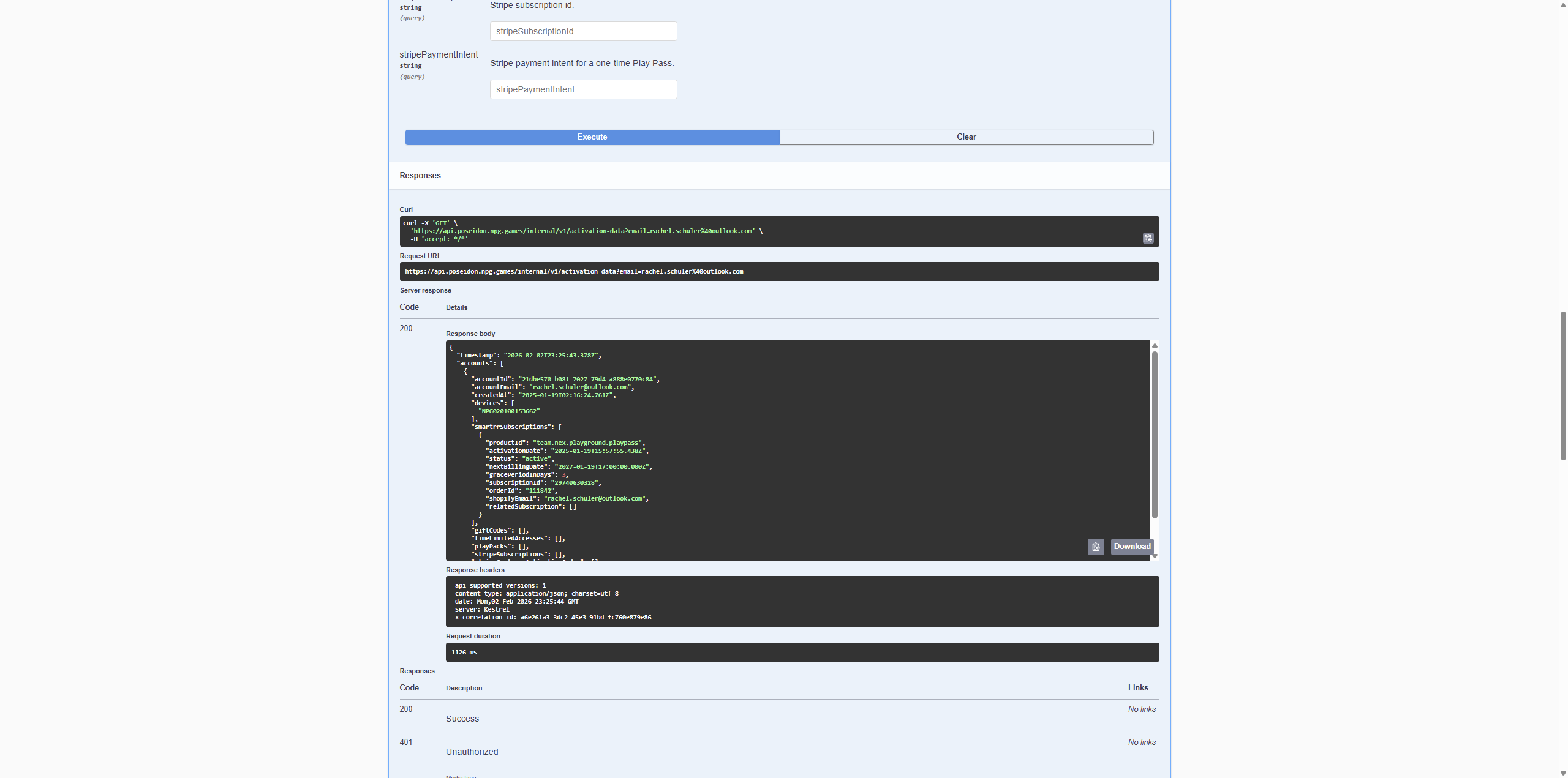
You can also check if they use Shopify or Stripe.
![Step #7: Click on "[ ] ,"](https://di8mn0rali2ic.cloudfront.net/uploads/8b8cc64d-db87-4689-acd3-a2ecb941b8c0/fc796ea6-db6f-42a7-a372-8a85ce31dfba.png)