How to Inactivate a Recurring Journal Entry
Learn how to inactivate an active Recurring Journal Entry when it is no longer required.
By Aasma Technology Solutions
This guide explains how to change the status of an active Recurring Journal Entry (RJE) to Inactive. Inactivating an RJE prevents it from being used for future recurring journal entry processing while keeping the existing entry available for reference and record-keeping.
1
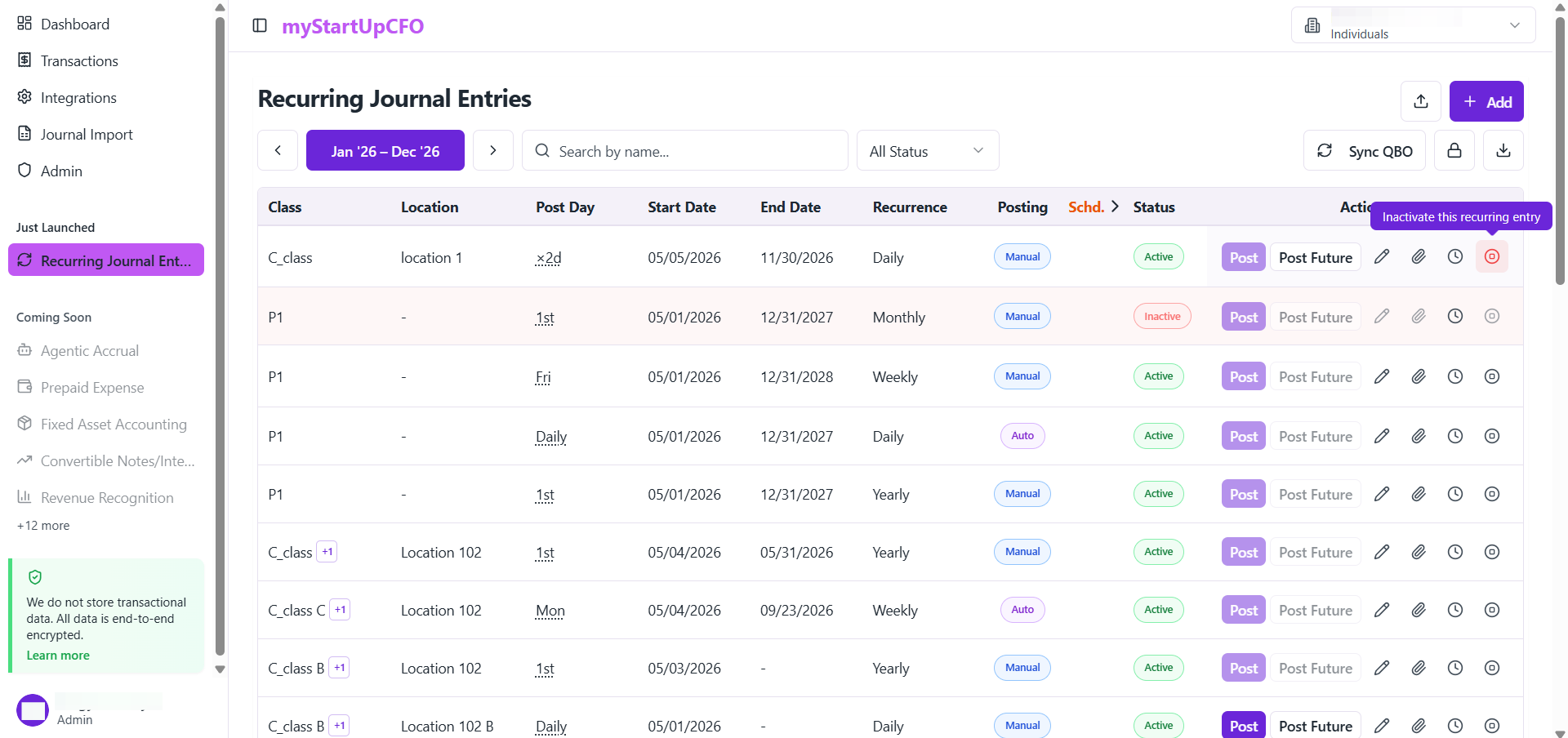
Go to the Recurring Journal Entries section and Find the active Recurring Journal Entry that you want to inactivate.
2
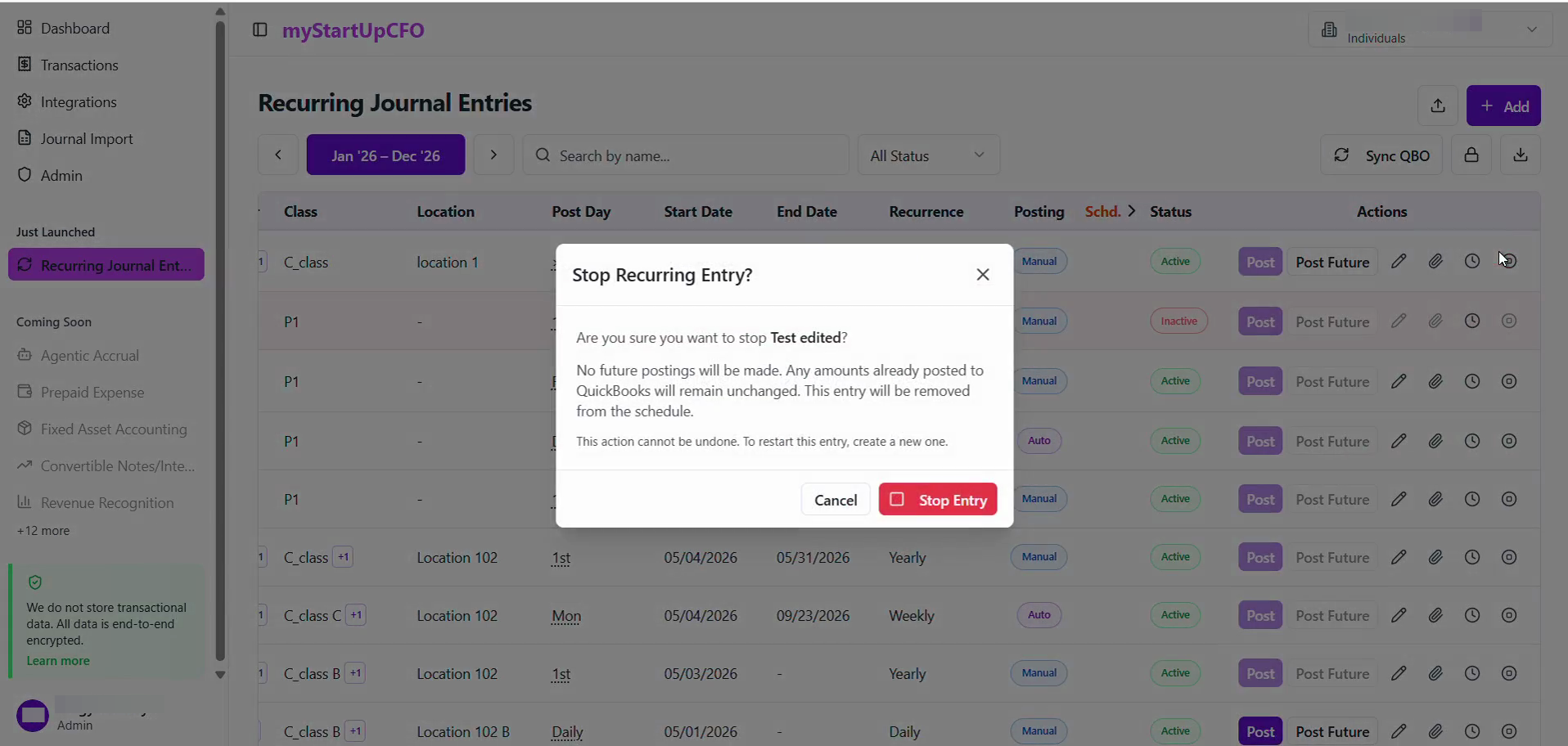
Click Stop Entry on the confirmation modal to finalize the inactivation.
3
Confirm that the status of that Entry has been changed from Active to Inactive.
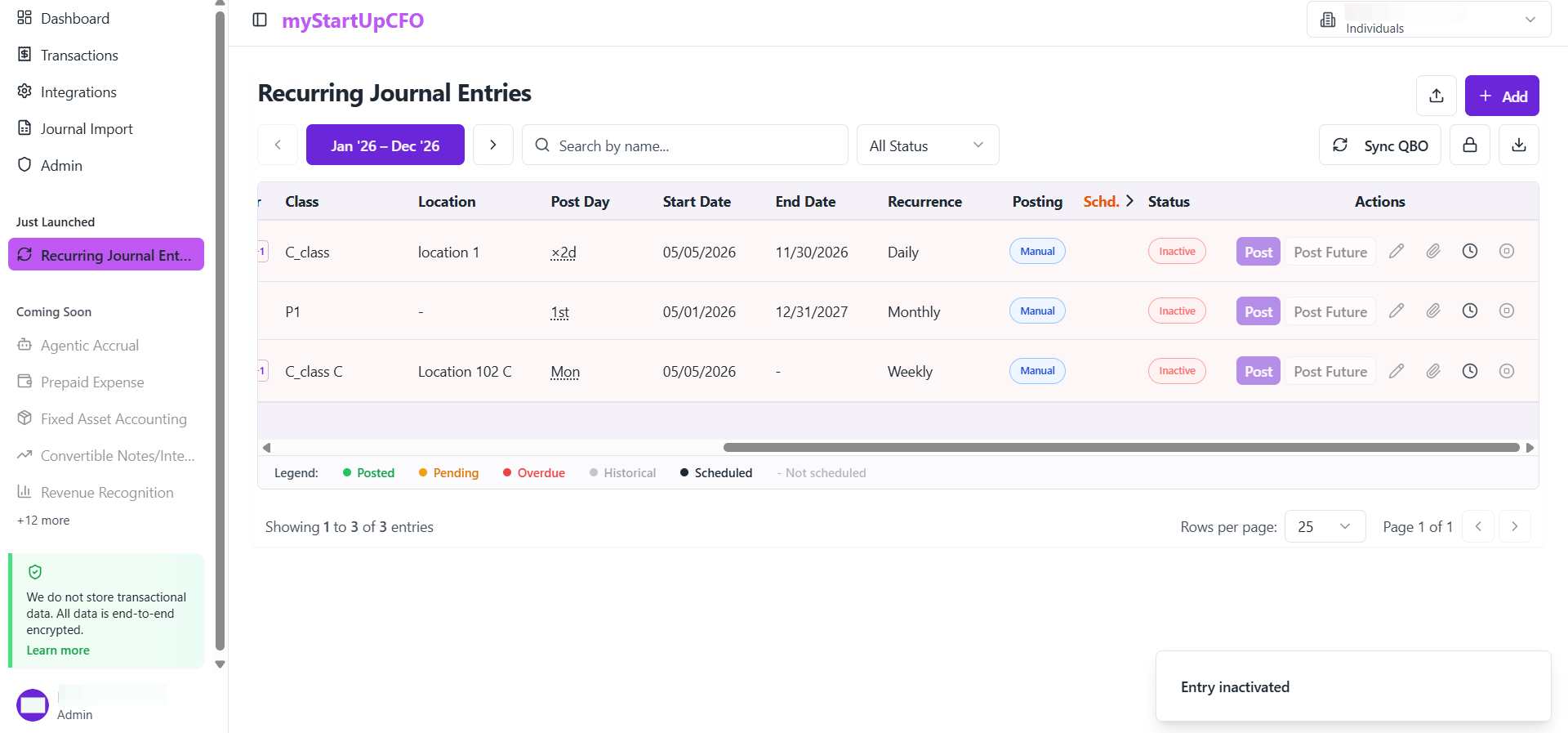
The inactivated Recurring Journal Entry will remain available for reference but will no longer be active for future processing.
The Inactivate feature allows users to stop using Recurring Journal Entries that are no longer required while preserving their existing data and activity history.