How to Move a Glitter Guide Between Teams
Learn step-by-step how to move a Glitter guide between teams. Follow these simple instructions to transfer your guide to another team, such as Glitter Demo, with ease.
By Yuval Karmi
In this guide, we'll learn how to move a Glitter guide from one team to another. This process helps you organize your guides and ensure the right team has access.
You'll follow a few steps to select the guide, choose the new team, and complete the move.
Let's get started
To move a Glitter guide between teams, go to any guide...
1
Click on "Team Guides"

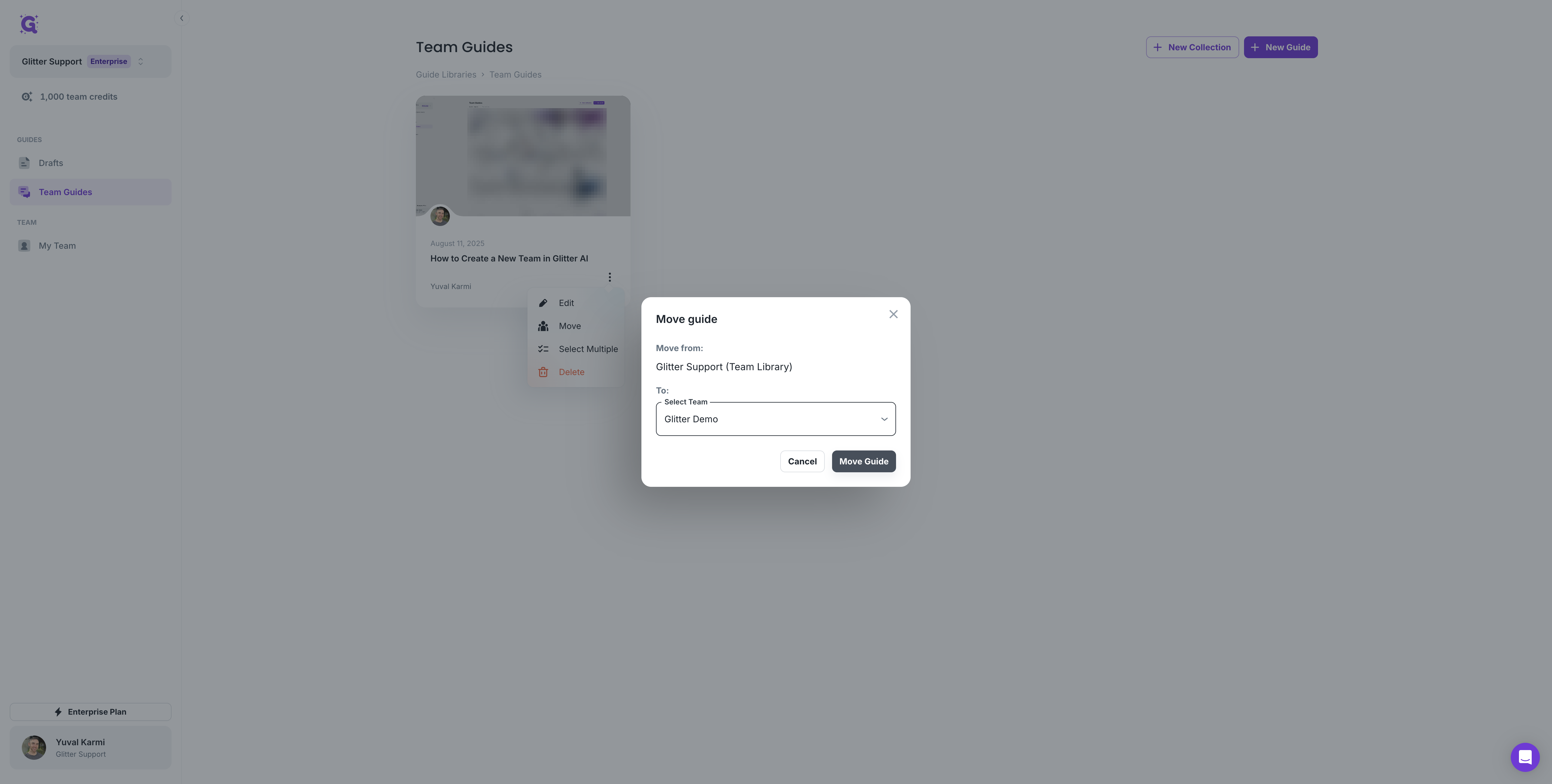
Click the three dots, then select "Move".
2
Click here

3
Click on "Move"

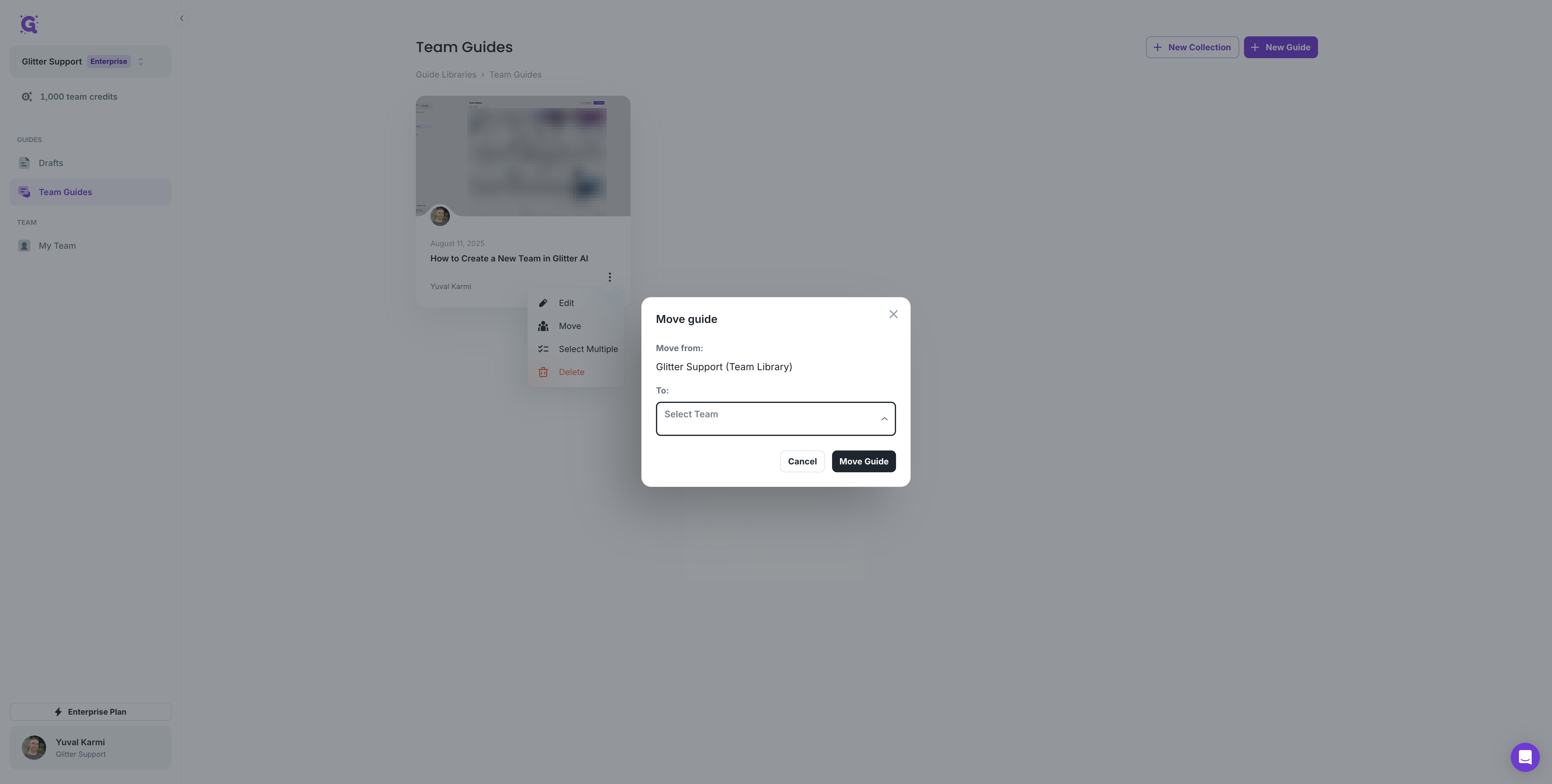
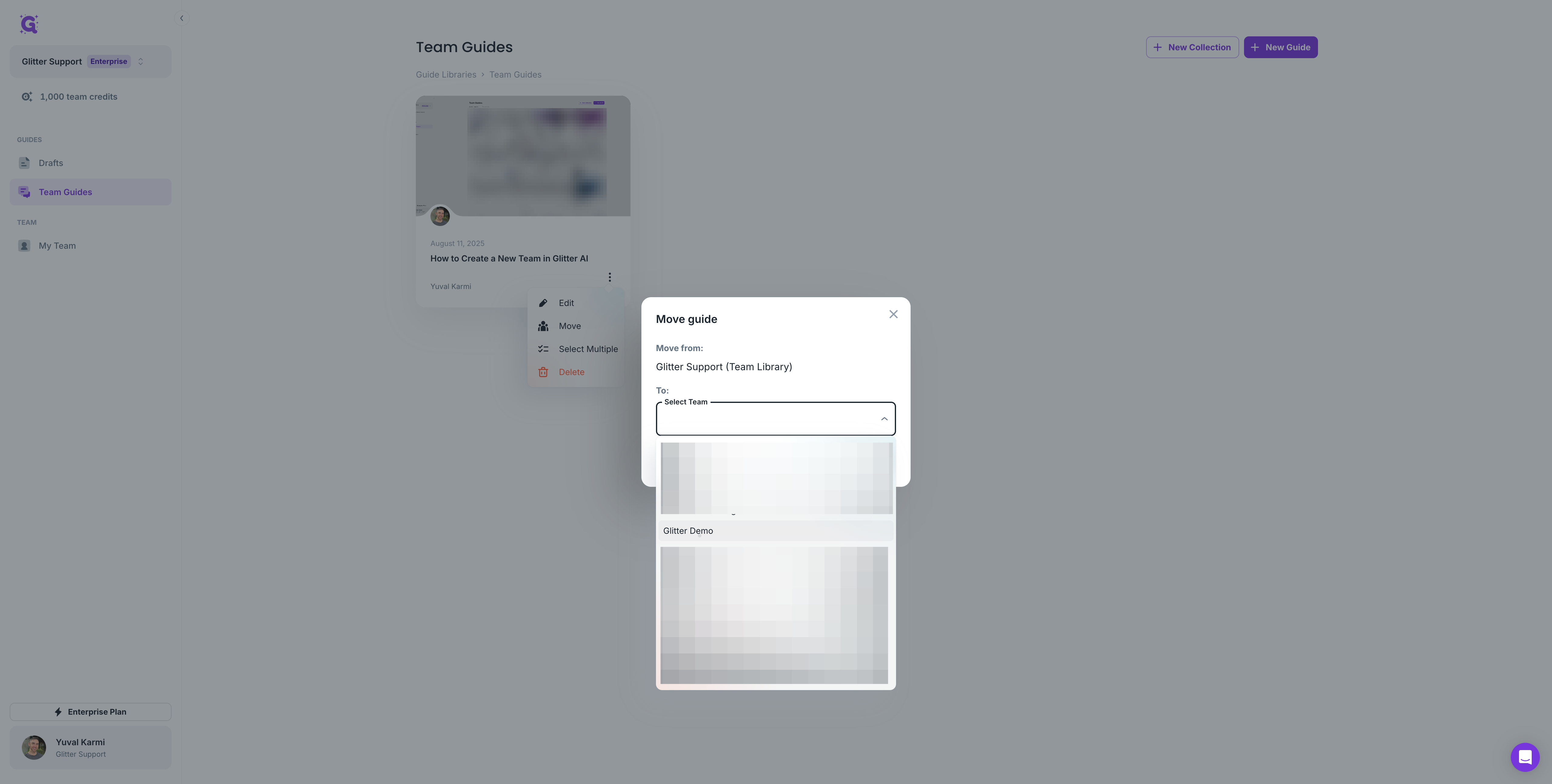
Select the team you want to move the guide to, such as Glitter Demo, then click "Move Guide."
4
Click here
5
Click on the team you want to move the guide into
6
Click on "Move Guide"