Icon

How to Navigate the Action Plan Template in Google Sheets

Learn how to access and navigate the Rooting and Rising Community Expo action plan template in Google Sheets to track tasks, vendors, and event details.

By Miss Julies School of Beauty

This guide explains how to access and utilize the project proposal action plan template in Google Sheets to track event tasks, vendors, resources, and community partnerships.

This applies to event organizers, community leaders, and volunteers responsible for coordinating and tracking responsibilities for the Rooting and Rising Community Expo.
1
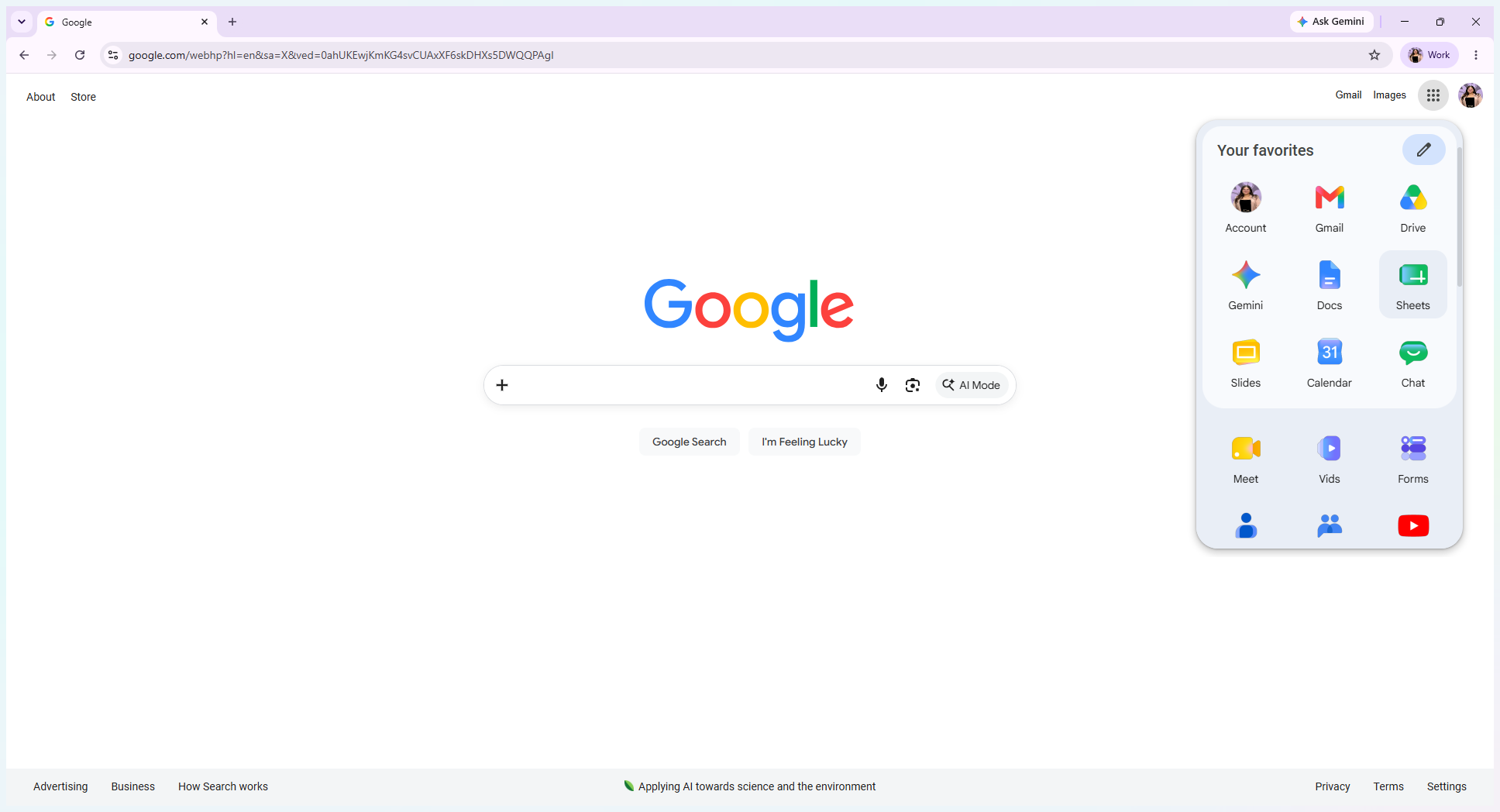
Open the Google Apps menu and click Sheets.
Step #1: Open the Google Apps menu and click Sheets.
2
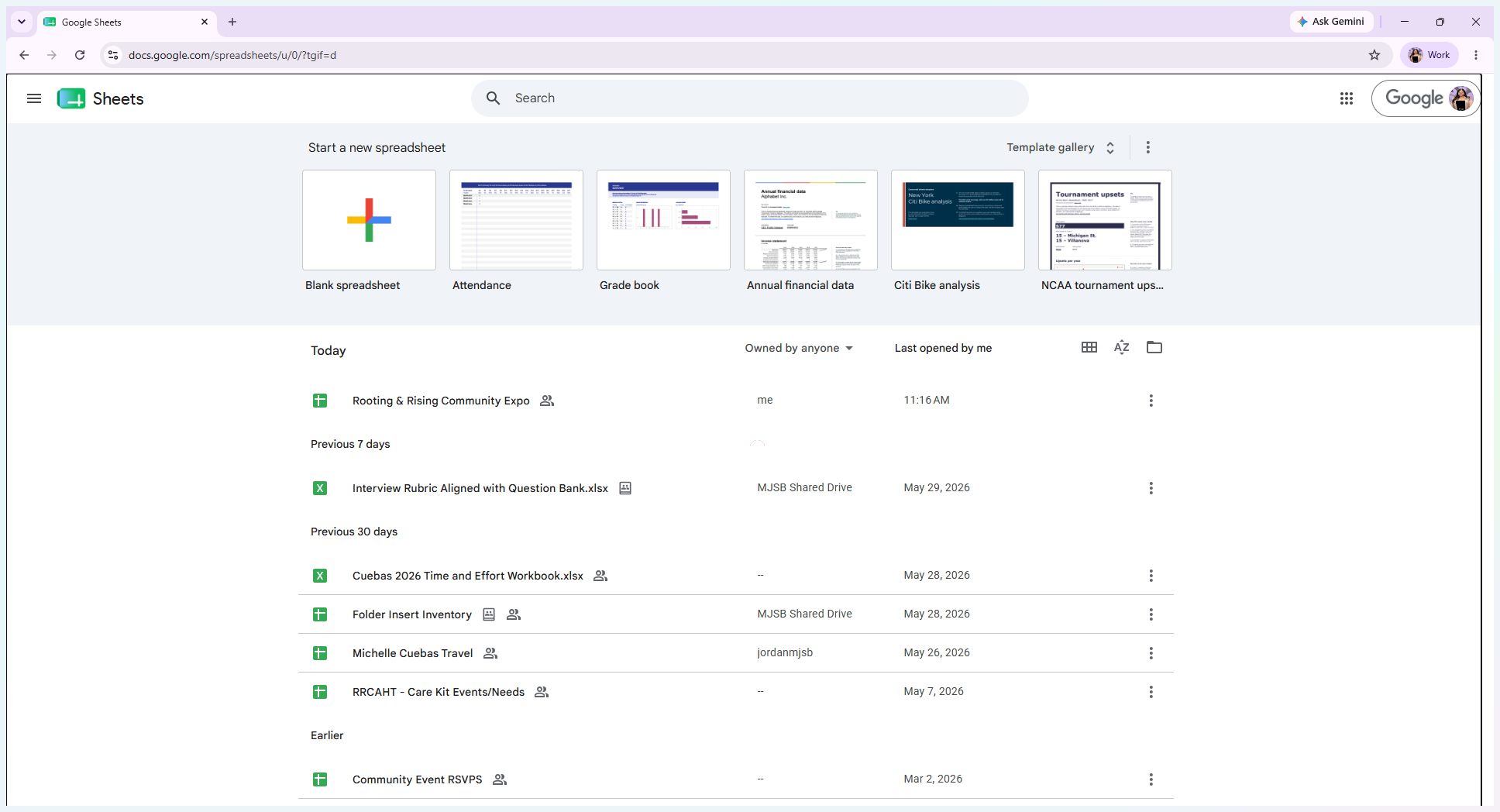
Click the Rooting & Rising Community Expo spreadsheet to open the template.
Step #2: Click the Rooting & Rising Community Expo spreadsheet to open the template.

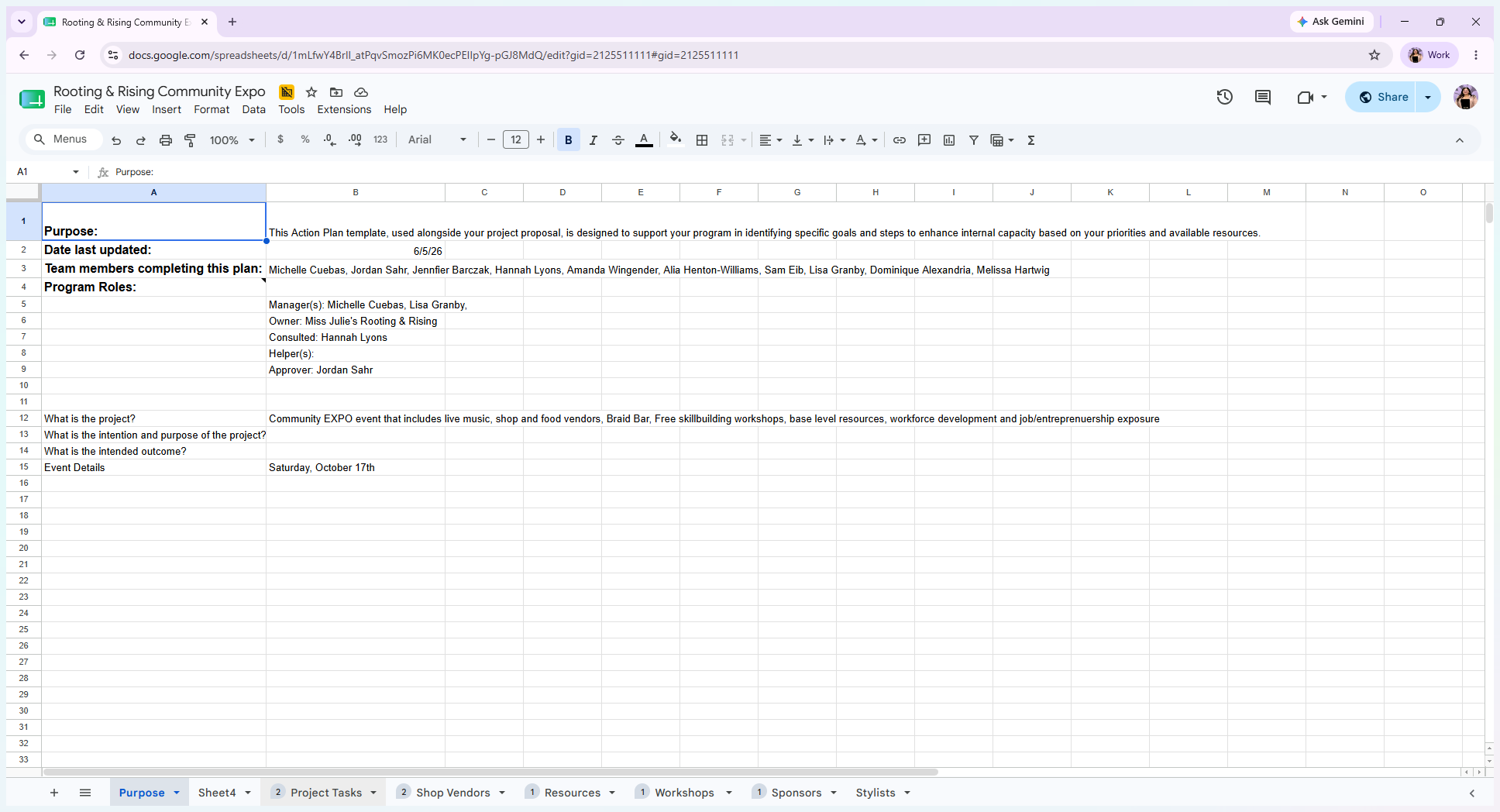
The first page of the document outlines the project proposal plan, including the event's intention, purpose, dates, and assigned program roles.
3
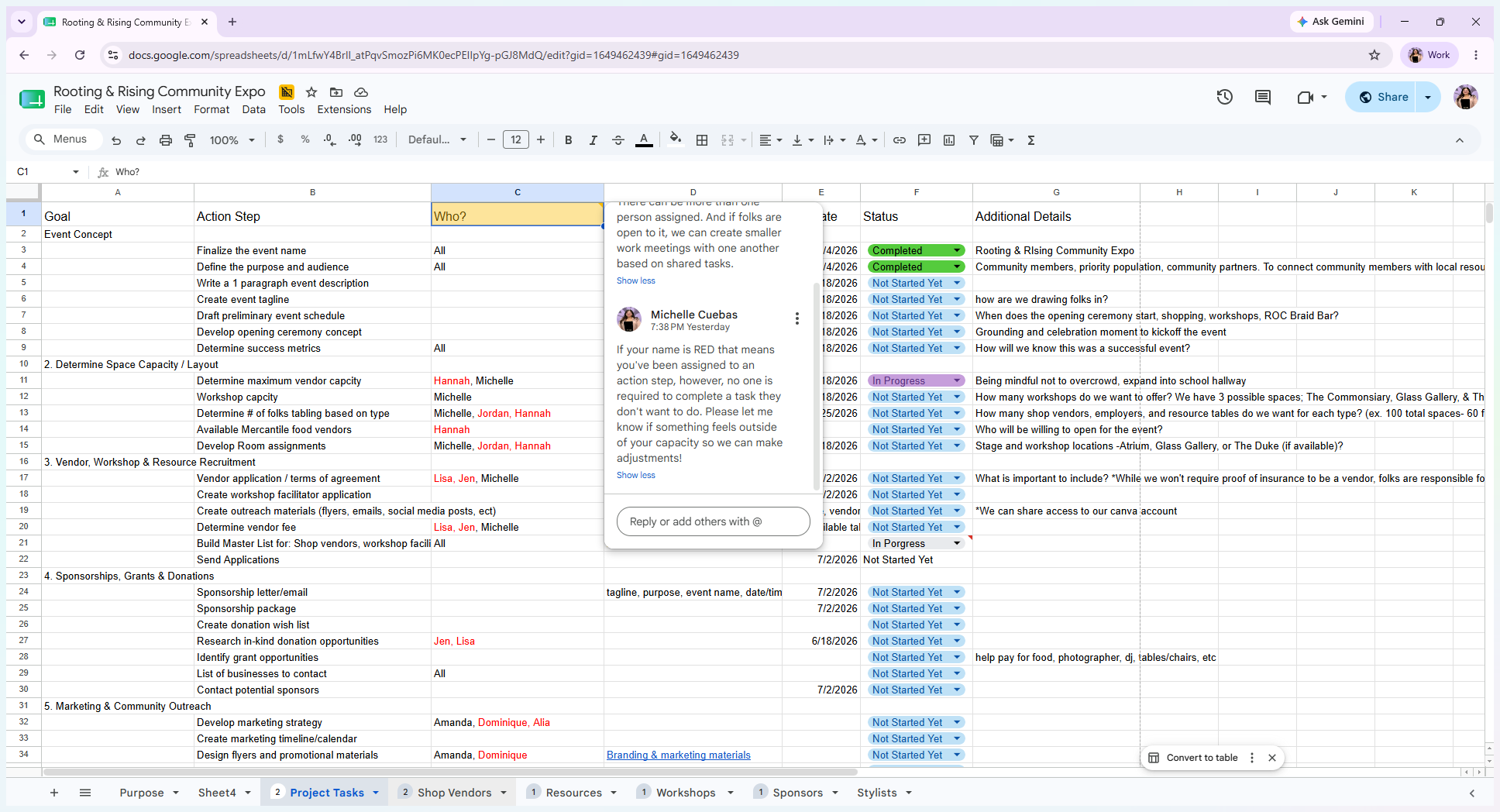
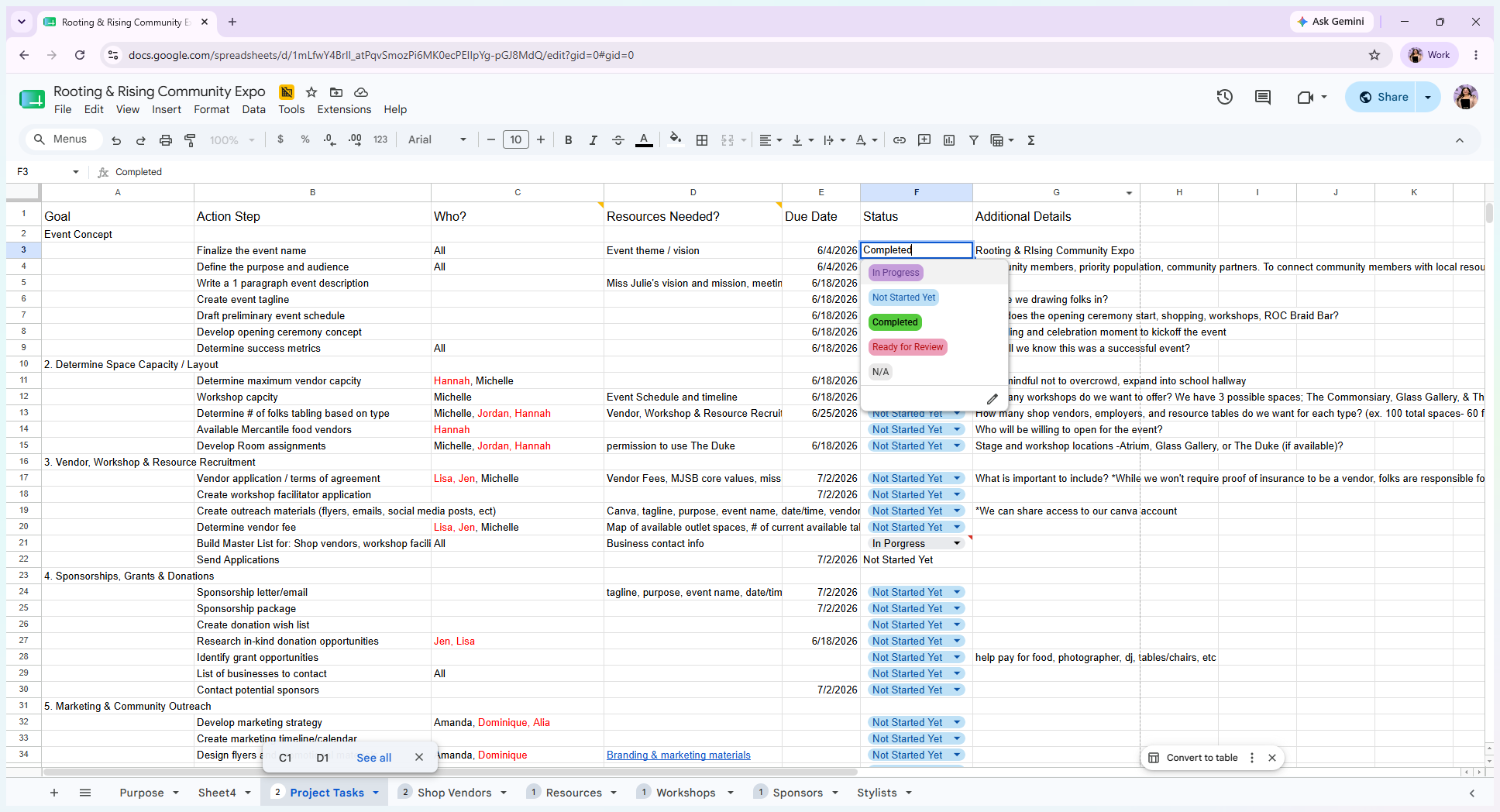
Click the Project Tasks tab at the bottom of the screen to view overarching goals, action steps, and assigned responsibilities.
Step #3: Click the Project Tasks tab at the bottom of the screen to view overarching goals, action steps, and assigned responsibilities.
4
Click the dropdown menu in the Status column to mark a task's progress as In Progress, Not Started, Completed, Ready for Review, or Not Available.
Step #4: Click the dropdown menu in the Status column to mark a task's progress as In Progress, Not Started, Completed, Ready for Review, or Not Available.
5
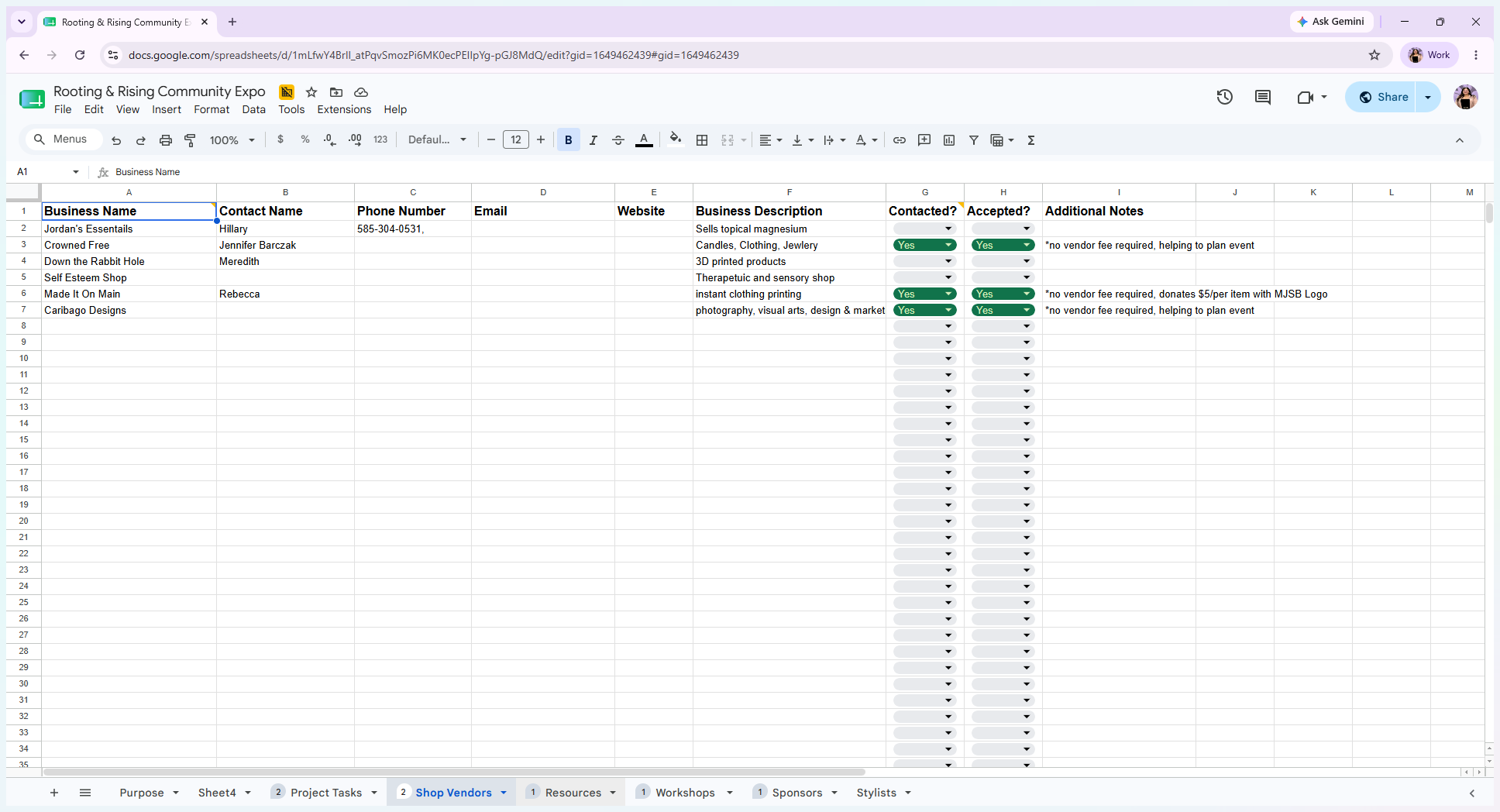
Navigate to the Shop Vendors tab to track the master list of local artists and direct sales vendors to be contacted.
Step #5: Navigate to the Shop Vendors tab to track the master list of local artists and direct sales vendors to be contacted.
6
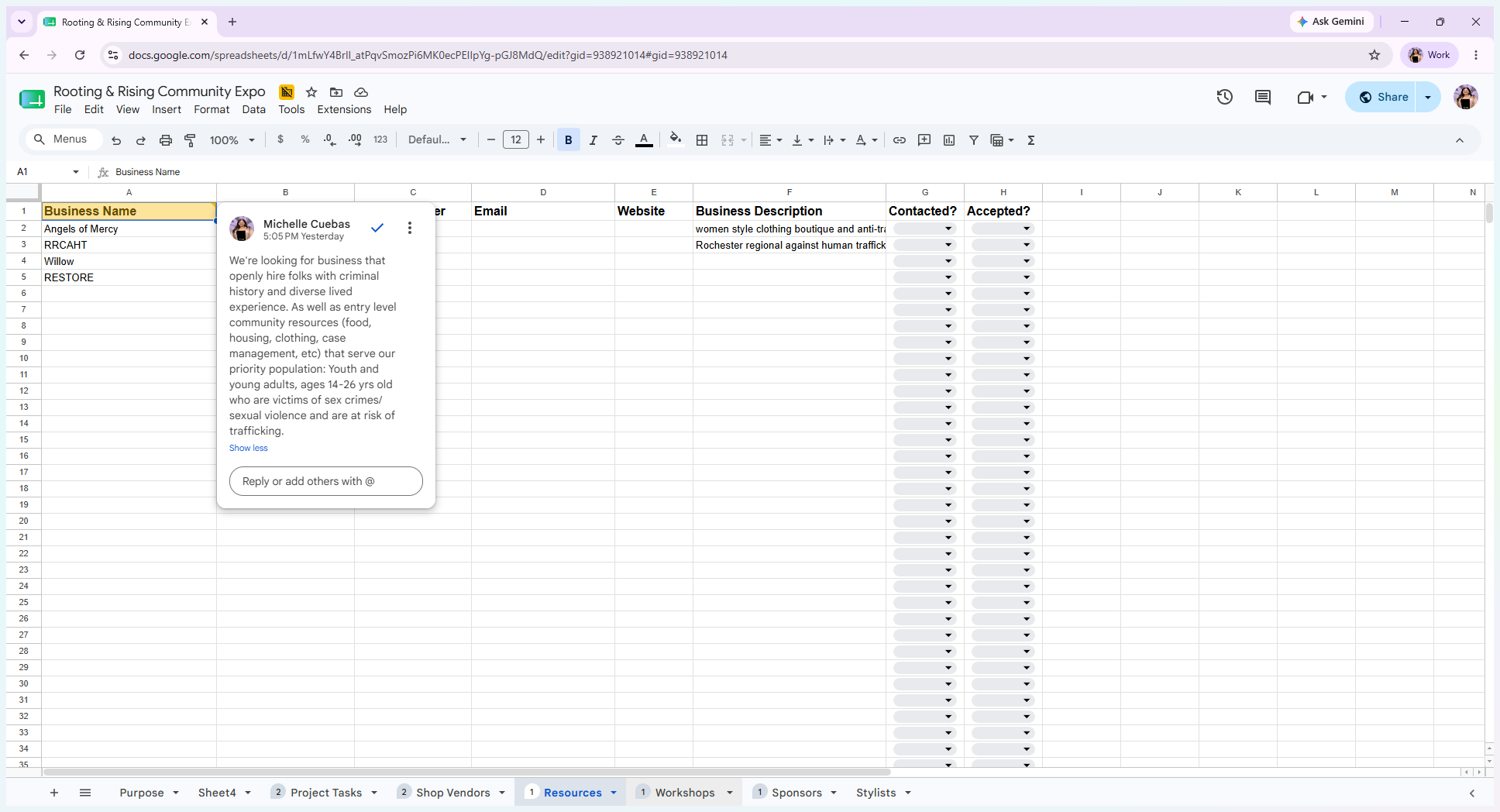
Click the Resources tab to view entry-level community resources and businesses with inclusive hiring practices.
Step #6: Click the Resources tab to view entry-level community resources and businesses with inclusive hiring practices.
7
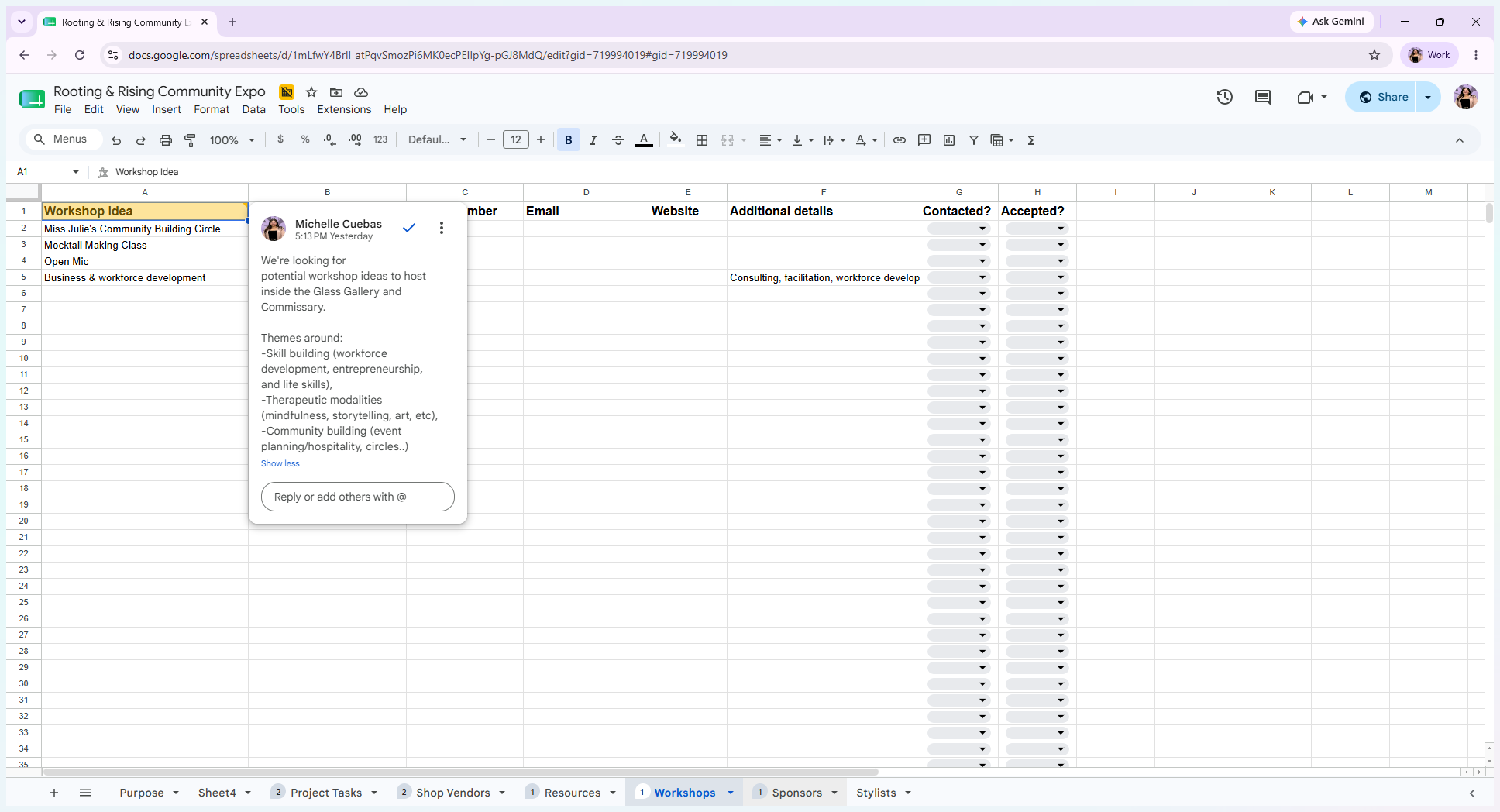
Select the Workshops tab to log potential workshops focused on themes like skill-building, workforce development, and therapeutic modalities.
Step #7: Select the Workshops tab to log potential workshops focused on themes like skill-building, workforce development, and therapeutic modalities.
8
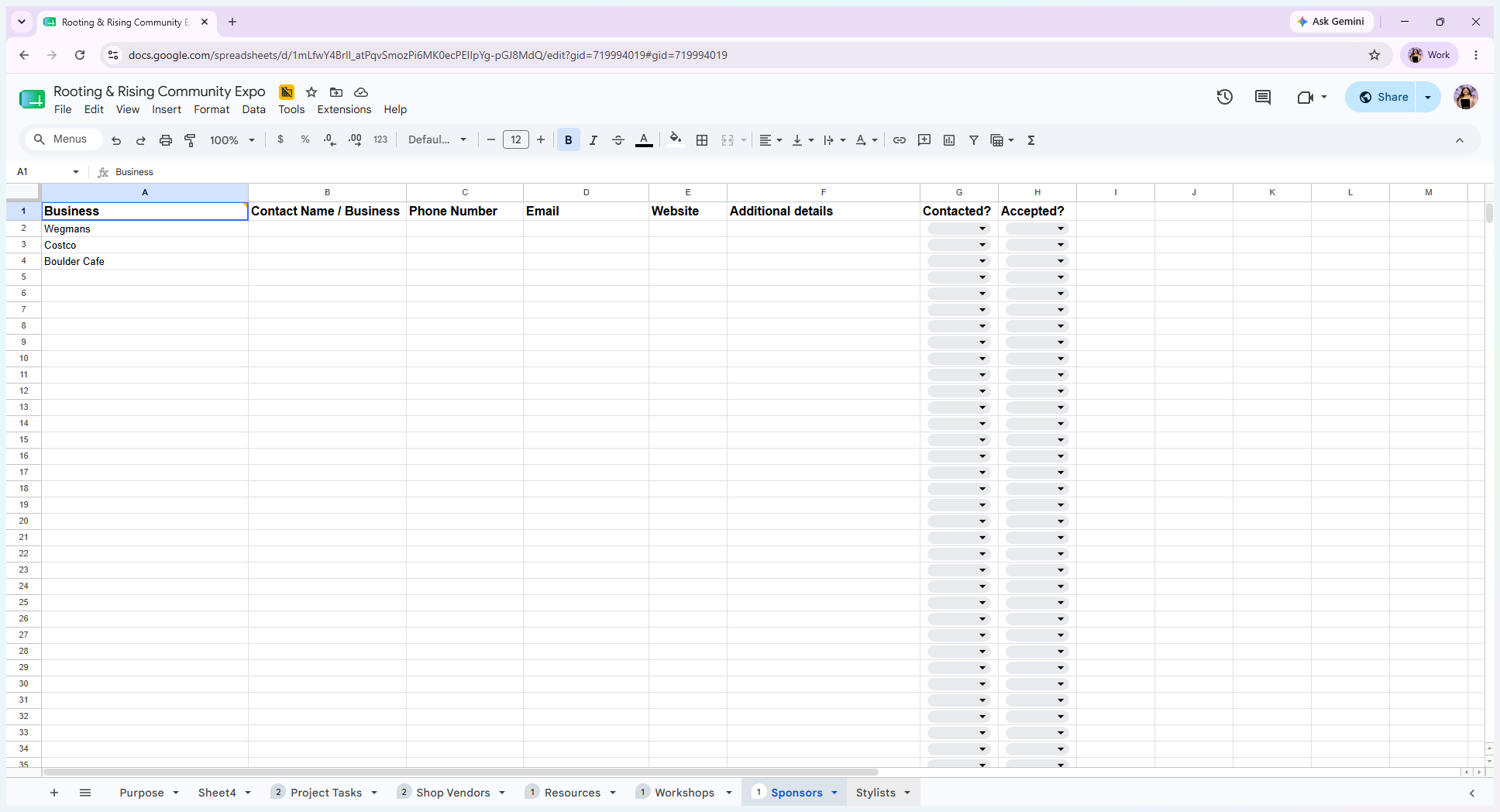
Open the Sponsors tab to manage outreach to local organizations, beauty brands, and food providers for monetary or in-kind donations.
Step #8: Open the Sponsors tab to manage outreach to local organizations, beauty brands, and food providers for monetary or in-kind donations.
9
Click the Stylists tab to view the roster of volunteer stylists supporting the event.
Step #9: Click the Stylists tab to view the roster of volunteer stylists supporting the event.

Q: What does it mean if my name is highlighted in red on the task list?

A: A red name means you have been assigned to an action step. However, you can request adjustments if the task falls outside of your capacity or interests.

Q: What does a black name indicate on the task list?

A: A name in black means the action step has been discussed directly, and that person has agreed to complete the task.

Q: How can I tell if there are additional details or instructions for a specific cell?

A: Look for a yellow triangle in the top right corner of a cell. This indicates an active comment thread containing extra context or instructions.

Term

Definition

In-kind donations

Contributions of goods or services provided to an event or organization instead of cash.

Direct sales vendors

Individuals or businesses that sell products directly to consumers, typically outside of a traditional retail environment.

Priority population

A specific demographic group targeted and prioritized to receive resources and support from a program.

Miss Julie's Rooting & Rising priority population is: Youth and young adults, ages 14-26 yrs old who are victims of sex crimes/ sexual violence and are at risk of trafficking.

How to Navigate the Action Plan Template in Google Sheets