How to Re-assign a Mentee in the 1:1 Meeting Log
Learn how to filter meeting records by mentor and correct incorrectly assigned mentee names within the 1:1 Meeting Log table in Airtable.
This guide demonstrates how to correct incorrectly logged 1:1 meetings by reassigning them to the right mentee. Completing this ensures your mentoring database and historical logs remain accurate.
This workflow is intended for Airtable administrators tasked with auditing database records or resolving support tickets regarding misattributed mentoring sessions.
Accessing the Meeting Log
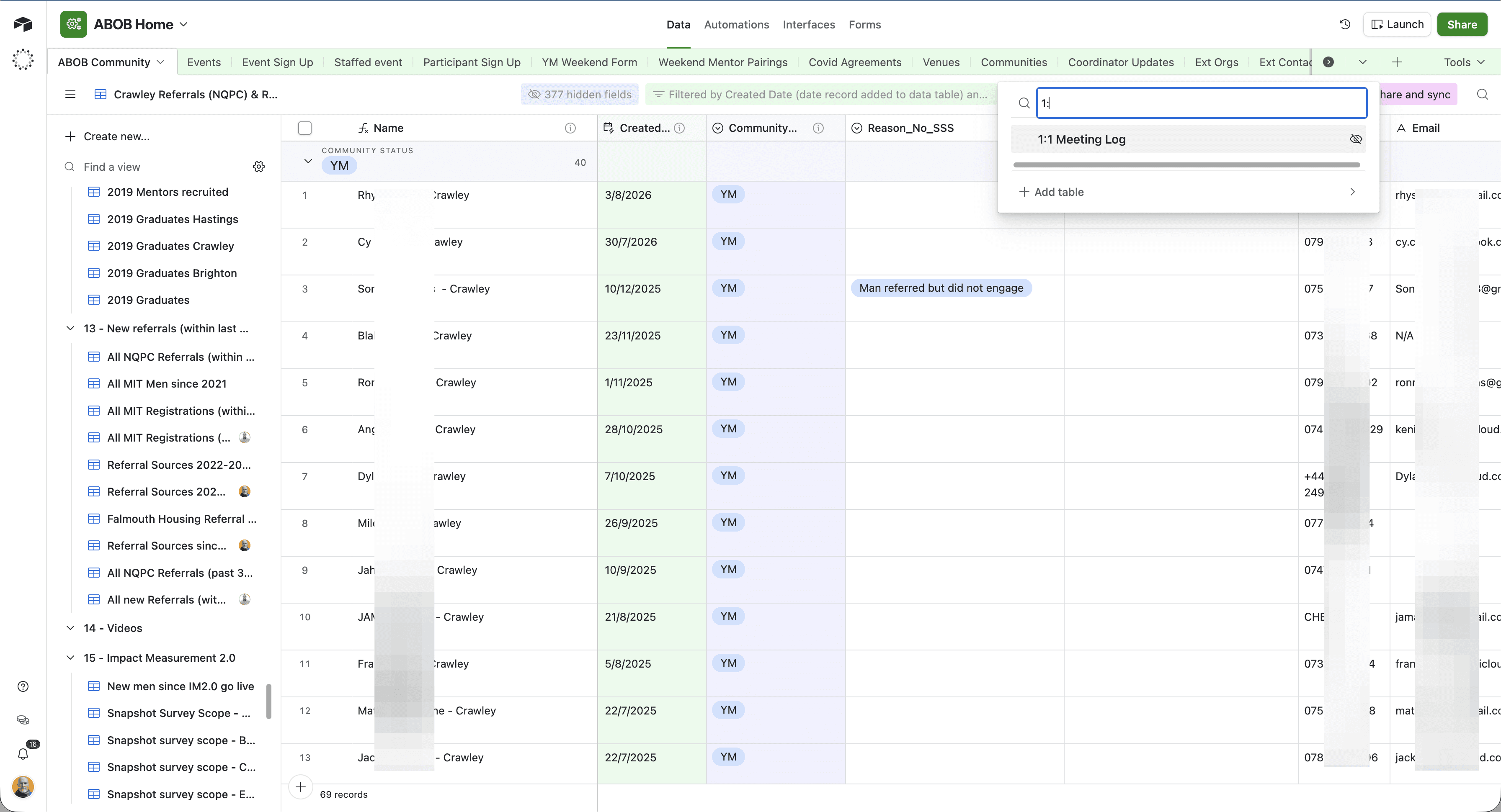
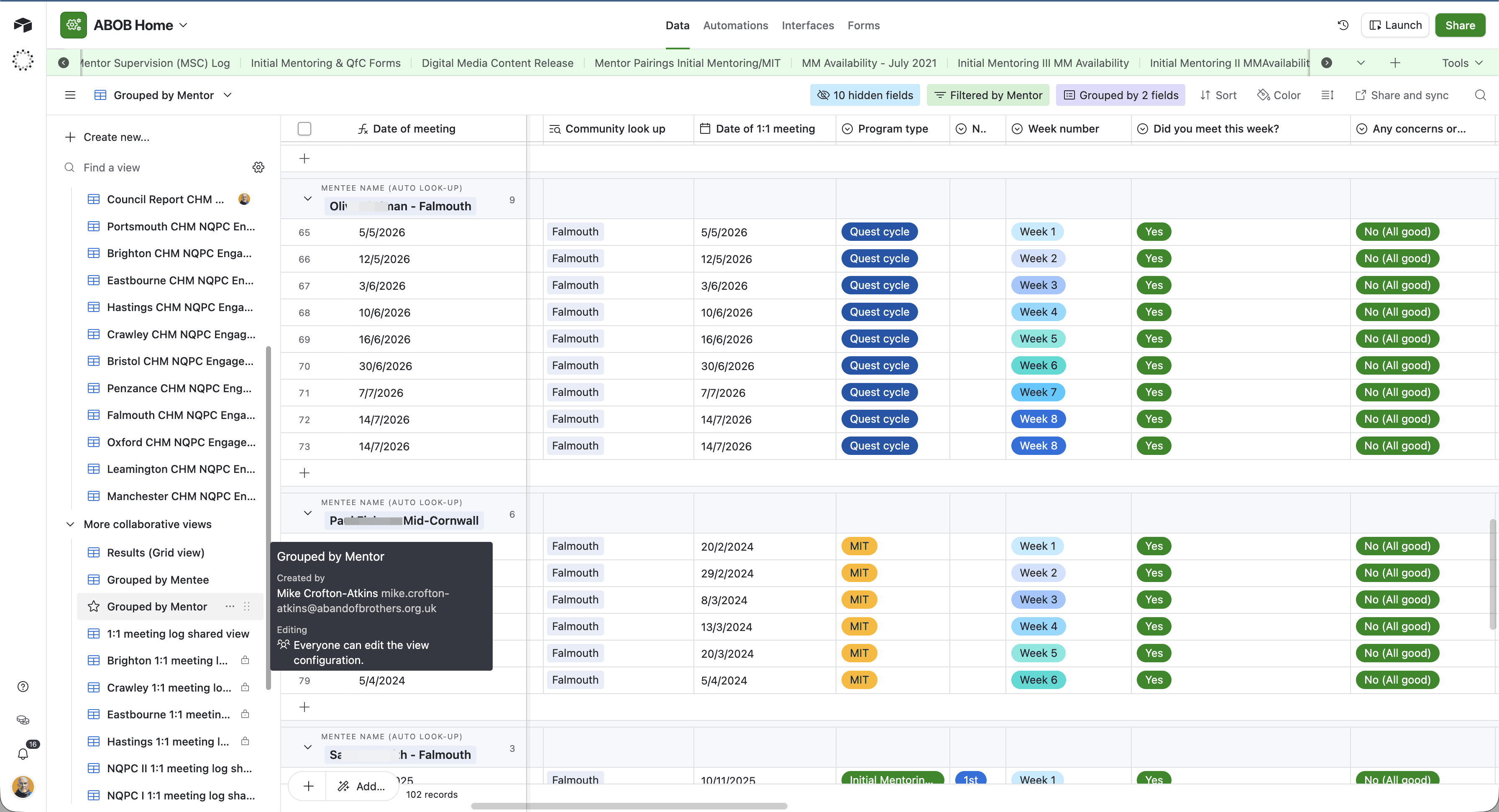
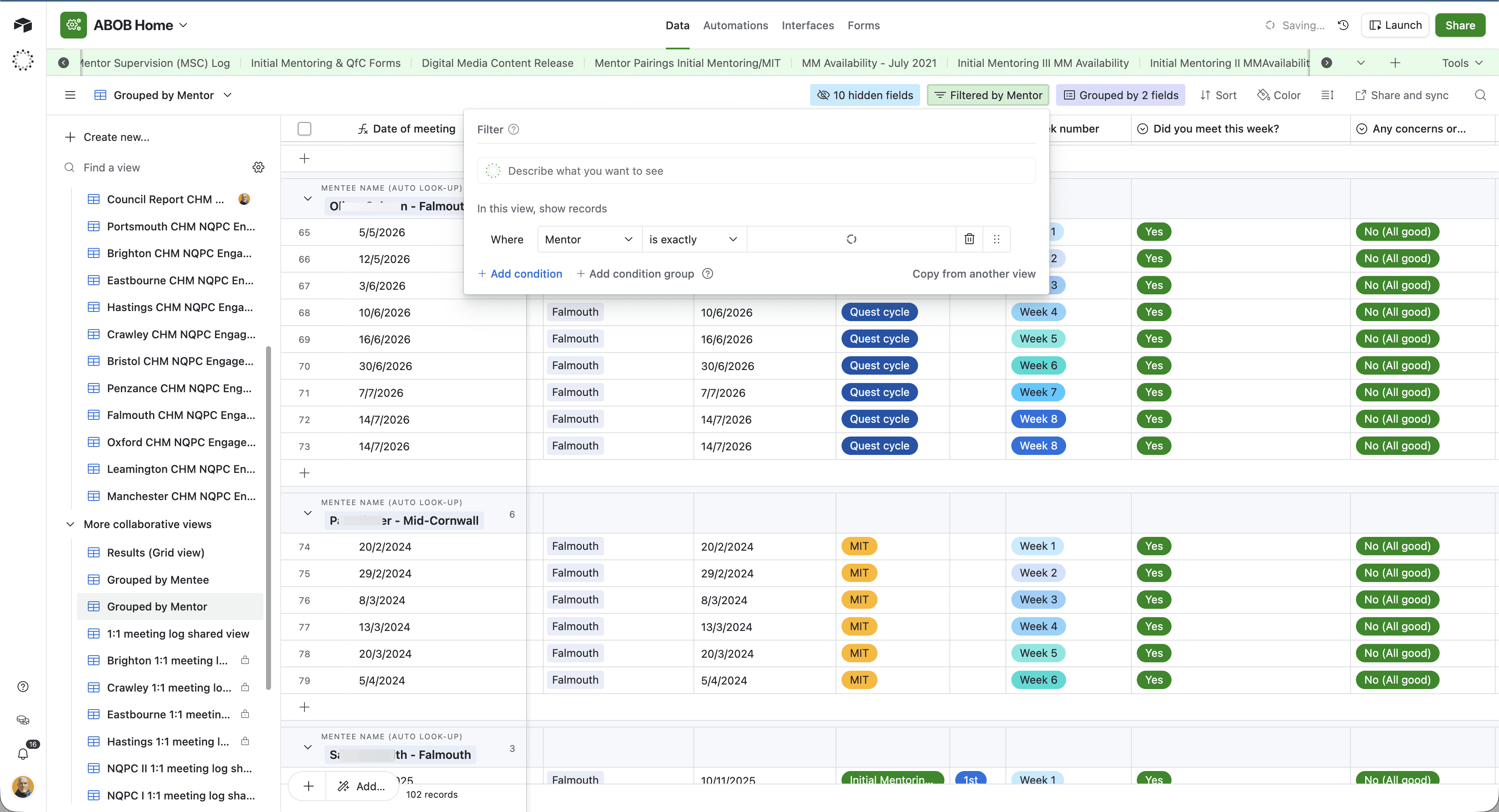
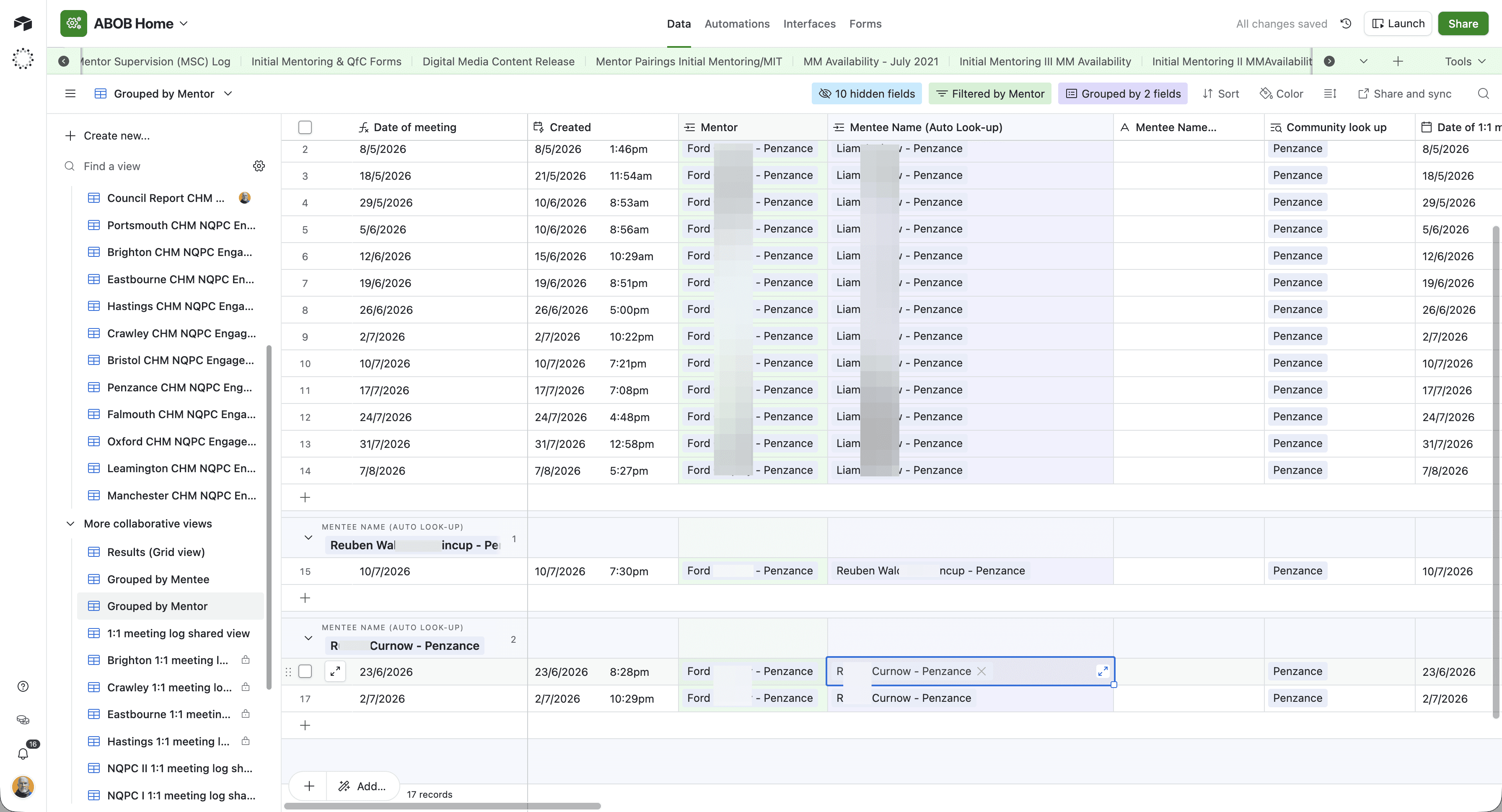
Filtering by Mentor
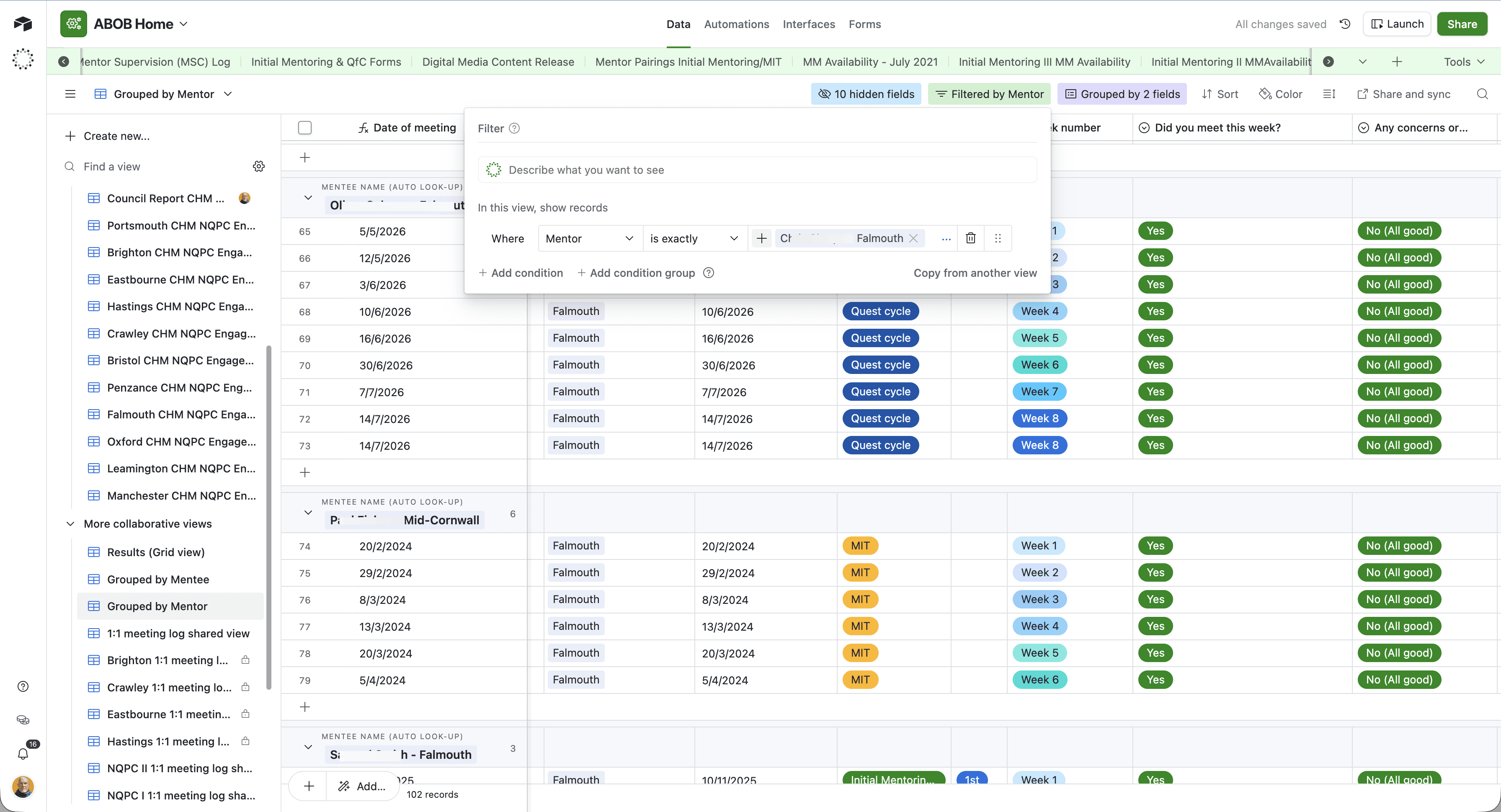
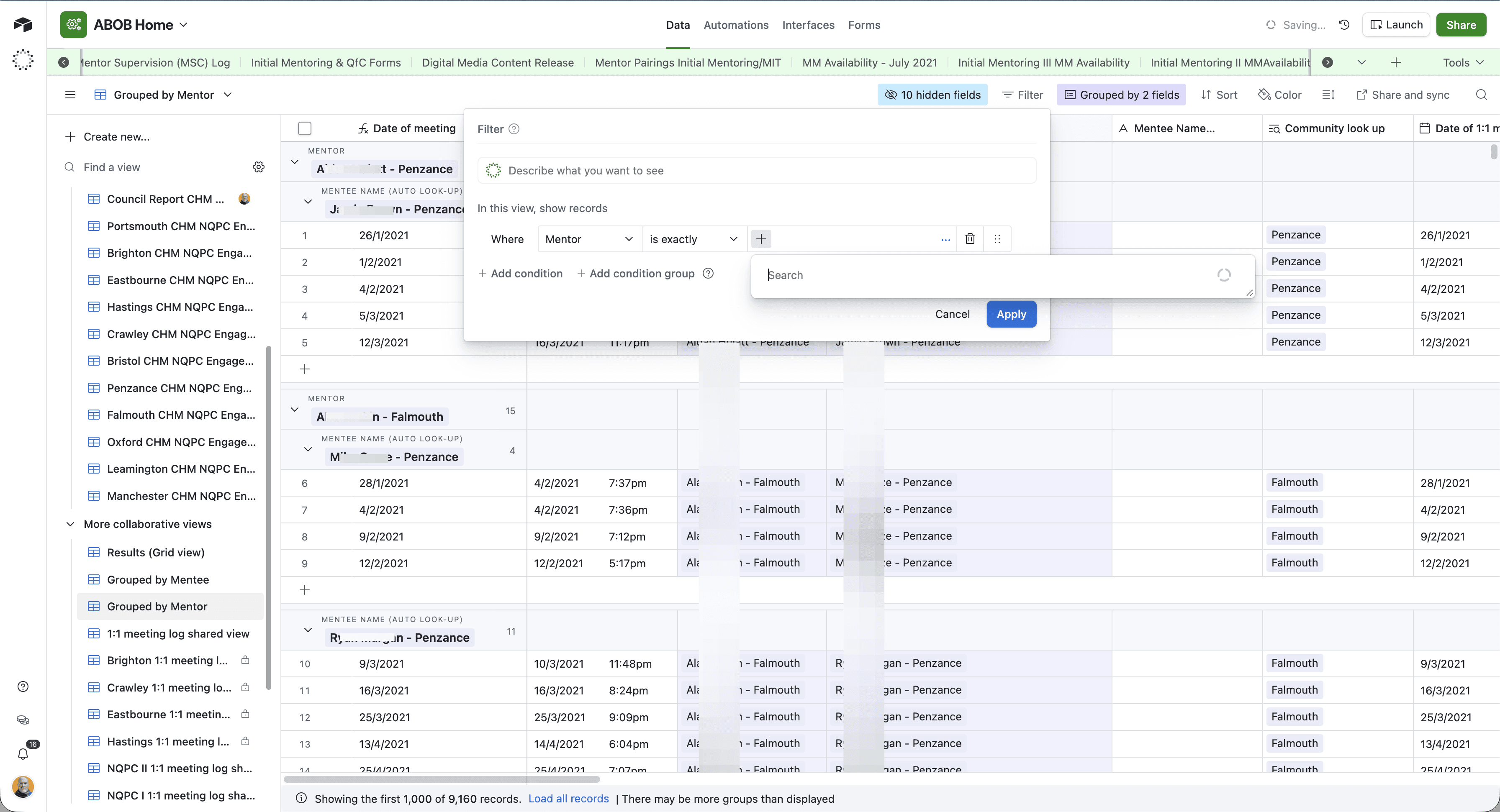
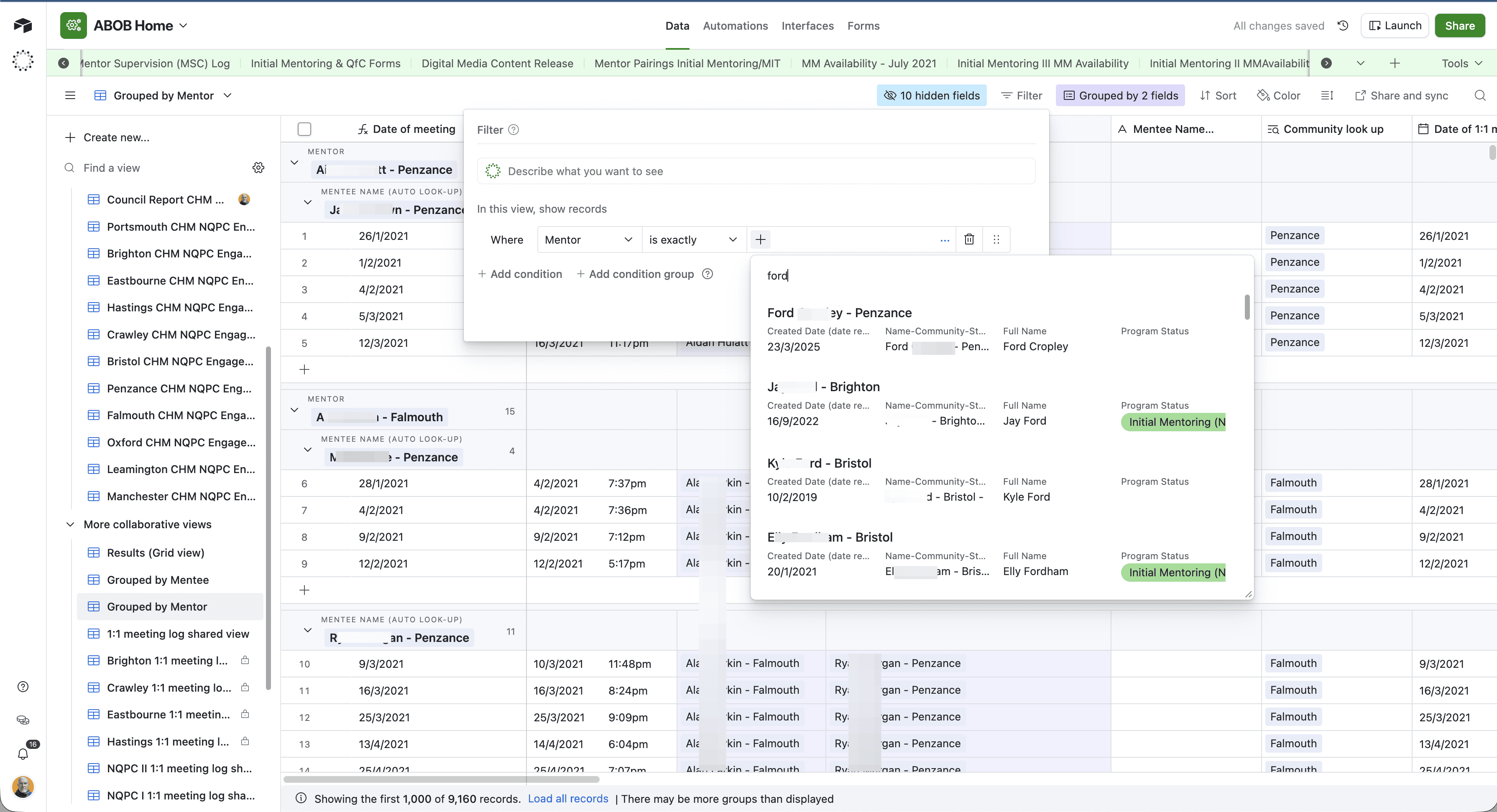
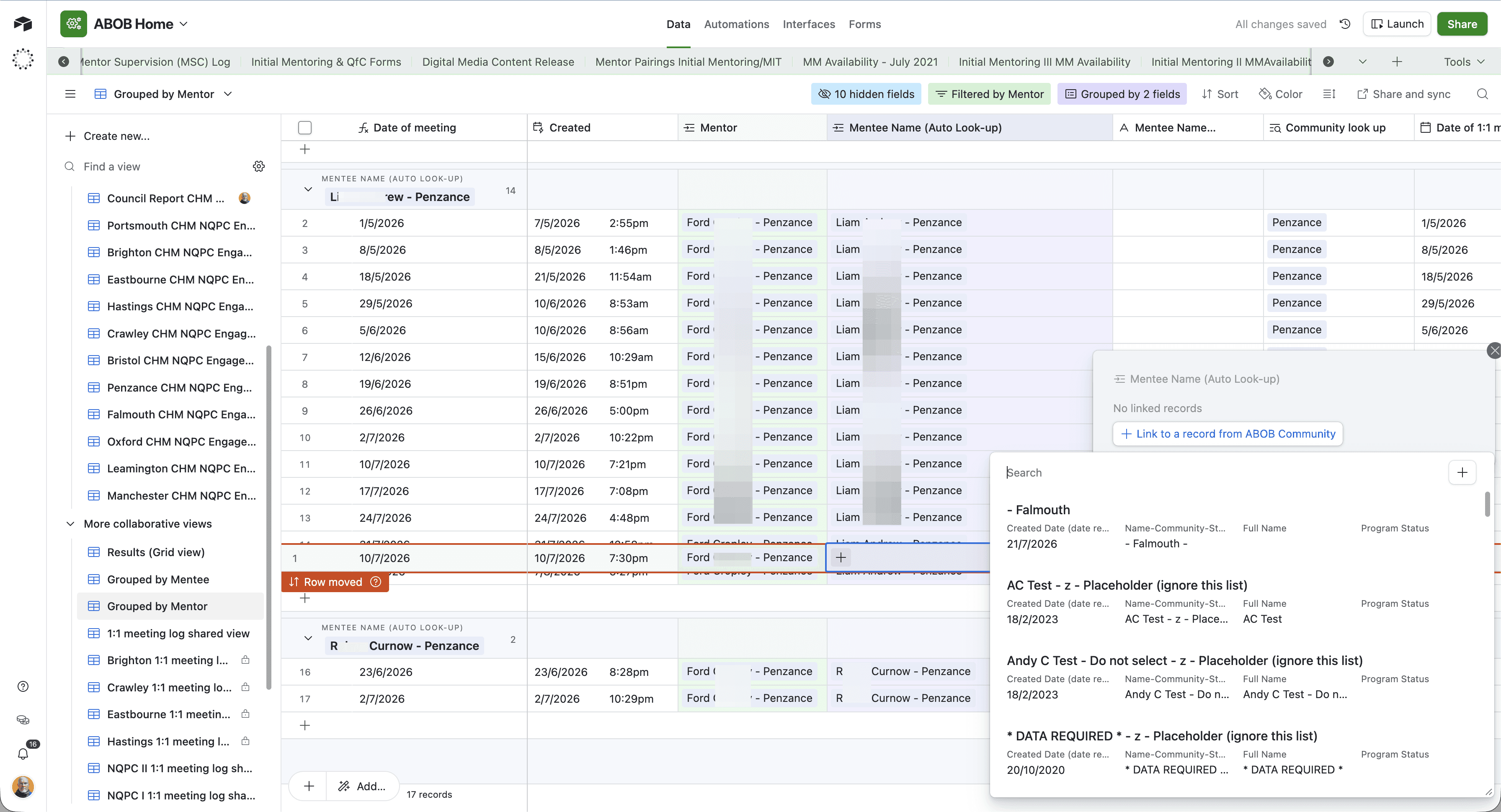
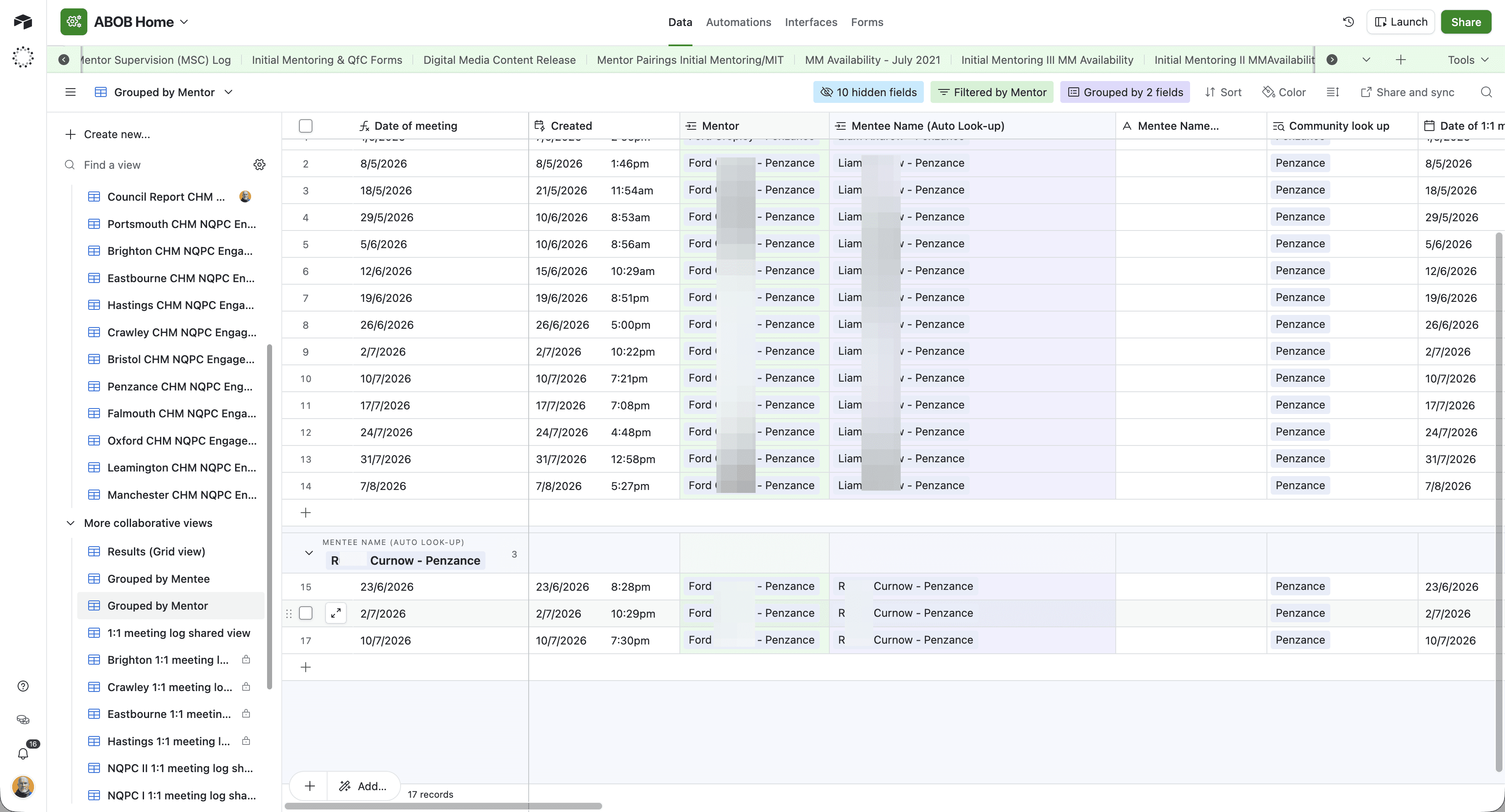
Re-assigning the Mentee
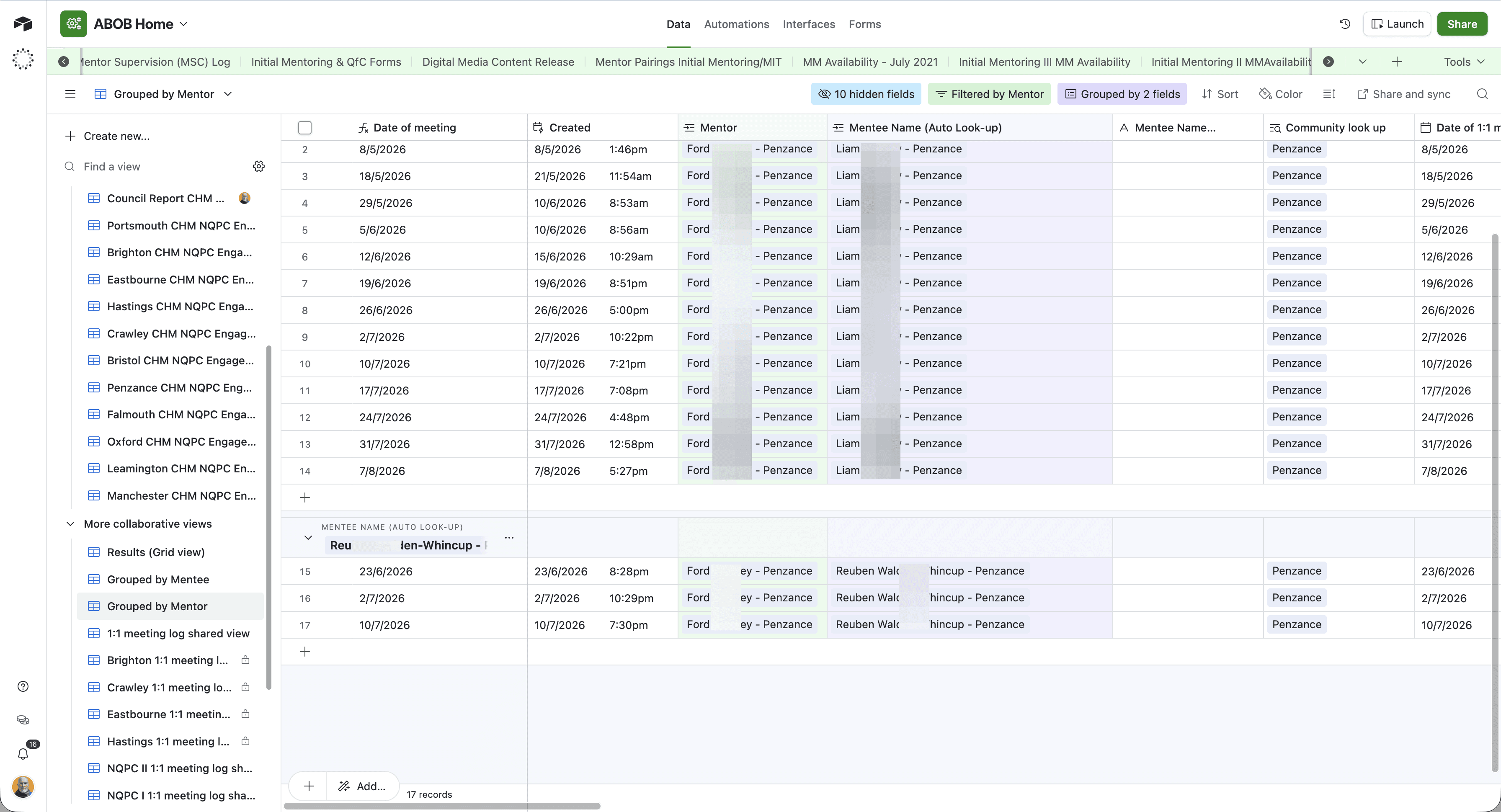
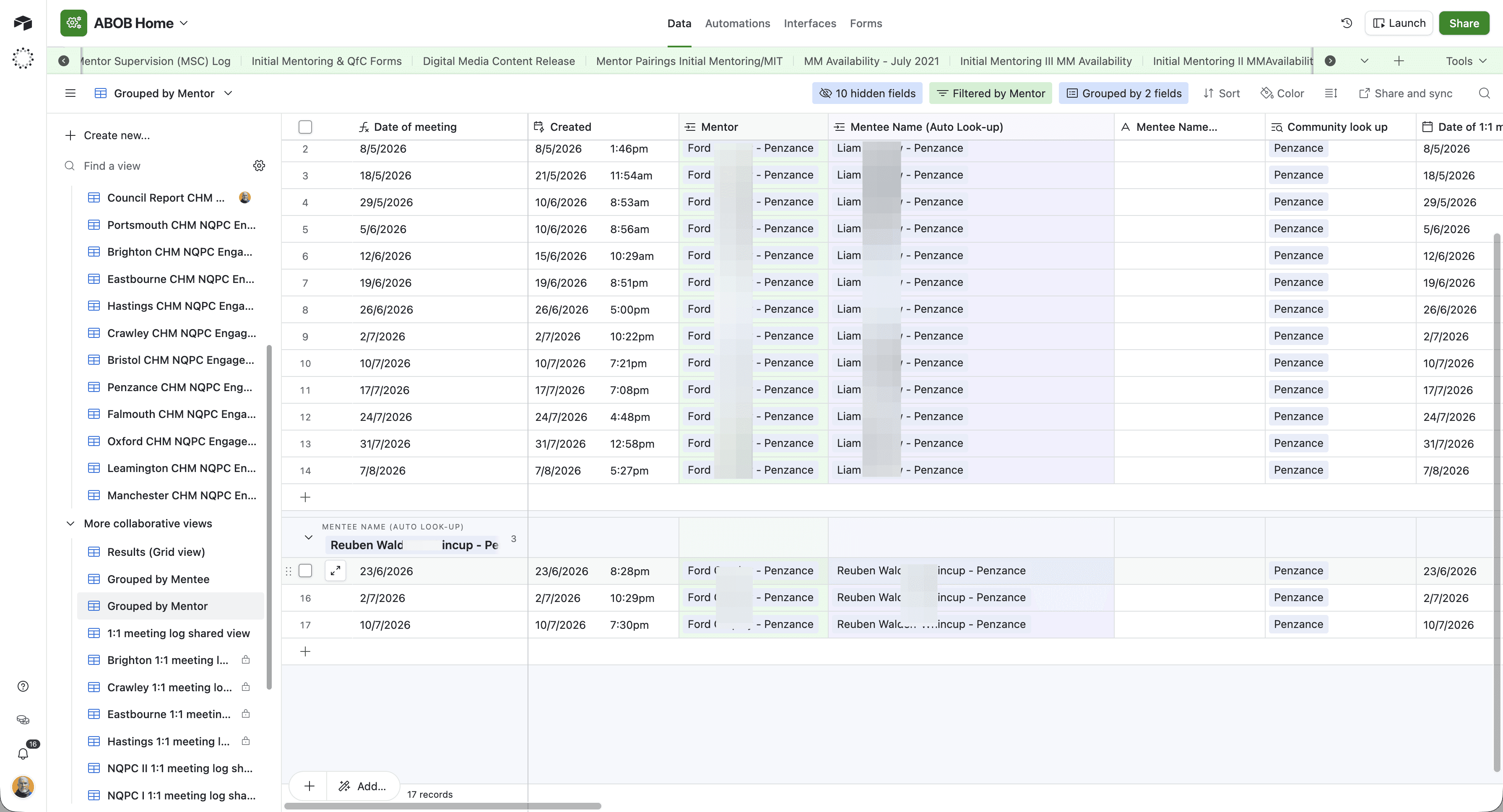
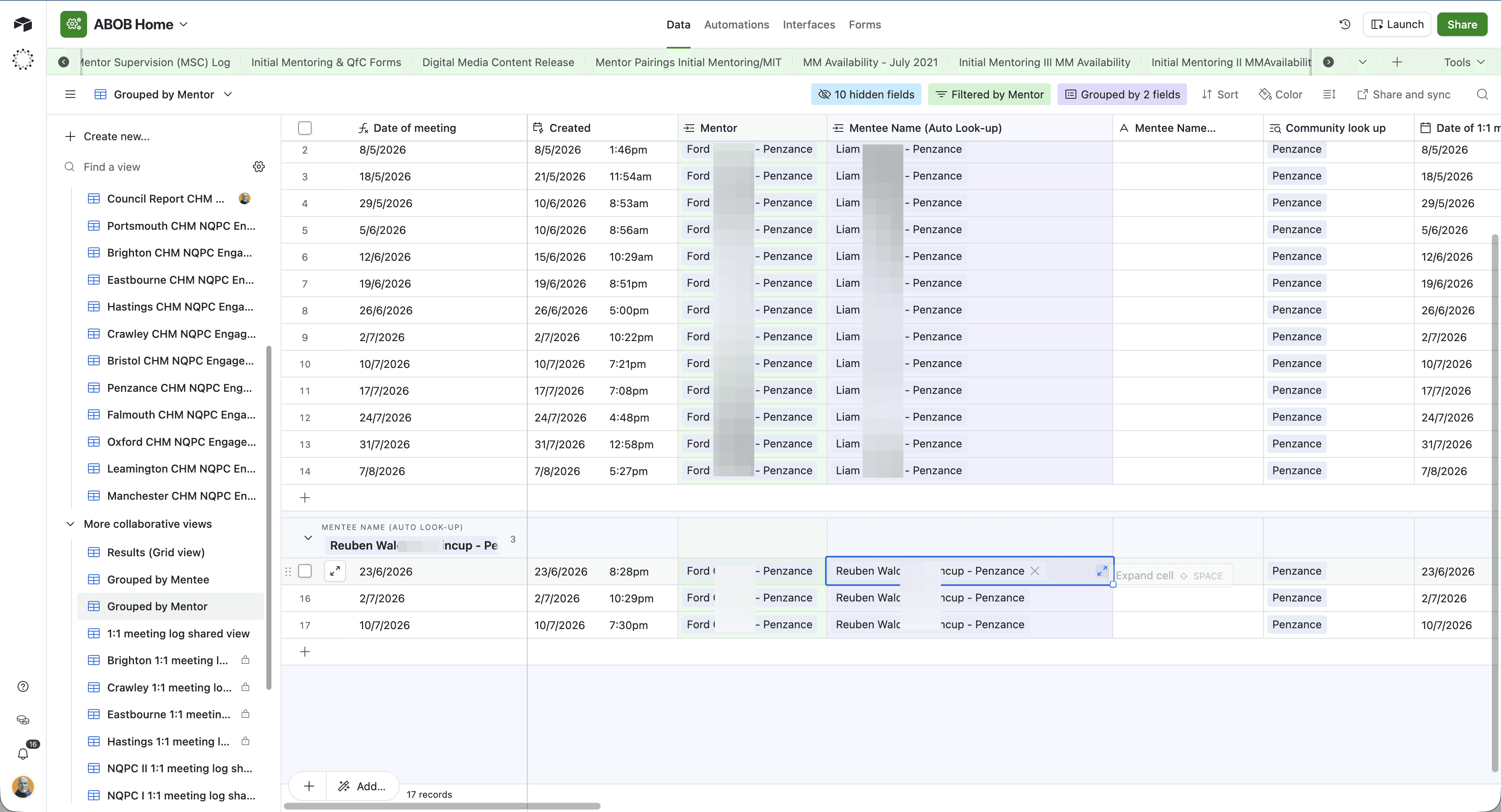
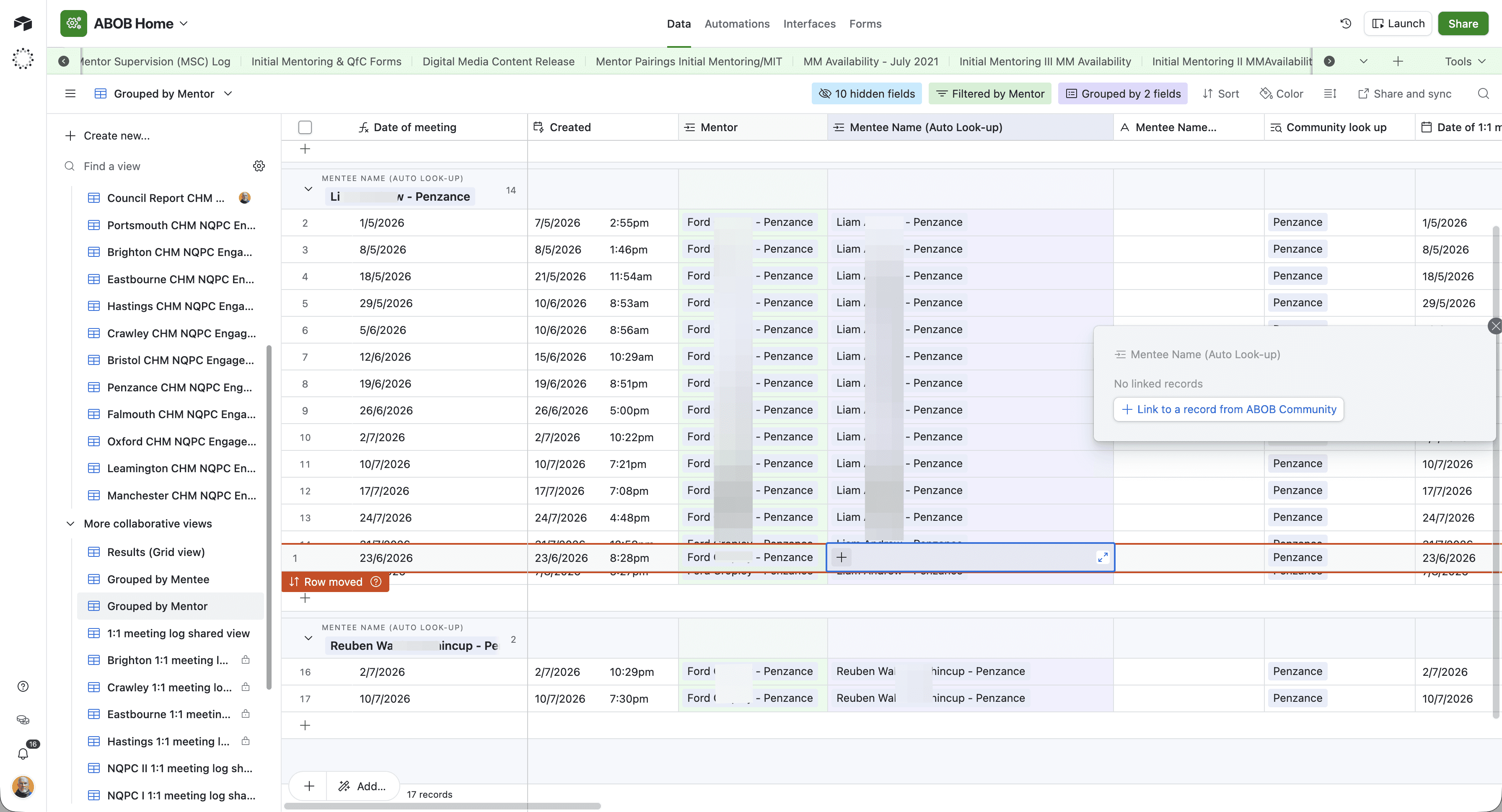
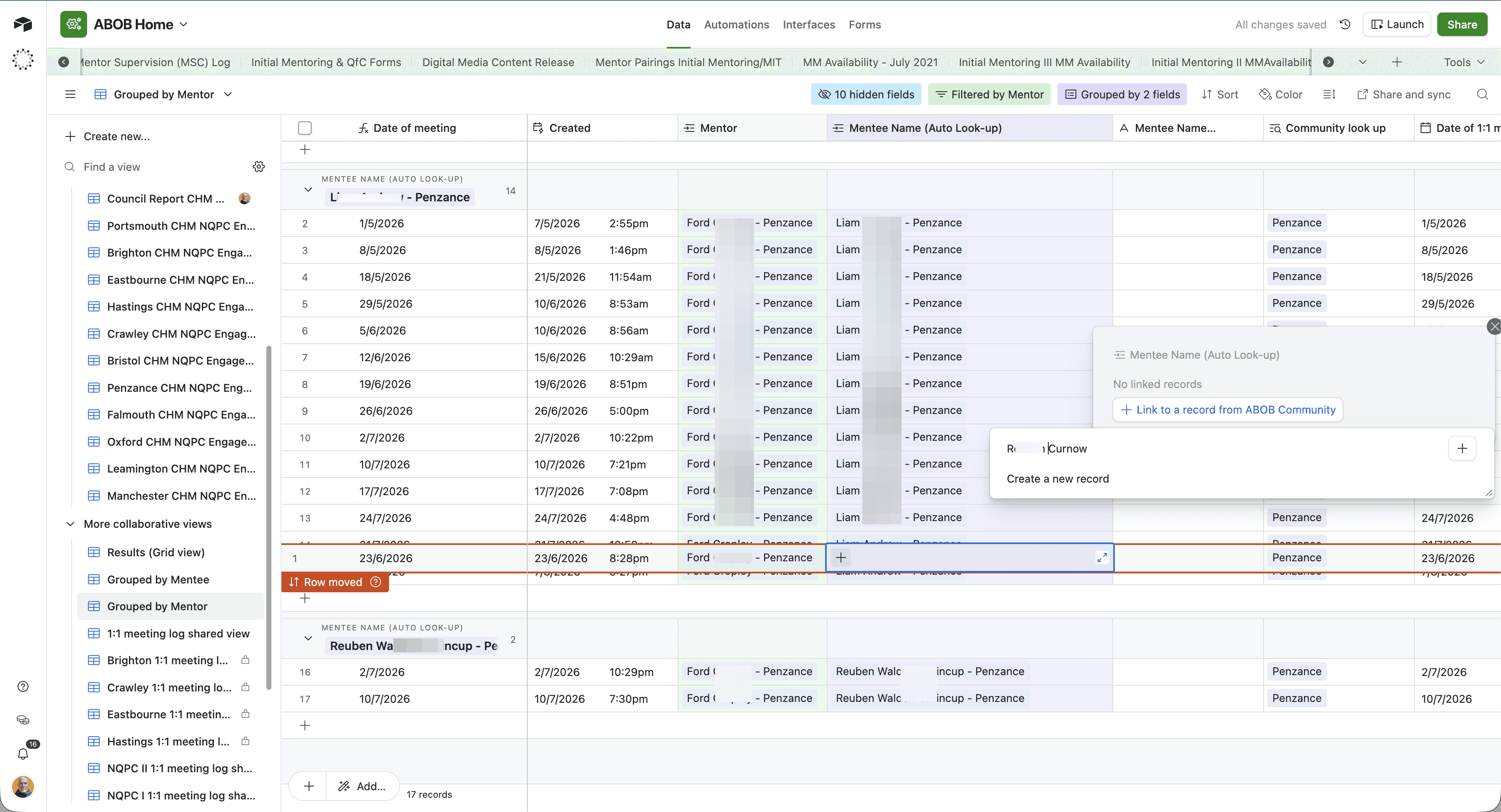
Updating Additional Records
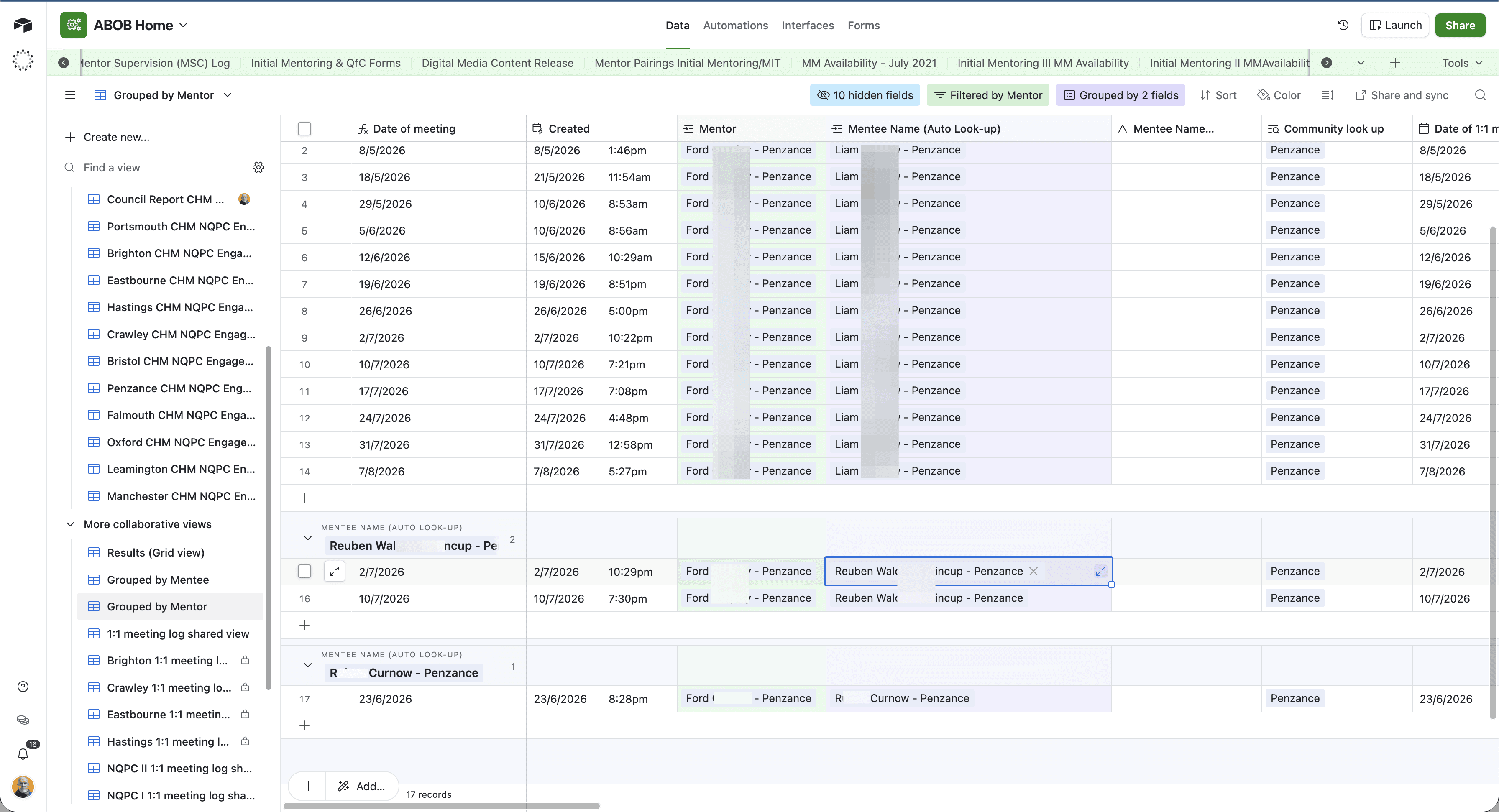
If the mentor logged multiple incorrect sessions, repeat the reassignment process for each row.
Q: Will changing the mentee name affect the original meeting date or other log details?
A: No. Everything else about the record remains the same. Only the linked mentee profile is updated.
Q: What should I do if I can't find the correct mentee when I search?
A: Double-check your spelling. Sometimes a slight misspelling or variation in the first and/or last name will prevent the correct record from appearing. Try searching by just the last name.
Term | Definition |
|---|---|
Grouped View | A database layout that clusters records together based on a shared attribute, such as organising all meetings under their assigned mentor. |
Linked Record | A field type that connects an entry in one database table to an entry in another, ensuring connected data updates universally. |
Auto Look-up | A field configured to automatically pull and display corresponding data from a linked record. |