How to View the Audit Trail for a Recurring Journal Entry
Learn how to view and review the activity history of a Recurring Journal Entry using the Audit Trail.
By Aasma Technology Solutions
This guide explains how to access the Audit Trail of a Recurring Journal Entry (RJE). The Audit Trail provides a chronological record of actions performed on the entry, helping users track changes, review activities, and identify when each action occurred.
1
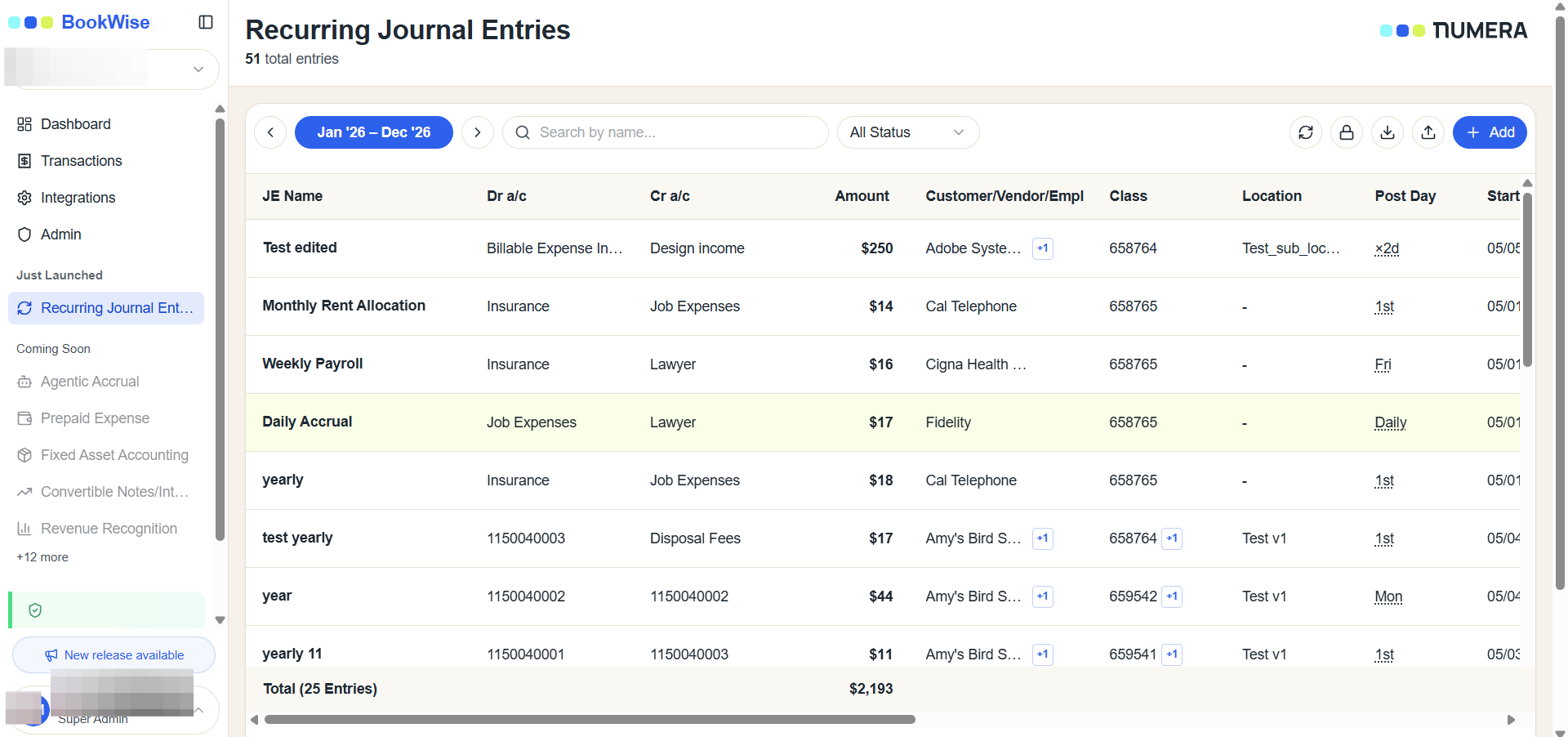
Go to the Recurring Journal Entries section from the sidebar menu. Locate the entry whose activity history you want to review.
2
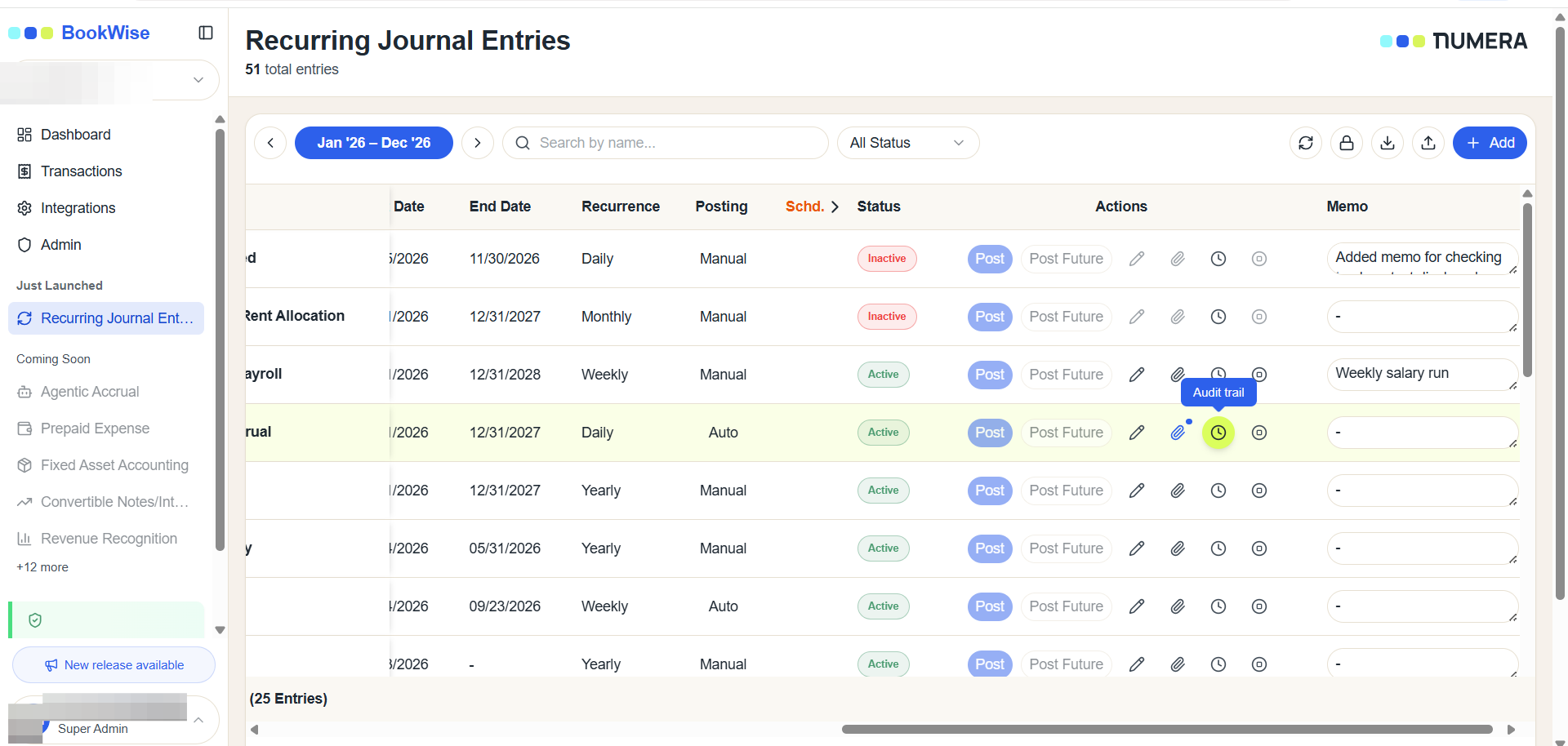
Click the Audit Trail icon of the transaction.
3
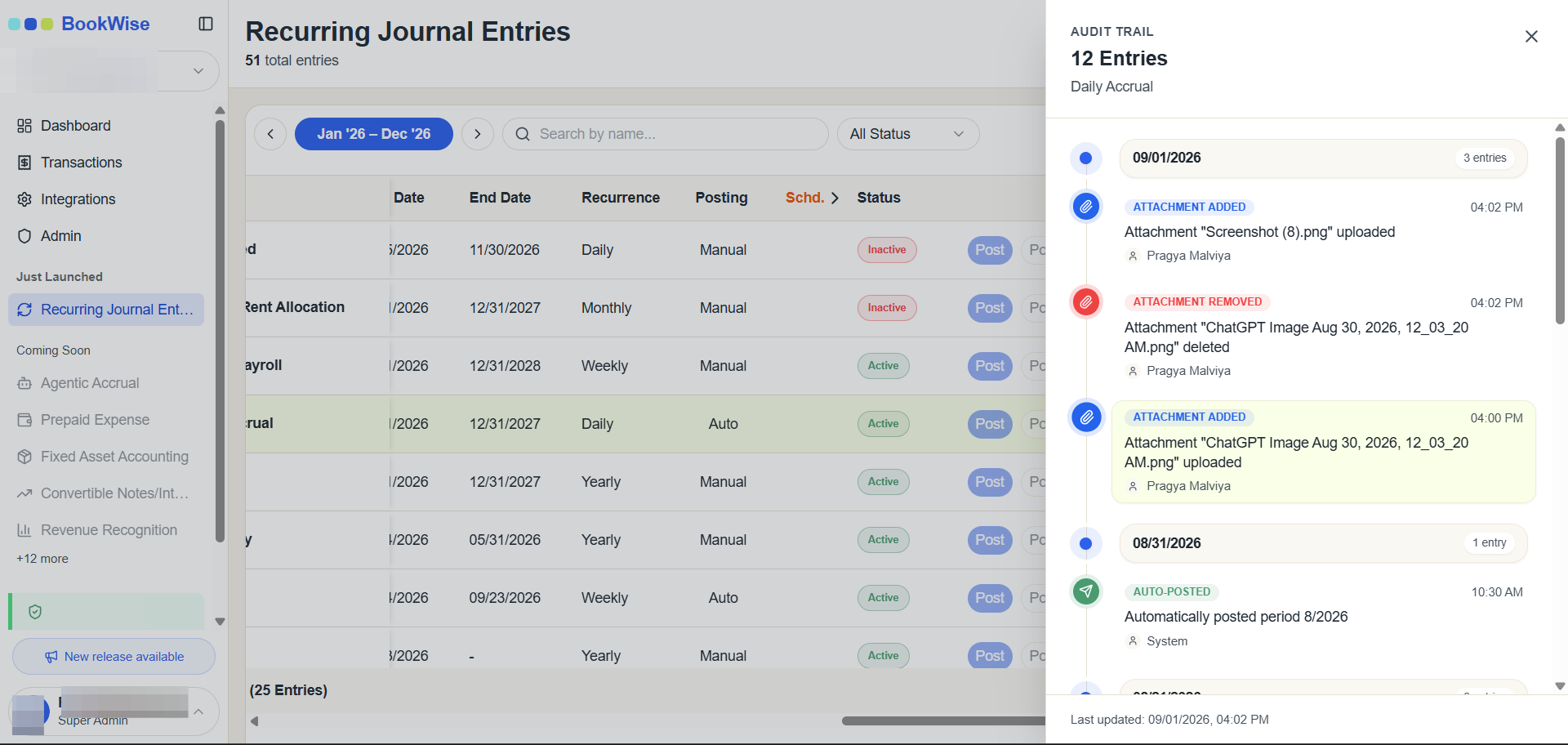
A sidesheet will open that will contain all the updates that were made on that transaction.
Repeat these steps for any other recurring journal entries you need to audit.
The Audit Trail provides a clear and reliable record of activities associated with a Recurring Journal Entry, making it easier to track changes, review user actions, and maintain transparency.