How to View the Coming Soon Banner
Learn how to identify and view features that are marked as Coming Soon within the application.
By Aasma Technology Solutions
This guide explains how to recognize features that are currently under development and marked with a Coming Soon banner. These features are not yet available for use but provide a preview of functionality that will be introduced in future releases.
1
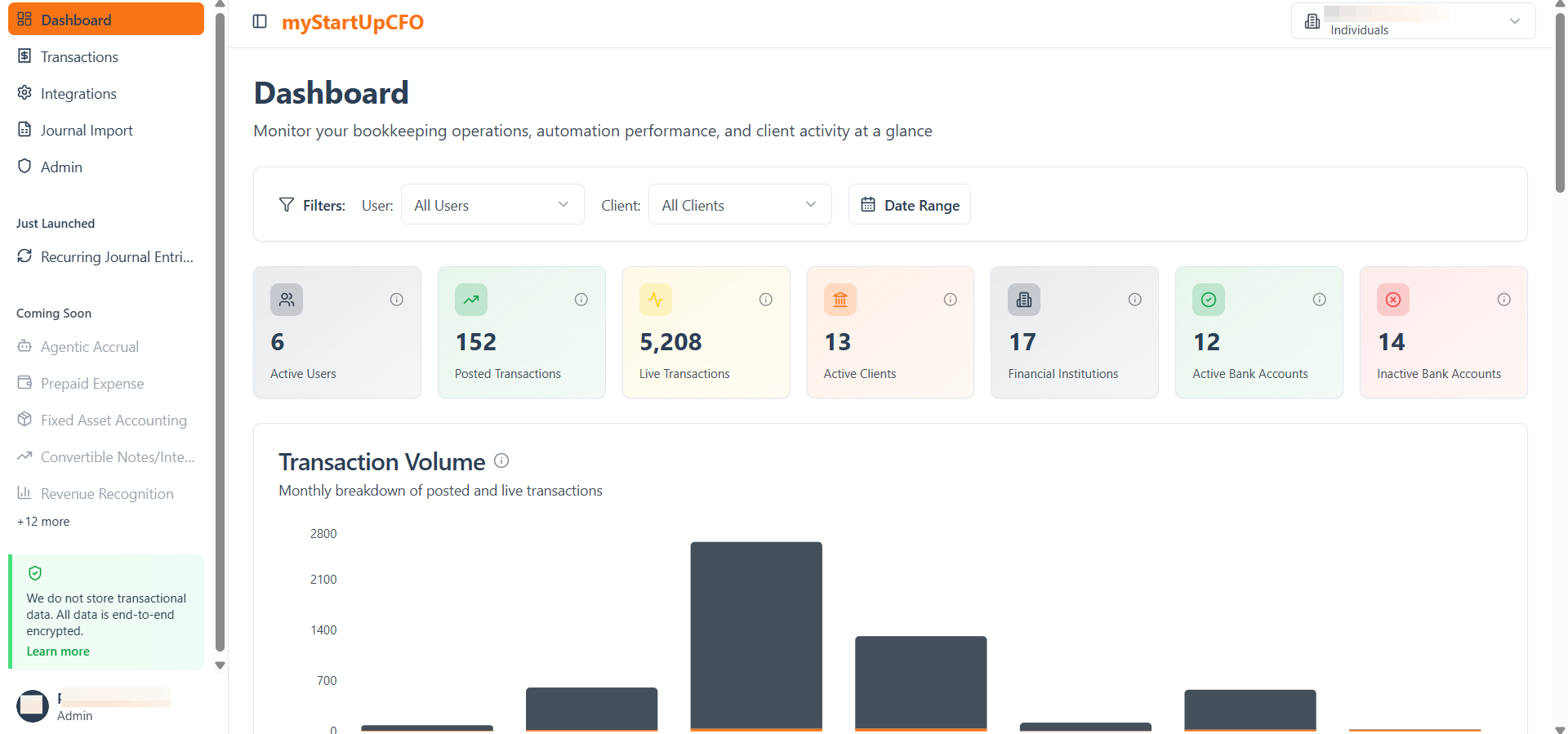
On the bottom Left of Navigation bar, There is a Coming Soon tab. When clicked on + More, then list of all upcoming functionalities will be there
2
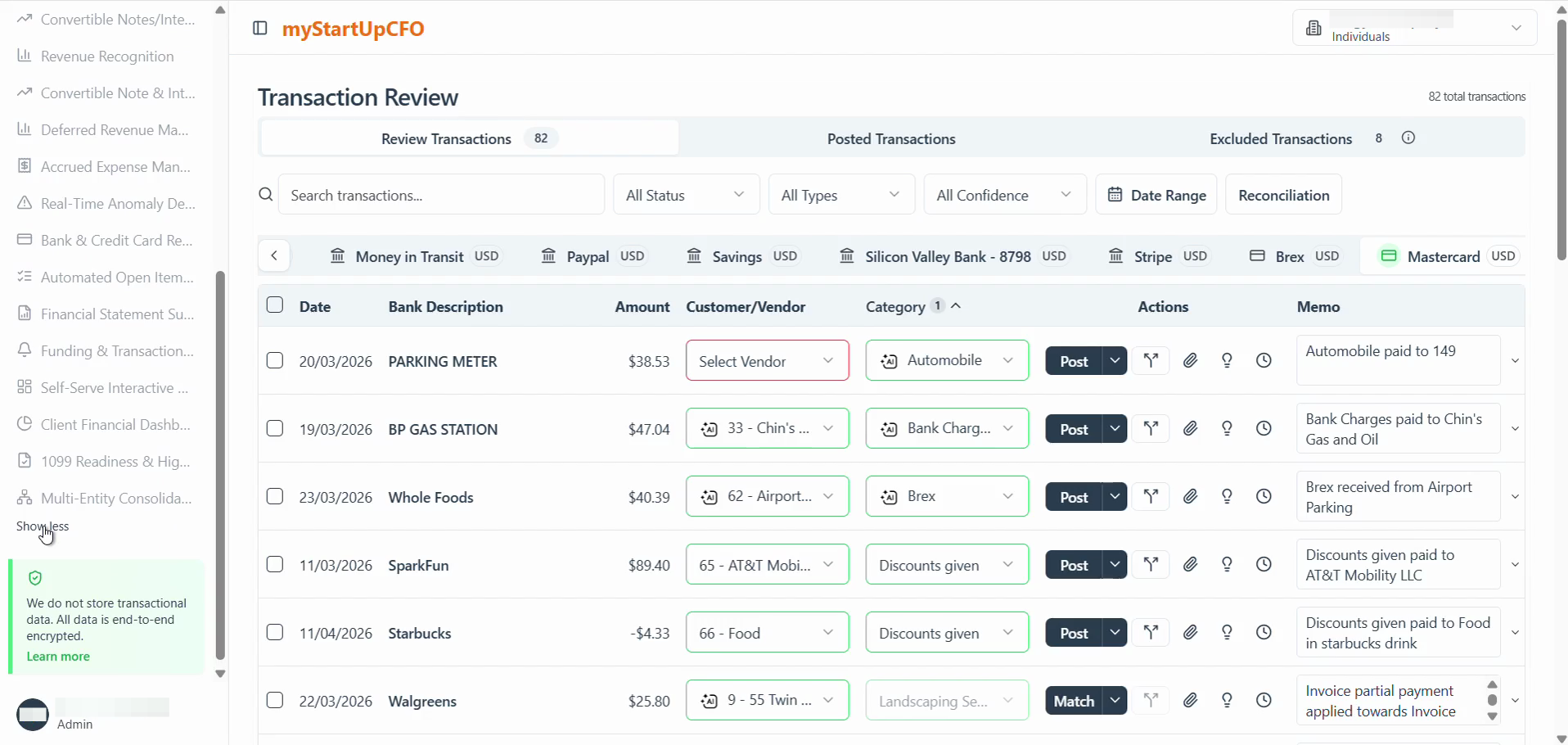
Click Show less at the bottom of the navigation menu to collapse the sidebar of coming soon.
The Coming Soon banner helps users stay informed about upcoming functionality and provides visibility into features that will be available in future releases.