How to View the Reconciliation of a Connected Bank
Learn how to view the reconciliation details of a connected bank account.
By Aasma Technology Solutions
This guide explains how to access the reconciliation page for a connected bank account and review its reconciliation status. The reconciliation view helps you monitor matched and unmatched transactions, verify account balances, and track the progress of the reconciliation process.
1
Go to the Bank Connections section from the sidebar to view all connected bank accounts. Locate the bank account whose reconciliation details you want to view.
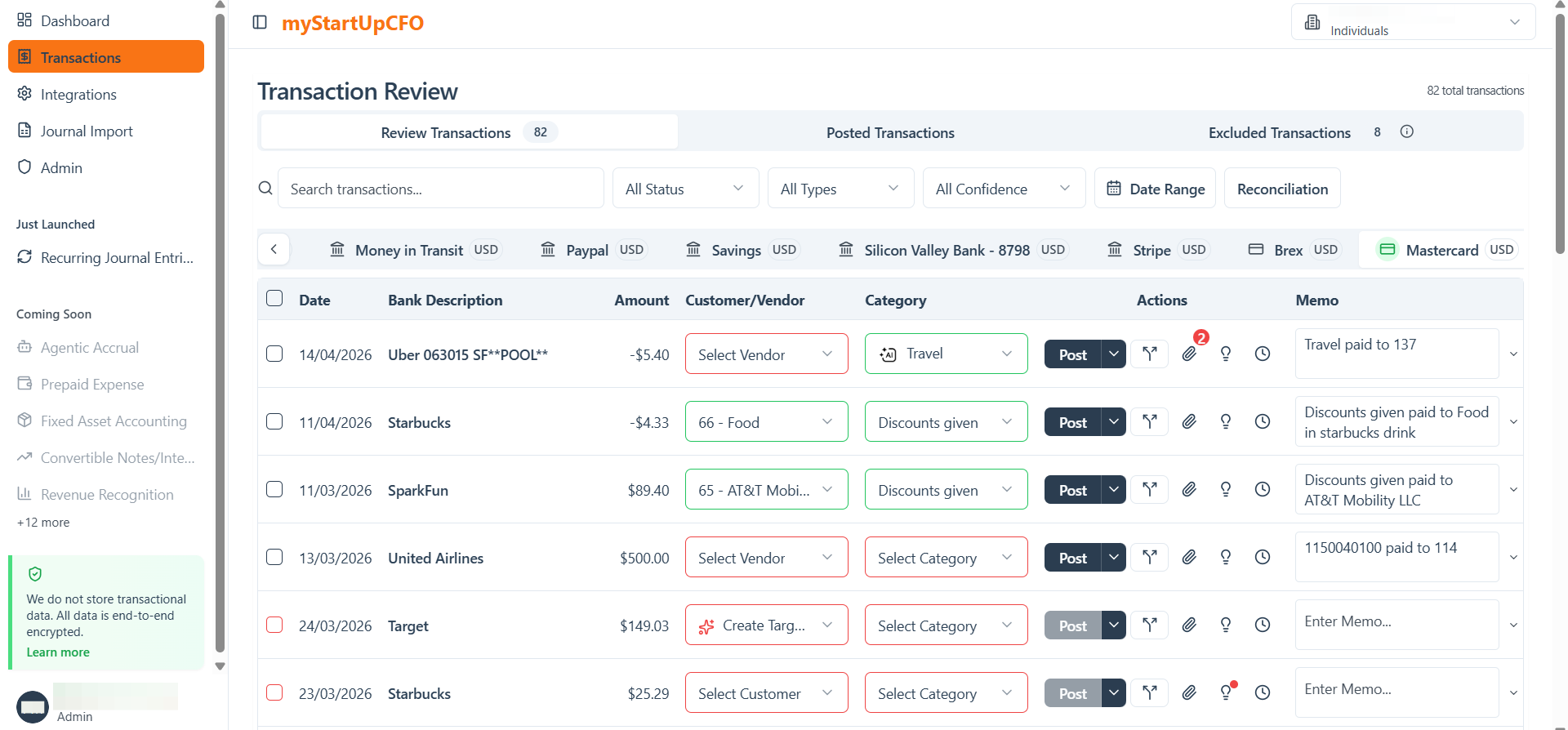
If recent transactions aren't visible, perform a bank sync or wait for the latest sync to complete.
2
Click the Reconciliation option for the selected bank account to open its reconciliation details. Review the displayed data to understand the current reconciliation progress and identify any unmatched or pending transactions.
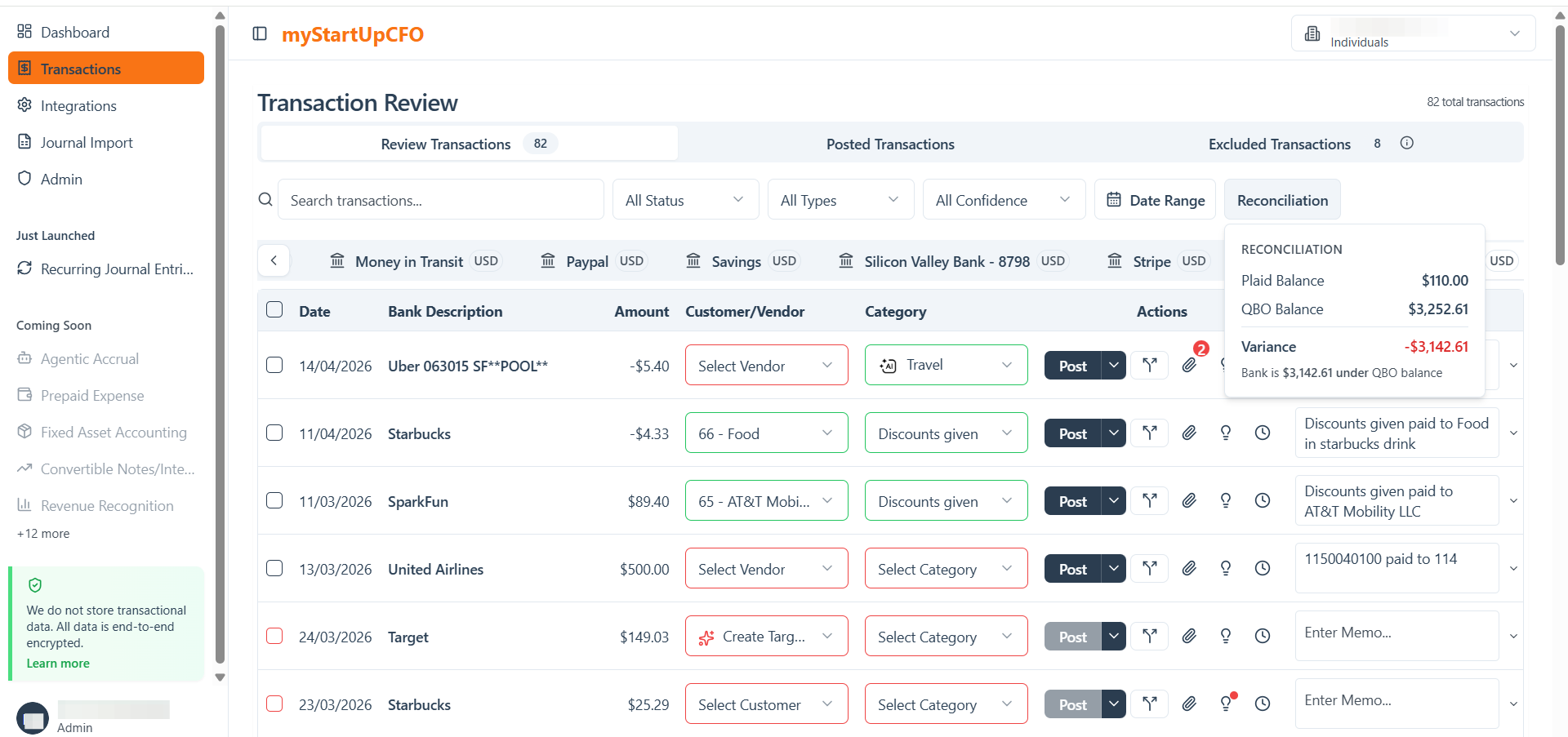
A Variance = 0 indicates that the reconciliation is complete and your financial records accurately match the connected bank account. If not then you need to match your records properly then.