Icon

Terms and Conditions Templates for Different Product Categories in Quotation

You may select the terms and conditions templates based on quoted product category.

By Heah Huiwen

In this guide, we'll learn how to select terms and conditions templates for different product categories when preparing a quotation. This process helps ensure that each product, such as safety shoes, gas items, fire extinguishers, welding machines, and power tools, has the correct delivery days, payment terms, and other relevant details.

Select Terms & Conditions Template based on Product Categories

After entering the product and customer information, proceed to the terms and conditions. We can choose the template based on the product.
1
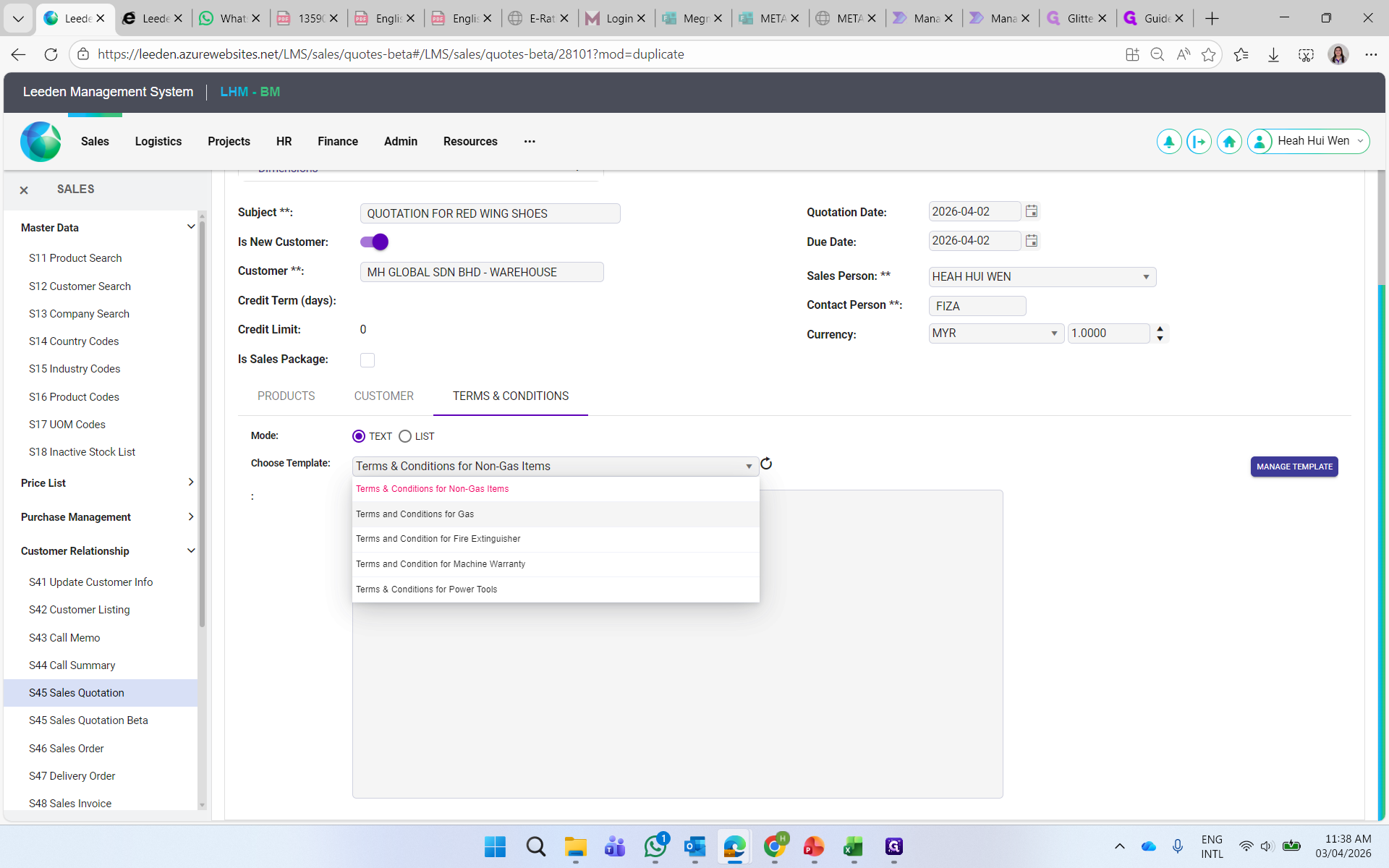
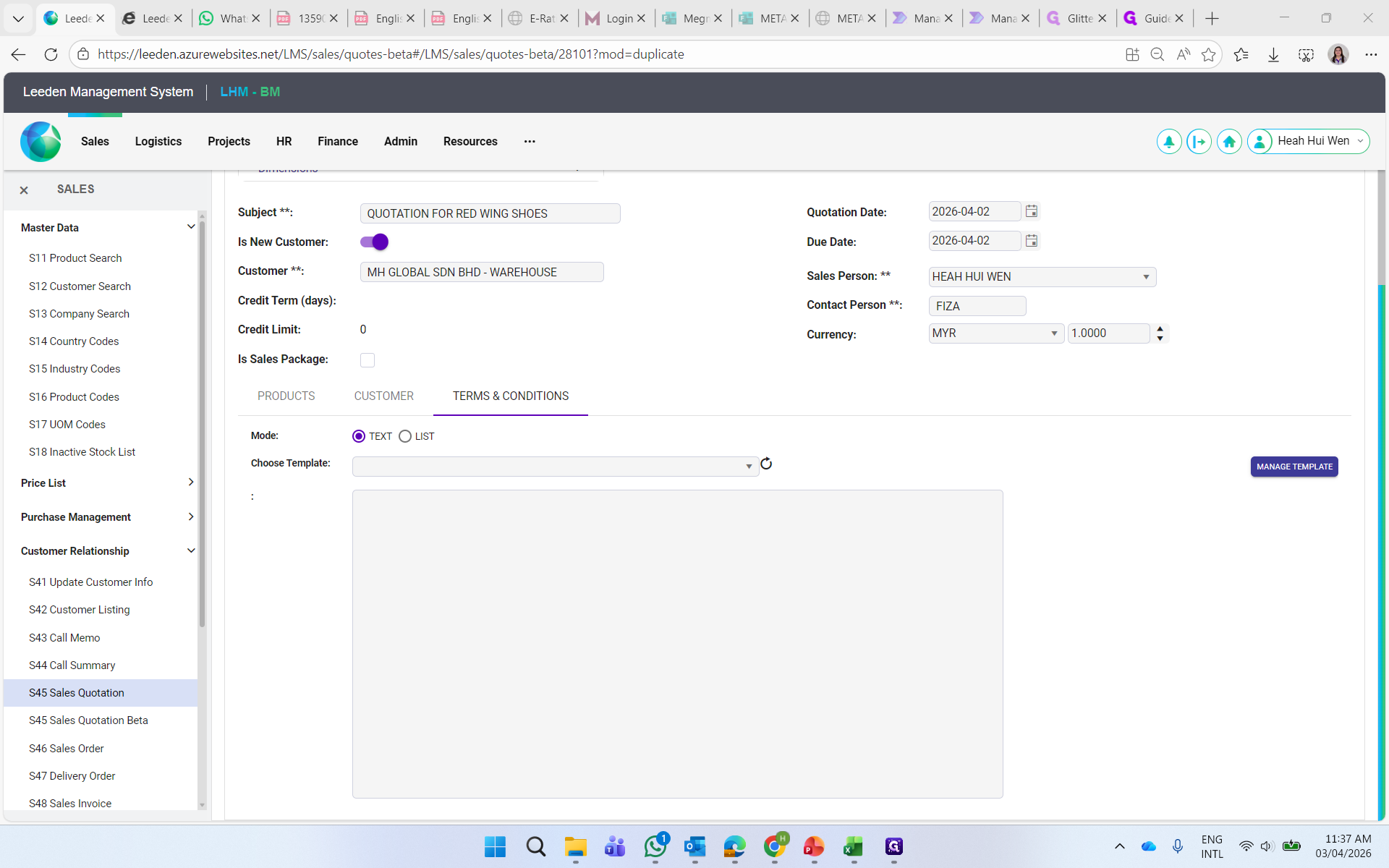
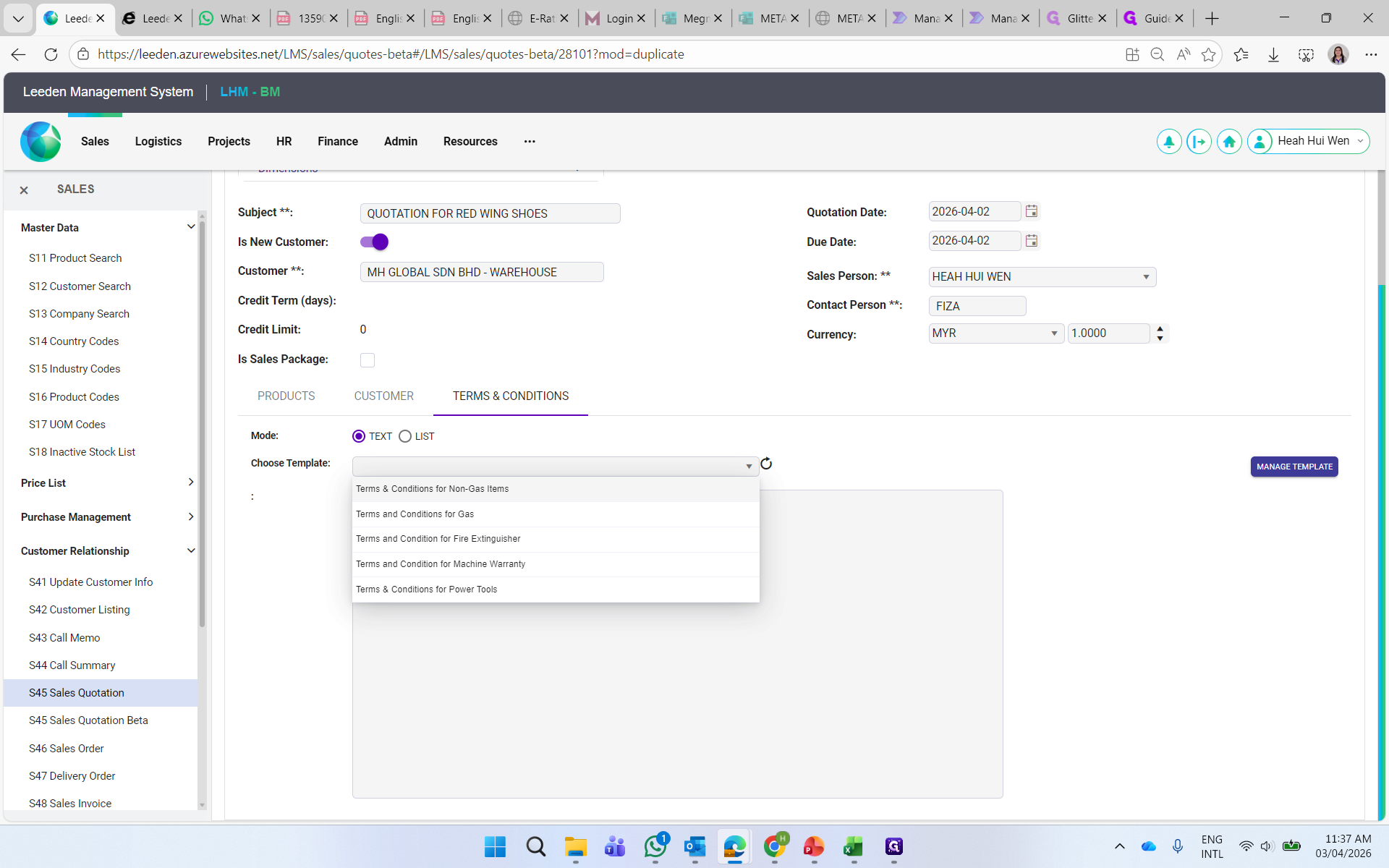
Select the template here.
Step #1: Select the template here.

Select the template based on the product category.
2
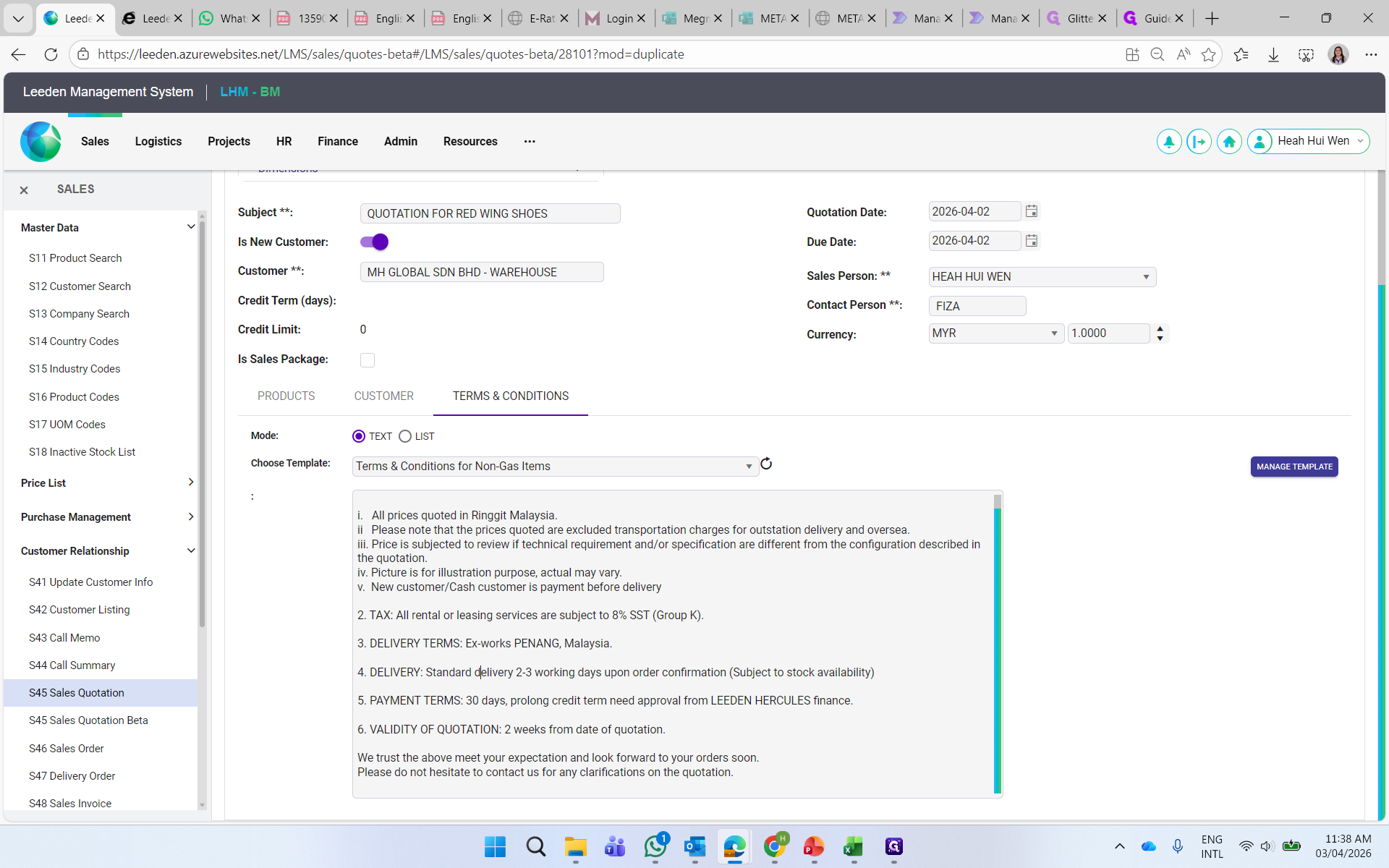
Select the template you want.
Step #2: Select the template you want.

Select Non-Gas Items template for products such as, safety shoes, safety PPE, welding accessories or others.
3
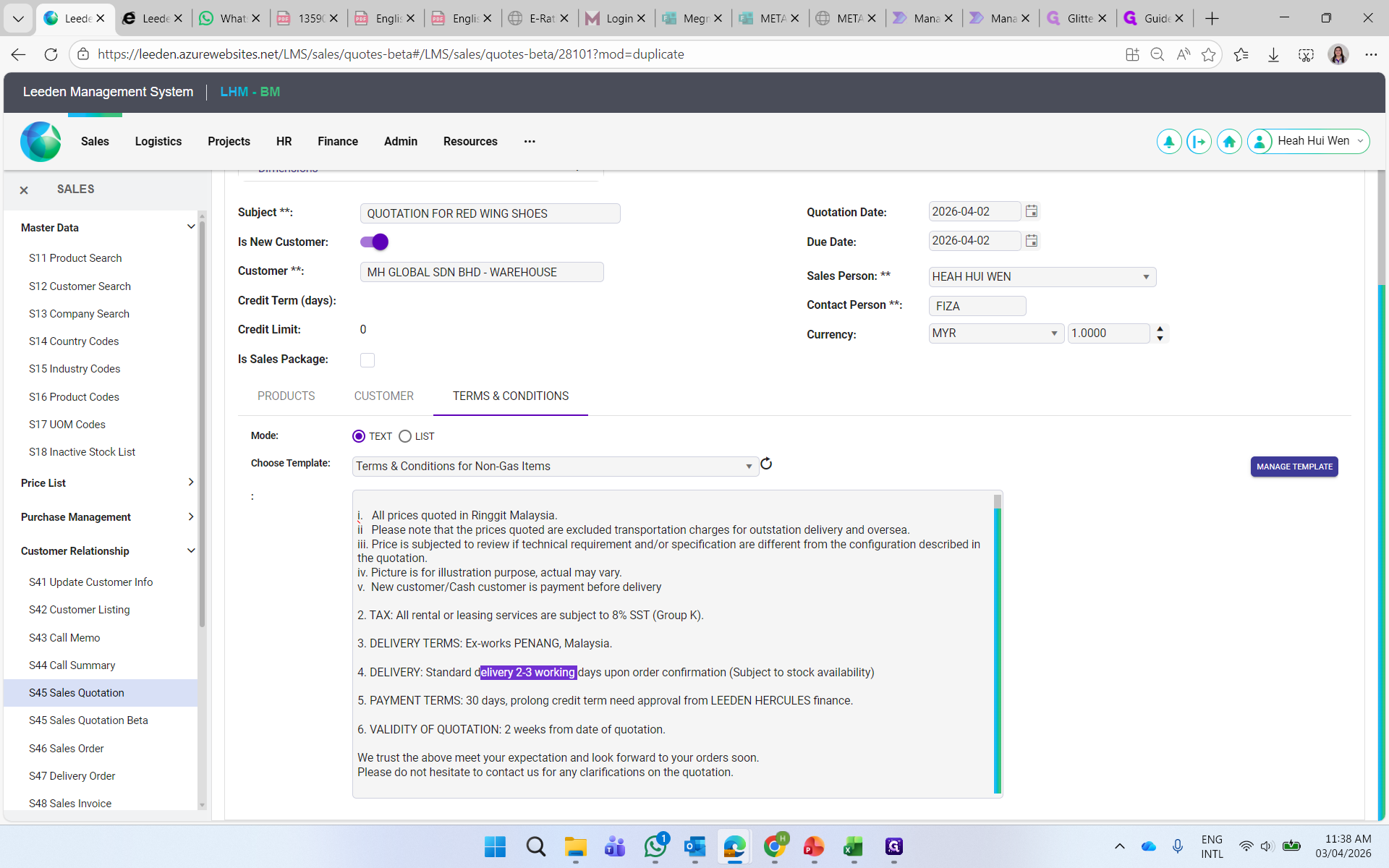
You may amend the delivery days to commit to customer.
Step #3: You may amend the delivery days to commit to customer.
4
You may amend the payment term based on customer's term.
Step #4: You may amend the payment term based on customer's term.

5
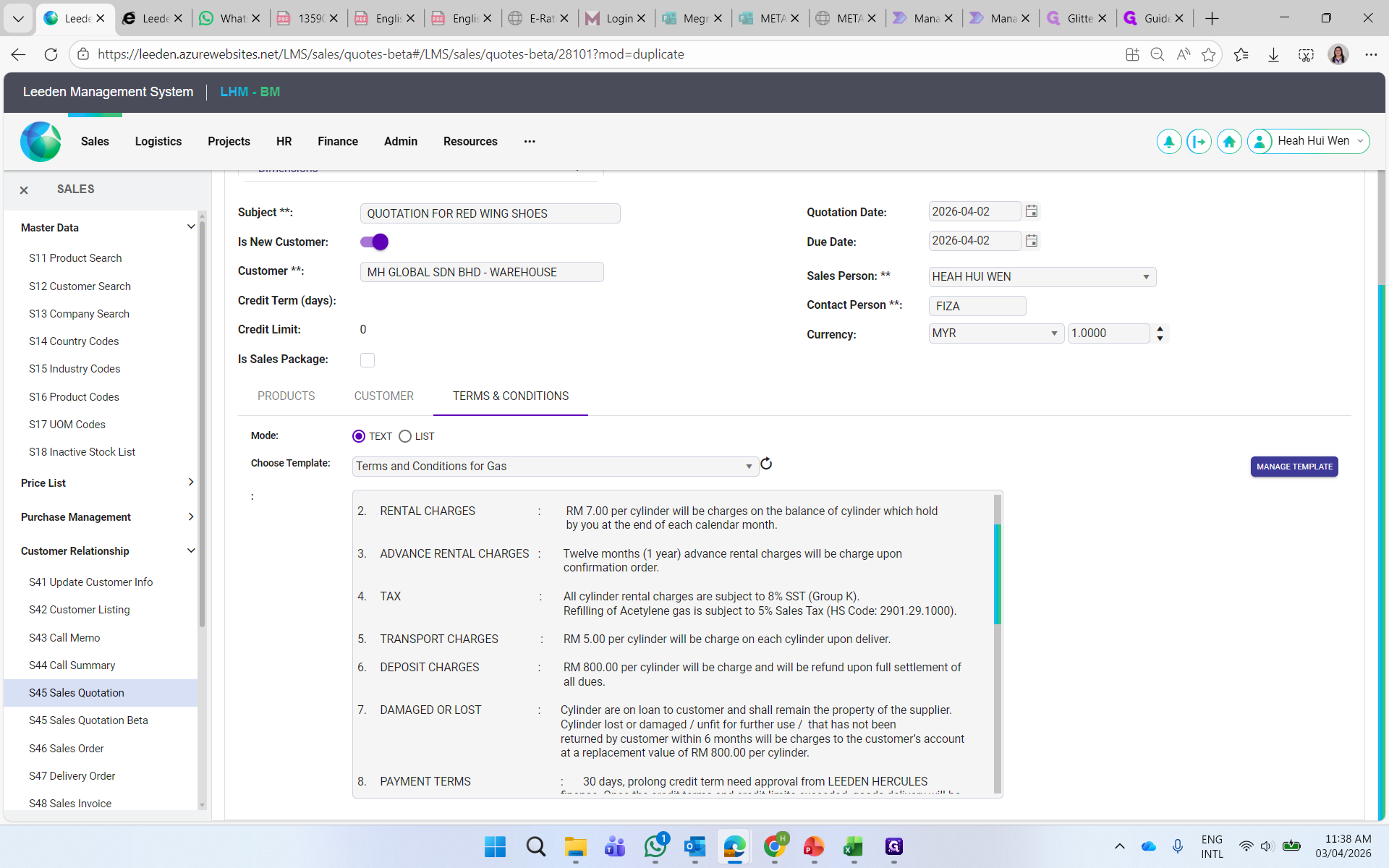
Select Gas template for gas products.
Step #5: Select Gas template for gas products.

6
You may amend the info such as Rental Charges, Transport Charges, Deposit Charges, Delivery Days and Payment Term.
Step #6: You may amend the info such as Rental Charges, Transport Charges, Deposit Charges, Delivery Days and Payment Term.

7
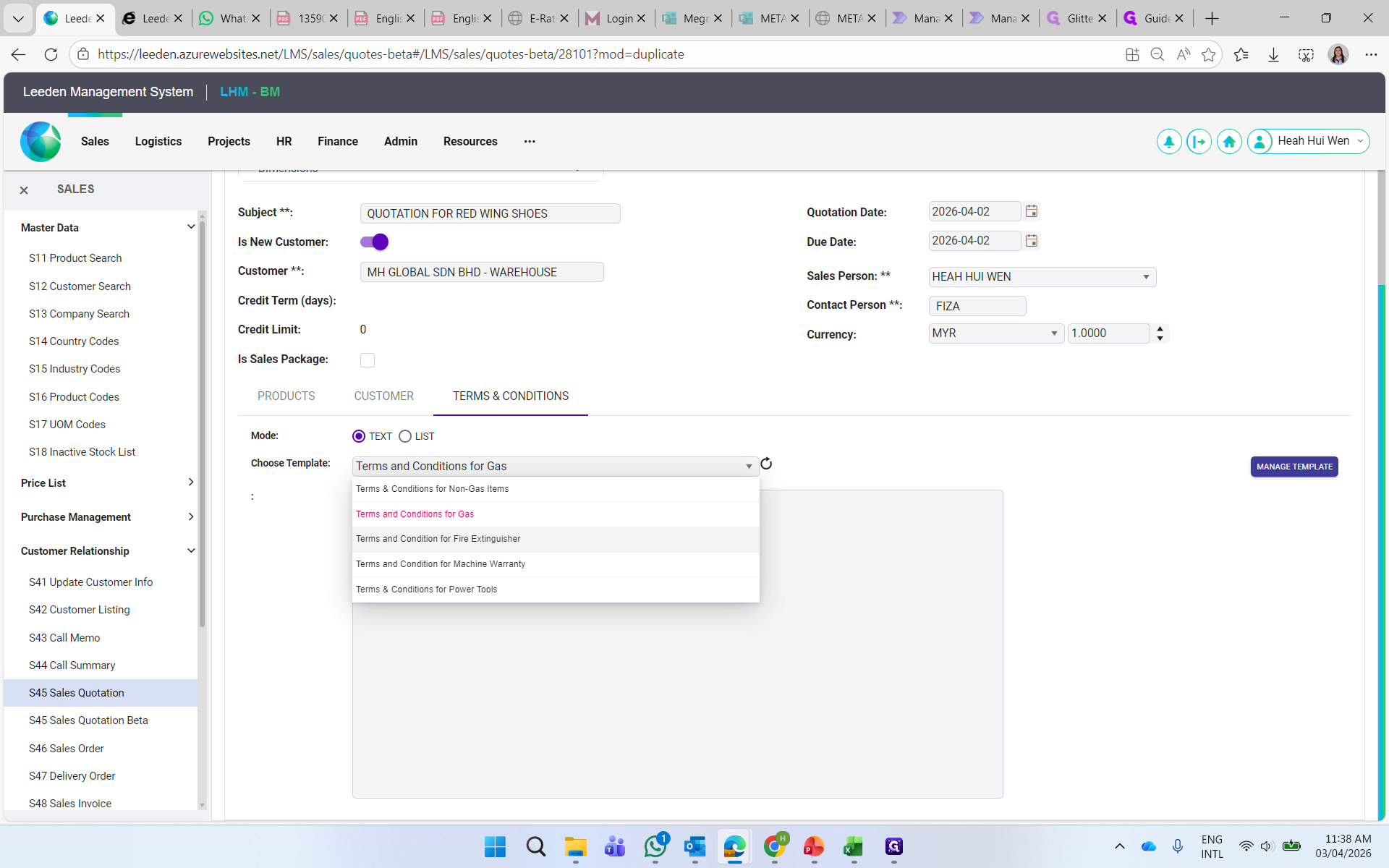
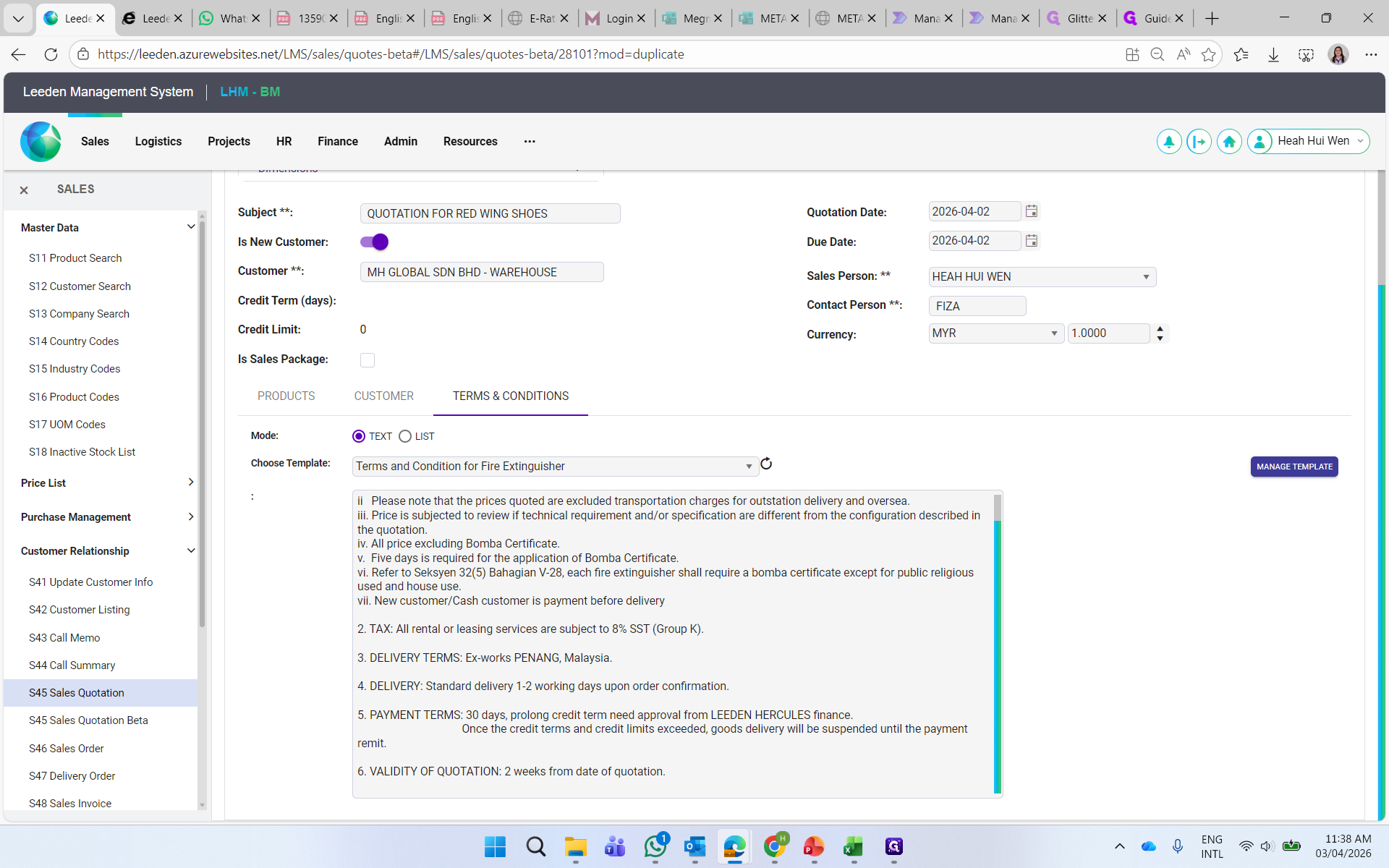
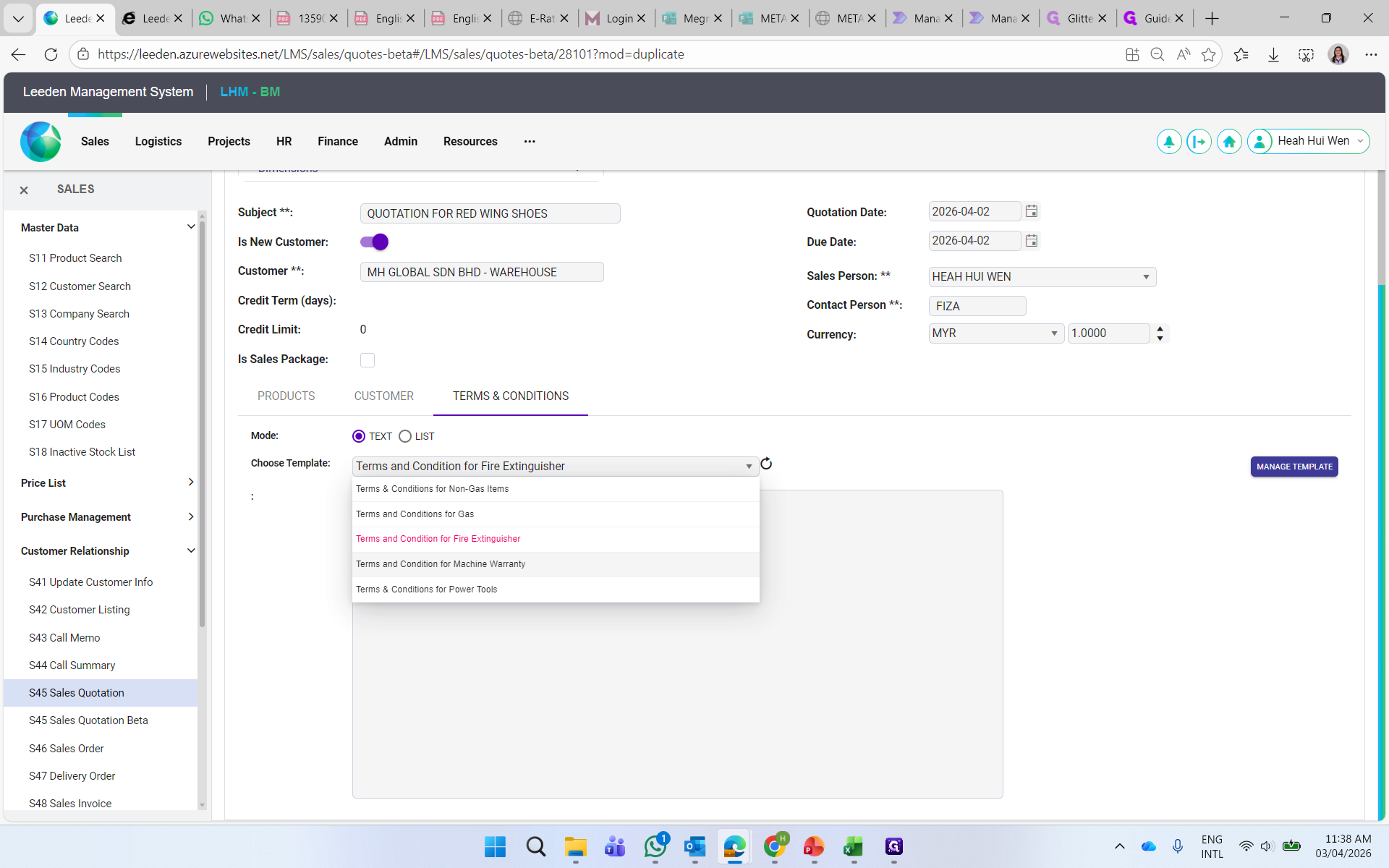
Select the fire extinguisher template for fire extinguisher products.
Step #7: Select the fire extinguisher template for fire extinguisher products.
8
You may amend on the agreed delivery days and payment terms.
Step #8: You may amend on the agreed delivery days and payment terms.

9
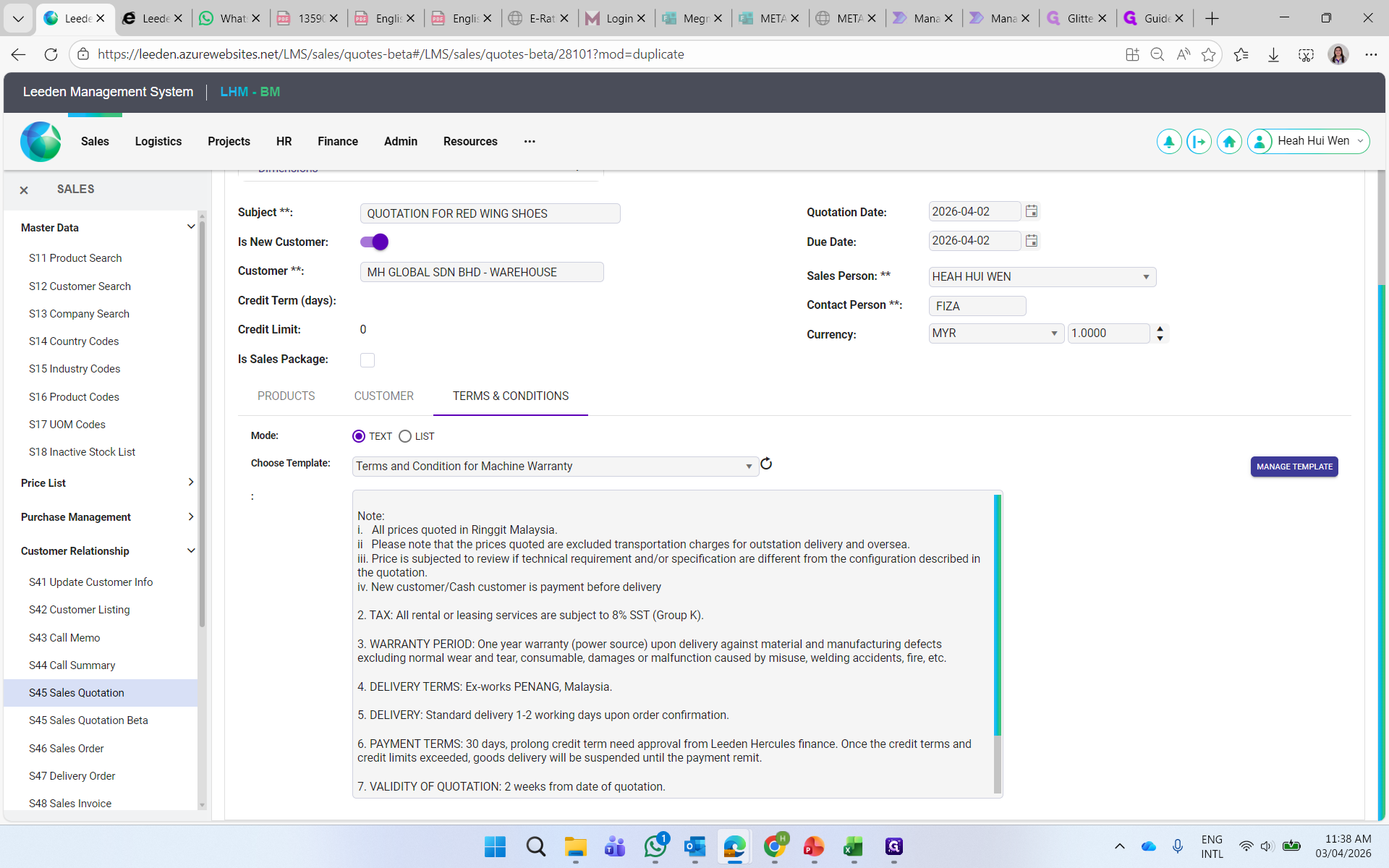
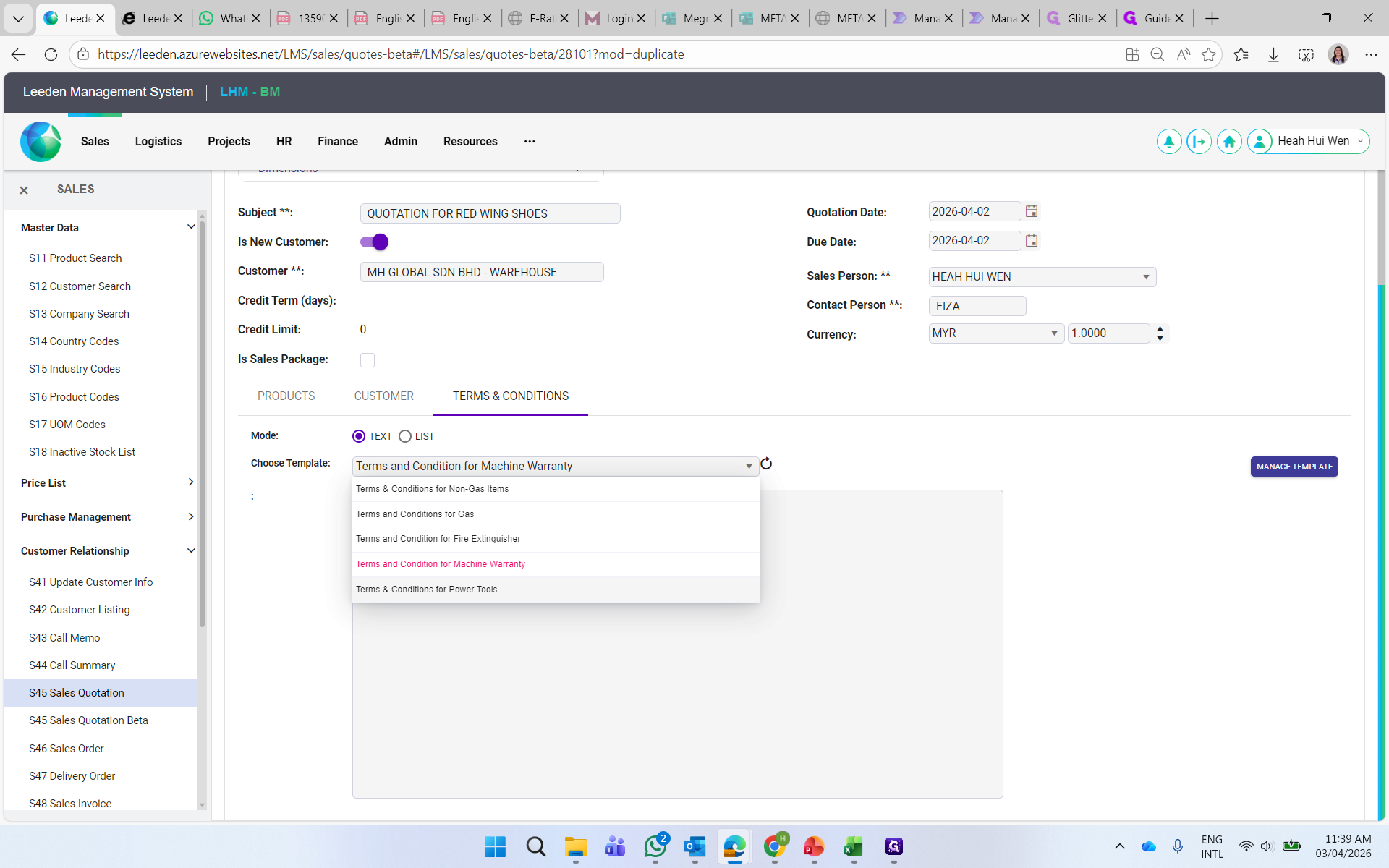
Select Machine Warranty template for products such as Auweld Laser Welding Machine, Megmeet Machine, Bodor CNC Machine and other machines with warranty.
Step #9: Select Machine Warranty template for products such as Auweld Laser Welding Machine, Megmeet Machine, Bodor CNC Machine and other machines with warranty.

10
You may amend on the WARRANTY PERIOD based on the product warranty provided.
Step #10: You may amend on the WARRANTY PERIOD based on the product warranty provided.

11
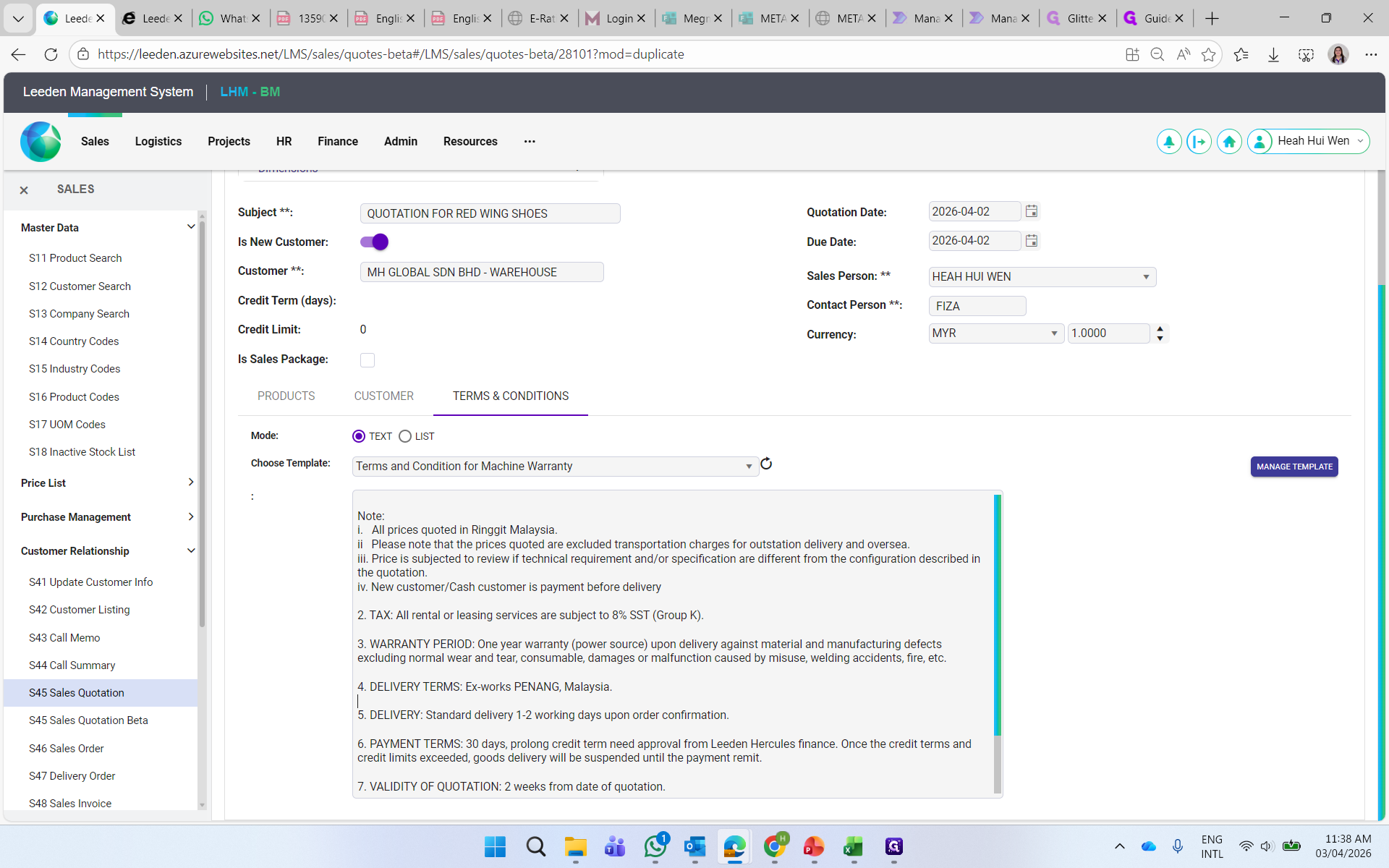
You may amend on the agreed delivery days and payment terms.
Step #11: You may amend on the agreed delivery days and payment terms.

Please take note that any special requirements to be amended or added, kindly looks for BM Admin (Hui Wen) to verify before proceed the quotation.
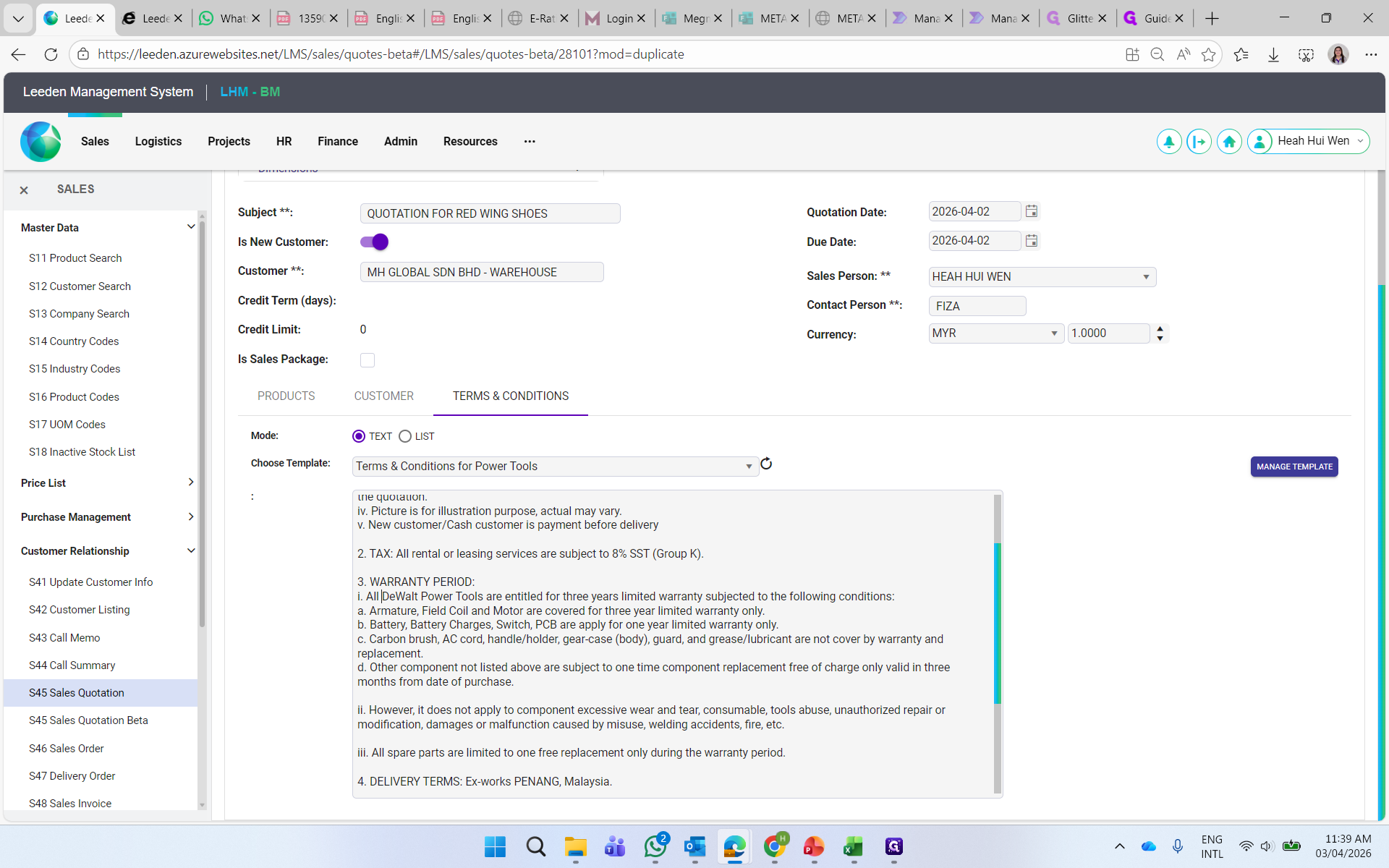
12
Select Power Tools template for Stanley, Dewalt and Black & Decker power tools products.
Step #12: Select Power Tools template for Stanley, Dewalt and Black & Decker power tools products.
13
Amend WARRANTY PERIOD as per the brand's warranty period.
Step #13: Amend WARRANTY PERIOD as per the brand's warranty period.

For Dewalt is 3 years, Stanley 2 years and Black & Decker 1 year.
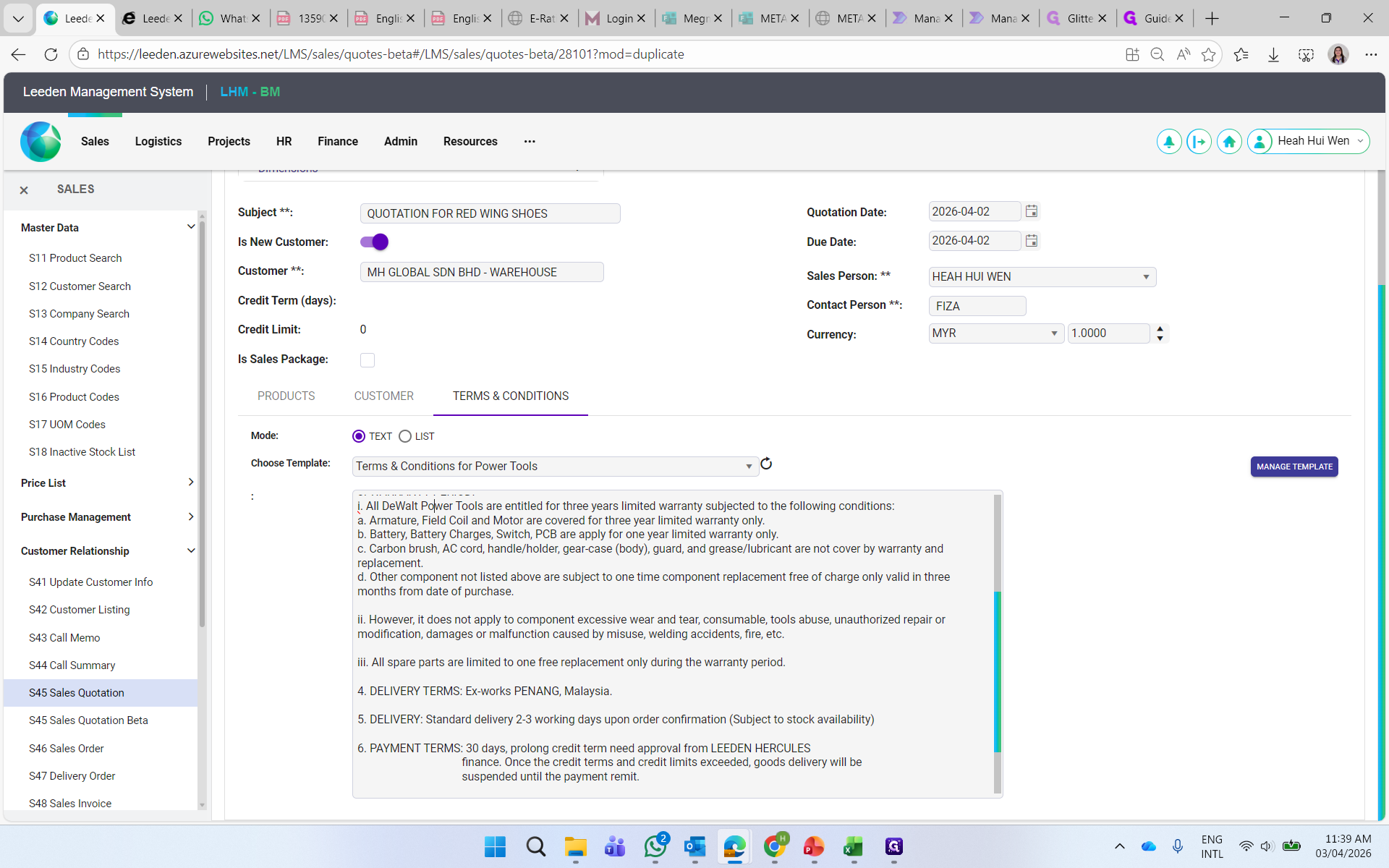
14
You may amend the agreed delivery days and payment terms.
Step #14: You may amend the agreed delivery days and payment terms.
15
REMINDER:
If you want to amend the template or add in any special requirements, kindly check with BM Admin (Hui Wen) before proceed the quotation.
Thank you.