How to Set a Schedule for Smart Home Devices
Learn how to configure schedules for your smart home devices, set specific times and days, and manage duplicate timing conflicts.
This guide explains how to set up customized time schedules for smart home devices, ensuring your electronics turn on or off automatically on specific days of the week. Completing this will automate your daily routines and resolve duplicate scheduling conflicts.
This guide applies to smart home users and administrators who want to automate their connected devices via a centralized app interface. It is typically used when configuring a newly installed smart device or adjusting your automated routines.
Automating your smart home appliances makes managing daily routines effortless. Follow these steps to configure device schedules.
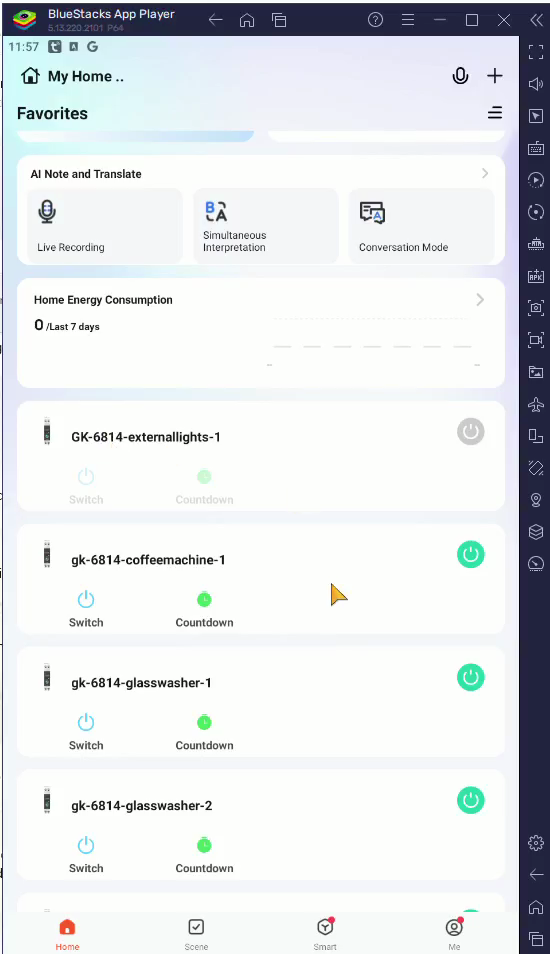
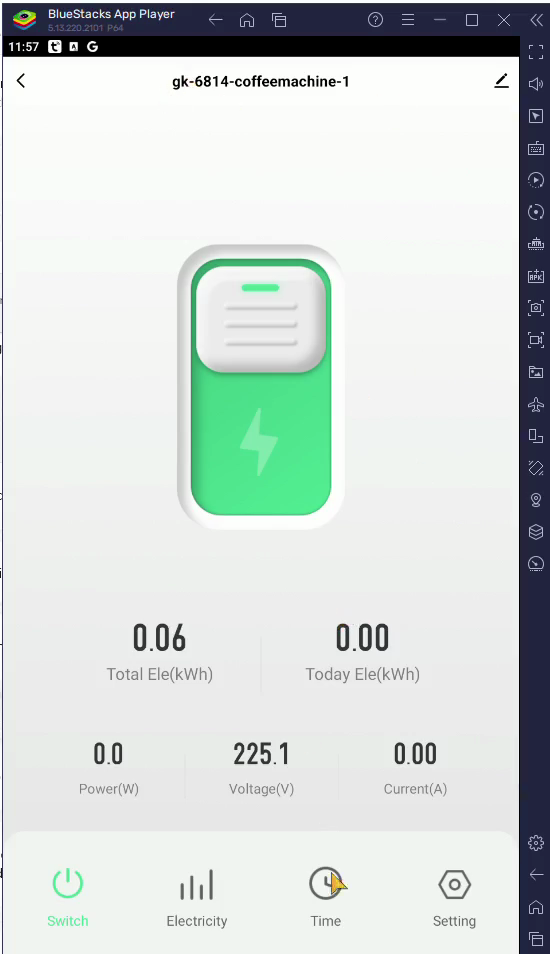
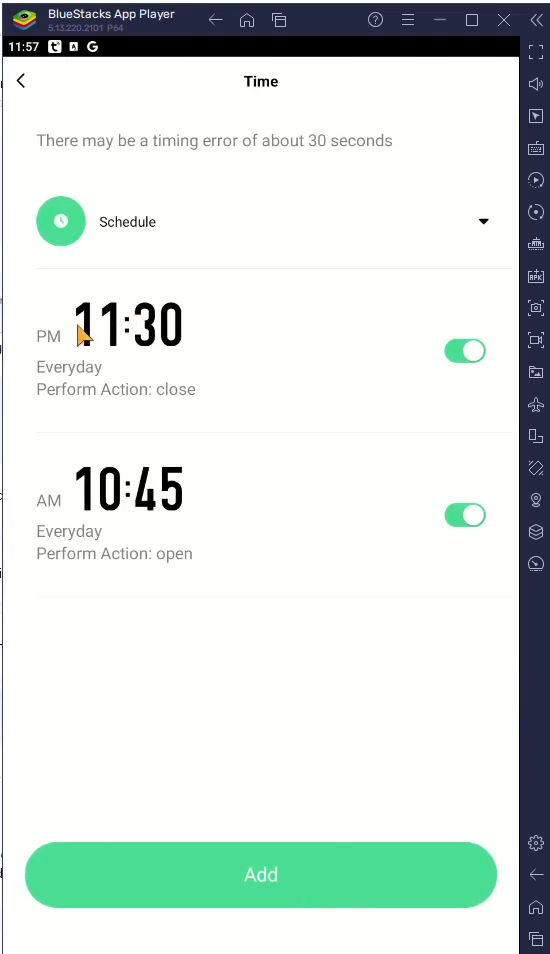
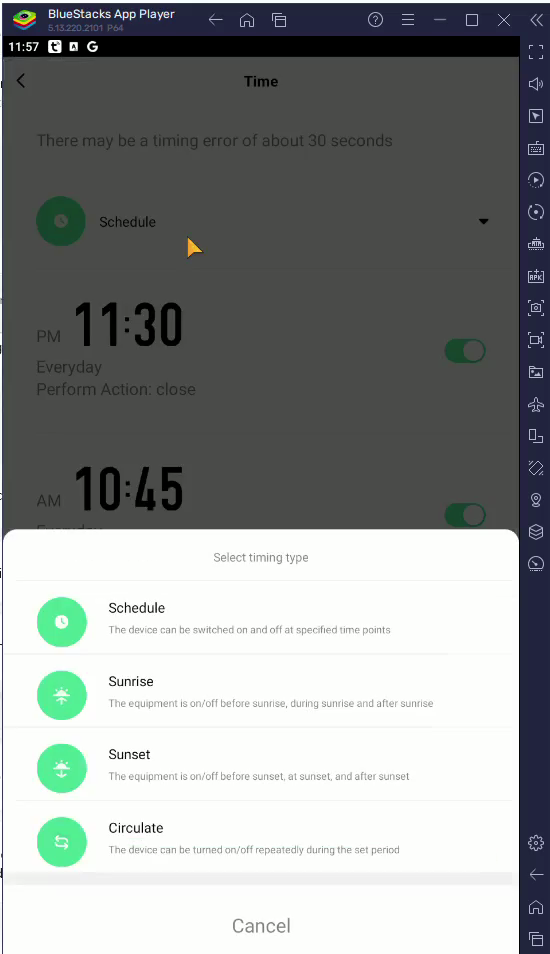
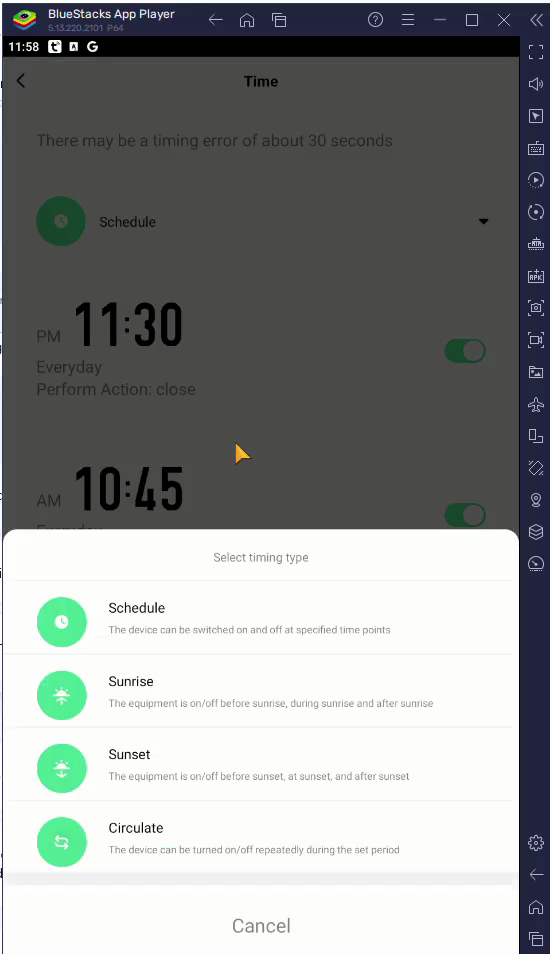
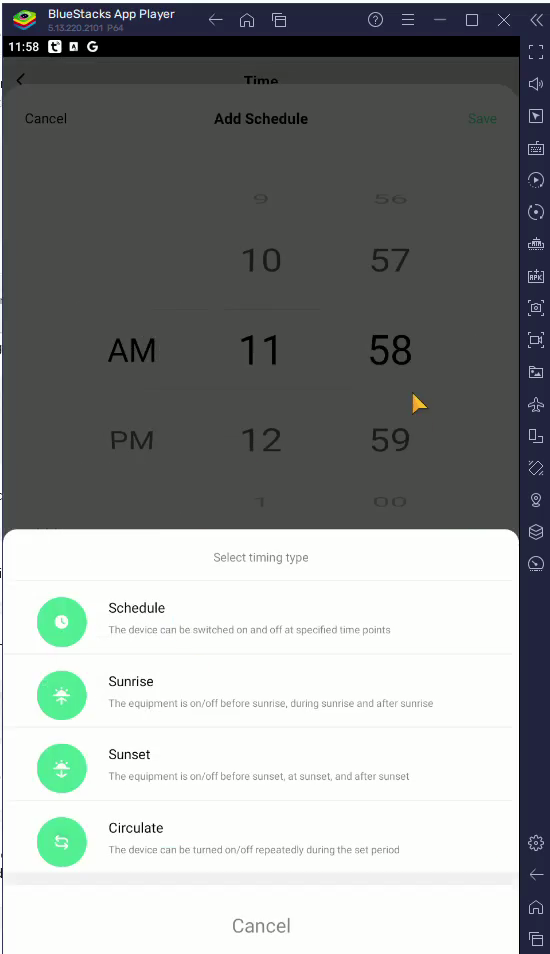
When choosing a timing type, you may see several options depending on your device and app version:
Timing Type | Function |
|---|---|
Schedule | Triggers the device at a specific time and day of the week. |
Sunrise | Activates the device automatically at local sunrise. |
Sunset | Activates the device automatically at local sunset. |
Circulate | Runs the device on a continuous, repeating time loop. |
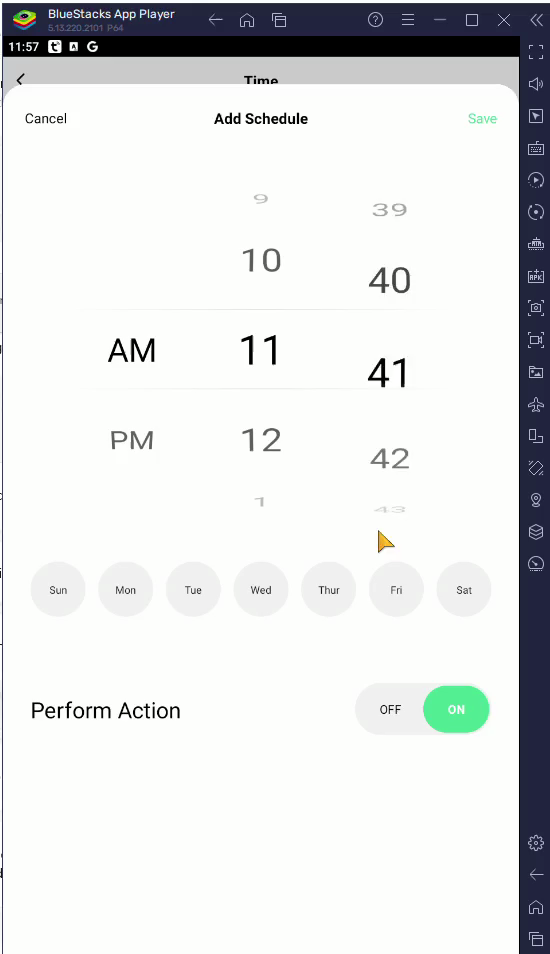
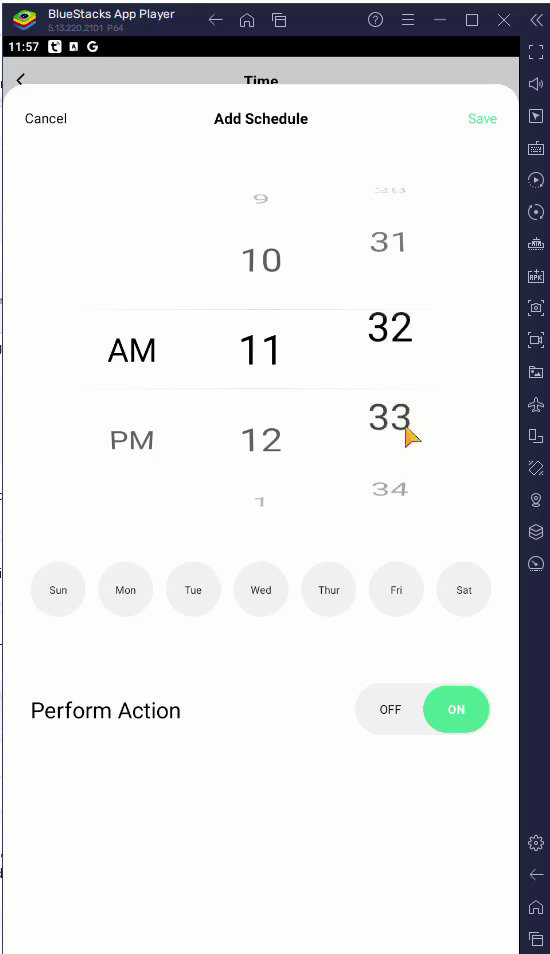
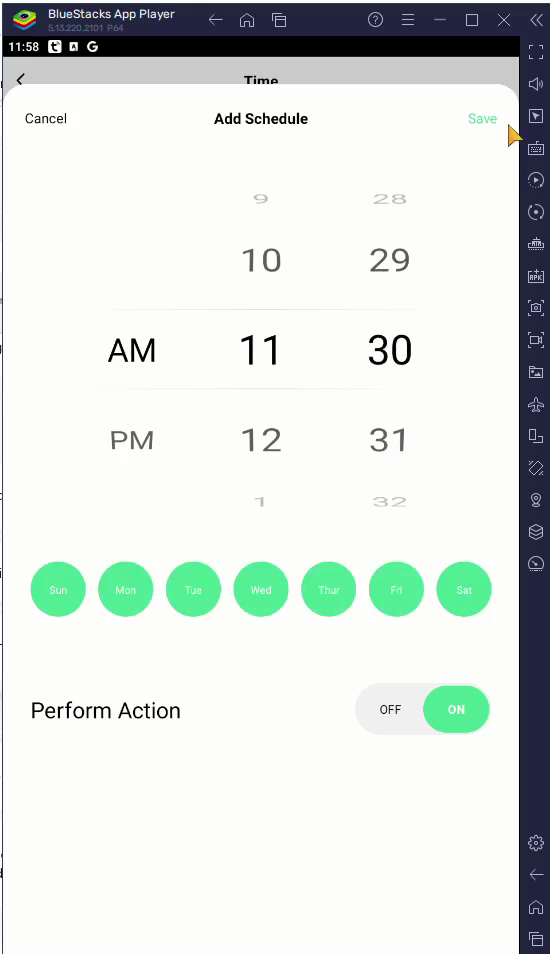
Managing Additional Schedules and Conflicts
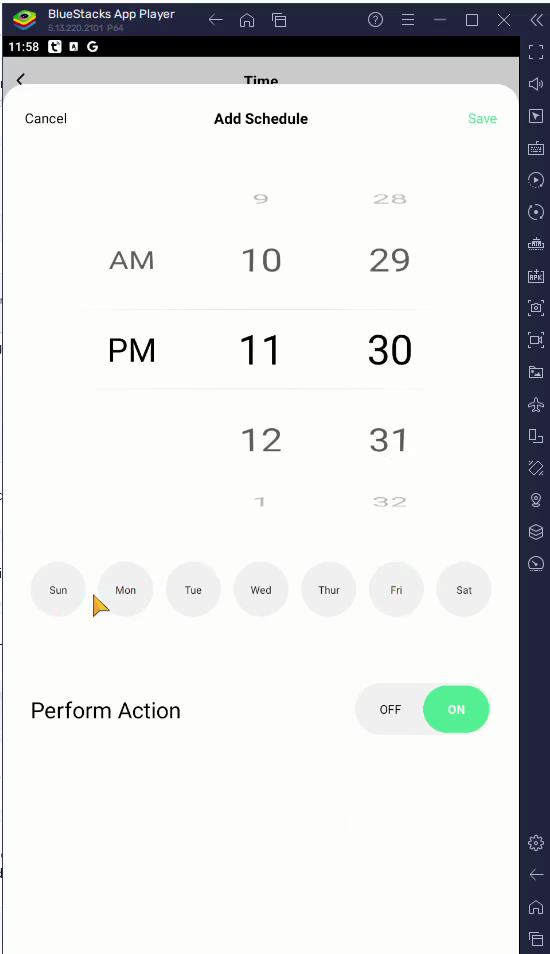
You can create multiple schedules to run different actions on different days.
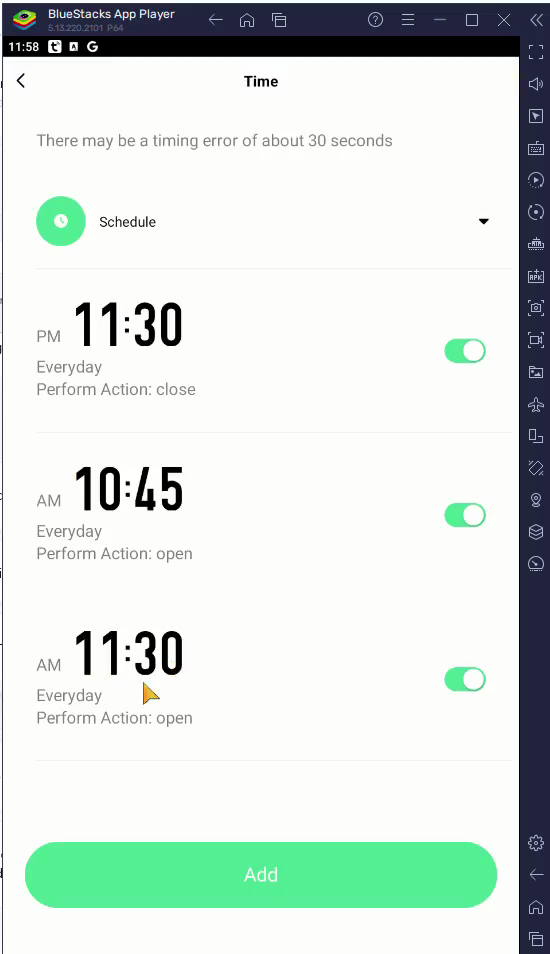
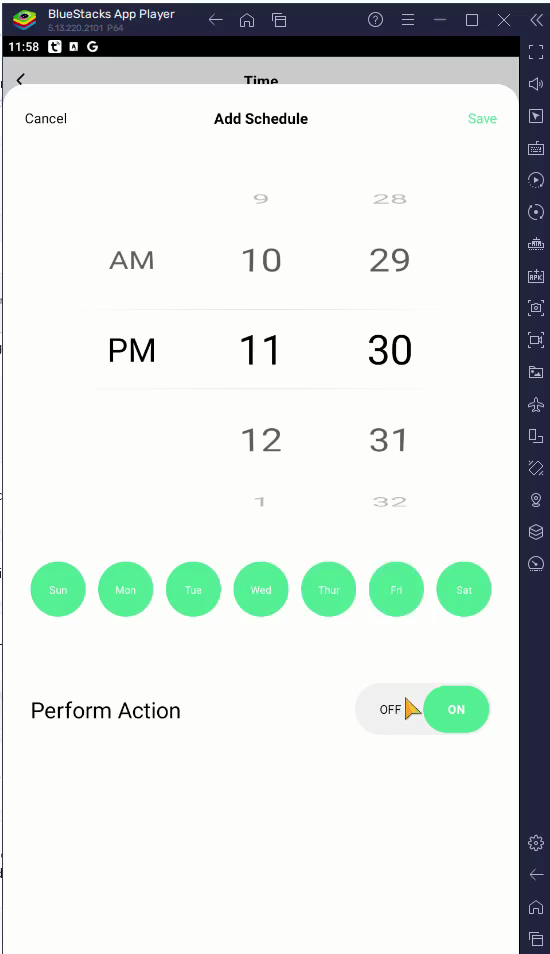
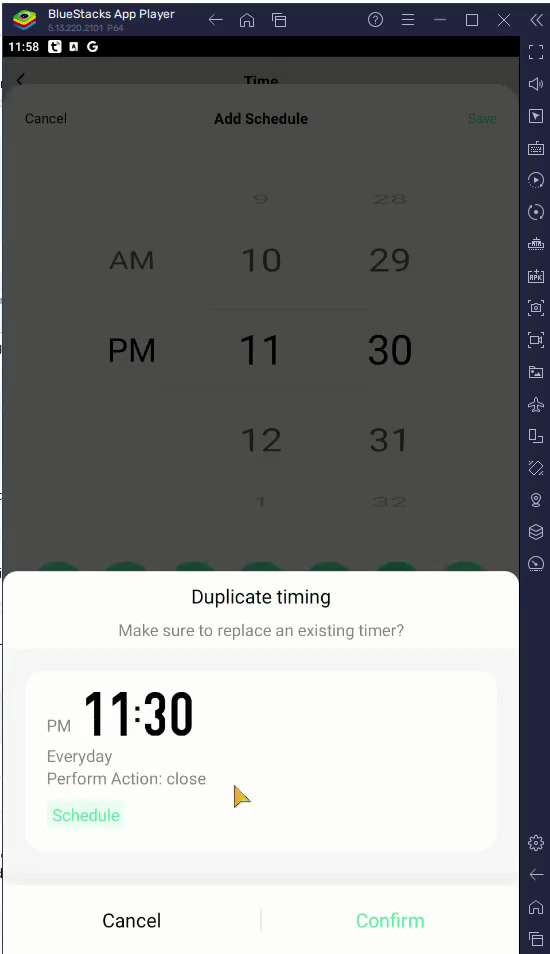
Q: What happens if I create two schedules for the exact same time and day?
A: The app will display a "Duplicate timing" confirmation dialog. If you proceed and click Confirm, it will overwrite the previous schedule to prevent conflicting commands.
Q: Can I select multiple days for a single schedule?
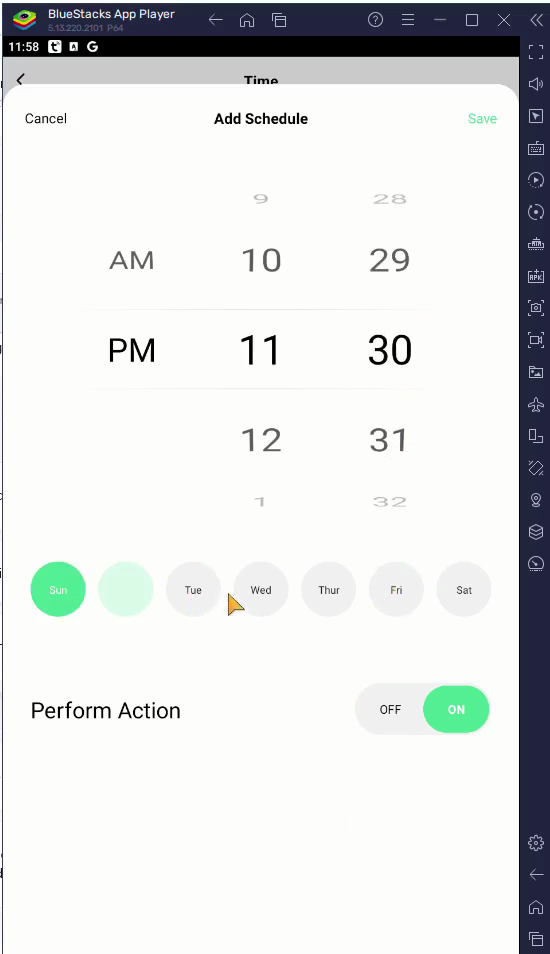
A: Yes, you can tap multiple day buttons (such as Sun, Wed, and Fri) within the same Add Schedule screen to apply the same timing action across all selected days.
Q: Why do I see other options like Sunrise or Sunset?
A: These alternative timing types allow your smart device to trigger dynamically based on local environmental conditions rather than a static time on the clock.
Term | Definition |
|---|---|
Smart Plug | An adapter that plugs into a standard wall outlet, allowing you to control power to non-smart appliances via an app. |
Duplicate Timing | A scheduling conflict that occurs when multiple automated events are set to trigger a device at the exact same time. |
Circulate | A scheduling mode that cycles a device on and off repeatedly based on defined time intervals. |