How to Sort Recurring Journal Enteries
Learn how to organize your transactions table by sorting columns, categorizing inline, and applying date filters to quickly find specific entries.
Overview
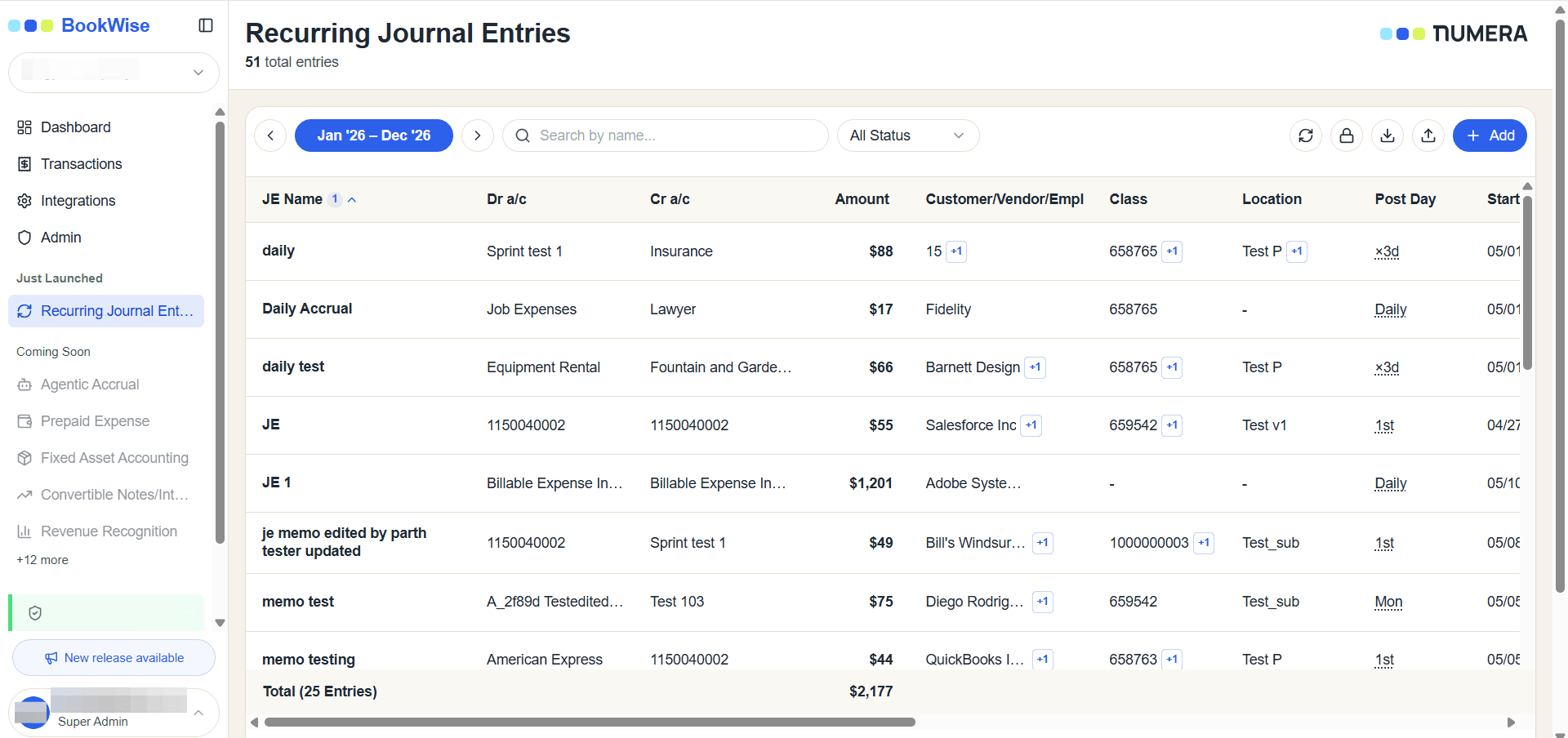
This guide explains how to sort entries in the Recurring Journal Entries (RJE) table. Sorting lets you quickly organize records and locate specific information by key criteria such as name, dates, or amount. You can sort by a single column or stack several columns to build a precise order.
Who this is for
This applies to any user viewing or managing RJE table data who wants to customize their workspace view.
How sorting works: the three-click cycle
Click a column header to sort by it. Each click on the same header cycles through three states:
First click - sorts by that column in its default direction.
Second click - reverses the direction.
Third click - removes the sort from that column.
A small arrow on the header shows the current direction - up (▲) for ascending, down (▼) for descending.
Sortable columns
Click any of these headers to sort by it:
Column | Default (first click) | Sort behavior |
|---|---|---|
Name | A → Z (ascending) | Alphabetically by record name |
Customer / Vendor | A → Z (ascending) | Alphabetically by assigned customer or vendor |
Class | A → Z (ascending) | Alphabetically by class category |
Location | A → Z (ascending) | Alphabetically by location |
Start Date | Newest first (descending) | Chronologically by start date |
End Date | Newest first (descending) | Chronologically by end date |
Amount | Highest first (descending) | Numerically by value |
Sorting the RJE table — by a single column or several stacked by priority — lets you organize records exactly how you need them and find specific information quickly.