
How to Split a Transaction: Step-by-Step Guide
Learn how to split a transaction easily with this step-by-step guide. Discover how to use the Split button, add splits, select categories, and save your split transactions.
By Aasma Technology Solutions
This guide provides step-by-step instructions for splitting transactions into multiple entries. The transaction splitting feature facilitates precise expense allocation by enabling users to assign different categories to distinct portions of a single transaction. This guide covers the complete workflow, including adding transaction details and persisting changes.
Let's get started
1
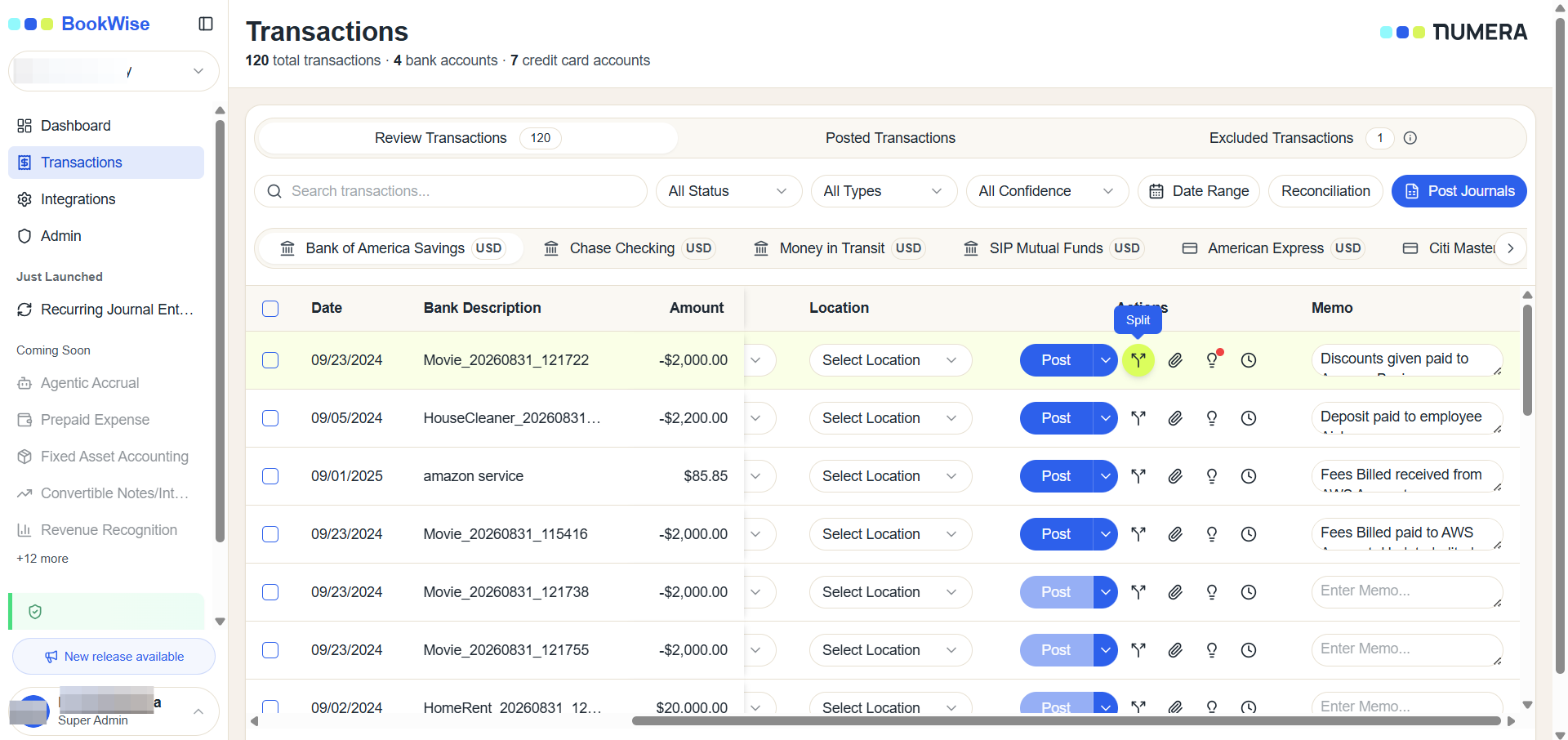
Go to REClick on "Split icon"
2
Click on Add Button to add splits.
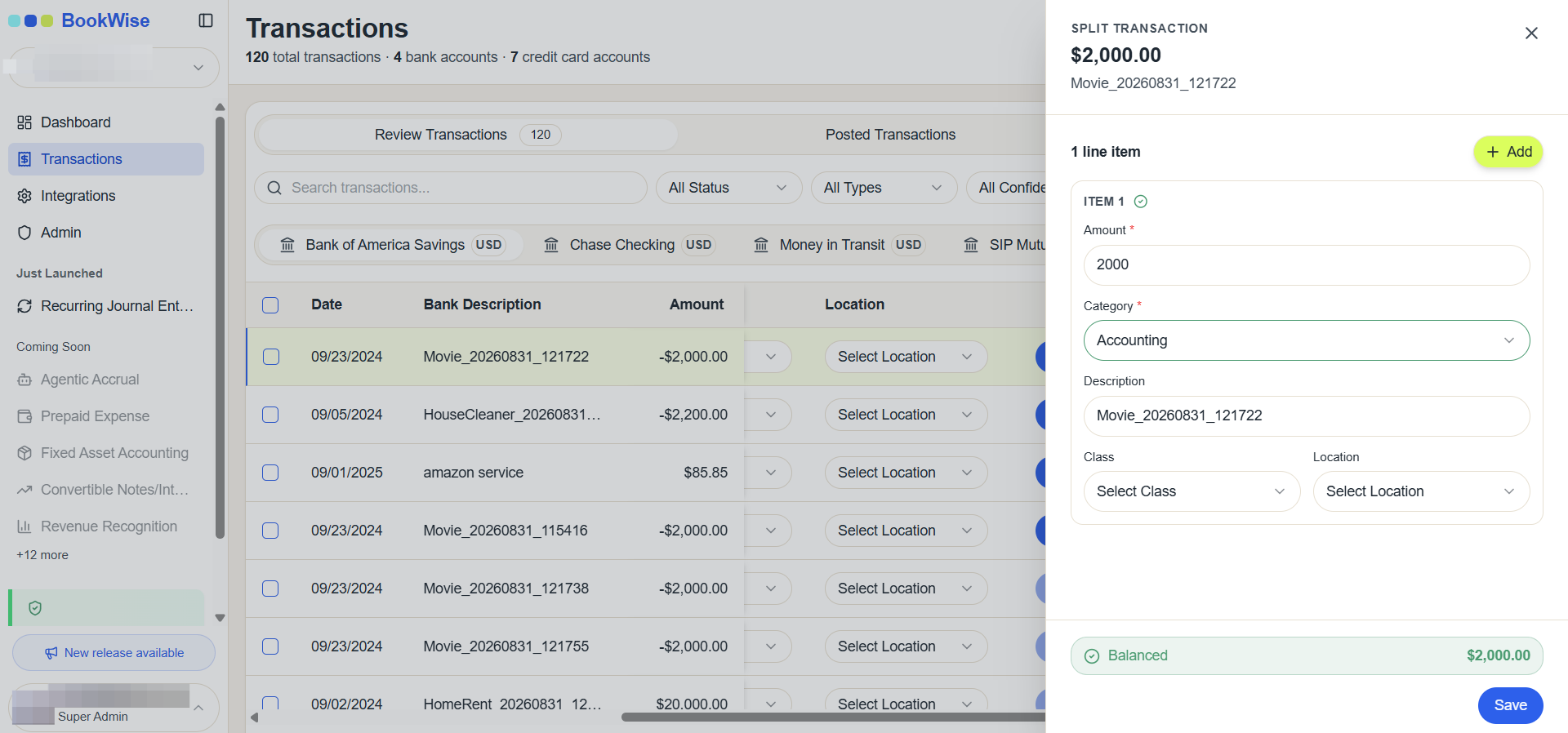
No of Splits can be based on user's preference
3
Add Split Amount or click on Split Evenly button
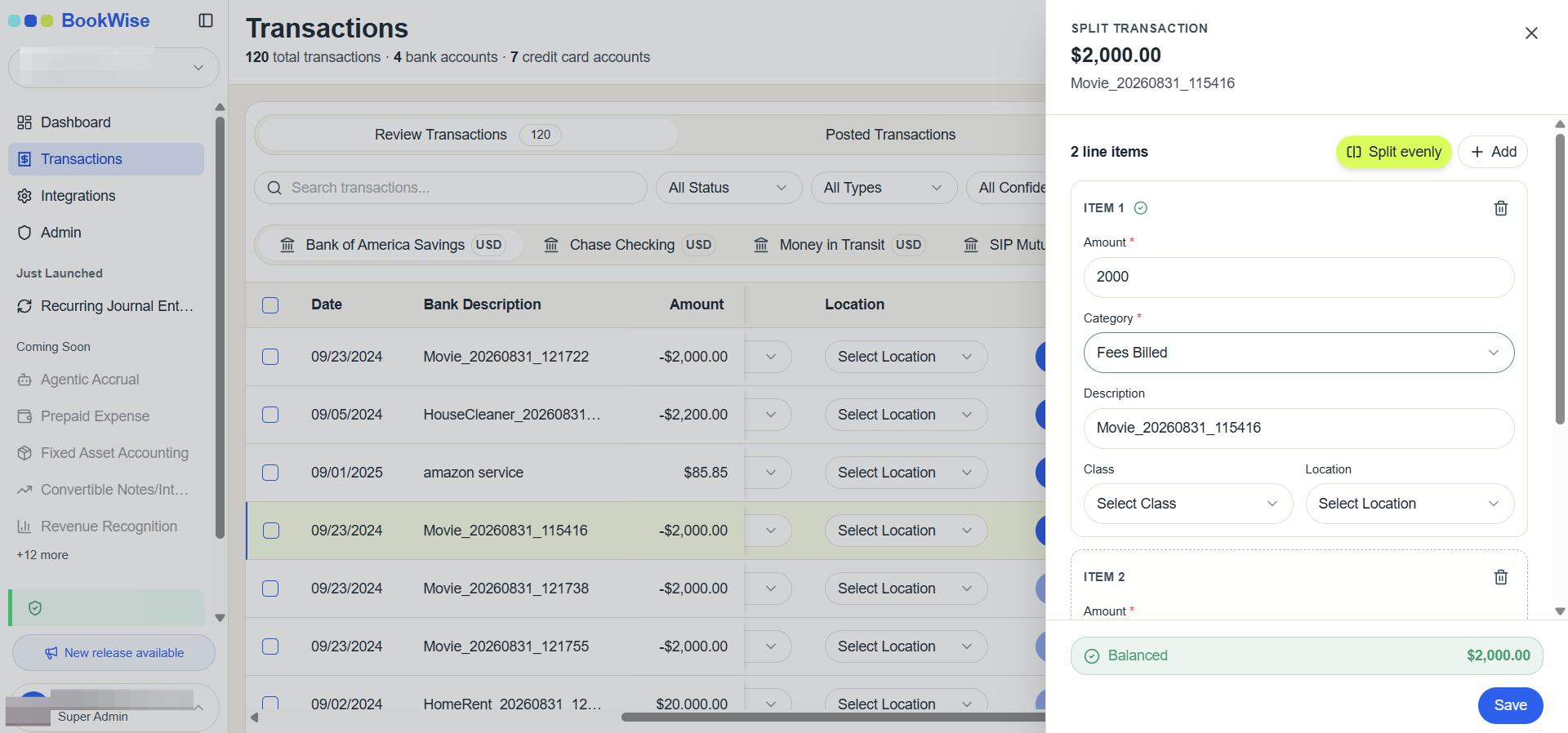
Balance the transactions amount
4
Click on Save split button
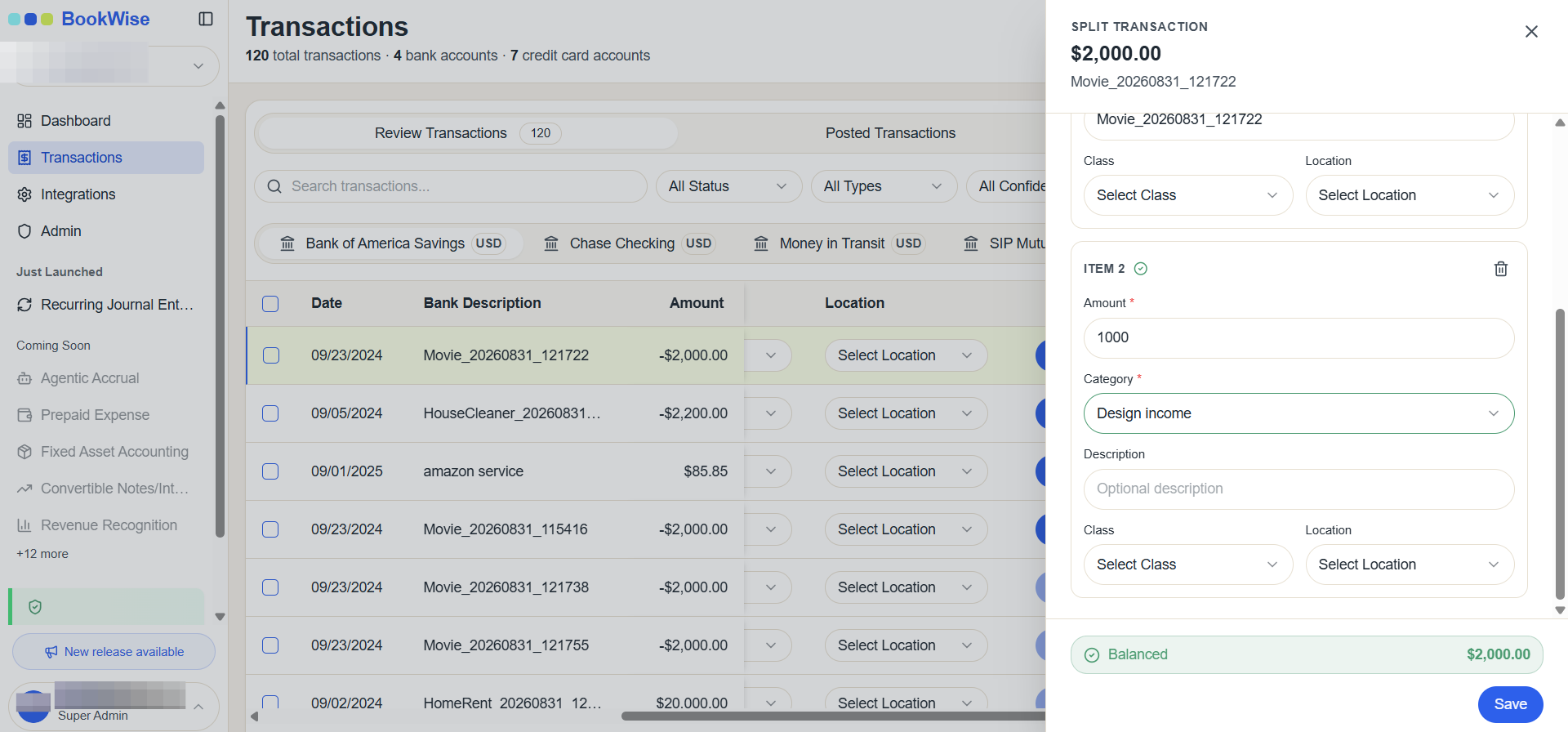
This is how we will split a transaction, and it is ready to be posted.