OLD How to Start a Return on the VELUX Dealer Extranet
Learn step-by-step how to initiate a return on the VELUX Dealer Extranet, including searching for your order, selecting return reasons, uploading photos, and receiving your return authorization number.
By Michelle
In this guide, we'll learn how to start a return for an order using the VELUX Dealer Extranet. We will cover how to find your order, select the reason for the return, and provide the necessary details to complete your request. This process helps ensure your return is handled efficiently and you receive confirmation and next steps.
Let's get started
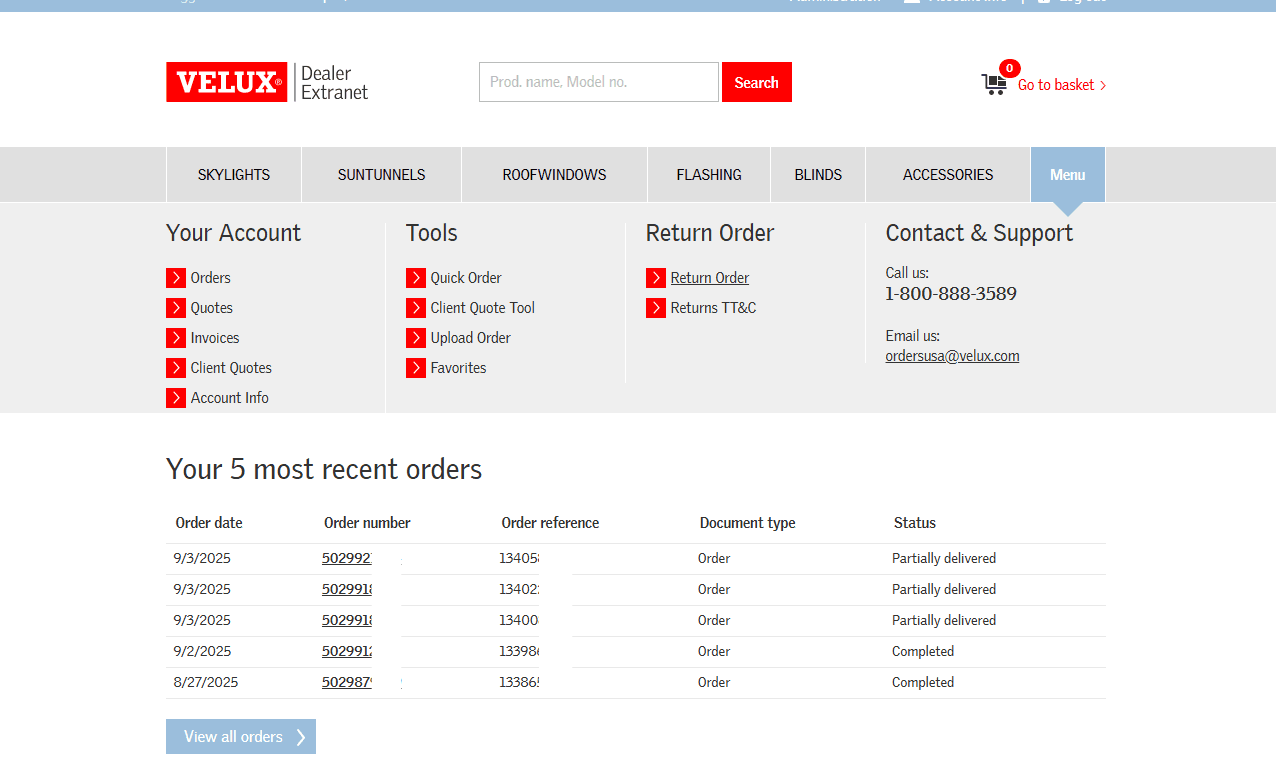
To start a return, log in to the VELUX Dealer Extranet. Then, click on "Return Order."
1
To start a return, click on Return Order.
2
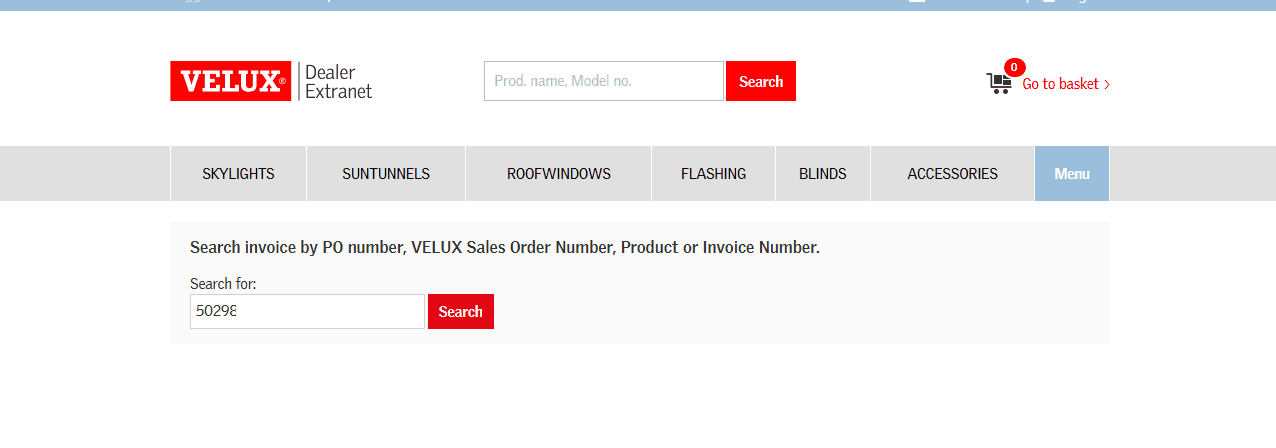
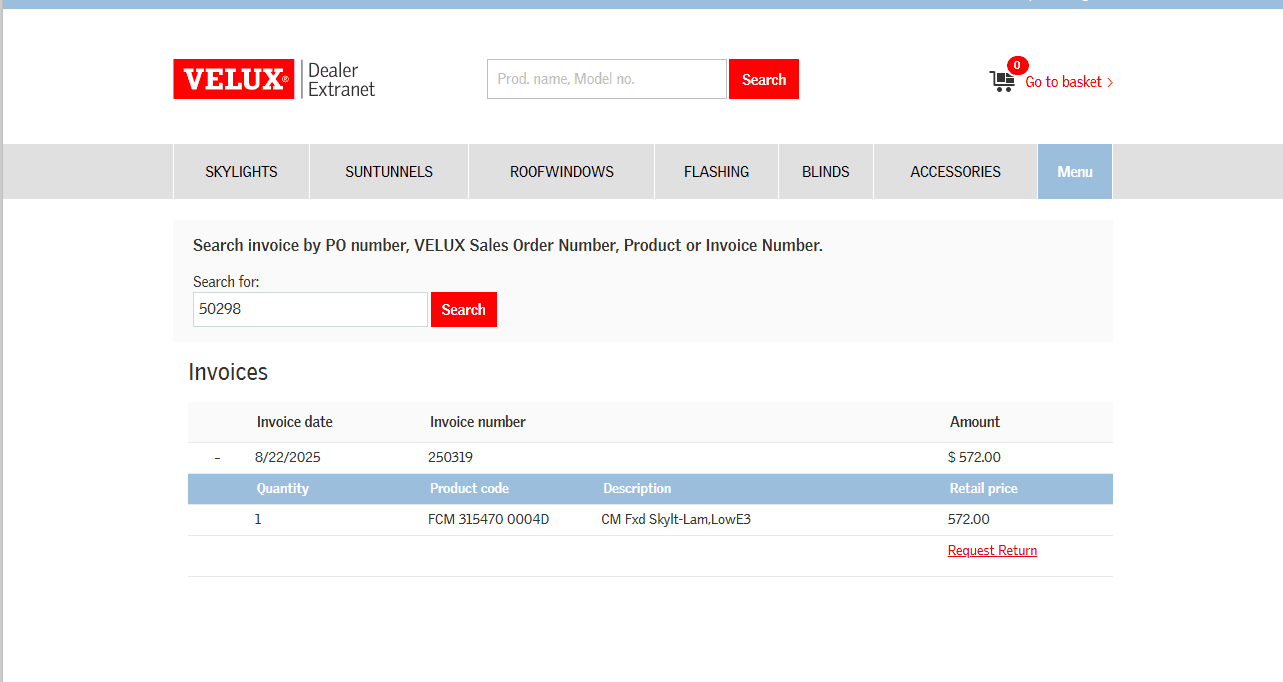
You can search by PO number, VELUX sales order confirmation number, product, or invoice number.
3
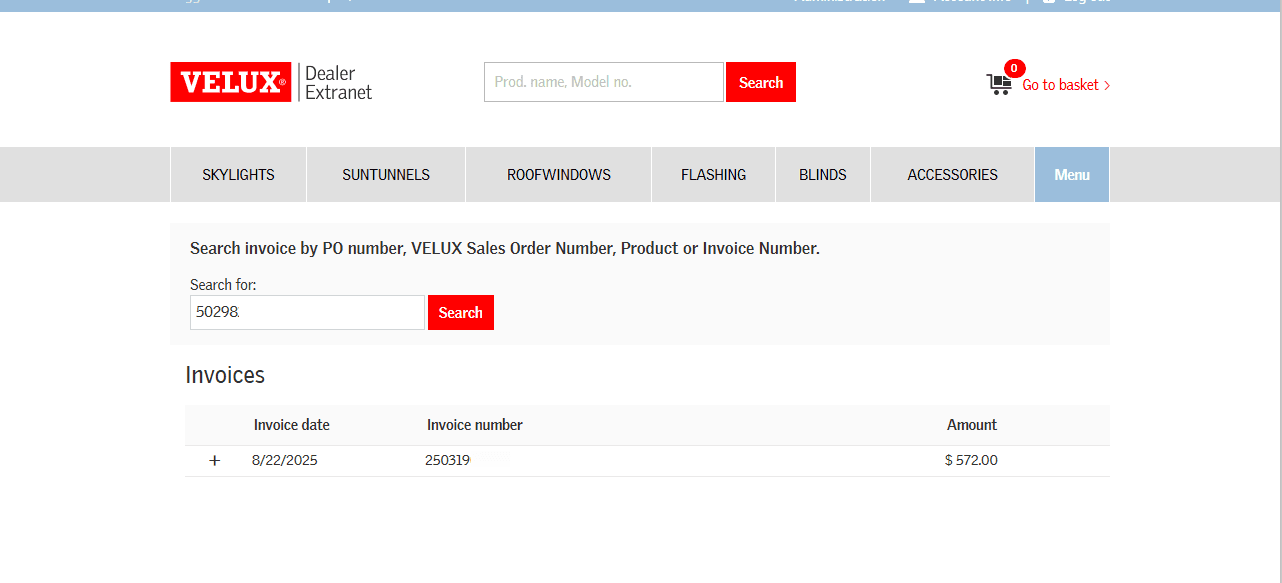
Click on the invoice you wish to process the return from.
4
Click on Request Return.
5
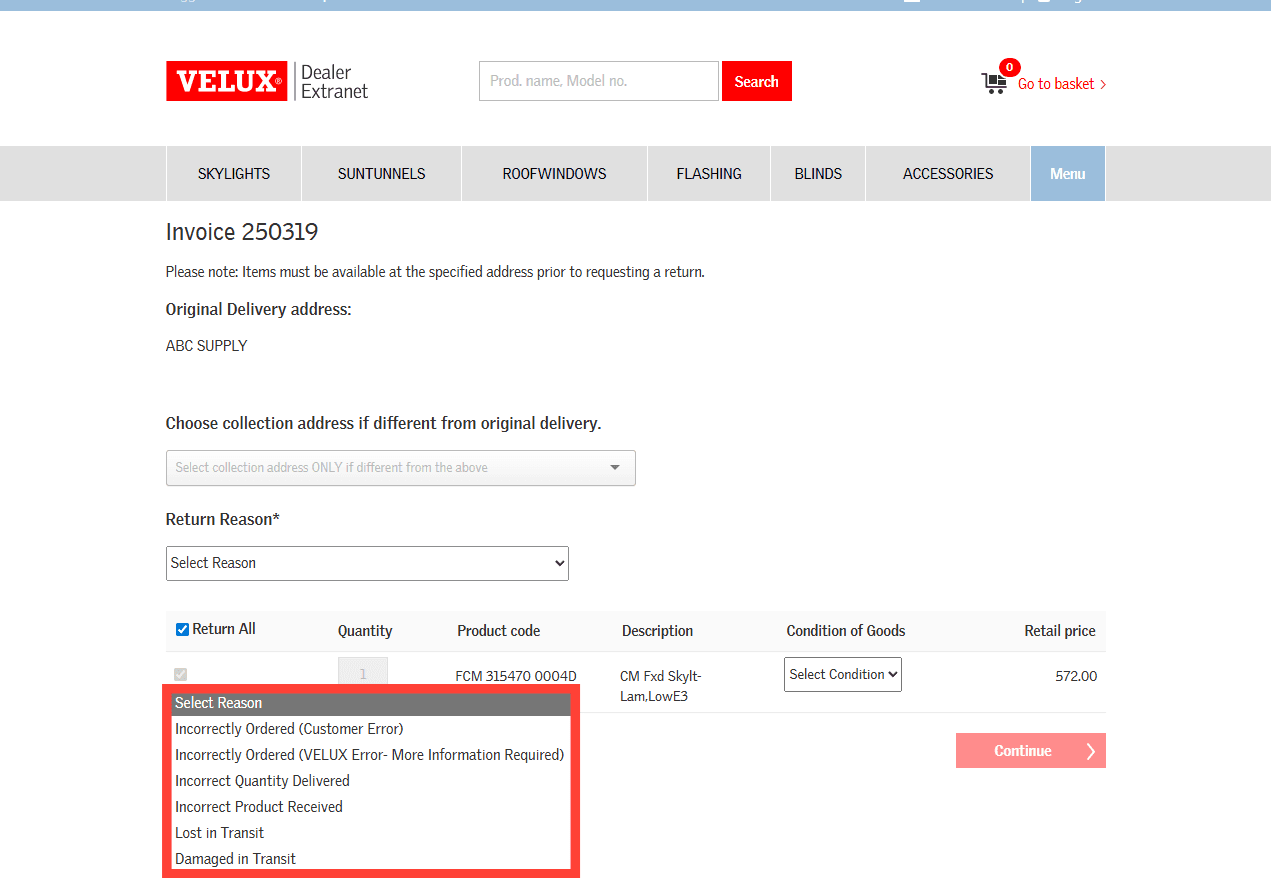
Choose the return reason by clicking the dropdown under Return Reason.
6
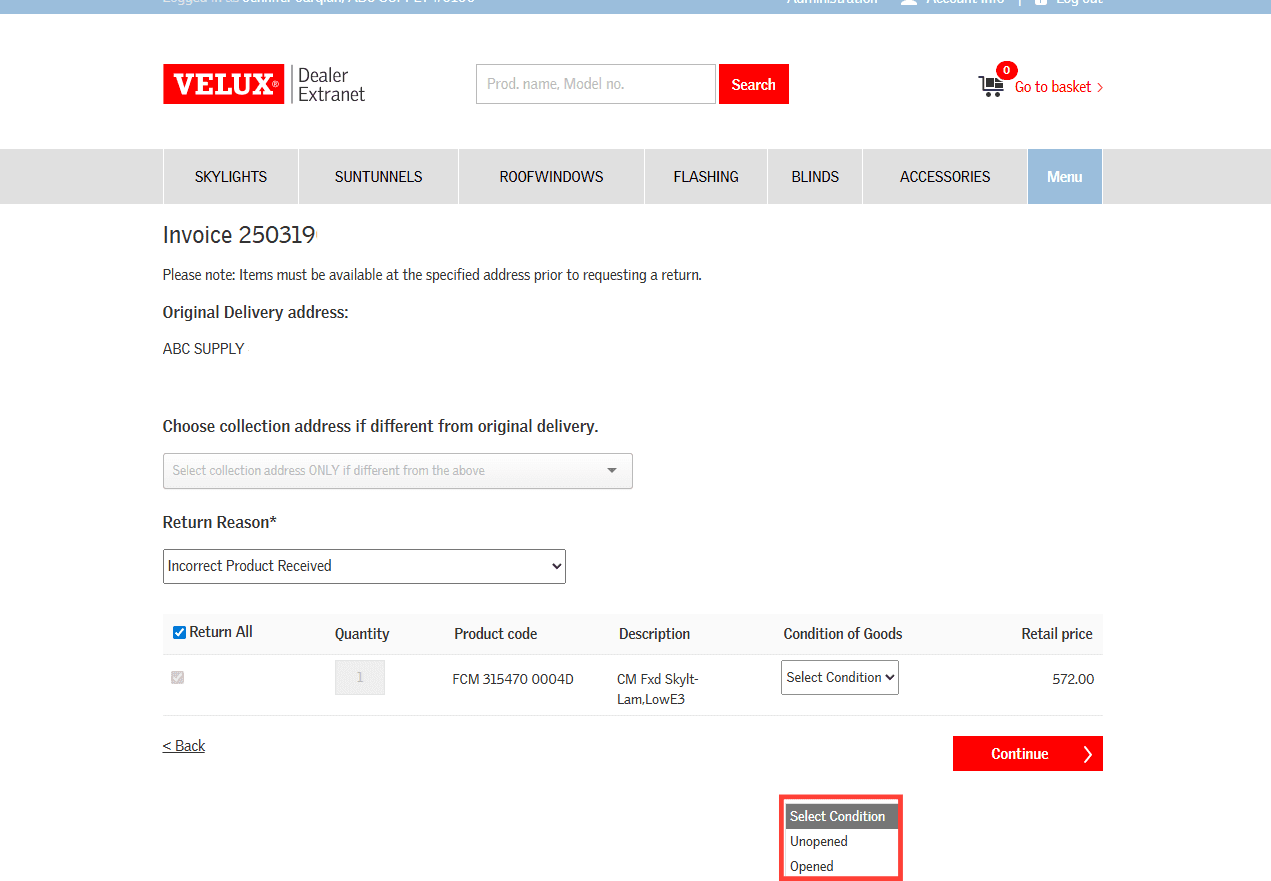
Choose the condition of the return product under the Condition of Goods dropdown.
7
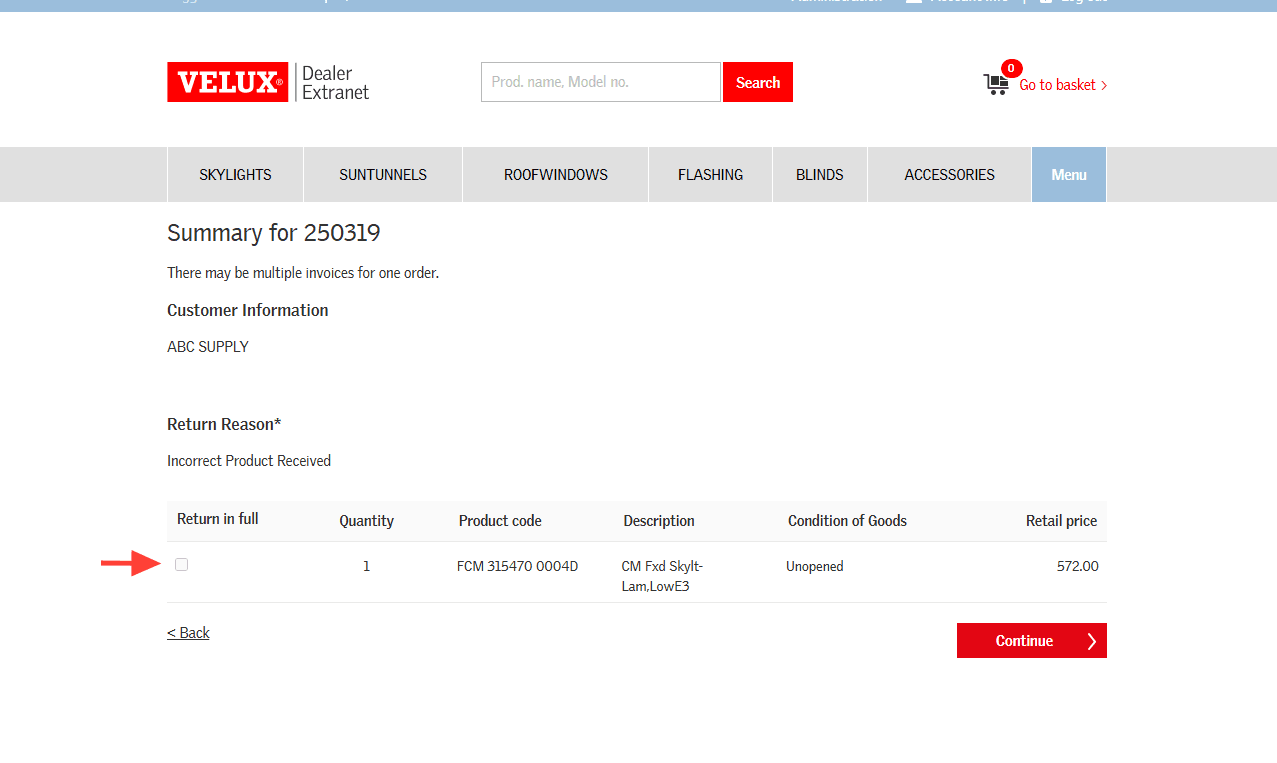
If there are multiple items on the order you can choose individual items to return or click to Return in full and then click on Continue.
8
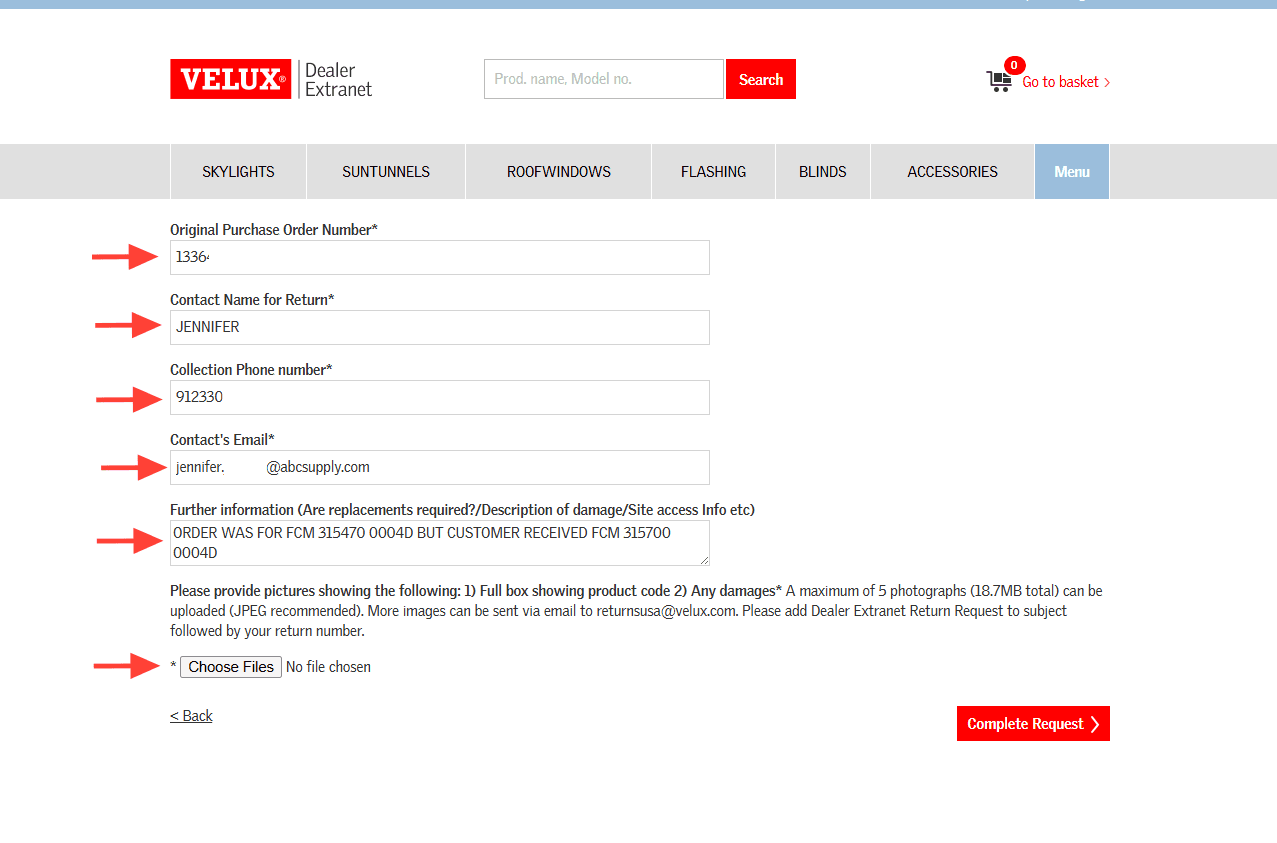
Complete all required fields noting the reason for return and if a replacement reorder is required. Upload any photo documentation you may have and click Complete Request to process the RGA.
9
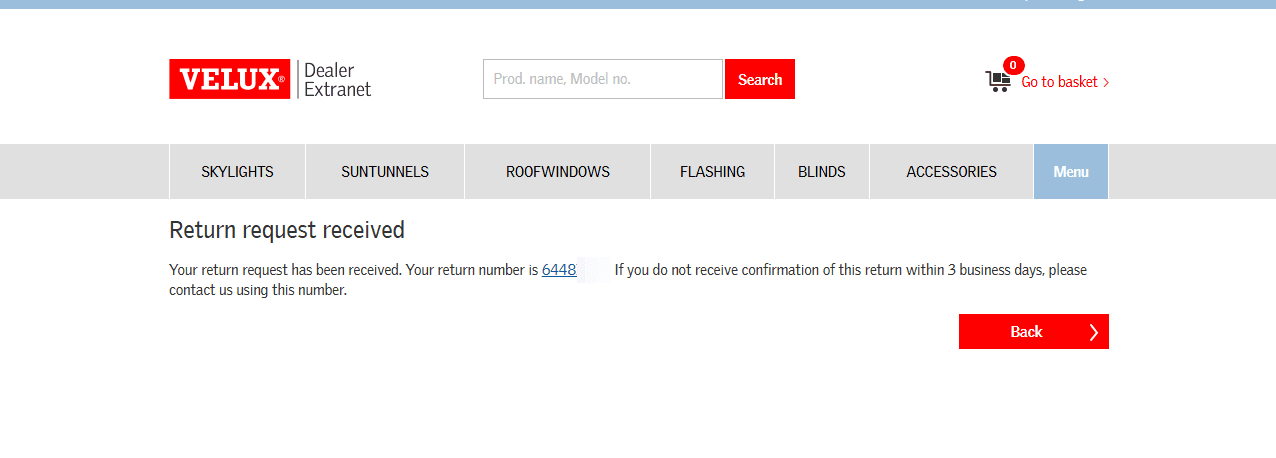
You will get a return request received notification with your RGA authorization number. You should receive a confirmation of the return via email within three business days.