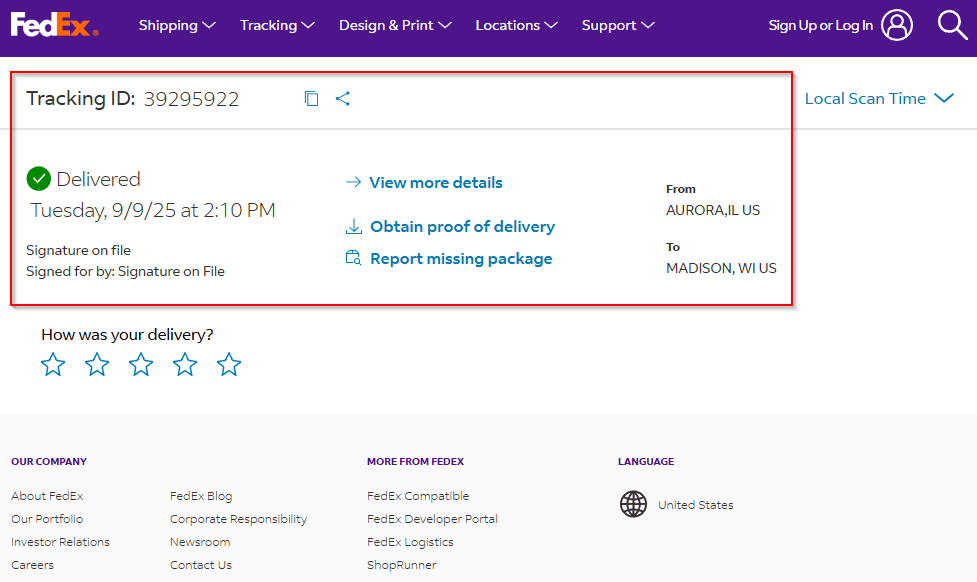
OLD How to Track a Package with the VELUX Dealer Extranet
Learn how to track your package using the VeeLux dealer extranet. Follow simple steps to view order details, shipping status, and proof of delivery including date, time, and signature.
By Michelle
In this guide, we'll learn how to track a package using the VELUX dealer extranet. You will see how to access your order details and use the provided links to view shipping status and proof of delivery through the carrier's website.
Let's get started
To track a package with the VELUX dealer extranet, click the hyperlink below the order number you want to track.
1
Click on the order number to track or click View all orders to search more orders.
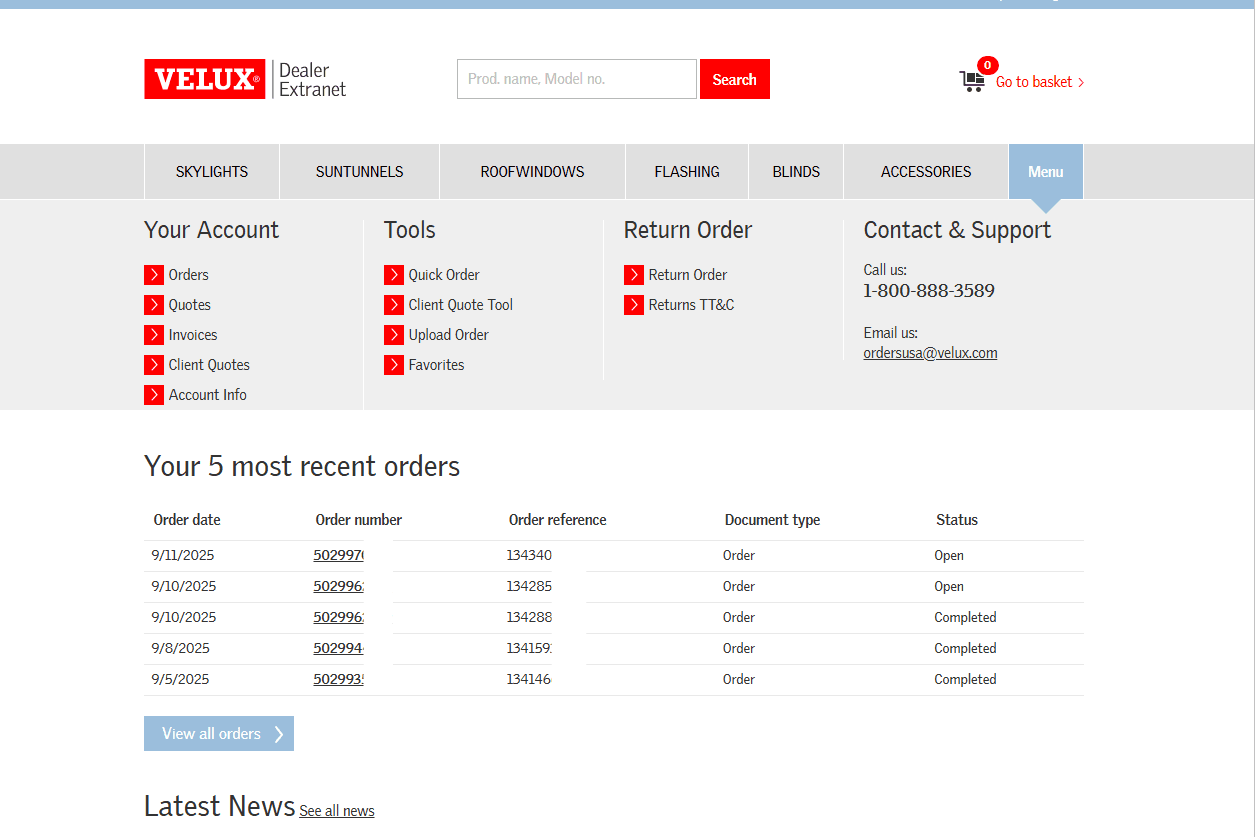
2
From the specific order details click Track and Trace to view tracking status.
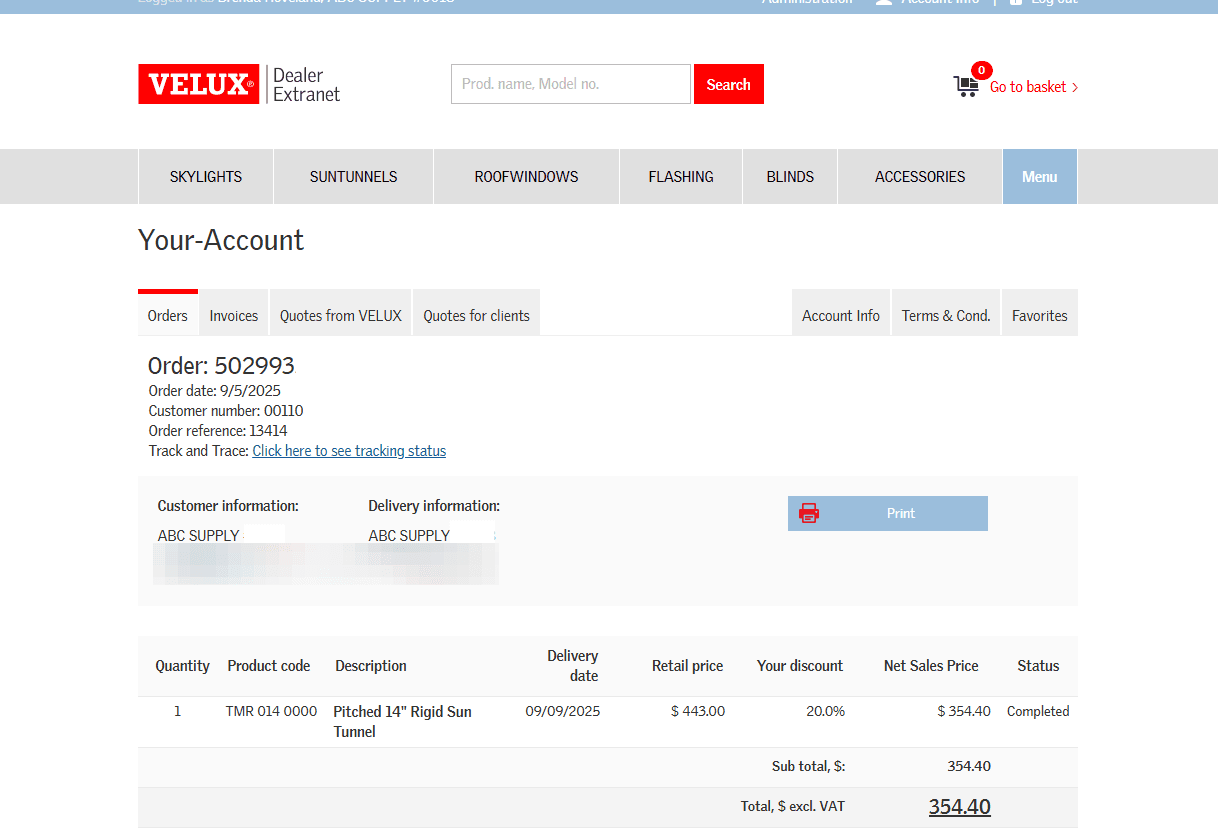
3
If available, the shipping information is displayed. Click on the confirmation number to go to the delivery details.
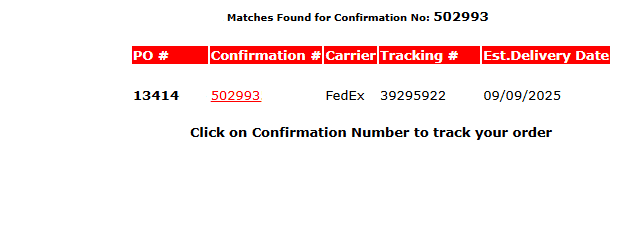
4
The delivery details display in a new screen.