How to Update "Community Status' After a Rites of Passage Weekend in the ABOB Community Table
Learn the step-by-step process for updating participant Community Status in the ABOB Community table after a rites of passage weekend. Ensure accurate records for graduate young men and new volunteers.
In this guide, you'll learn how to update the Community Status of participants after a rites of passage weekend. This process ensures that the records in the ABOB Community table accurately reflect who completed the weekend and their new status, whether as a "Graduate" for young men or "Completed QFC" for new volunteer men.
We'll cover how to make these updates in the 'Post-weekend TASK updates (AC)', table view, and explain the steps for each participant.
Let's get started
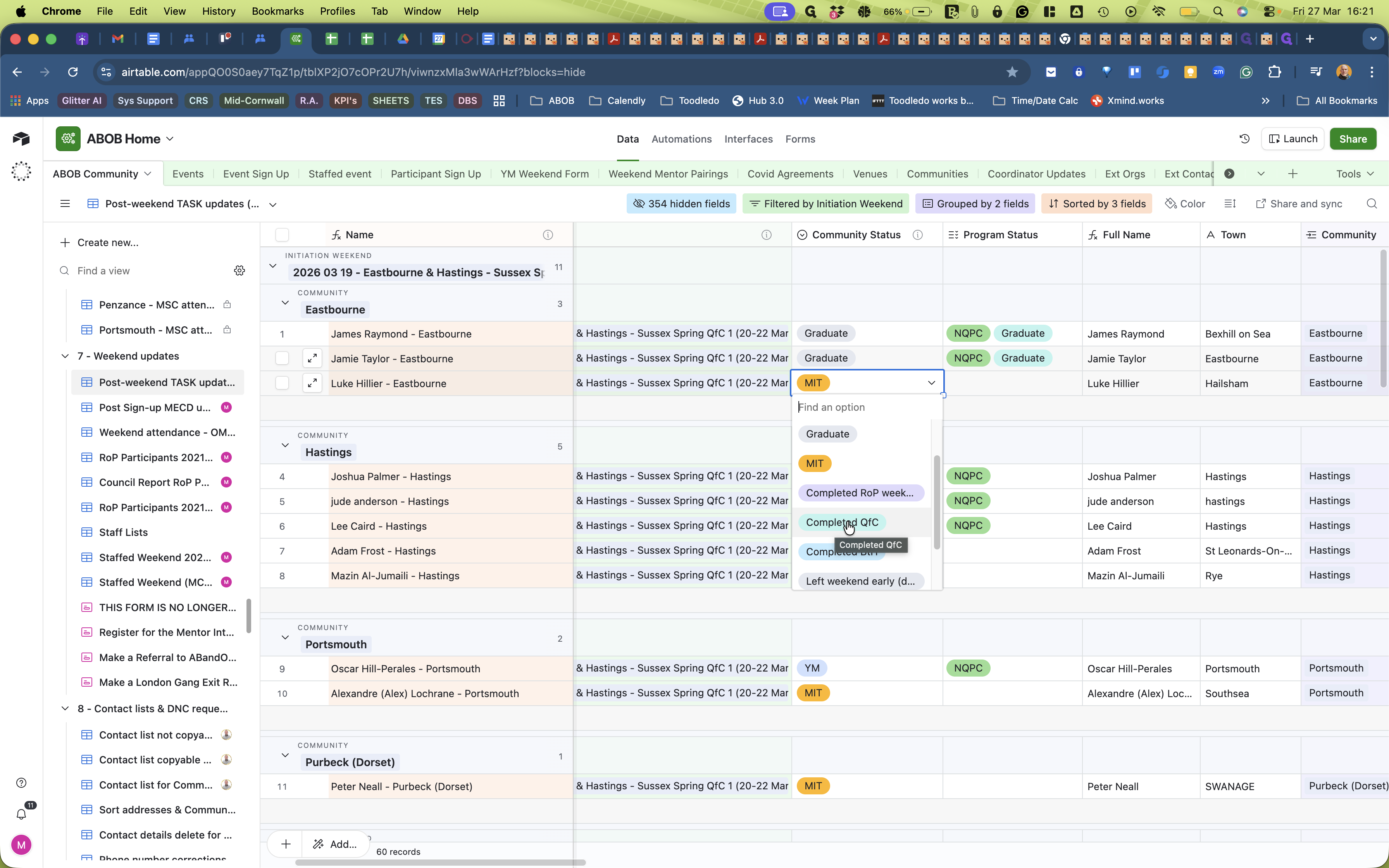
After a rite-of-passage weekend, we have to update the Community Status for all participants who attended. After removing participants who didn't attend the weekend, go to the 'Post-weekend TASK updates (AC)' view within the ABOB Community table and find the weekend grouping.
Looking at the example weekend, 2026 03 19 - Eastbourne & Hastings - Sussex Spring QfC 1 (20-22 Mar 2026), I can see the total number of participants is 11, which matches the number who actually completed the weekend.
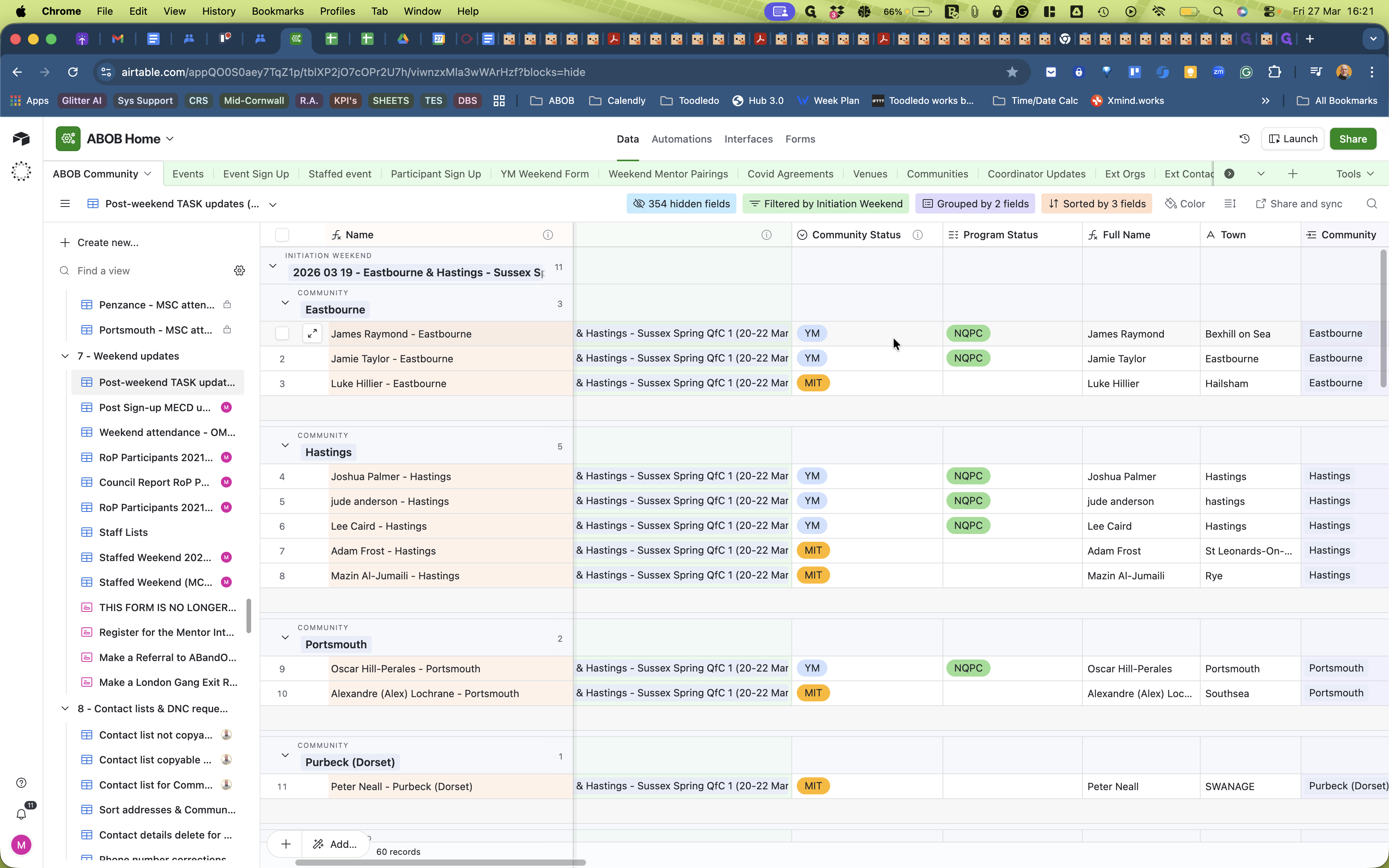
Currently, their community status in the Community Status column is set to YM for young men and MIT for older new volunteer men.
They have completed a weekend, so this has to be reflected in their record. To do this, start with the first individual.
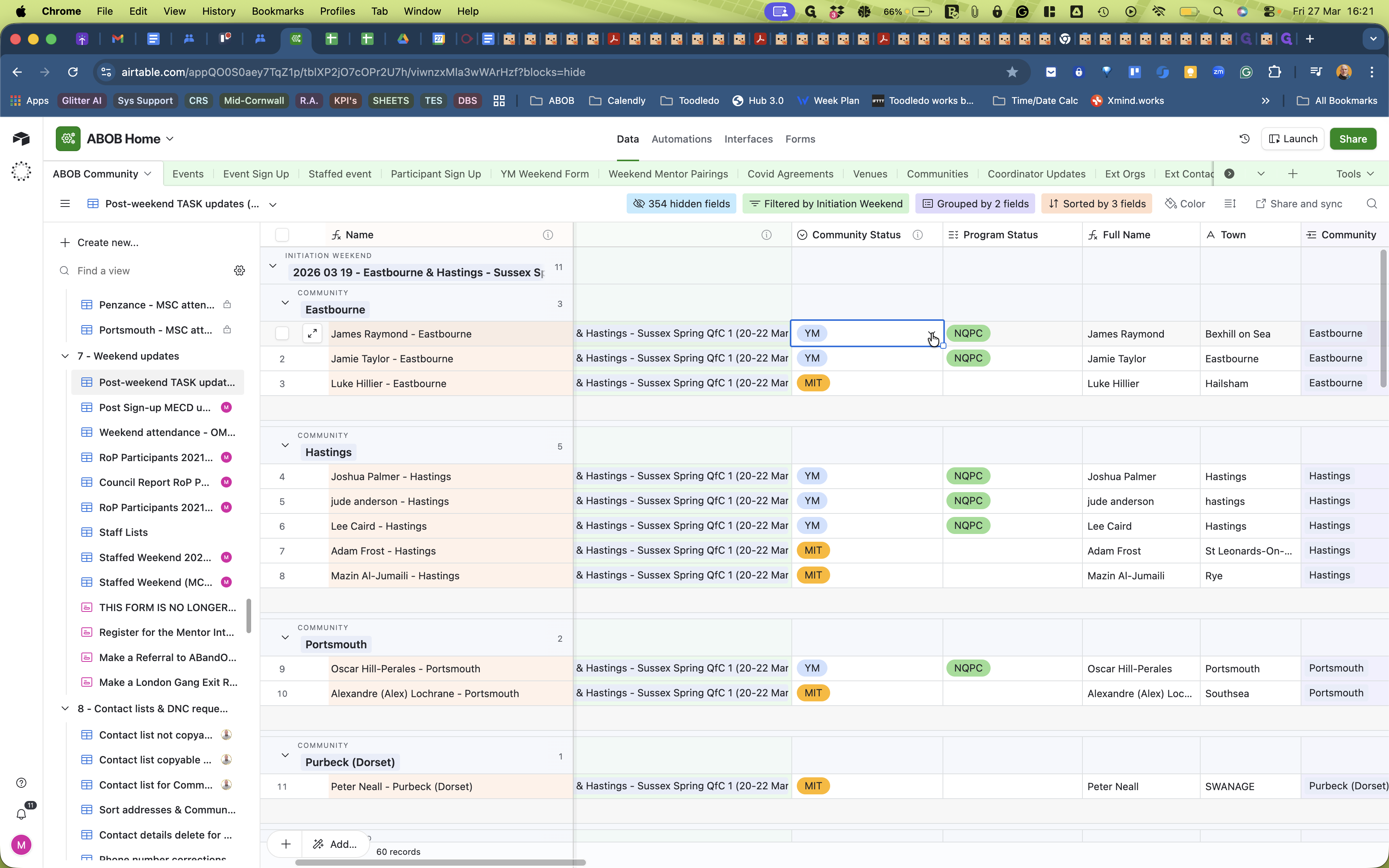
He is now a Graduate.
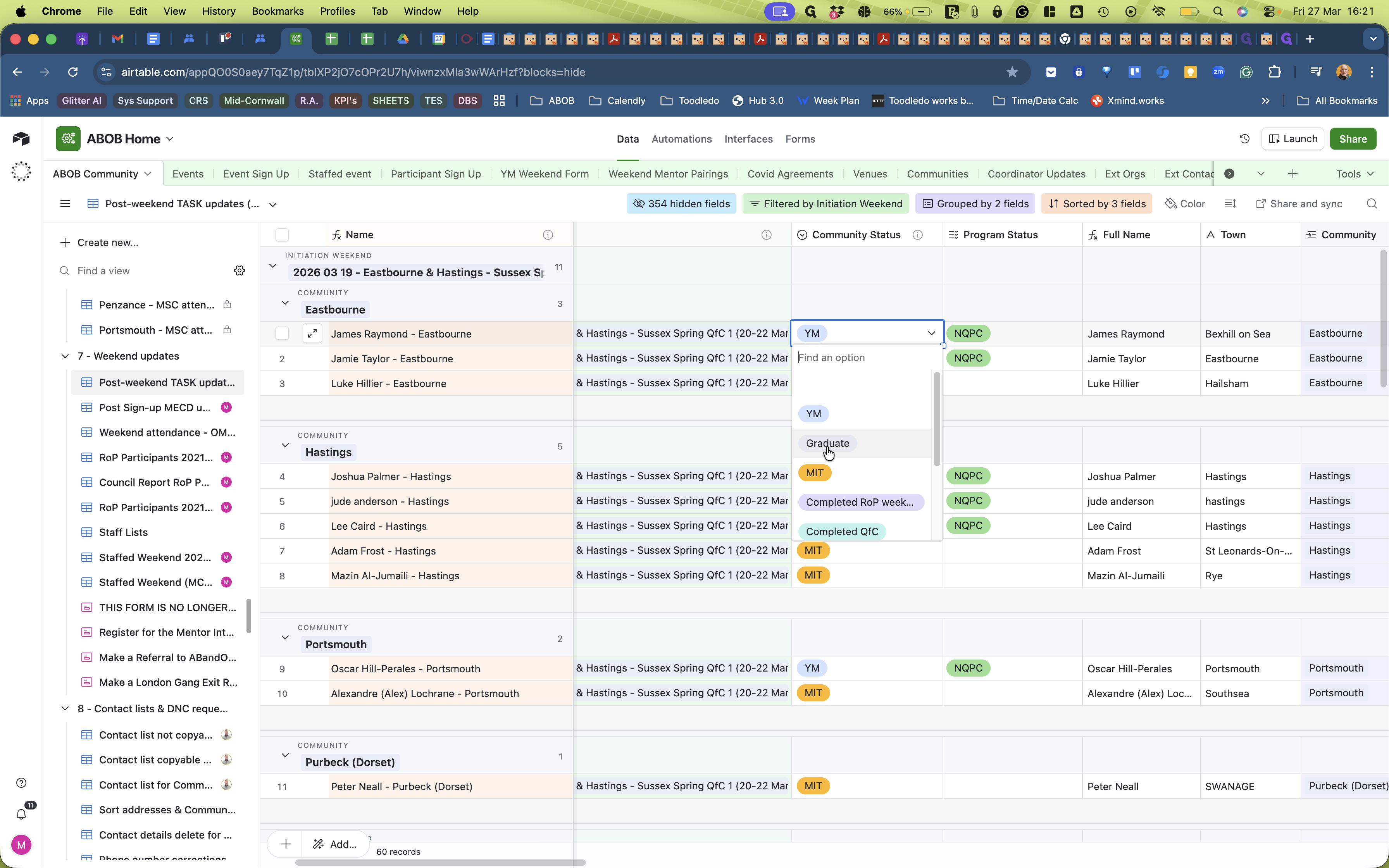
We have to convert all YM completing a weekend to "Graduate". So do that for them all.
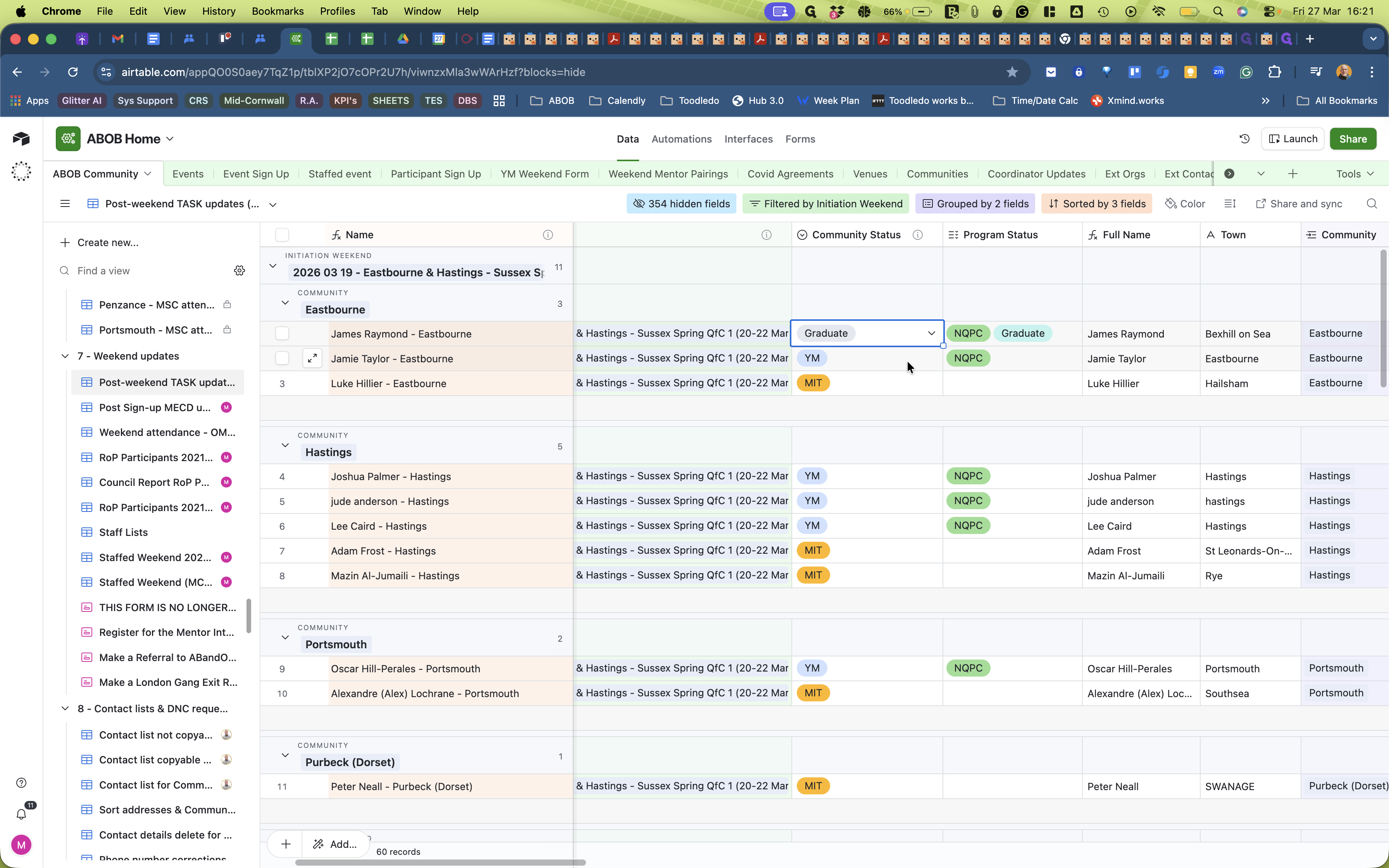
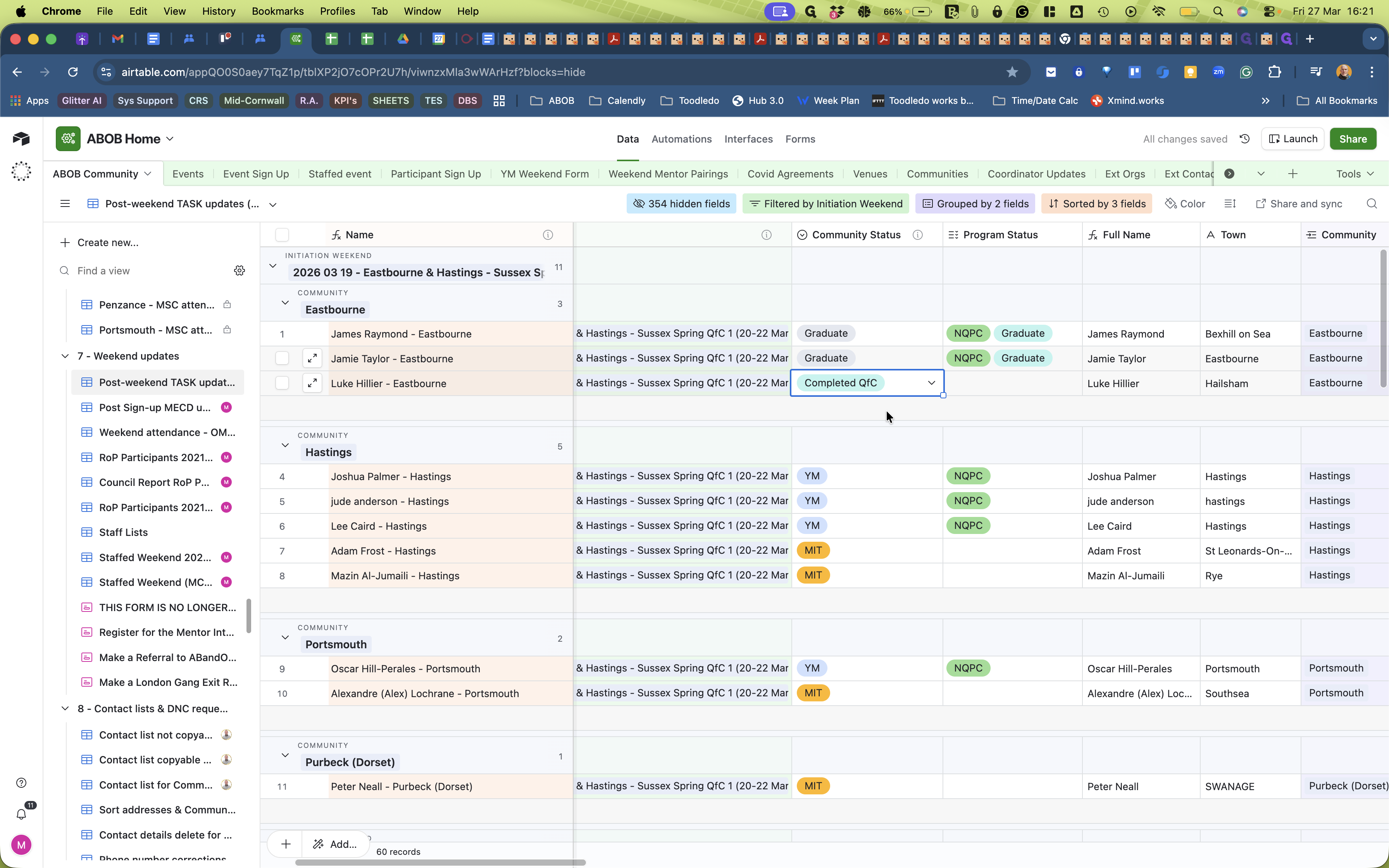
Next we have to convert all MIT completing a weekend to Click on the cell under the 'Community Status' column.. So do that for them all.