
How to Use Bulk Posting for Transactions: Step-by-Step Guide
Learn how to efficiently post multiple transactions at once using the bulk posting feature. This guide walks you through the process of selecting and posting transactions in bulk.
In this guide, we will introduce another powerful feature: Bulk Posting.
Bulk Posting allows you to post multiple transactions at once, instead of posting them one by one.
For example, if you have three transactions that are already categorized and ready to be posted, you can select them together and post them in a single action.
Let's get started
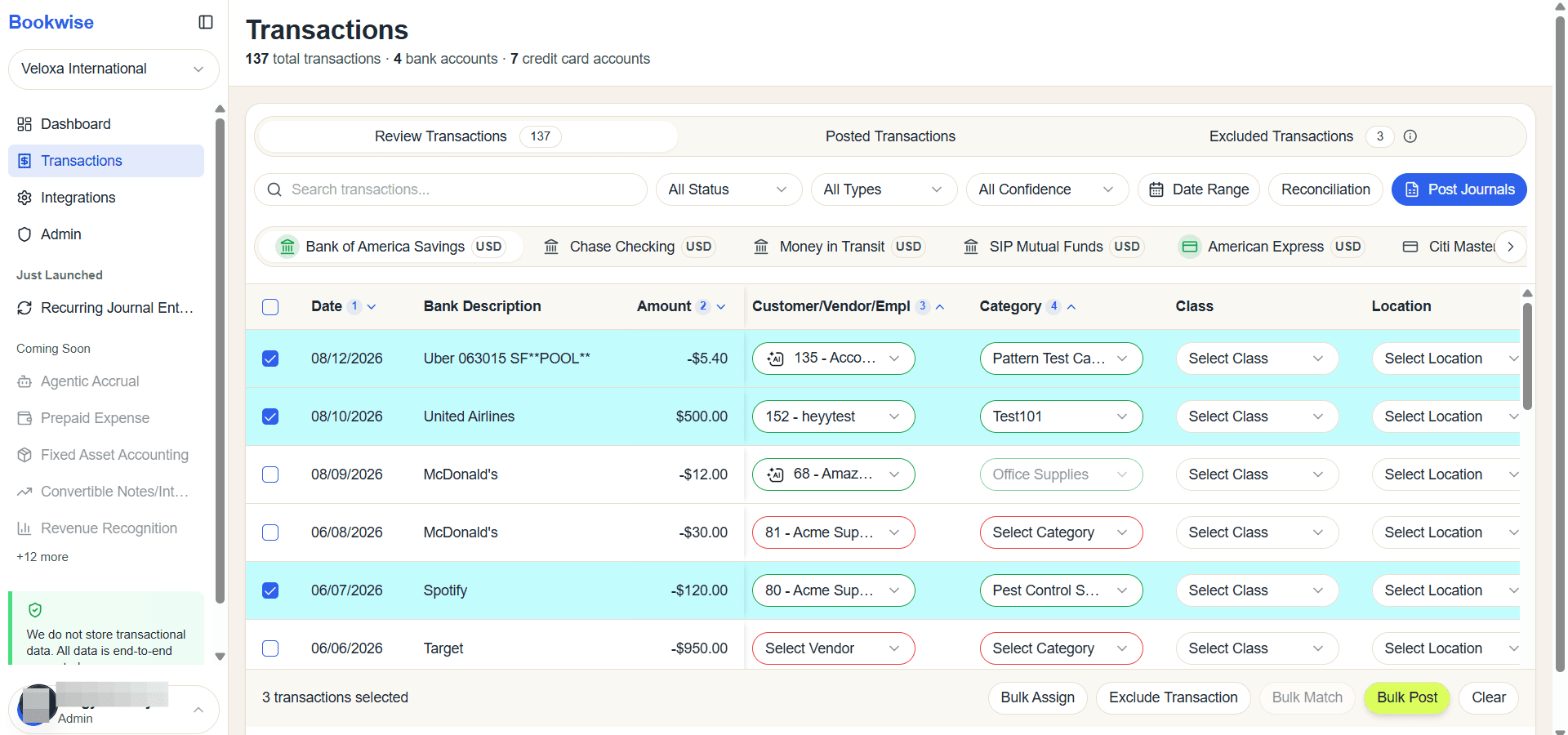
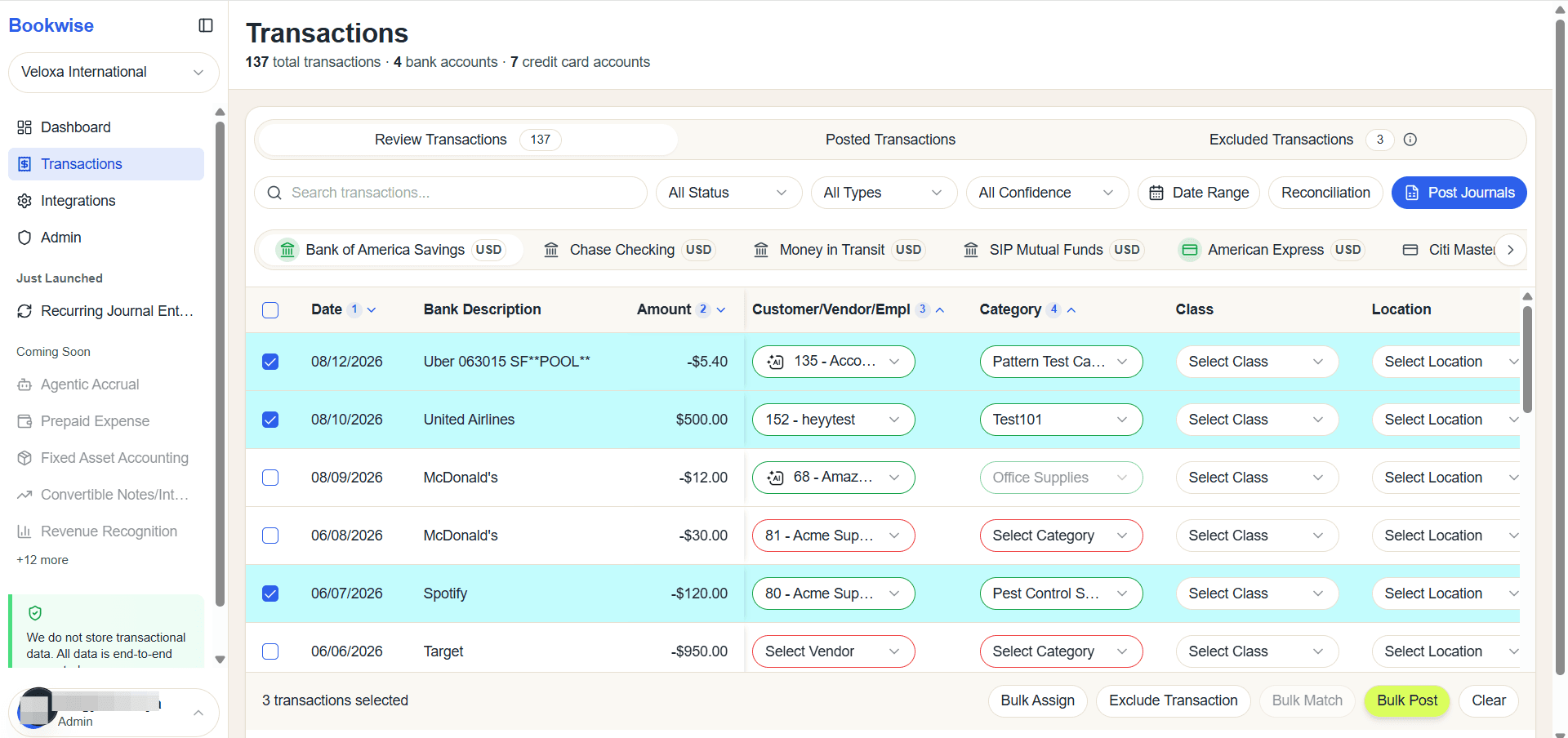
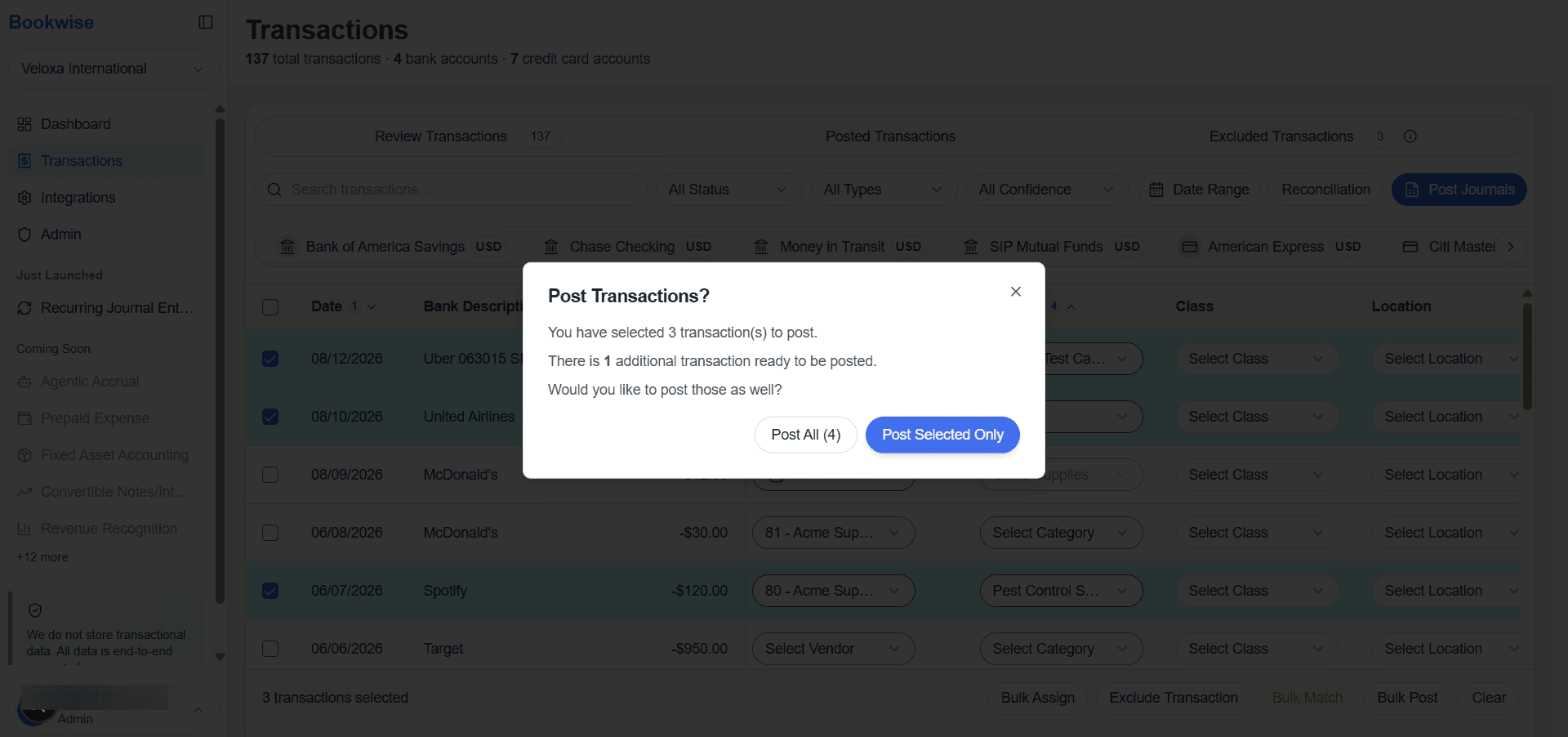
Bulk Posting helps you save time by allowing you to select and post all transactions that are ready at once.
Simply select the transactions that show the Post status, and they will be included in the bulk action.
If a transaction is not ready to be posted—for example, if it is still uncategorized—you will see a warning message in the popup modal.
This message clearly tells you which transactions need attention before they can be posted.
By reviewing the popup, you can quickly fix missing details and ensure that all selected transactions are correctly posted.