How to Export Recurring Journal Entries as a CSV File
Learn how to export Recurring Journal Entry data as a CSV file for easy review and record-keeping.
By Aasma Technology Solutions
This guide explains how to export Recurring Journal Entries (RJEs) from the application. The exported CSV file allows users to review, analyze, and maintain recurring journal entry data outside the application.
1
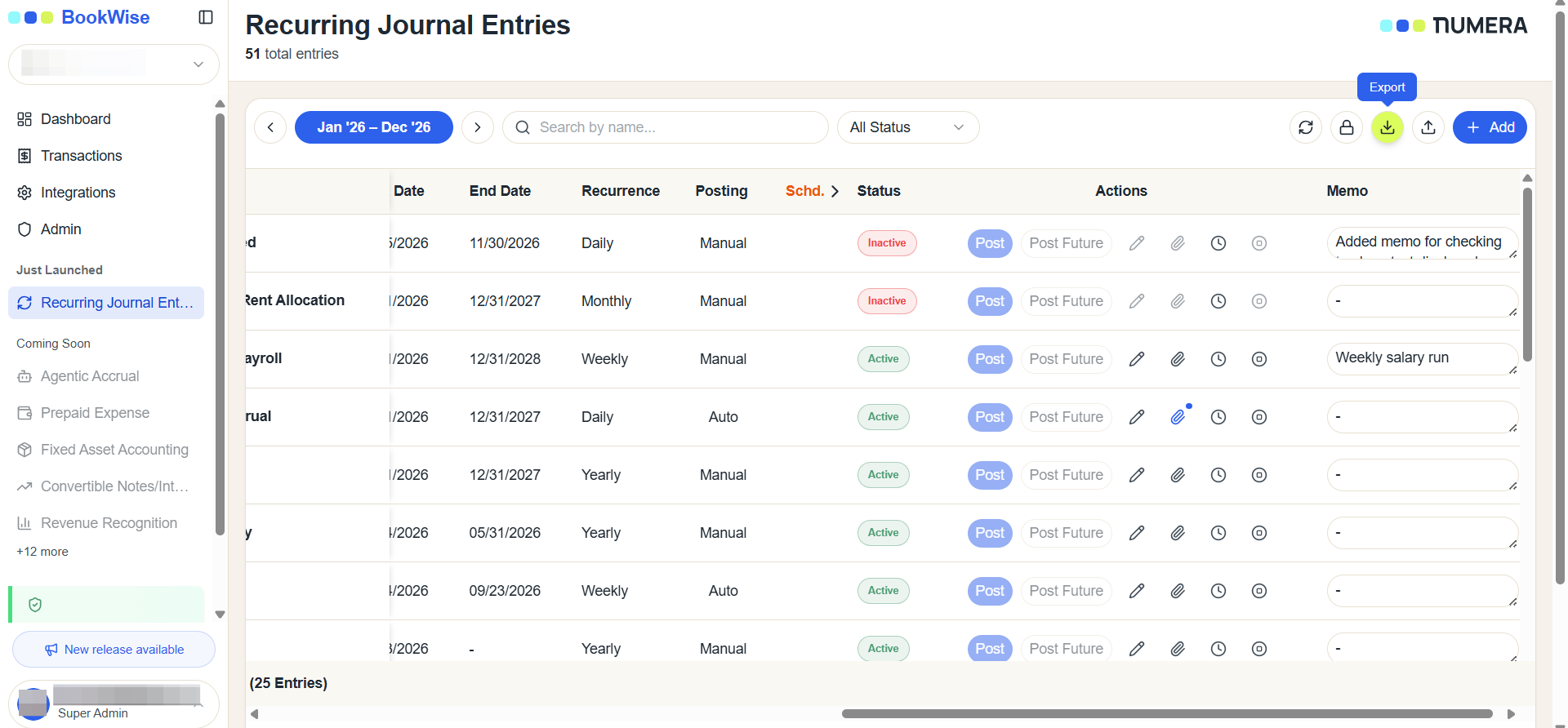
Go to Recurring Journal Entries tab and Click the Download icon in the top right corner of the Recurring Journal Entries table to initiate the export.
2
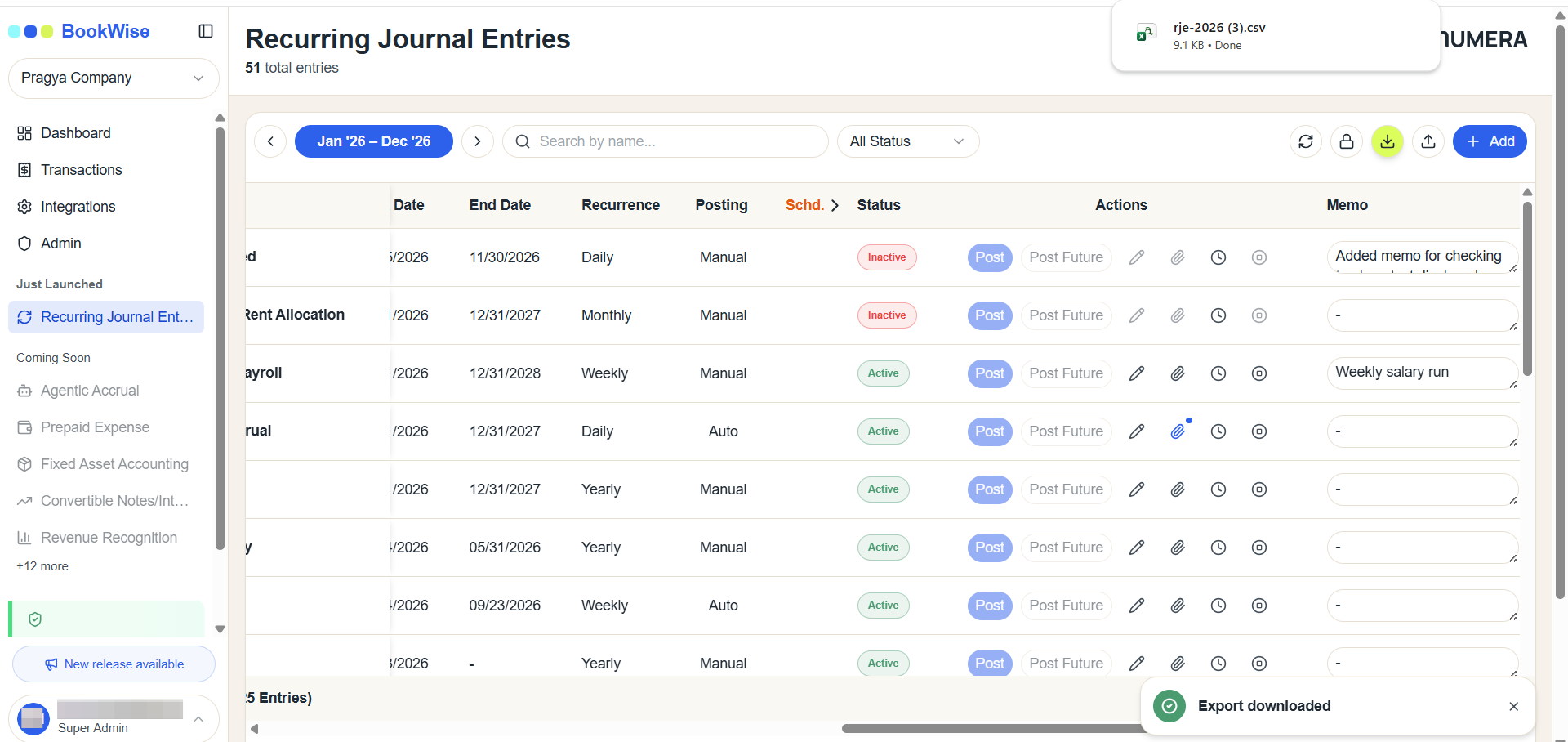
The entries will be exported in a csv file
3
Review the exported CSV file to access and analyze the Recurring Journal Entry details outside the application.
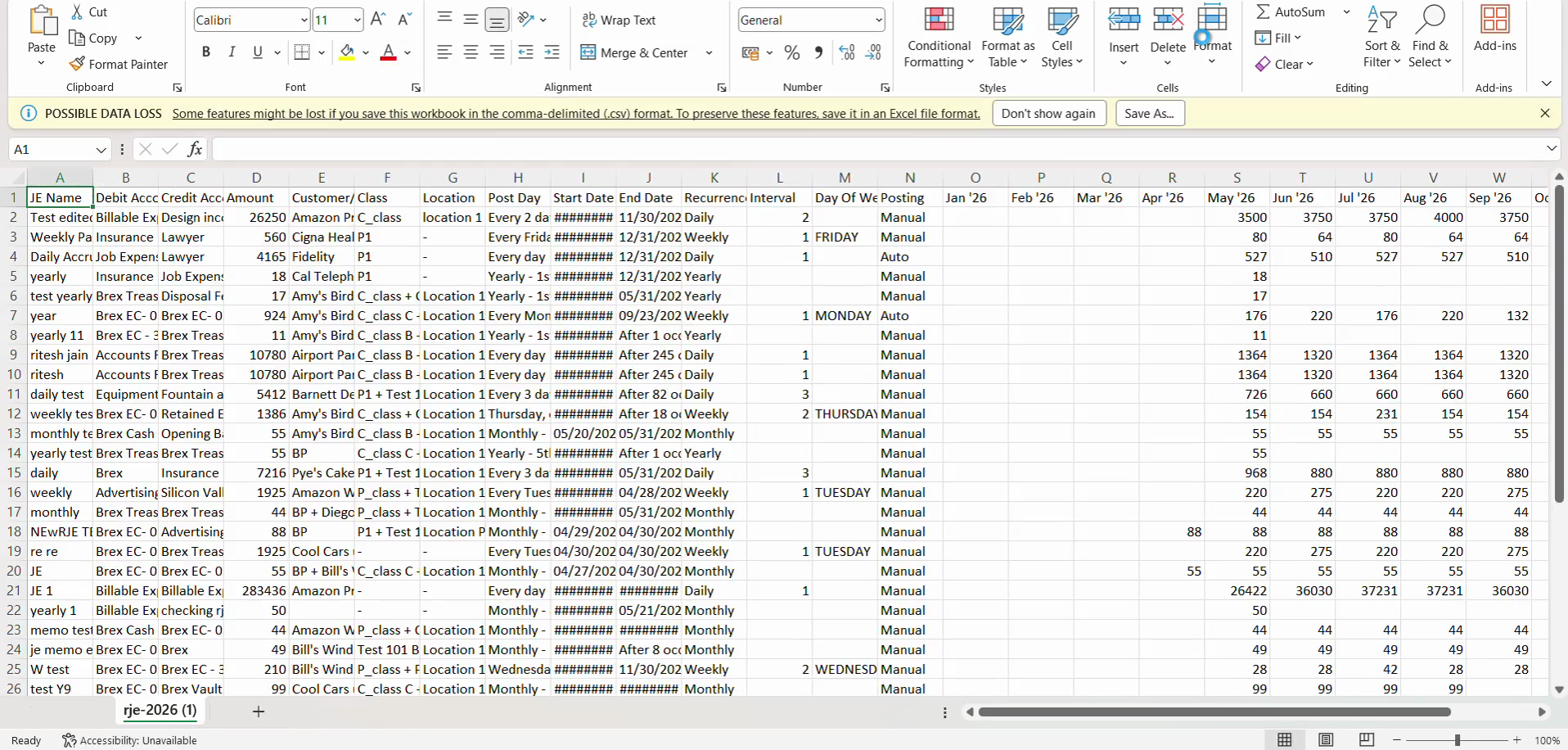
The Export CSV feature provides a convenient way to download Recurring Journal Entry data for offline review, analysis, reporting, and record-keeping.