Icon

How to Issue a Store Credit Refund in WooCommerce

Learn how to process a customer refund as store credit directly from the WooCommerce order management dashboard in WordPress.

By Adam McElwee

This guide explains how to refund a customer's order by issuing store credit instead of returning funds to their original payment method. Providing store credit helps retain revenue while easily satisfying customer refund requests.

This workflow applies to store administrators and customer support agents who manage WooCommerce orders and handle returns or exchanges.

To issue a store credit refund, navigate to your order management dashboard:
1
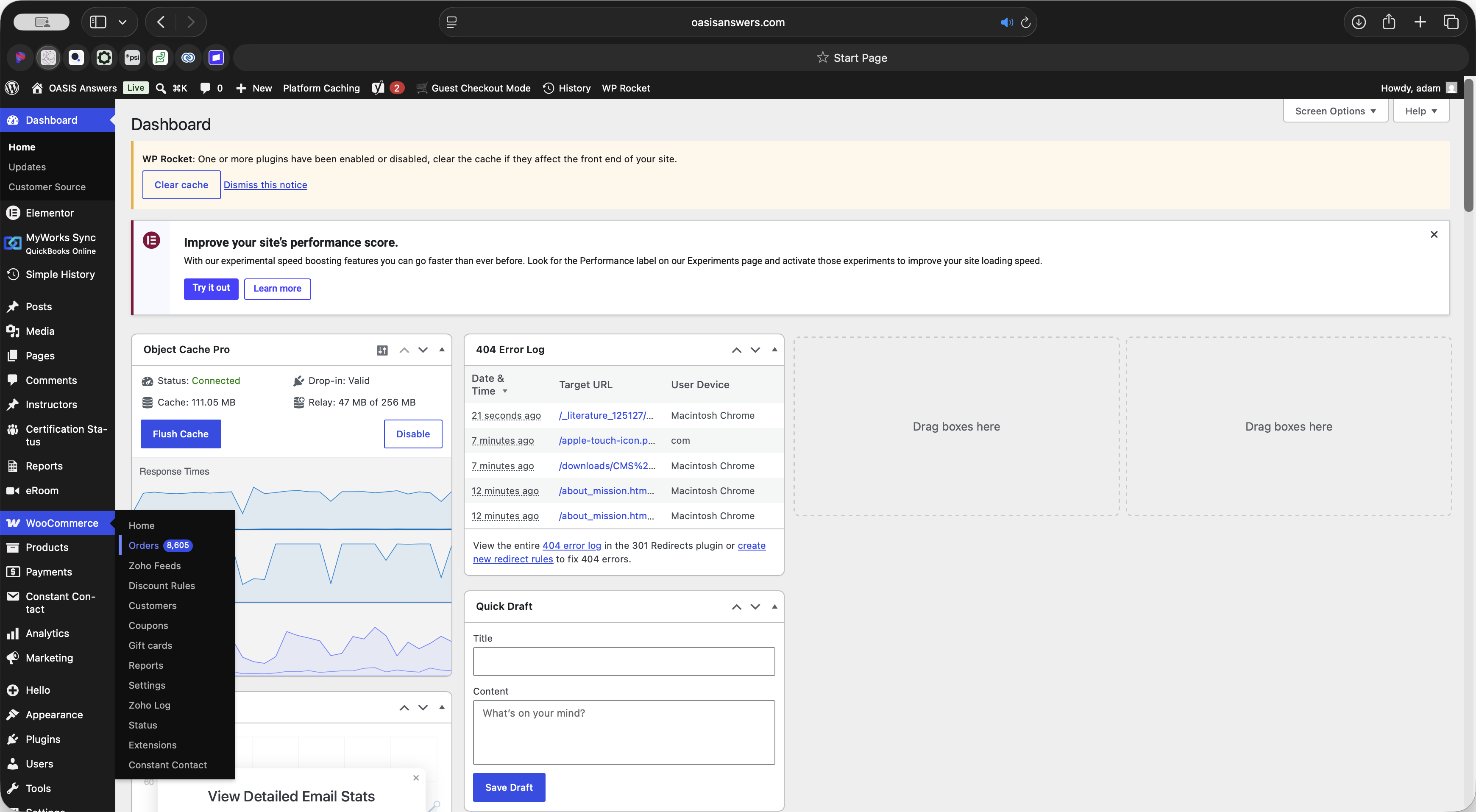
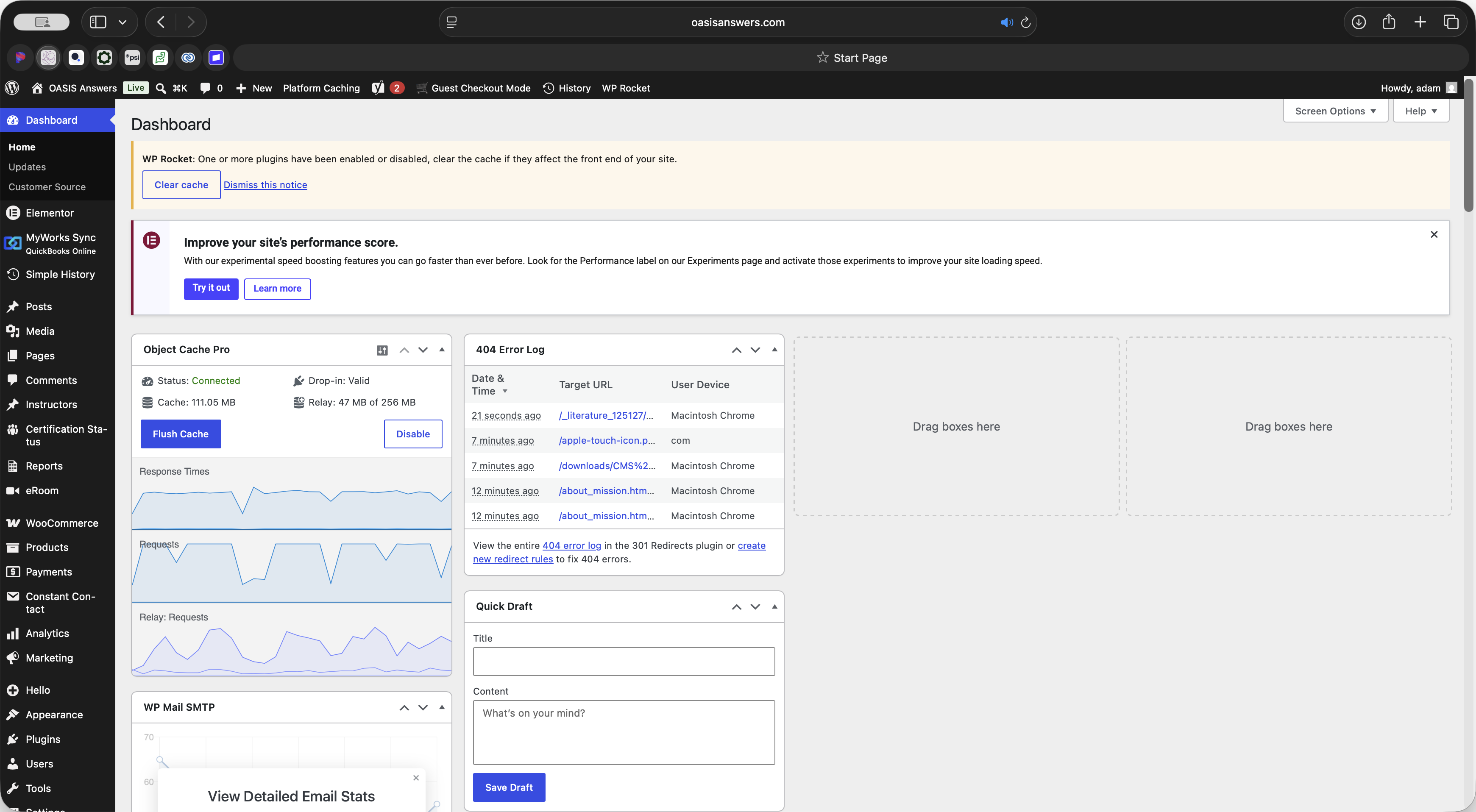
Click WooCommerce in the left-hand WordPress admin menu.
Step #1: Click WooCommerce in the left-hand WordPress admin menu.
2
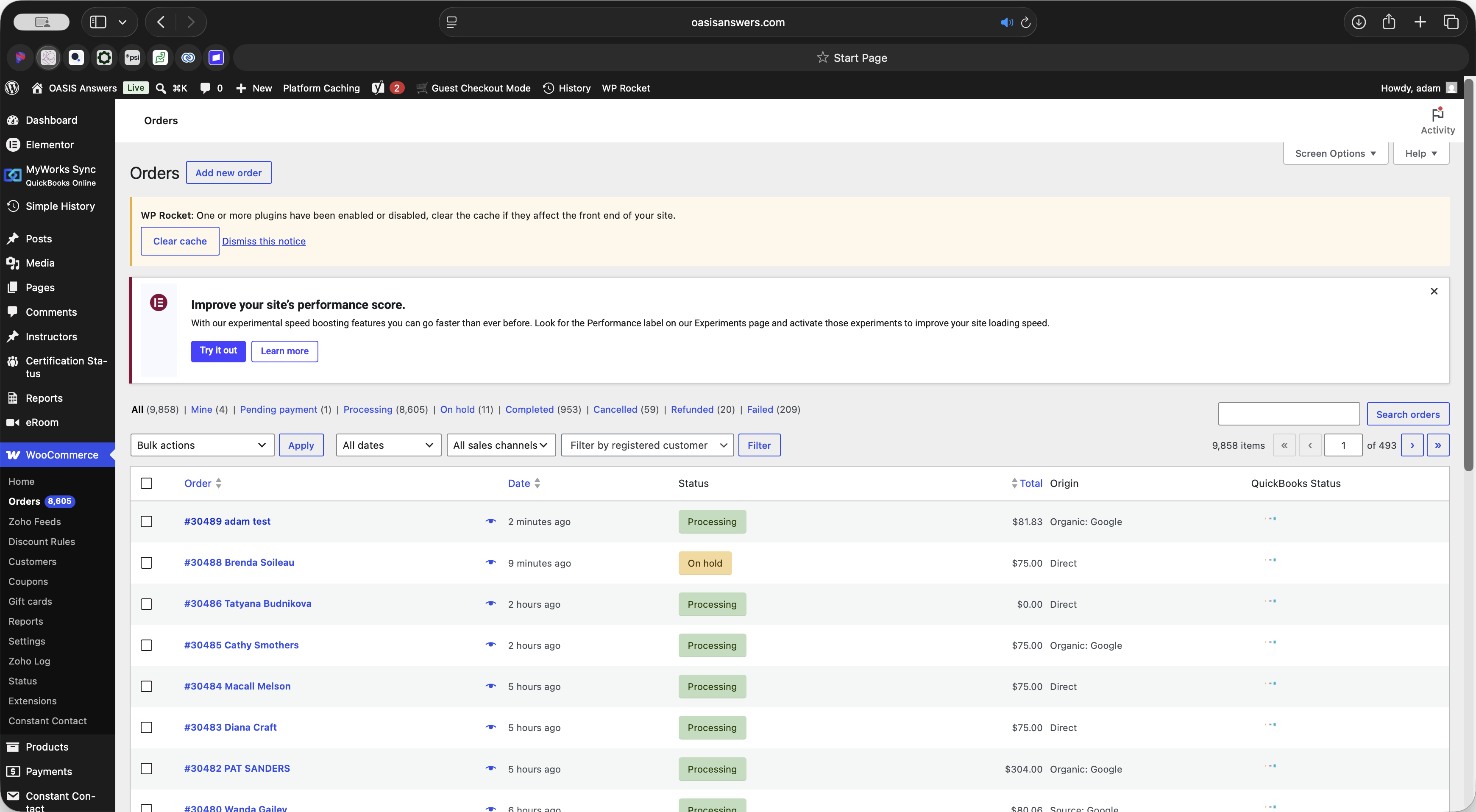
Select Orders from the expanded WooCommerce menu.
Step #2: Select Orders from the expanded WooCommerce menu.
3
Locate and click on the specific order you need to refund.
Step #3: Locate and click on the specific order you need to refund.
4
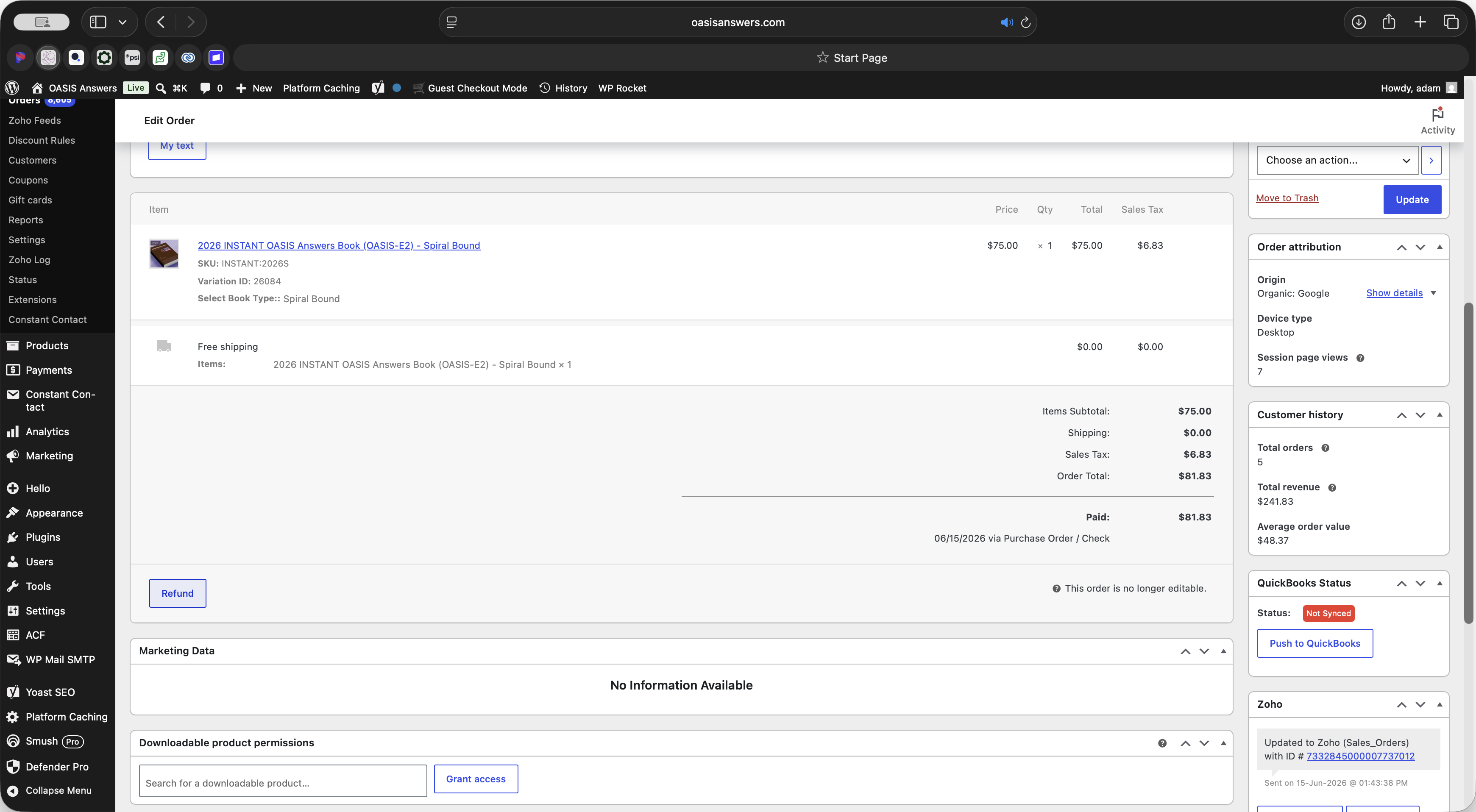
Scroll down to the order details section and click the Refund button.
Step #4: Scroll down to the order details section and click the Refund button.
5
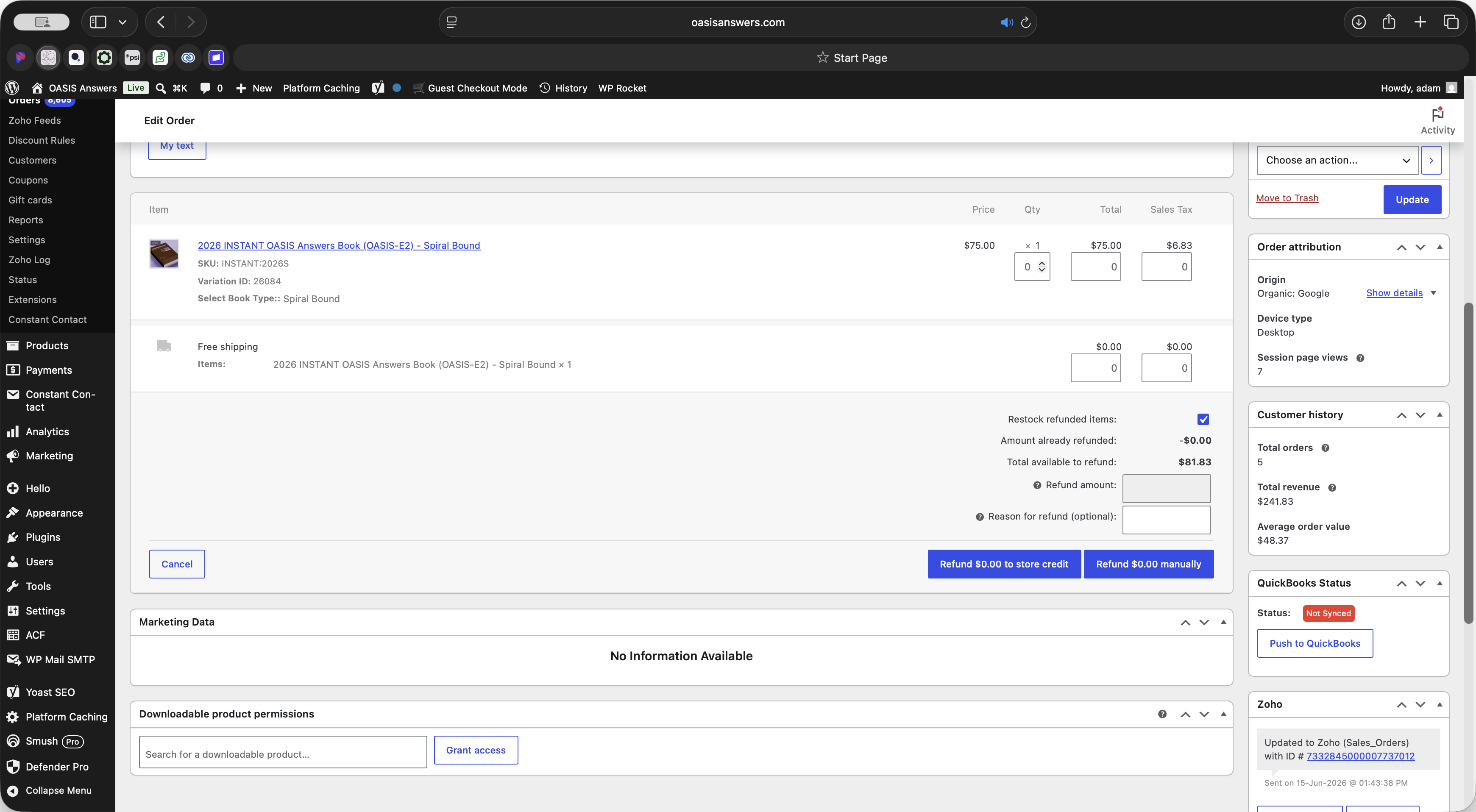
Specify the items or adjust the total dollar amount you wish to refund.
Step #5: Specify the items or adjust the total dollar amount you wish to refund.
6
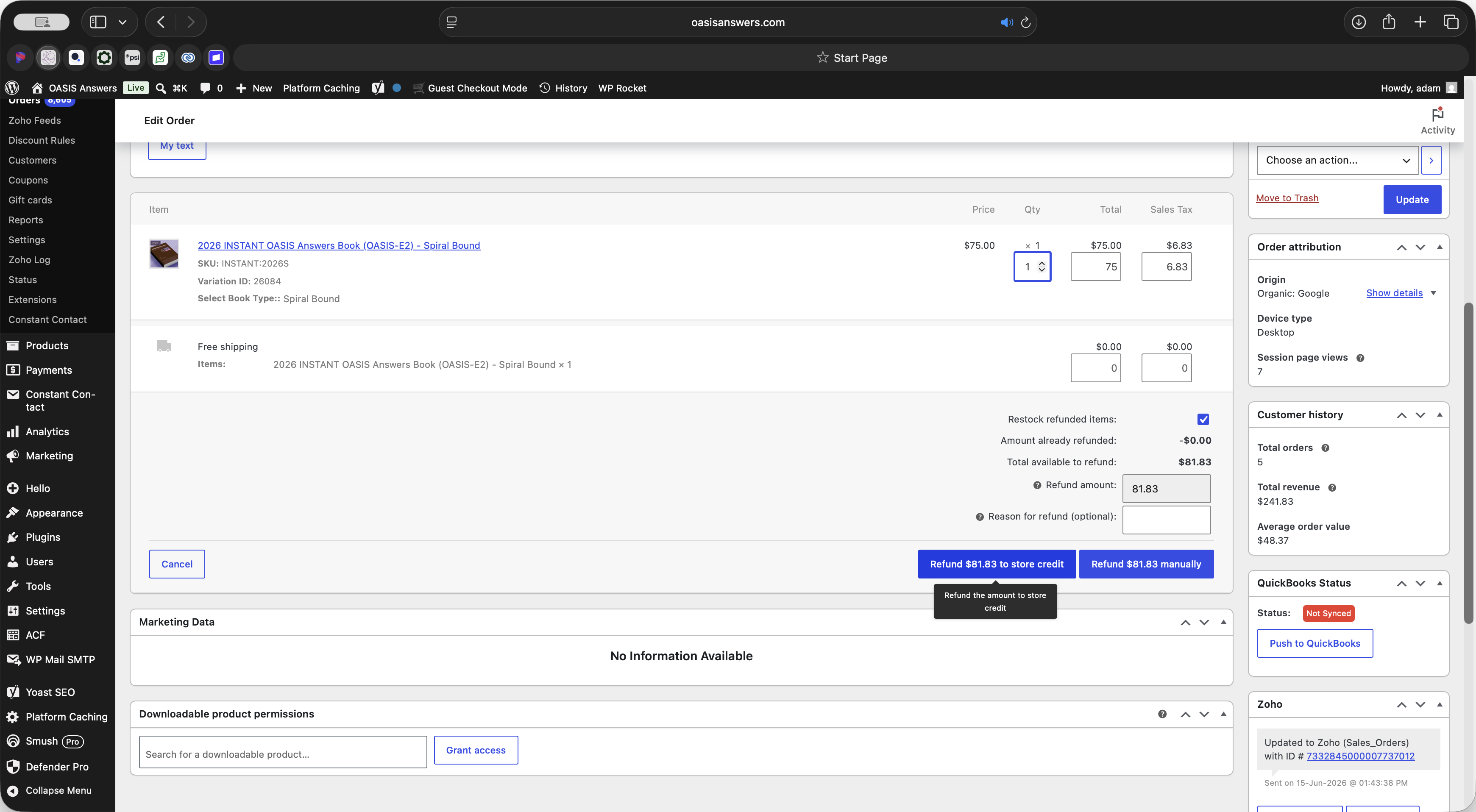
Click the Refund to store credit button to apply the calculated credit amount.
Step #6: Click the Refund to store credit button to apply the calculated credit amount.
7
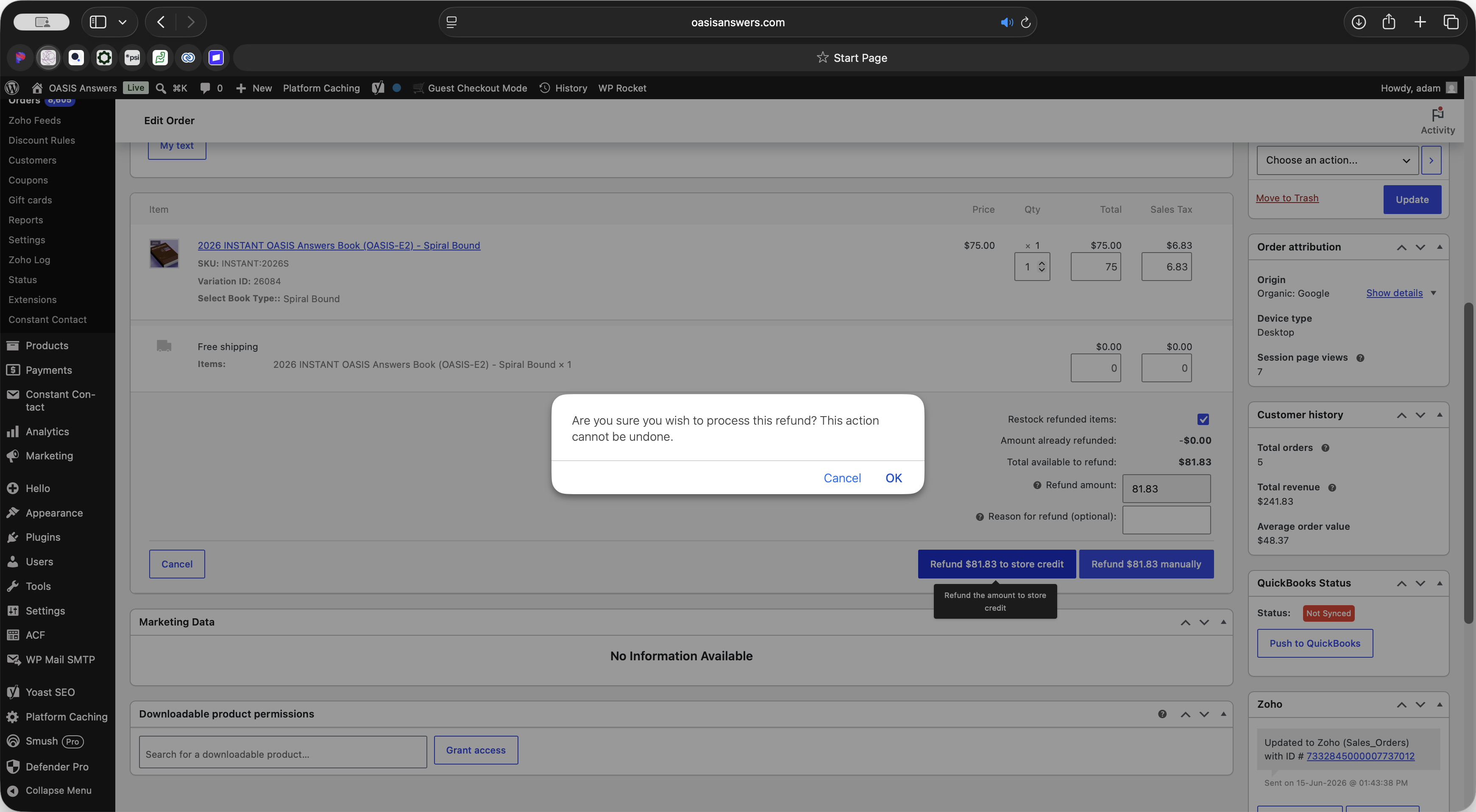
Click OK in the browser confirmation prompt to finalize and process the refund.
Step #7: Click OK in the browser confirmation prompt to finalize and process the refund.
8
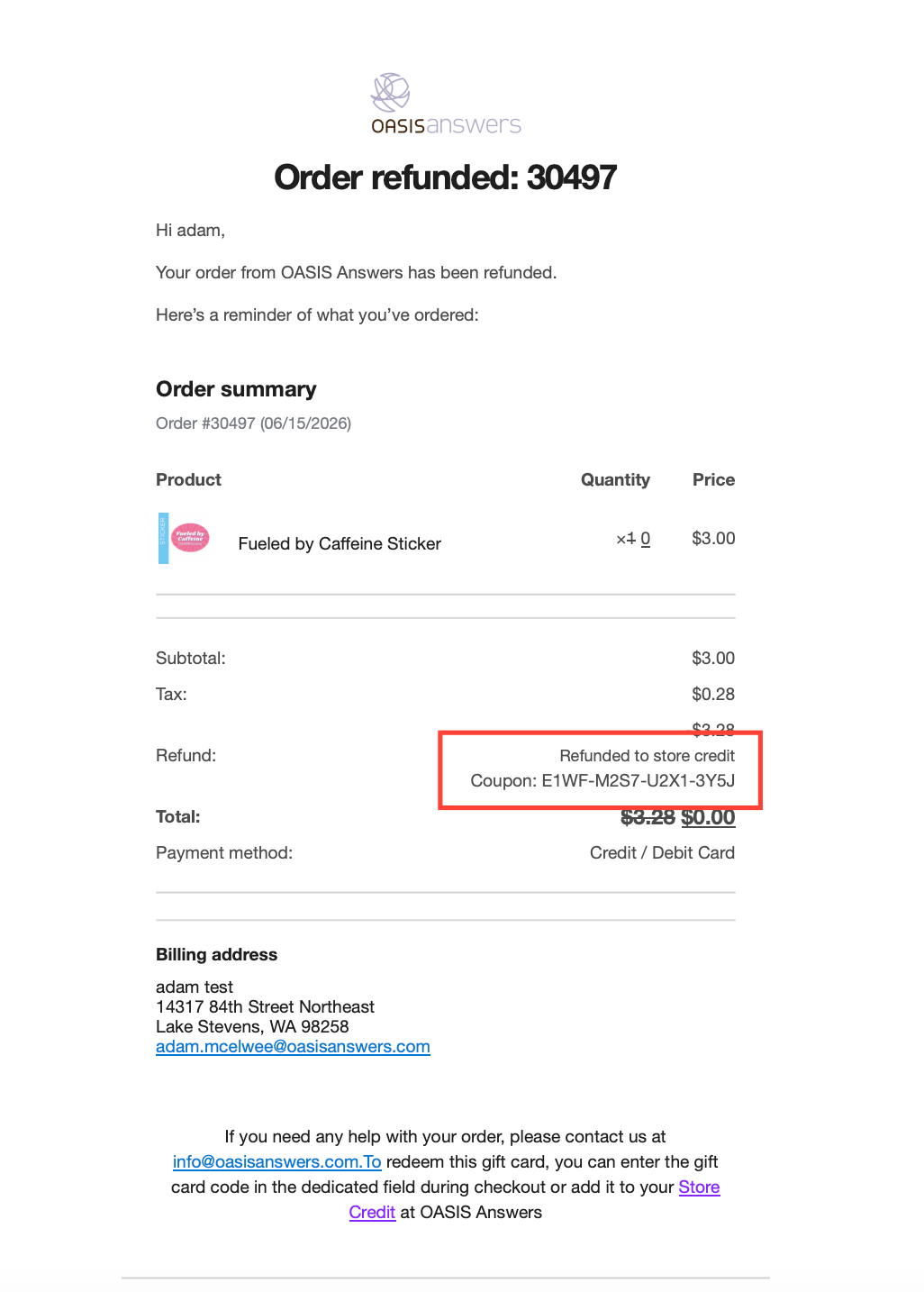
Upon processing the customer will receive an email with their refund code.
Step #8: Upon processing the customer will receive an email with their refund code.

Term

Definition

WooCommerce

An open-source e-commerce plugin for WordPress used to manage online stores.

Store Credit

A monetary value issued to a customer's account that can be used toward future purchases instead of a cash refund.

WordPress Dashboard

The administrative backend where site owners manage content, orders, and website settings.