Loyalty Perks Program Booking Modification
Learn how to apply your Loyalty Perks Program (LPP) partner ID when booking photography and media packages to automatically attach your benefits.
By Kyle Lux
This guide explains how to apply your Loyalty Perks Program (LPP) partner ID when booking photography and media packages online. Doing this ensures your exclusive perks and benefits are automatically attached to your upcoming shoot.
This process is for clients and partners enrolled in the Loyalty Perks Program using the online booking portal. Apply the ID at the start of your booking session before finalizing your order.
Apply Your Partner ID
When you apply your partner ID, the portal automatically loads your standard media packages alongside your exclusive Loyalty Perks Program benefits.
1
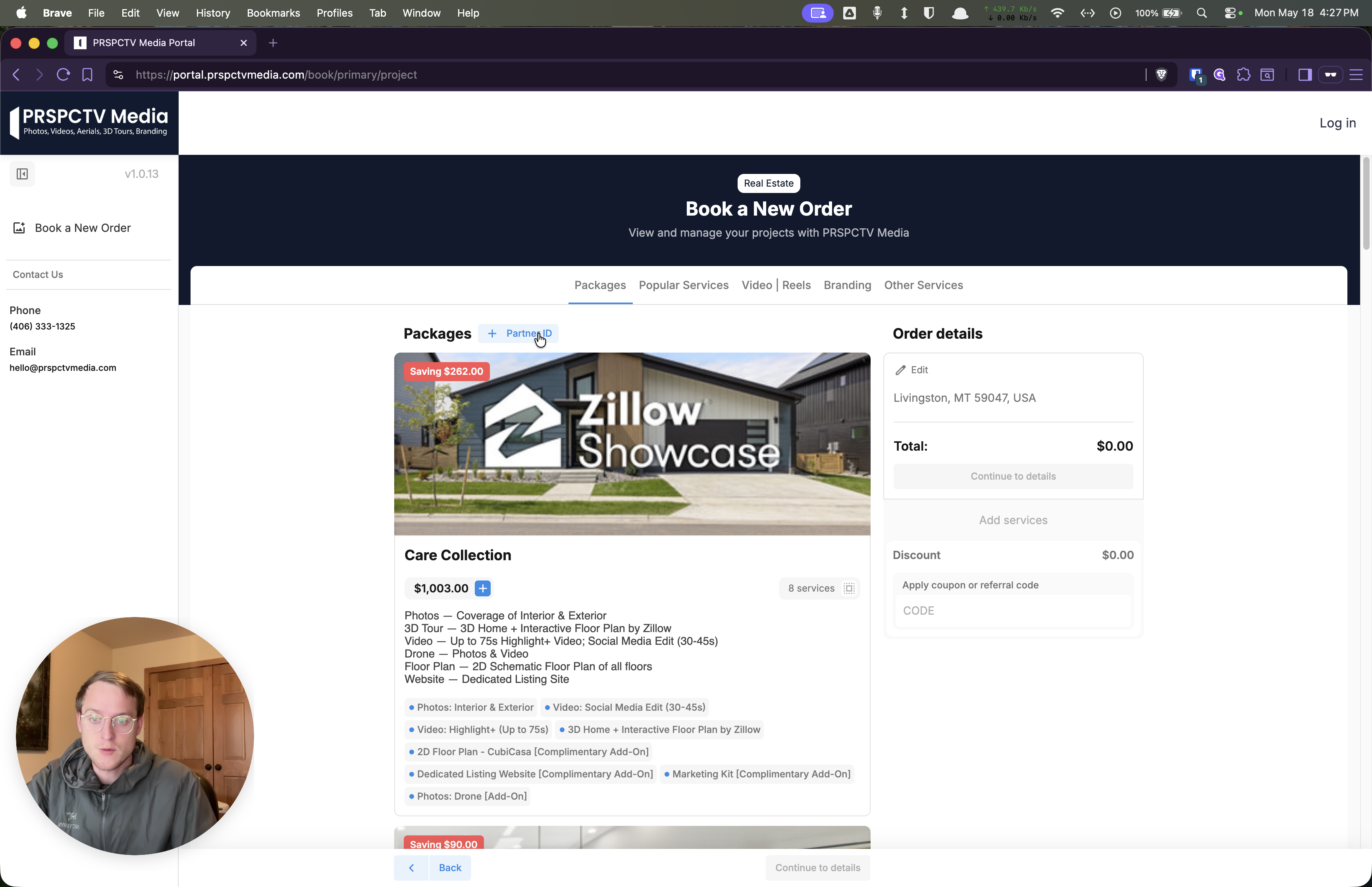
Click on + Partner ID located in the top corner of the booking interface.
2
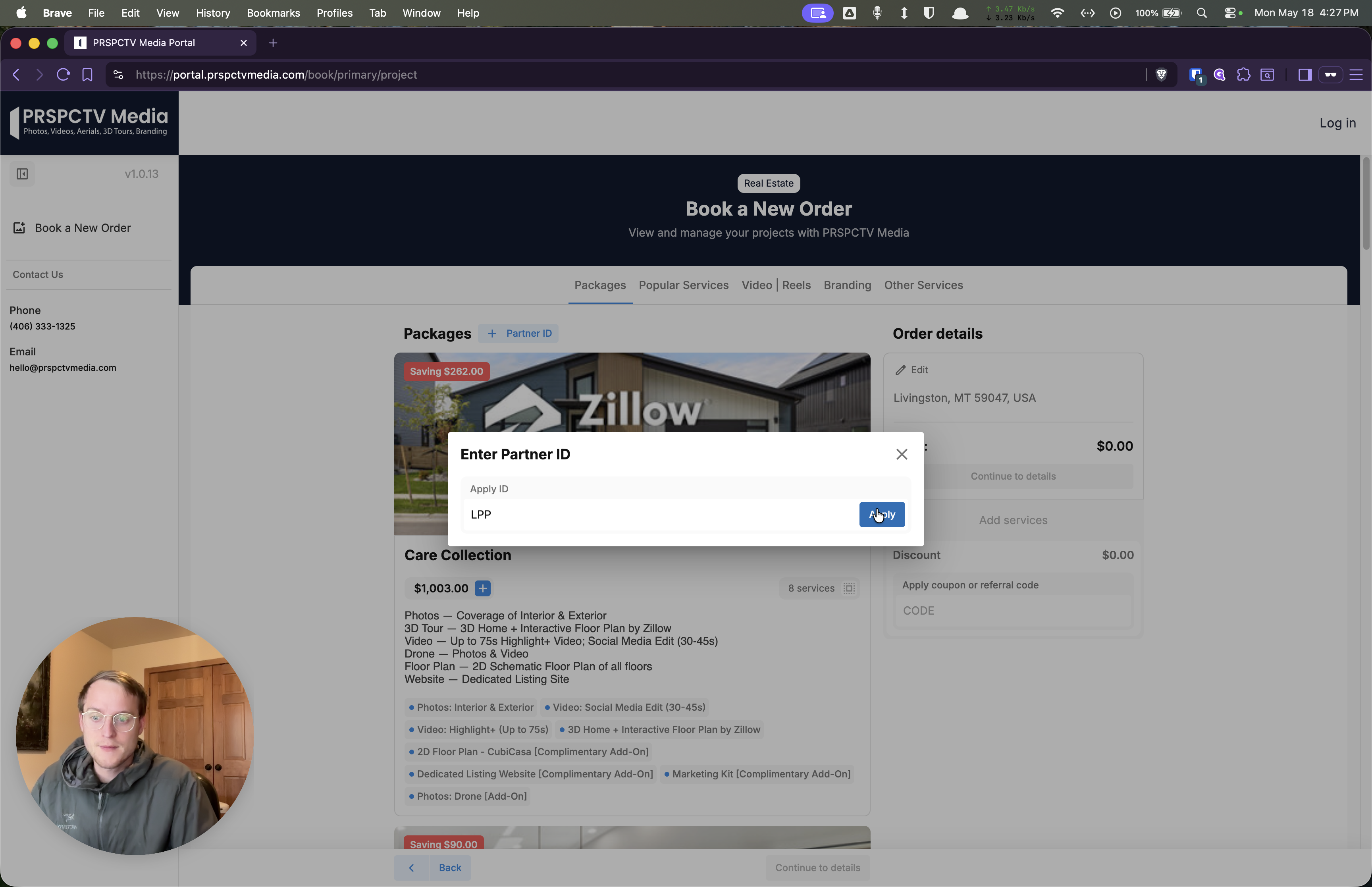
Click into the text field in the modal window and type LPP.
3
Click Apply to link your perks to the session.