
How to Manage Inventory and Purchase Orders in Vet Visor
Learn how to track clinic inventory, manage suppliers, issue purchase orders, and receive stock efficiently in the Vet Visor platform.
This guide explains how to manage your clinic's entire procurement lifecycle in Vet Visor. Completing these steps ensures your inventory stays accurate and your supplier expenses are properly tracked from ordering to receiving.
This workflow applies to practice managers and inventory administrators. It should be used whenever you need to add new catalog items, restock supplies via purchase orders, or log newly delivered goods.
Tracking incoming goods is critical to running a smooth veterinary practice. In Vet Visor, there are two primary ways to add items to your active inventory.
Method | Best For | Workflow |
|---|---|---|
Manual Stock Adjustment | Quick corrections, initial inventory setup, or complimentary items. | Directly add or remove batches from the item profile. |
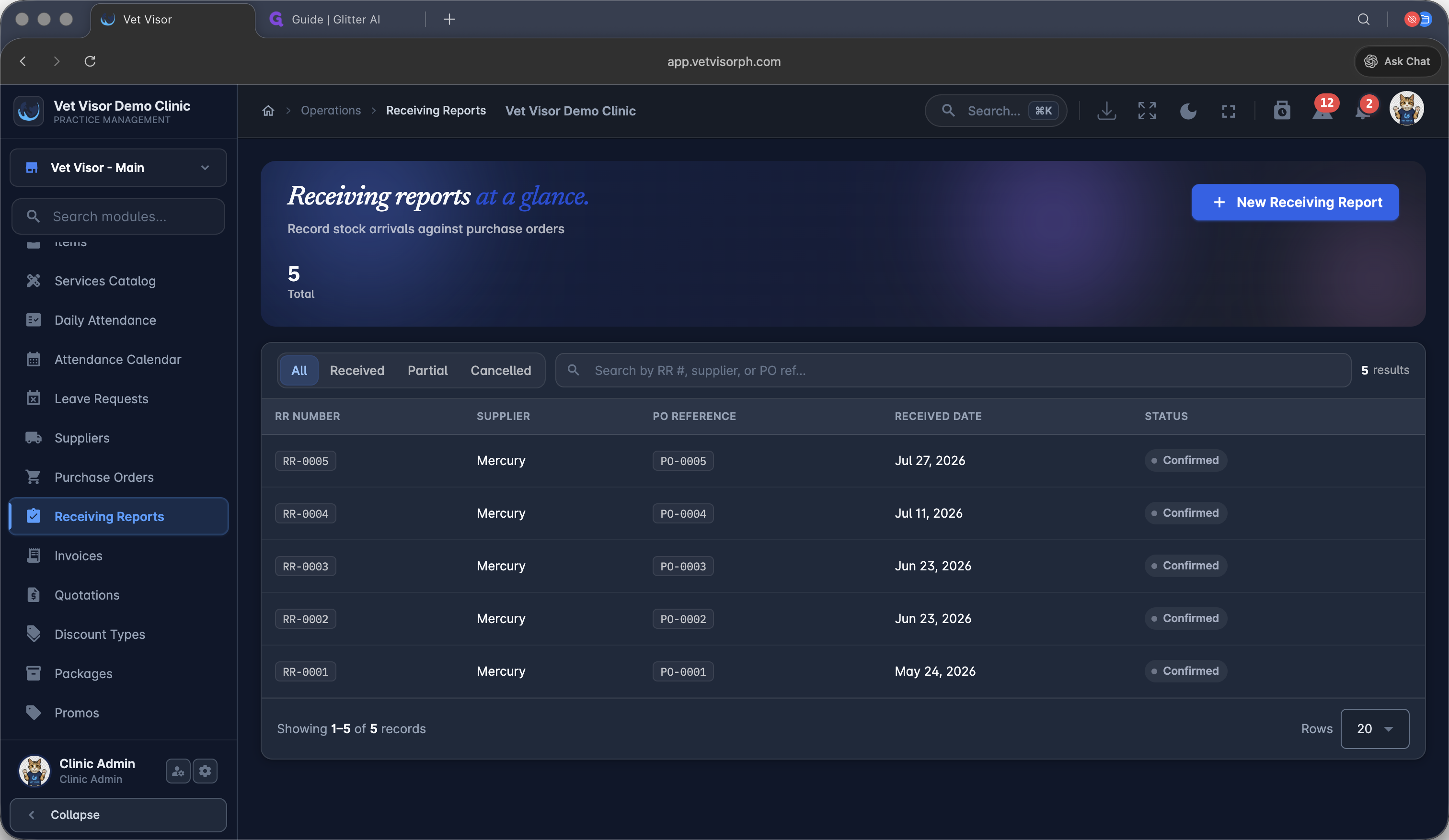
Purchase Orders & Receiving Reports | Restocking supplies, tracking supplier expenses, and formal inventory audits. | Create a PO, mark it ordered, and convert it to a Receiving Report upon delivery. |
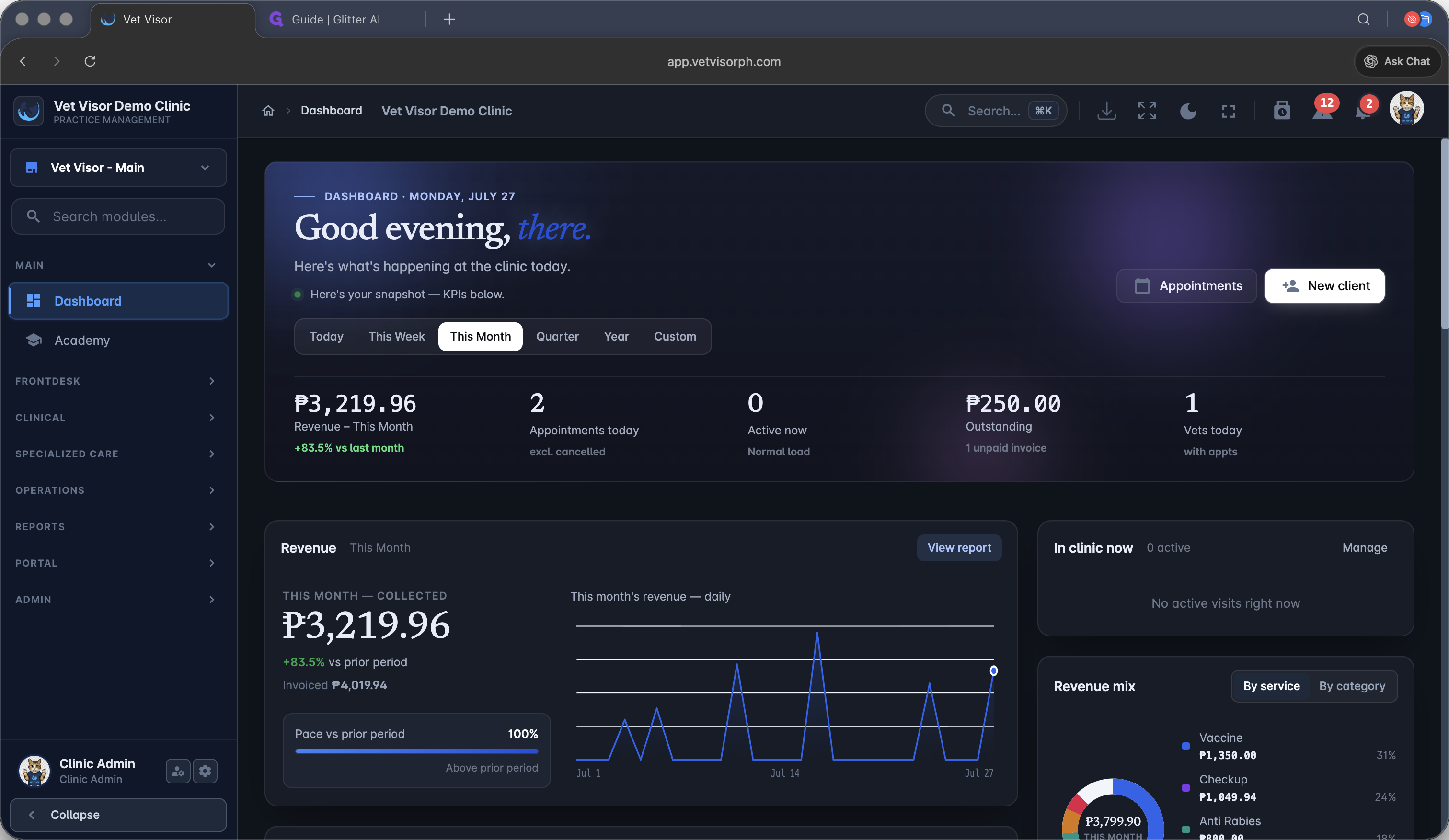
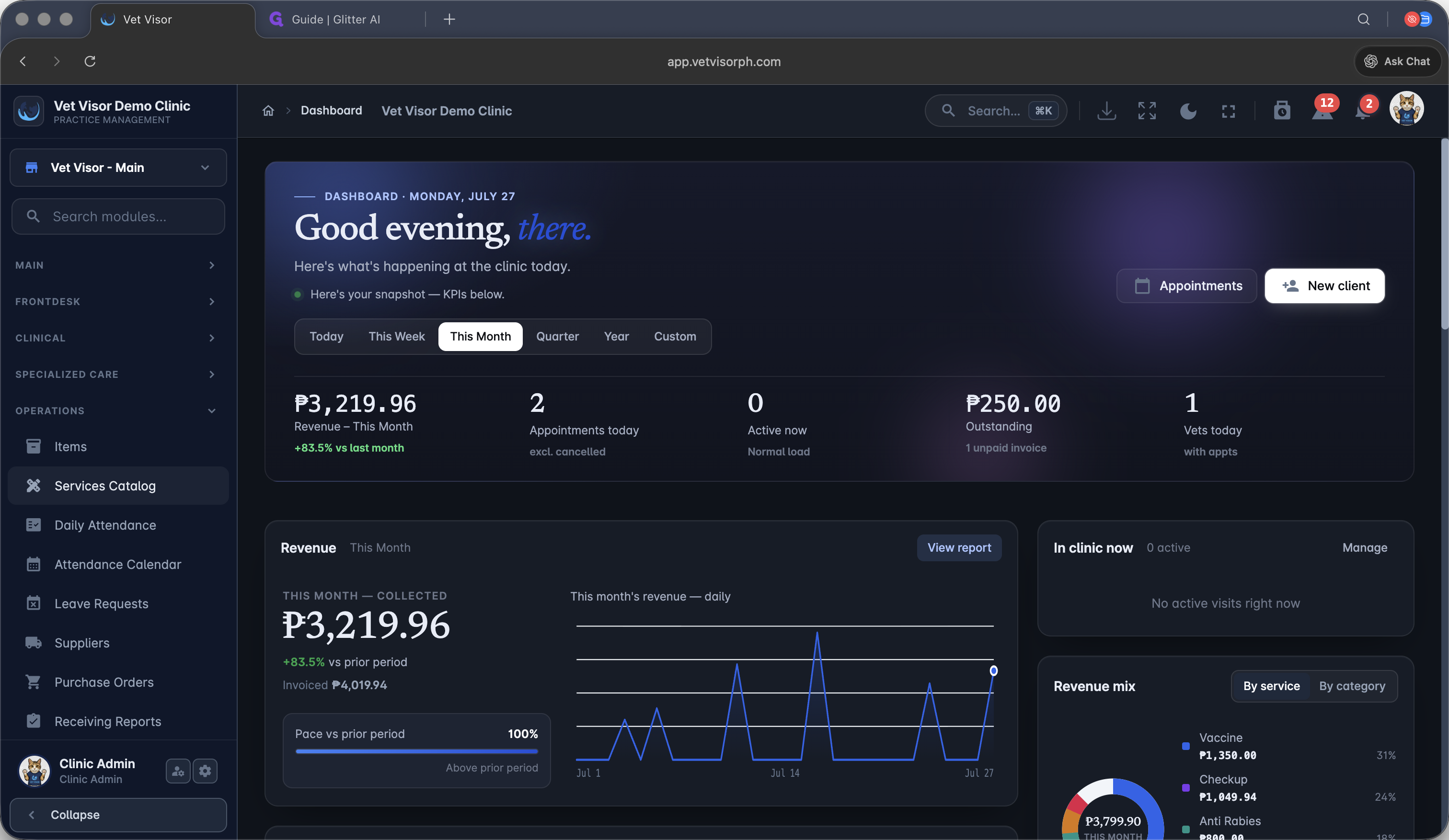
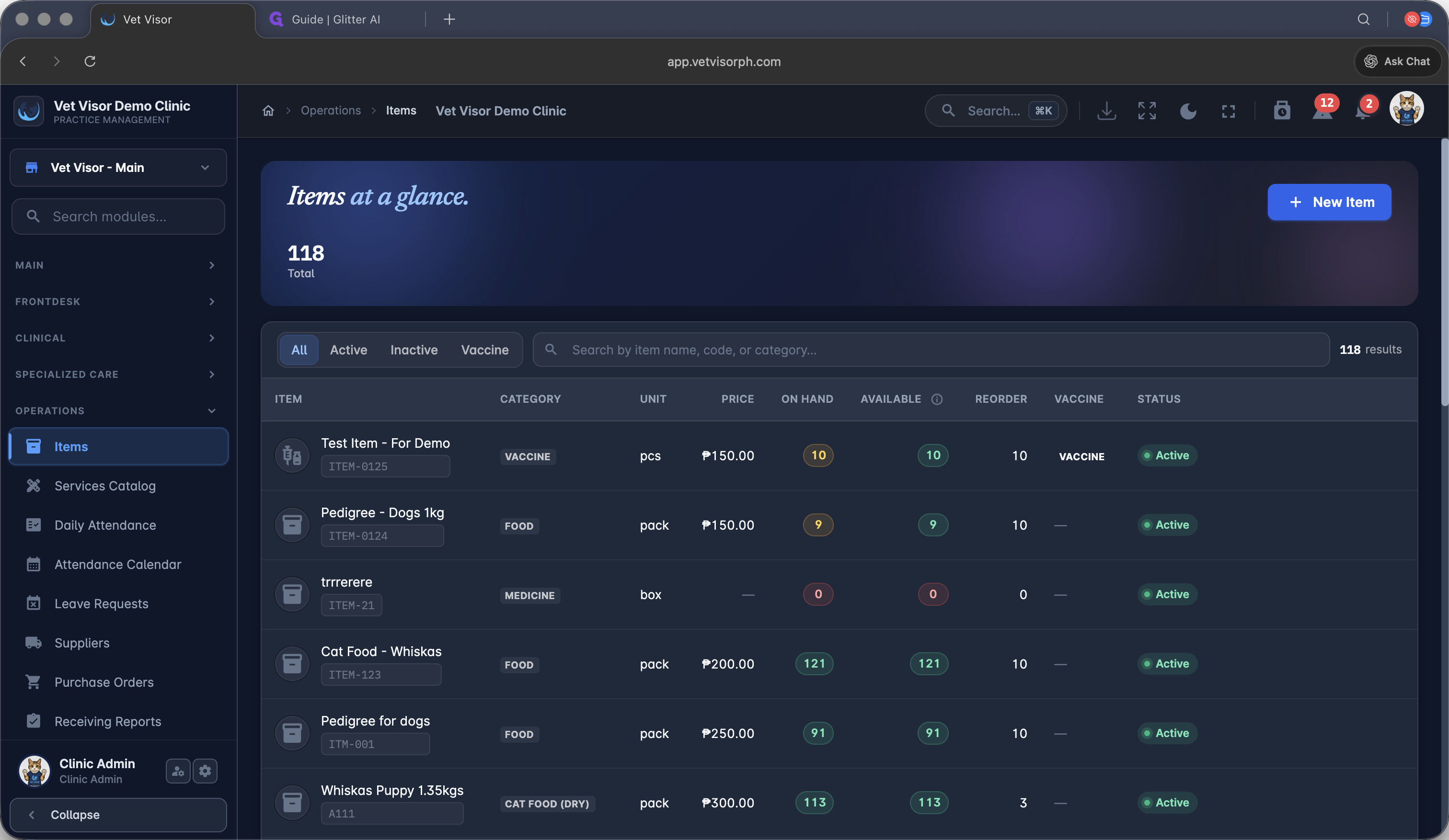
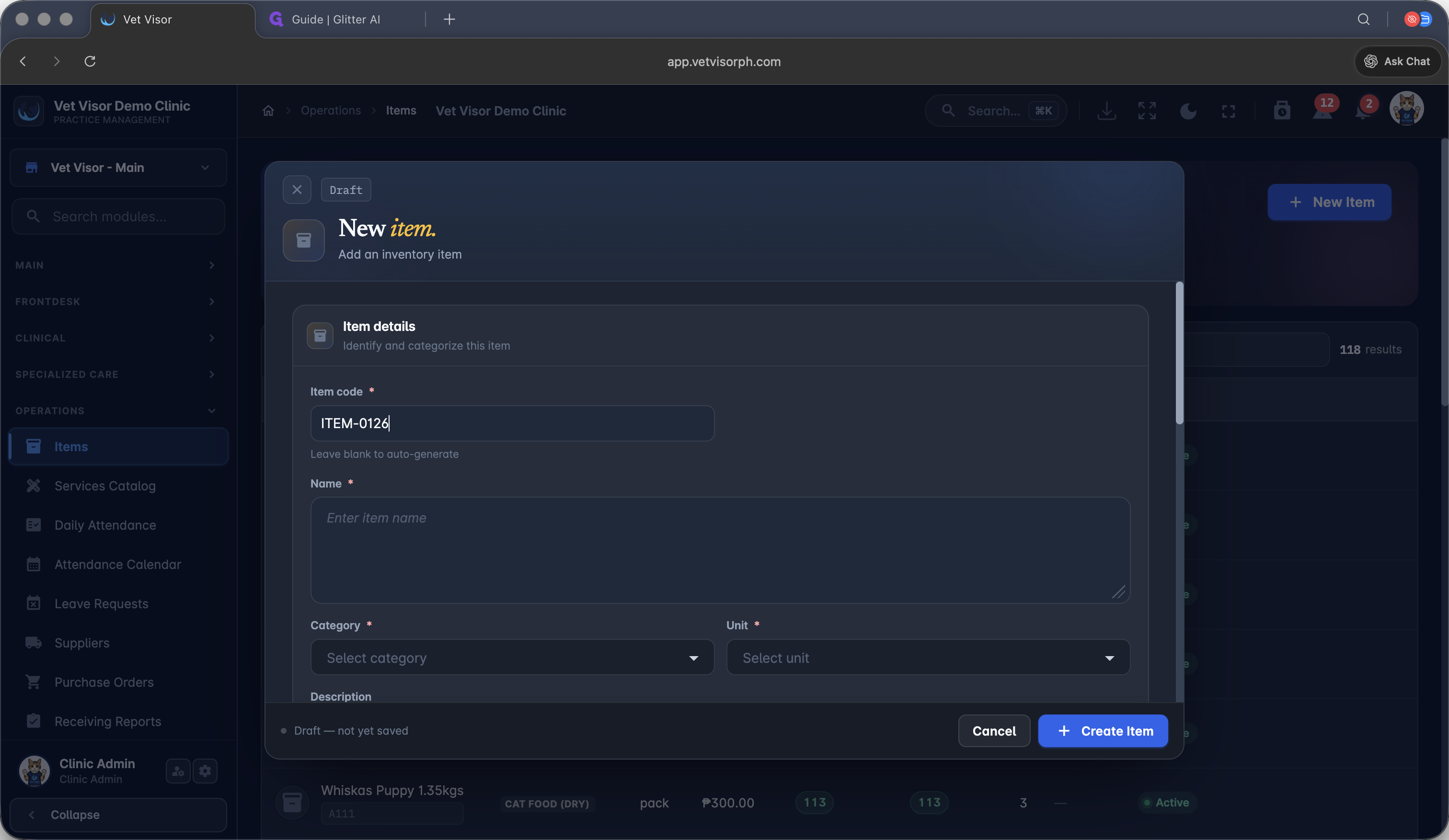
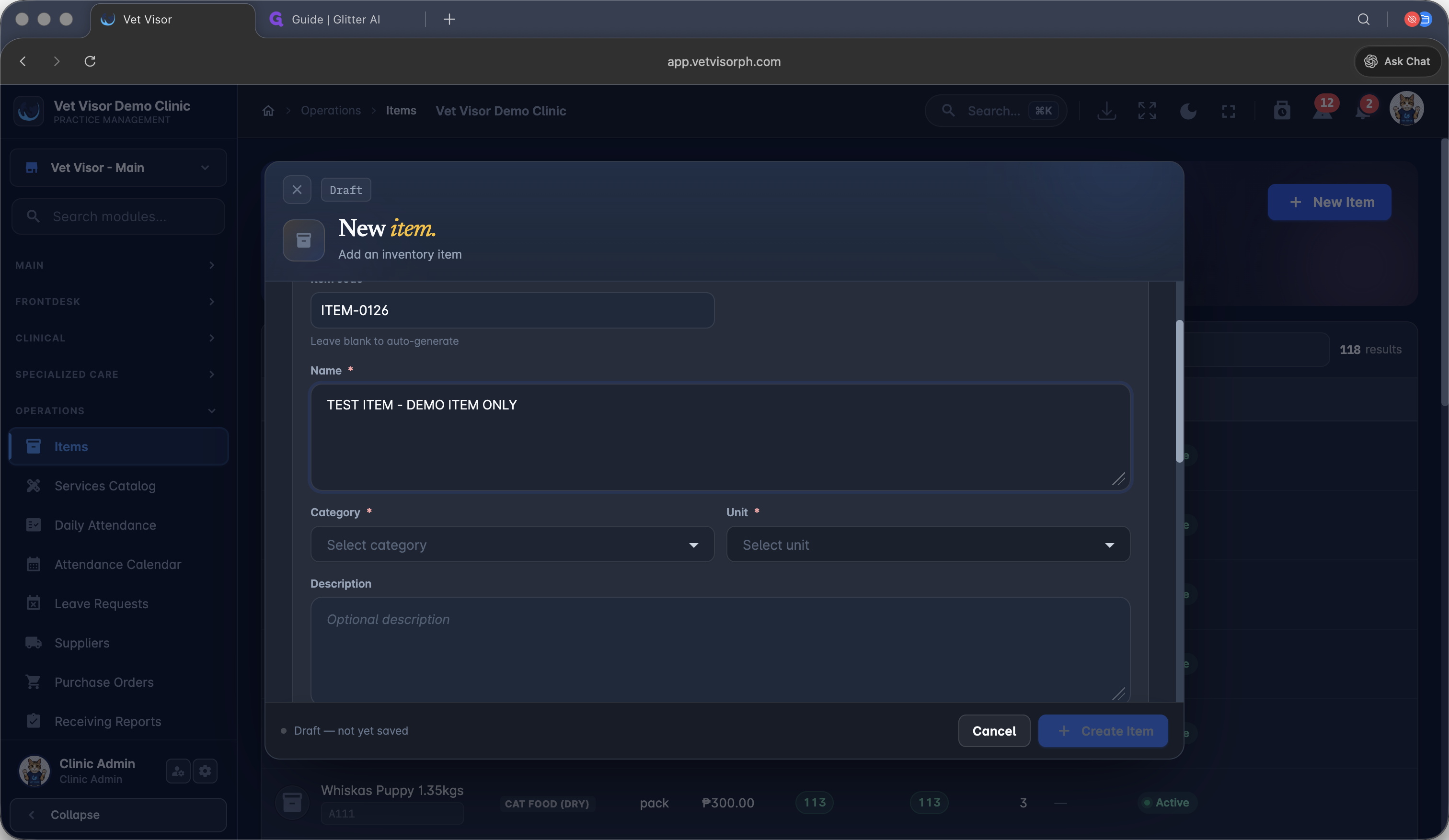
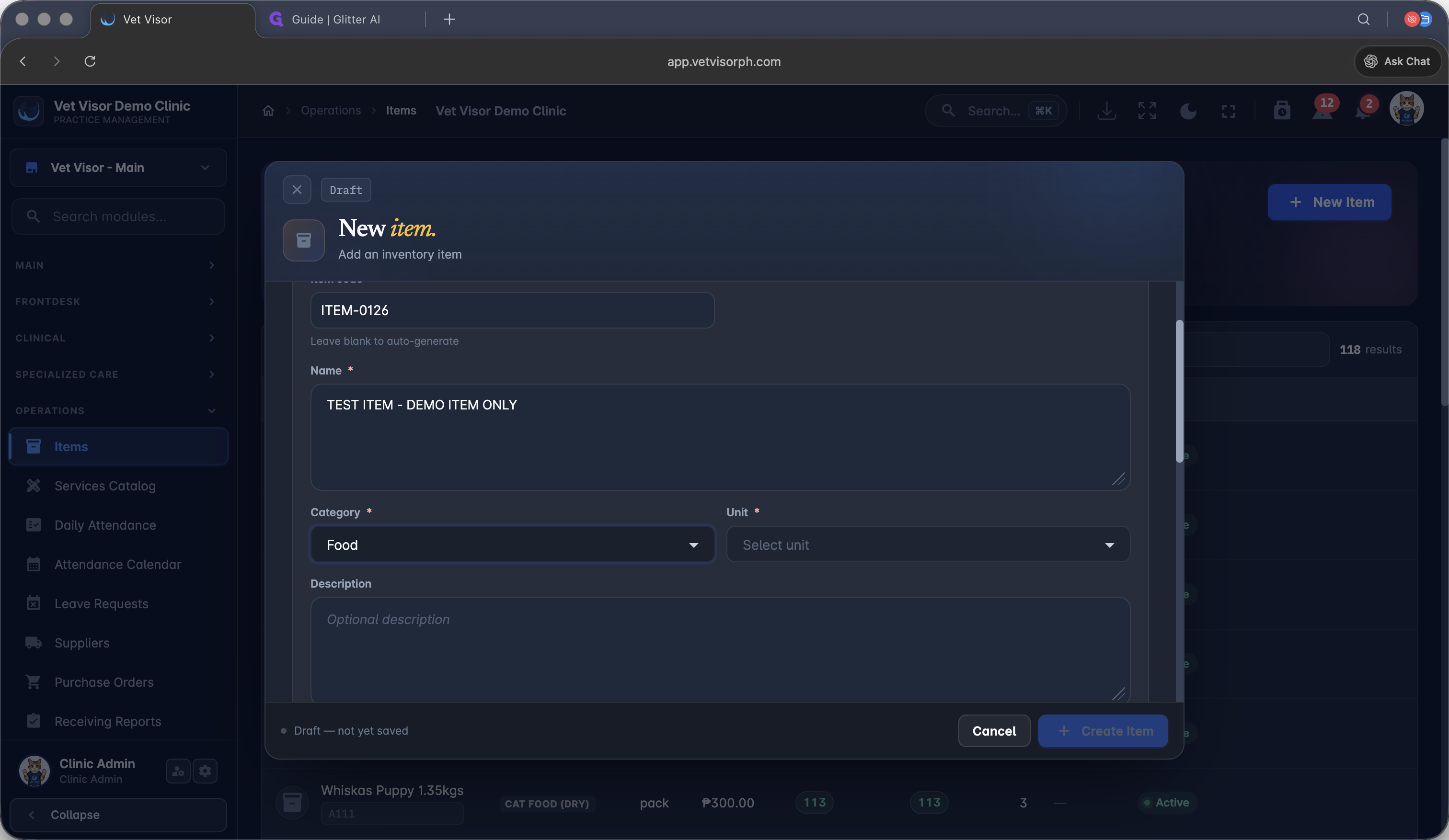
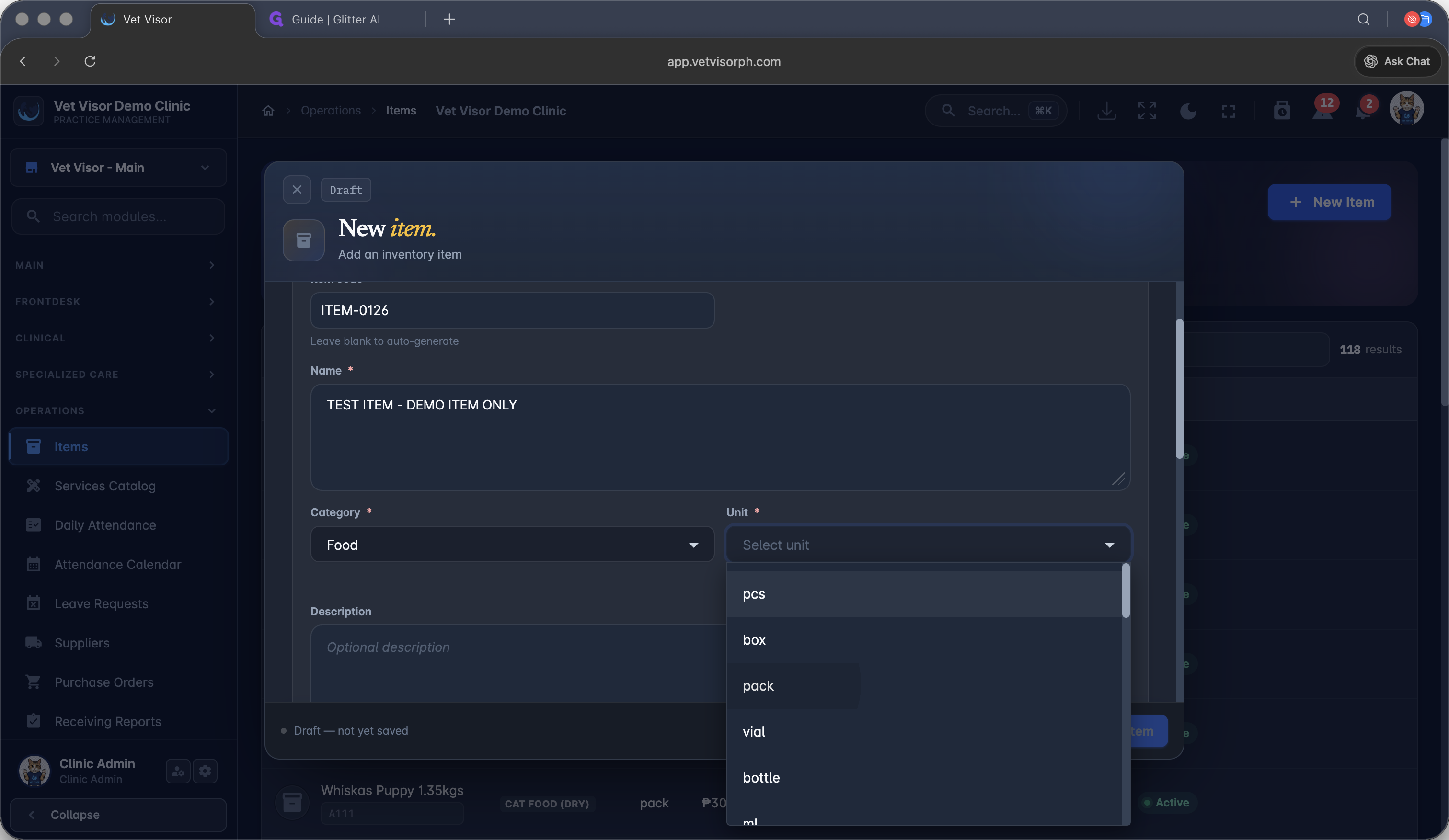
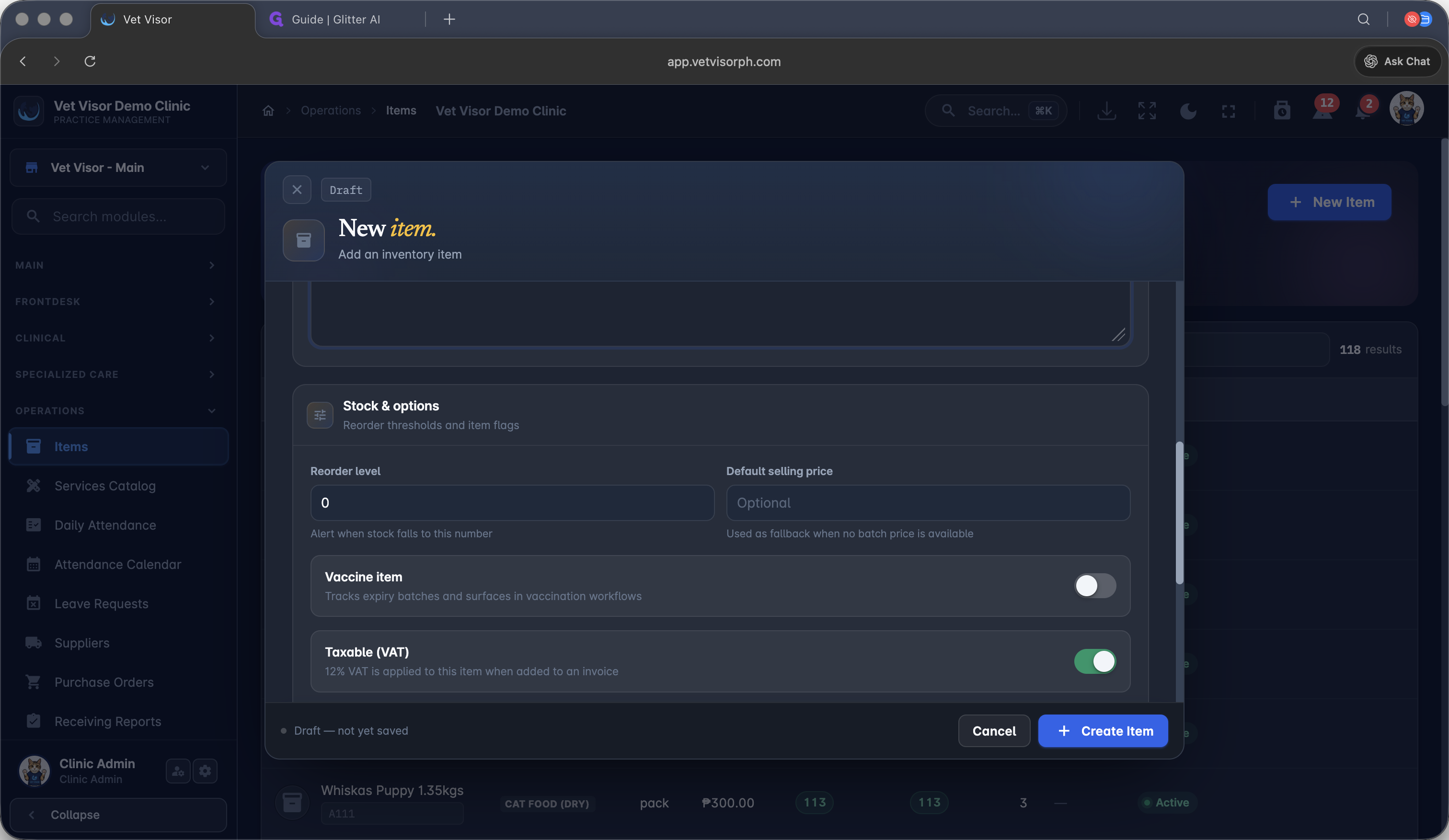
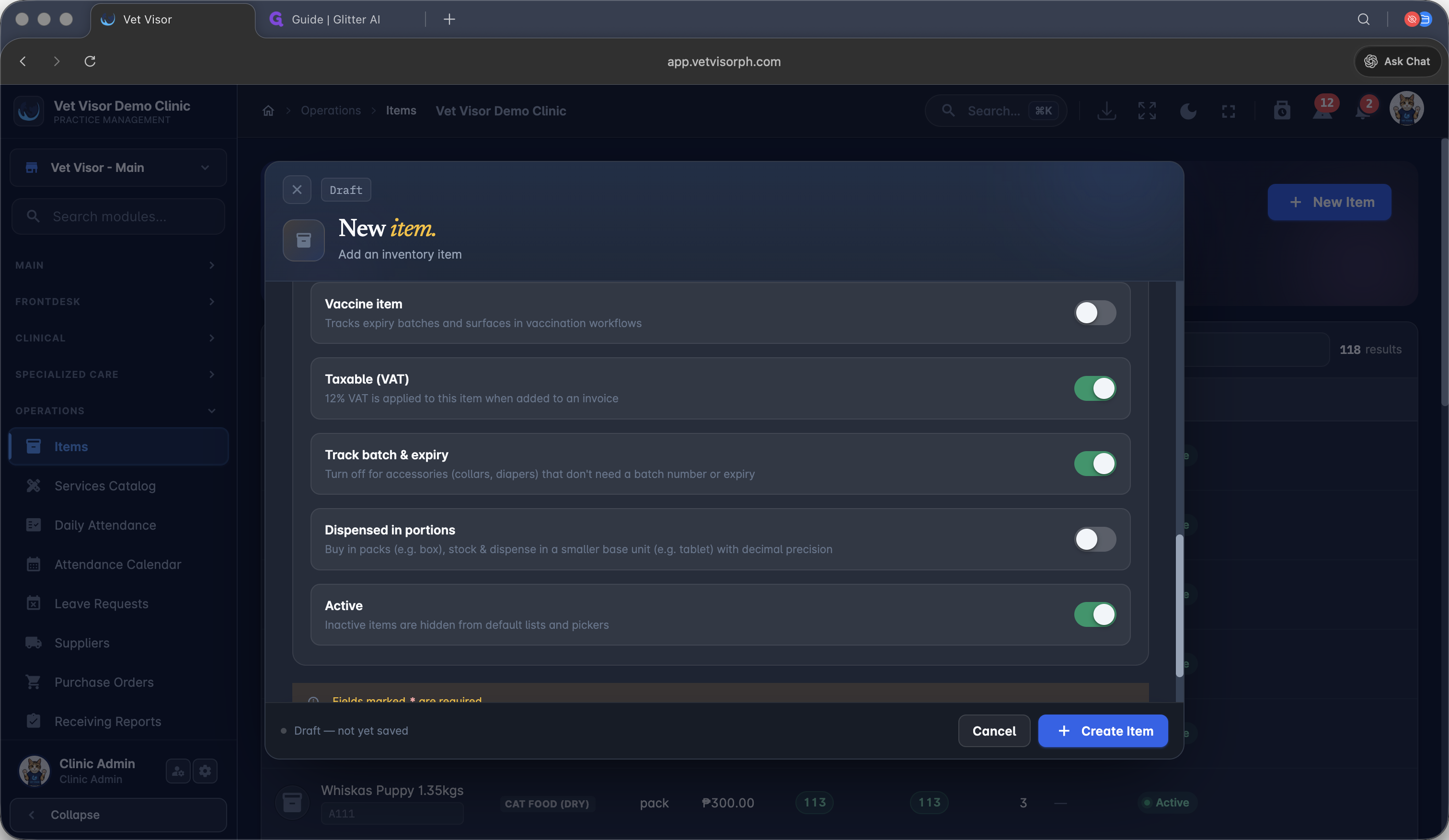
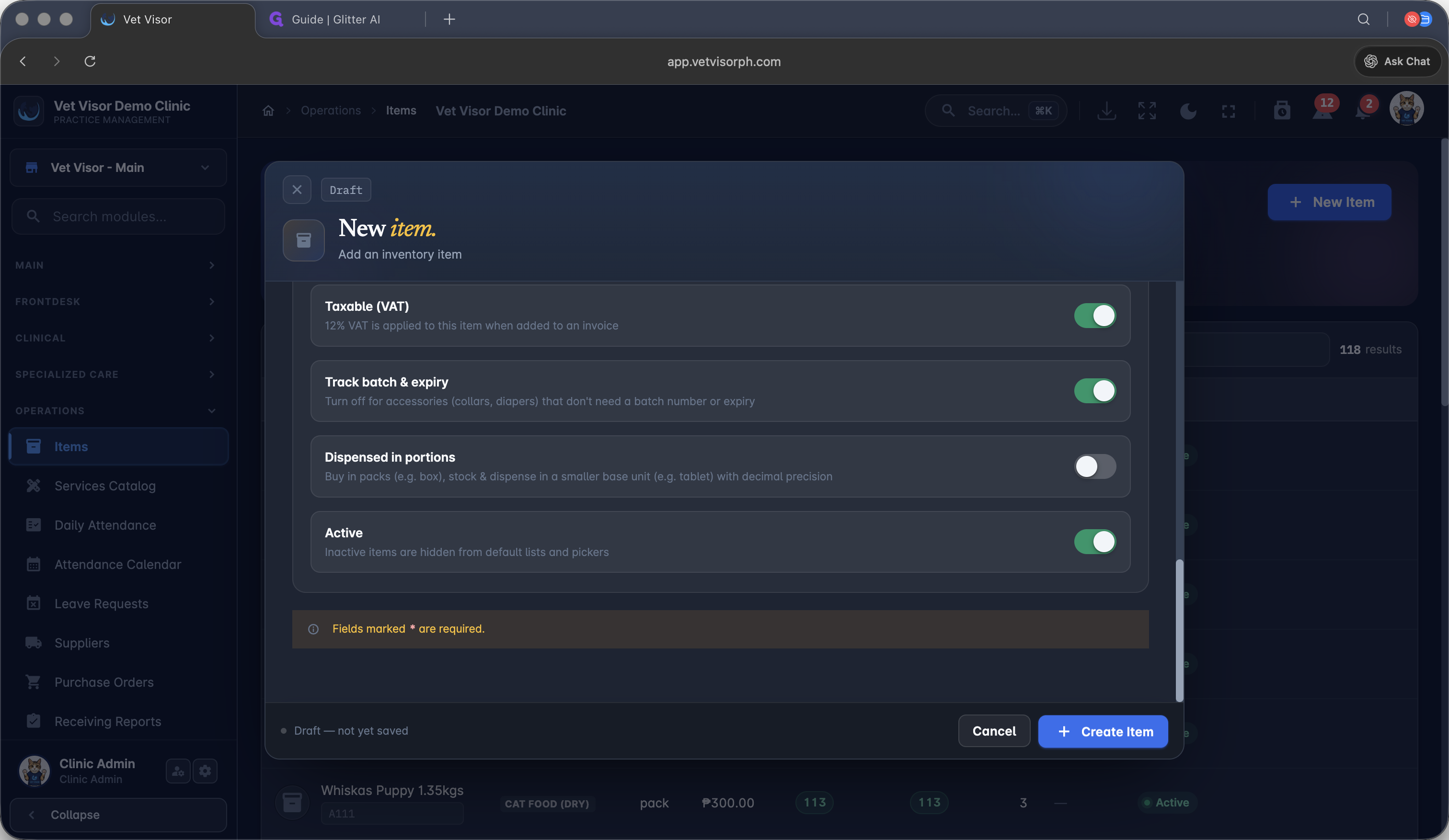
Adding a New Inventory Item
Before you can order or stock an item, it must exist in your catalog.
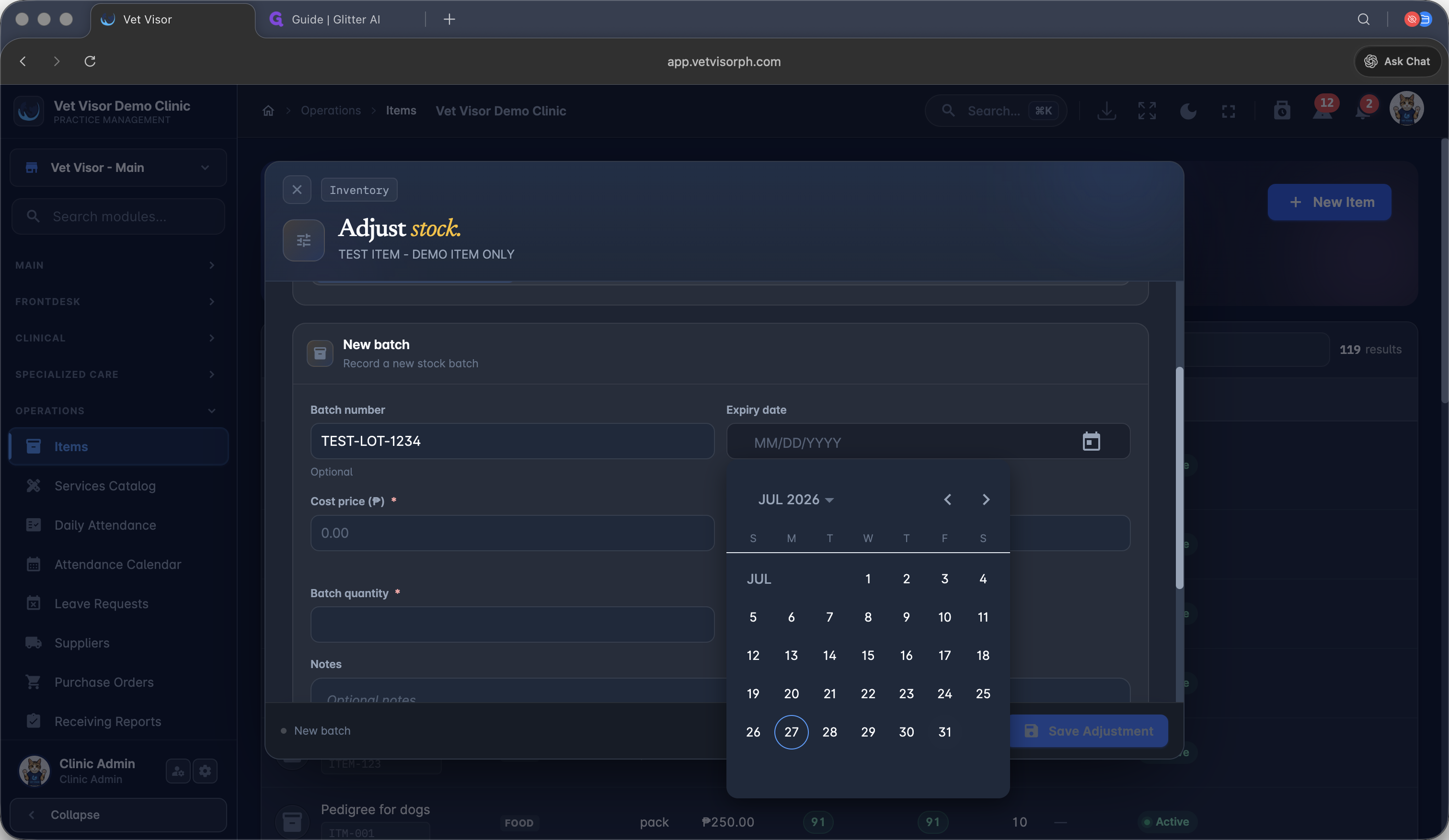
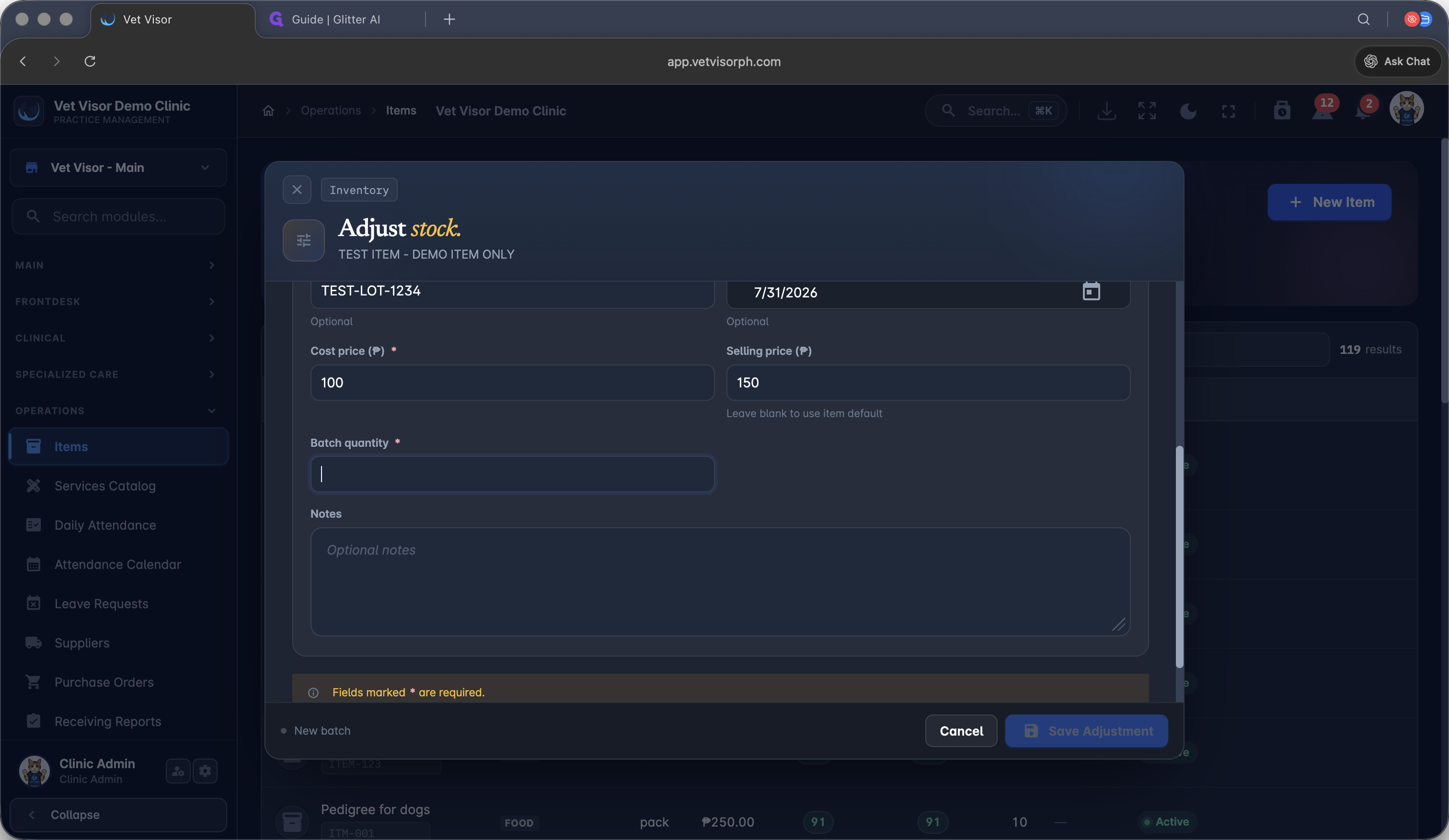
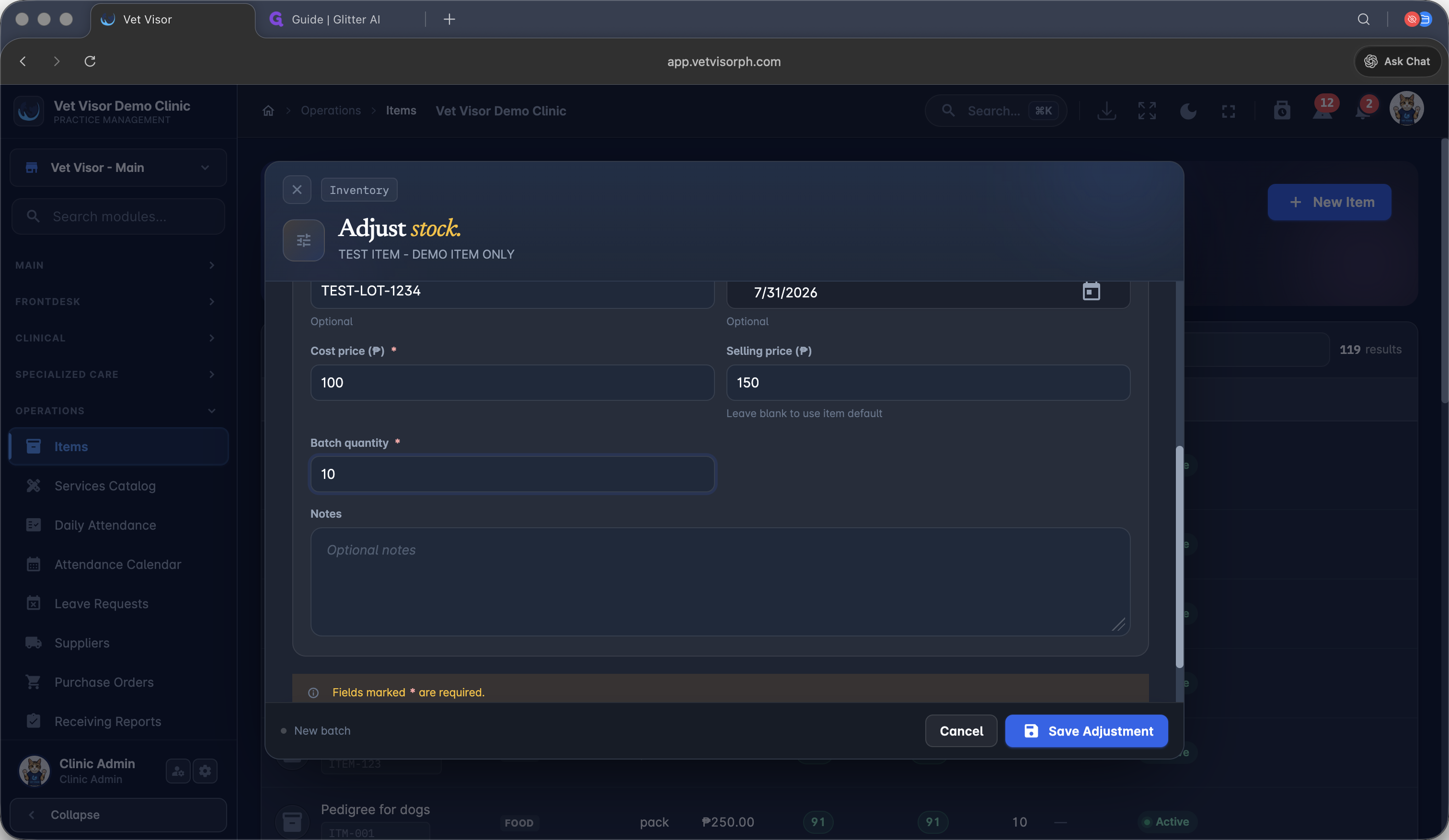
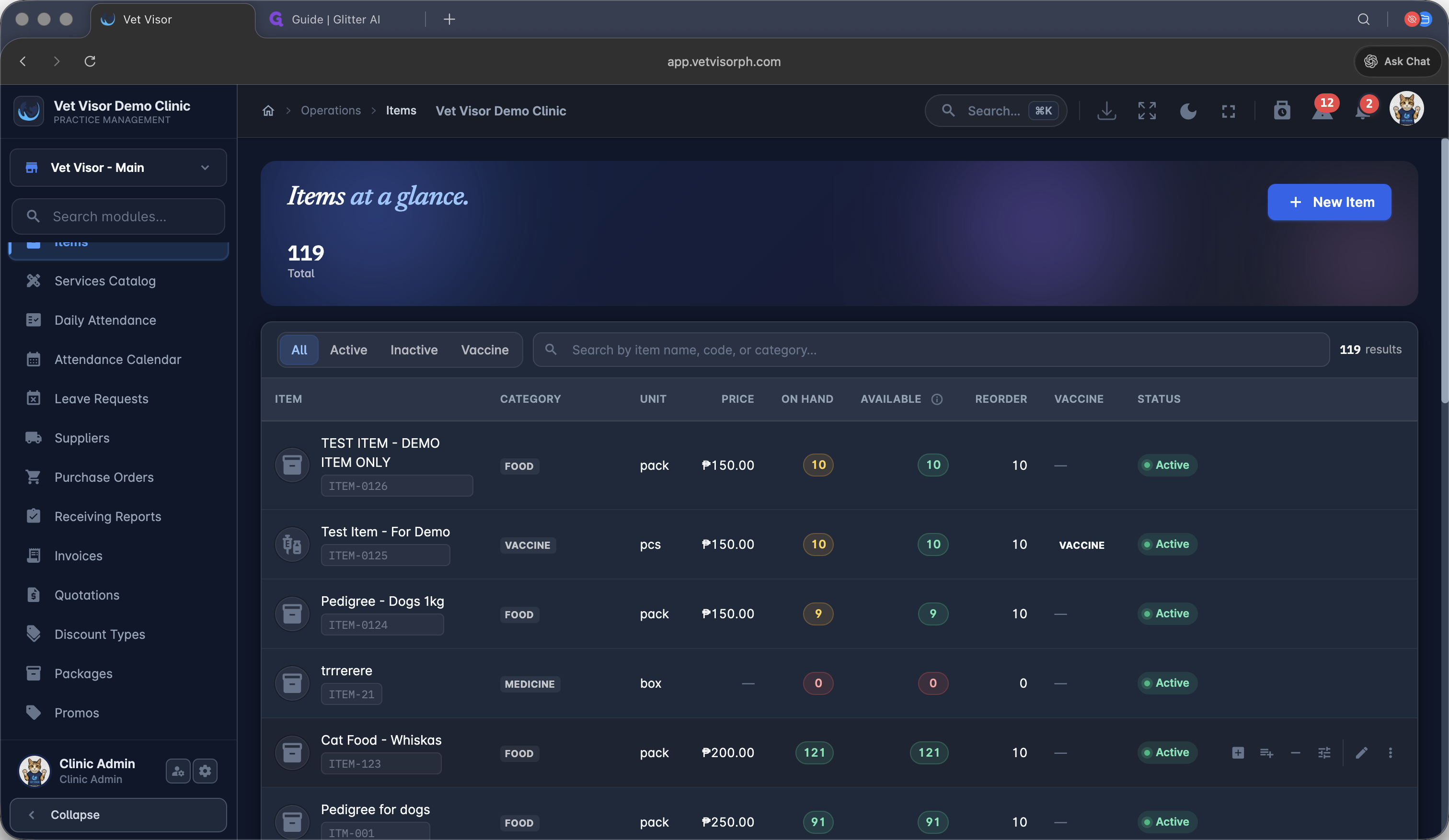
Adding Inventory Manually
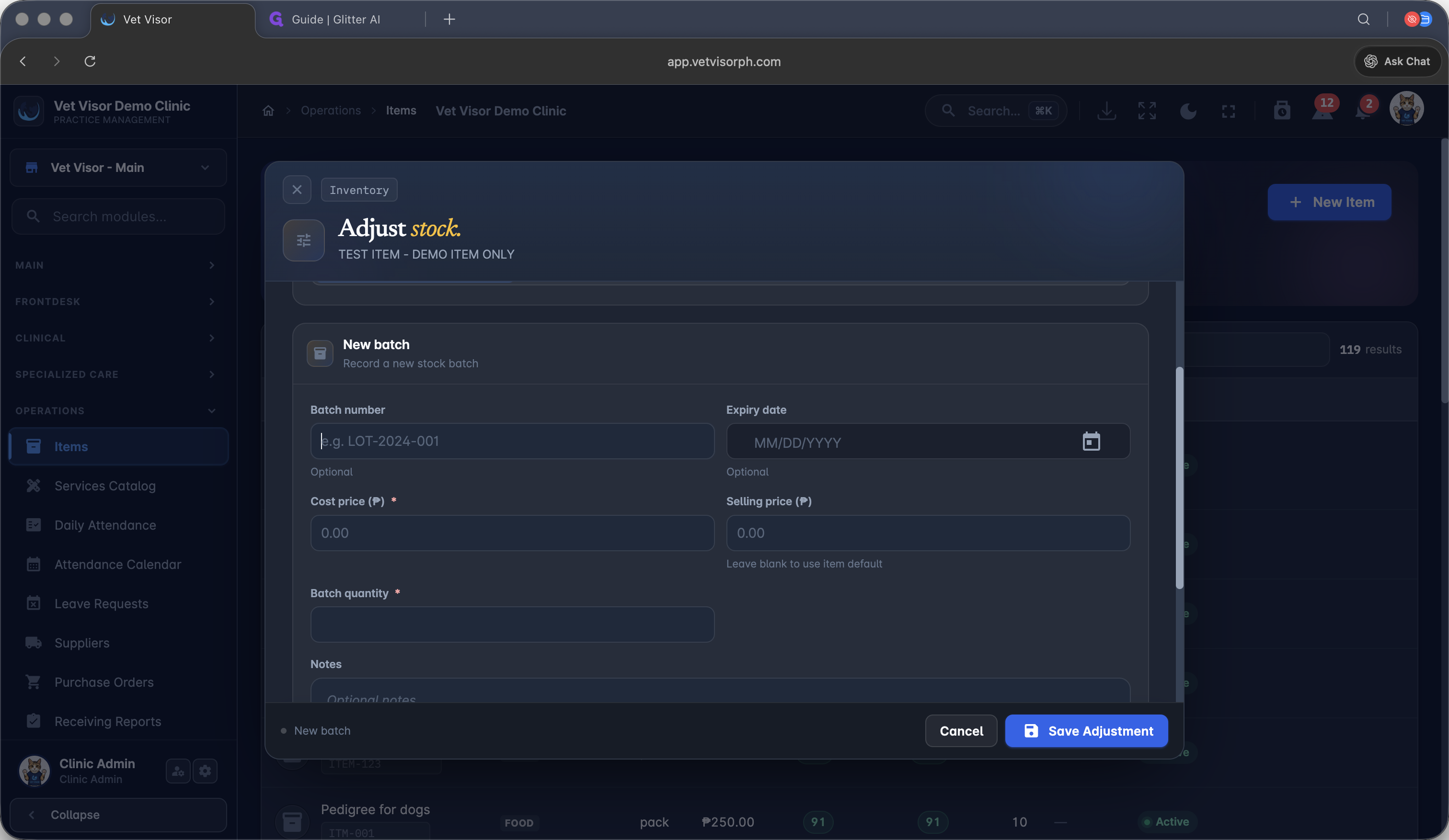
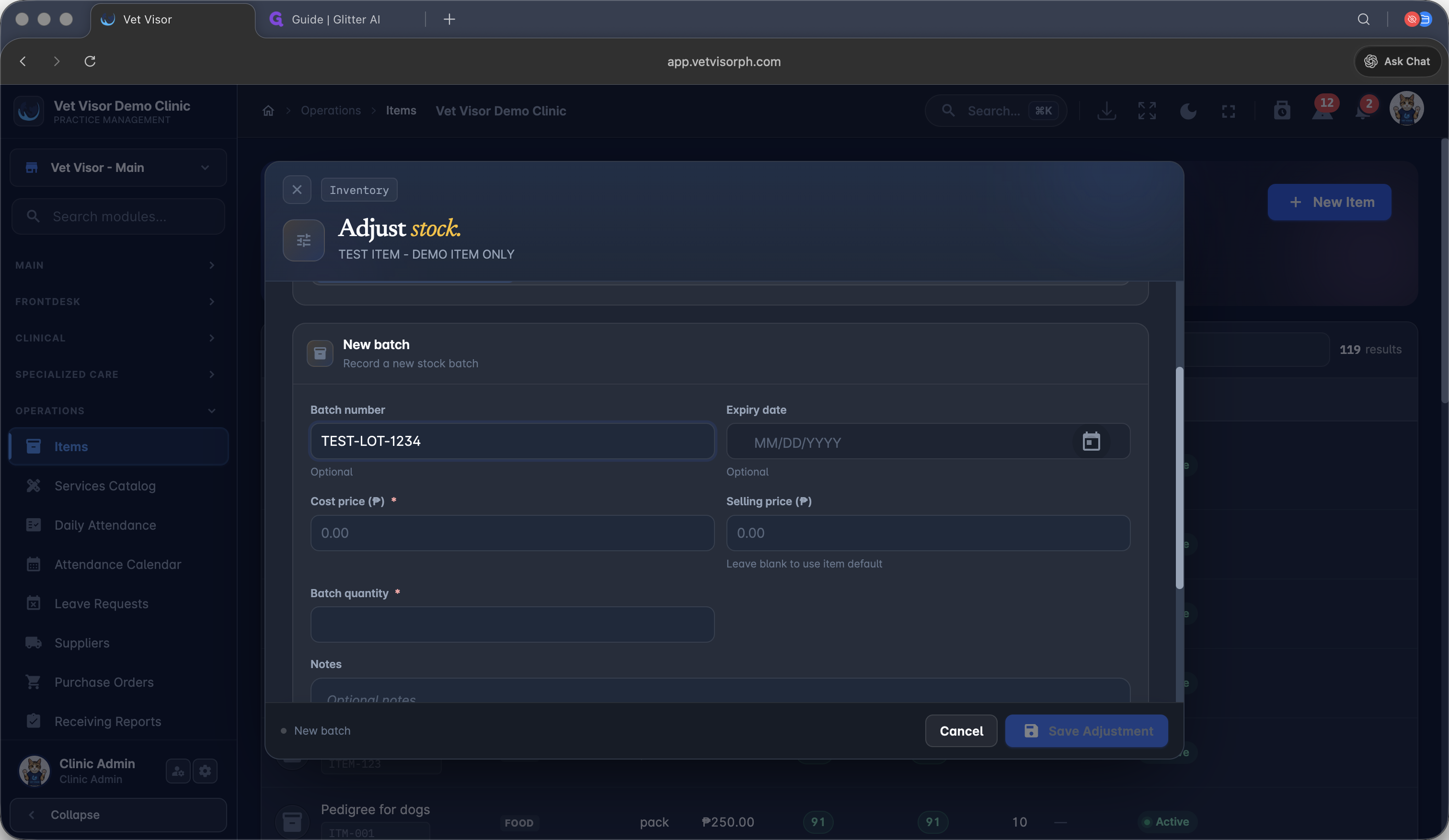
If you need to bypass the standard procurement flow (e.g., adding sample products), you can adjust stock directly.
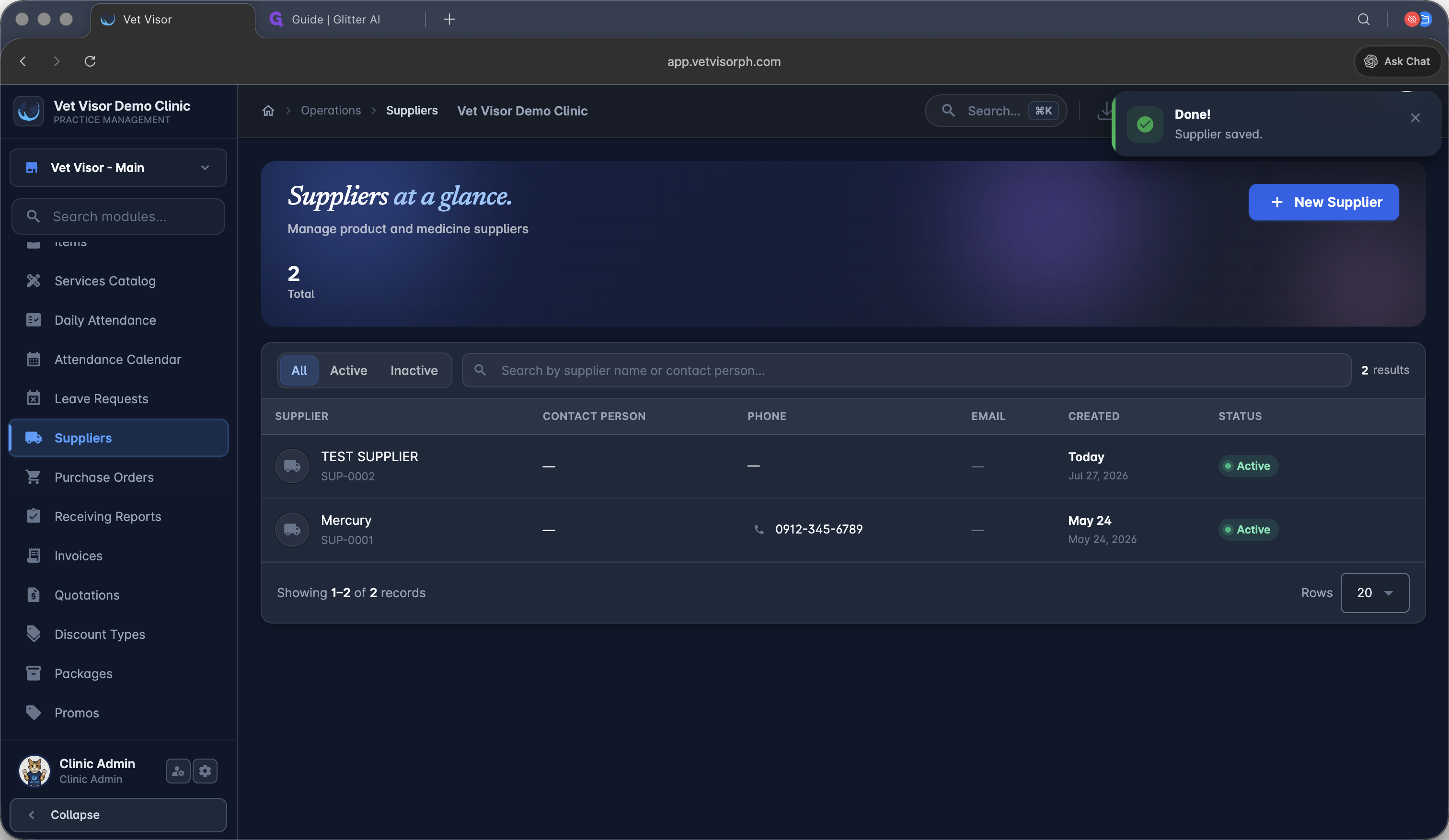
Setting Up Suppliers
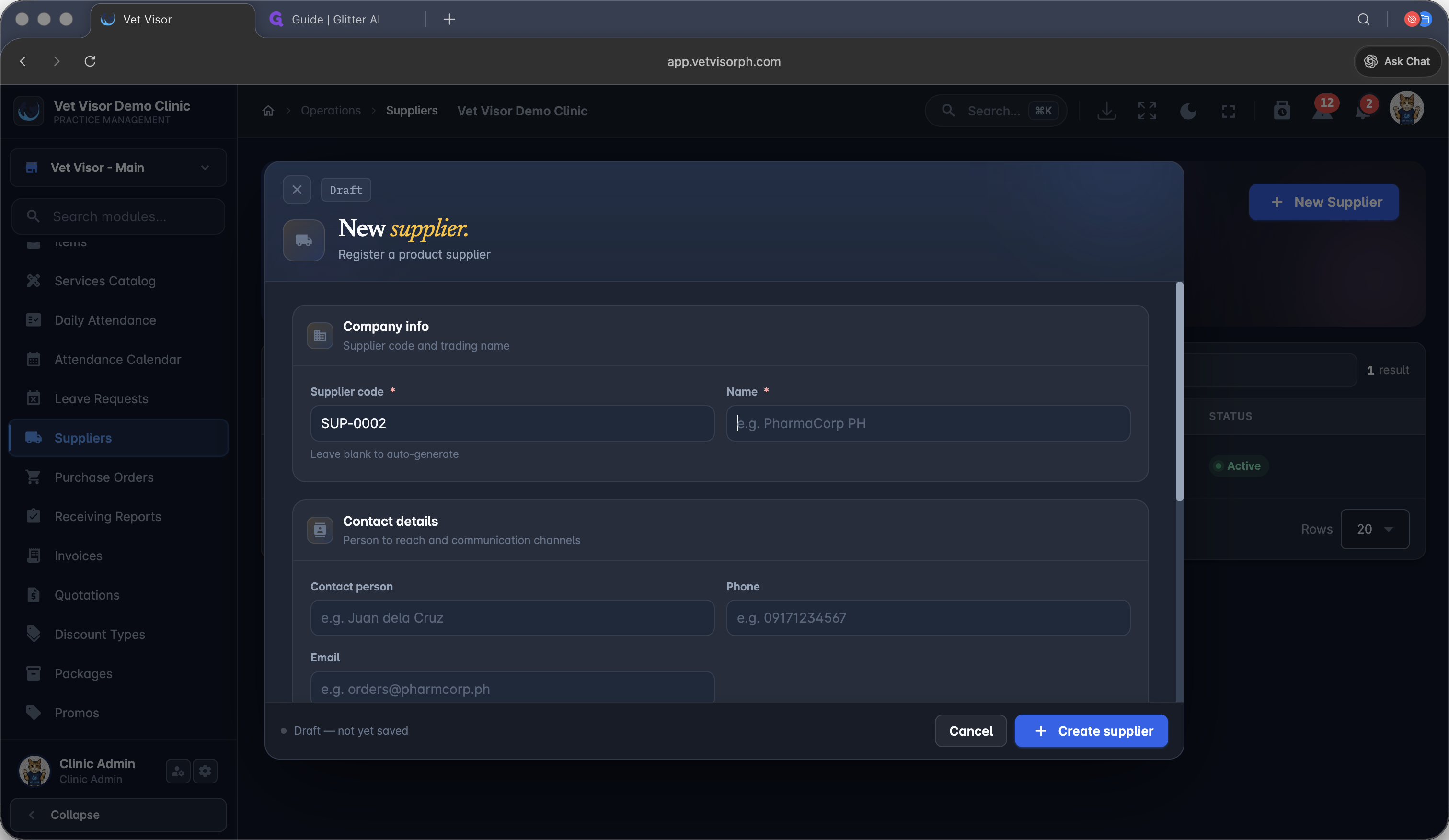
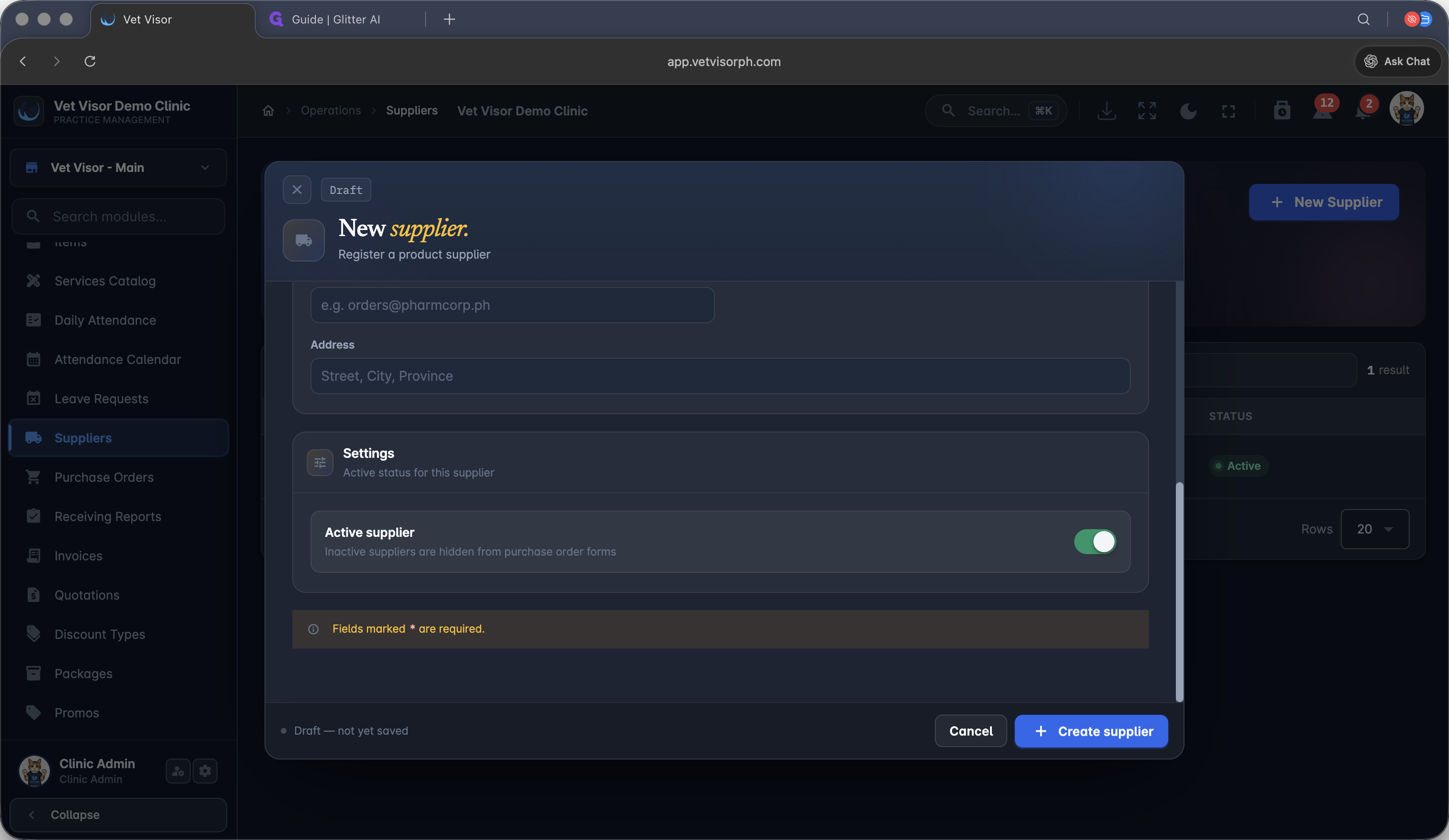
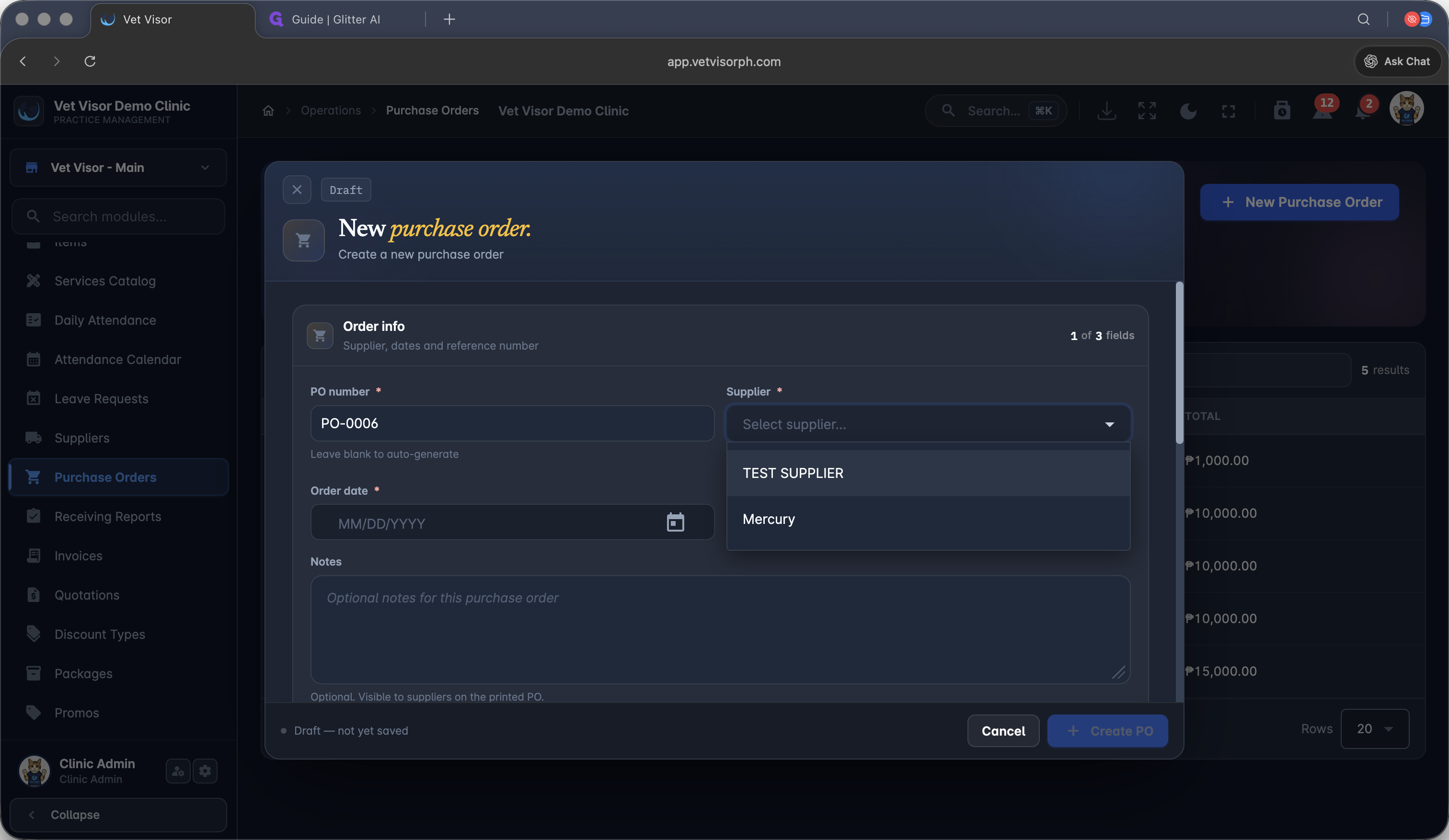
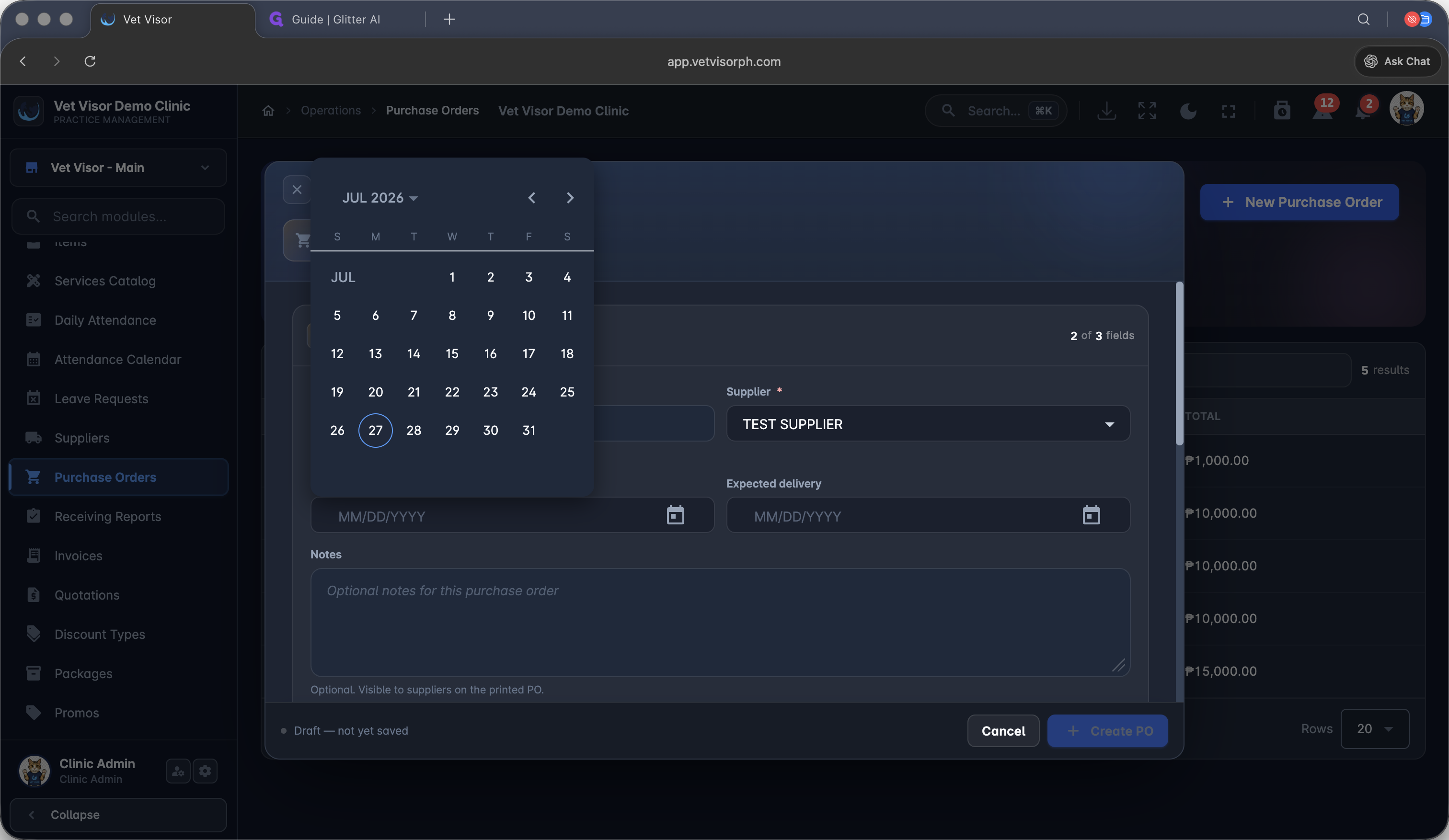
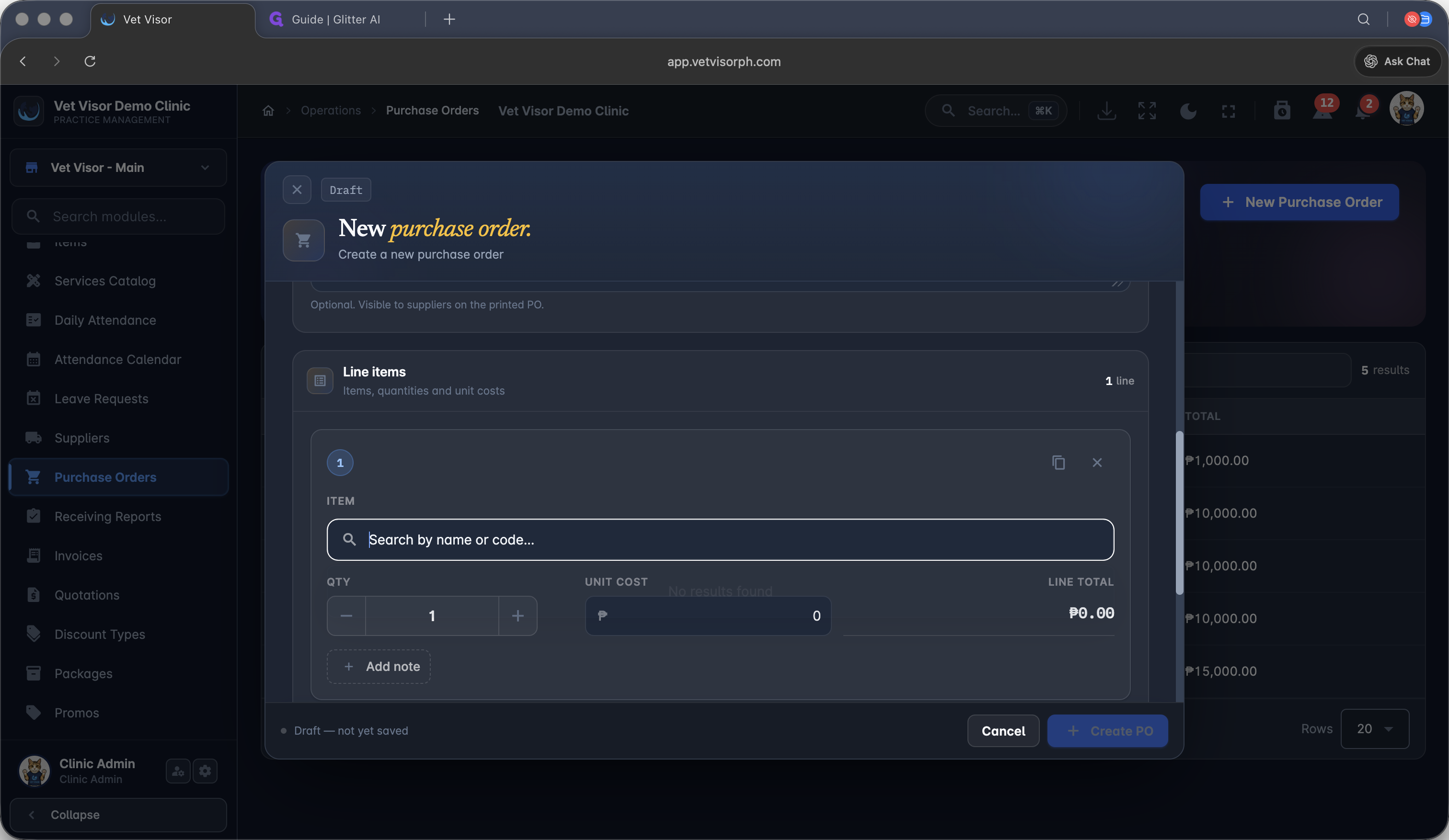
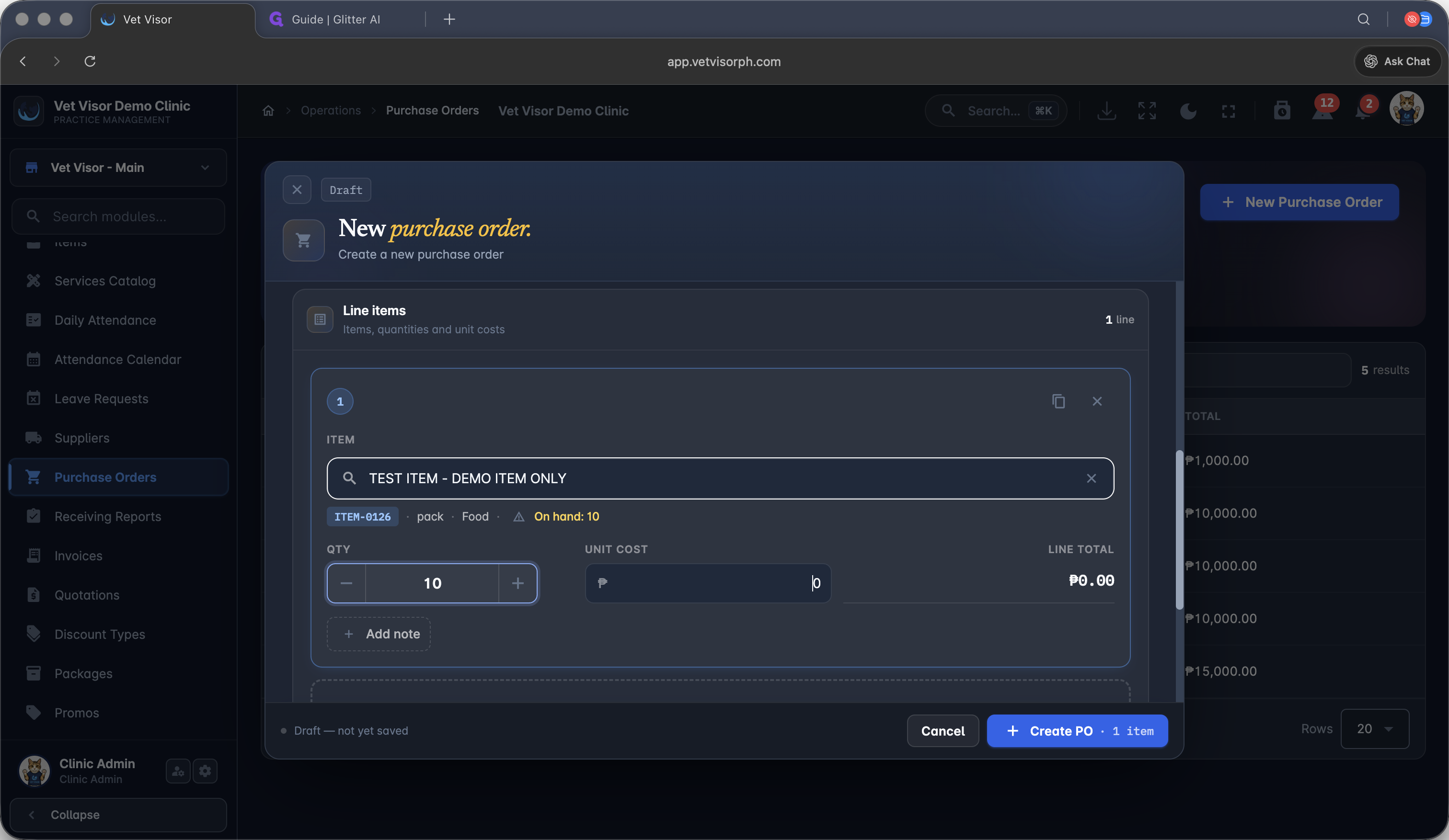
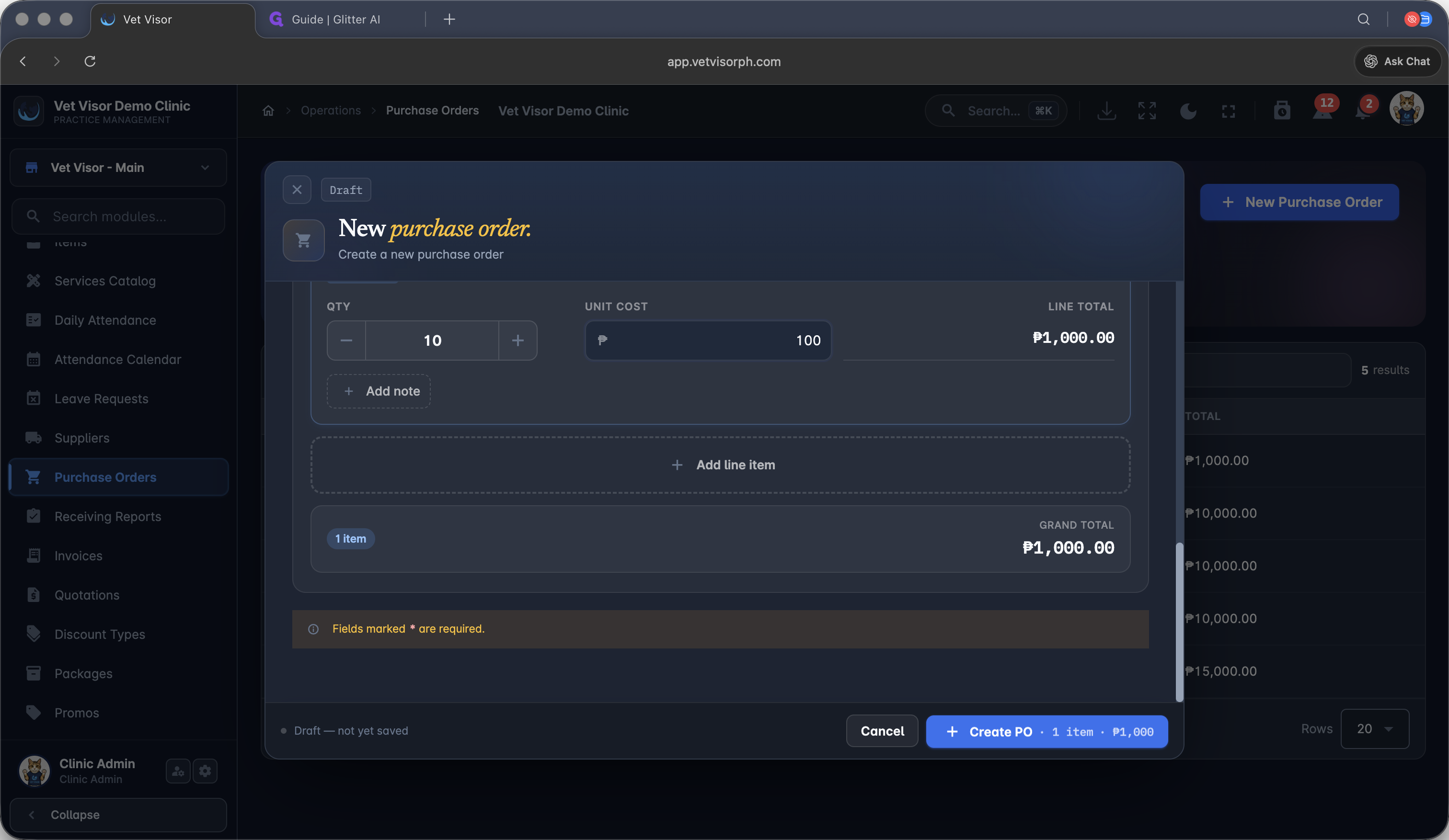
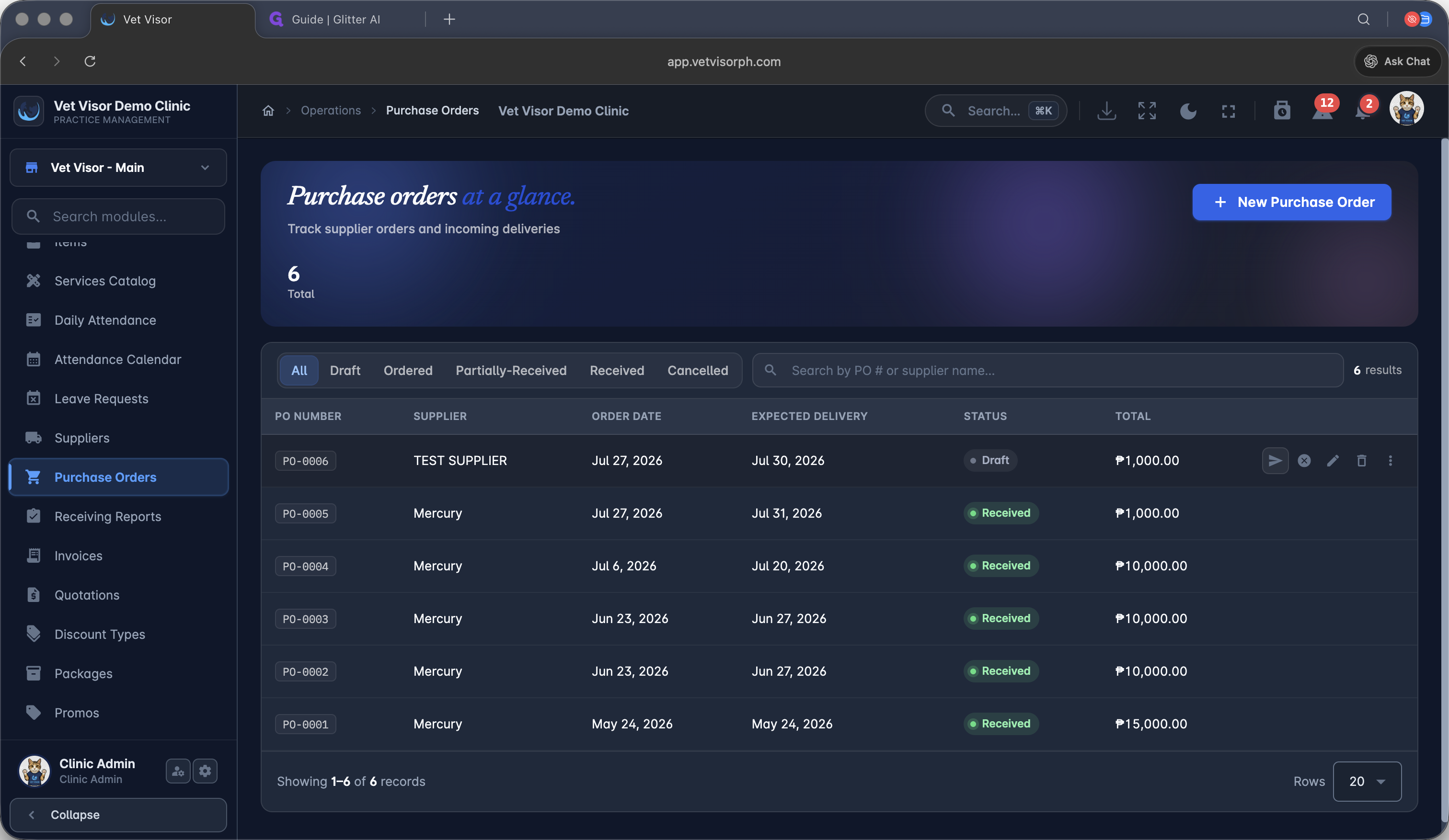
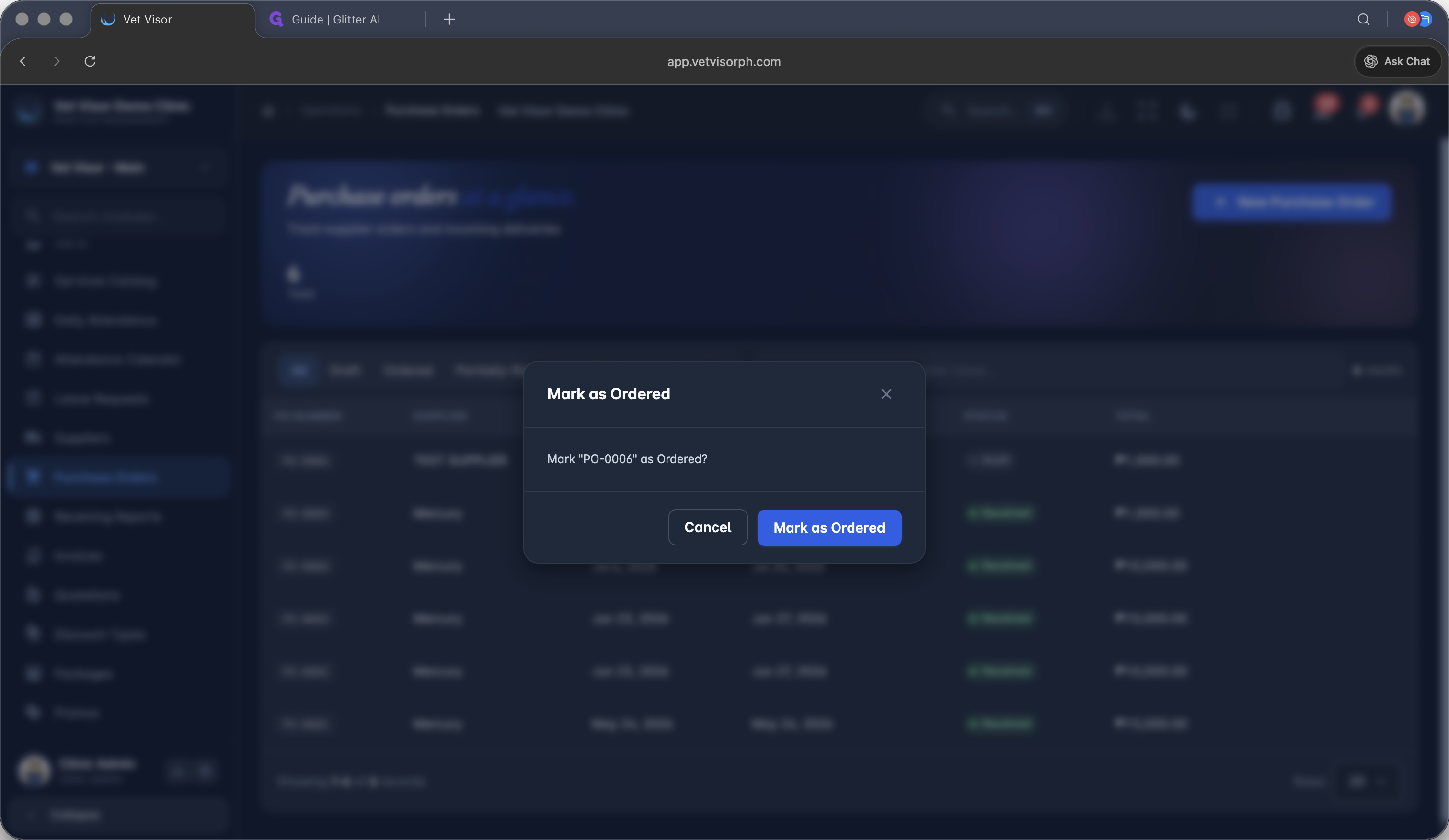
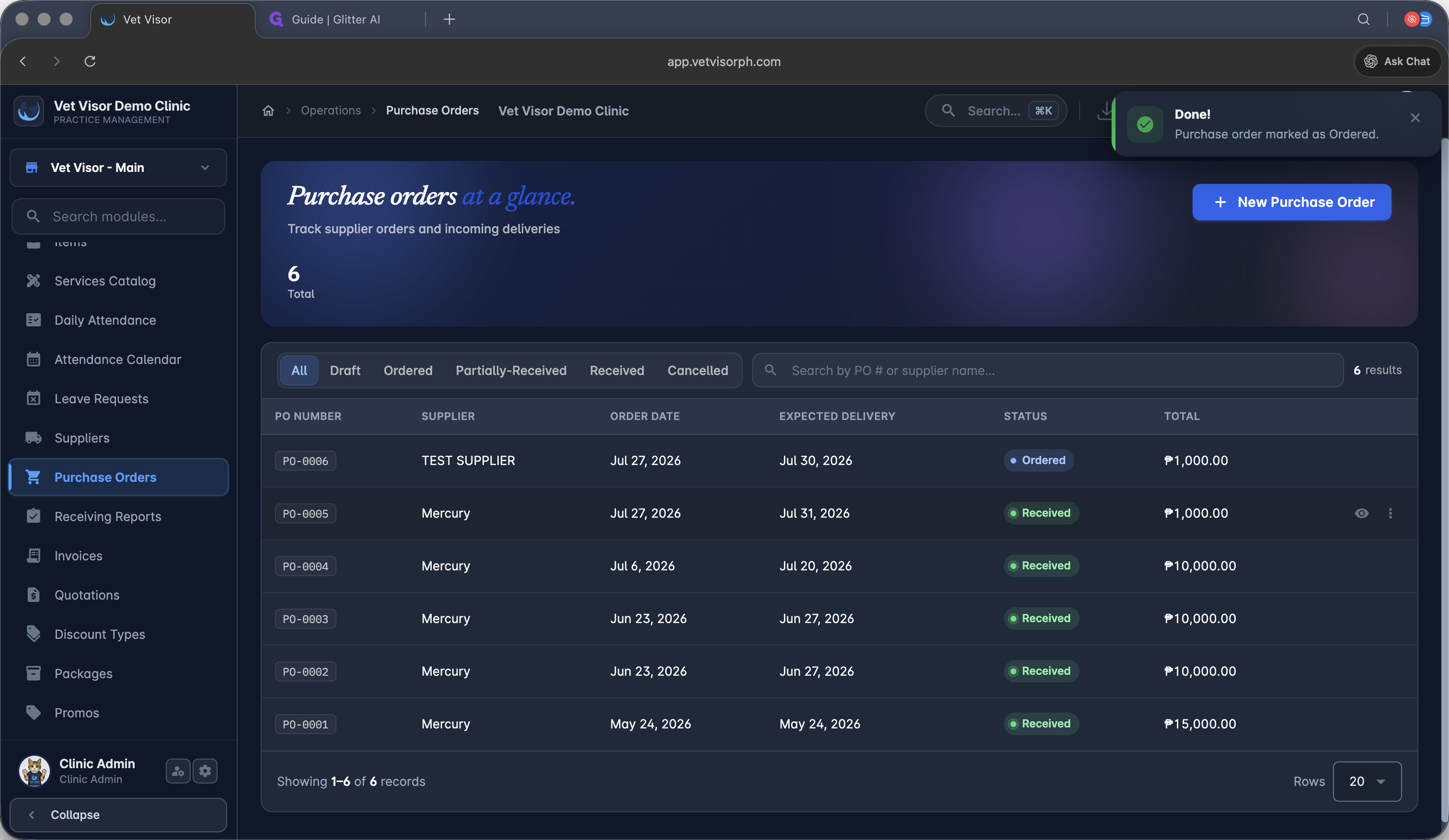
Issuing a Purchase Order
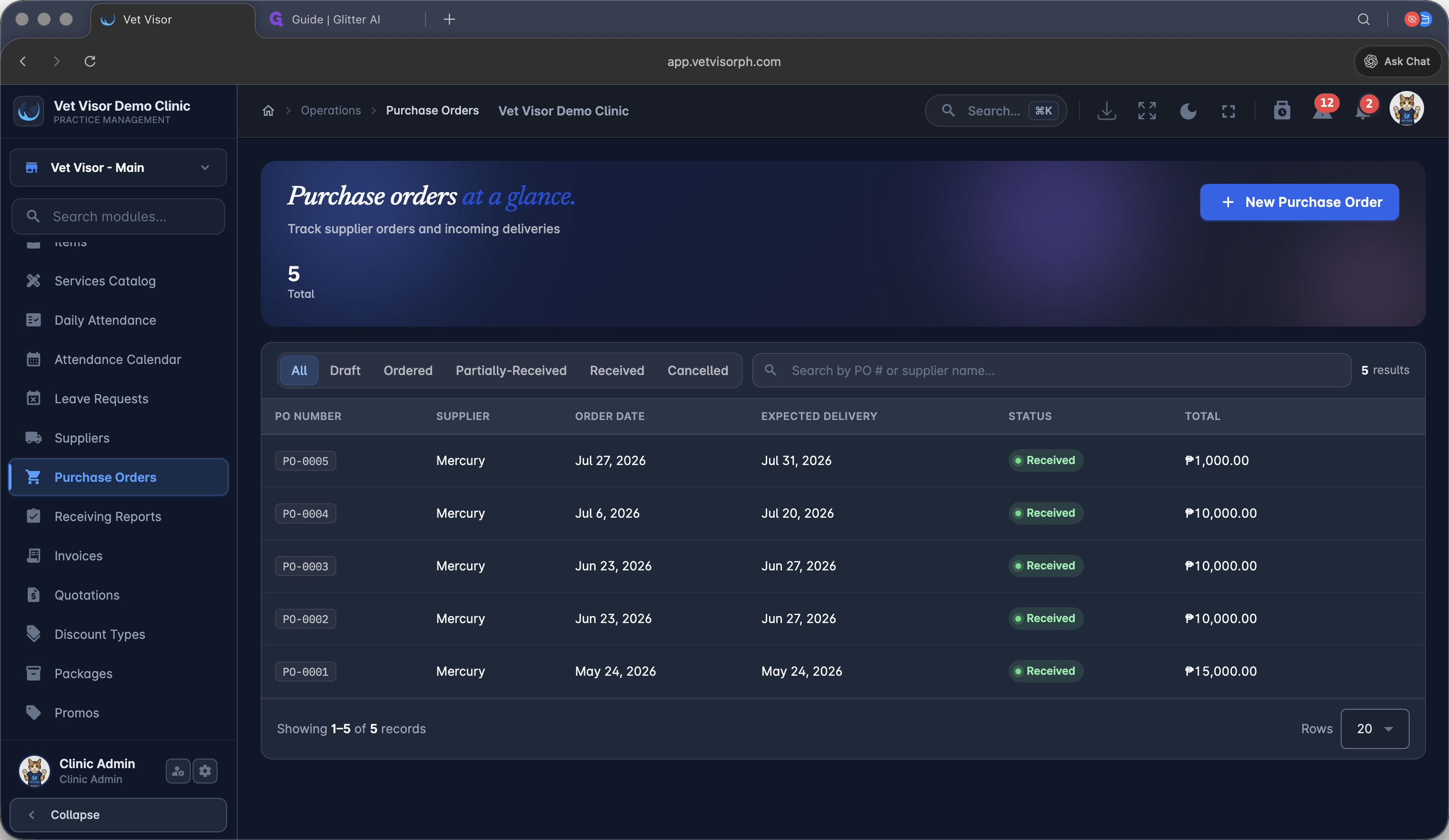
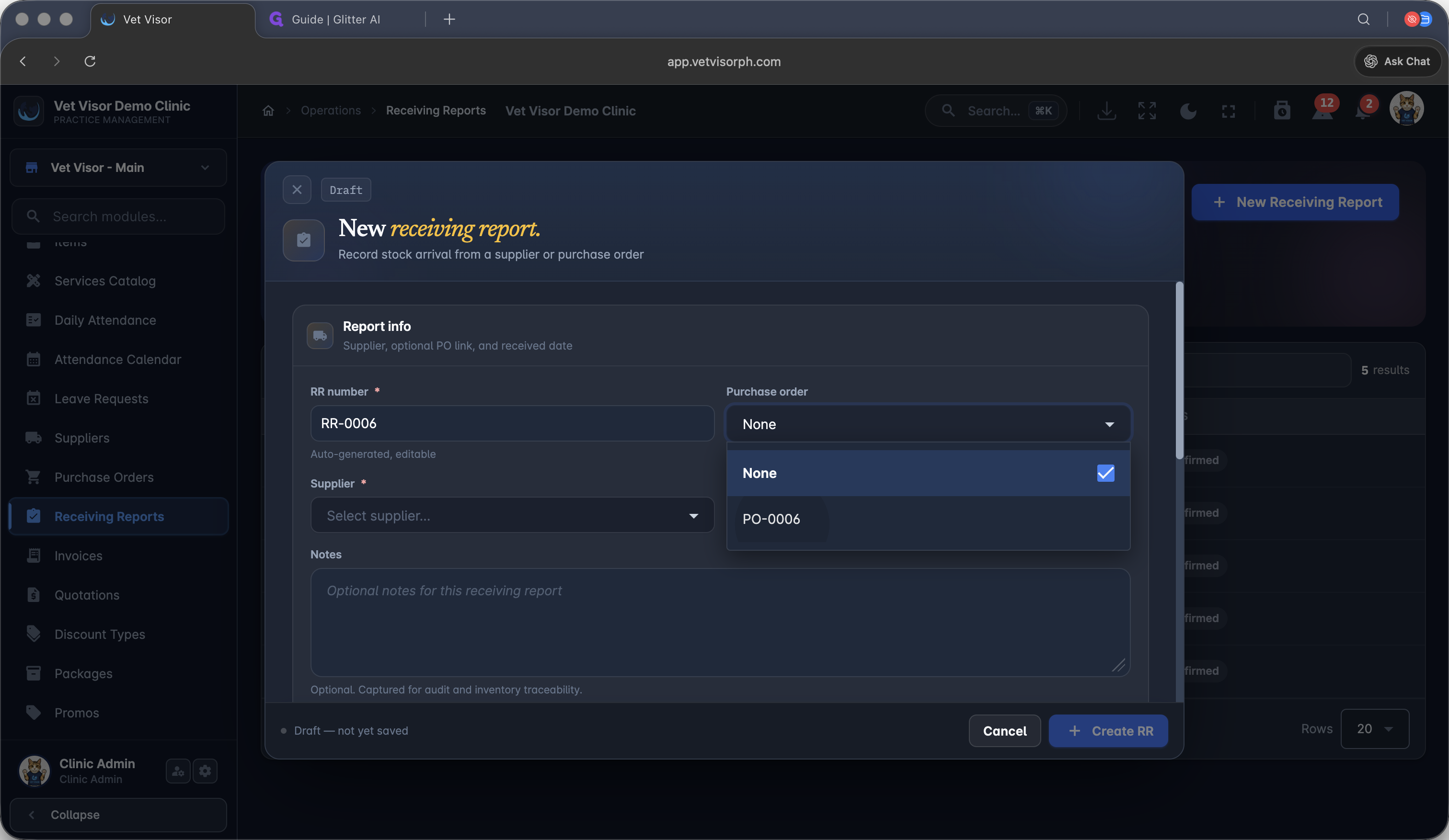
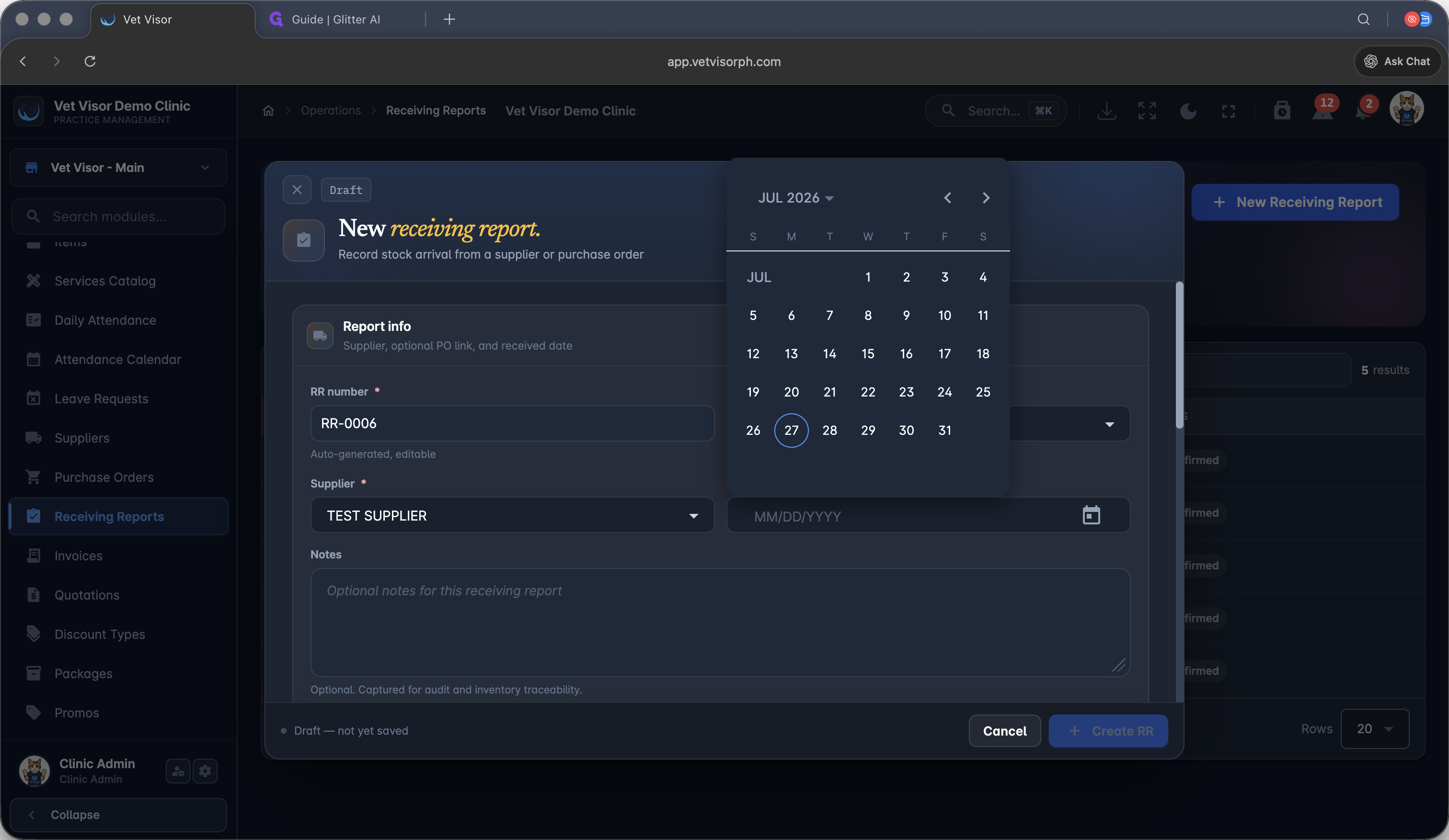
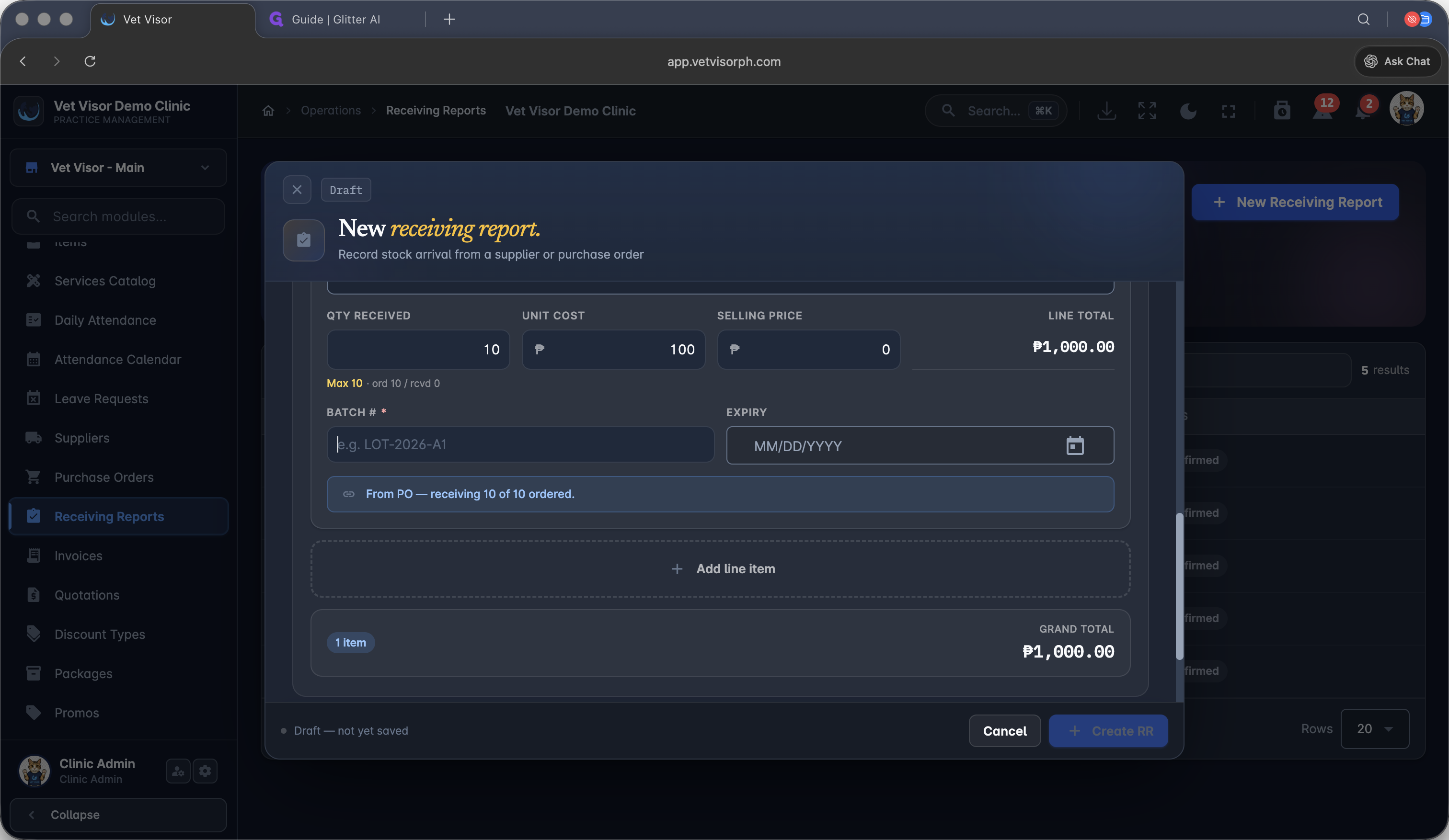
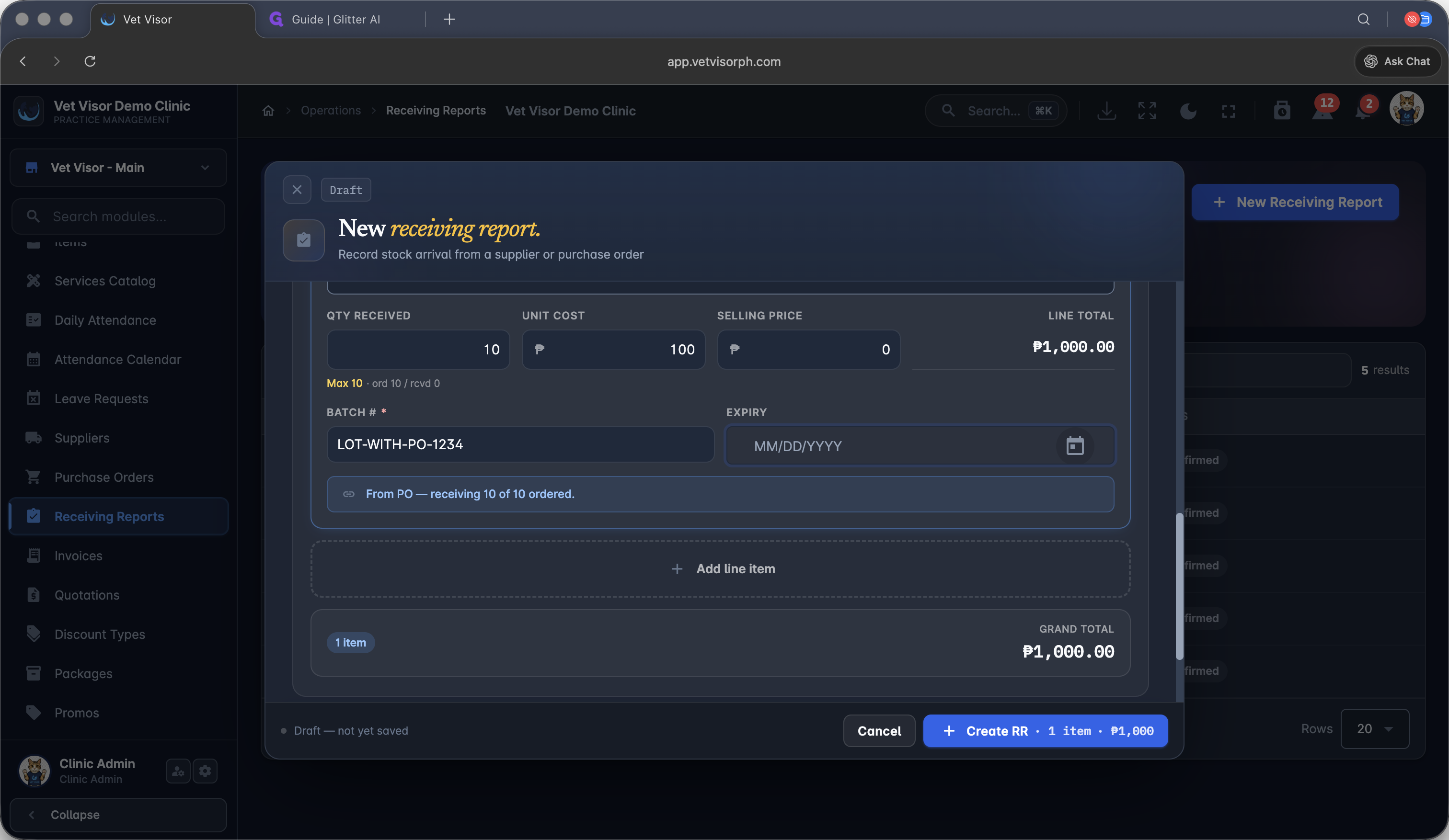
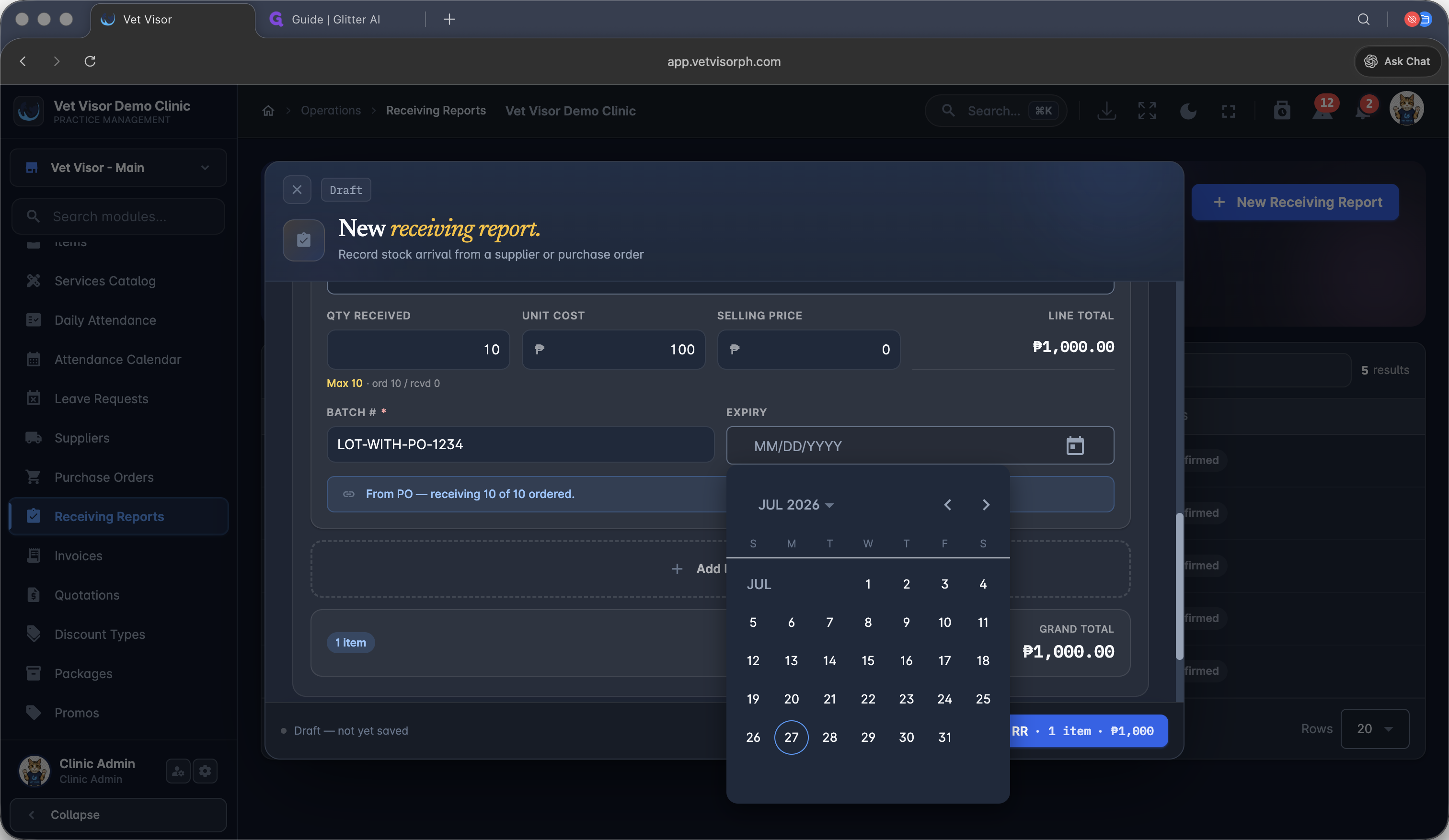
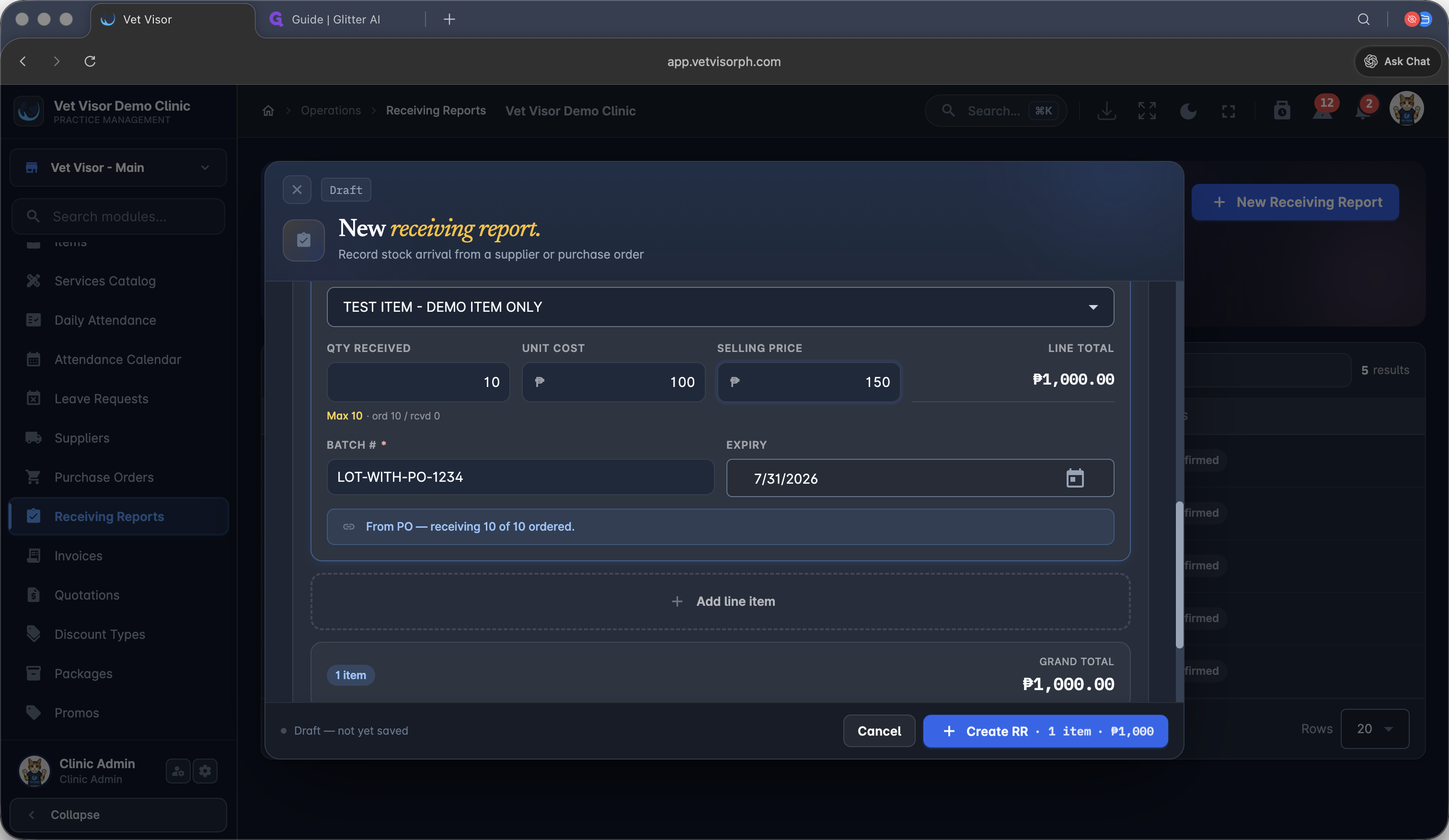
Logging Receiving Reports
Q: Can I adjust stock without a purchase order?
A: Yes, you can manually add new batches or adjust existing stock directly from an item's profile using the "Adjust stock" modal.
Q: What happens when I create a Receiving Report linked to a PO?
A: When you select an existing Purchase Order during a Receiving Report, the system automatically pulls in the expected items. Once finalized, the quantities are dynamically added to your active inventory.
Term | Definition |
|---|---|
Purchase Order (PO) | A formal document sent to a supplier to request items, outlining quantities and agreed prices. |
Receiving Report (RR) | A record confirming the physical delivery of goods, used to update inventory quantities and track actual costs. |
Batch Tracking | A system feature that monitors specific lots of inventory for expiration dates to ensure compliance and safety. |