
Manage Users in Sdworx Legal Watch
Learn how to manage user access, edit user details, and add new users to the Sdworx Legal Watch application.
By Obama
This guide demonstrates how to manage user accounts within the Sdworx Legal Watch platform. Completing these steps ensures that the right individuals have appropriate access, roles, and settings configured for their needs.
This guide applies to platform administrators or IT support teams who are responsible for user provisioning and lifecycle management.
Edit an Existing User
1
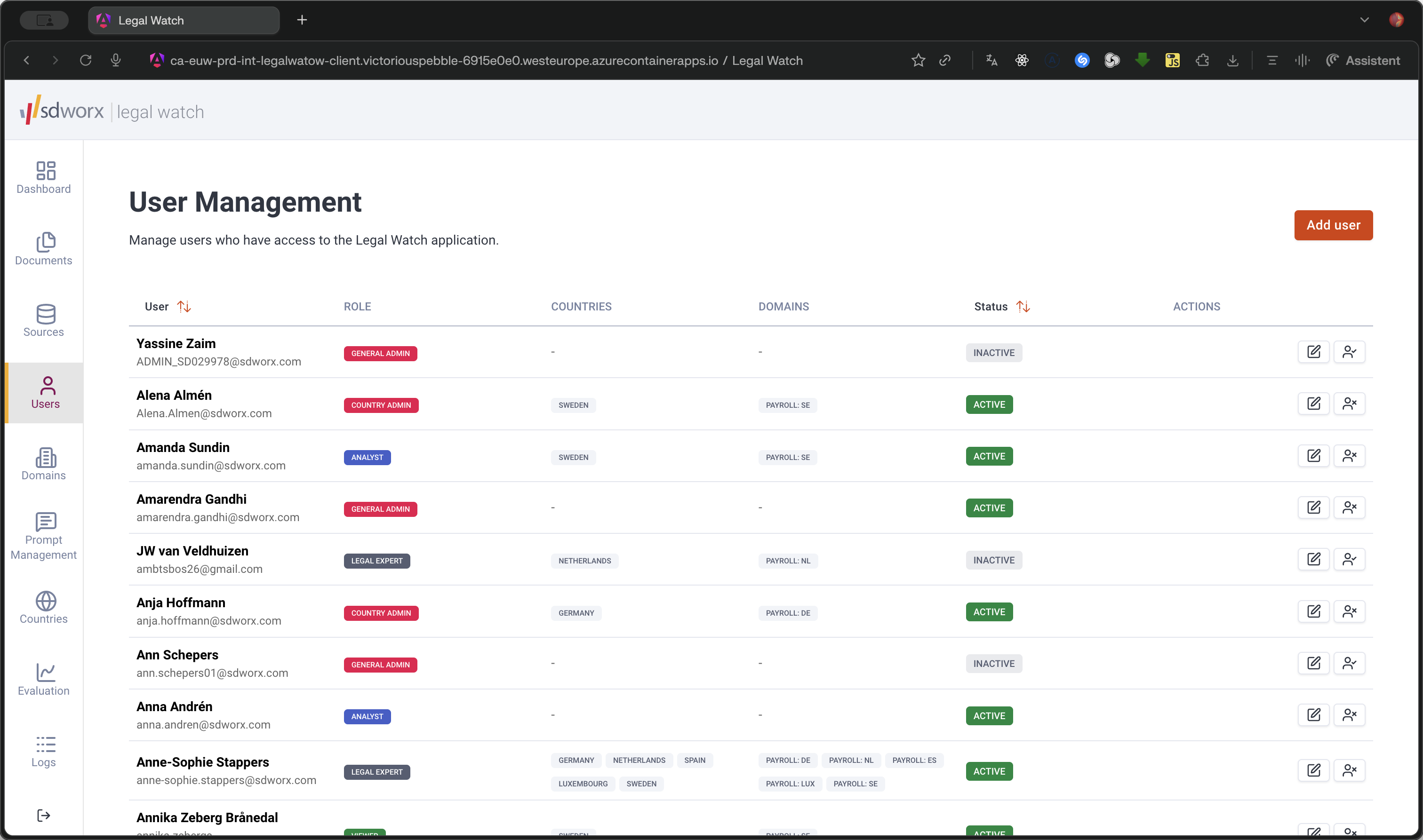
Navigate to the User Management interface.
2
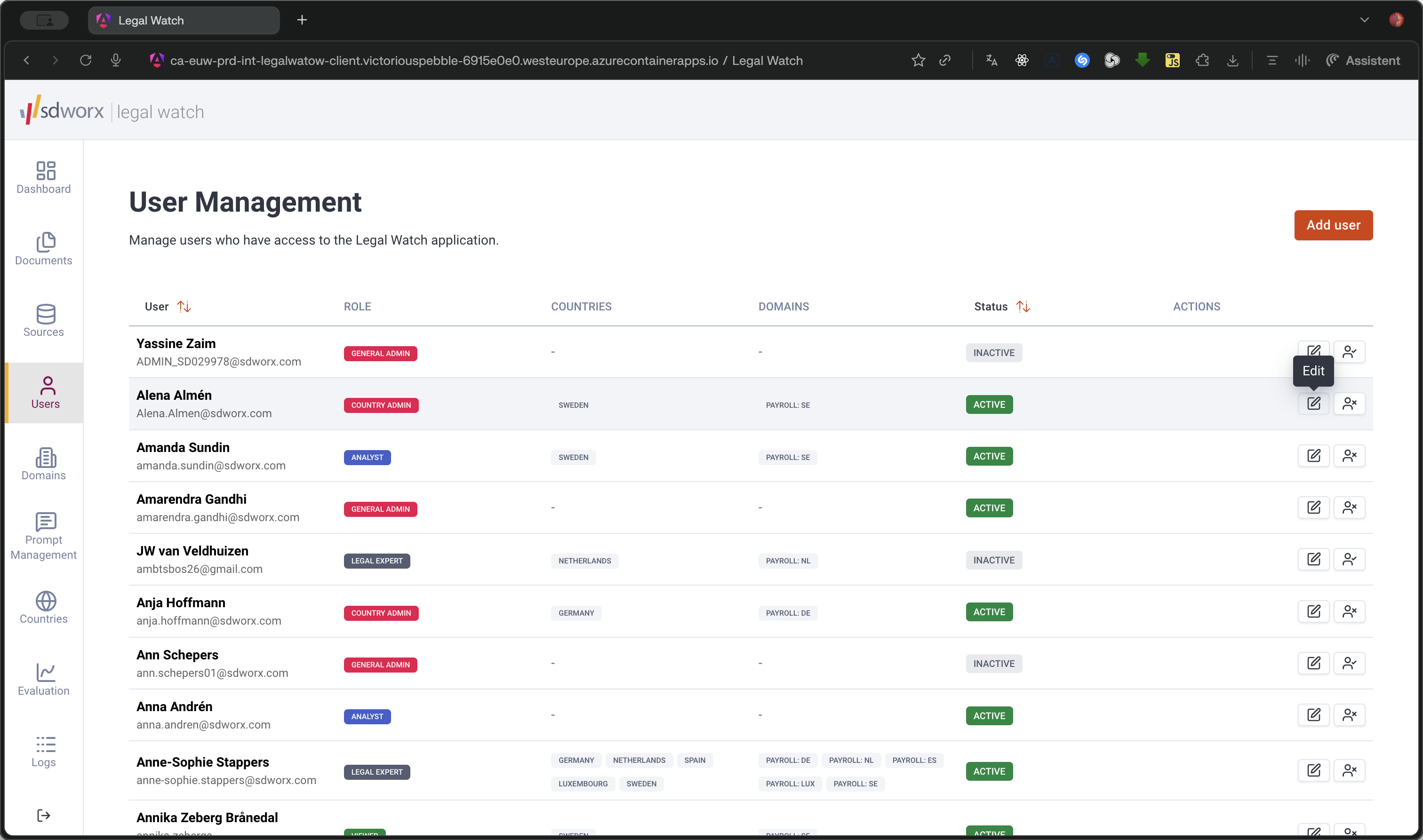
Click the Edit icon next to the user you want to modify.
Add a New User
3
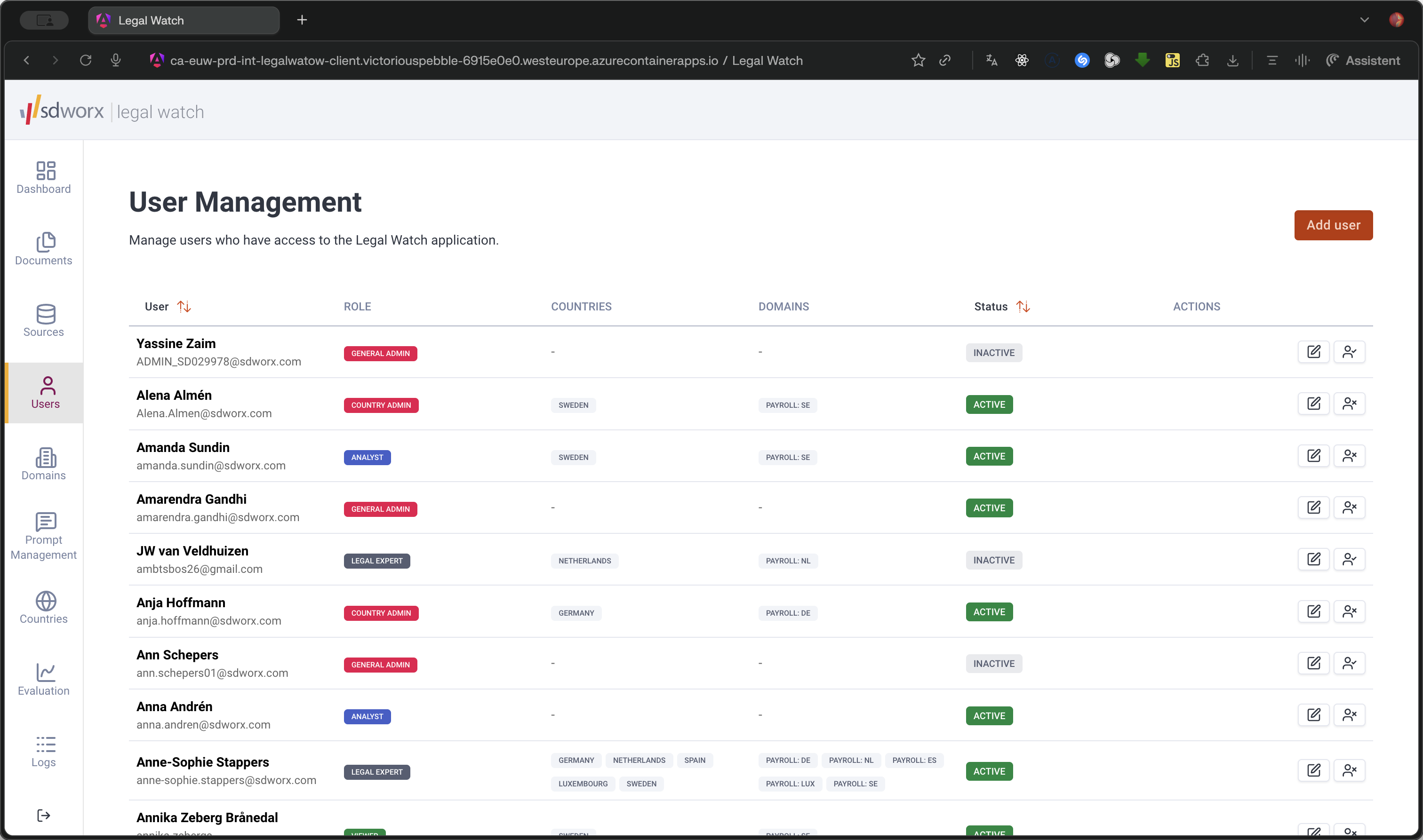
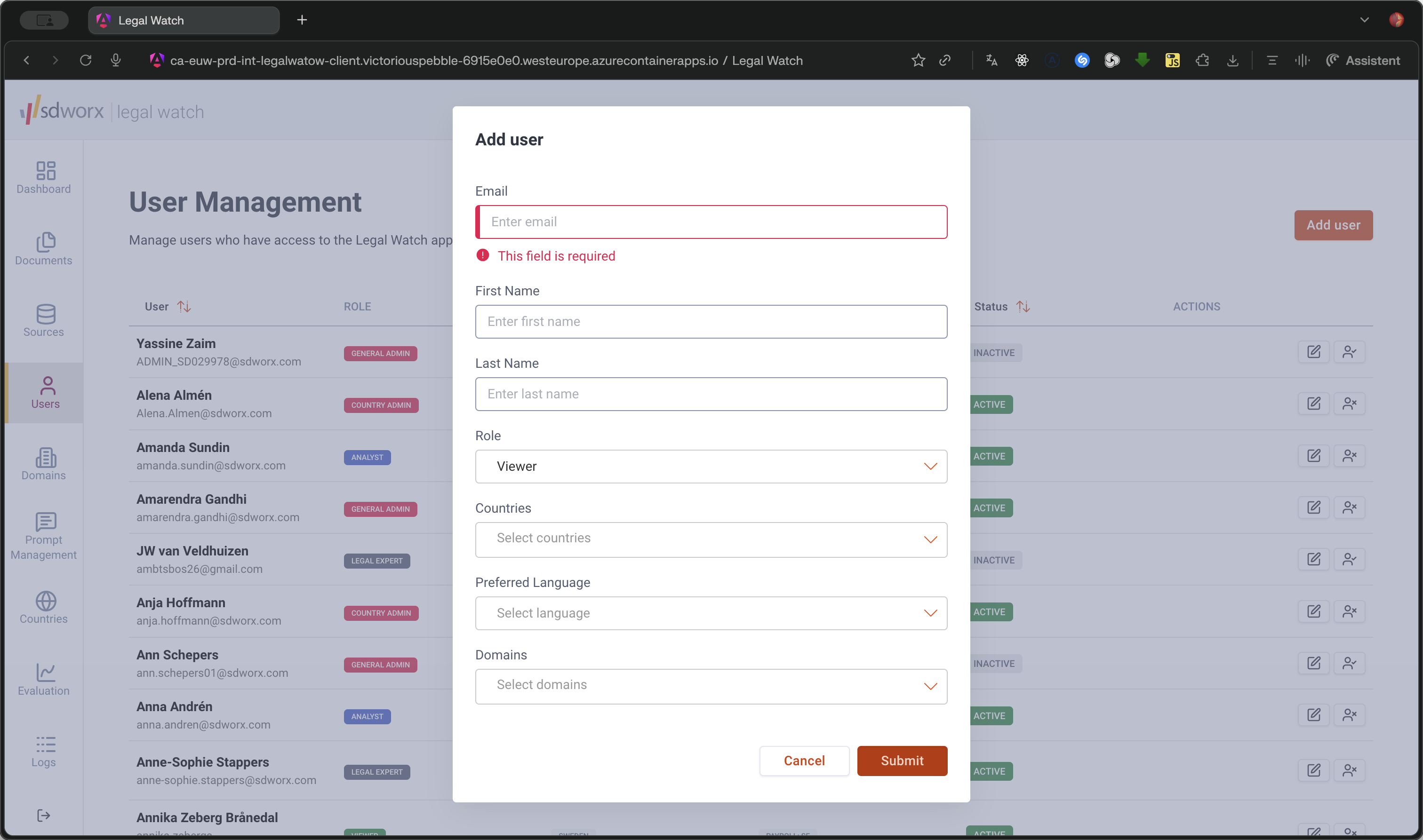
Click Add user in the top right corner.
4
Click on the Enter email field to begin providing the new user's details.
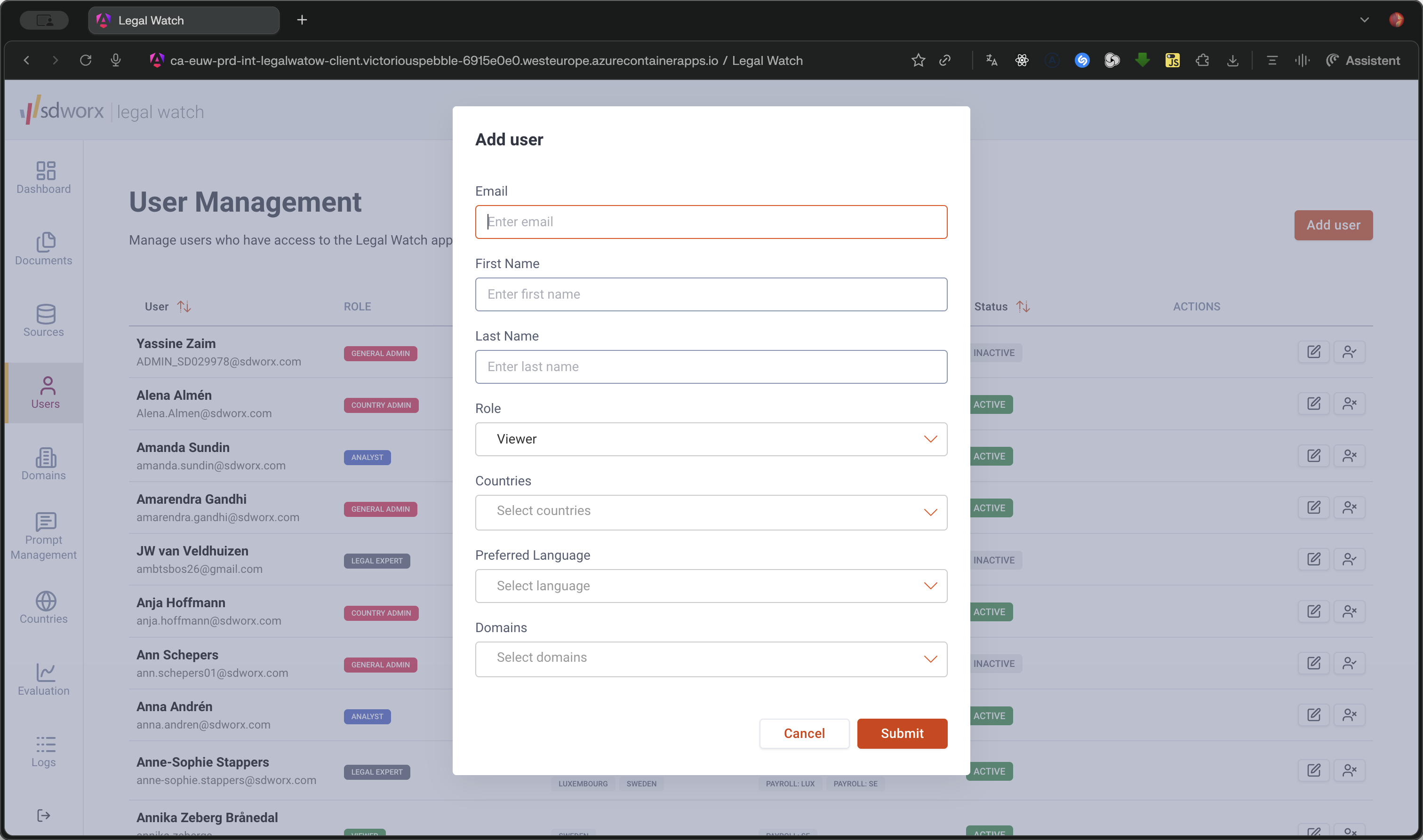
Field Status | Fields |
|---|---|
Required | Email, First Name, Last Name |
Optional | Role, Countries, Preferred Languages, Domains |
5
Once all information is entered, click Submit to save the user.
Q: Can I change an existing user's email address?
A: No, the email address serves as the unique identifier for a user and cannot be modified once the account is created.