
How to Map Spiral ASINs to Print Editions for Keepa
Learn how to review automated spiral-to-print ASIN matches, verify accuracy on Amazon, and extract a finalized list to evaluate sales rank in Keepa.
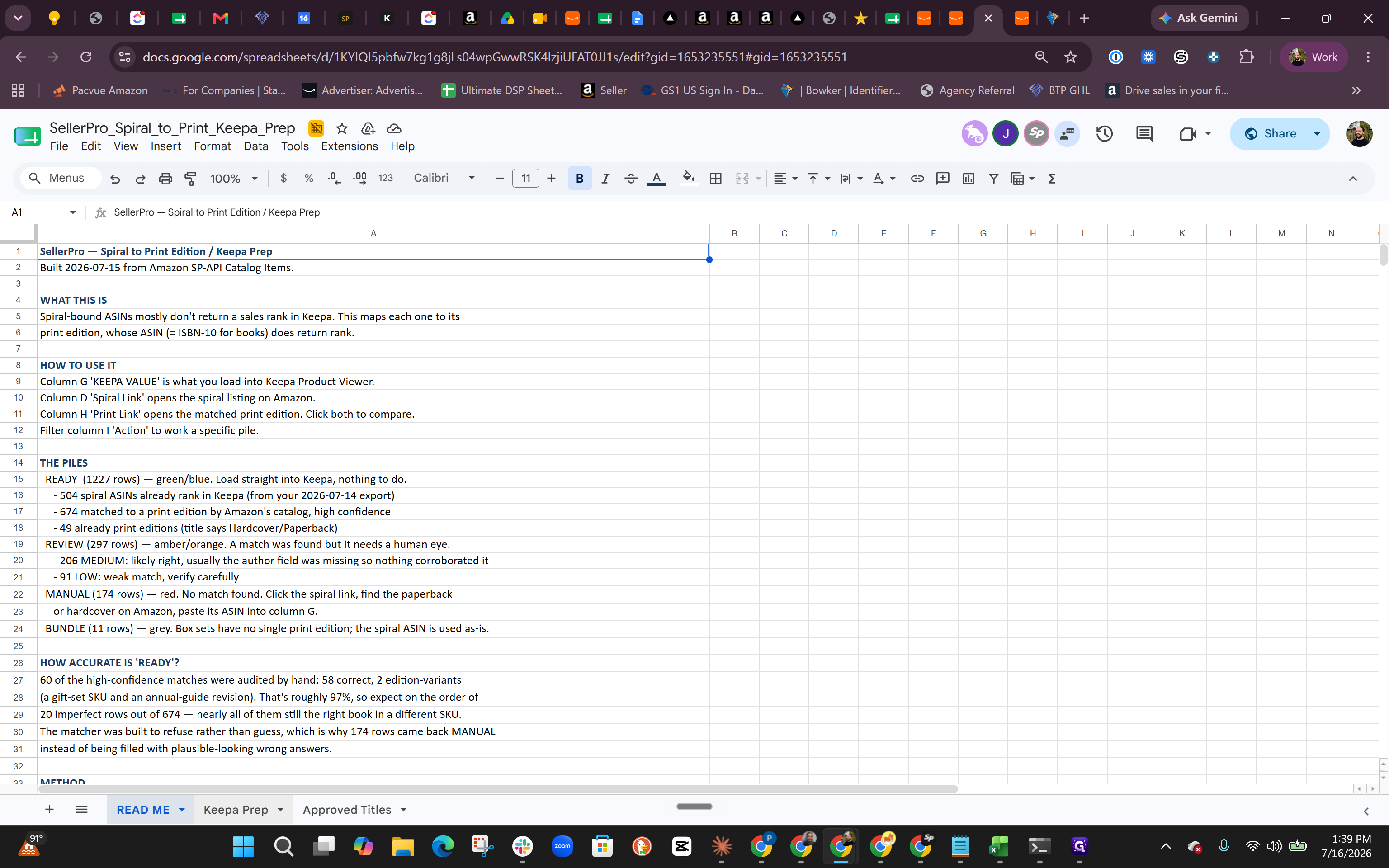
This guide demonstrates how to review and verify a spreadsheet of spiral-bound books matched to their print counterparts. By completing this, you will generate an accurate list of ASINs ready to be imported into Keepa for bulk sales rank sorting.
This workflow is intended for inventory management and e-commerce teams preparing large batches of book ASINs for Keepa analysis.
Access the Preparation Sheet
Review Action Items
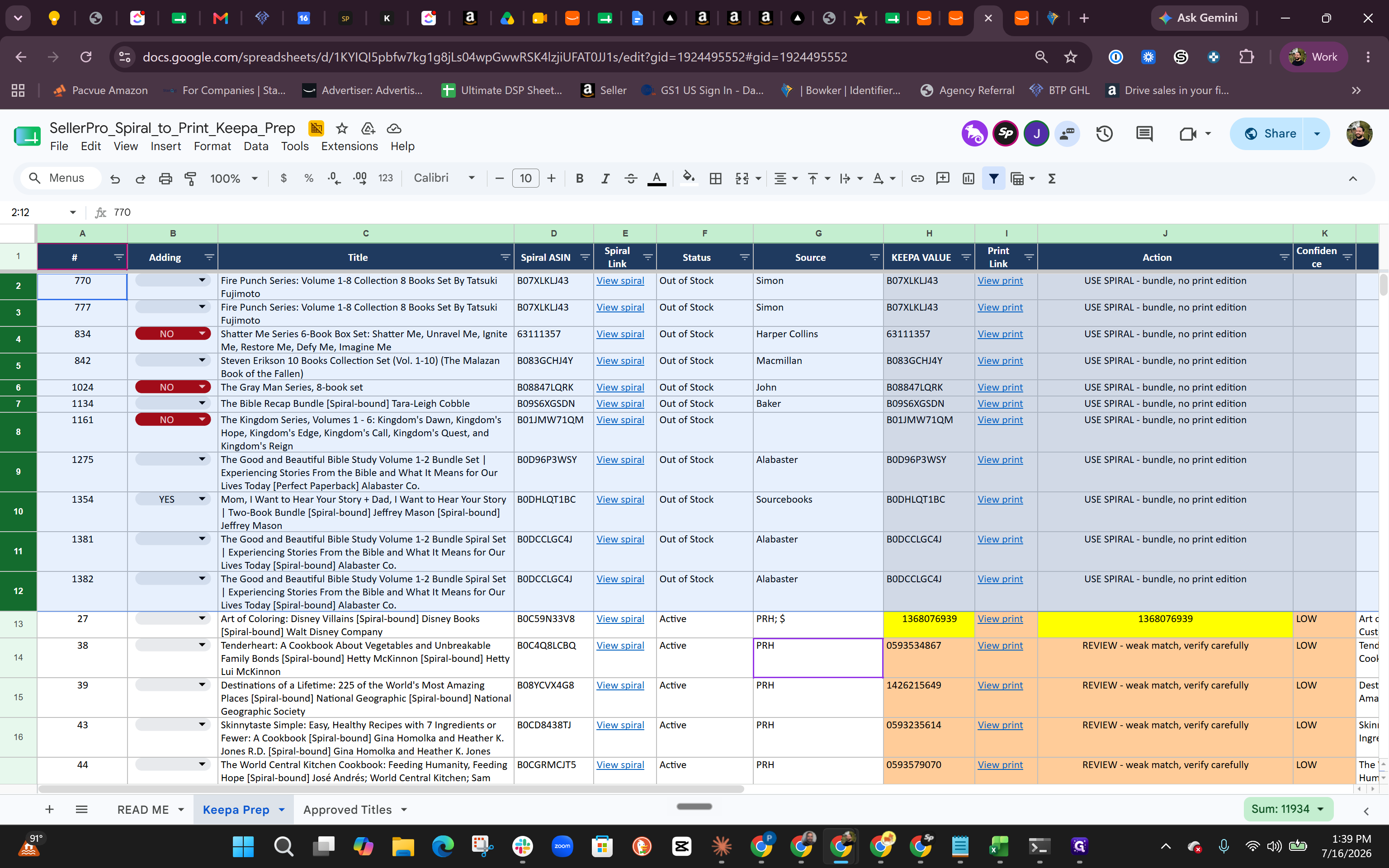
Much of the inventory list was matched using an automated script. However, some ASINs require manual review. Review the Action column carefully to determine next steps for specific rows.
Action Status | Meaning | Recommended Workflow |
|---|---|---|
USE SPIRAL - bundle | Leftover bundle items with no available print edition. | You can safely ignore or completely remove these rows from your list. |
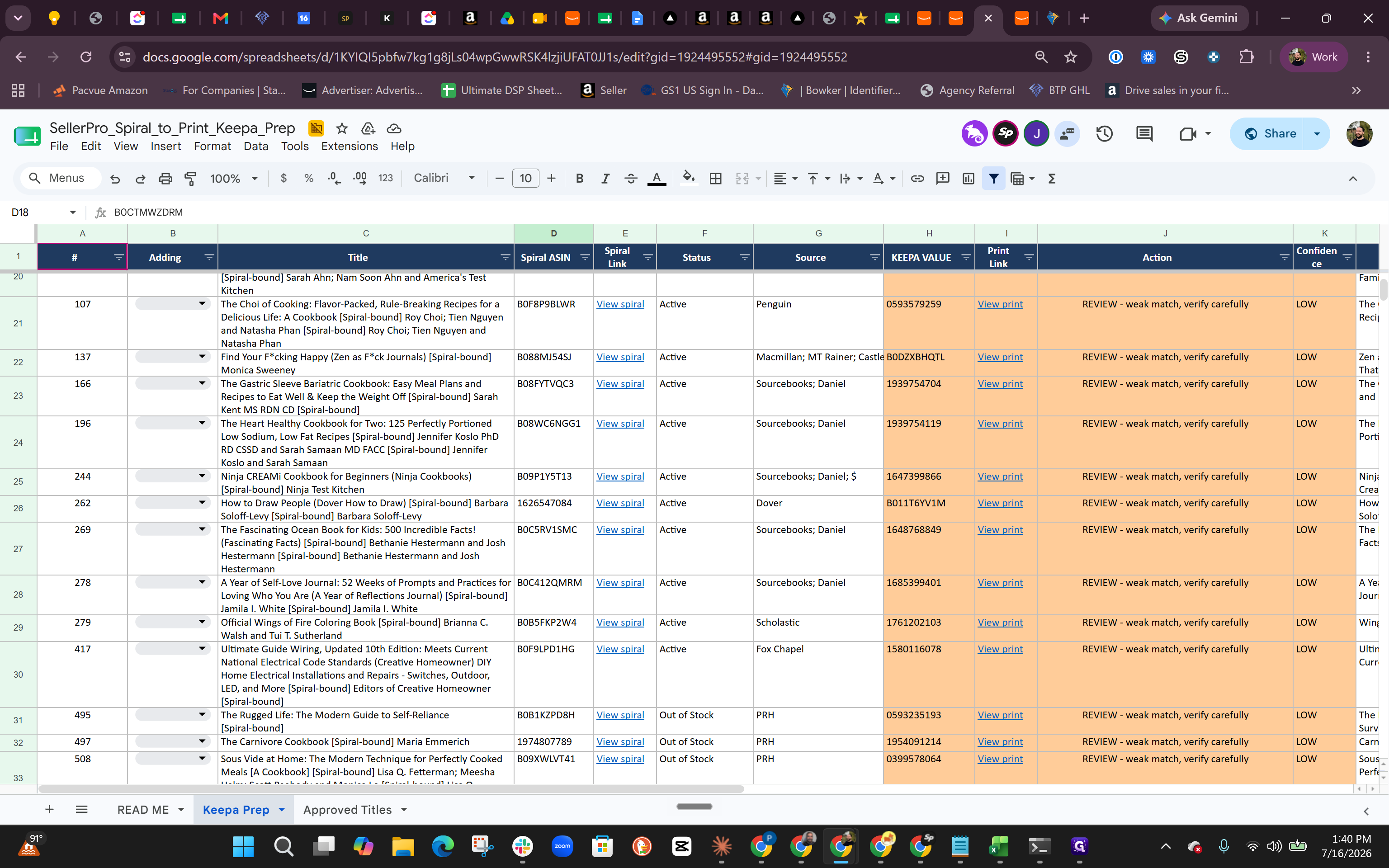
Review - weak match | The script attempted a match, but confidence is low. | Verify carefully by checking the provided print preview link. |
Manual Entry | The script failed to pull any corresponding rank or print data due to backend limits. | Manually search and input the correct matching ASIN. |
Verify ASIN Matches on Amazon
To ensure the print edition perfectly matches the original spiral-bound book, utilize the generated links.
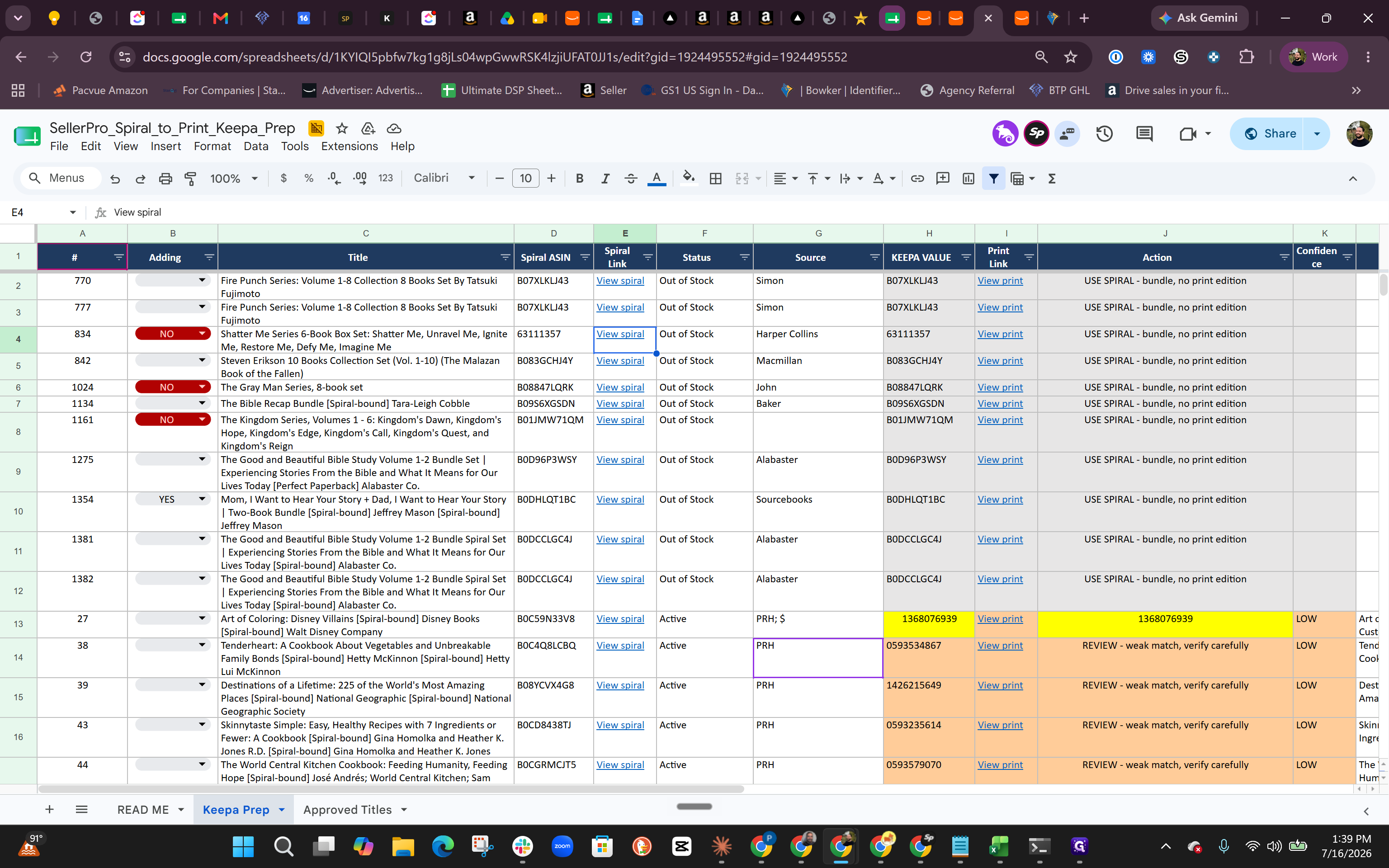
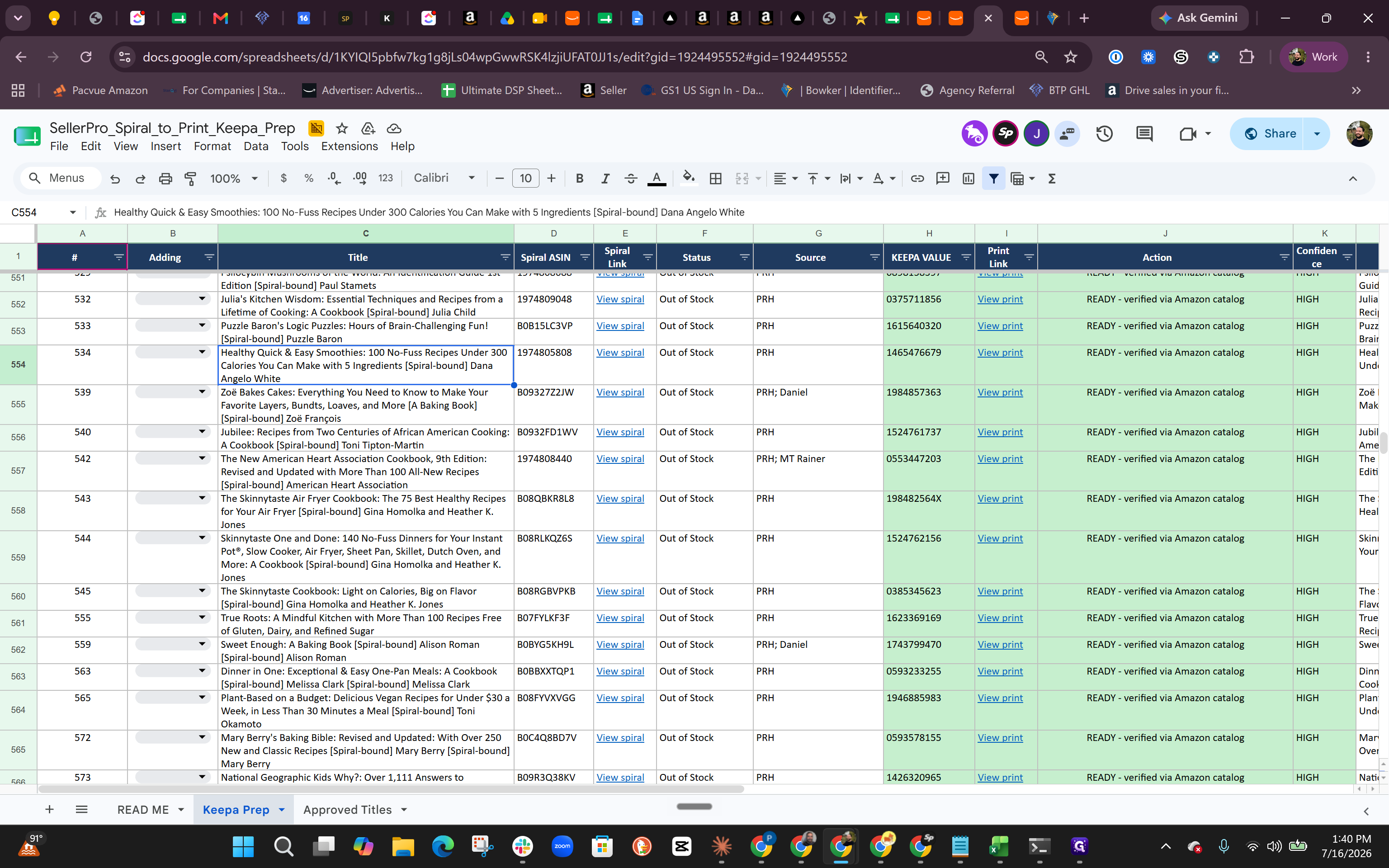
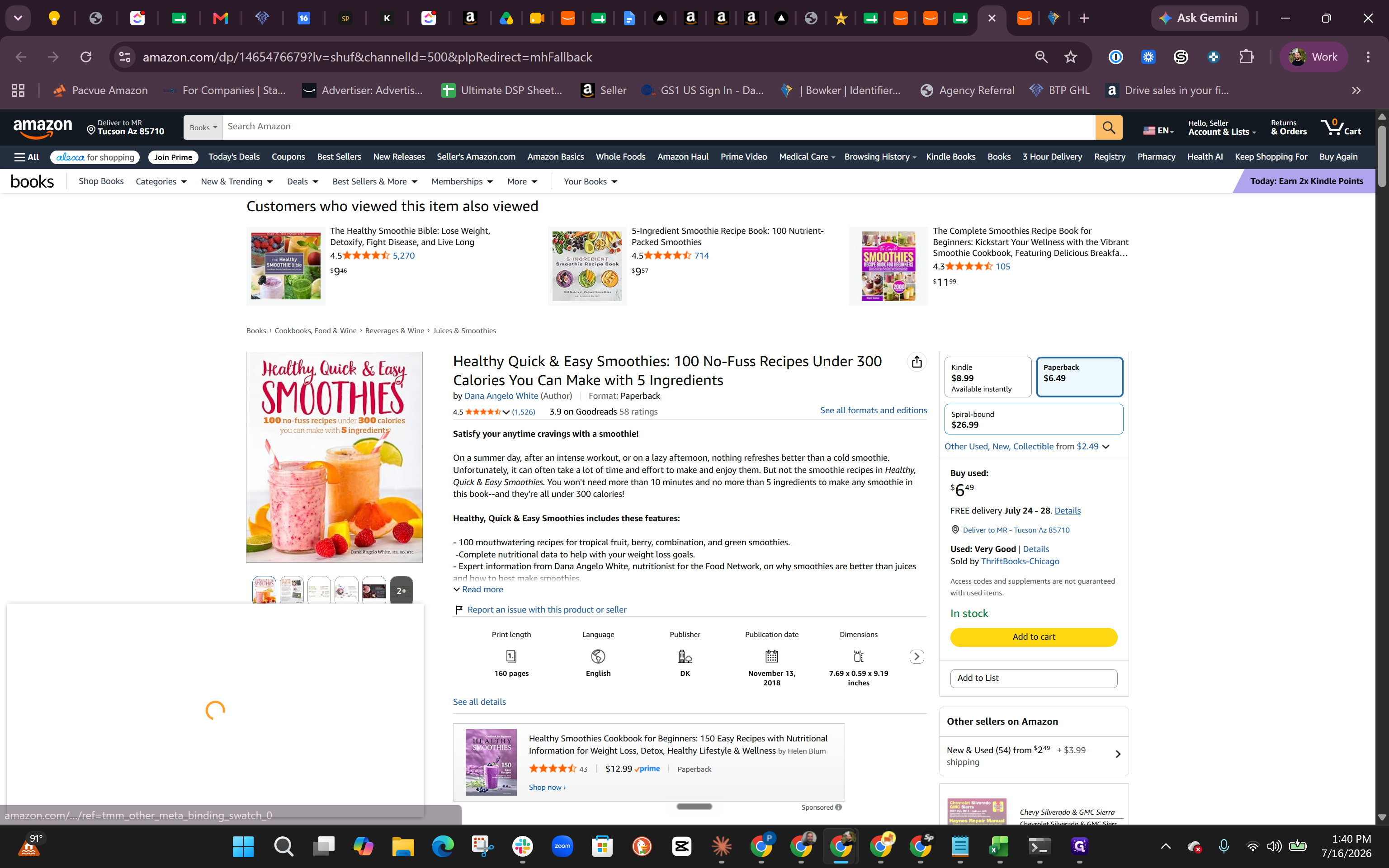
Gather Final Keepa Values
Once the sheet is vetted and updated, you can pull the final list of Keepa ASINs to process in bulk.
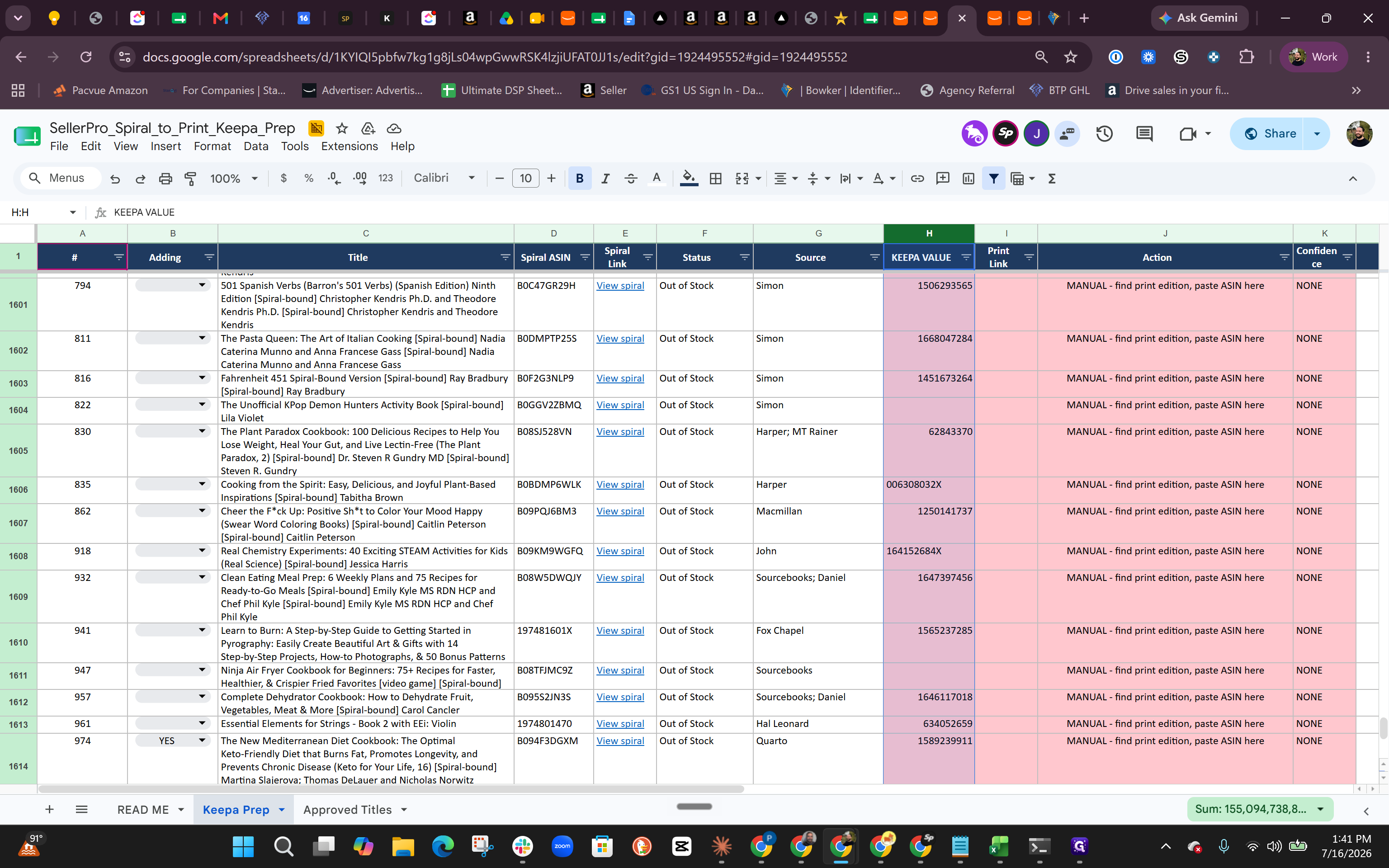
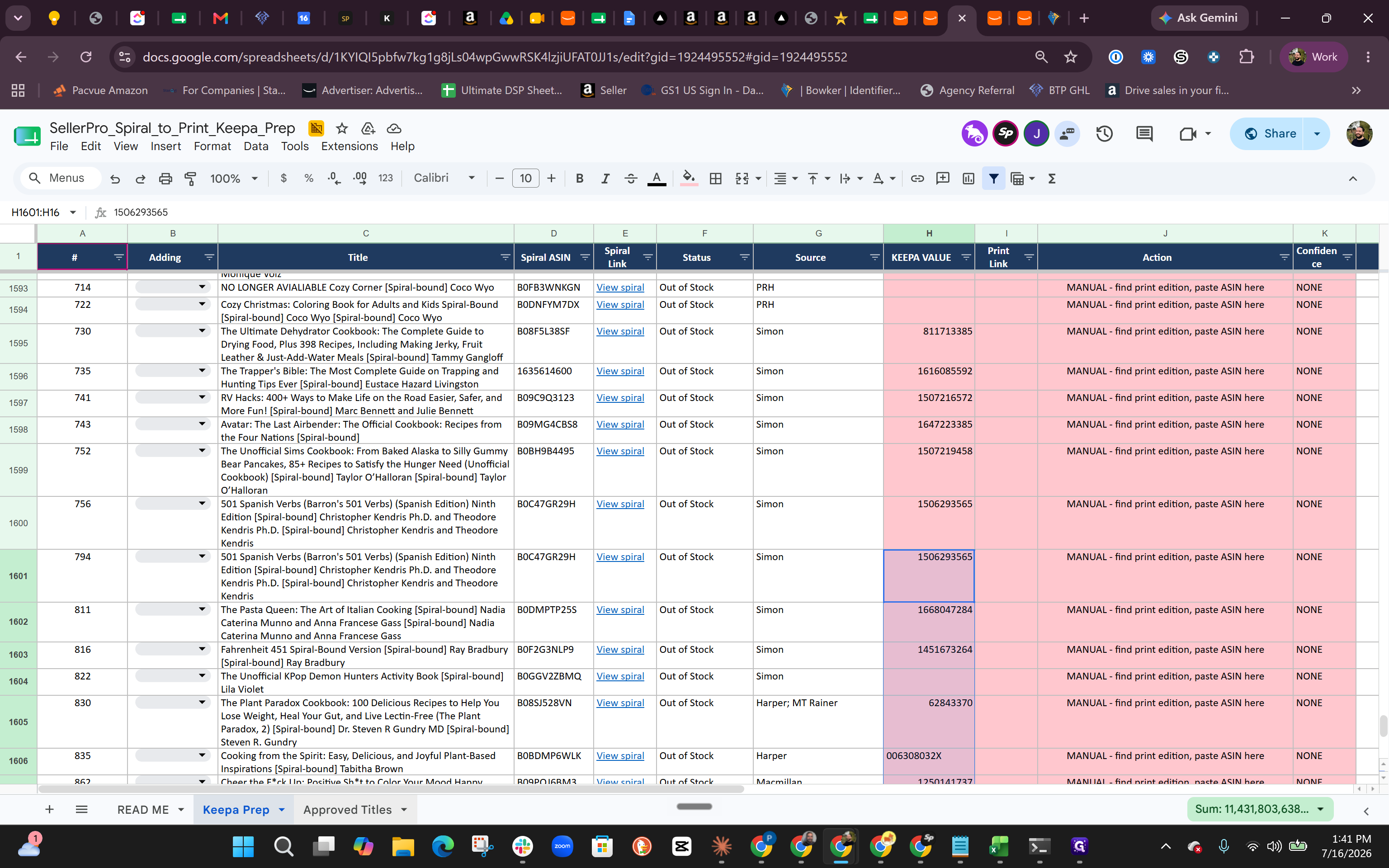
Q: Why do some items require manual entry instead of automatically matching?
A: A script successfully automated most of the matches between spiral and print ASINs, but certain backend restrictions prevented data retrieval for a small portion of the books, requiring manual verification.
Q: What should I do with "leftover bundle" items?
A: Items flagged as bundles or lacking a print edition can typically be ignored or deleted entirely from the Keepa prep list, depending on your specific inventory tracking needs.
Term | Definition |
|---|---|
ASIN | Amazon Standard Identification Number; a unique block of 10 letters and/or numbers that identifies items on Amazon. |
Keepa | A browser extension and data tool used by Amazon sellers to track price history, sales rank, and product performance over time. |
Sales Rank | A metric indicating how well a specific product is currently selling relative to other items in its overarching category. |