
How to Mark Schedule Availability for New Clients
Learn how to streamline the new client booking process by explicitly marking open availability on your schedule in advance.
By Jason Duong
To streamline the new client booking process and eliminate phone tag, we are updating how practitioners mark their availability. By explicitly indicating when you are open to new clients a week or two in advance, the admin team can instantly book new clients during their initial phone consultation and route them efficiently based on your location.
Follow these steps to mark your open availability in your scheduling software.
Marking Availability
1
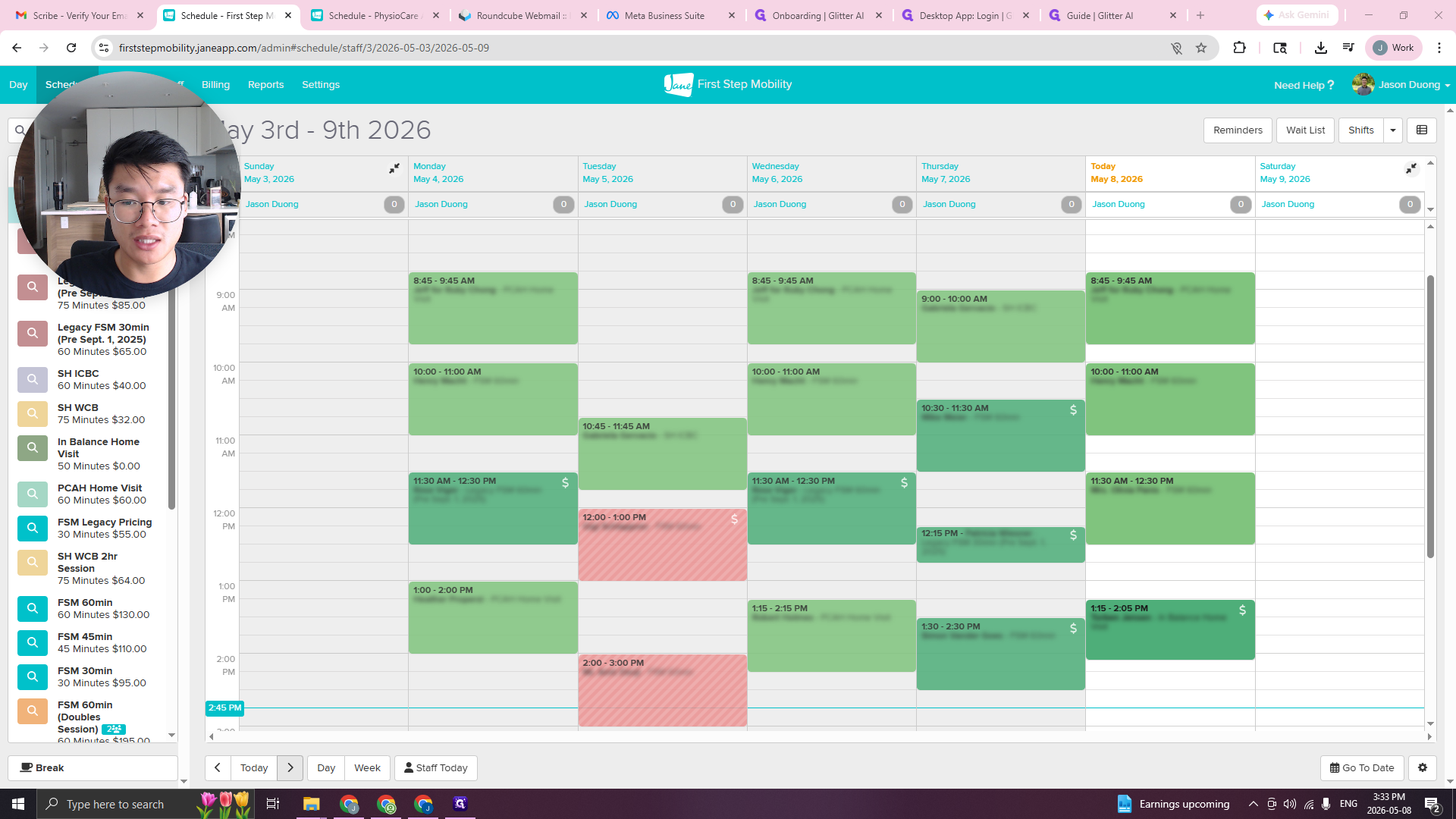
Navigate to your schedule for the upcoming weeks.
2
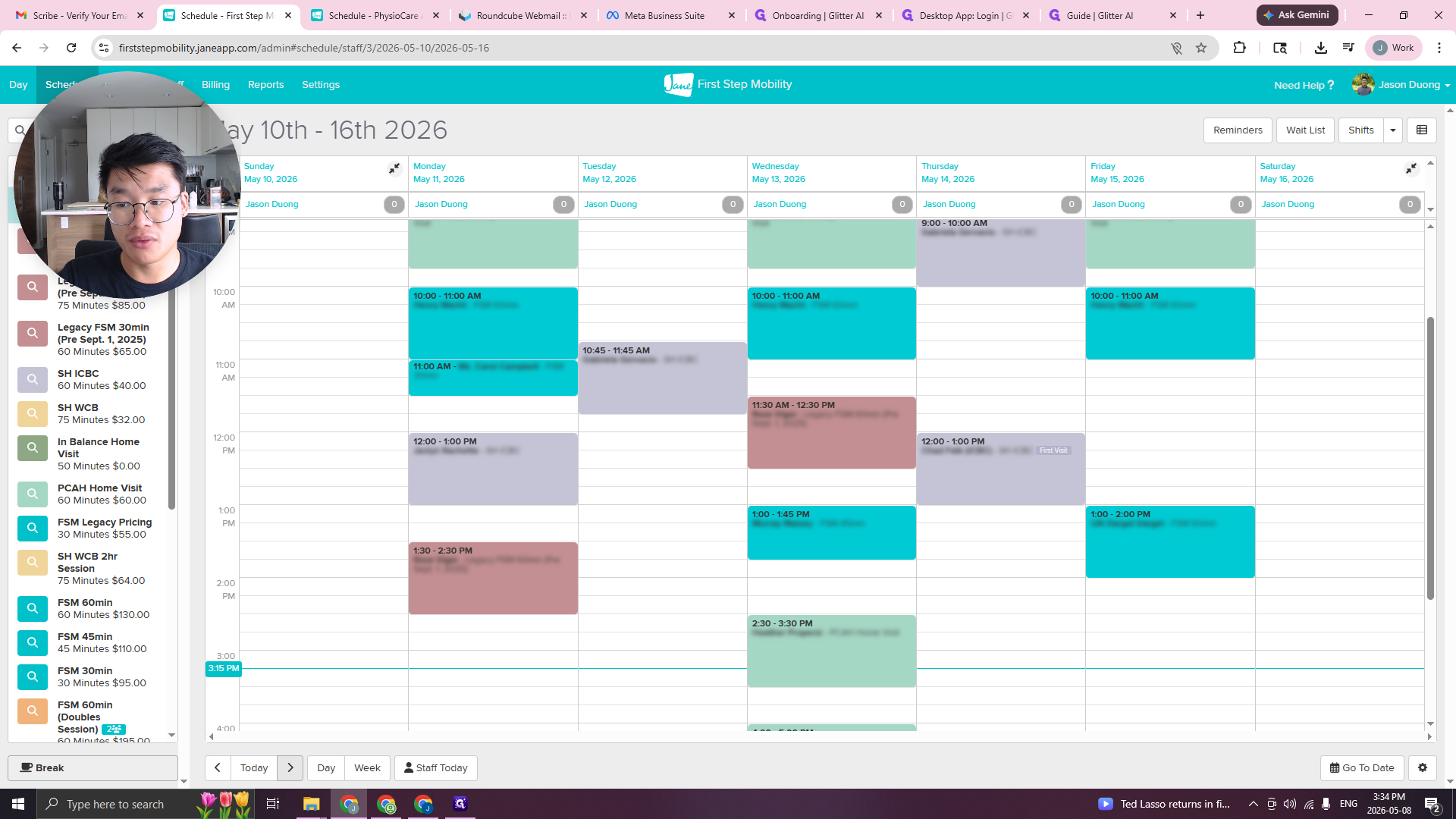
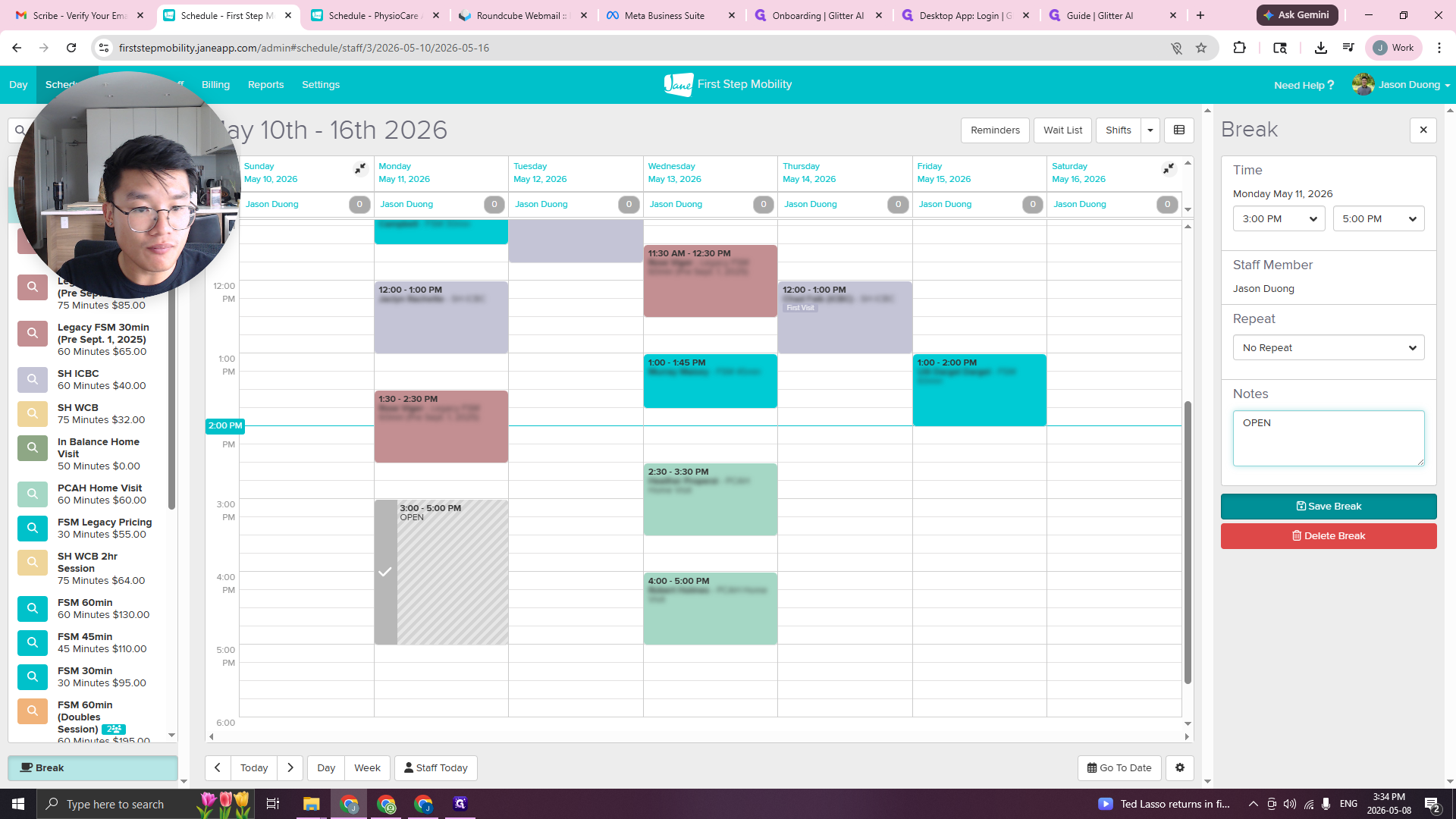
Select an open time slot on your schedule where you are willing to accept new clients.
3
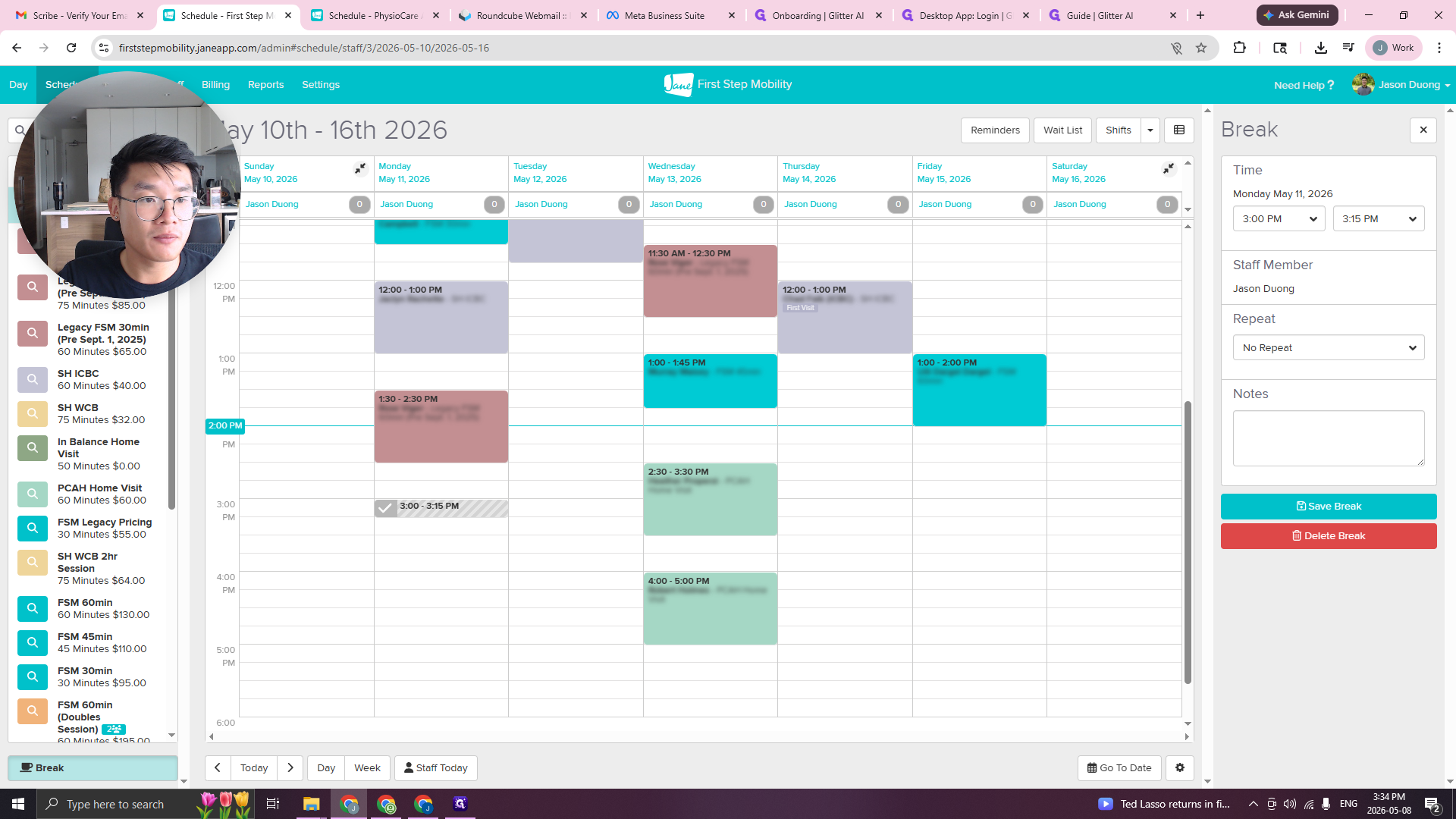
Set up the block as a Break to open the configuration panel.
4
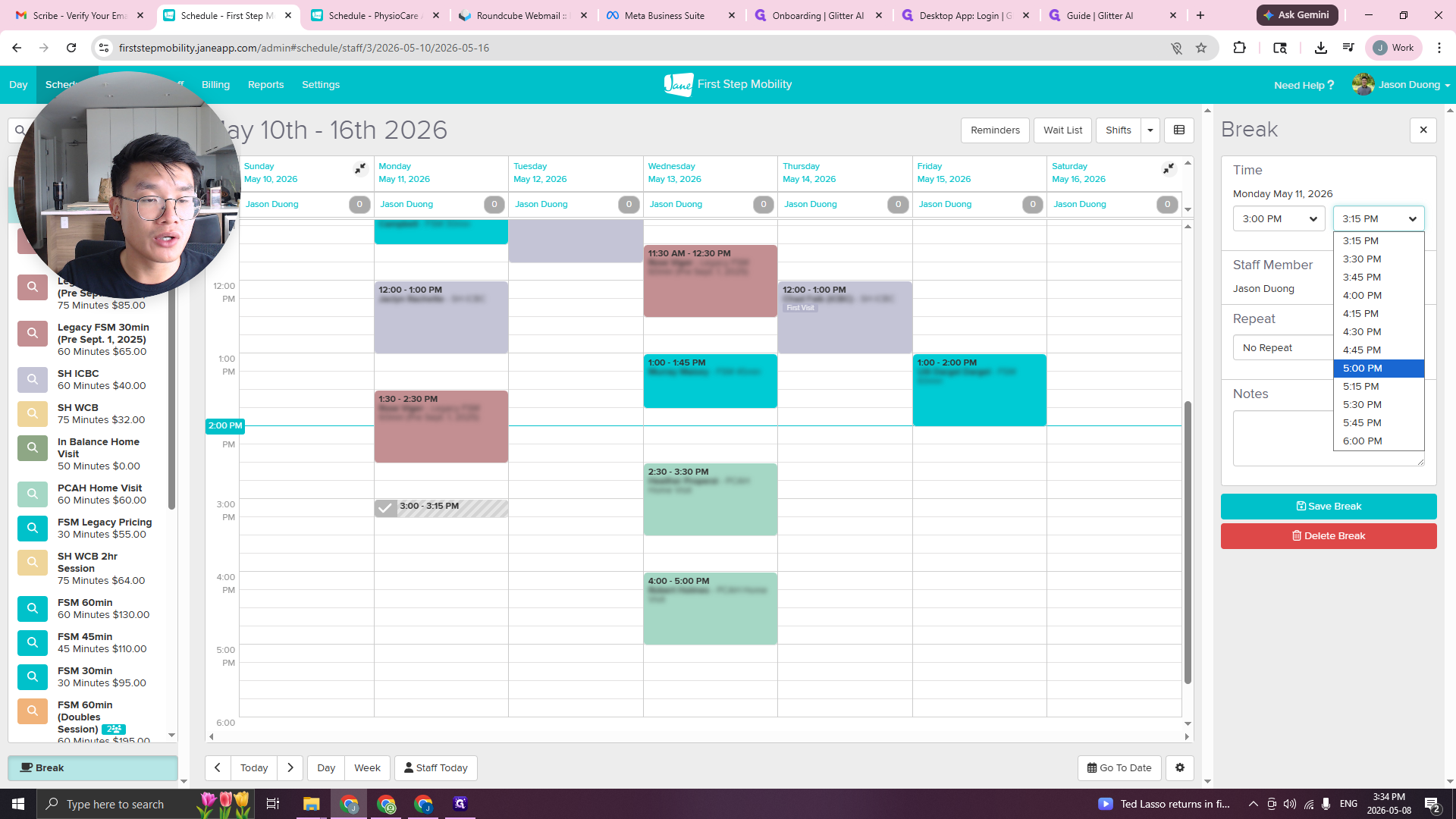
Adjust the start and end times to reflect your full window of availability.
5
Type OPEN in the notes or label field.
6
Click Save Break to confirm.
How This Process Helps
When a new client calls, the admin team will:
Check your schedule for OPEN blocks.
Review the location of your previous appointment.
Calculate the drive time to the new client's location.
Book the new client directly into your schedule if the travel time is reasonable (e.g., a 5-10 minute drive).