
How to Monitor Multi-Marketplace Amazon Inventory
Learn how to track Amazon inventory across global marketplaces, pull Seller Central data, and update weekly inventory spreadsheets.
Learn how to extract inventory data from Amazon Seller Central across multiple global marketplaces and populate weekly tracking spreadsheets to calculate stock velocity, days of supply, and replenishment requirements.
This guide applies to e-commerce operations managers and Amazon inventory specialists who perform regular weekly stock reviews and replenishment planning.
Spreadsheet Structure Overview
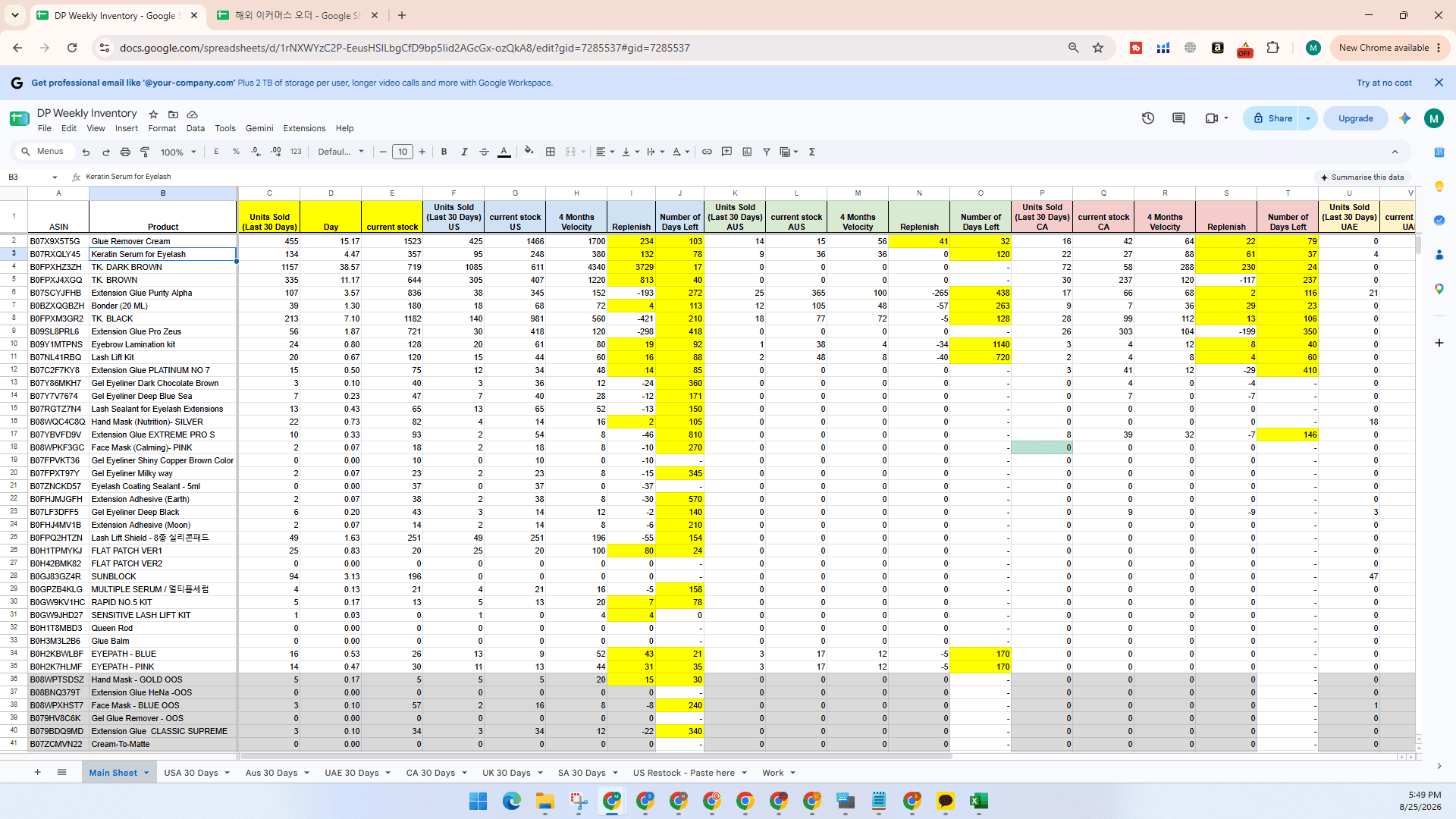
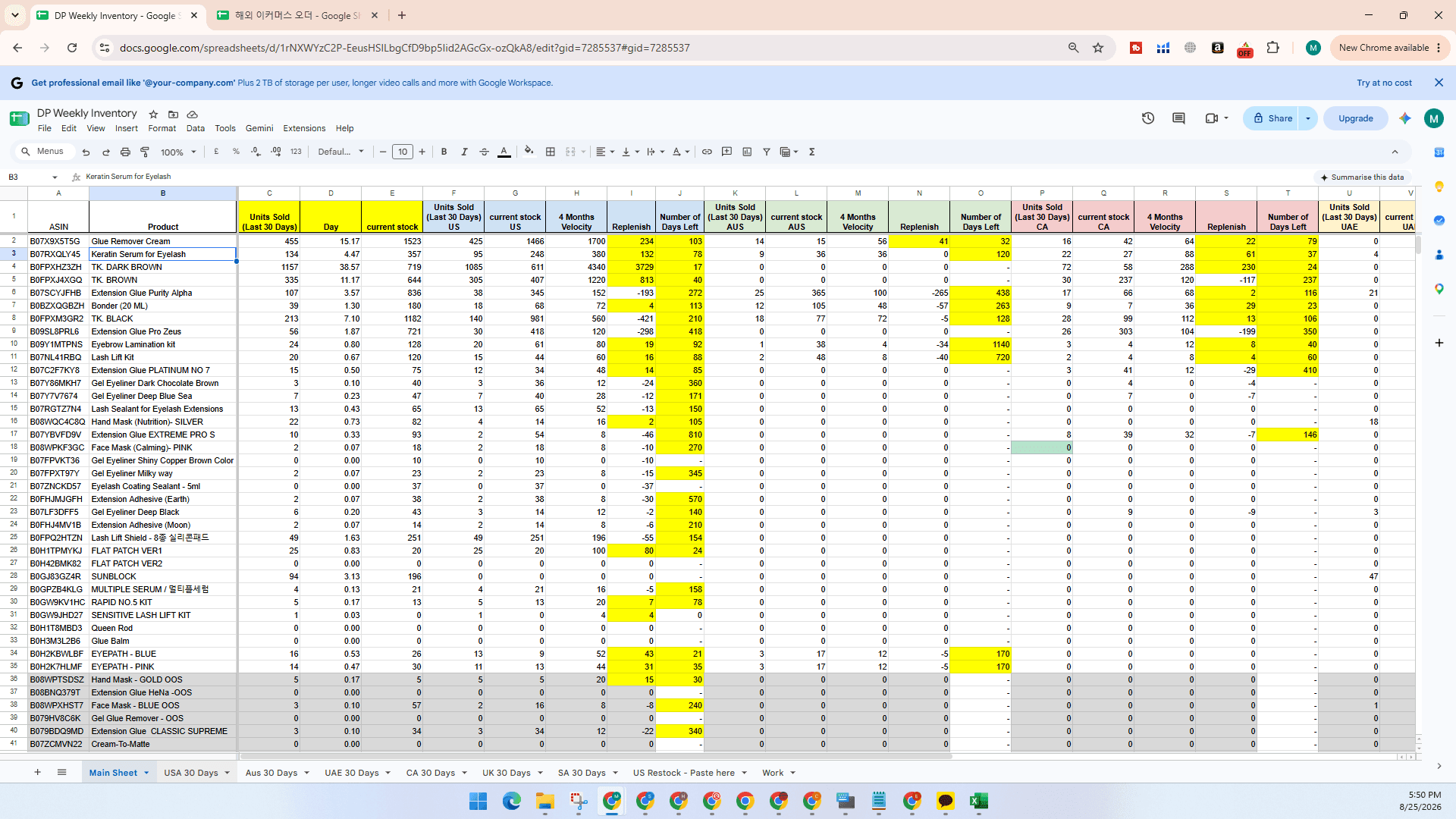
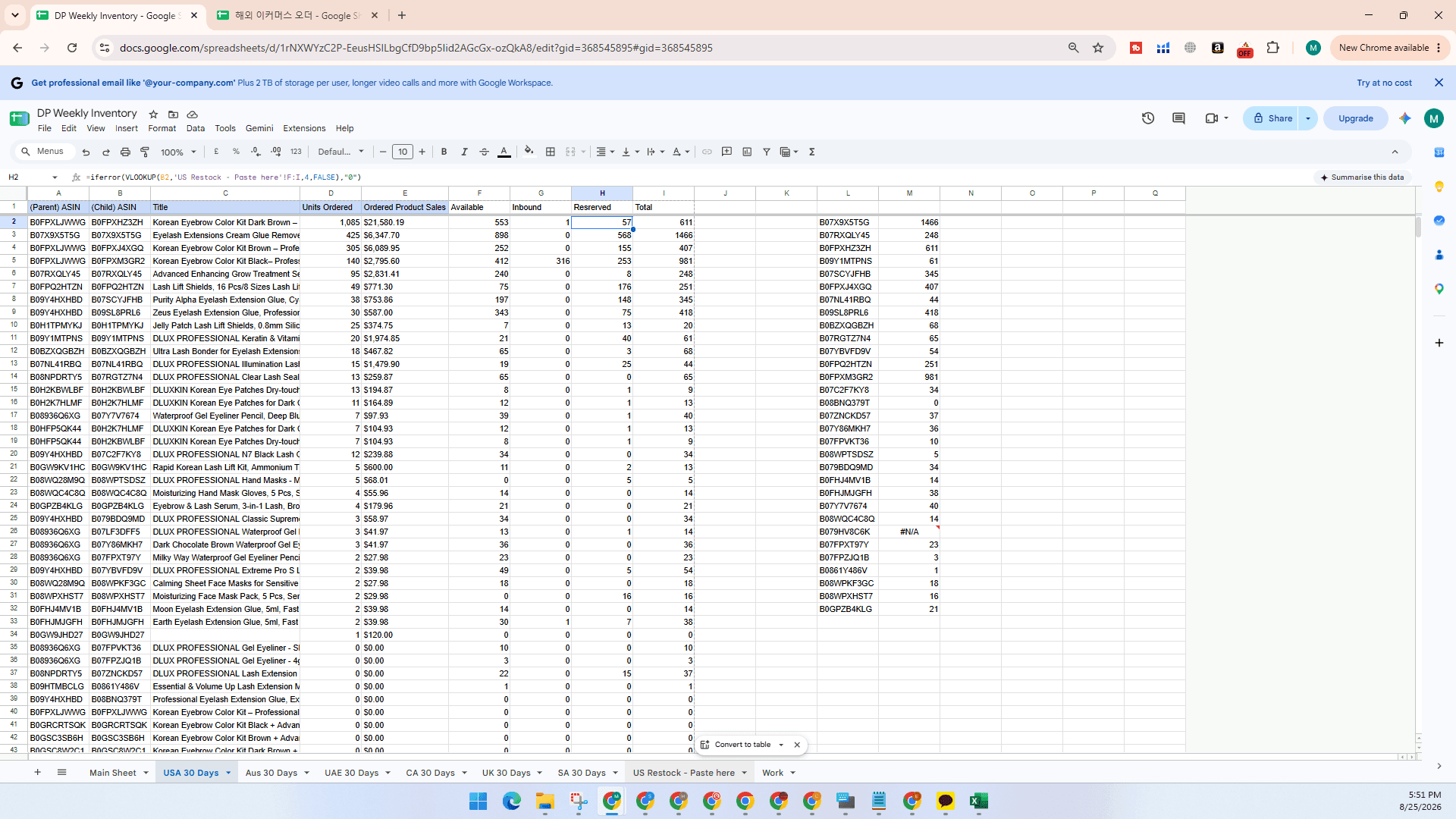
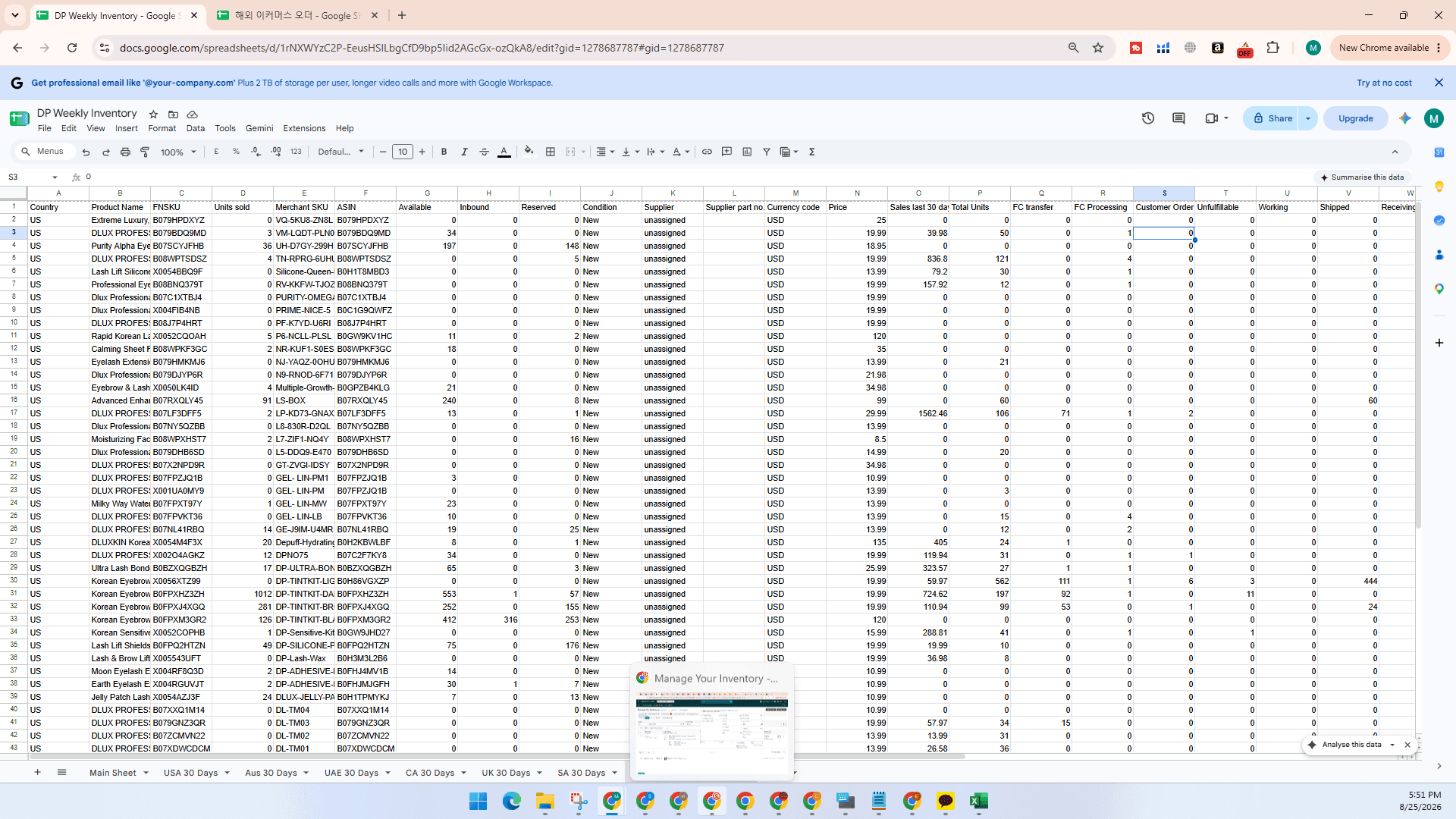
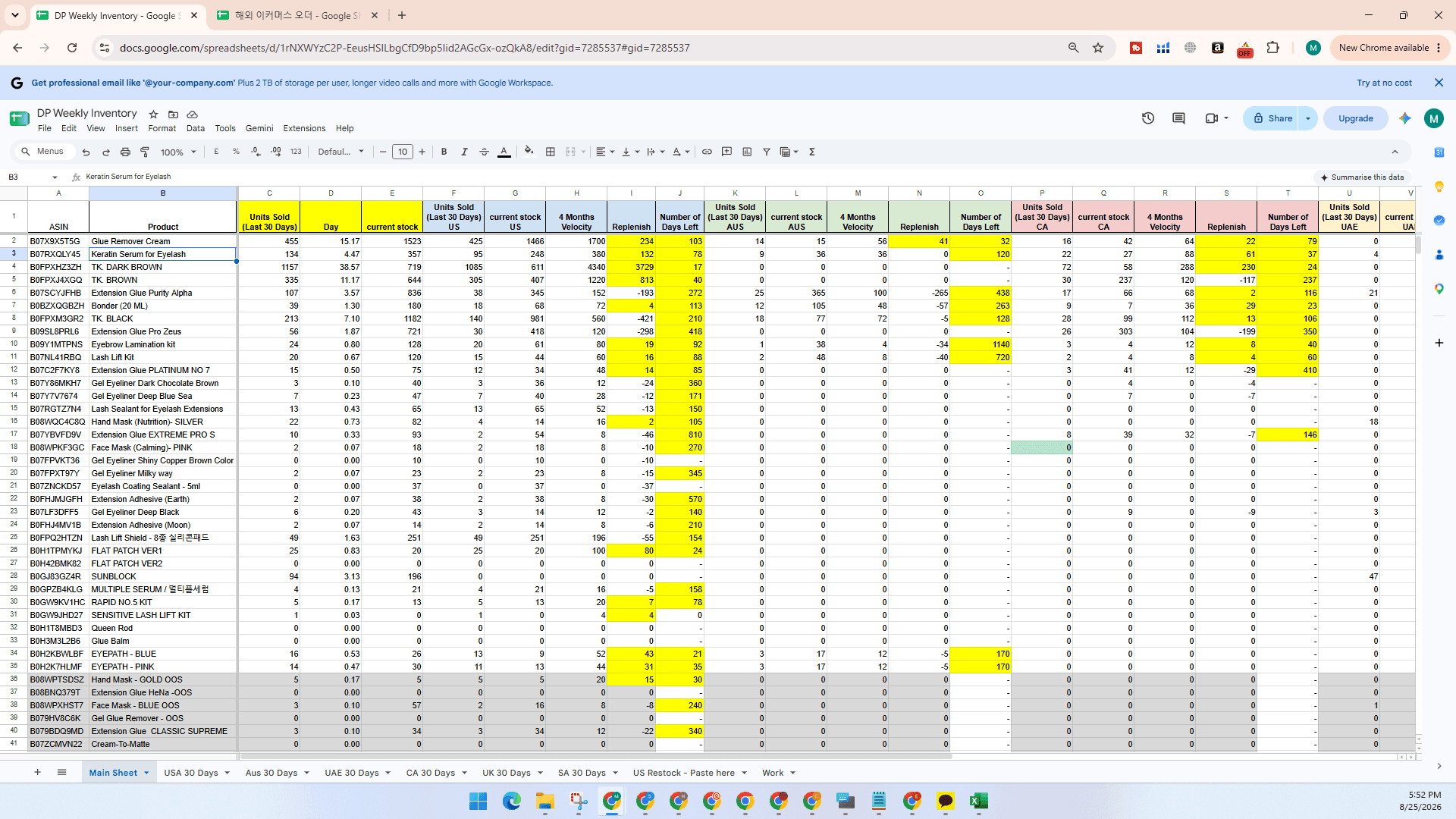
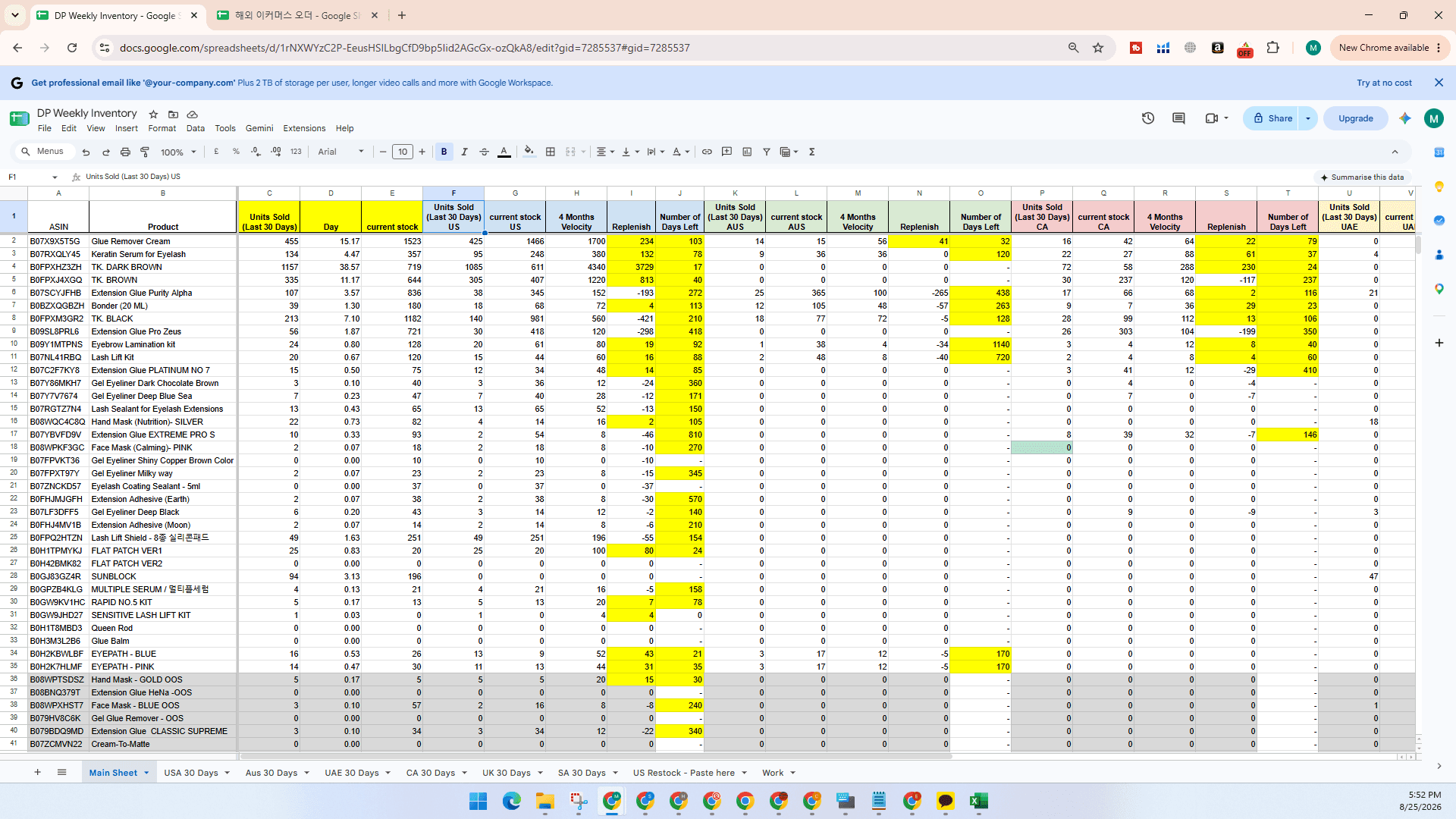
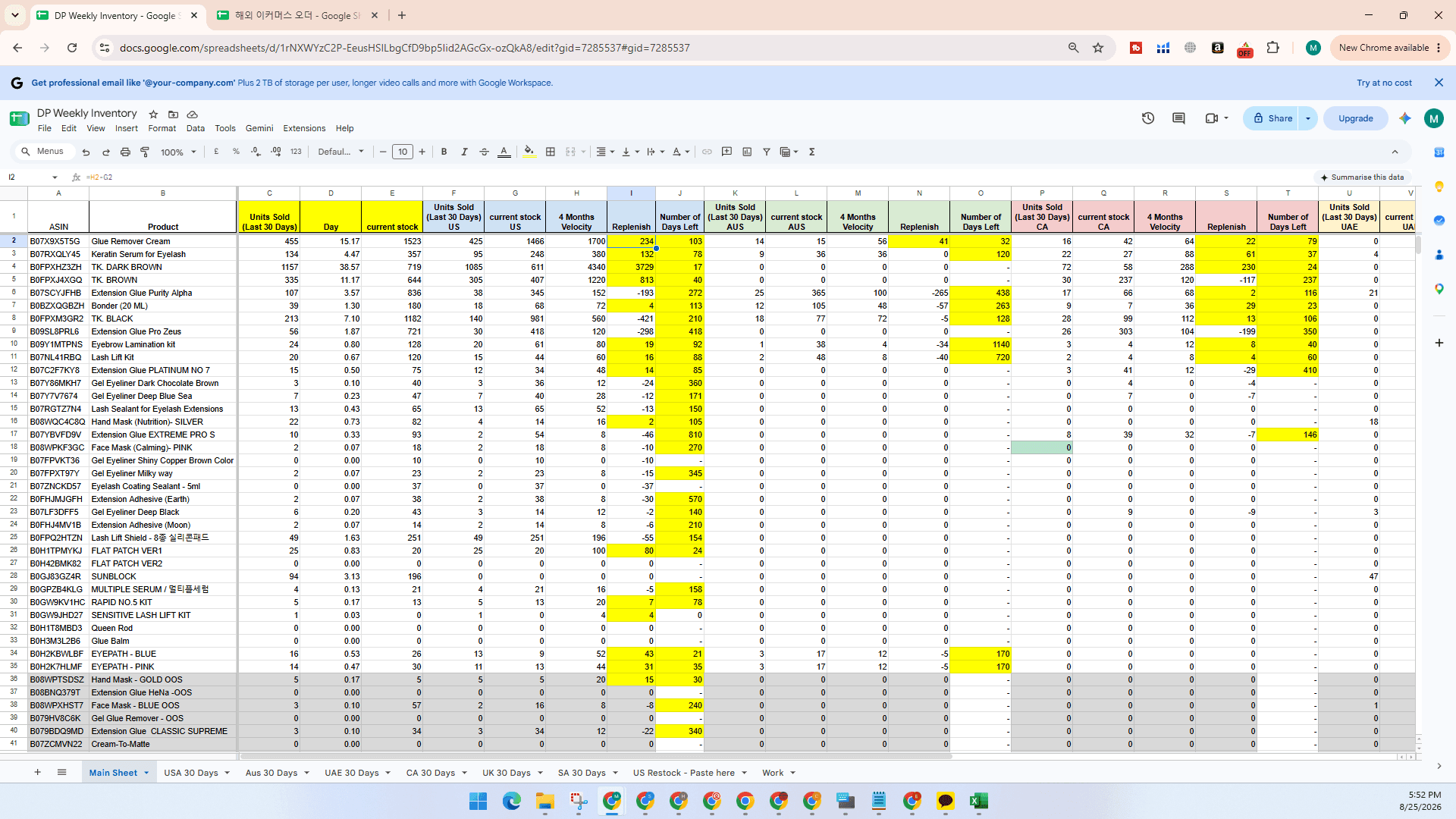
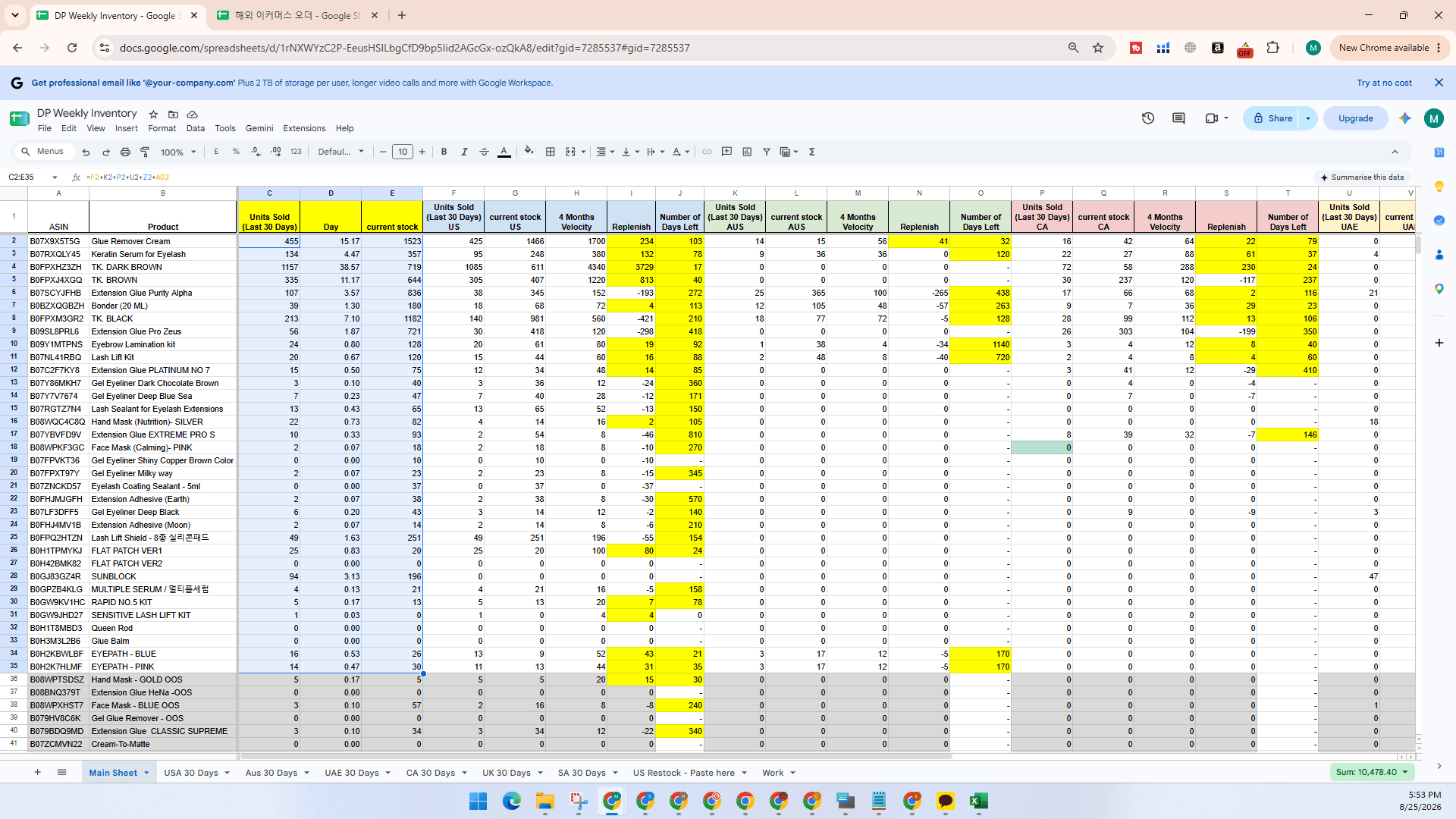
The multi-marketplace tracking workbook contains individual tabs for each country (such as USA, Australia, UAE, Canada, UK, and Saudi Arabia) and an automated Main Sheet that aggregates key replenishment metrics.
Method 1: Gathering Marketplace Data via Manage All Inventory
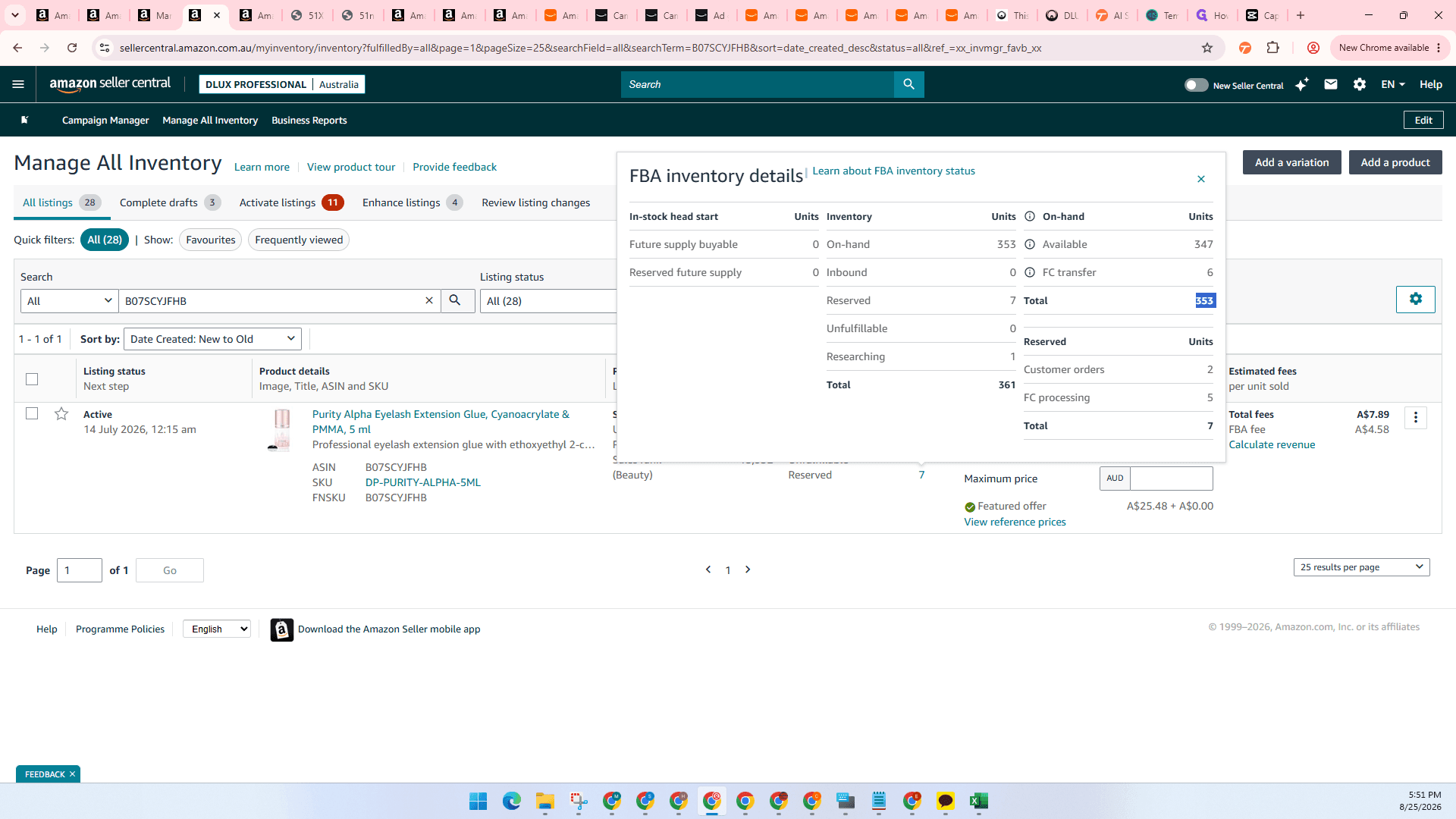
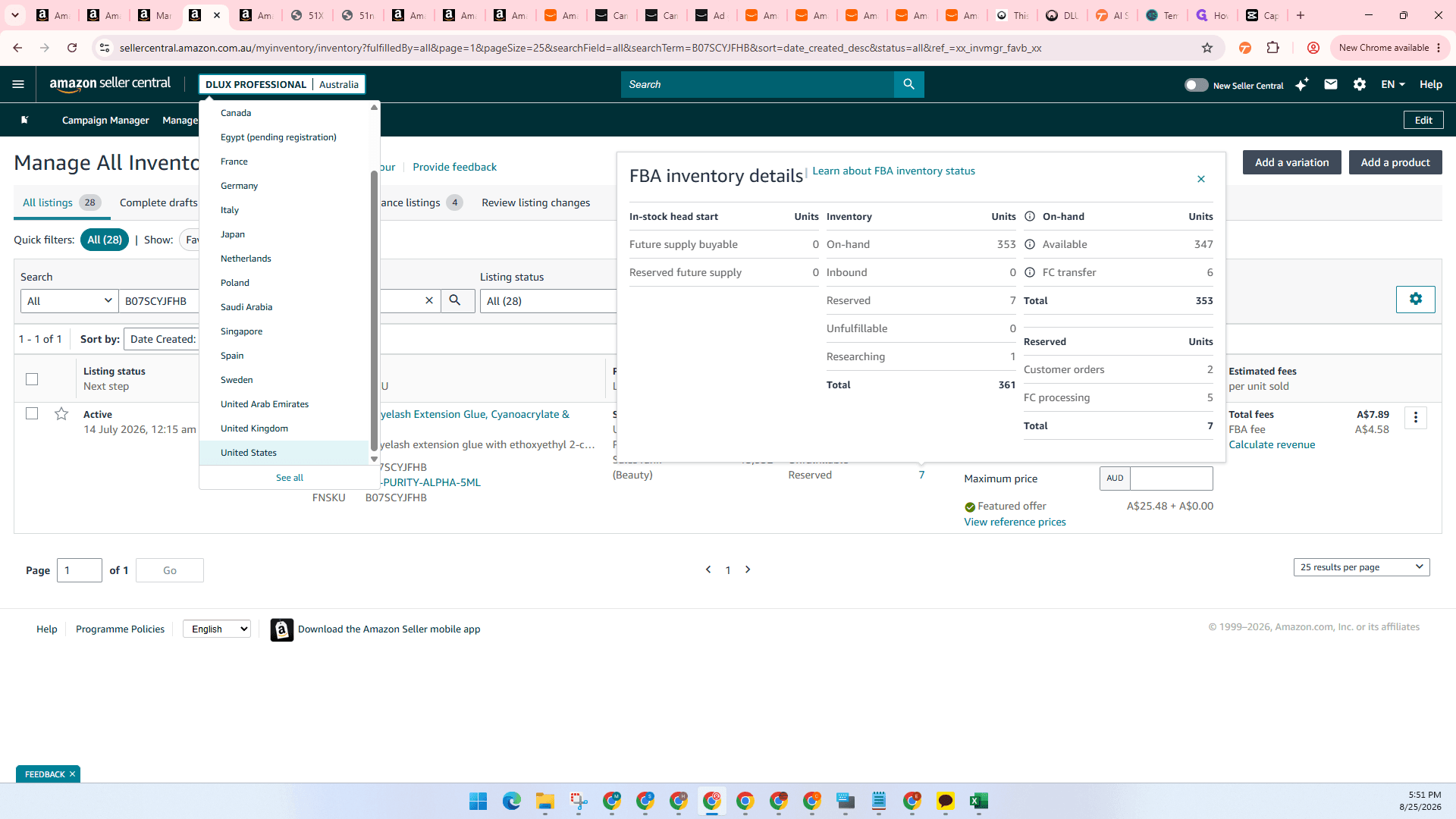
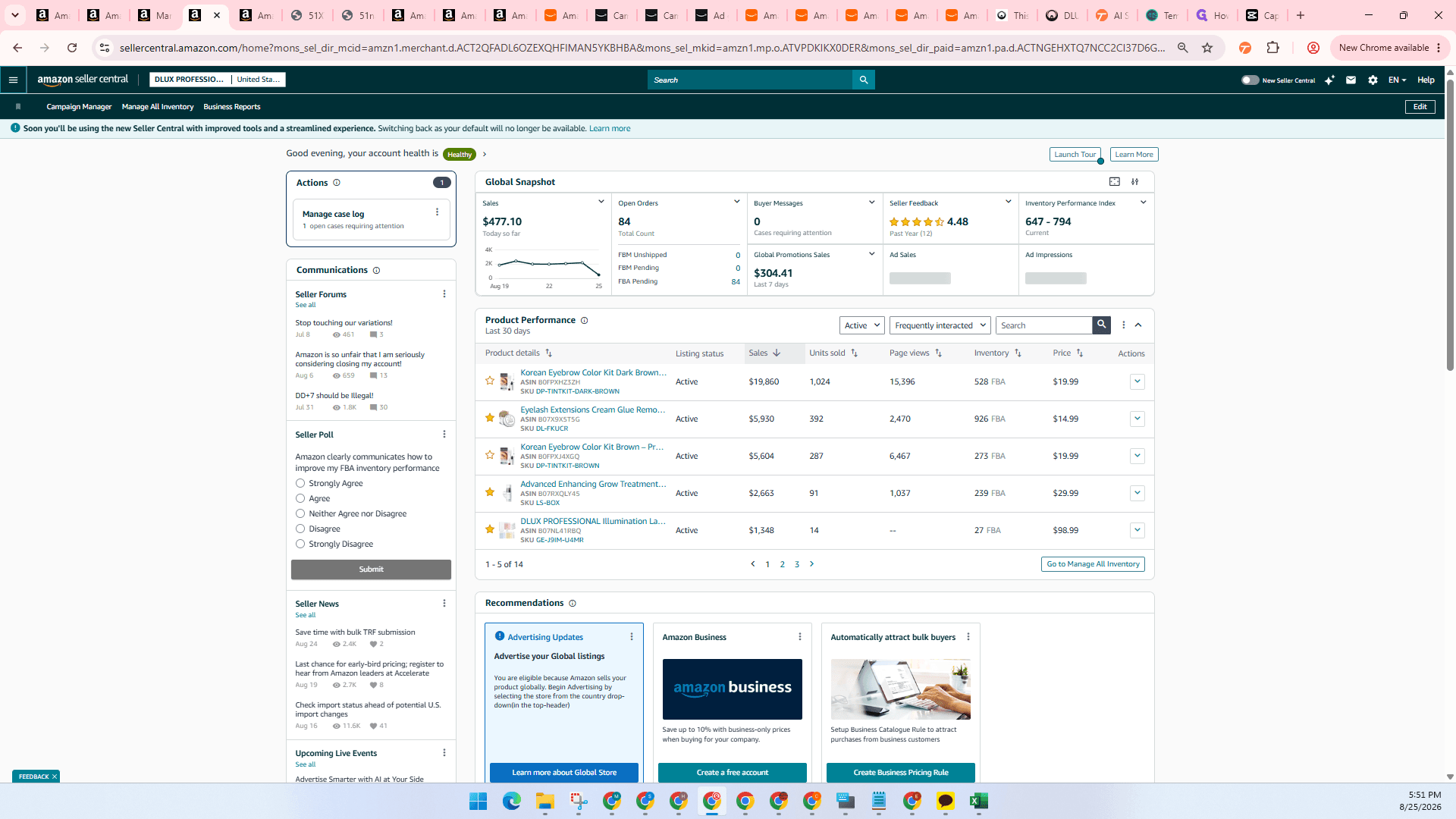
For regional marketplaces, retrieve live 30-day unit sales, reserved units, available units, and inbound quantities directly from Amazon Seller Central.
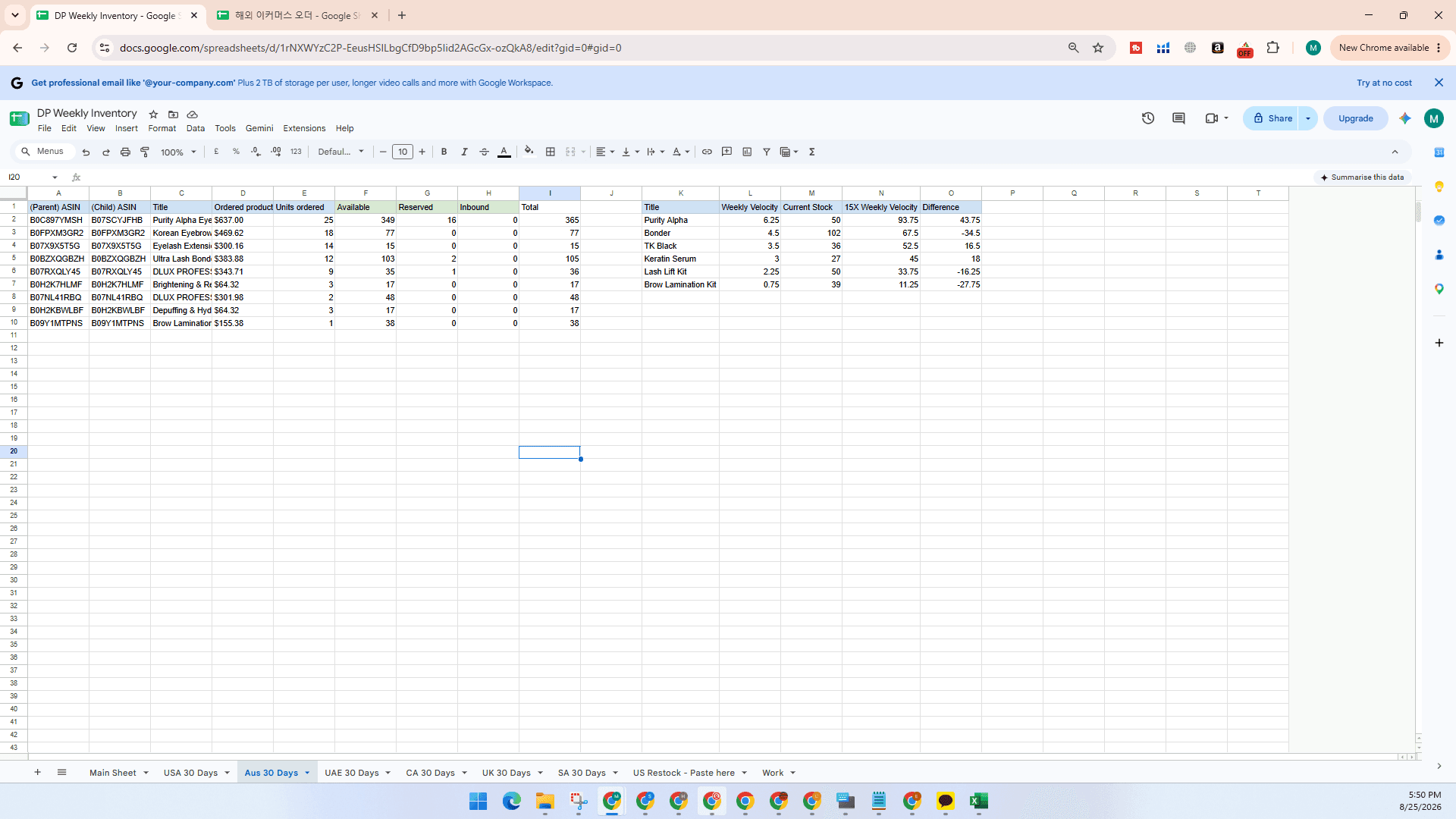
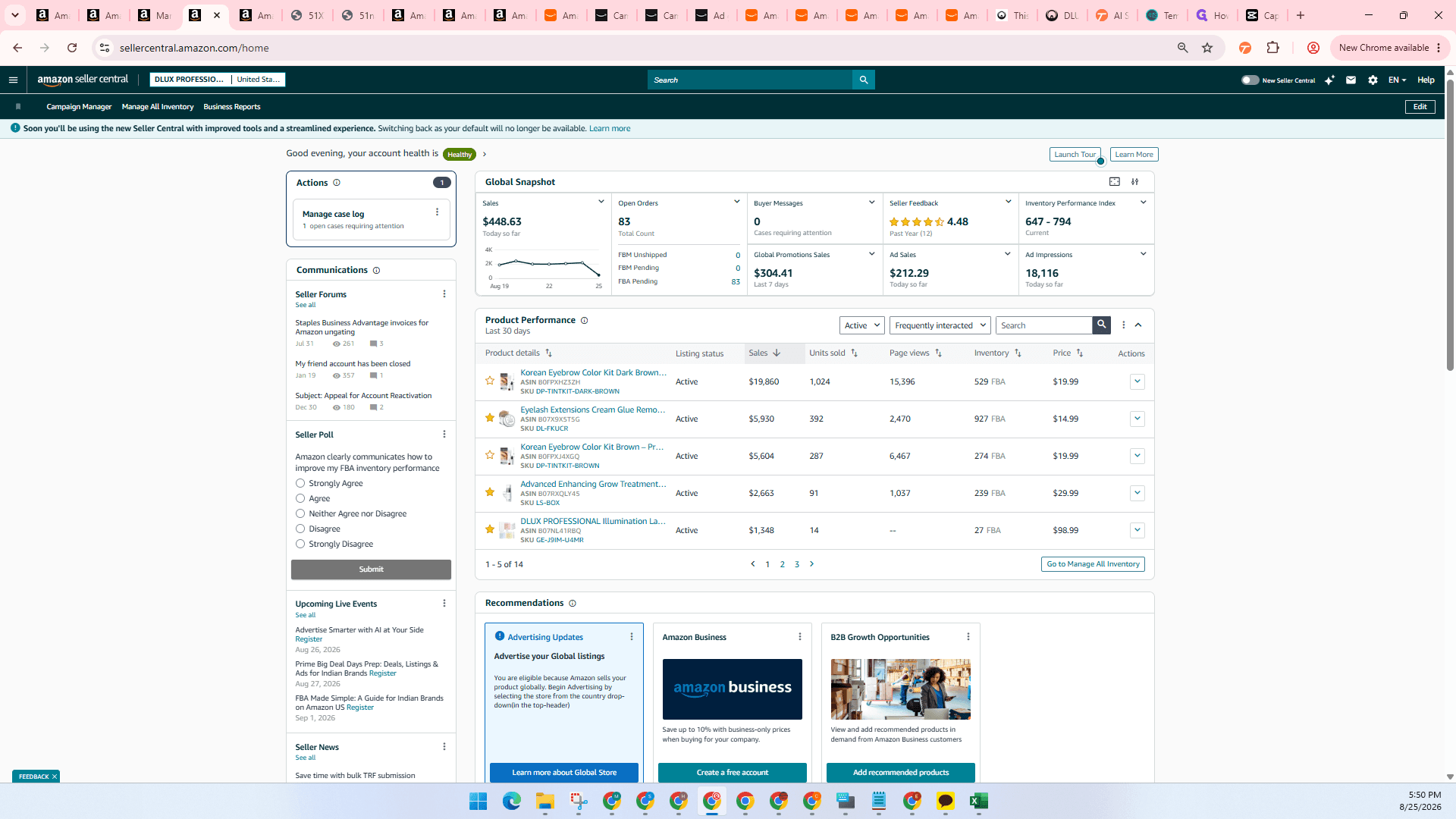
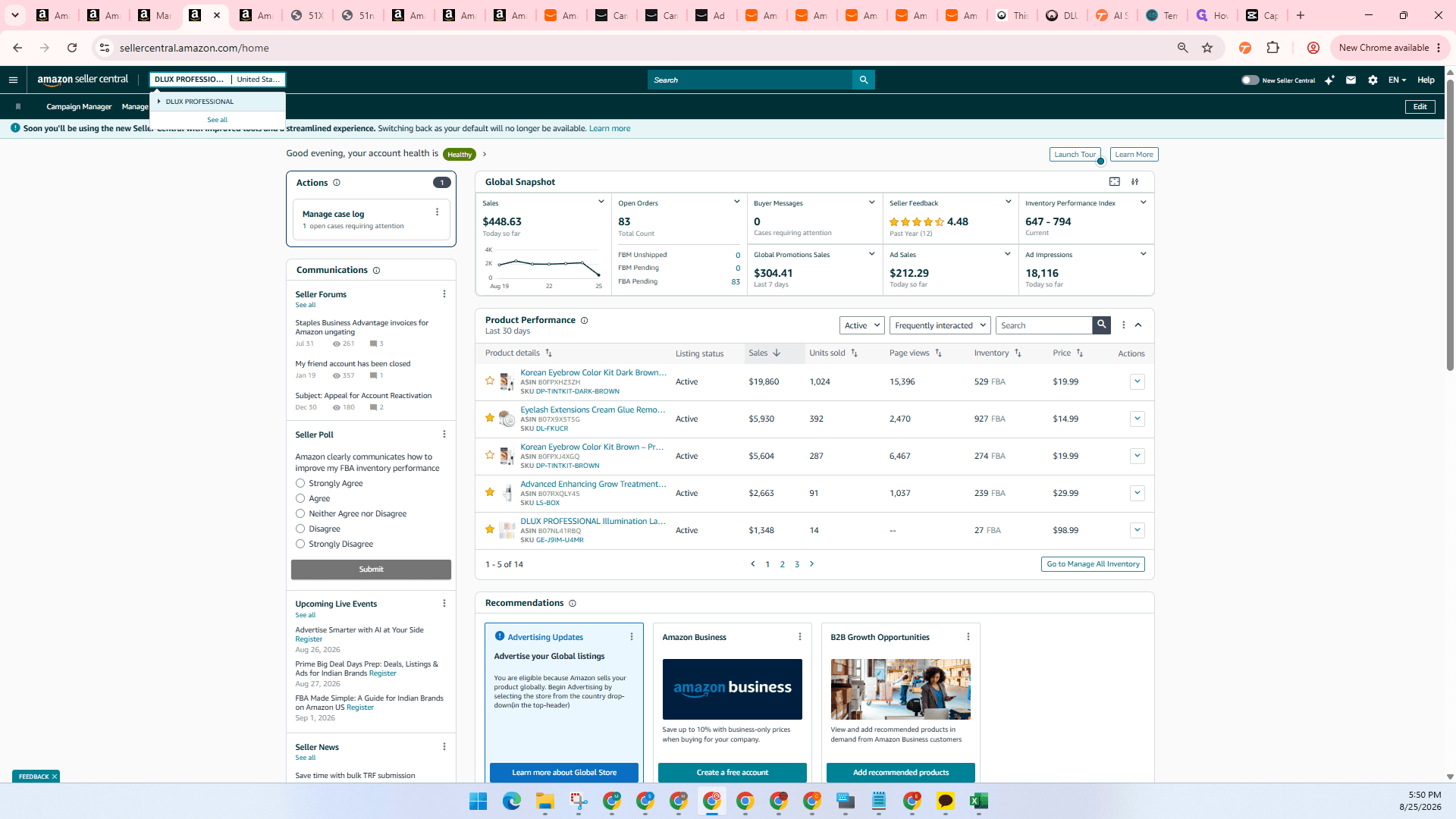
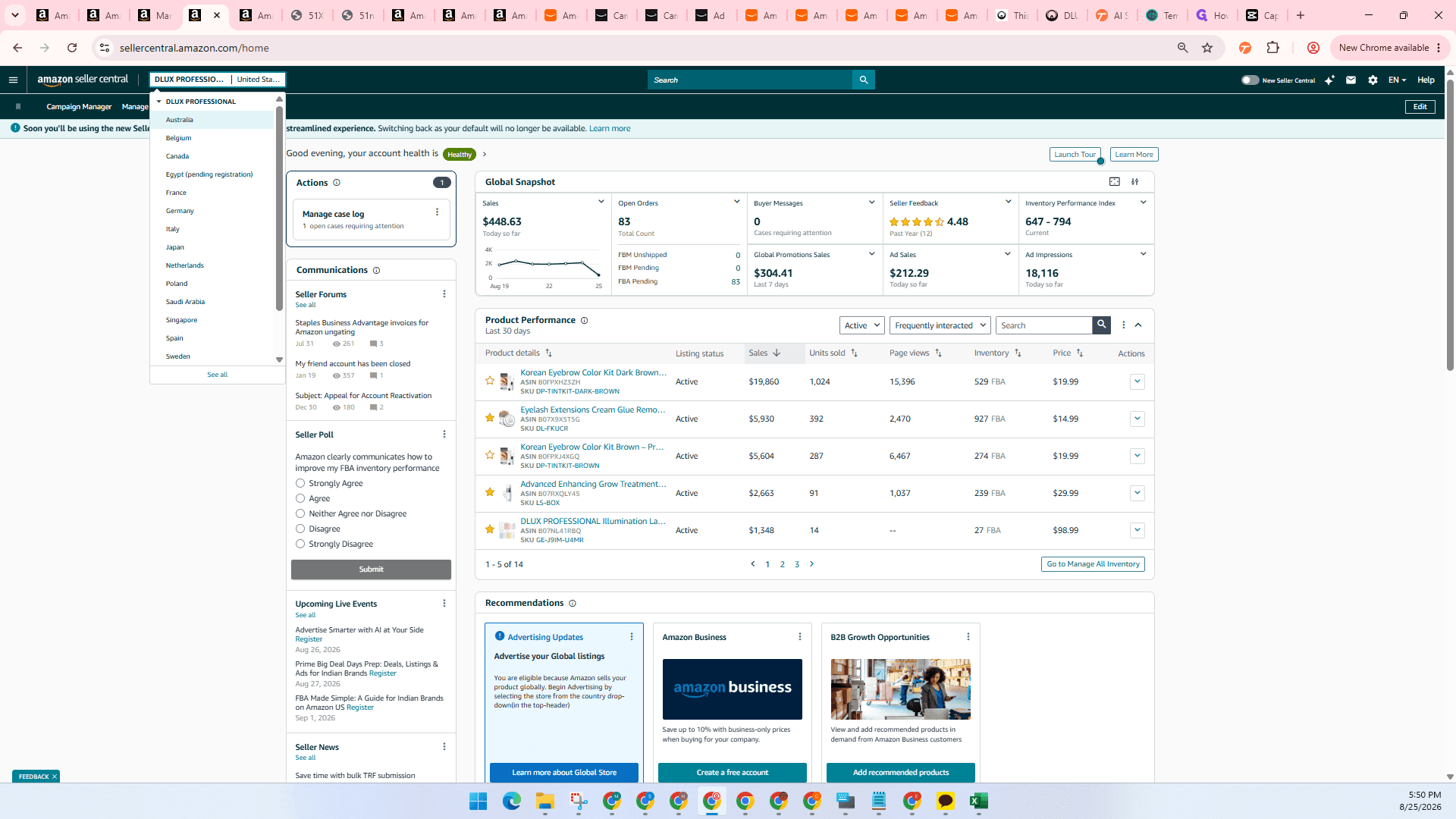
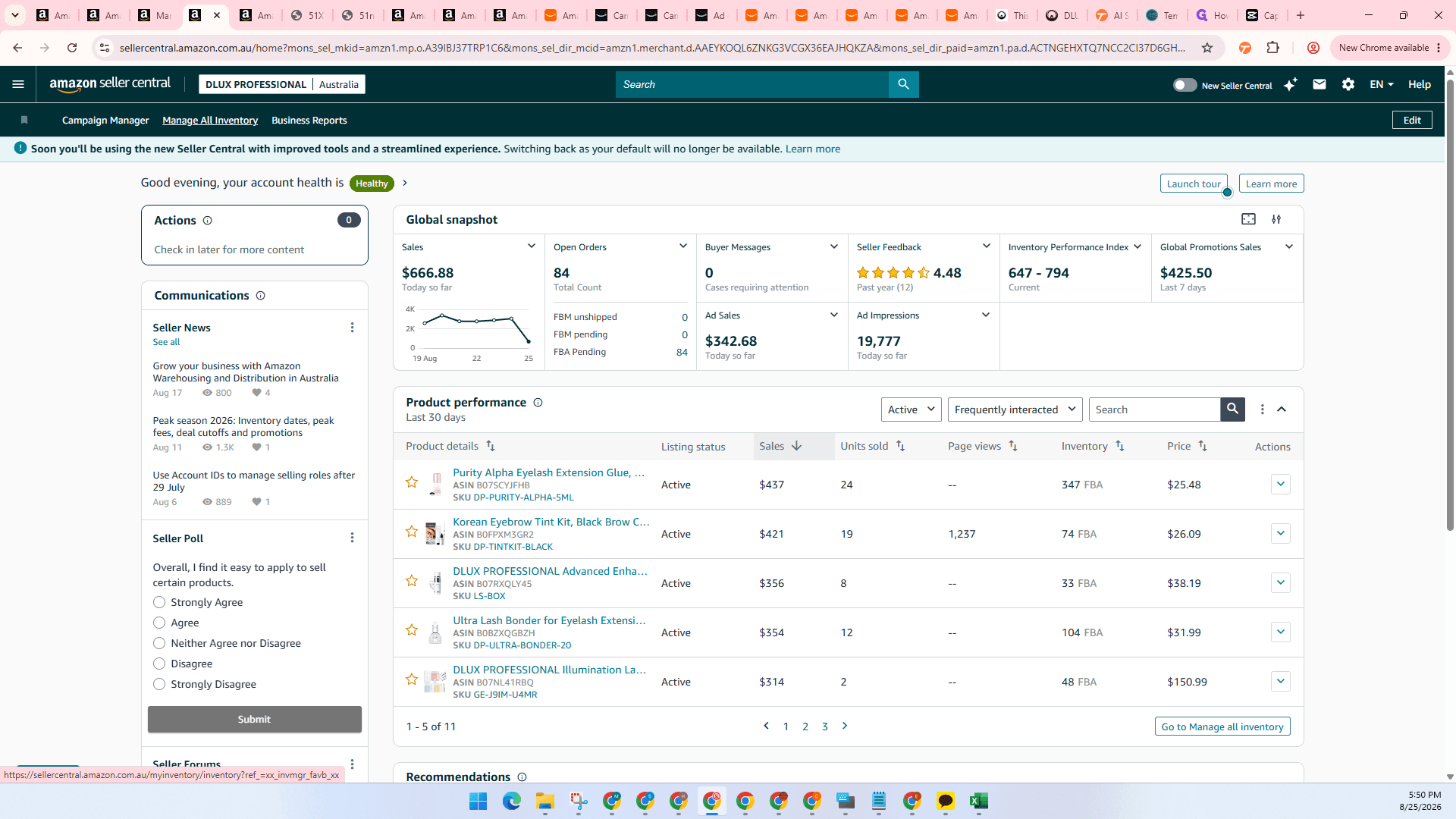
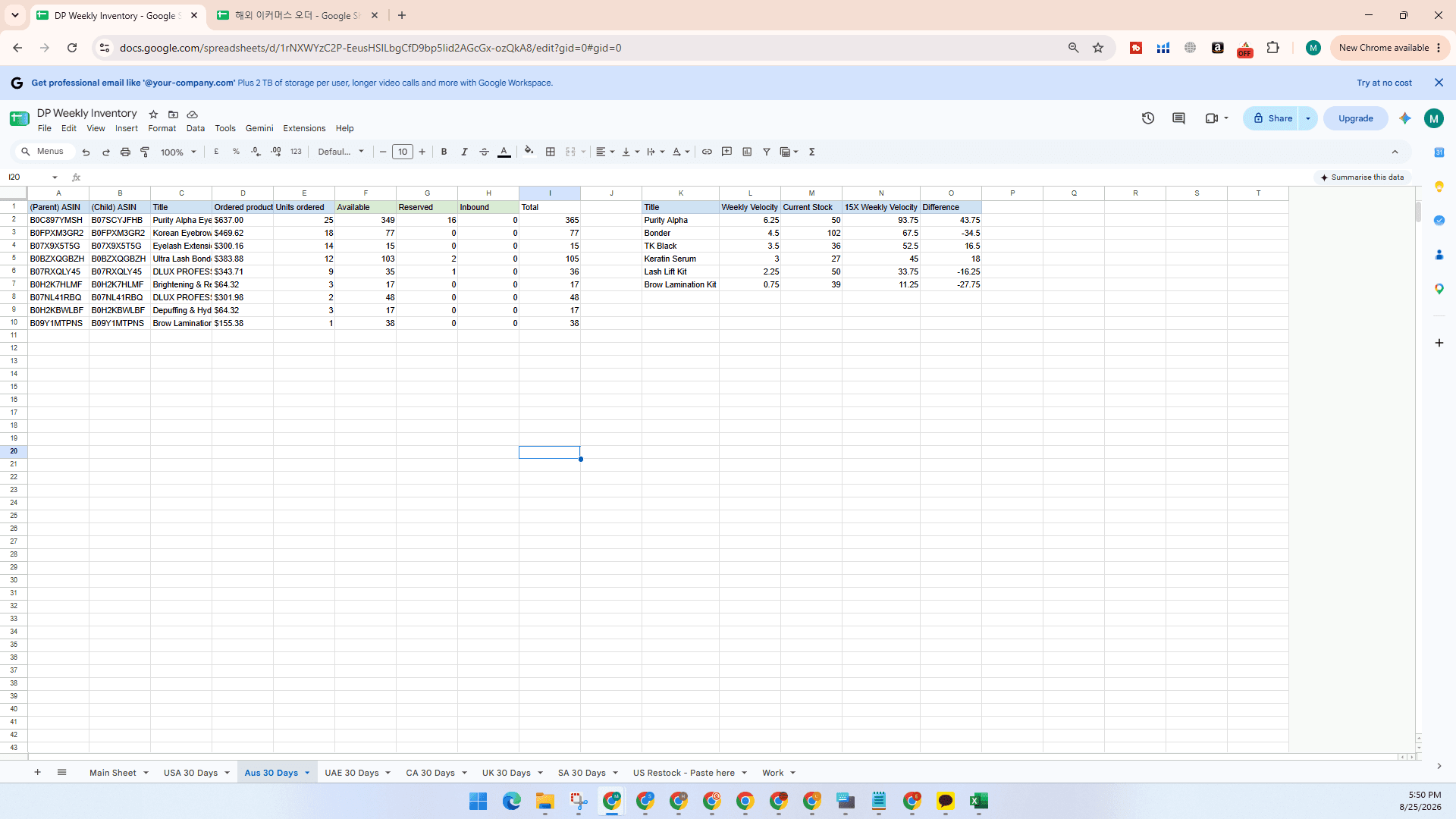
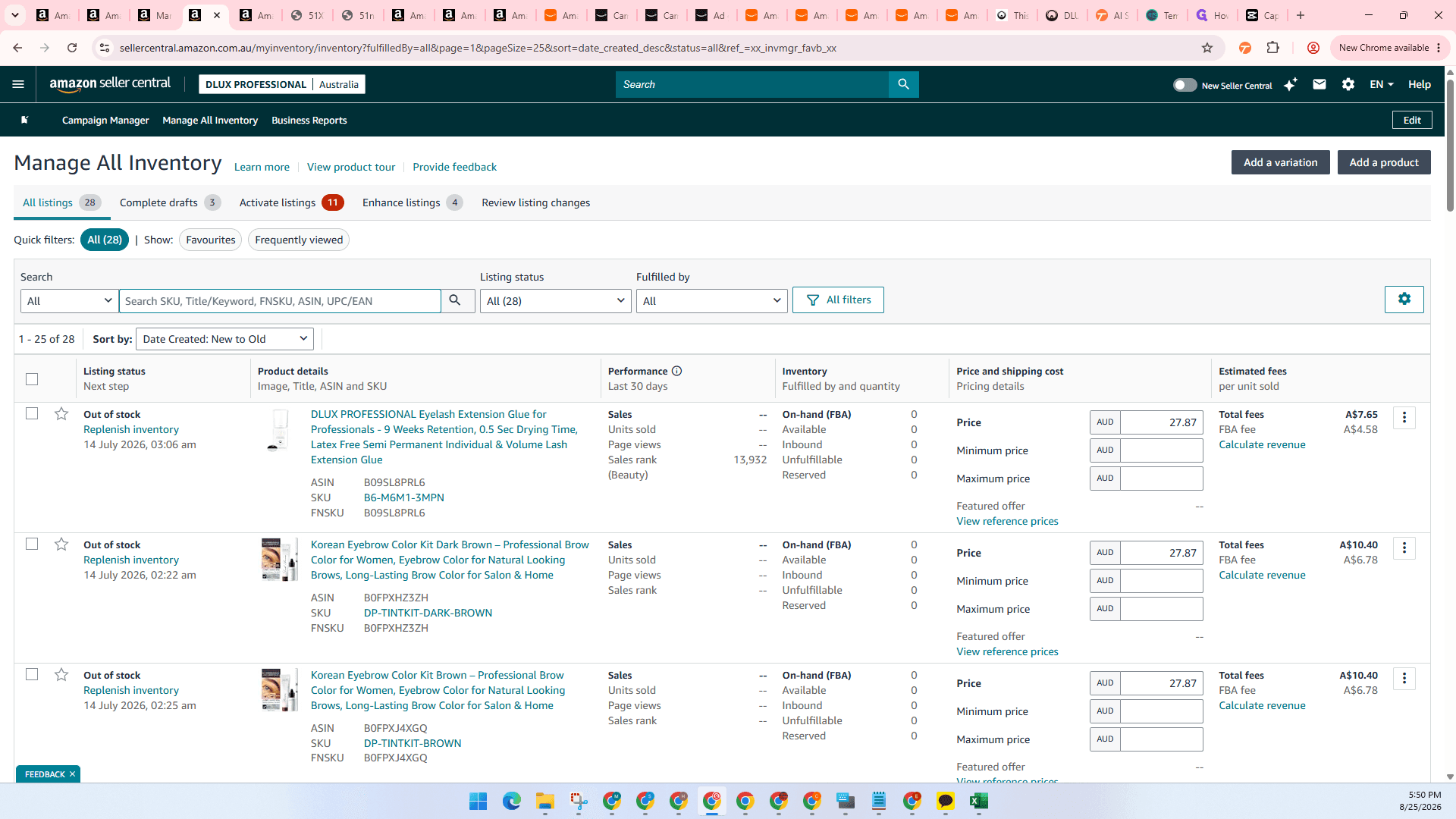
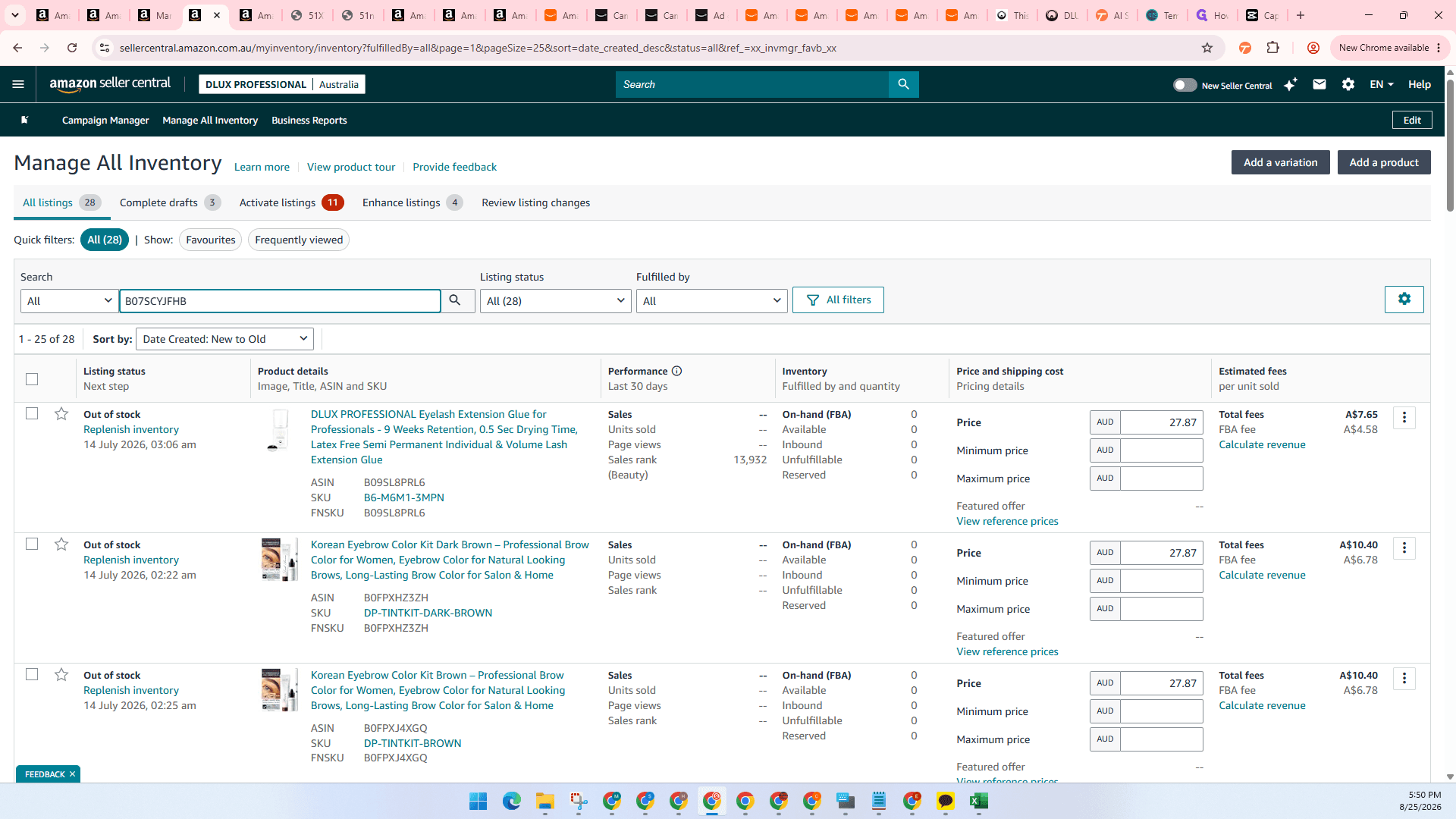
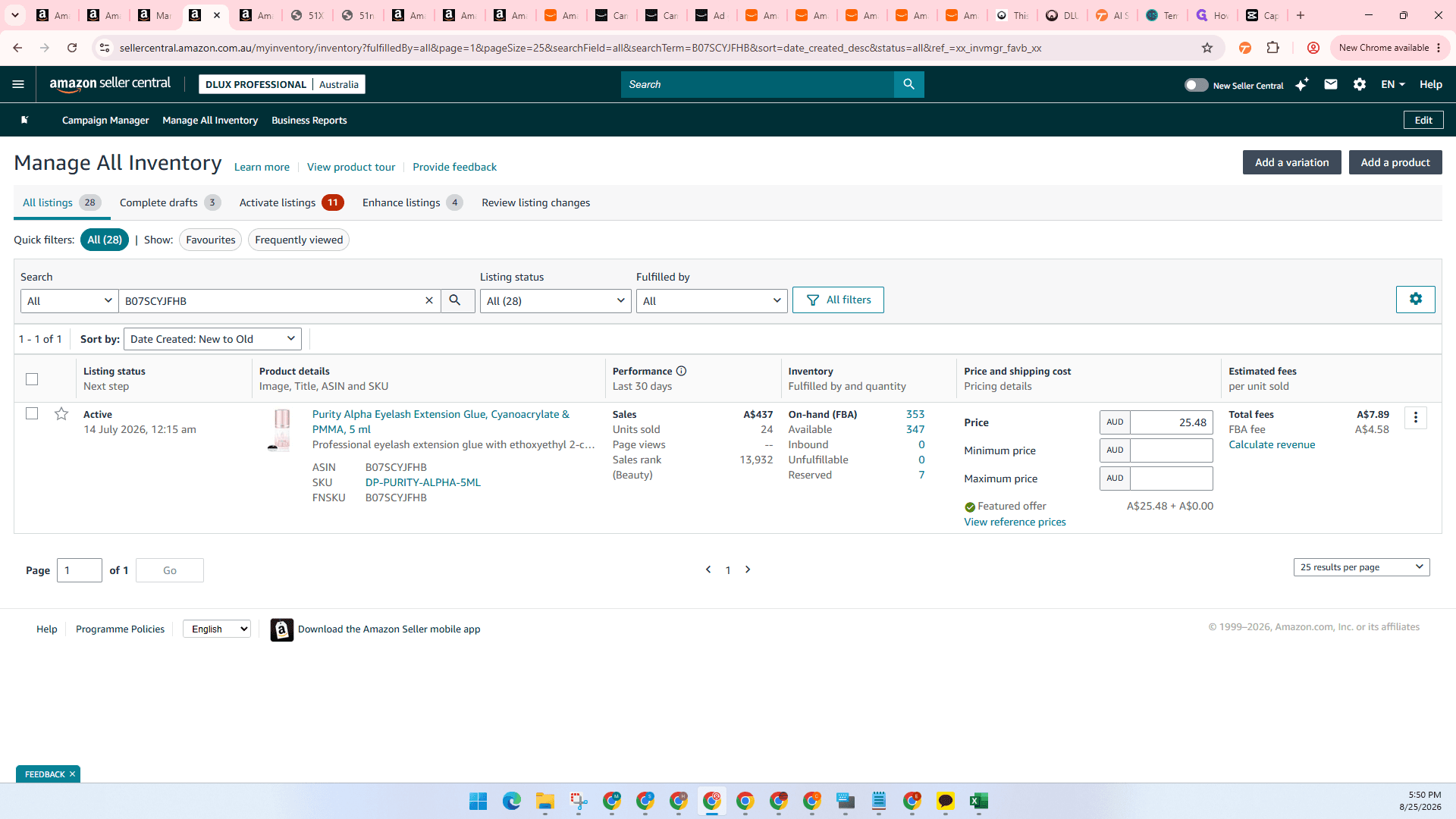
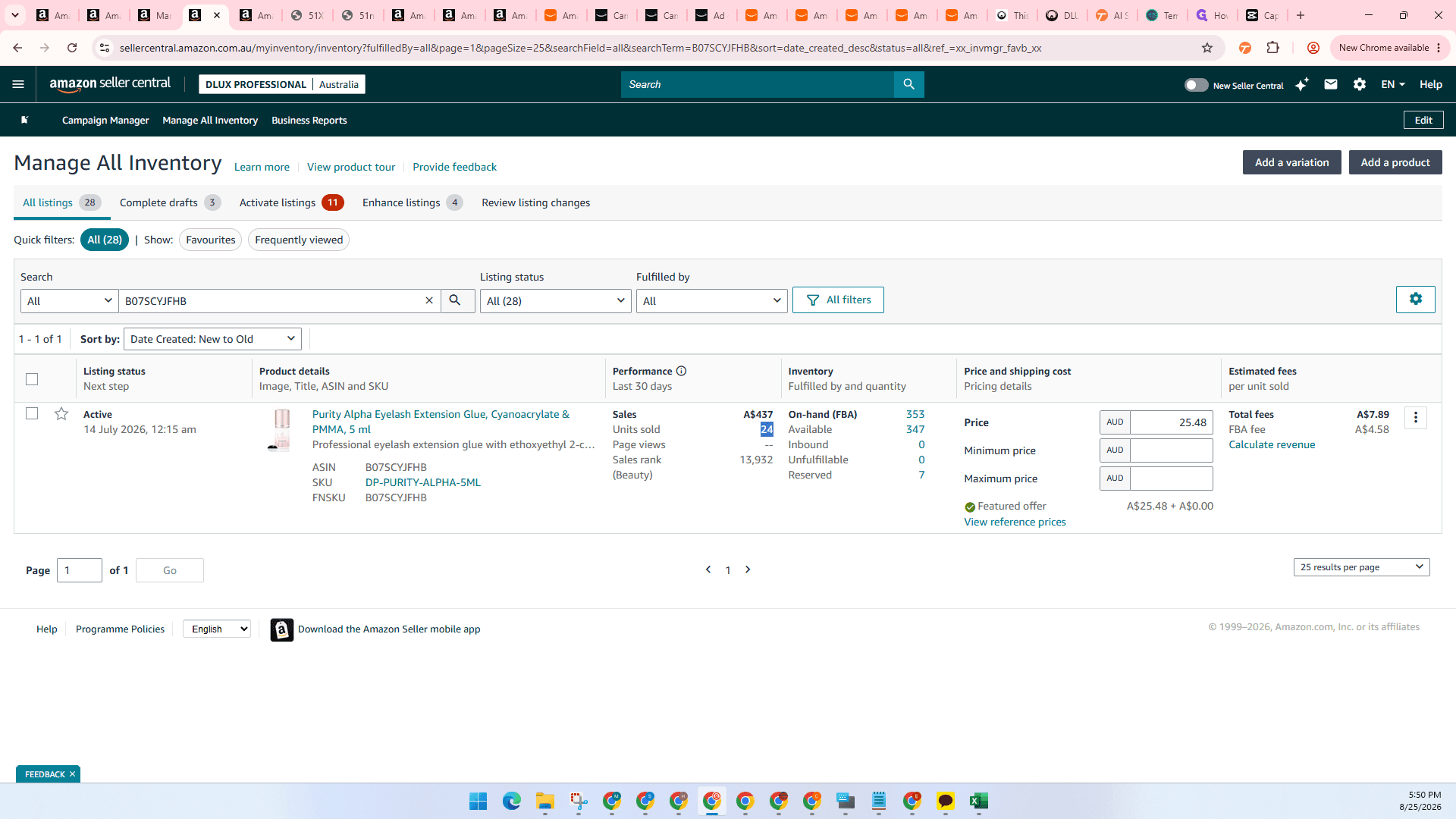
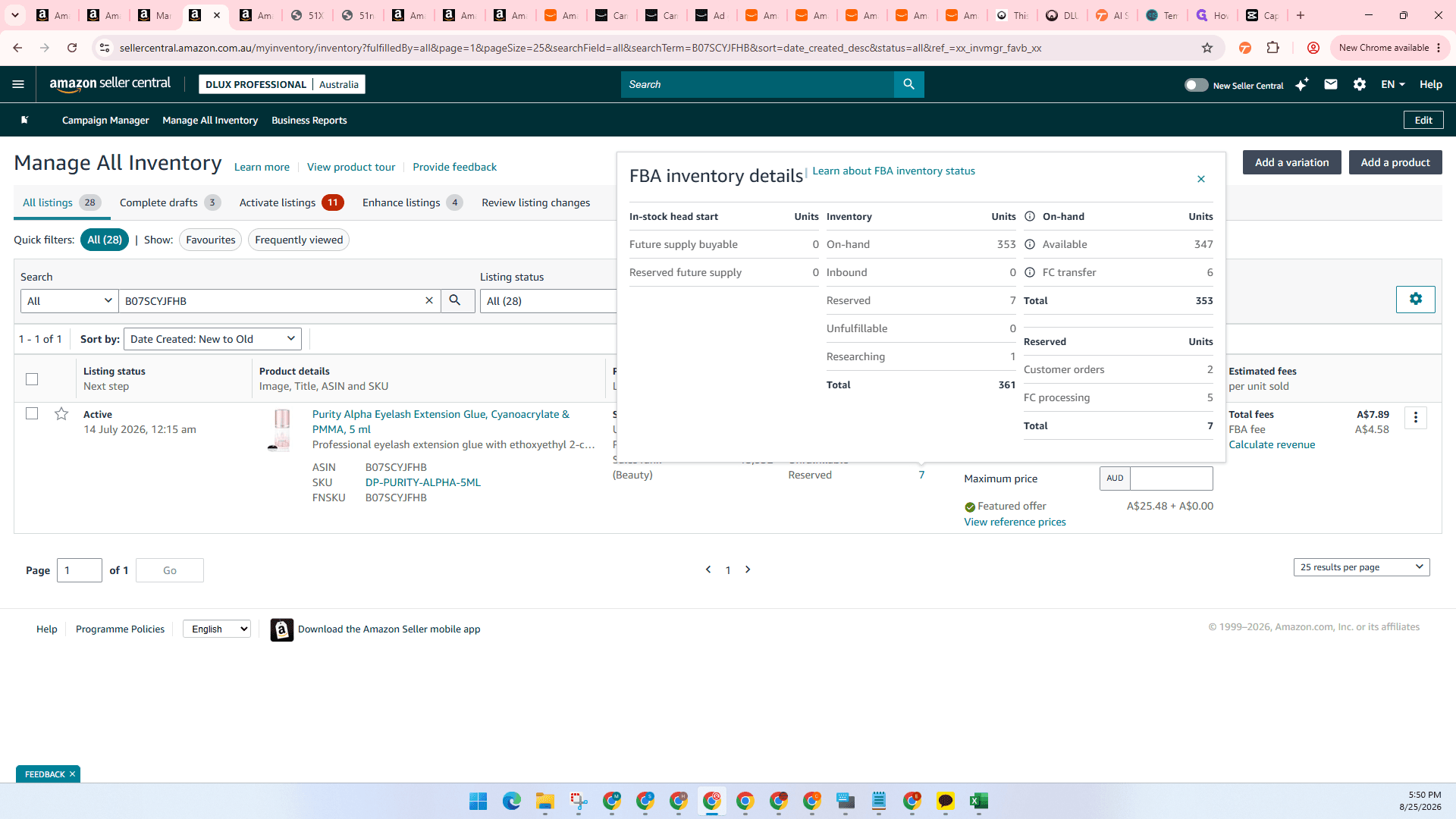
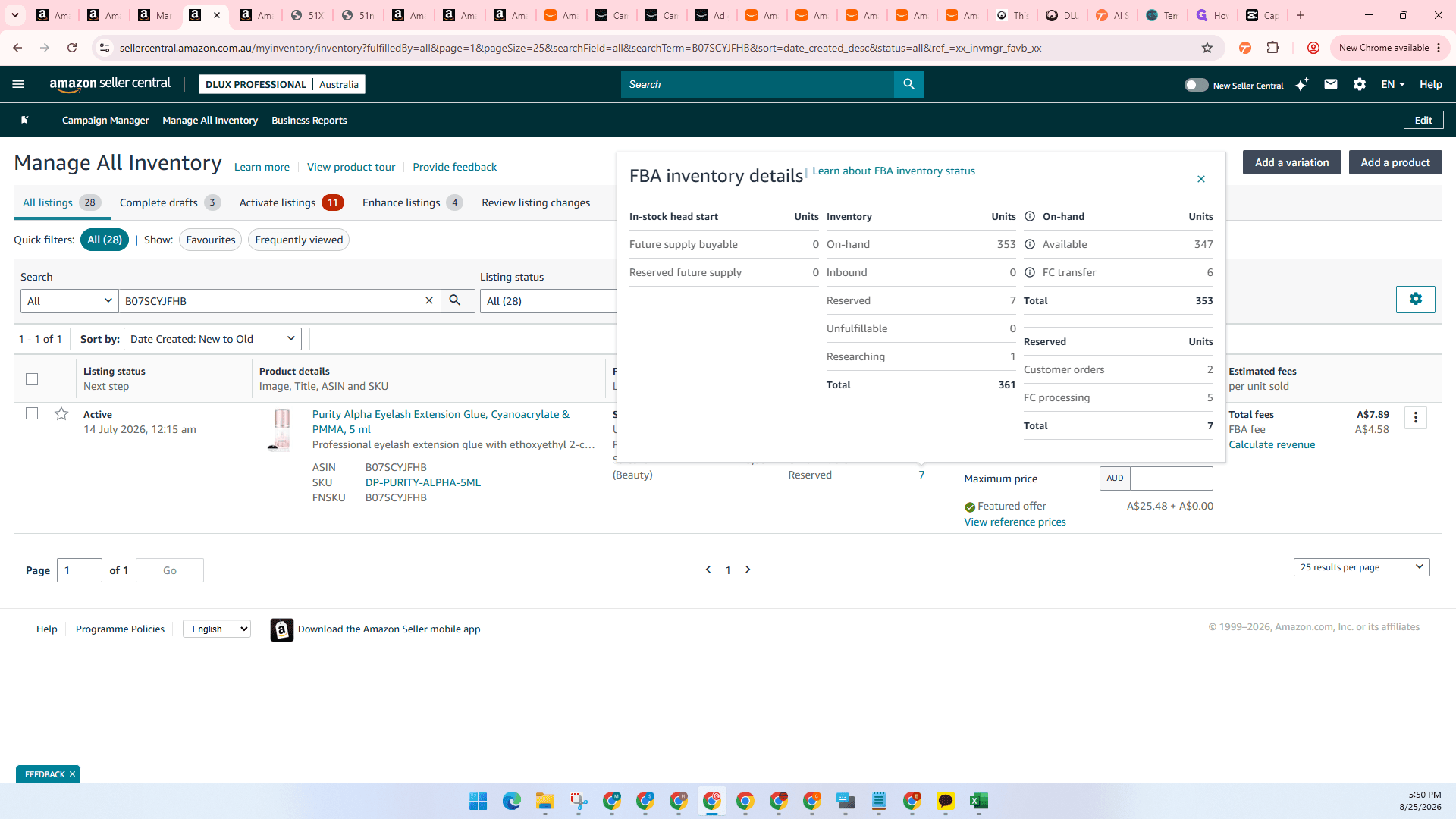
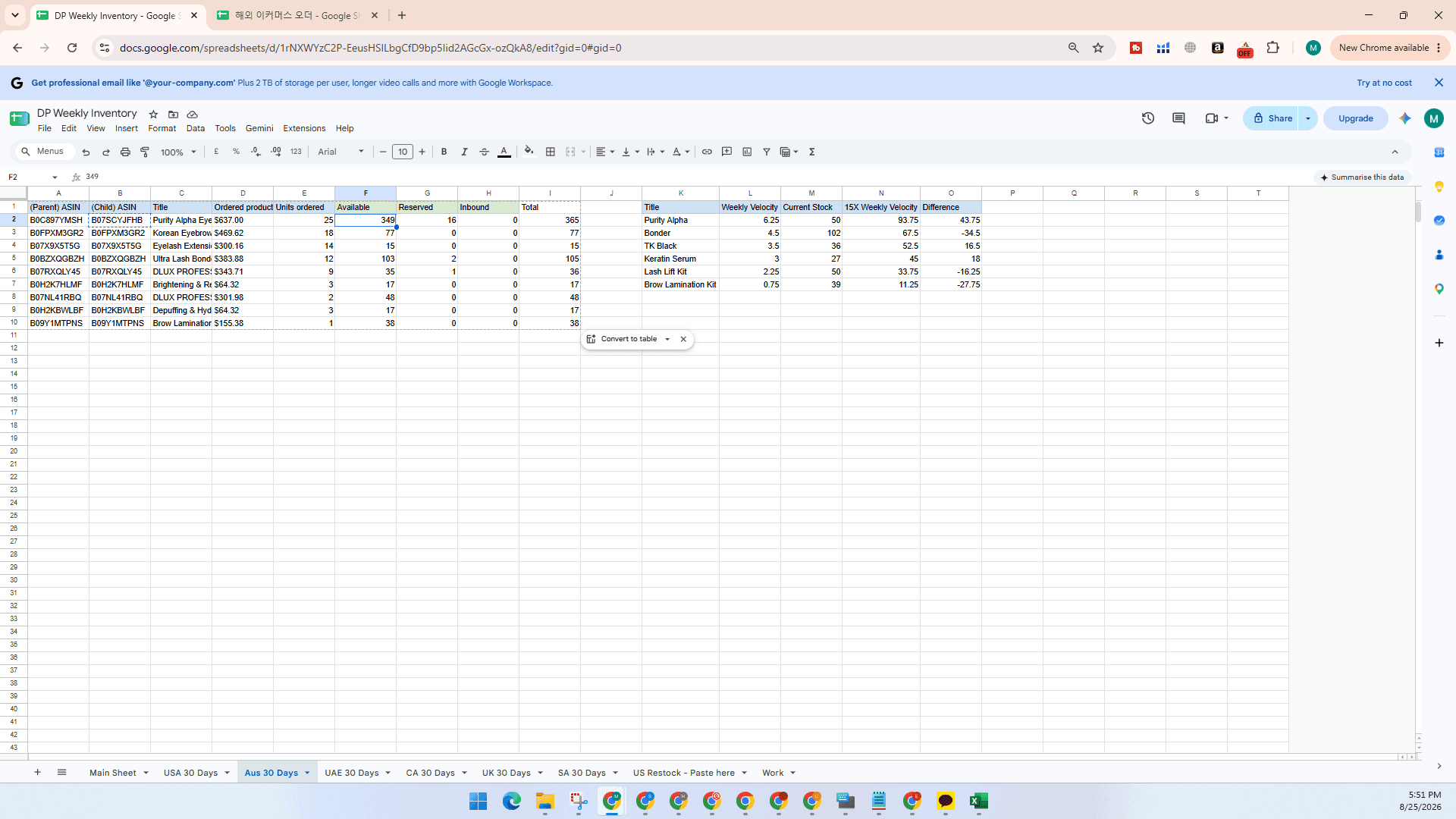
Repeat this process for each required regional tab (Aus 30 Days, UAE 30 Days, CA 30 Days, UK 30 Days, SA 30 Days).
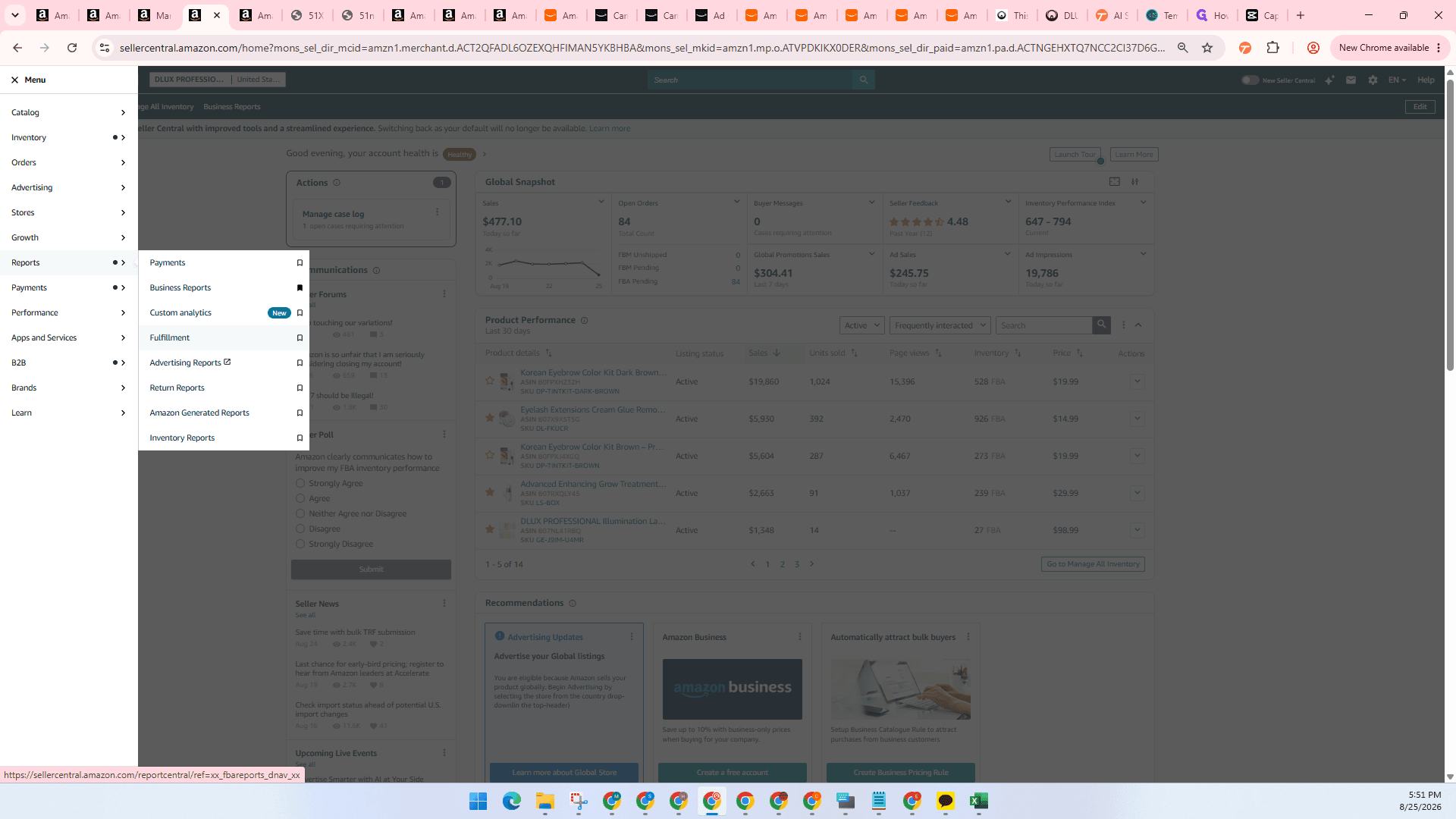
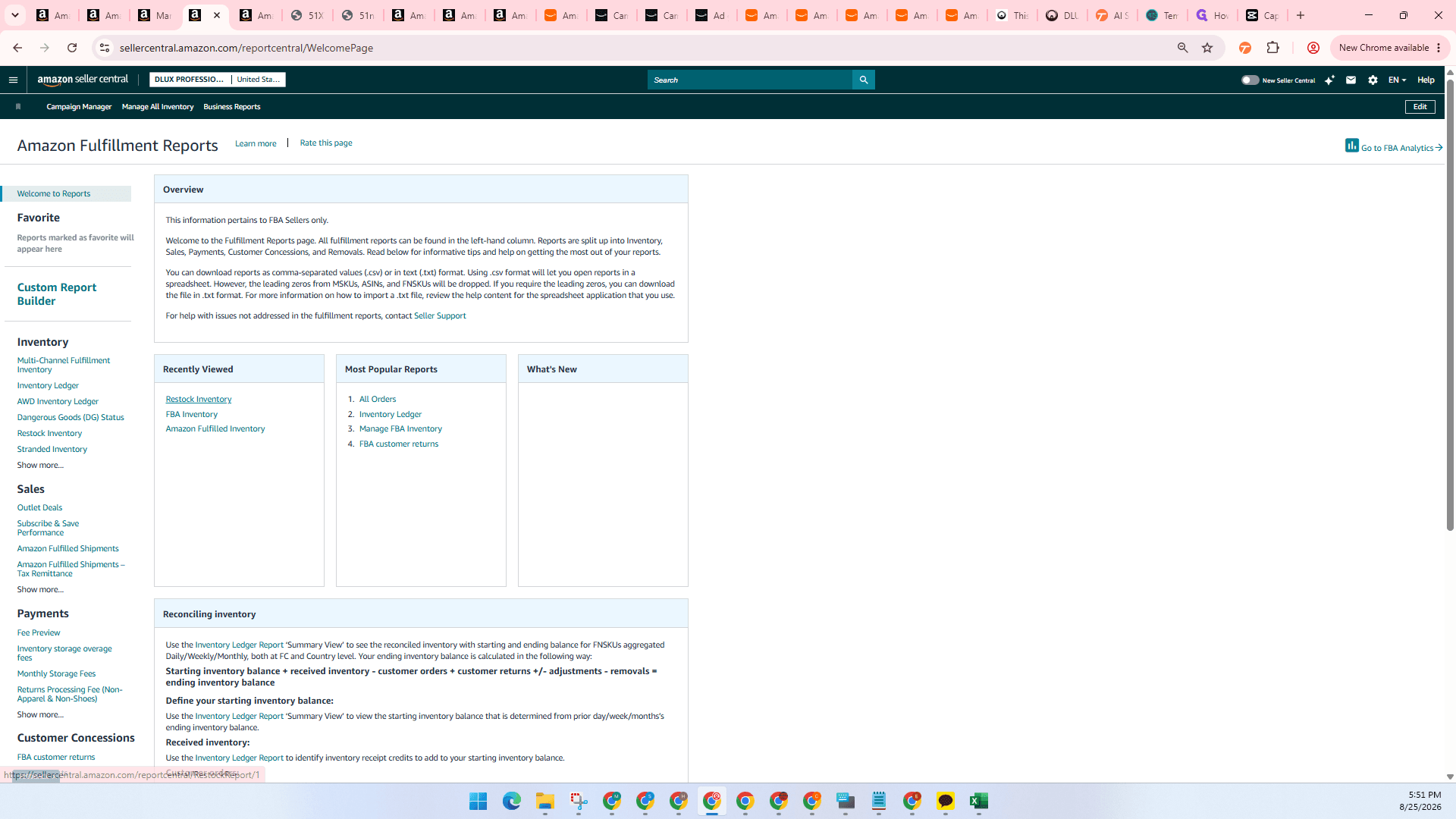
Method 2: Automating US Marketplace Data via Restock Reports
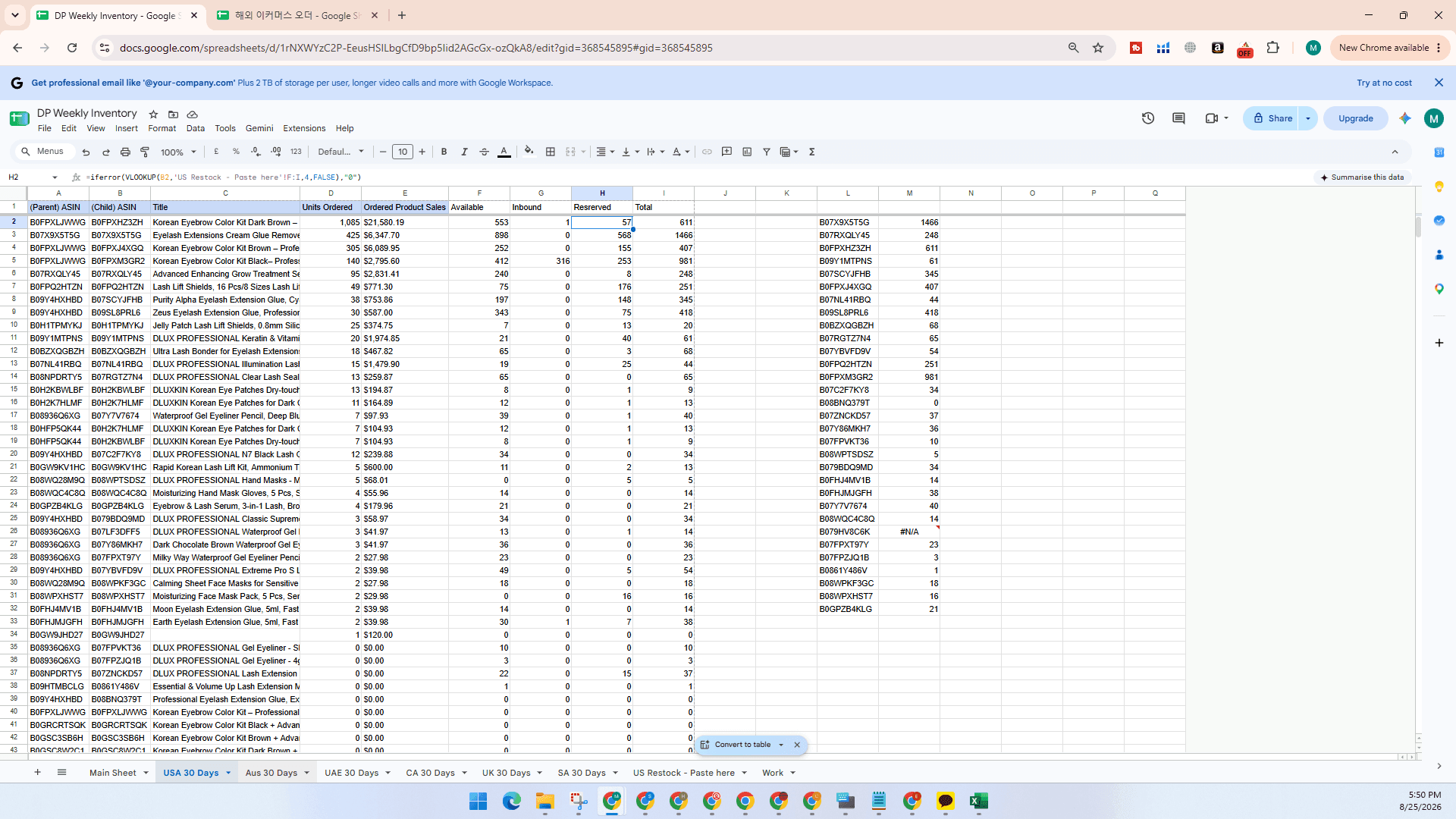
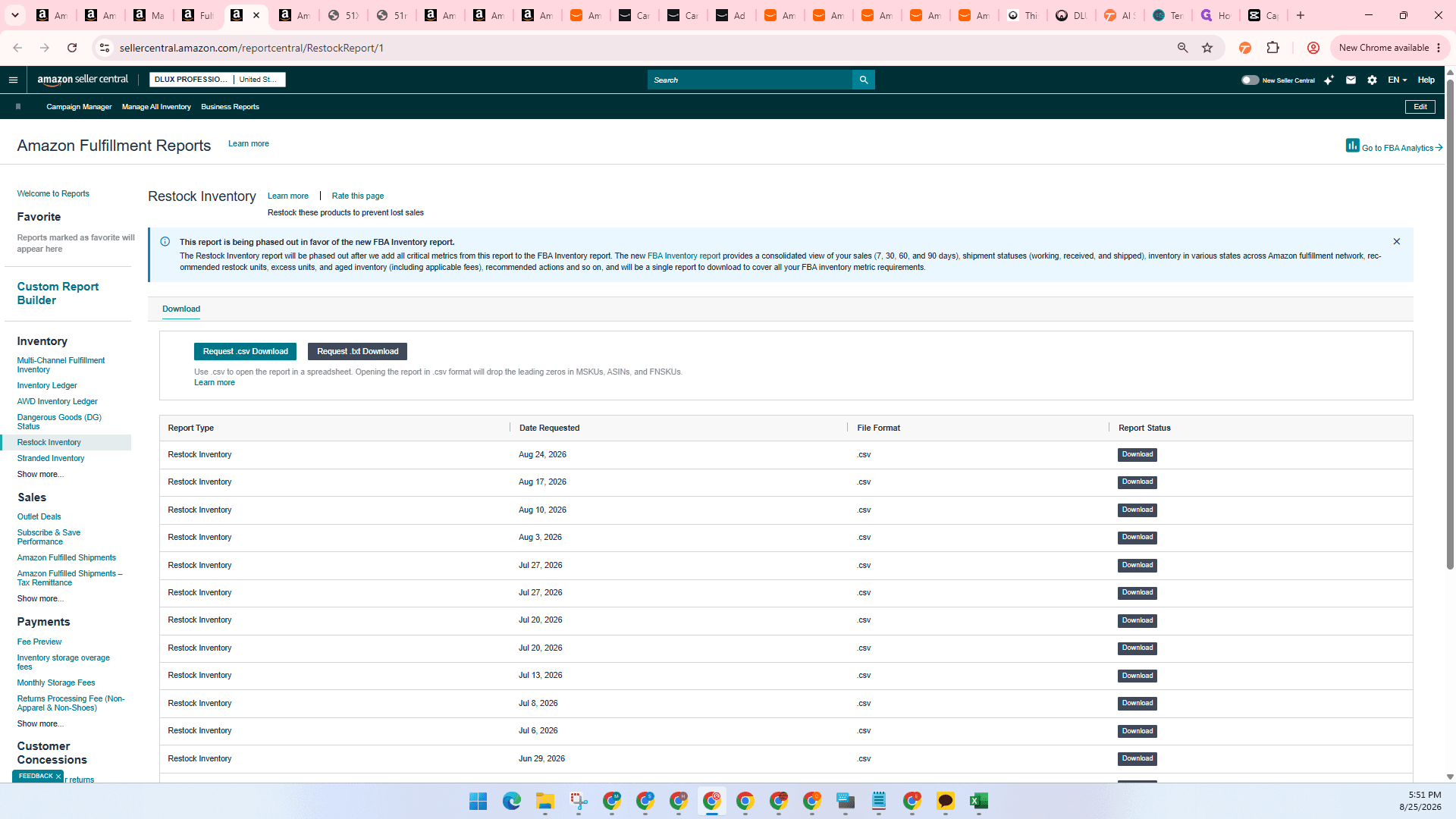
For larger marketplaces like the US, download a fulfillment restock report to populate data in bulk.
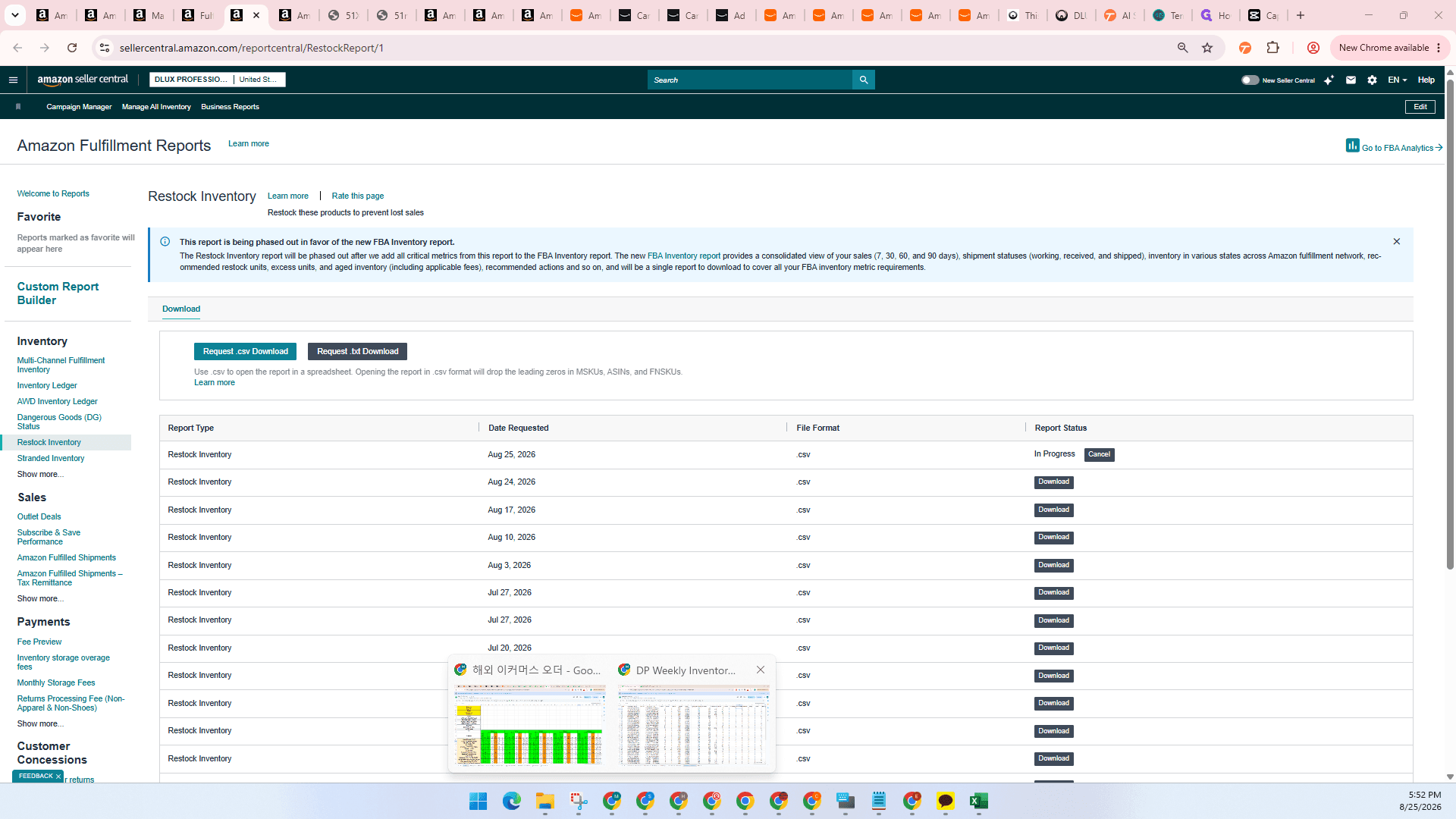
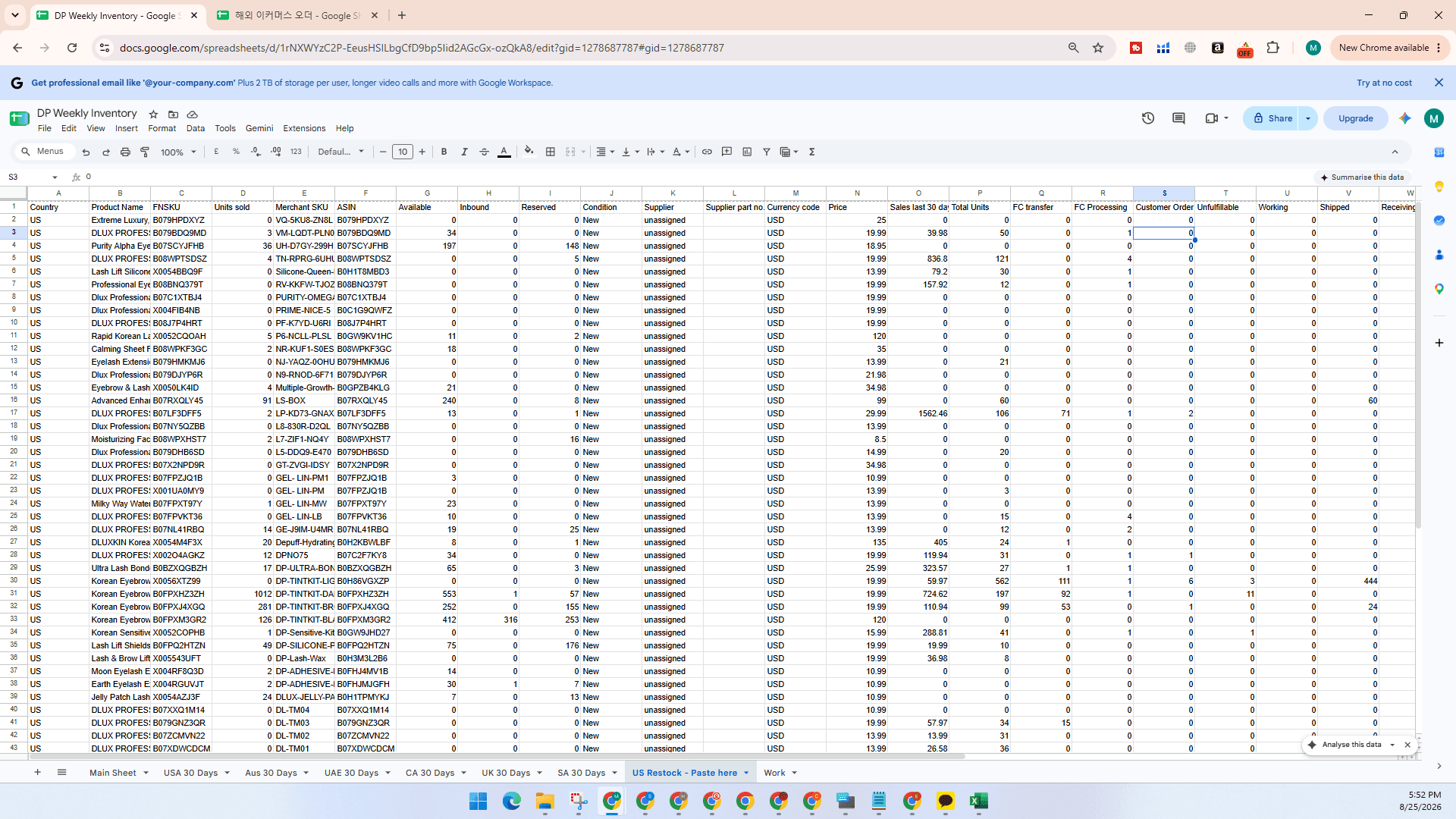
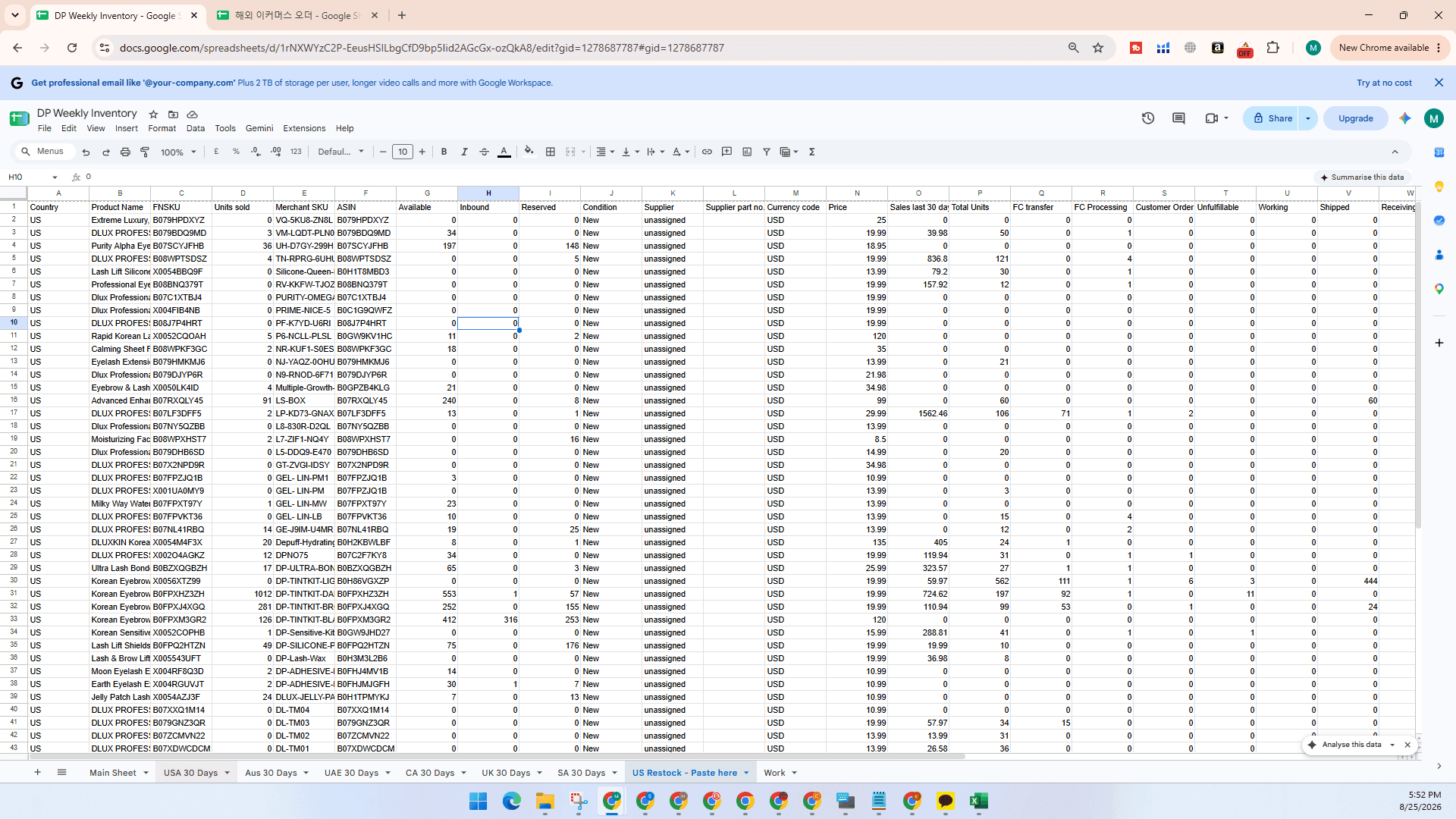
Reviewing the Consolidated Main Sheet
Once all individual marketplace tabs are updated, review the summary calculations on the primary dashboard.
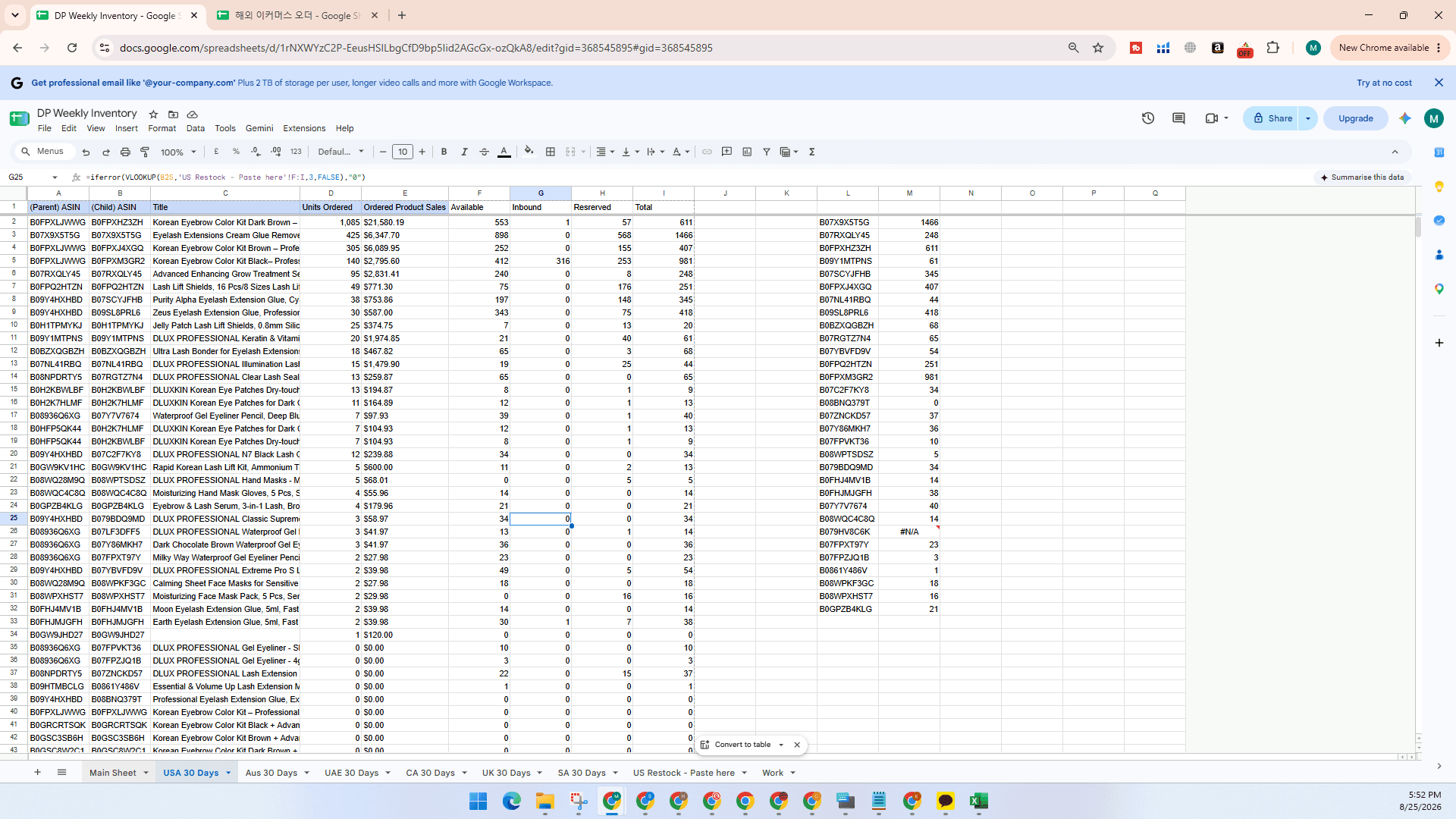
Updating the Weekly Global Inventory Tracker
Transfer your weekly snapshot data into the global tracking sheet for long-term historical records.
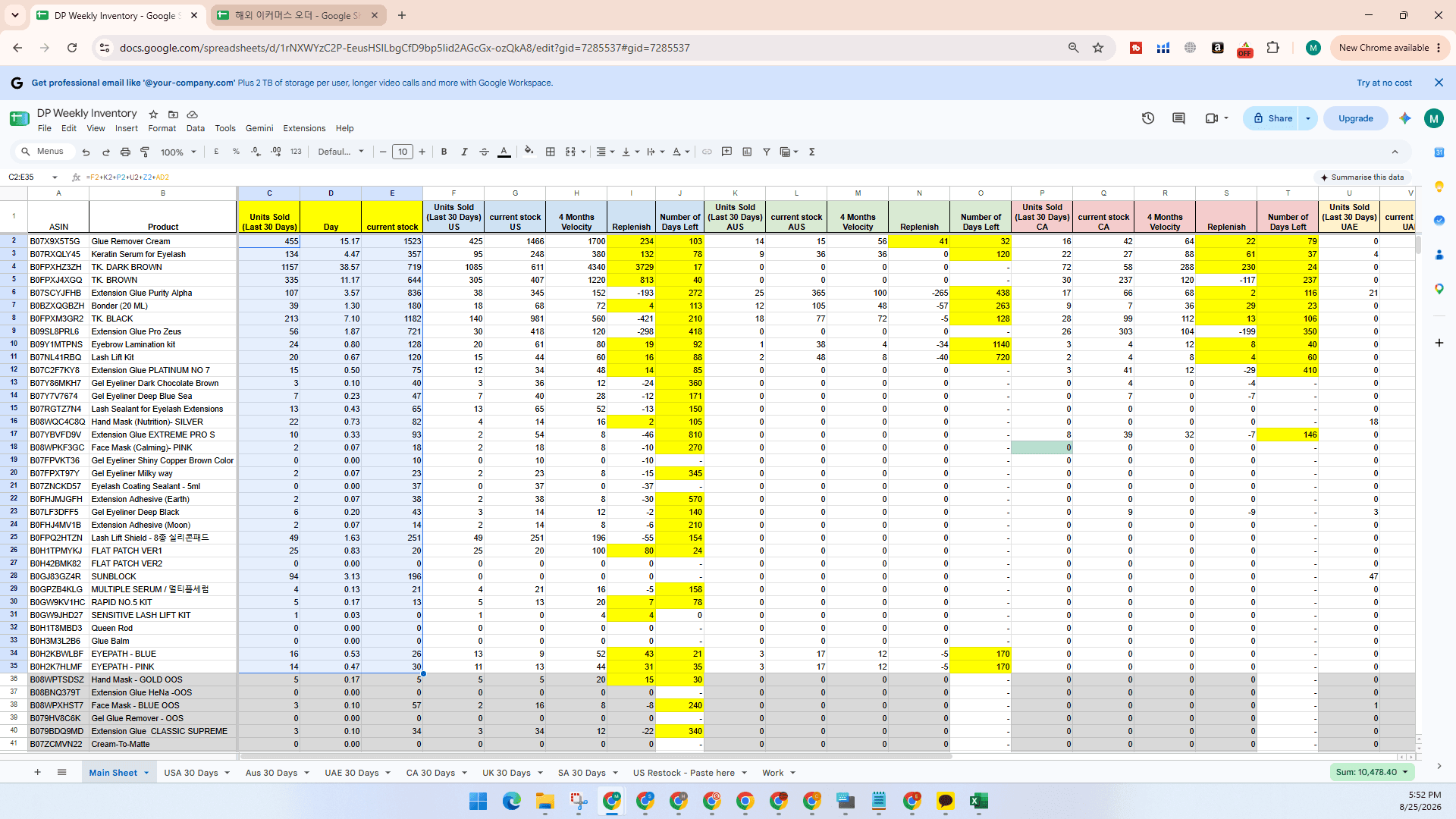
Ctrl + Right Arrow to jump to the far right end of the spreadsheet.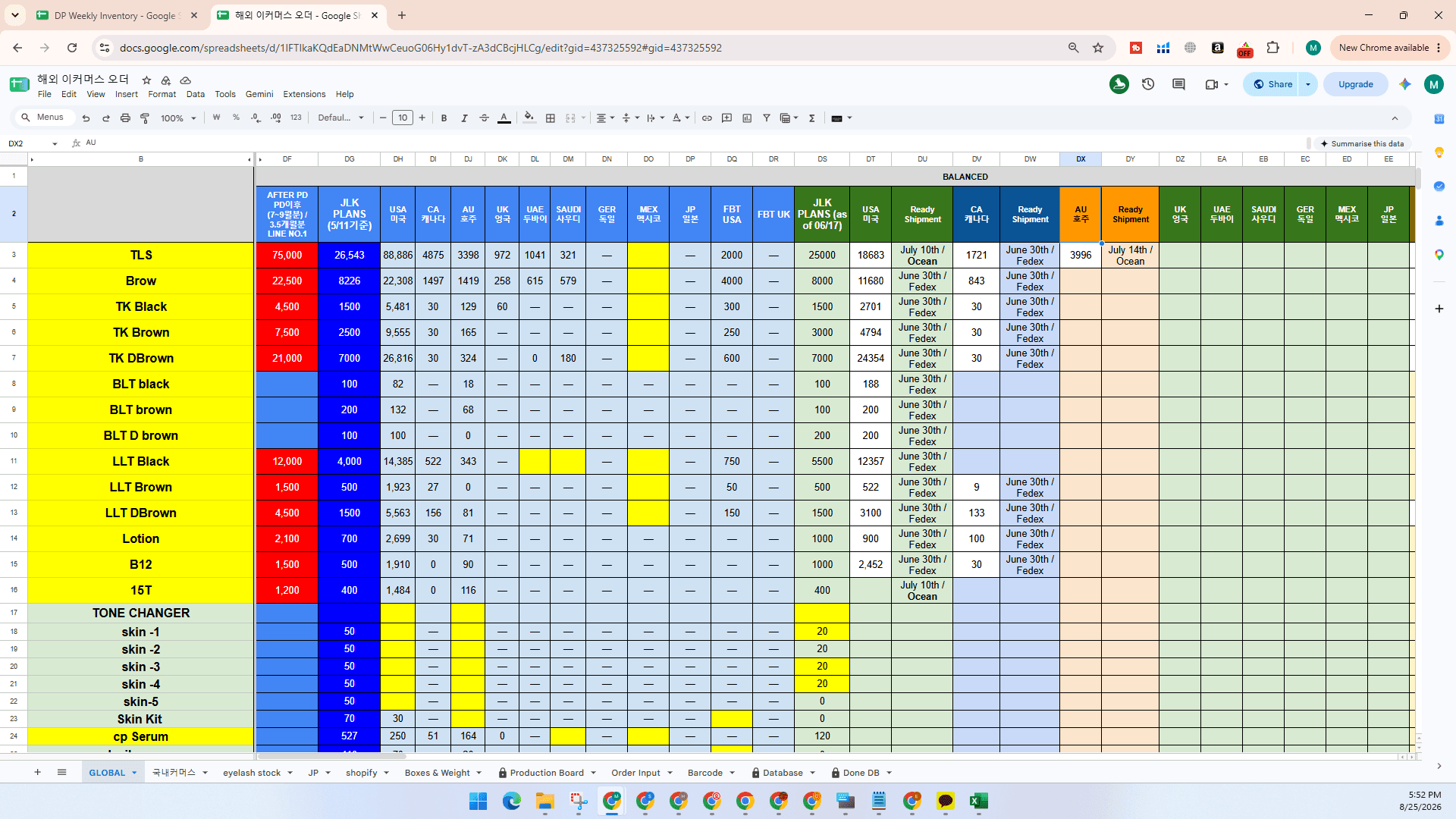
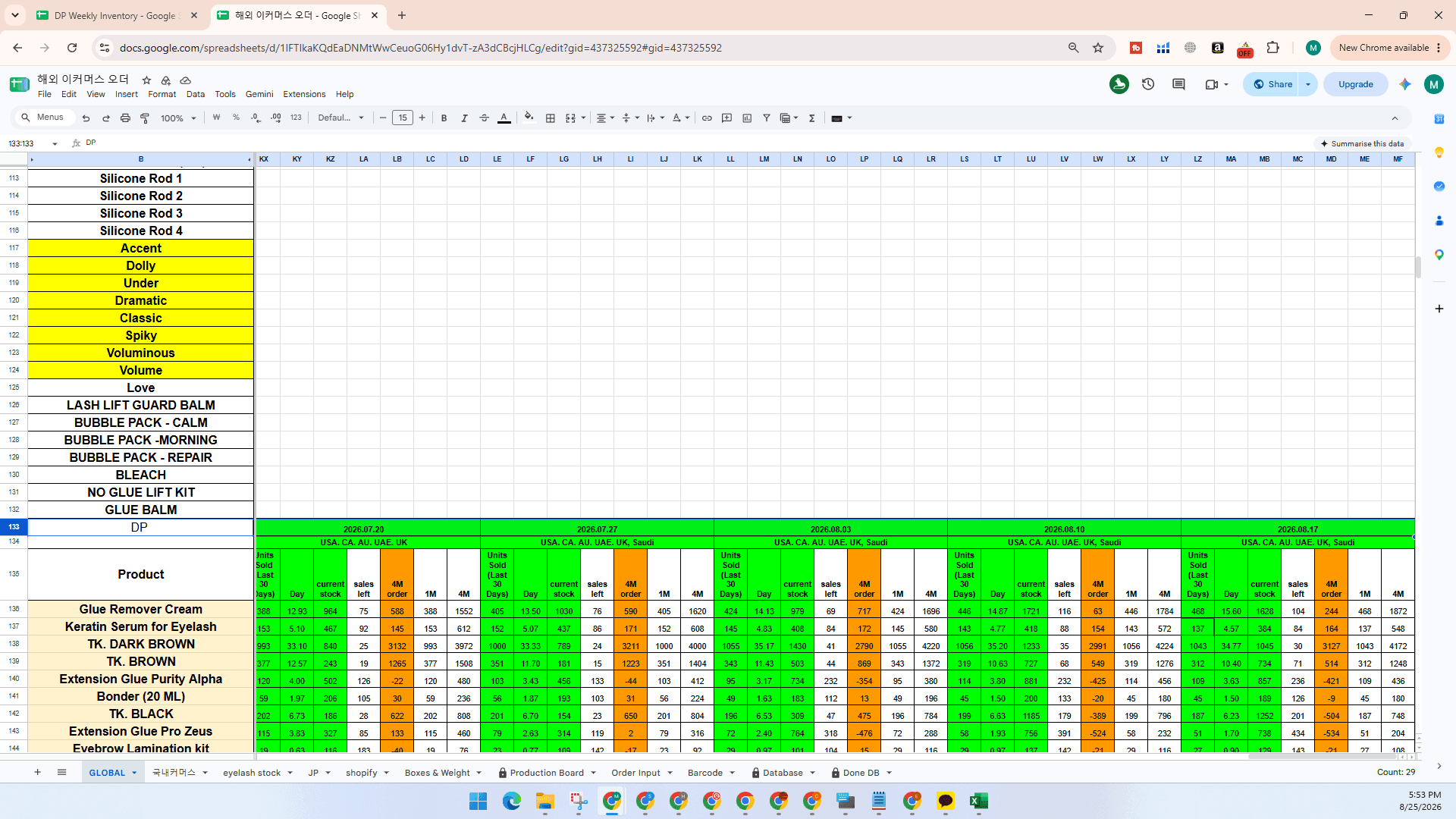
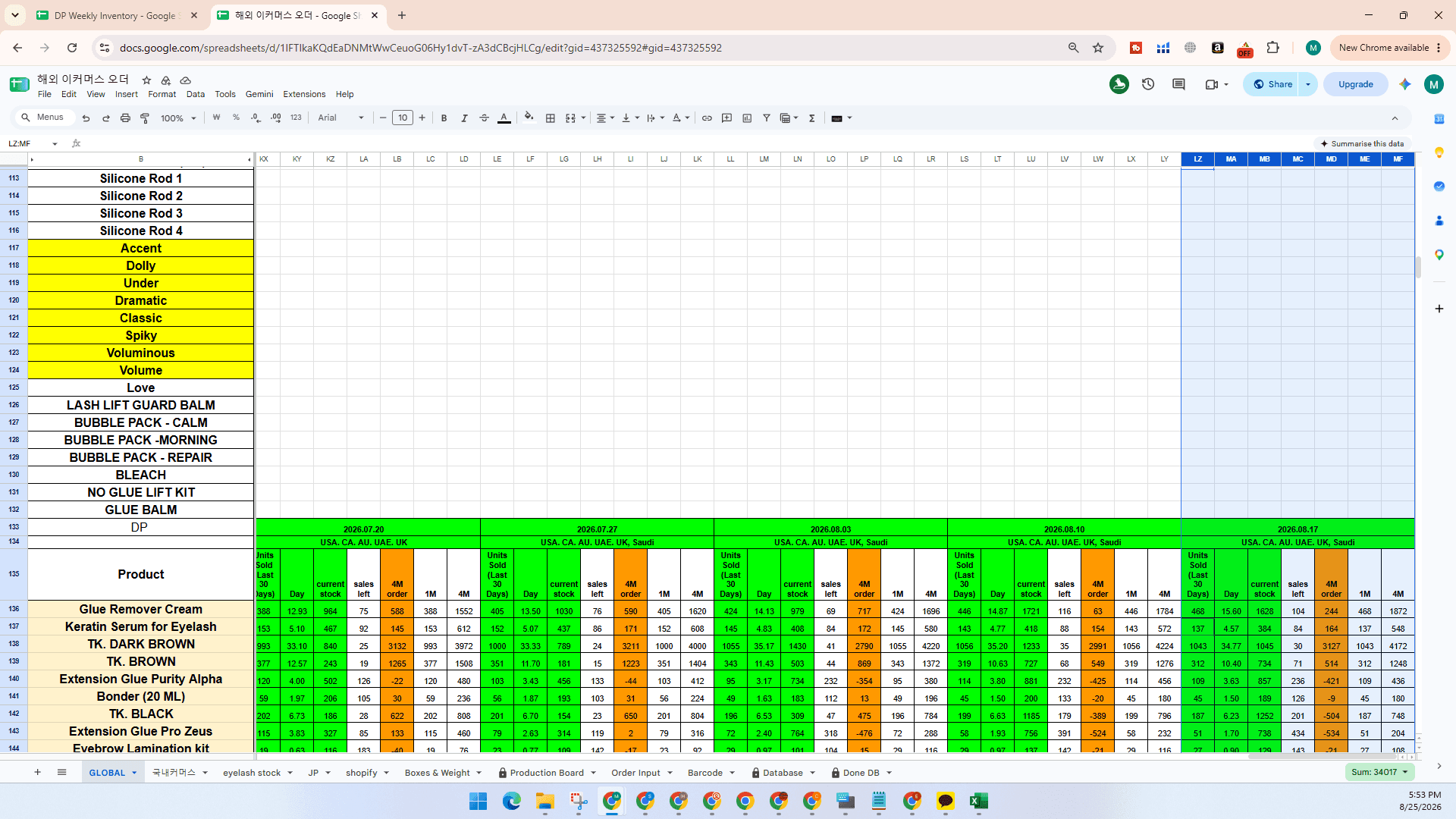
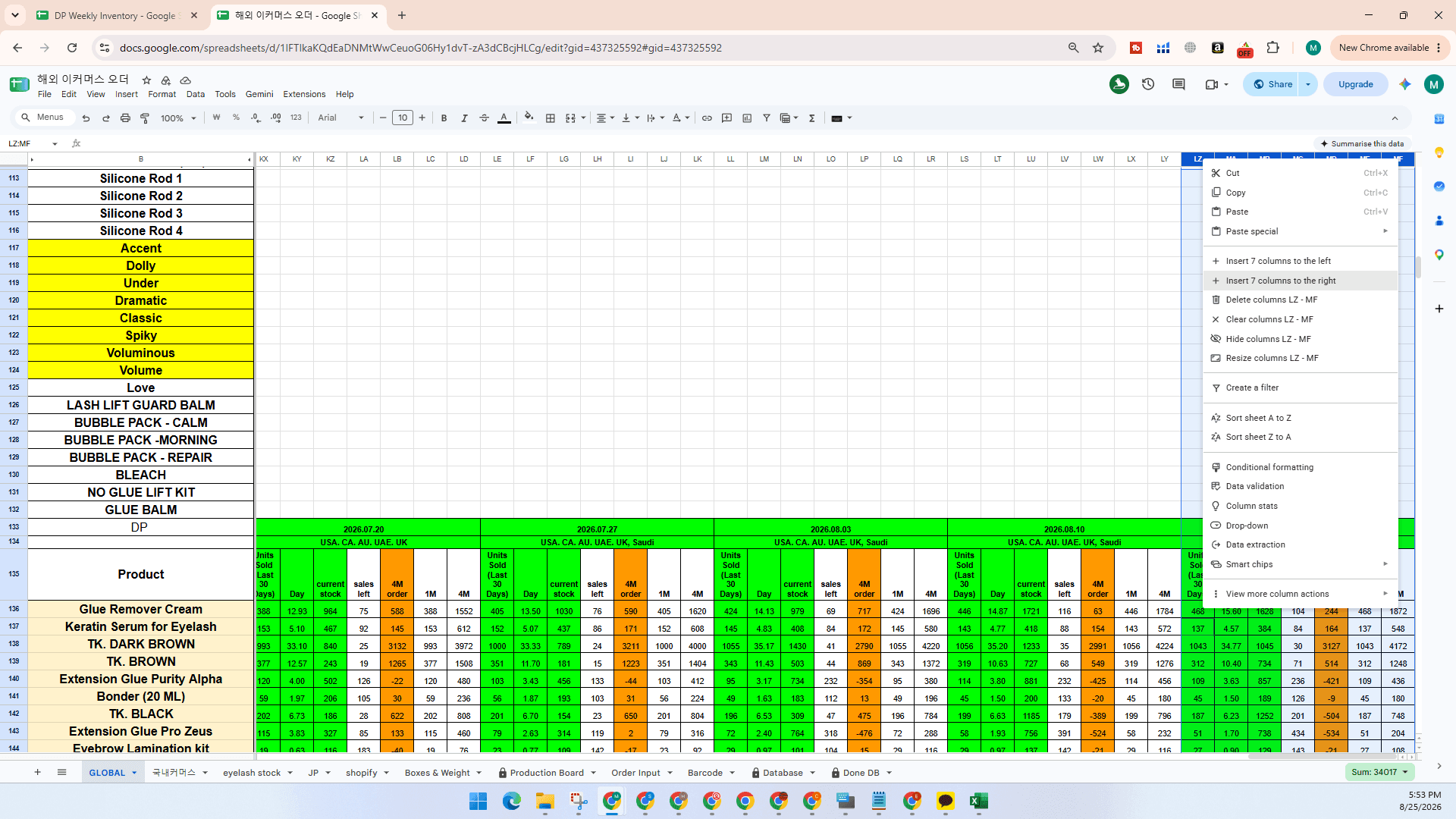
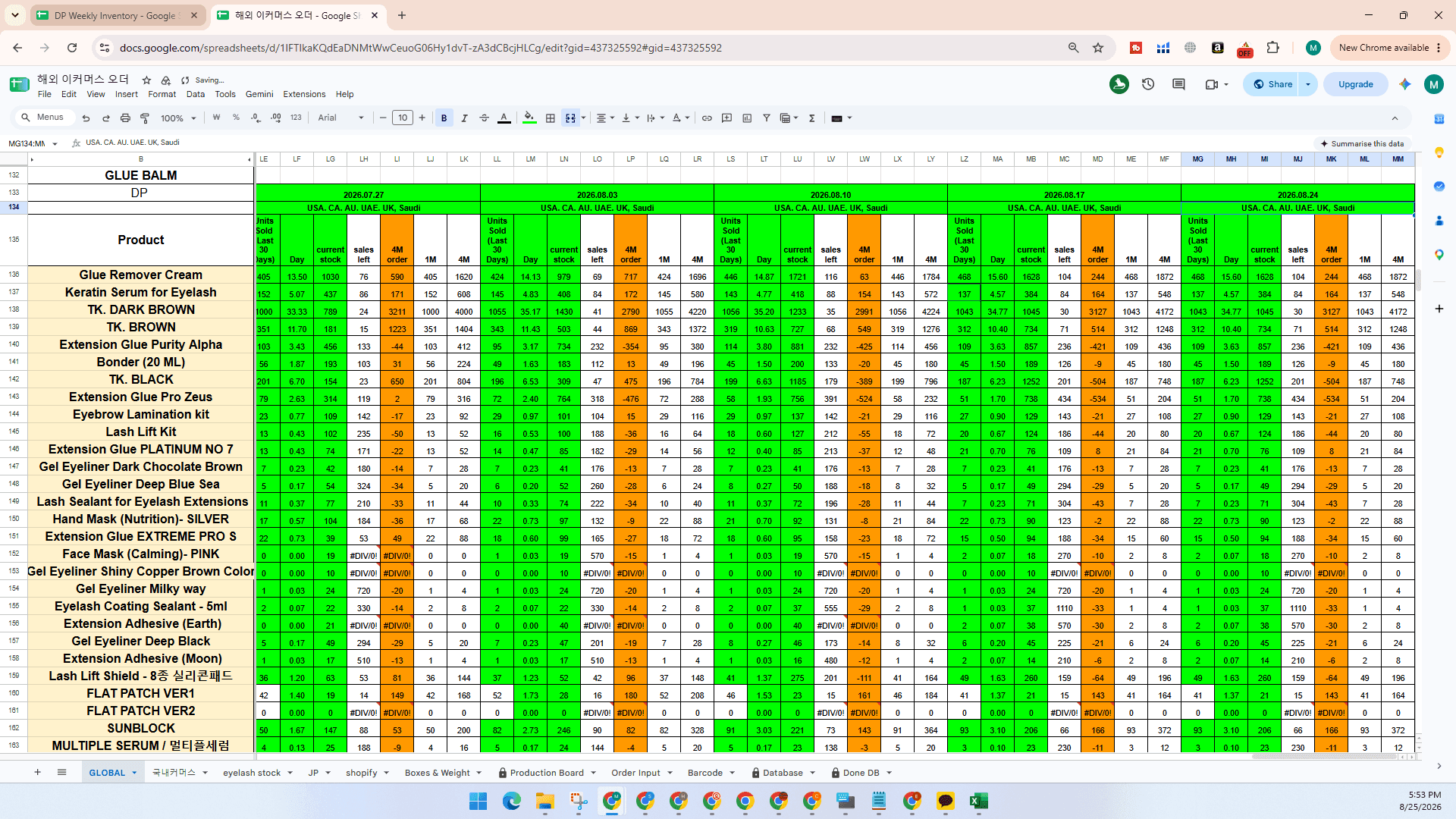
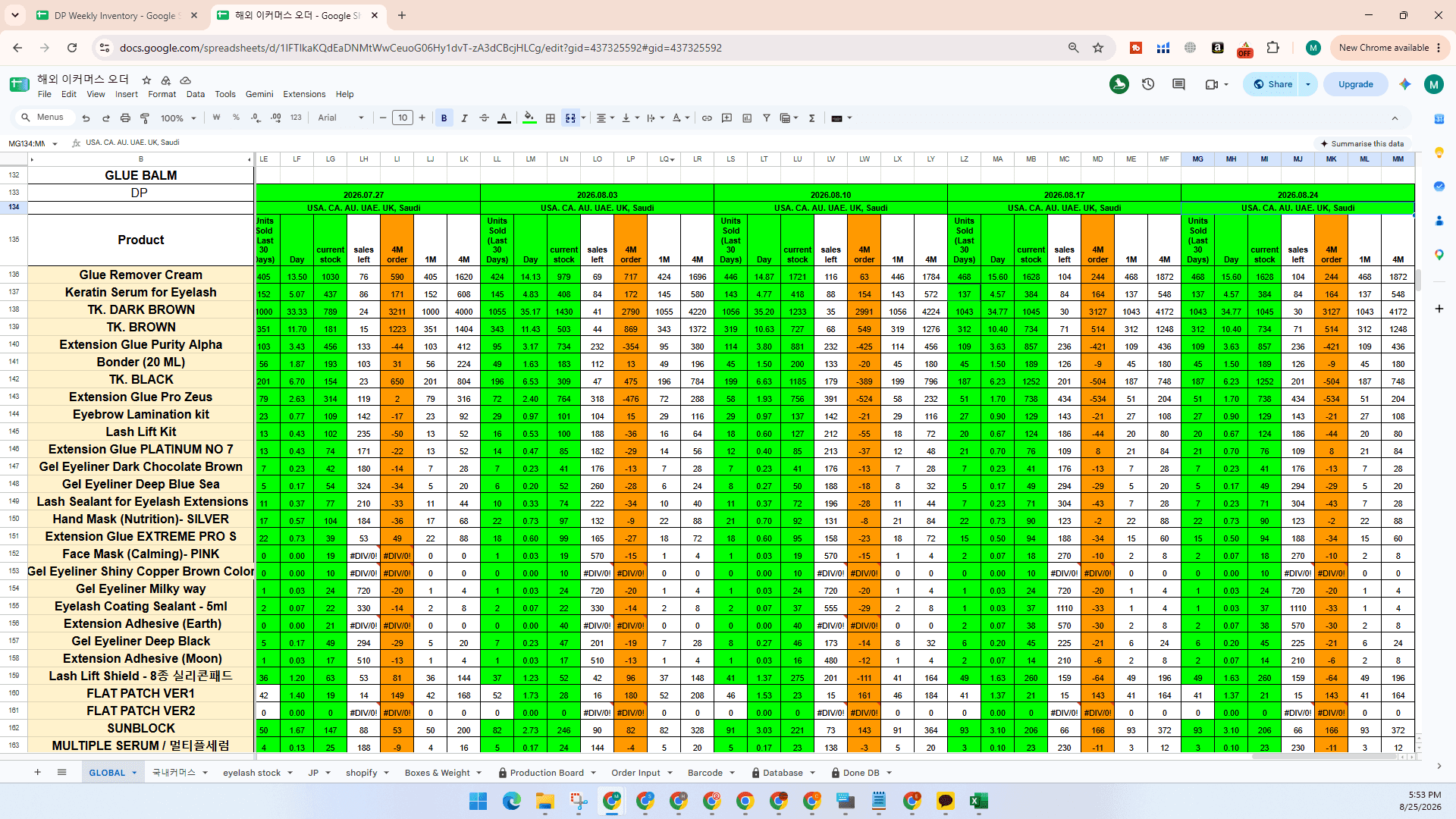
Shift + Ctrl + V to paste values only without overwriting formatting.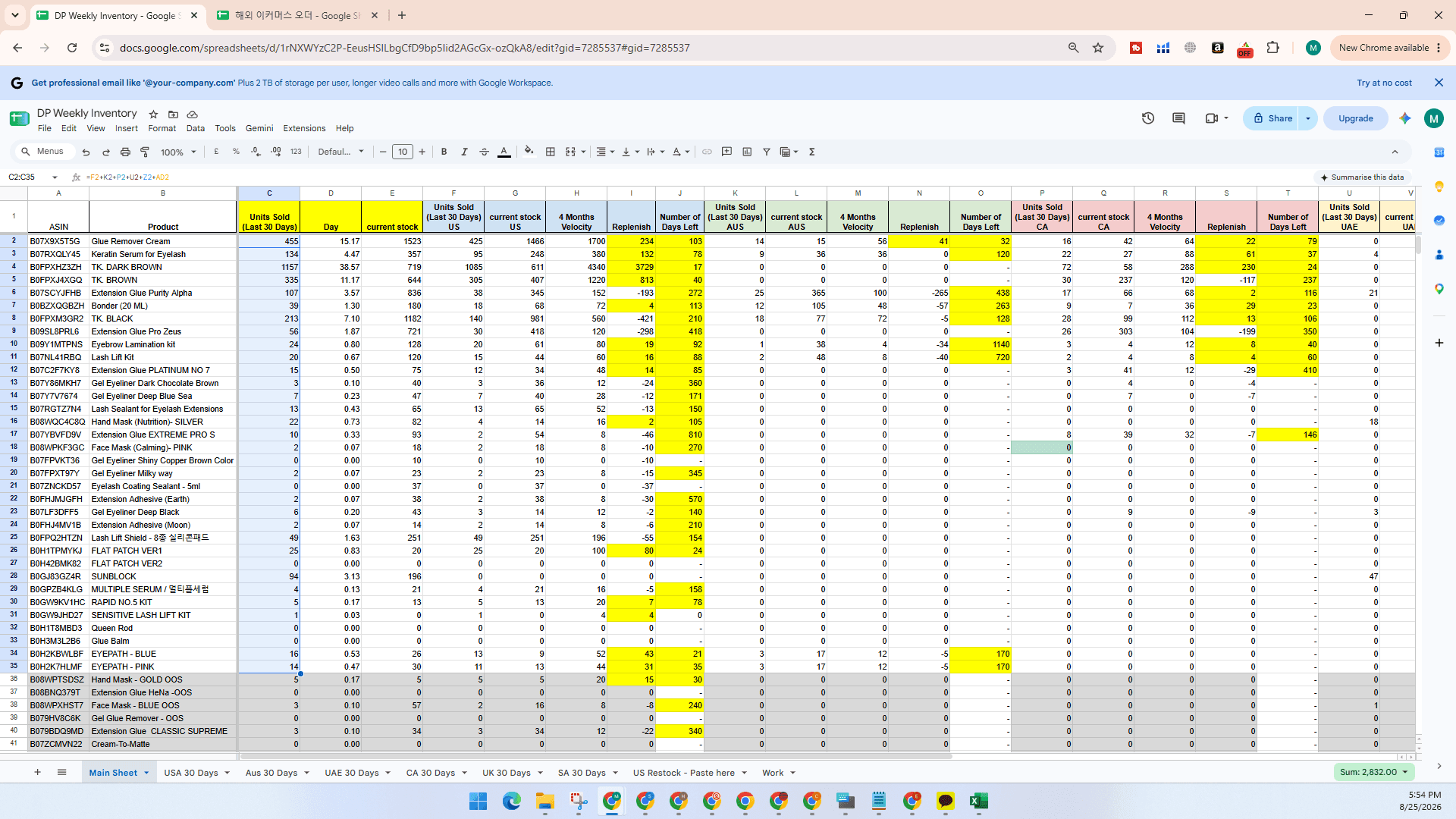
Shift + Ctrl + V).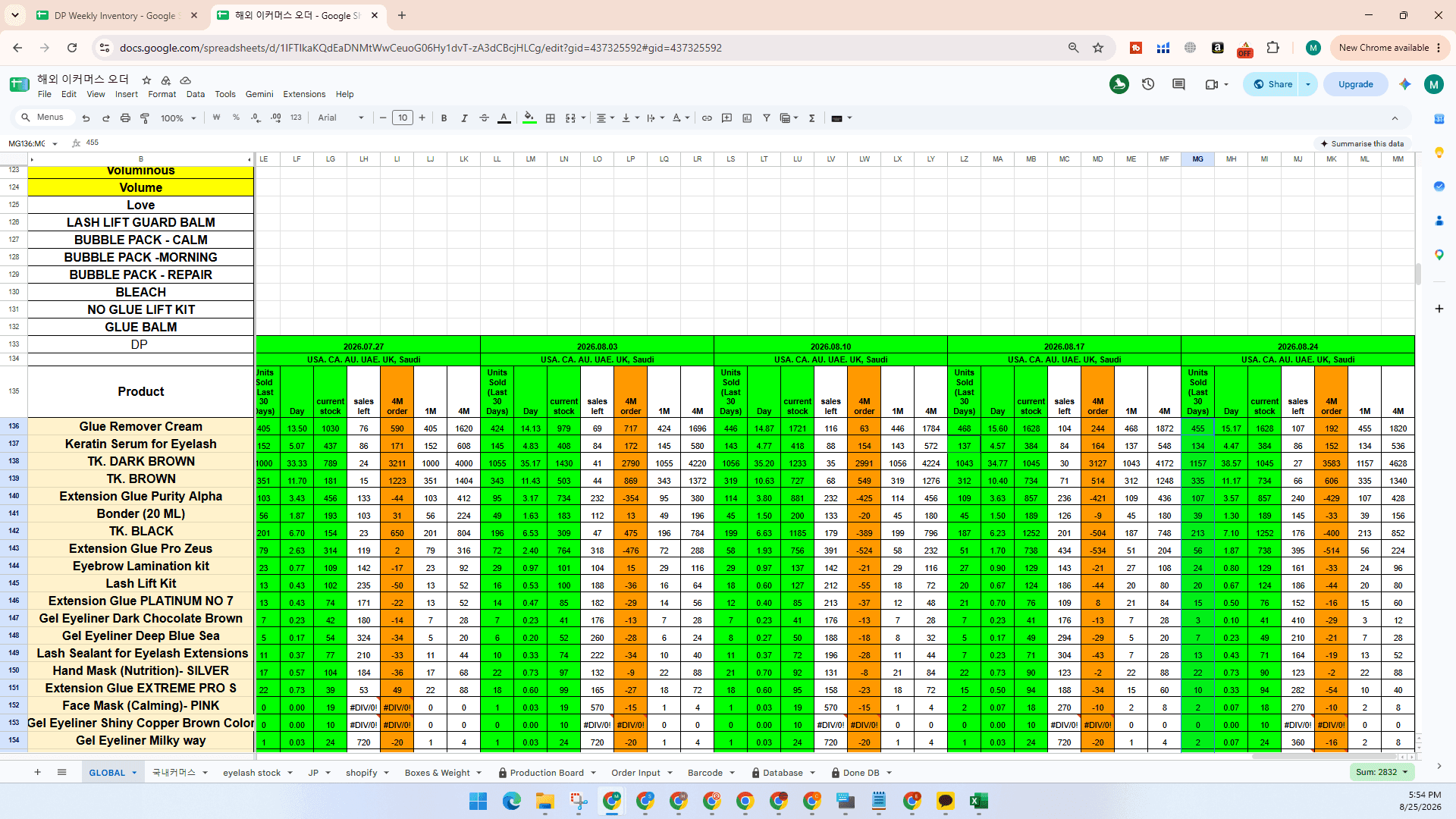
Q: How often should this inventory data be updated?
A: Update the inventory sheet every Monday to keep replenishment calculations and runout velocity current.
Q: Why paste the US Restock report into a dedicated tab instead of entering it manually?
A: Downloading the Amazon US Restock CSV and pasting it into the dedicated tab allows formulas to automatically pull units sold, available stock, and inbound inventory, saving significant time for high-volume catalogs.
Q: Why use Paste Values (Shift + Ctrl + V) when updating the global sheet?
A: Pasting values prevents formula references and cell formatting from breaking across linked sheets.
Term | Definition |
|---|---|
ASIN | Amazon Standard Identification Number, a unique 10-character alphanumeric identifier assigned to each product. |
FBA Reserved Inventory | Units in Amazon fulfillment centers currently tied to hub transfers, or processing. Don't need to add customer orders in reserved. |
Restock Report | An Amazon FBA fulfillment report detailing sales velocity, inventory levels, and recommended replenishment quantities. |