
Navigate Performance Calibration Sessions in Hibob Pt2
Learn how to navigate the Hibob calibration worksheet, switch to box view, adjust performance ratings, and filter employees for review.
This guide explains how to navigate the talent calibration worksheet in Hibob to review and adjust employee performance ratings. Completing this ensures fair and consistent performance evaluations across your organization prior to closing out a review cycle.
This workflow is designed for HR administrators, P&C facilitators, and managers participating in performance calibration sessions.
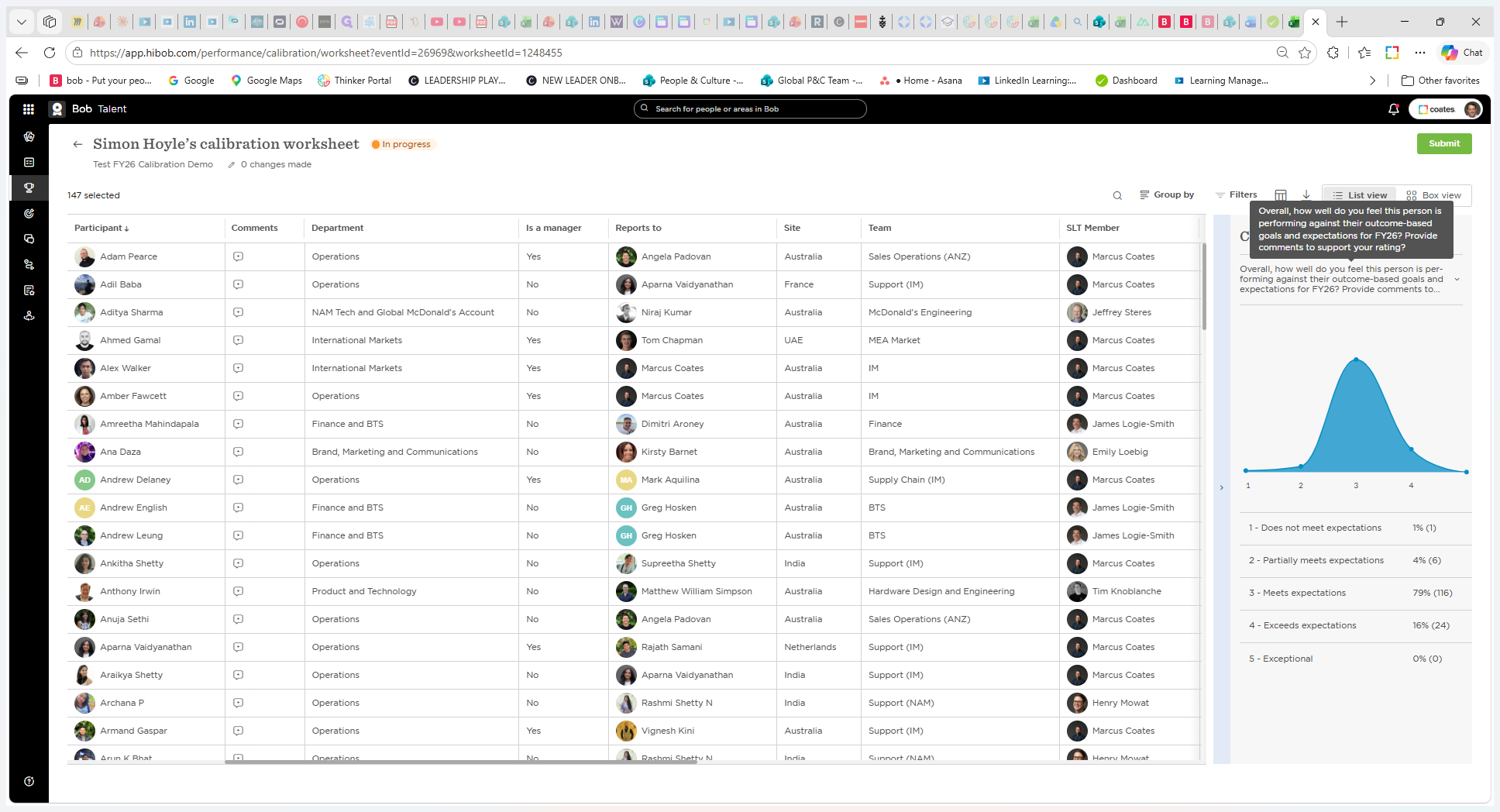
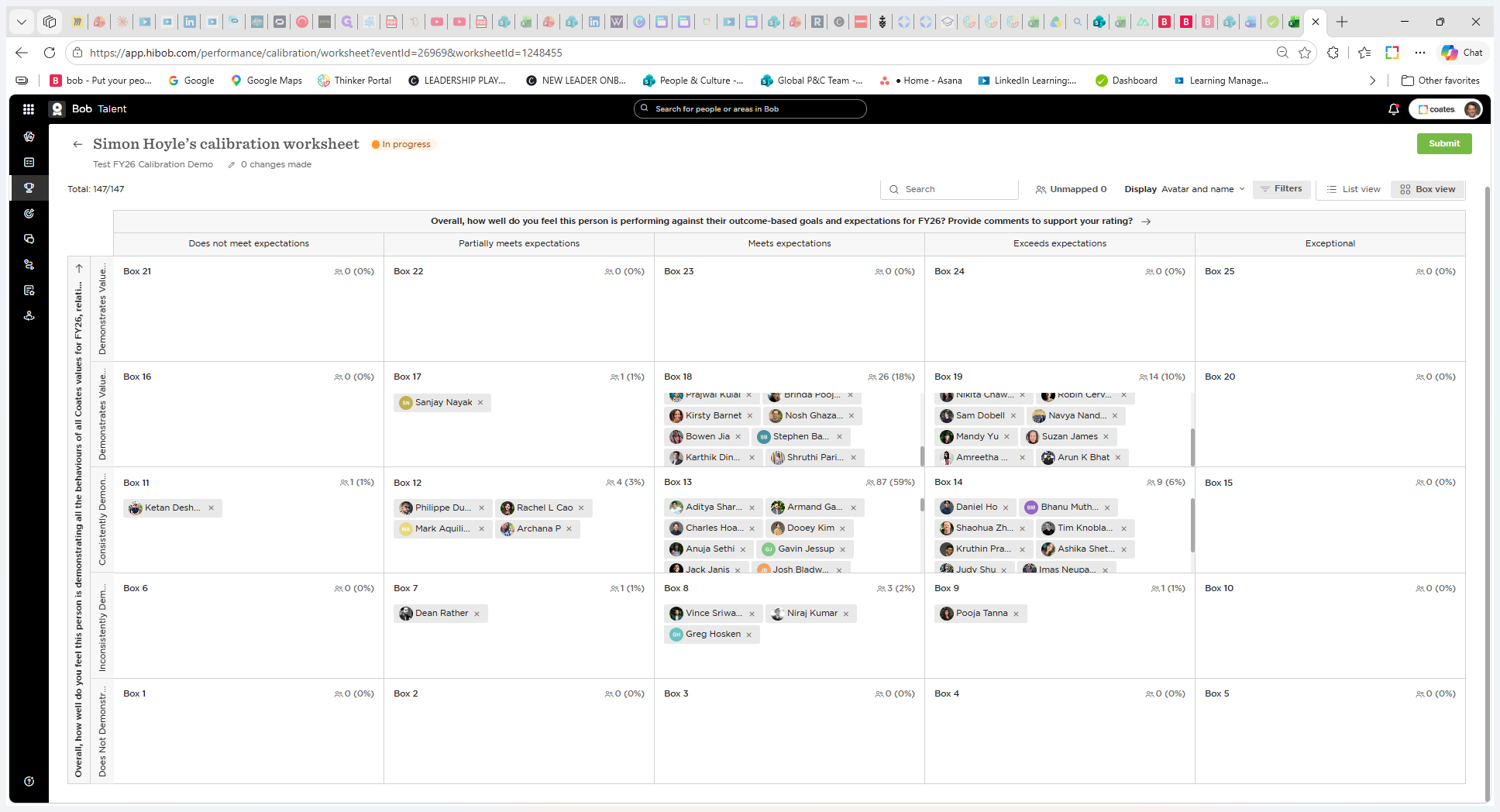
When you open a calibration event worksheet, it starts in a table view displaying columns of performance data alongside a distribution curve of scores.
Using the Box View
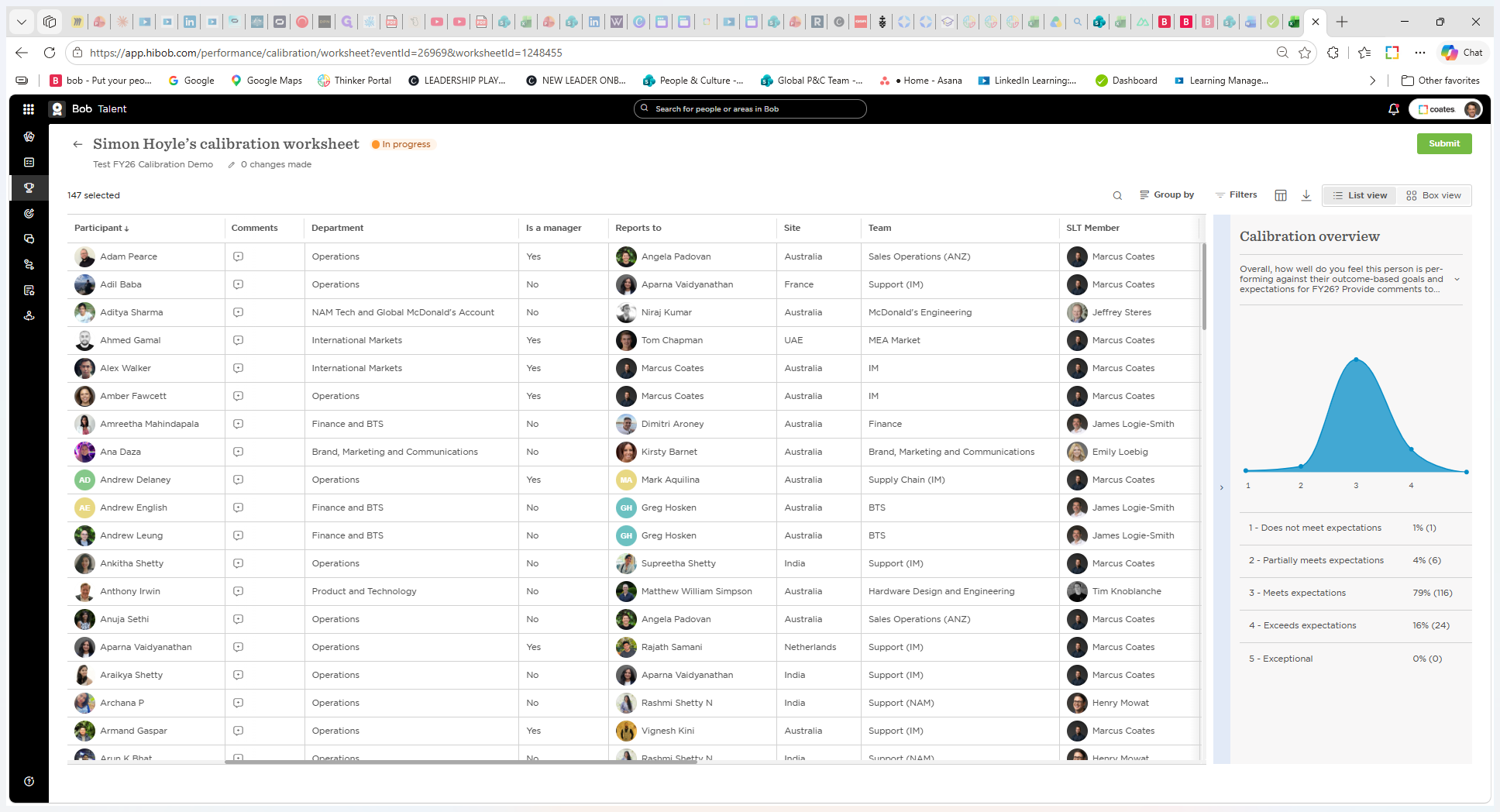
To easily visualize outliers and compare employee groupings, switch to the matrix layout.
Adjusting Performance Ratings
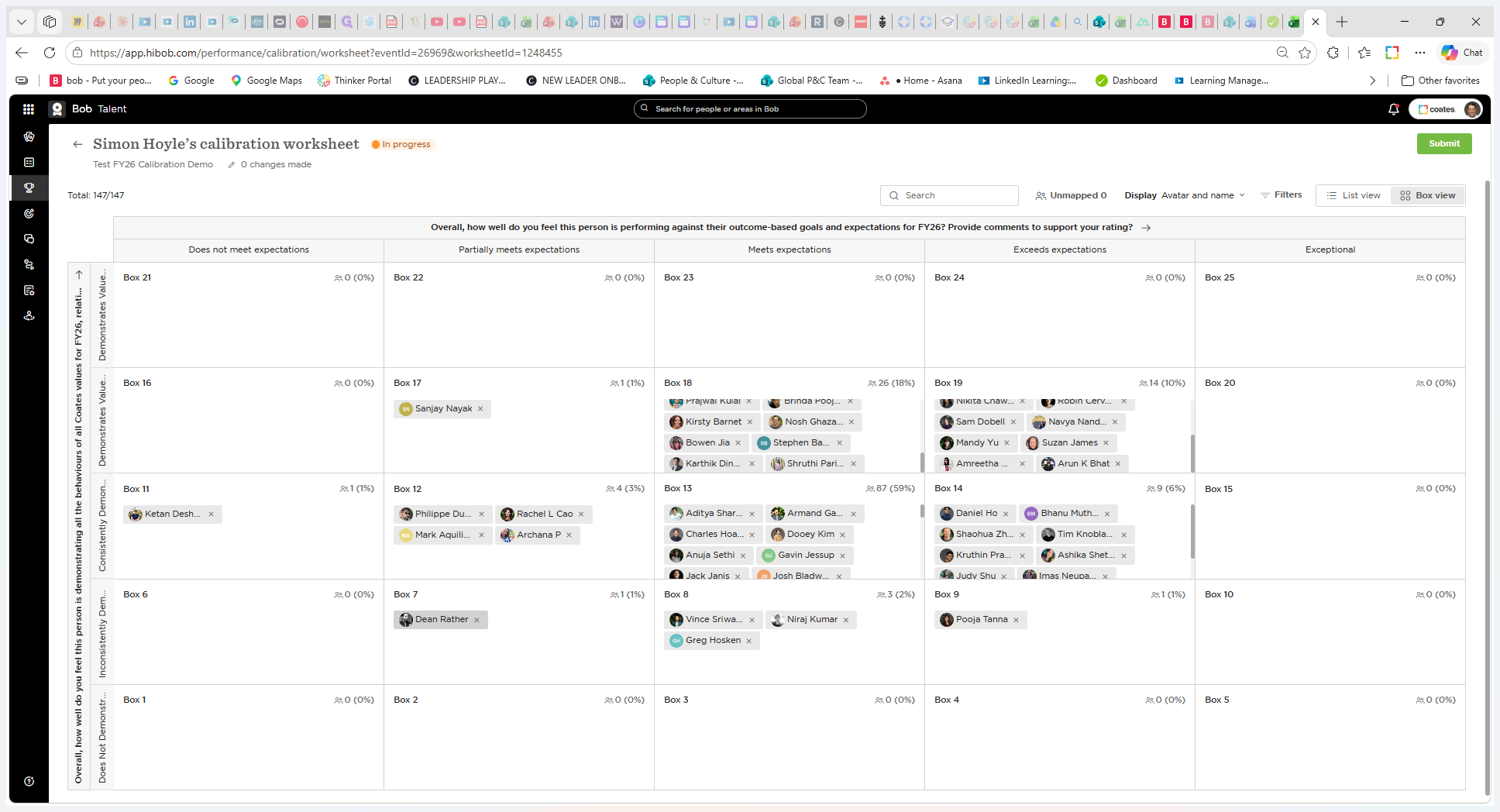
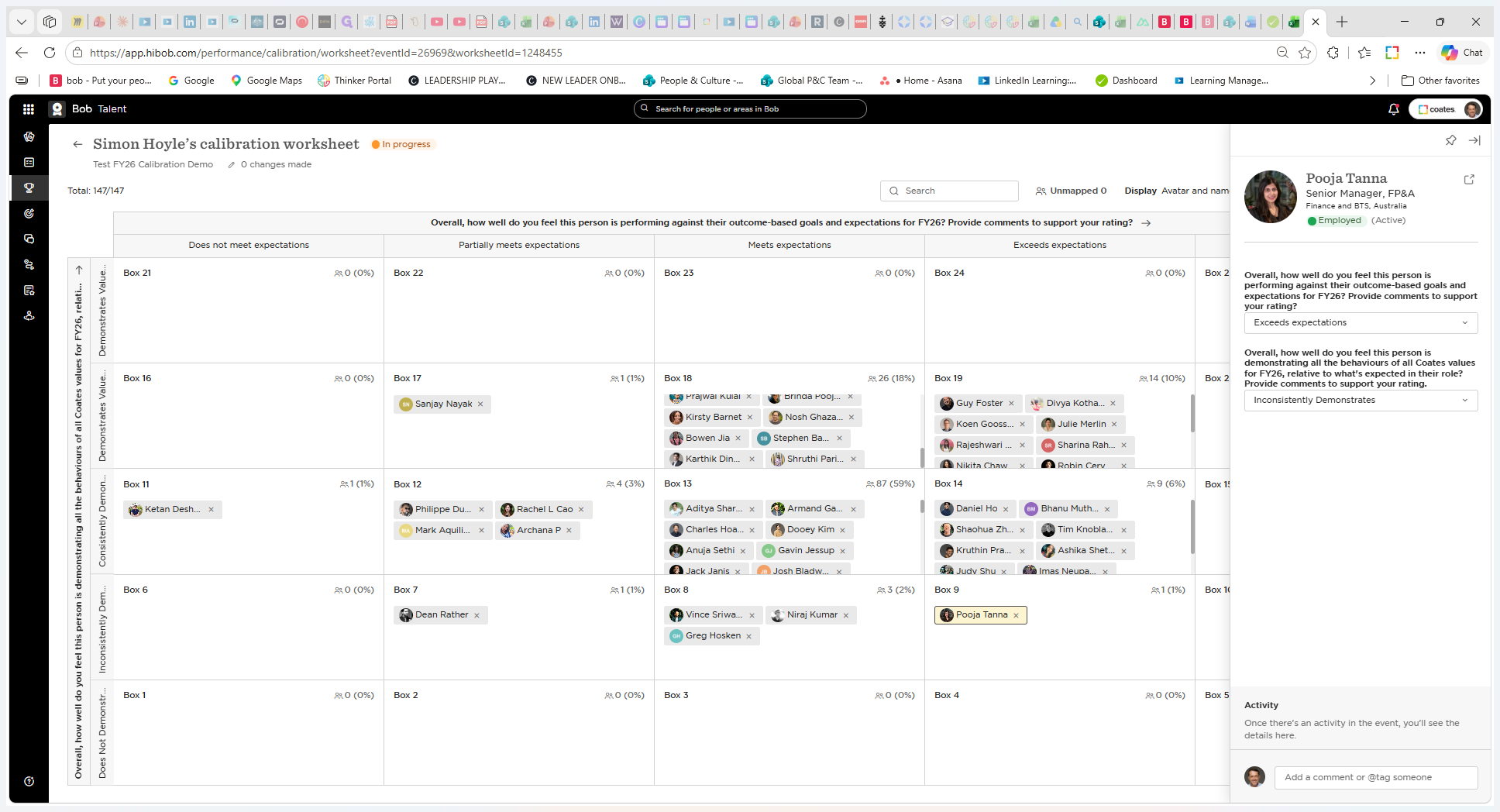
If the calibration committee decides an employee's rating should be modified, you can make changes directly on the grid. There are two ways to adjust scores:
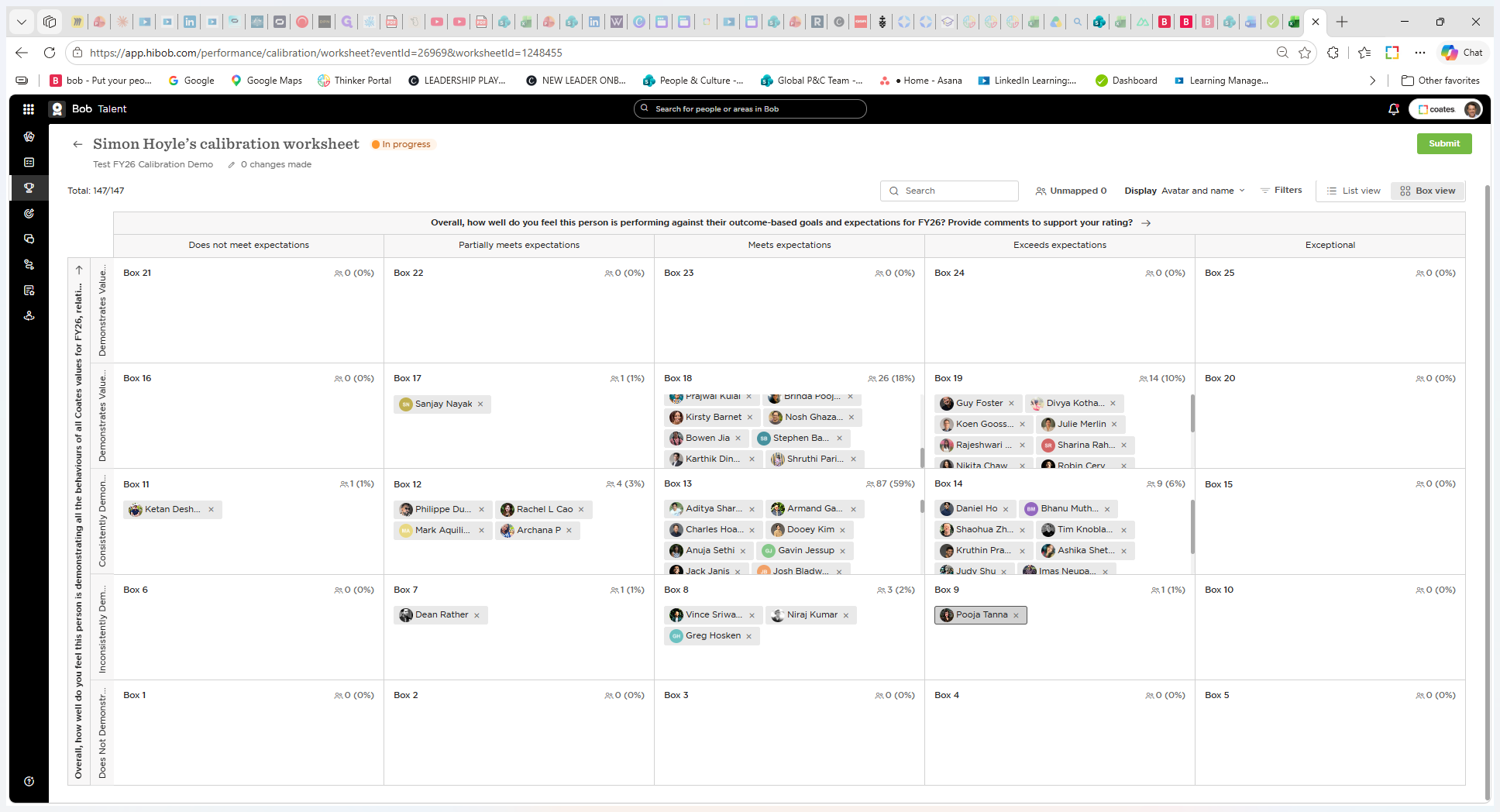
Alternatively, you can update their score through their individual side panel:
Filtering the Calibration Grid
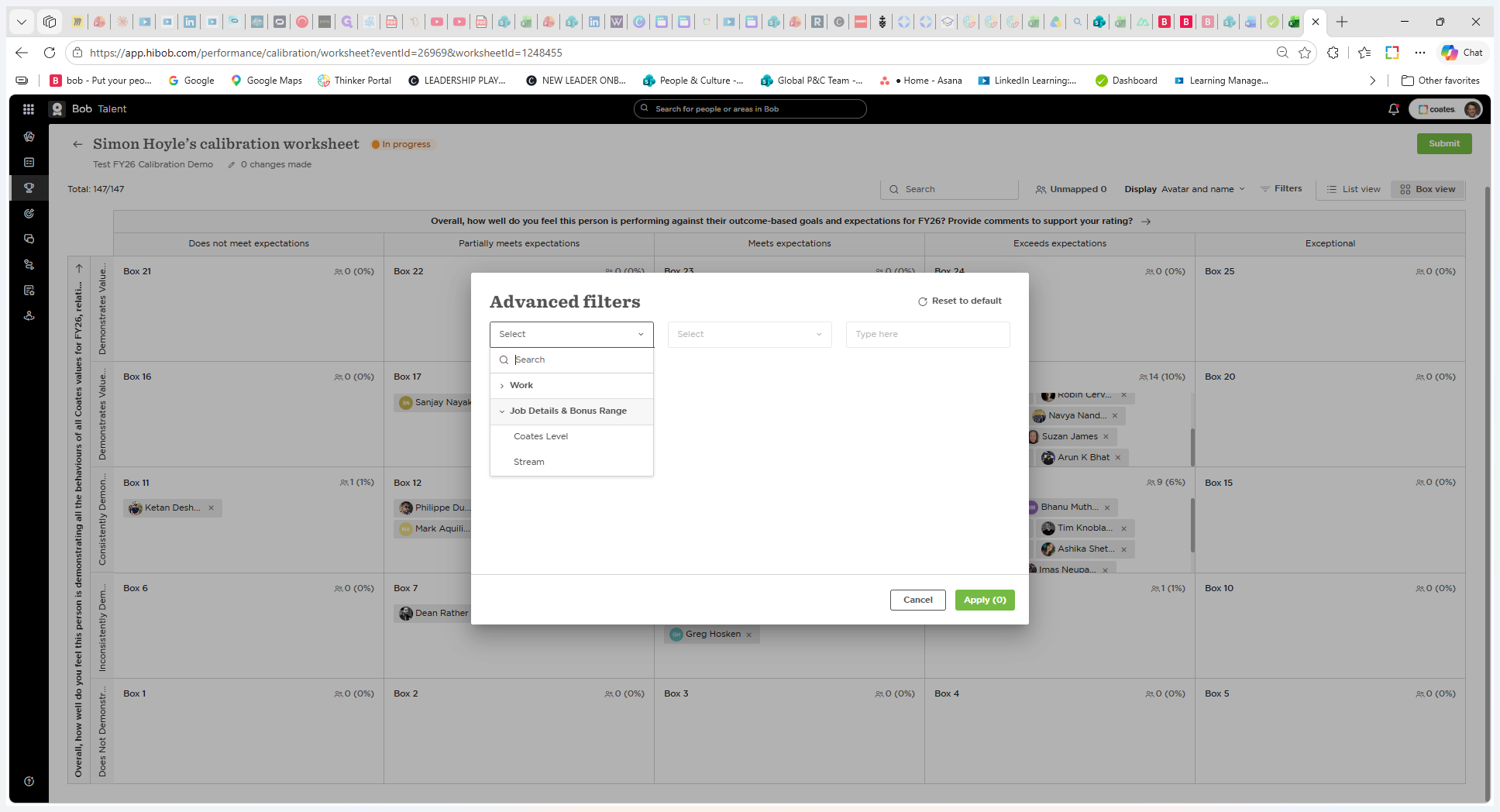
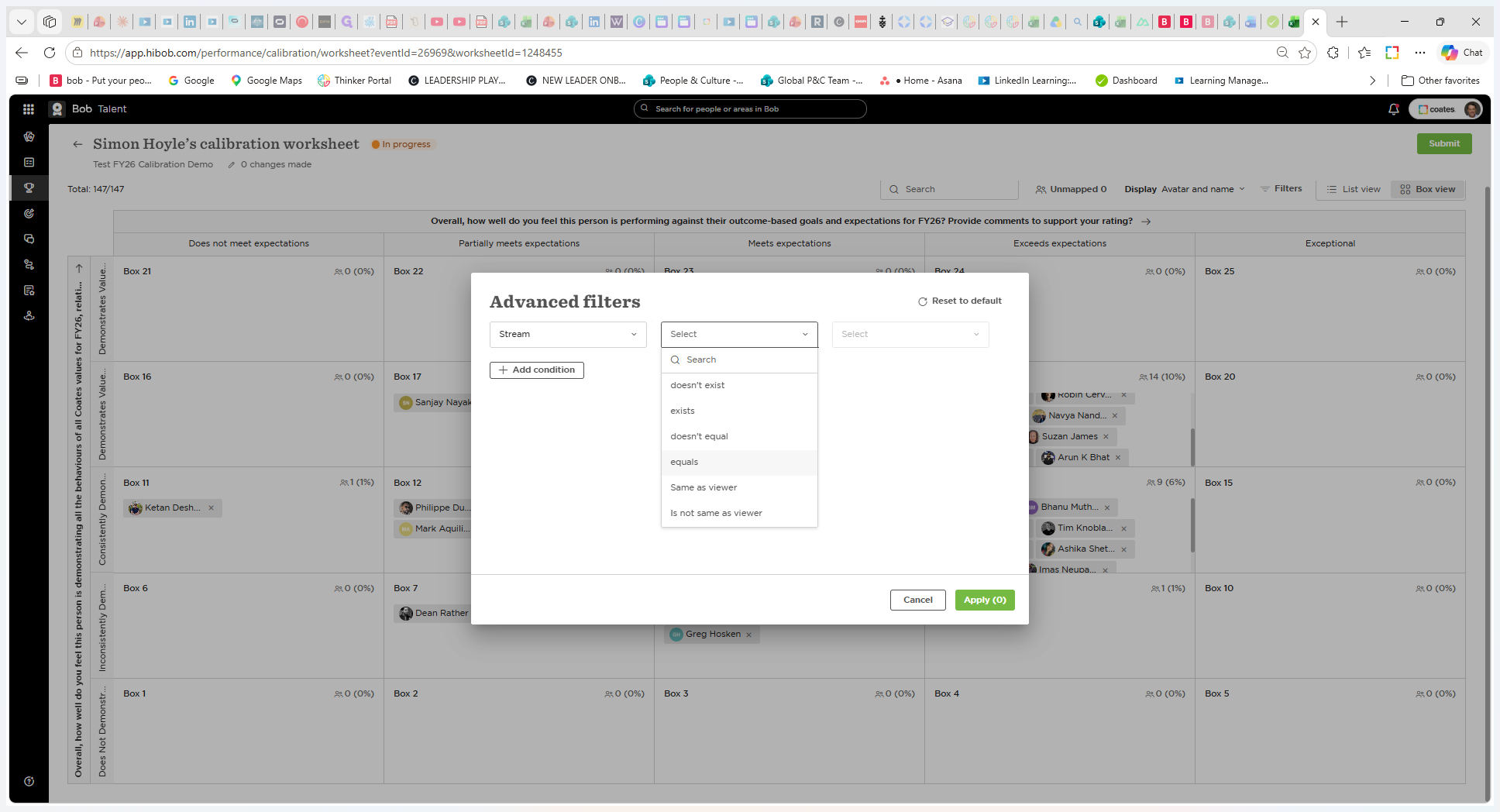
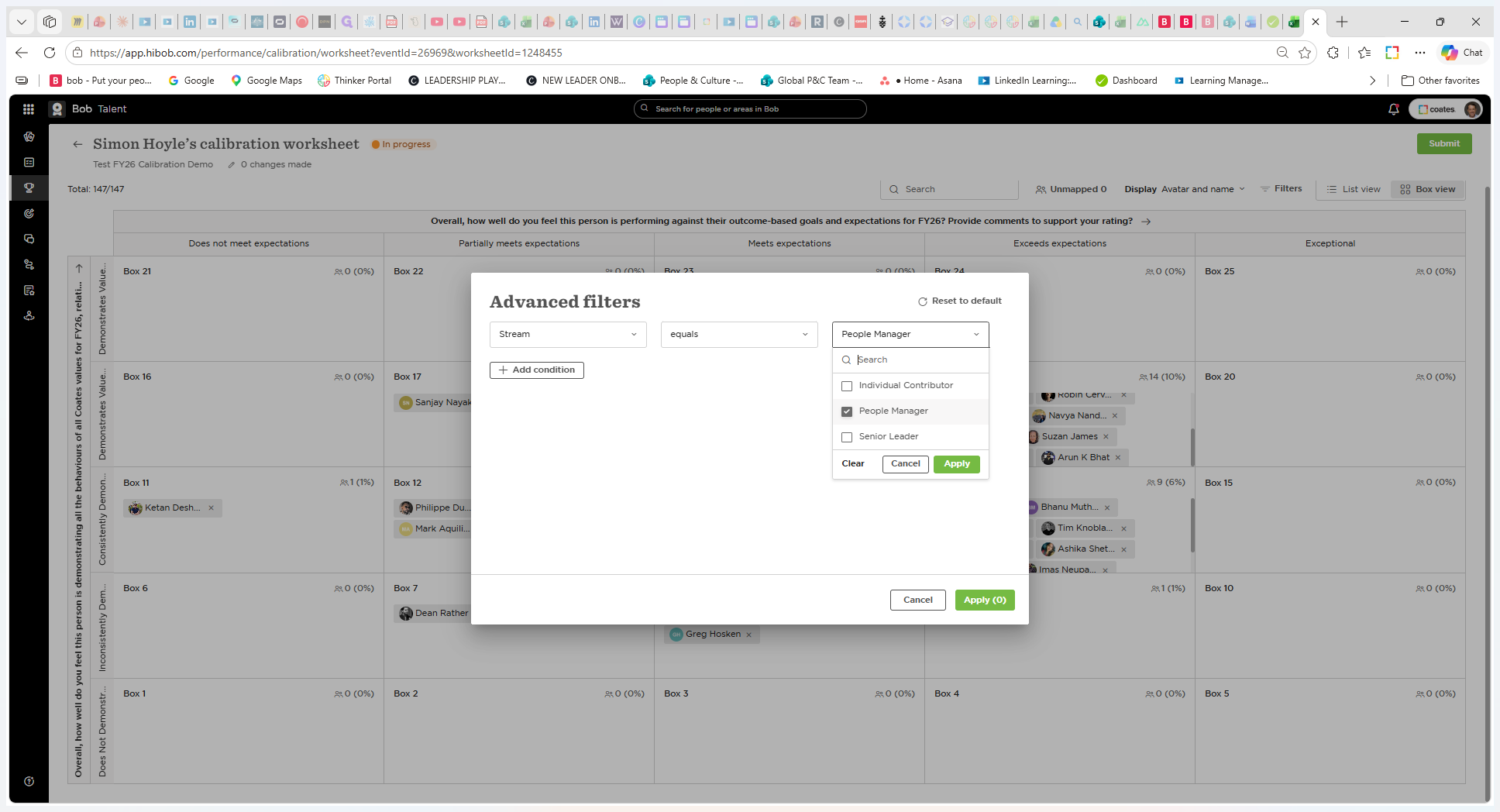
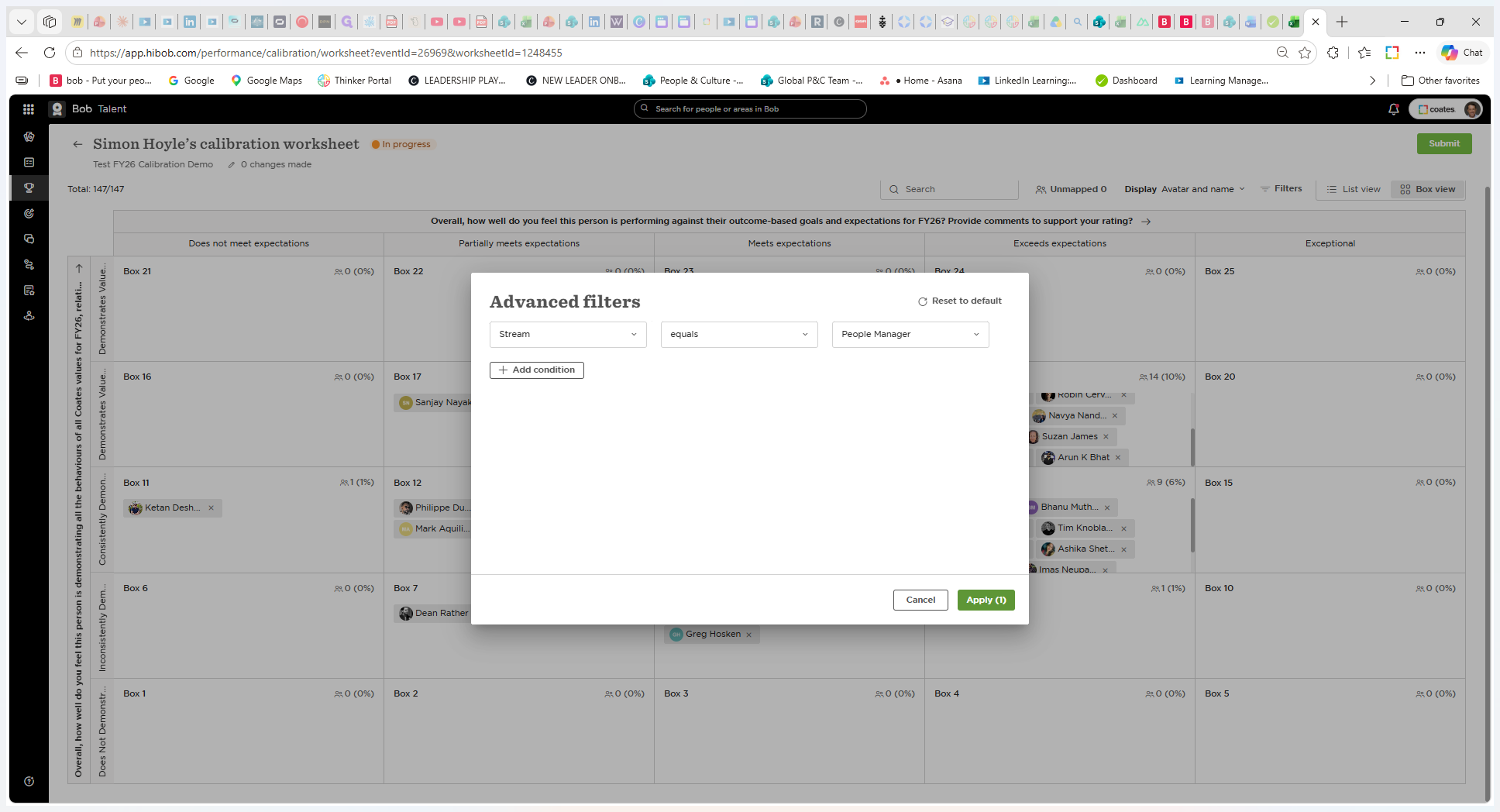
For large groups, use advanced filters to narrow the evaluation pool by criteria like job details, level, or stream. By filtering for specific streams, you can isolate and compare employees with similar baseline expectations.
Stream | Description |
|---|---|
Individual Contributor | Employees who do not have direct reports. |
People Manager | Employees who manage and lead a team. |
Senior Leader | High-level executives overseeing broad organizational functions. |
Q: Does changing an employee's rating in the calibration worksheet immediately update their review score?
A: No. Adjustments made in the calibration document are tracked internally. The employee's end-of-year review score won't change until the calibration event is officially closed.
Q: Can I add manager comments directly in the calibration worksheet?
A: No. While you can change the scores during calibration, managers still need to go back into the individual's review form to add or update supporting comments.
Term | Definition |
|---|---|
Calibration Event Worksheet | A workspace in Hibob used to review, discuss, and adjust employee performance scores across a group. |
Box View | A 5x5 matrix layout that groups employees based on their combined performance and behavioral ratings to easily identify outliers. |
Stream | A categorization in Hibob used to group employees with similar role expectations, such as Individual Contributor or People Manager. |