
Open ShipStation Orders from Zoho CRM
Learn how to quickly open and view corresponding ShipStation order records directly from your Zoho CRM Sales Orders.
This guide demonstrates how to quickly transition from viewing a Sales Order in Zoho CRM to managing its fulfillment details in ShipStation. By using the integrated custom buttons, you can jump directly to the relevant shipping record without manual searching.
This workflow is designed for sales administrators and fulfillment teams who need to verify or process e-commerce orders bridging Zoho CRM and ShipStation.
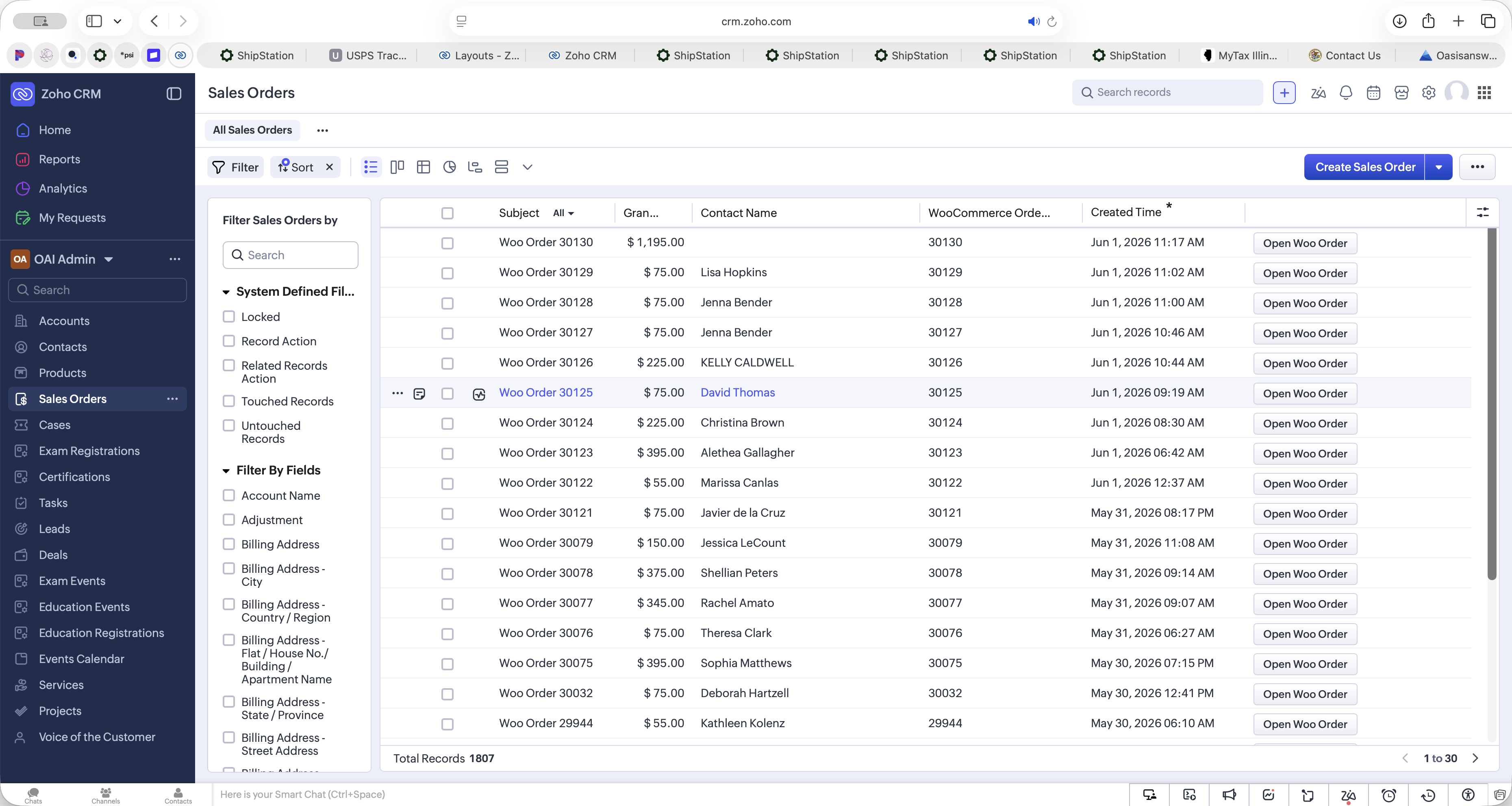
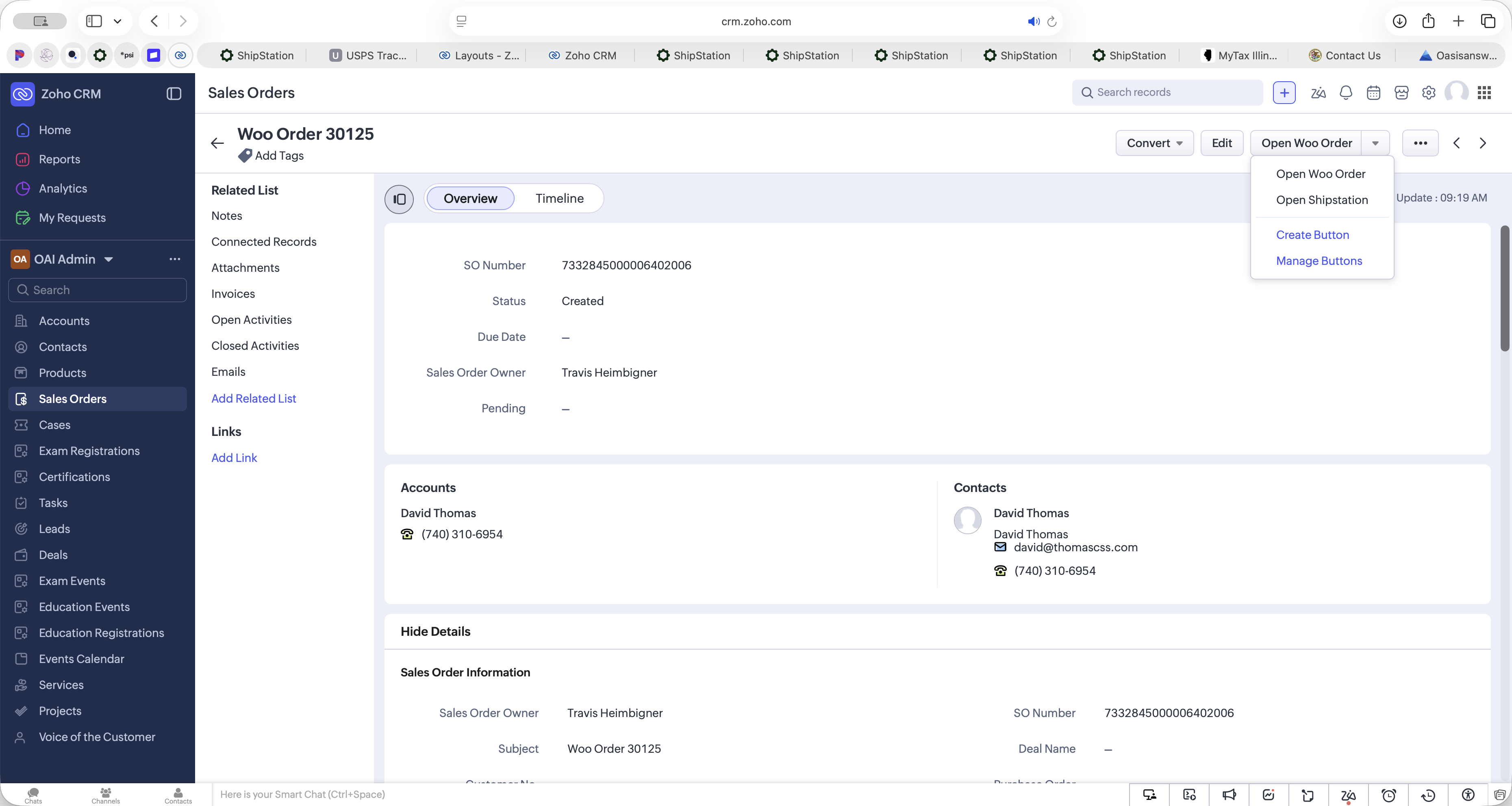
When viewing a WooCommerce order in Zoho CRM, the custom dropdown menu provides several quick-access actions:
Dropdown Option | Function |
|---|---|
Open Woo Order | Opens the original order record directly within the WooCommerce dashboard. |
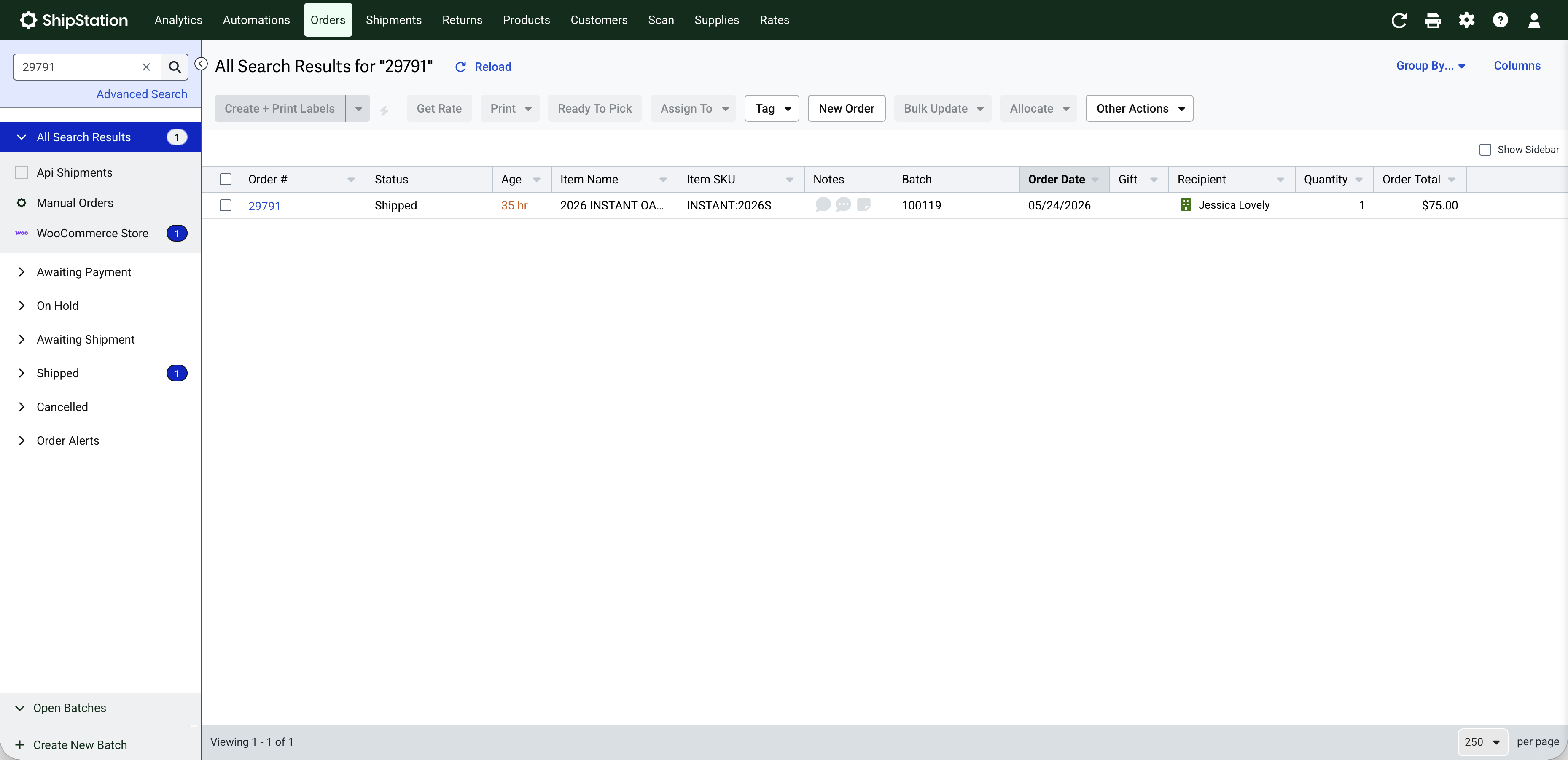
Open ShipStation | Redirects to the corresponding fulfillment record in the ShipStation application. |
Term | Definition |
|---|---|
Zoho CRM | A customer relationship management software used to manage sales, marketing, and support in a single system. |
ShipStation | A web-based shipping software designed to streamline the order fulfillment process for online retailers. |
WooCommerce | An open-source e-commerce plugin for WordPress used to create and manage online stores. |