Post All Future Periods for Recurring Journal Entries
Learn how to bulk post all upcoming periods for your recurring journal entries in just a few clicks.
By Aasma Technology Solutions
This guide explains how to instantly post all remaining upcoming periods for a recurring journal entry. Completing this action saves time by allowing you to bulk-post future monthly entries at once instead of waiting for their scheduled dates.
This process applies to accounting or finance team members managing recurring journal entries. Use this workflow when you need to finalize or close out a recurring entry schedule ahead of time.
1
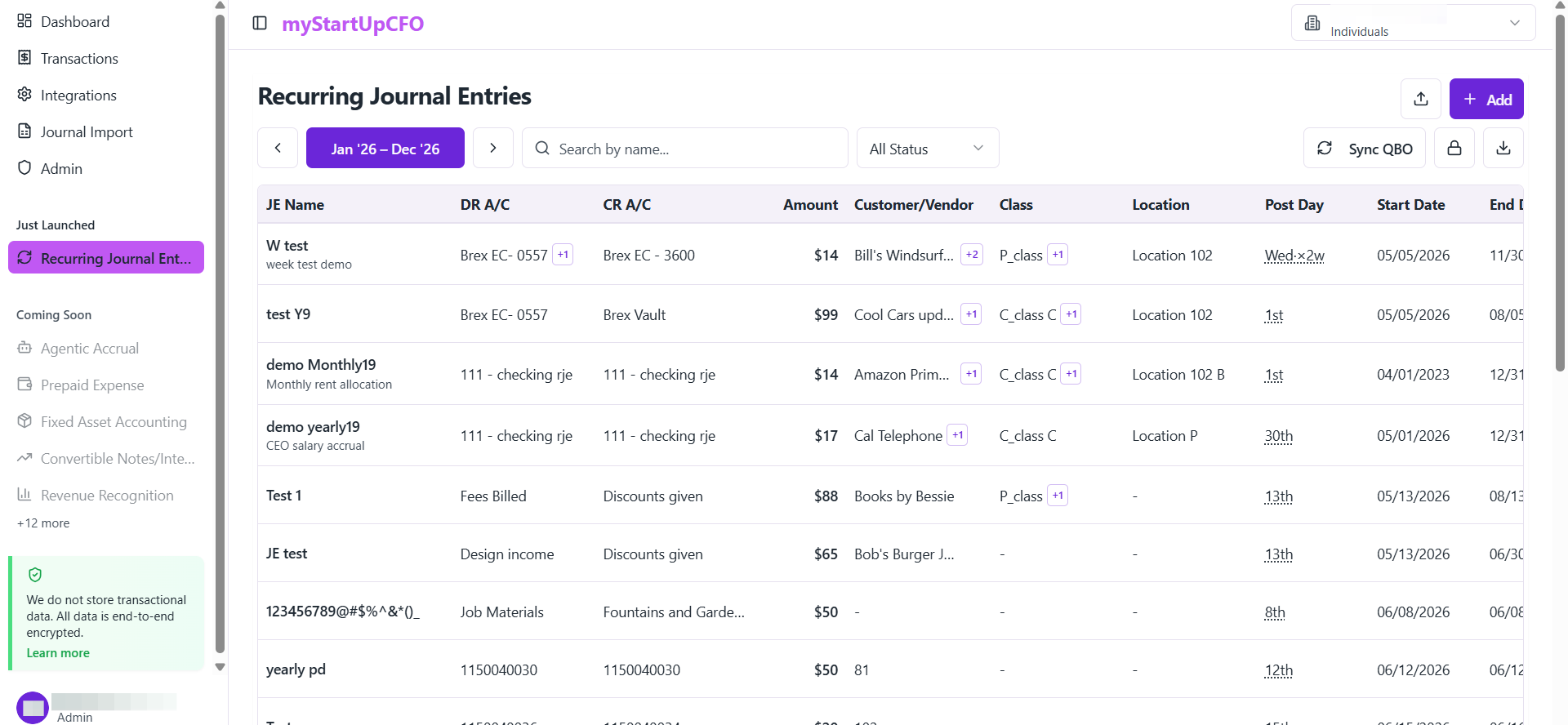
Go to the Recurring Journal Entries section
2
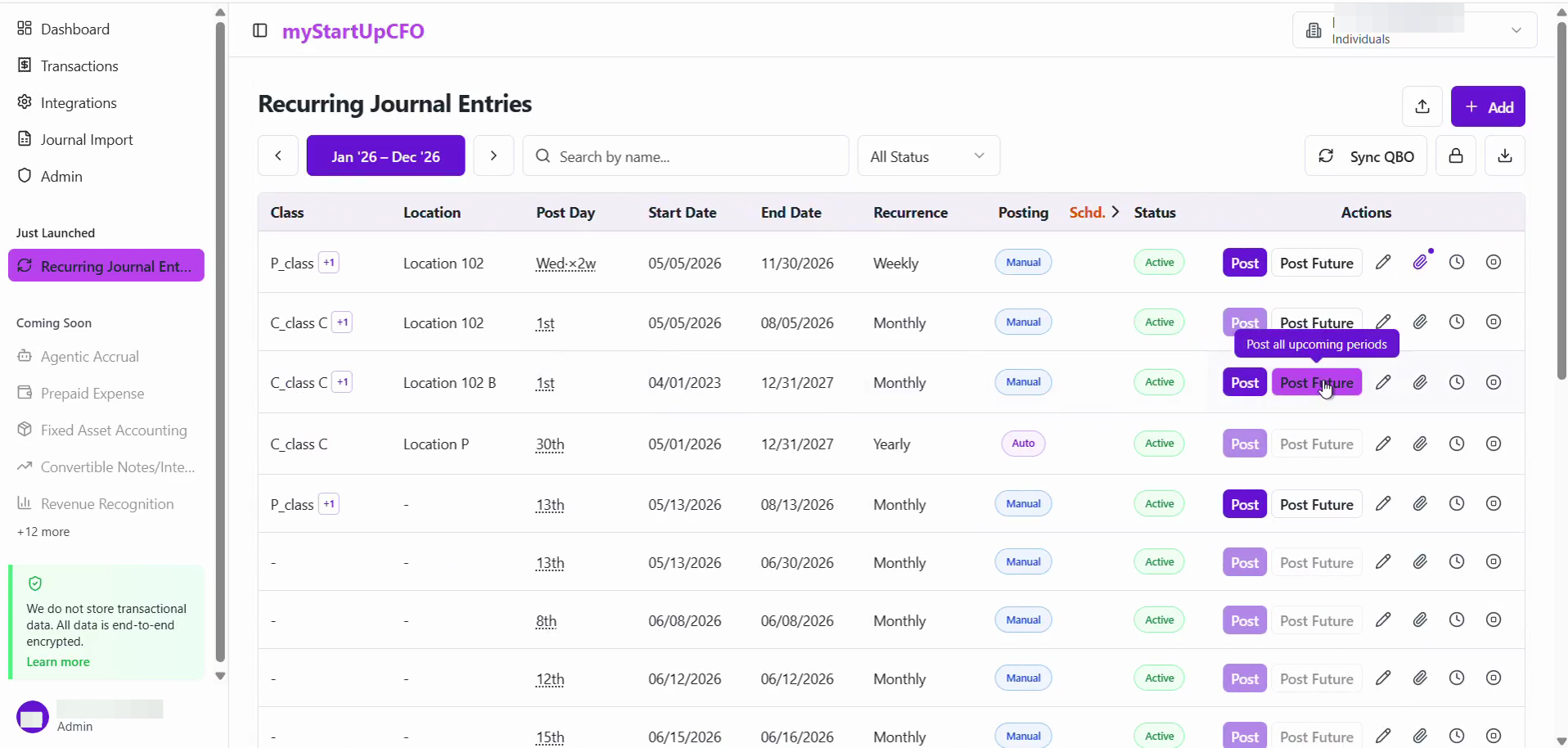
From the recurring journal entries management screen, click Post Future of the Transaction required
3
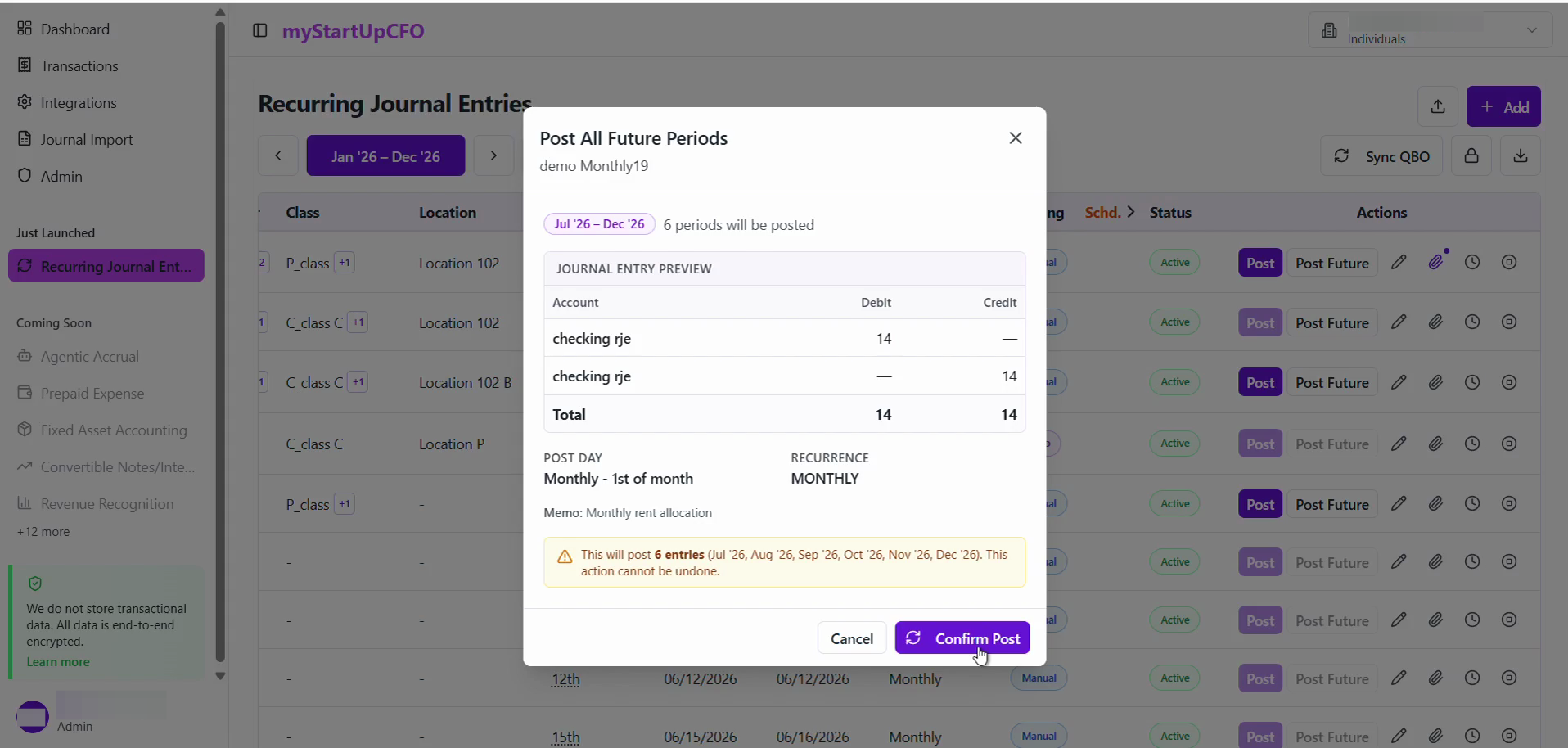
Review the entries in the "Post All Future Periods" dialog, then click Confirm Post to finalize the bulk posting.
4
Once the confirmation modal displays "Complete", click Done to dismiss the window.
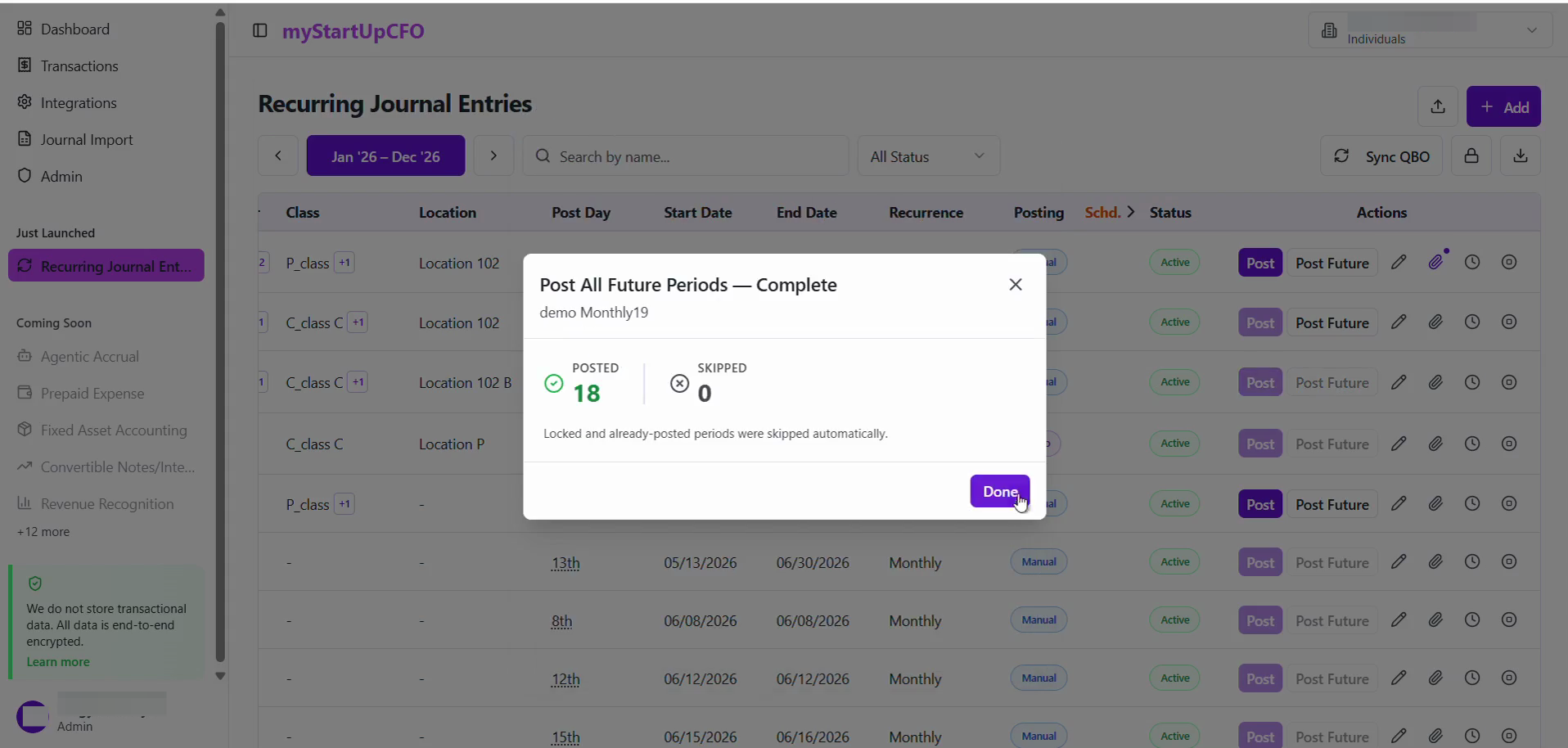
Confirm that the selected Recurring Journal Entries have been posted successfully and that their statuses have been updated accordingly.
The Post Future Entries feature allows users to process upcoming Recurring Journal Entries in advance while maintaining accurate posting records and status tracking.