Icon

How to Process an Order Refund in Shopify

Learn how to navigate the Shopify admin to initiate and process an order refund, including adding a refund reason and managing customer notifications.

By Moses L-A

This guide demonstrates how to process a refund for a customer order in Shopify. Completing this process ensures the customer receives their funds back accurately and your transaction records remain up-to-date.

This workflow is intended for customer support representatives and store managers who handle post-purchase inquiries, returns, and order adjustments.

Navigate to your orders list in the administrative dashboard to begin processing a refund.
1
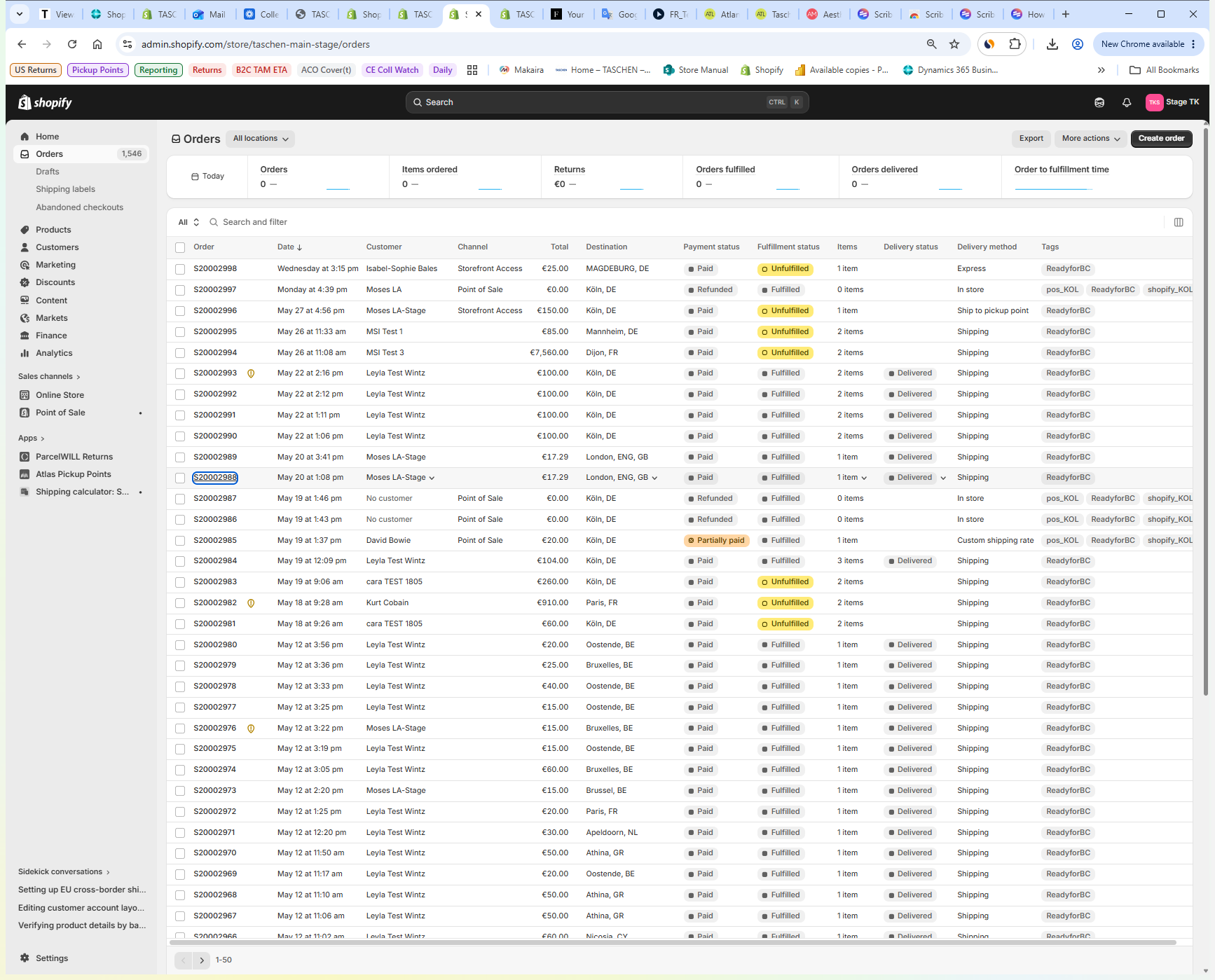
Click the relevant order number from the Shopify admin orders page to open the order details.
Step #1: Click the relevant order number from the Shopify admin orders page to open the order details.
2
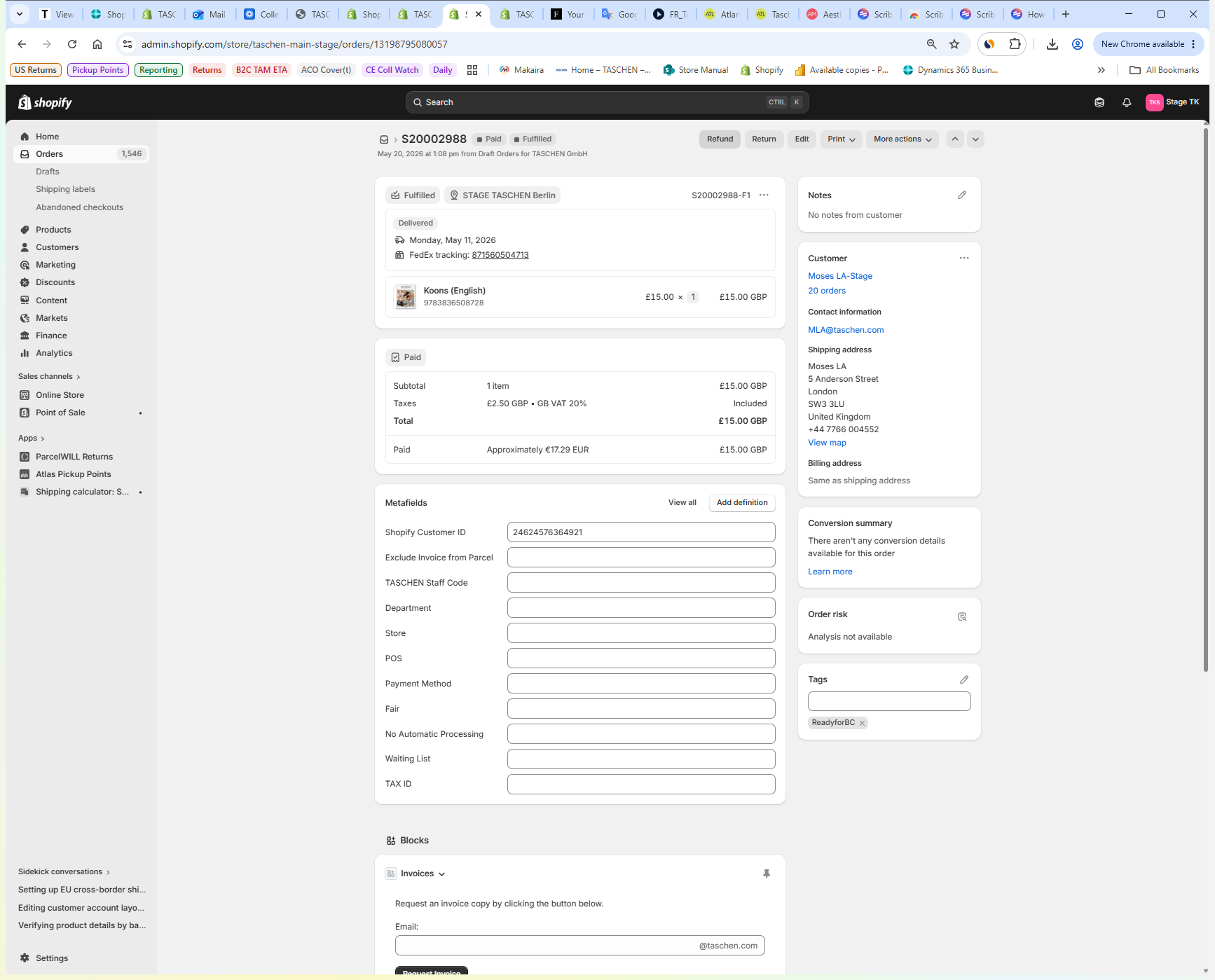
Click Refund on the order details page to initiate the process.
Step #2: Click Refund on the order details page to initiate the process.
3
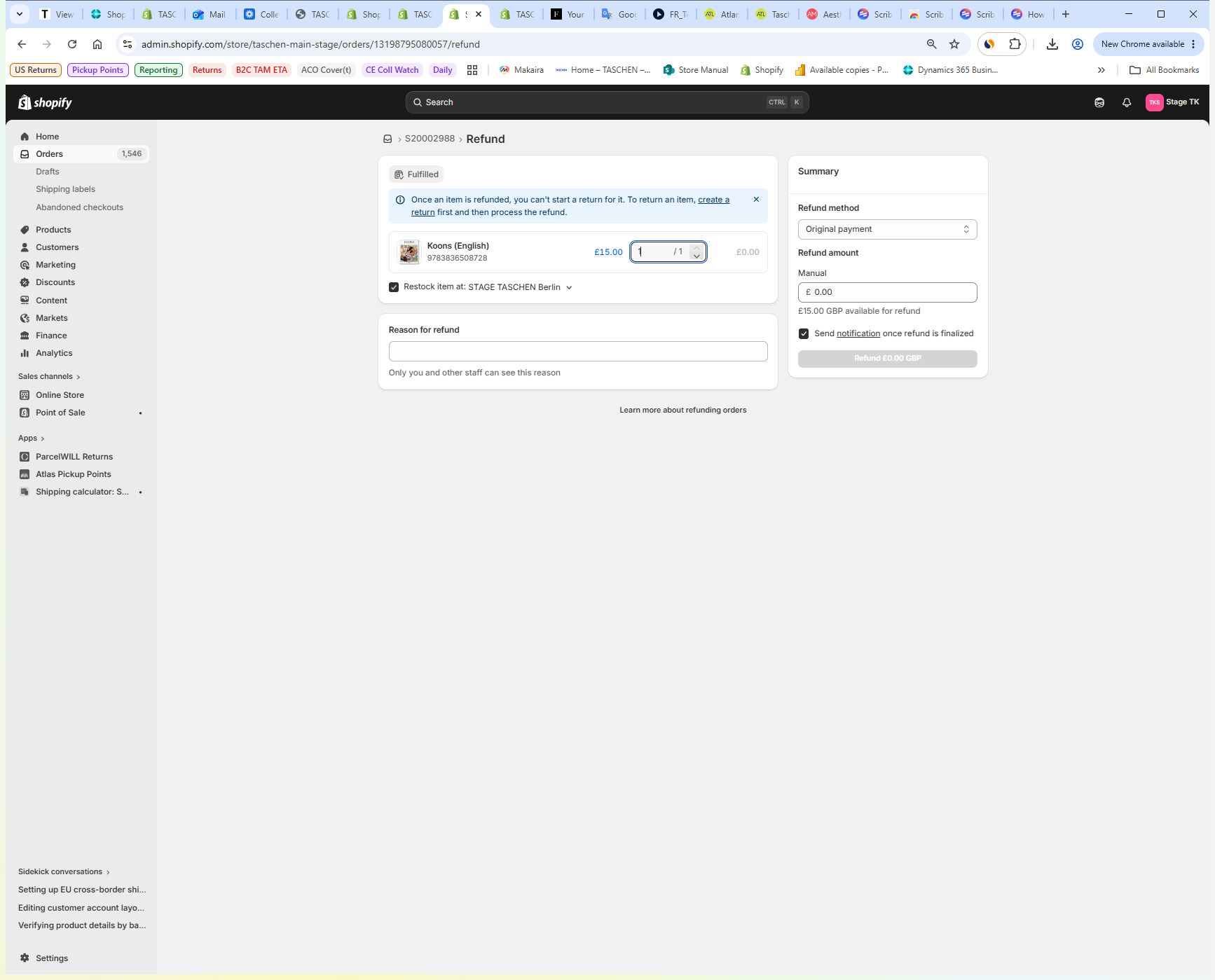
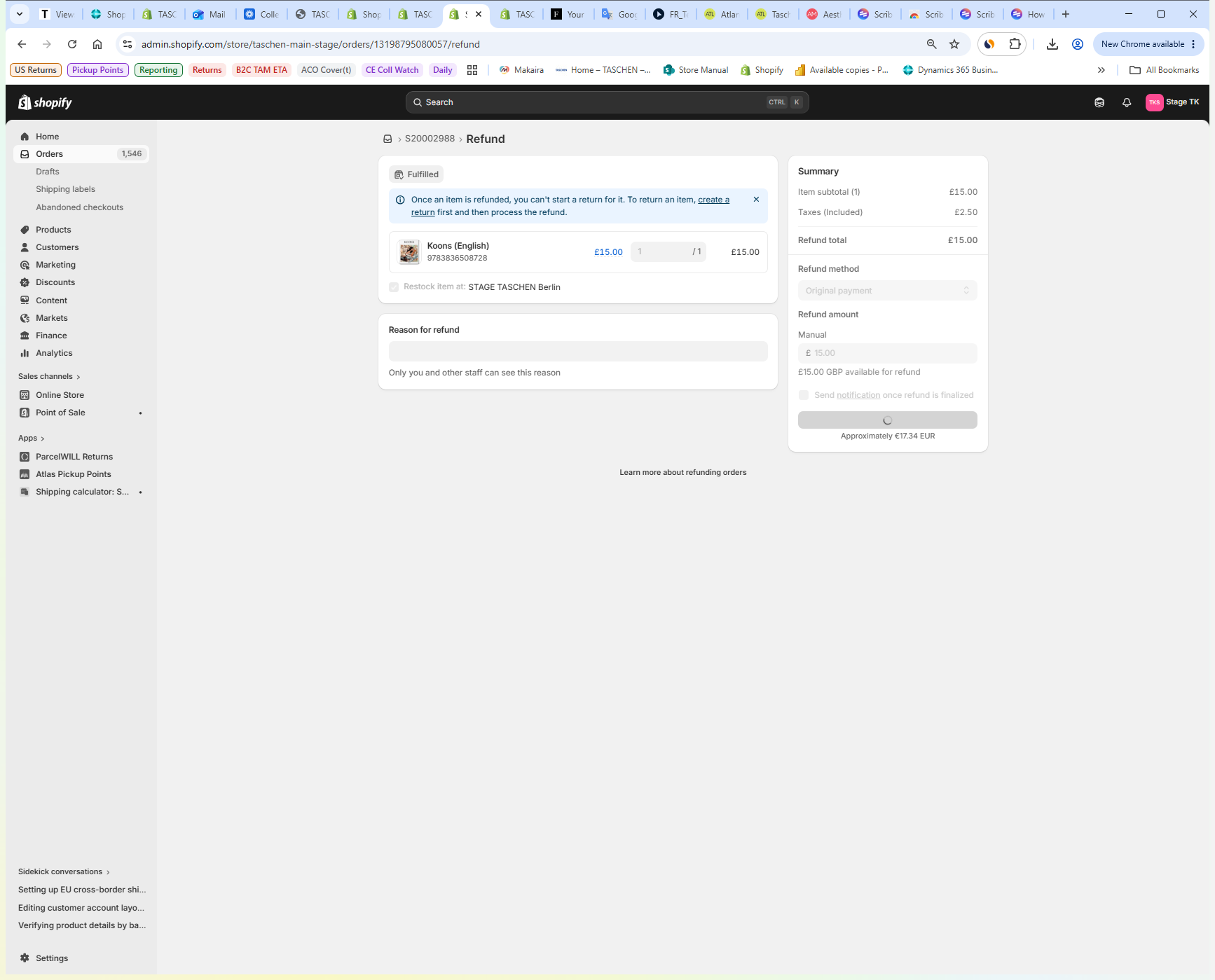
Acknowledge any on-screen alerts and create a return for the fulfilled items if required.
Step #3: Acknowledge any on-screen alerts and create a return for the fulfilled items if required.
4
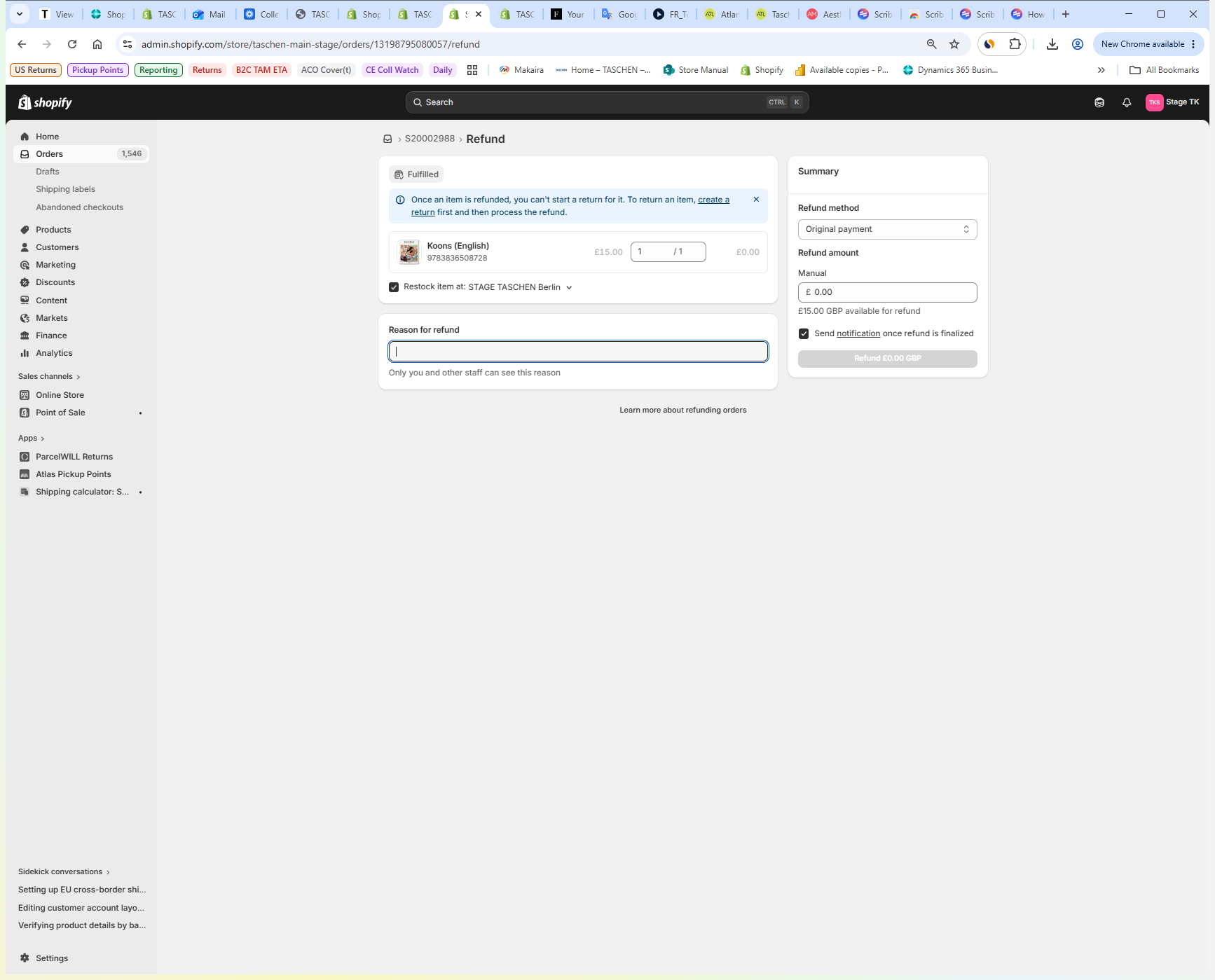
Click the Reason for refund text field and provide a brief explanation for the transaction adjustment.
Step #4: Click the Reason for refund text field and provide a brief explanation for the transaction adjustment.
5
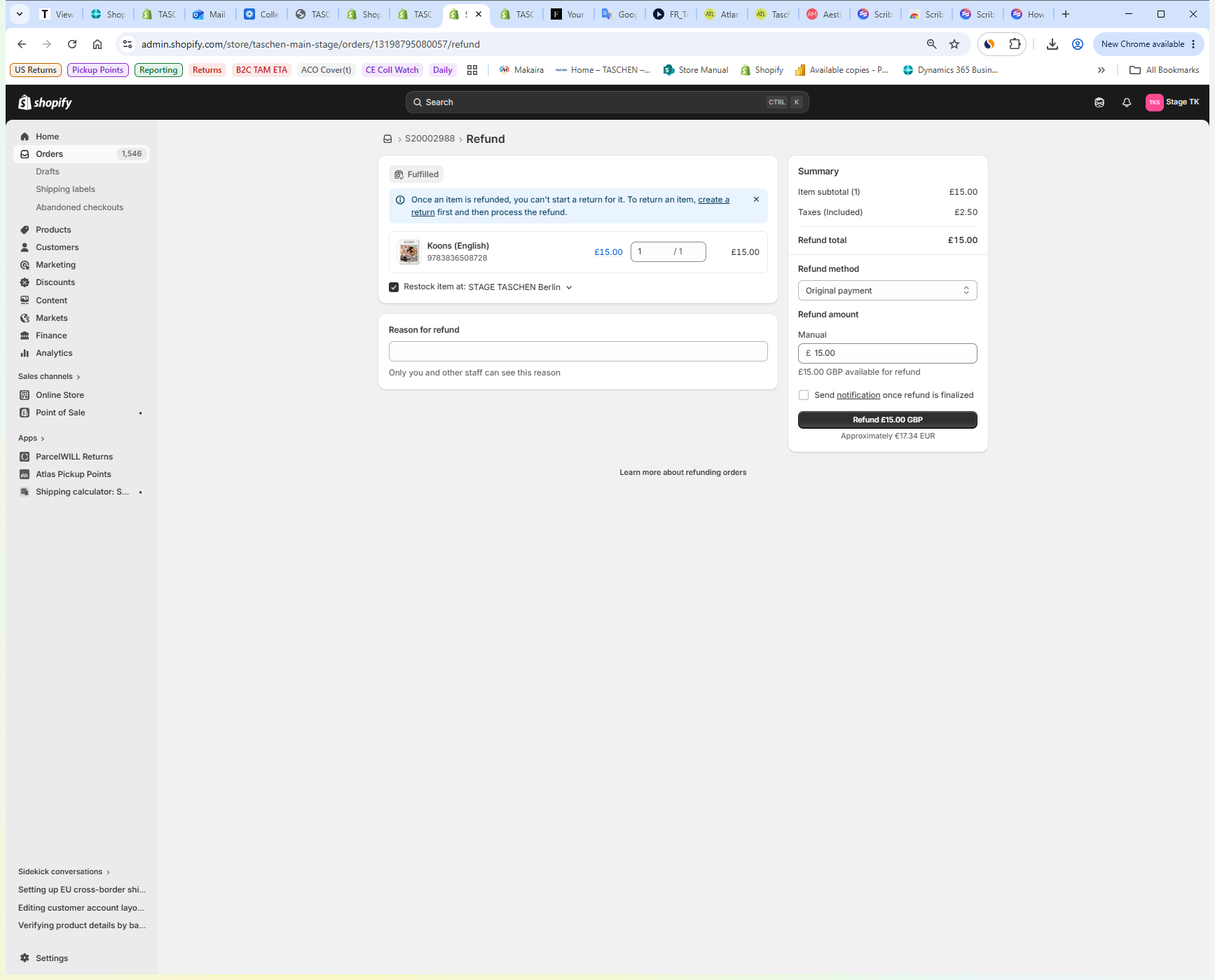
Check or uncheck the Send notification to customer box based on whether you want the customer to receive an automated email about the refund.
Step #5: Check or uncheck the Send notification to customer box based on whether you want the customer to receive an automated email about the refund.
6
Review the final refund amount in the summary panel, then click Refund to finalize the transaction.
Step #6: Review the final refund amount in the summary panel, then click Refund to finalize the transaction.

Q: Why am I getting an alert that a return must be created before I can process the refund?

A: If an order has already been marked as fulfilled, Shopify requires you to log the items as returned before releasing the funds to ensure inventory and fulfillment records remain accurate.

Term

Definition

Fulfilled

An order status indicating the purchased items have been packed and shipped to the customer.

Refund

A financial transaction that returns funds back to a customer for a previous order.

Shopify Admin

The backend dashboard used by merchants to manage orders, products, and store operations.

How to Process an Order Refund in Shopify