
How to Process Quick Quotes and Finalize Bookings
Learn how clients submit Quick Quote requests, how the internal team processes estimates via Zoho, and how clients complete their final event bookings.
This guide explains the end-to-end Quick Quote process, showing how clients request an estimate, how the team issues an official quote, and how the client finalizes their event booking.
This workflow applies to sales and event coordinators who manage incoming venue leads and formalize reservations using Zoho.
Submitting a Quick Quote (Client Experience)
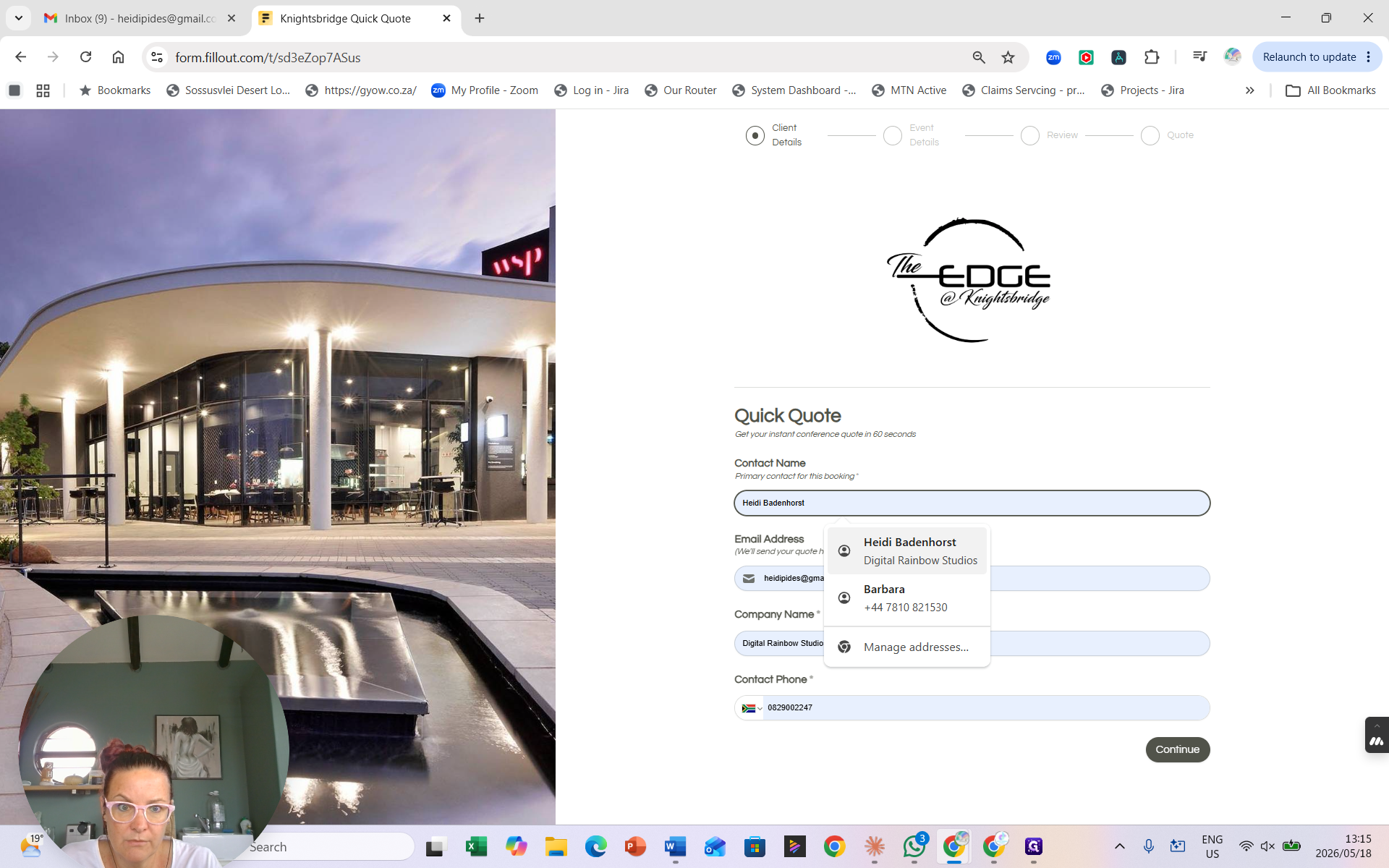
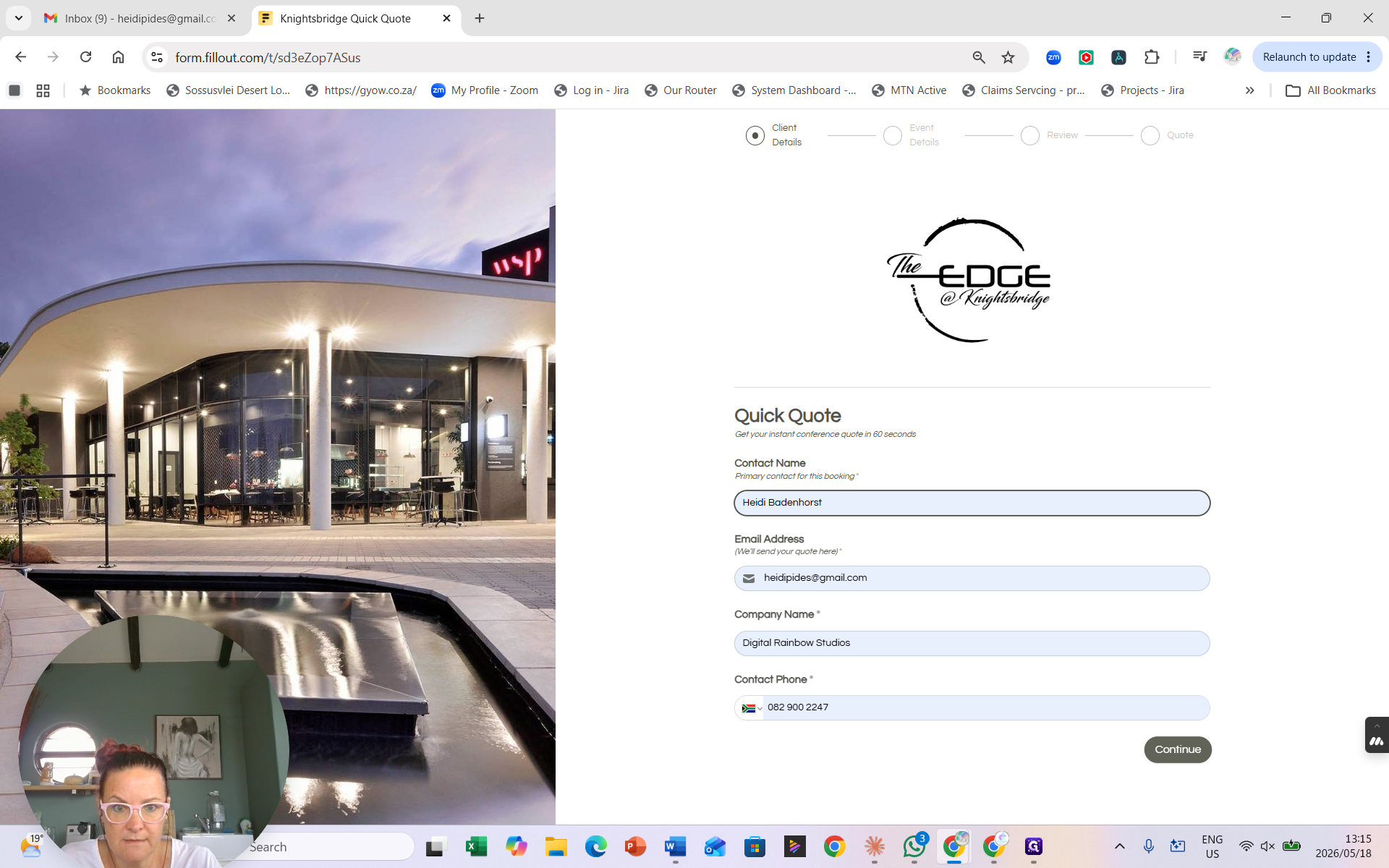
Clients access the Quick Quote form via a direct link (sent through email or WhatsApp) or via an embedded form on your website.
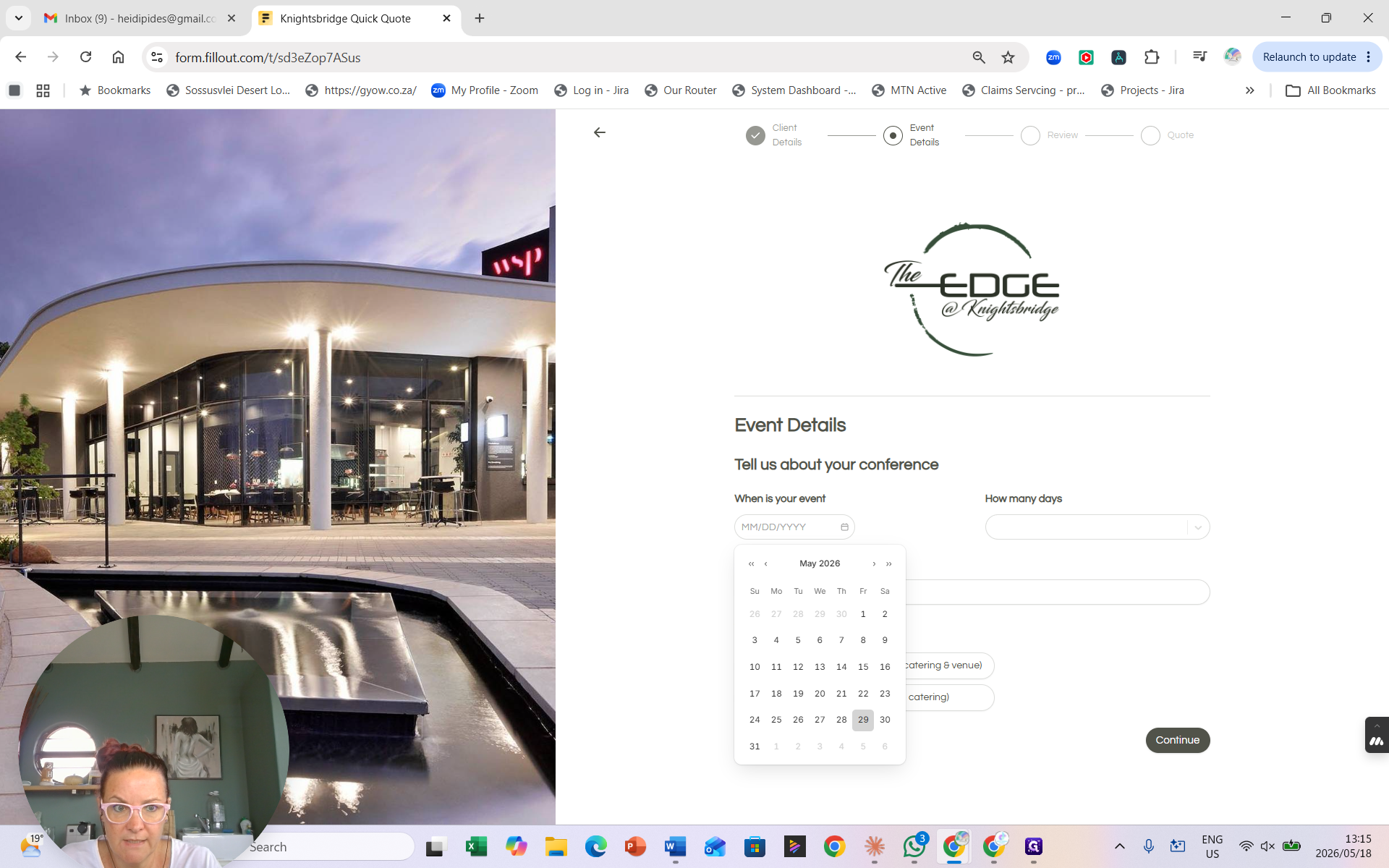
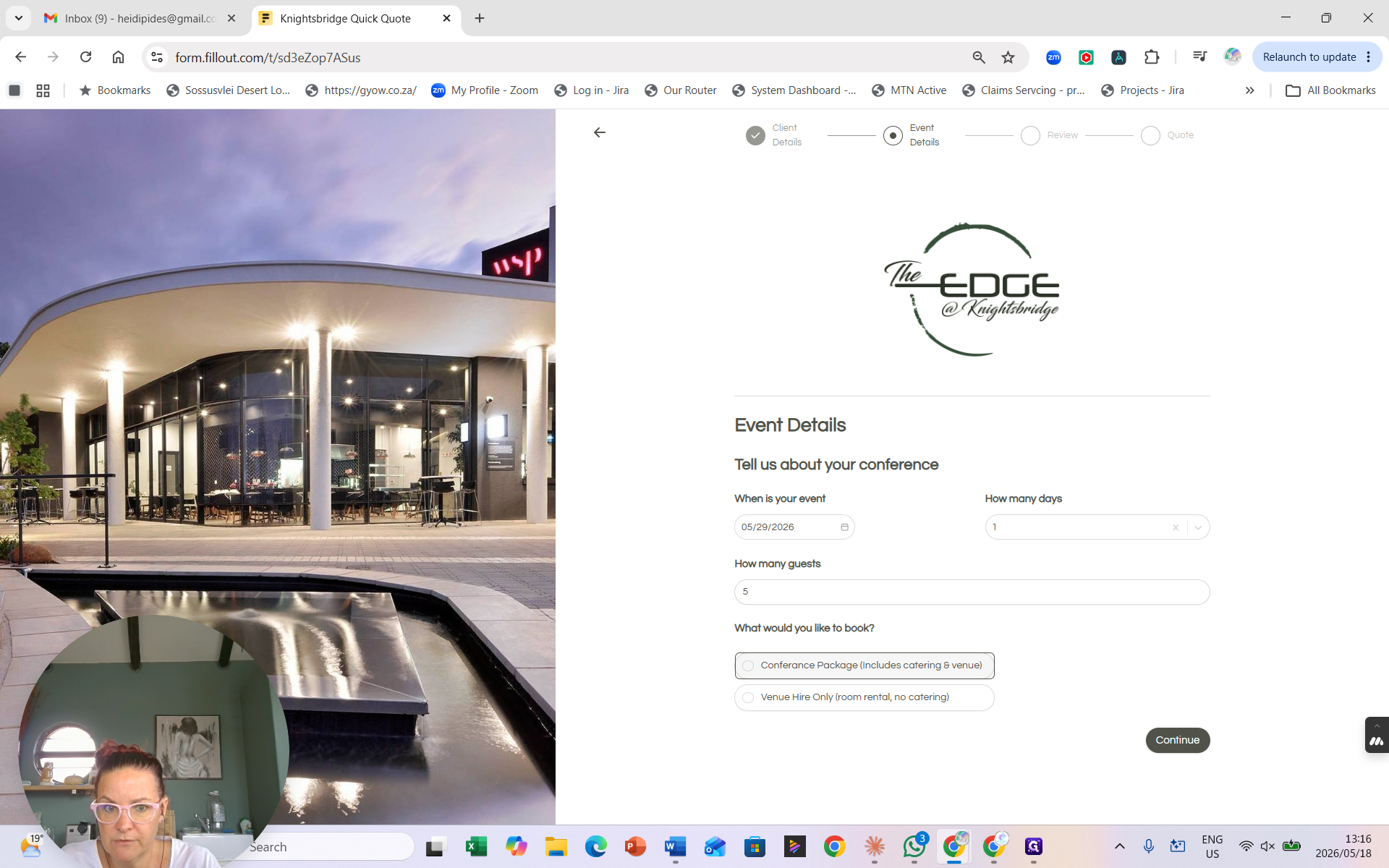
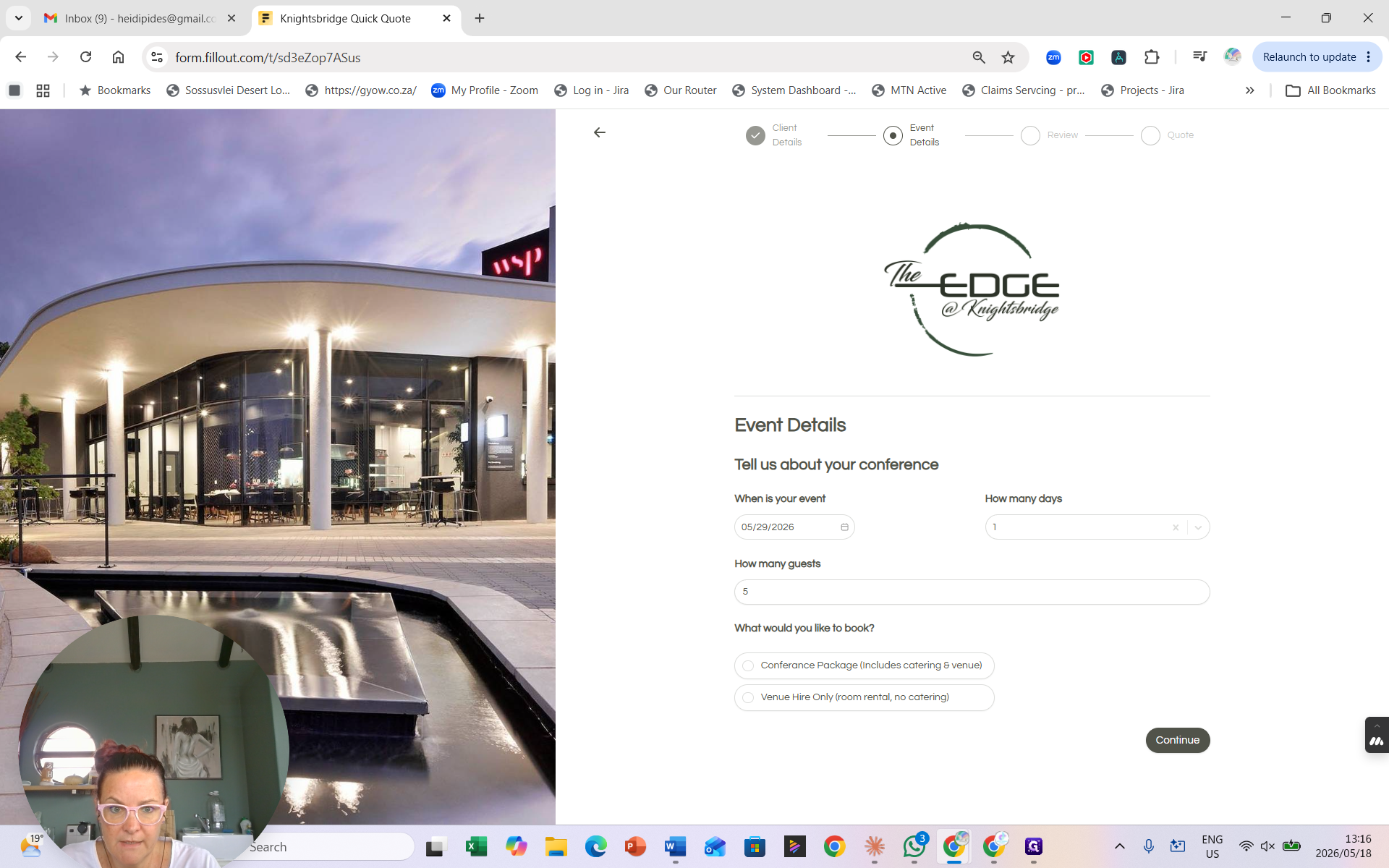
The client then provides the logistical requirements for their event.
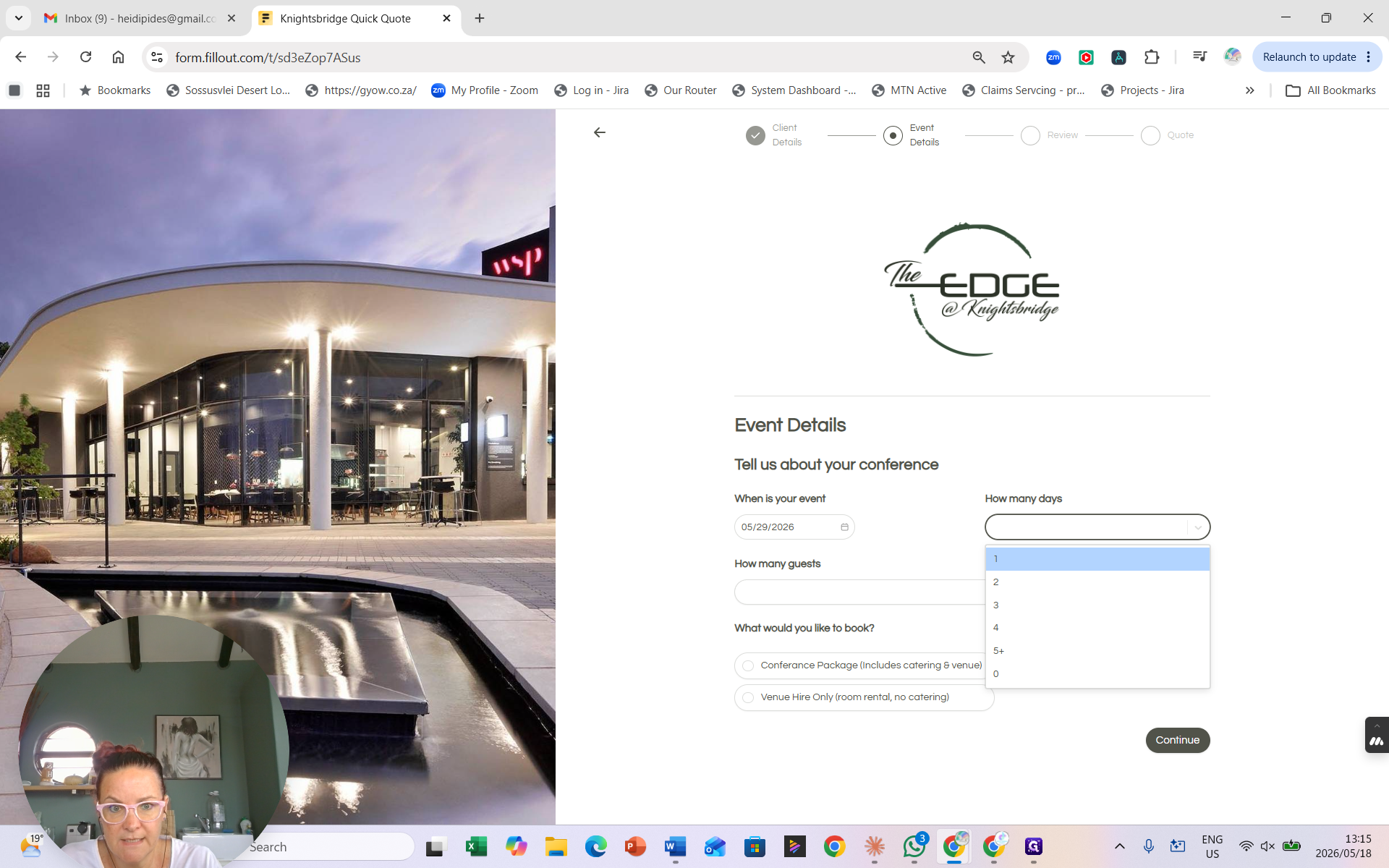
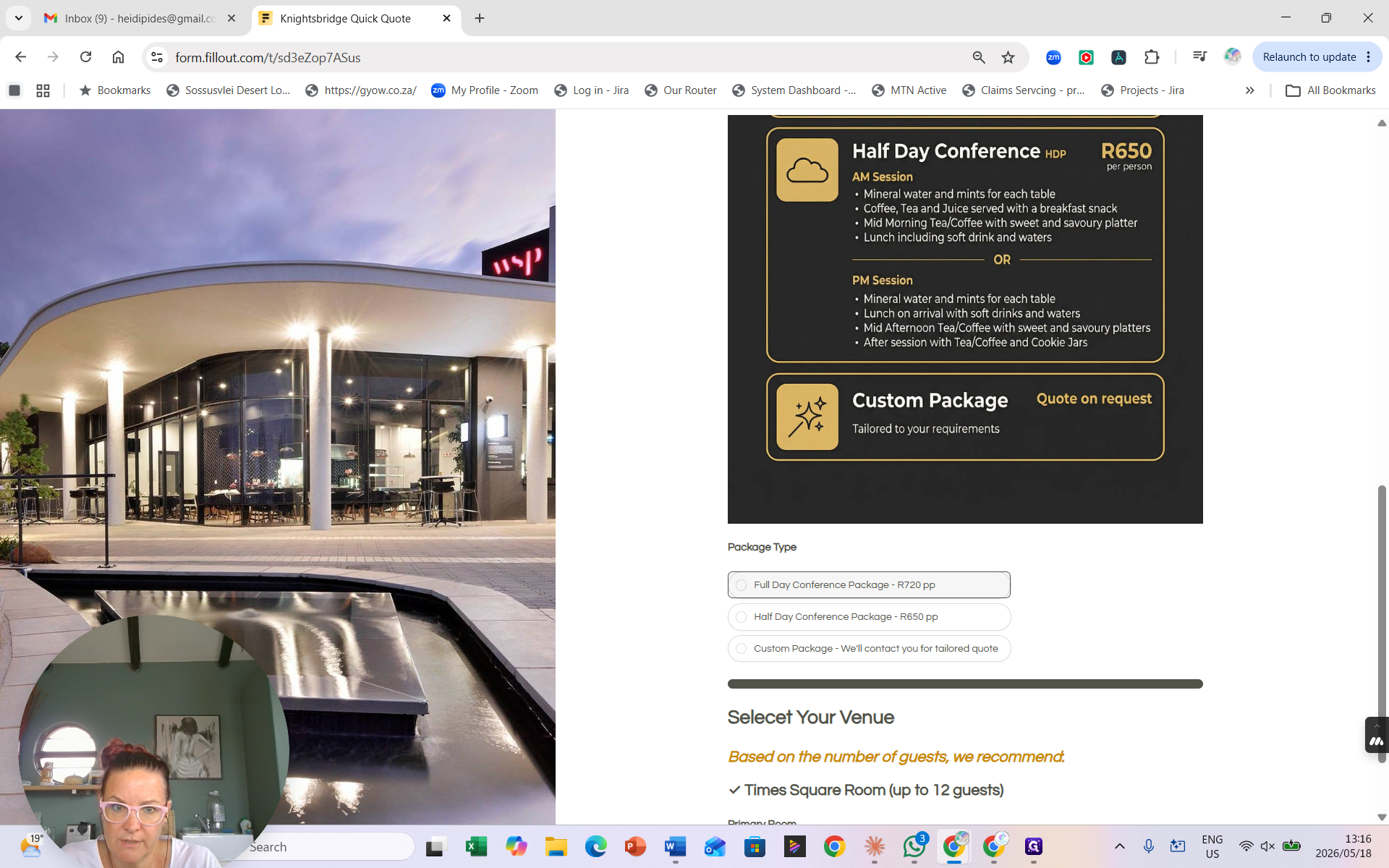
Clients next choose the type of package they need.
Package Option | Inclusions | When to use |
|---|---|---|
Full Day Conference | Catering and venue for the entire day | For all-day events requiring full service |
Half Day Conference | Catering and venue for part of the day | For morning or afternoon sessions |
Venue Hire Only | Venue access only | When no catering or standard packages are needed |
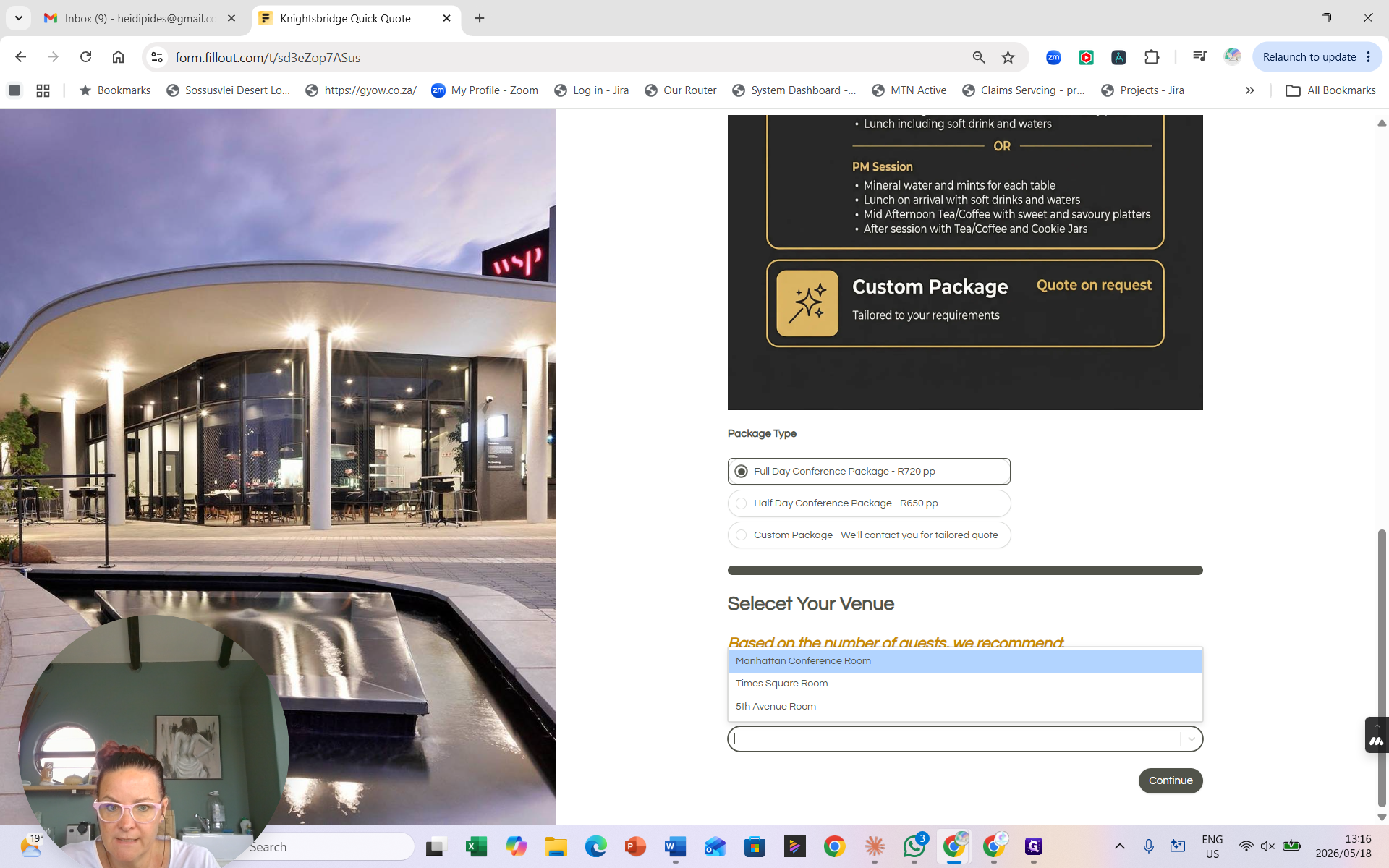
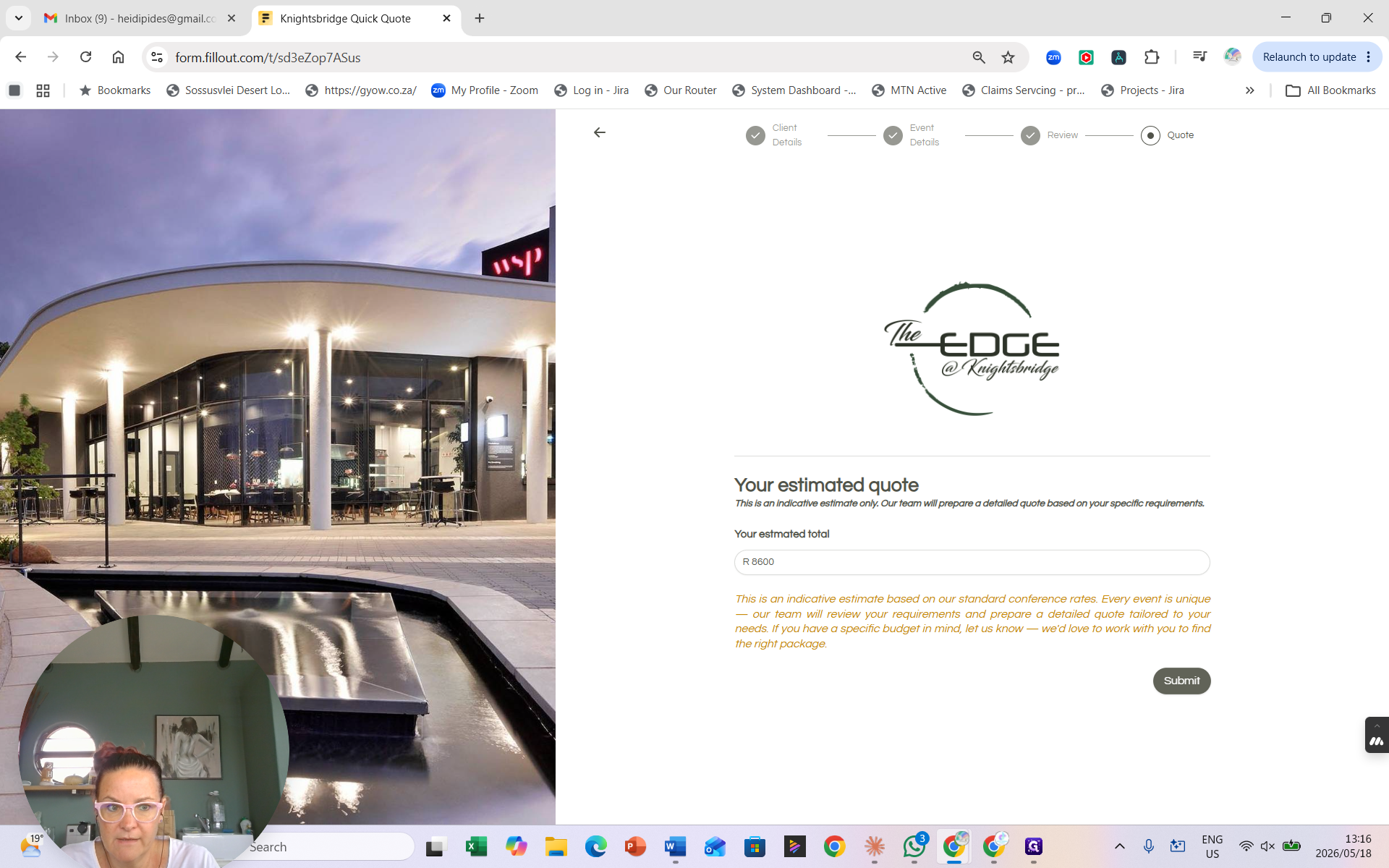
Based on the guest count, the form automatically suggests a room recommendation. Clients can override this selection if they prefer a specific venue layout.
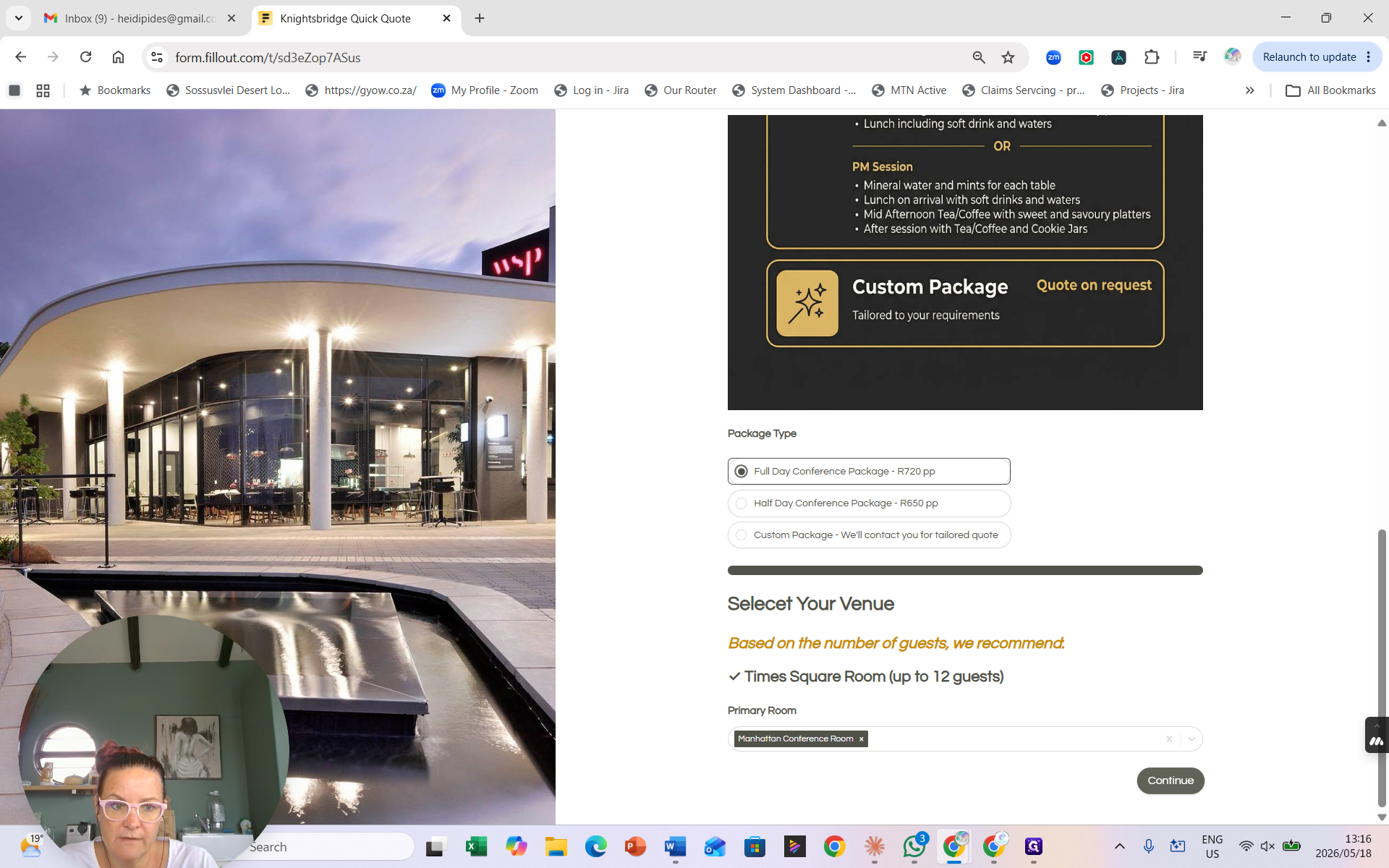
The system multiplies the number of attendees by the daily rate and adds any applicable room supplements.
Processing the Quote Request (Internal)
When a new quote is submitted, you will receive a notification to generate the official document.
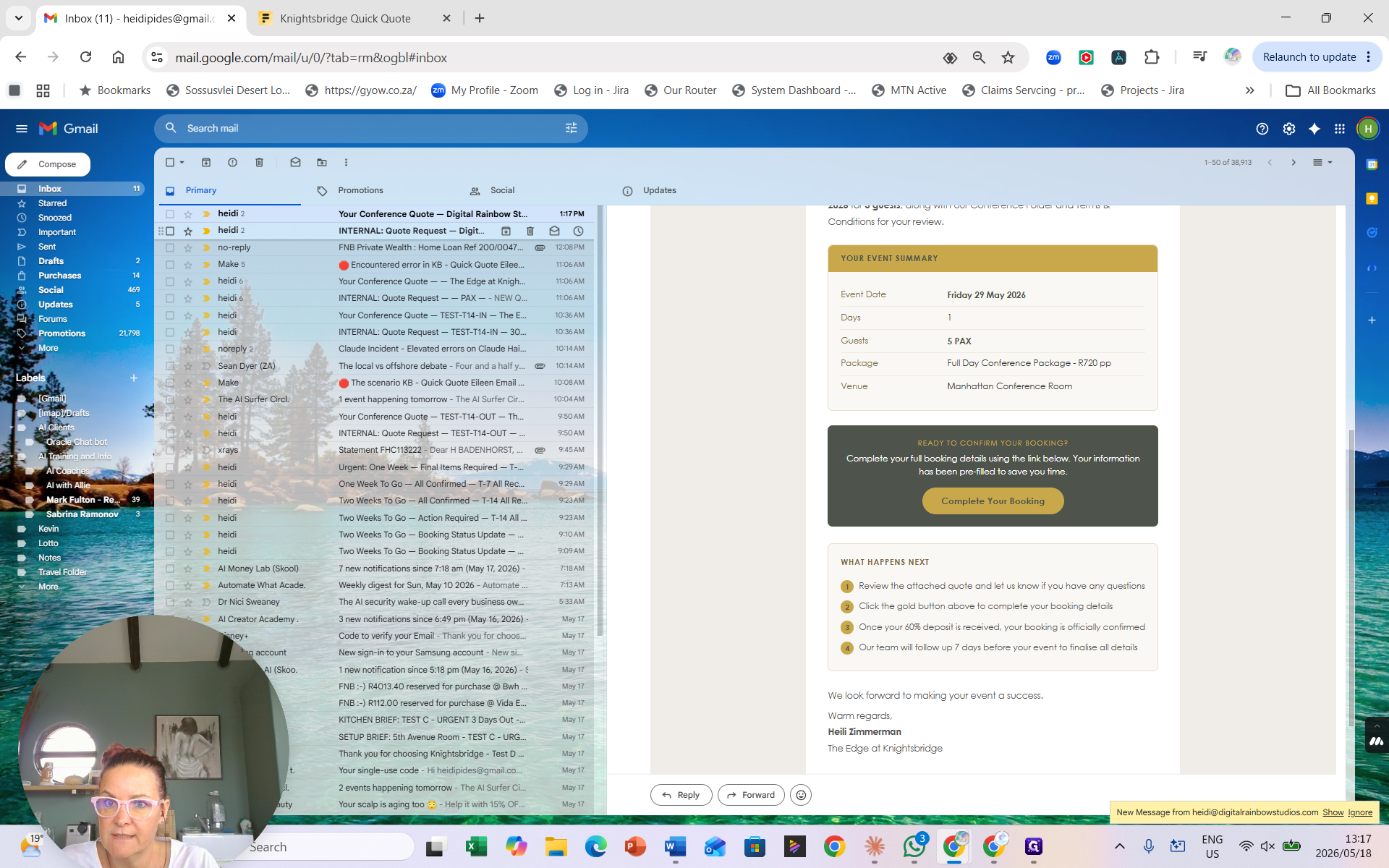
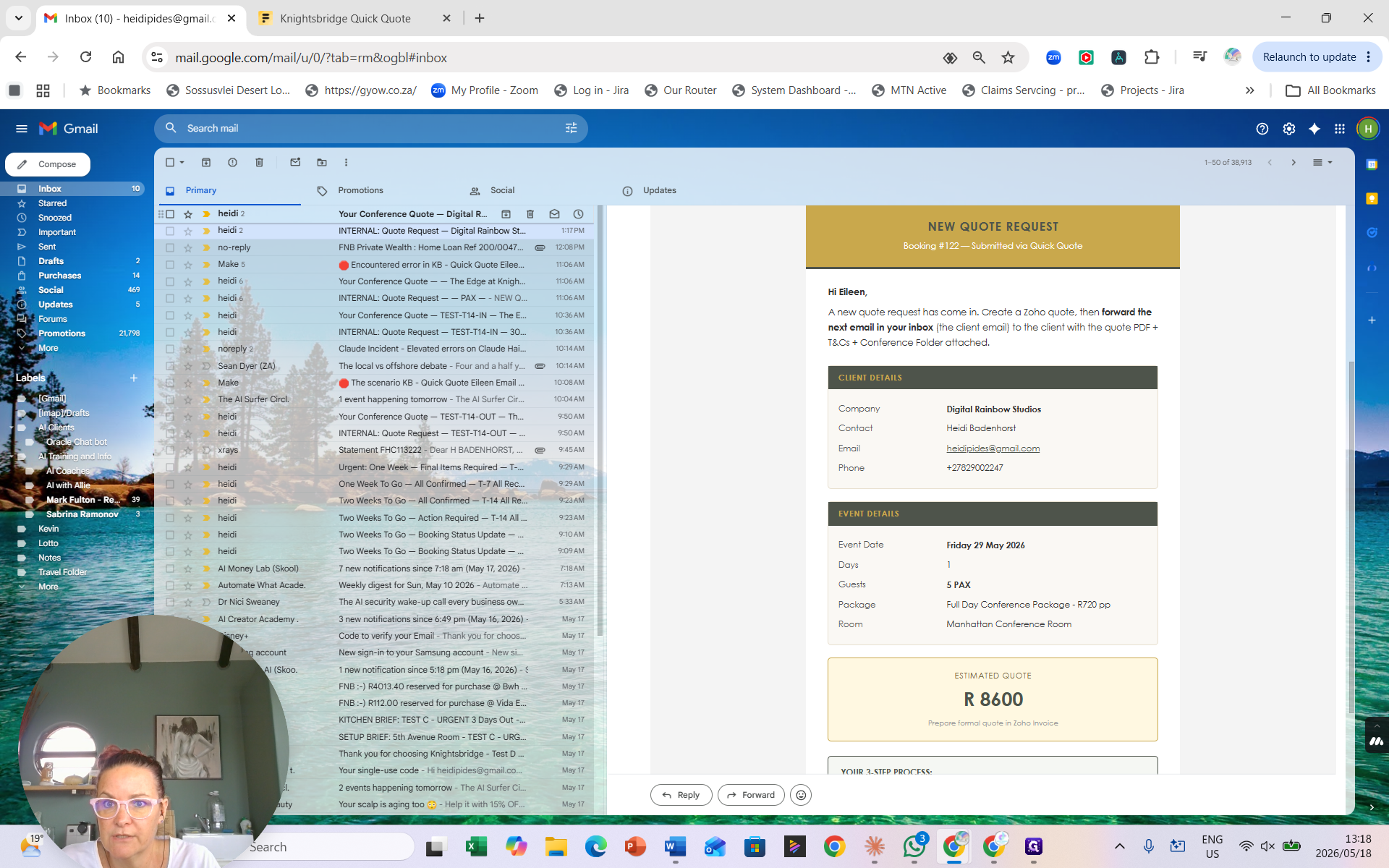
Using these details, log into Zoho and generate the official quote document. The automation has already pre-drafted the follow-up email to the client and placed it in your inbox.
Completing the Booking (Client Experience)
Once the client receives your email, they can review the attached official quote. If they are ready to proceed, they follow the link provided in the email body.
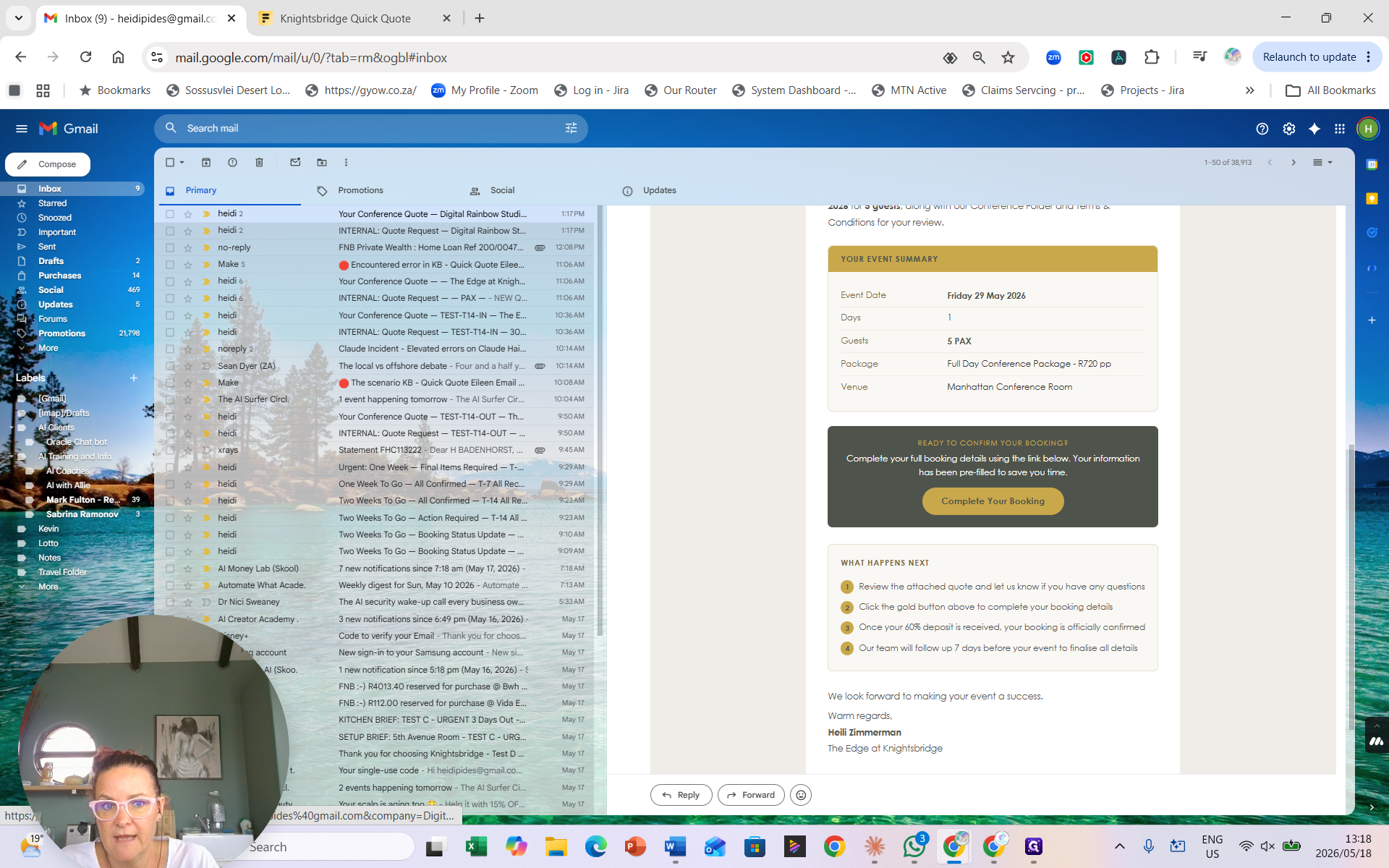
This opens the full booking form where the client confirms their final guest count, package type, and any other detailed requirements.
FAQ
Q: How often does the quick quote automation run?
A: The automation that picks up new form submissions and routes internal and client emails runs every 15 minutes.
Q: What happens if a client selects a room too large for their group?
A: The system automatically calculates and adds a room supplement fee to the total estimate to account for the size difference.