
Pt 2 QA and Refine AI-Generated Product Listings
Learn how to QA and refine AI-generated Amazon product listings using Claude and Google Sheets to ensure compliance, brand alignment, and accuracy.
This guide demonstrates how to review and refine AI-generated Amazon product listings using Claude and Google Sheets. By completing this, you will ensure your product titles and descriptions are highly accurate, brand-aligned, and free of compliance-violating claims.
This workflow is ideal for e-commerce managers and copywriters handling bulk product updates. Use this process when generating or modifying product variations to verify accuracy before uploading your final catalog to Amazon.
Prepare Your Spreadsheet
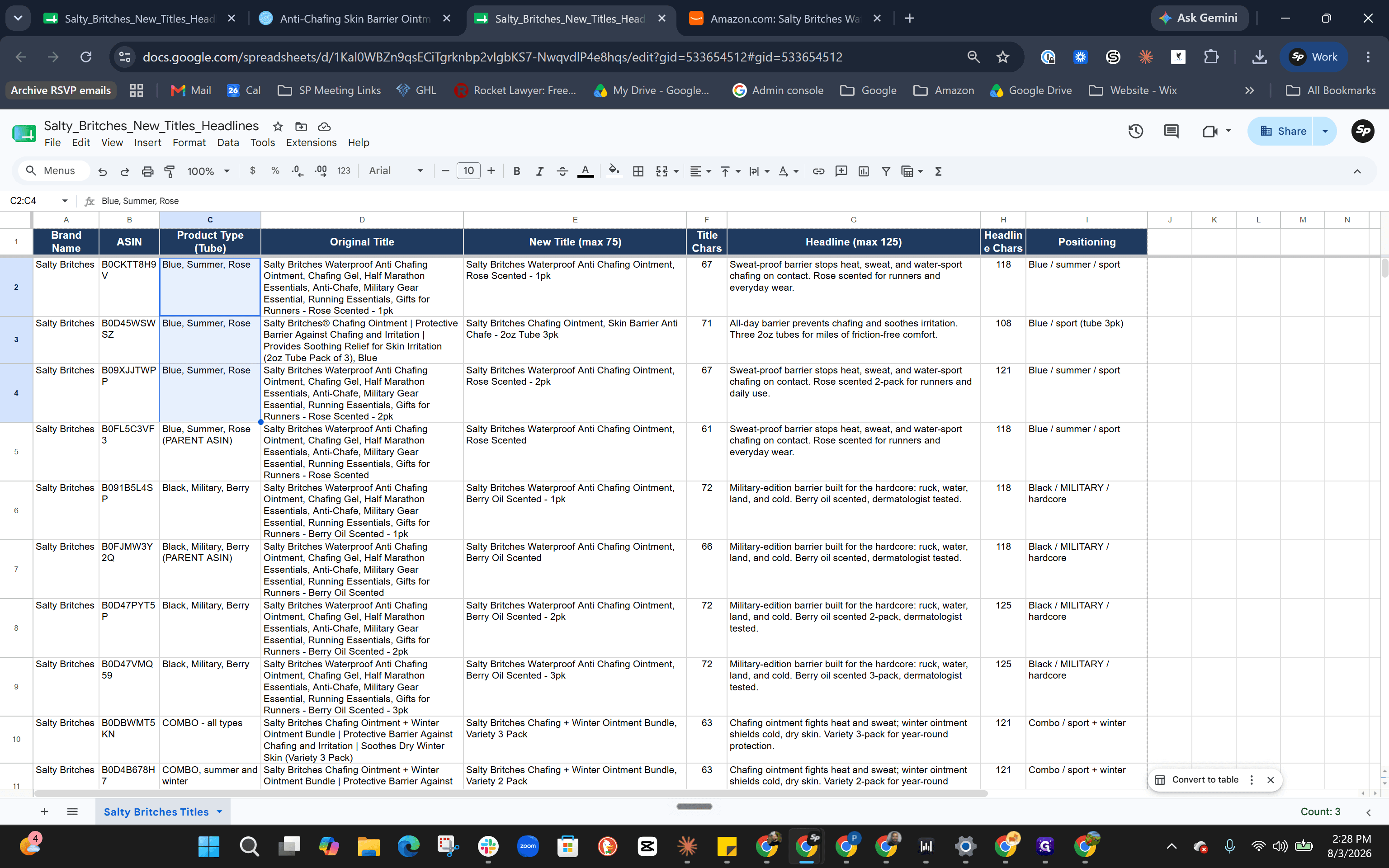
Before handing data over to the AI, enrich your product catalog with clear variation delineations so the model understands exactly what it is writing about.
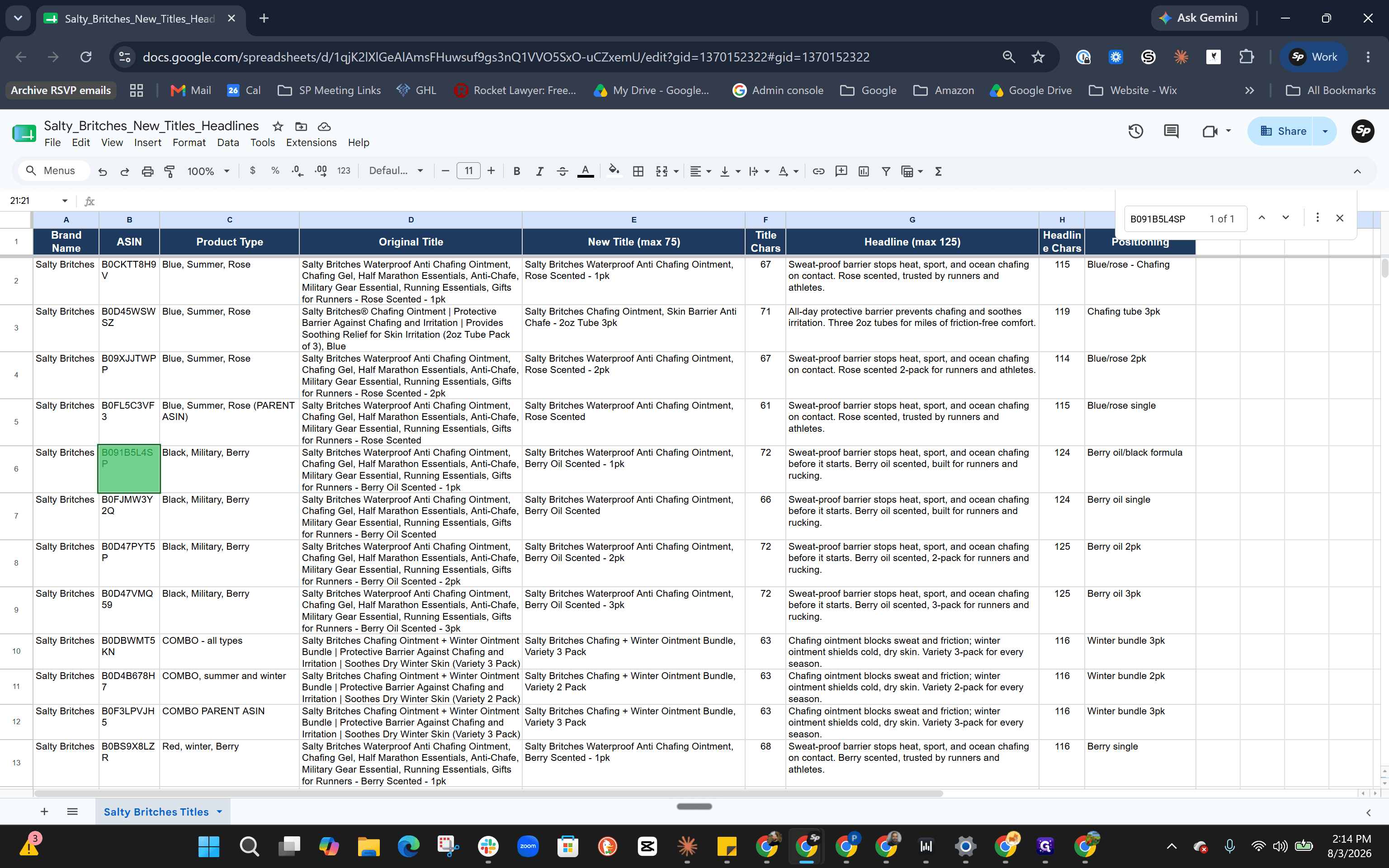
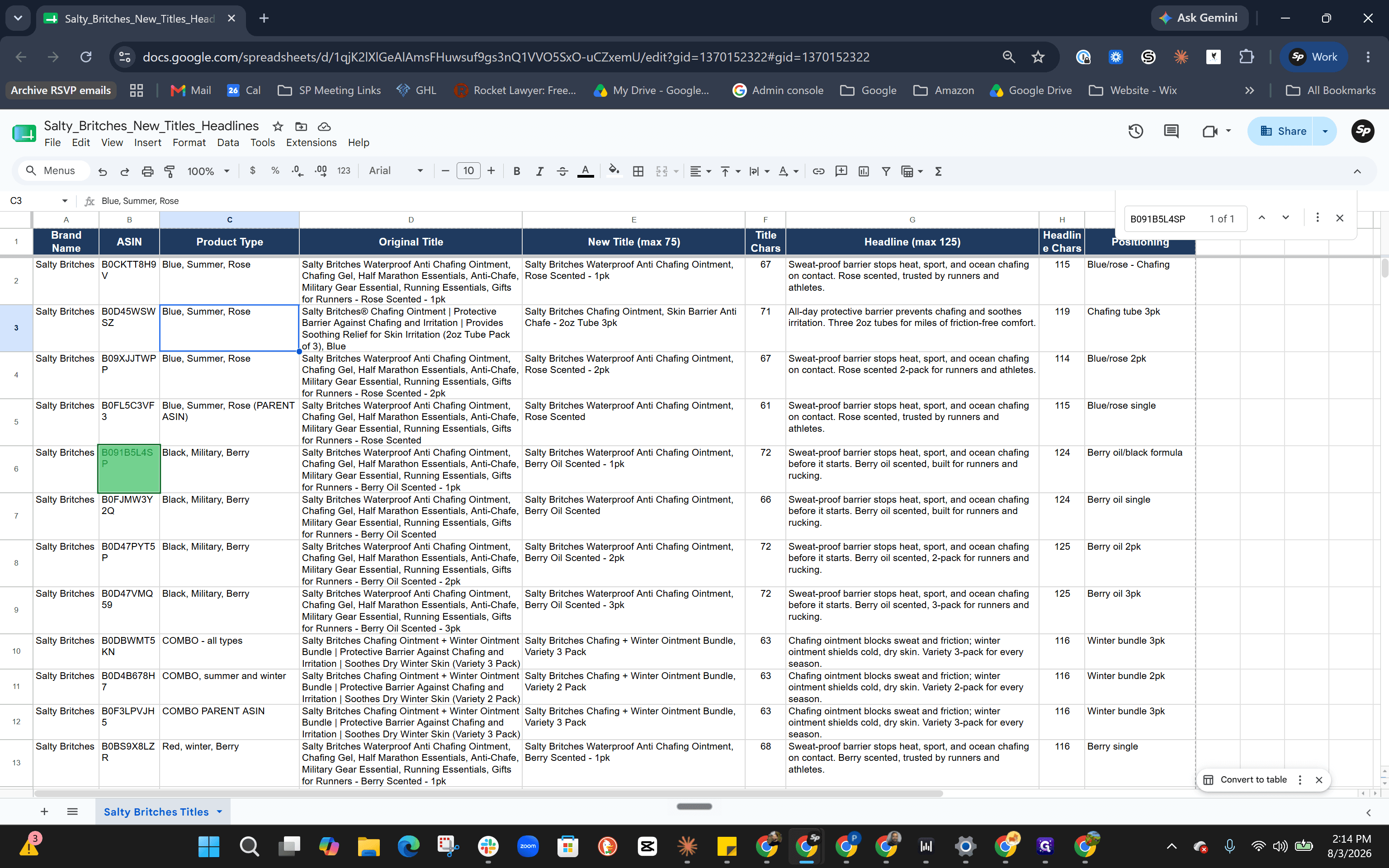
To help the AI correctly structure your items, define the core characteristics of your product line. For example:
Product Type | Packaging | Scent | Target Season / Use Case |
|---|---|---|---|
Summer | Blue Tube | Rose | Warm weather |
Winter | Red Tube | Berry | Cold weather |
Military | Black Tube | Berry | Skin barrier / Tactical |
Generate and QA the Copy in Claude
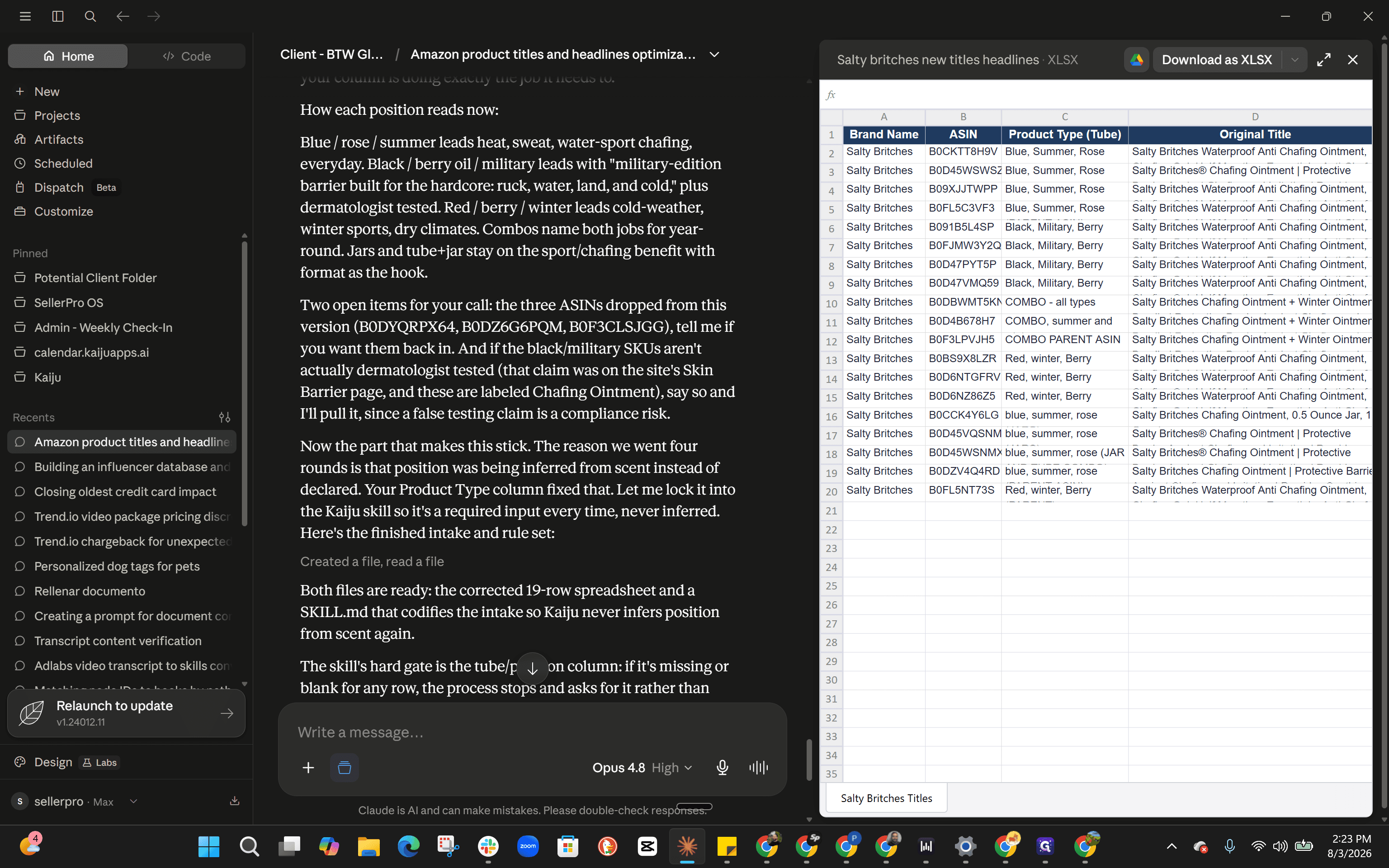
Upload your prepared spreadsheet to Claude and prompt it to update the titles and headlines based on the defined product types. Once Claude provides the updated text, carefully review it.
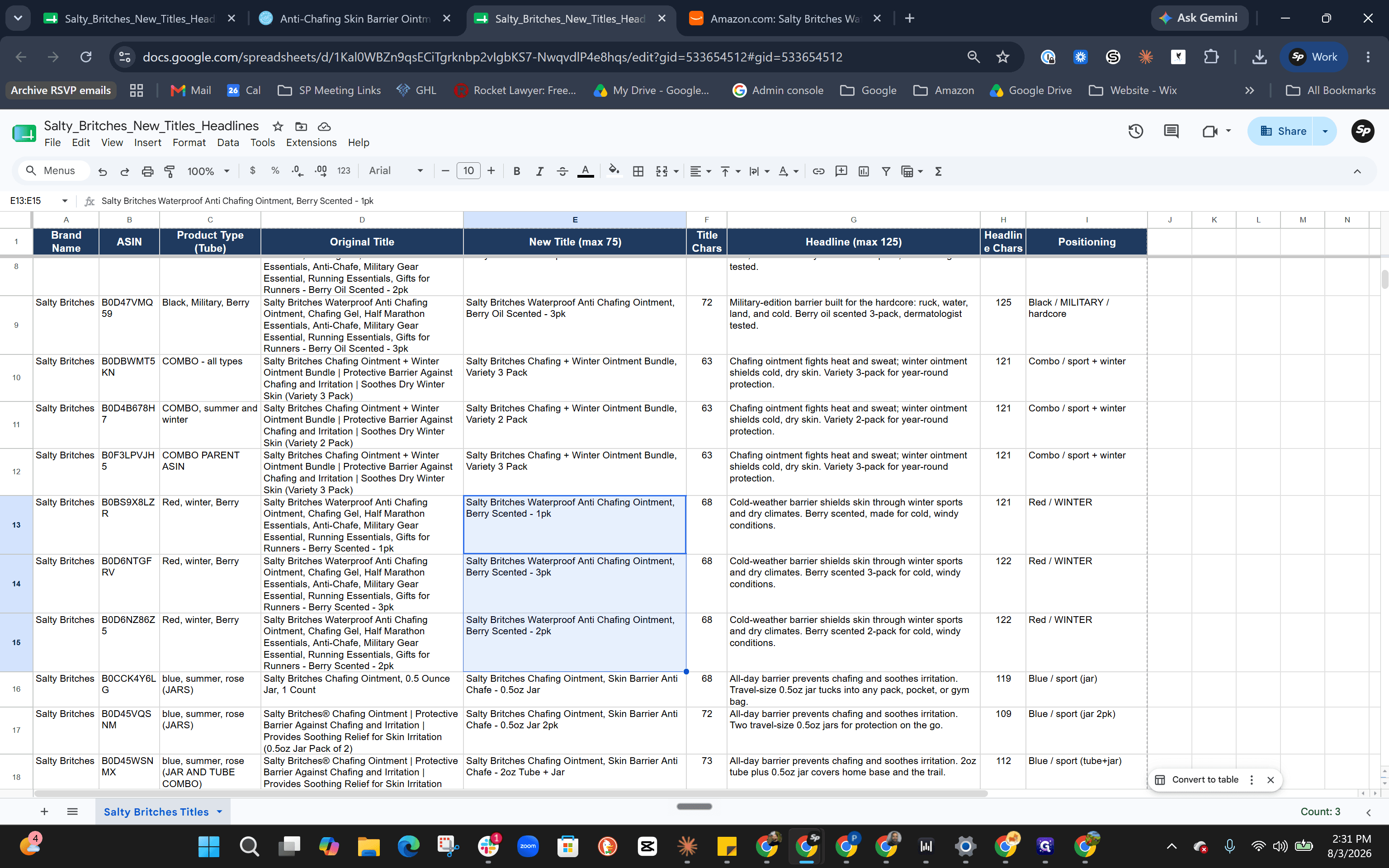
Check the generated copy for accuracy across variations:
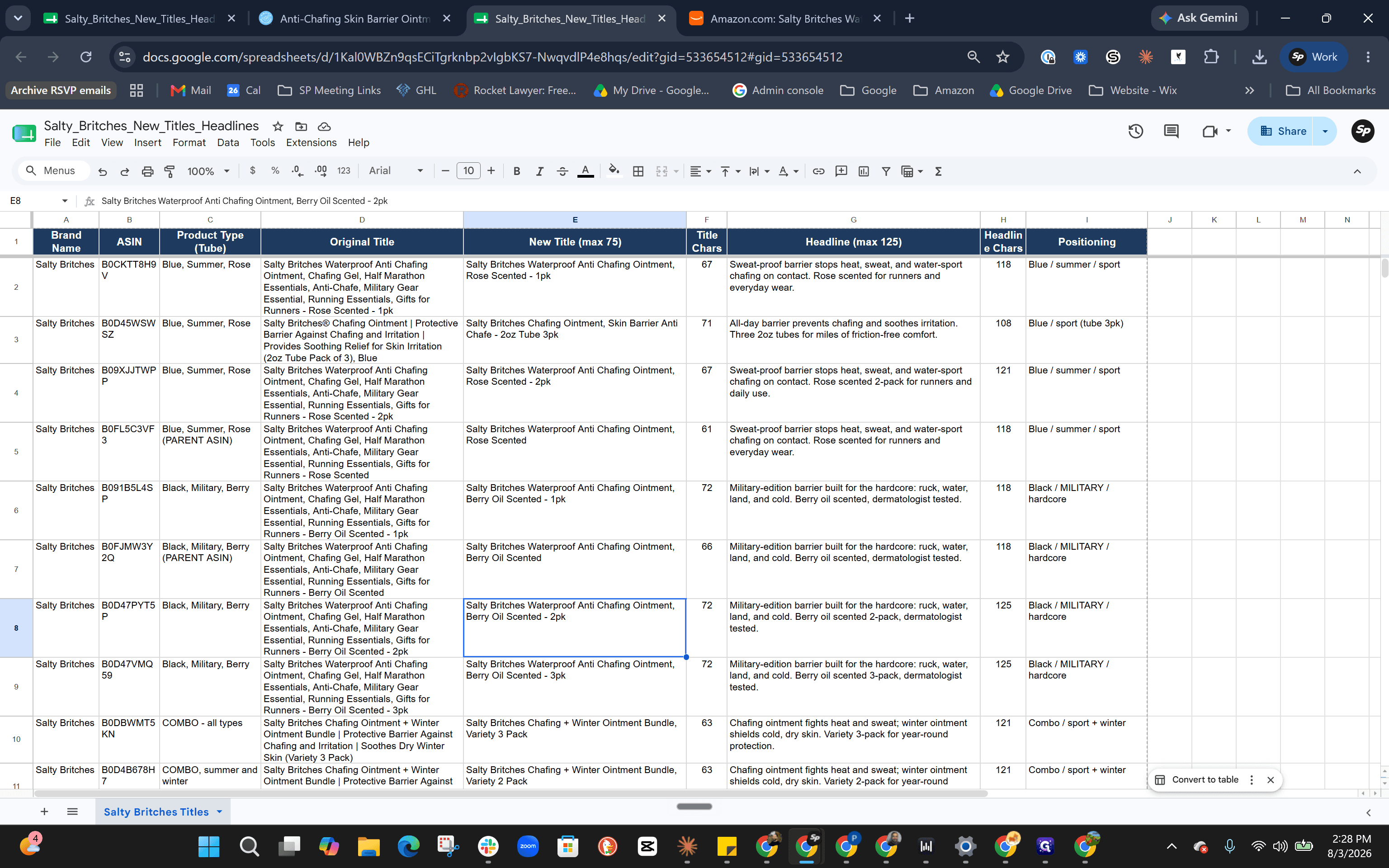
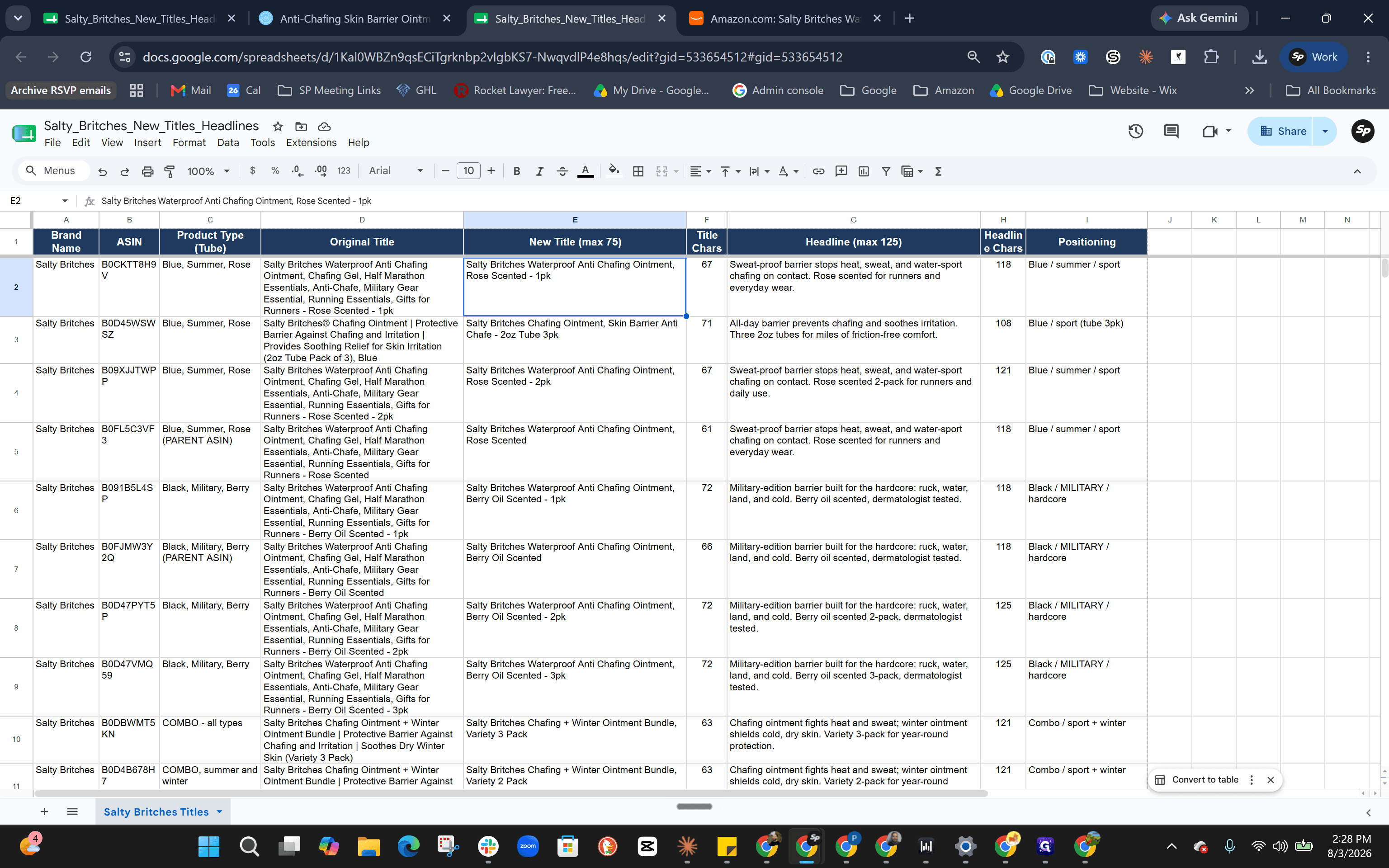
Consistency: Are the 1-pack, 2-pack, and 3-pack naming structures identical?
Accuracy: Did it invent incorrect attributes (e.g., "berry oil" instead of "berry scent")?
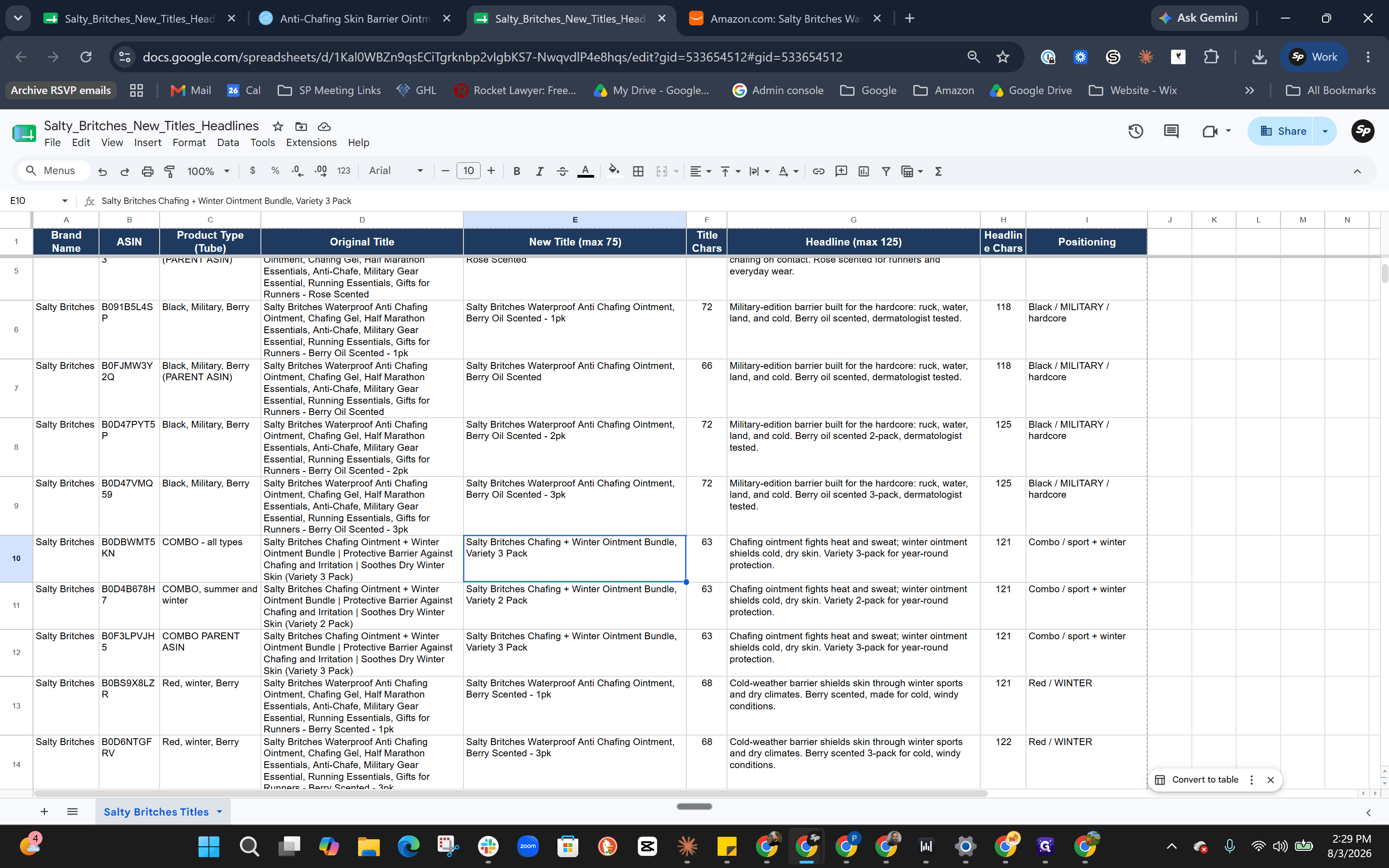
Bundles: Do the combo packs list the correct components?
If you spot structural or recurring errors, explain the mistakes to Claude in the chat (e.g., "Remove 'dermatologist tested' and fix the bundle names") and prompt it to regenerate the content.
Export and Finalize in Google Sheets
Once the AI's output is mostly correct, move the data back to your spreadsheet for final manual adjustments.
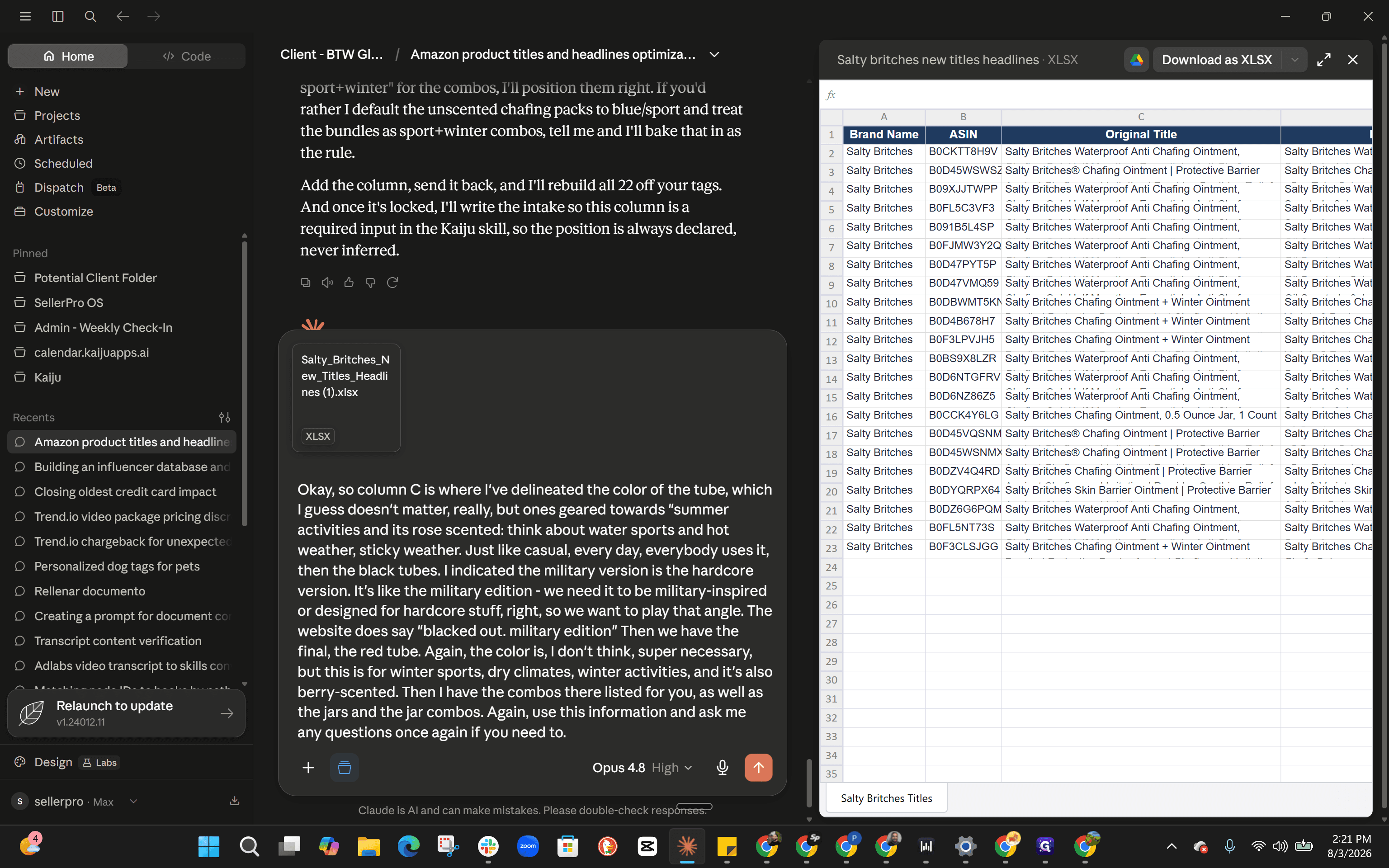
Perform a final pass over the columns to manually fix any lingering AI hallucinations or slight inconsistencies.
Q: Why did Amazon suppress my listing after using AI-generated copy?
A: The AI may have included non-compliant medical claims, such as "dermatologist tested" or "cures cancer." Always manually review generated text to ensure it adheres to platform compliance policies.
Q: How can I help the AI generate more accurate product titles?
A: Add a specific column in your spreadsheet detailing the product type, target season, scent, and variation size. Giving the AI explicit context before generating the copy greatly improves accuracy.
Q: What should I do if the AI mislabels a bundle or multi-pack?
A: Provide direct feedback to the AI highlighting the exact mistake (e.g., mixing up summer and winter scents) and prompt it to regenerate, or manually correct the remaining minor errors directly in your spreadsheet.
Term | Definition |
|---|---|
ASIN | Amazon Standard Identification Number, a 10-character alphanumeric unique identifier assigned by Amazon for item identification. |
Parent ASIN | A non-buyable entity used to relate child variations (like size or scent) on a single Amazon product page. |
QA (Quality Assurance) | The process of systematically reviewing products or content to ensure they meet specified requirements and standards. |
Listing Suppression | When an e-commerce platform hides a product listing from search results due to policy violations, such as unauthorized medical claims. |
Variation | A specific version of a product, such as a different size, color, or scent, tied to a parent product. |