Icon

Quick and easy shortcut to get a new referral from Inbox straight onto the pipeline

Learn how to quickly add manual email referrals from solicitors into Zoho CRM directly from your Zoho Mail inbox.

By Carmel Coman

This guide outlines how to process manual referrals received via email from solicitors directly into the CRM without leaving your Zoho Mail inbox. Using the built-in CRM sidebar integration saves time and minimizes context switching between tabs.

This workflow applies to administrators and intake staff who manage new client enquiries that originate via direct email rather than through the online booking portal.

Open and Associate the Email
1
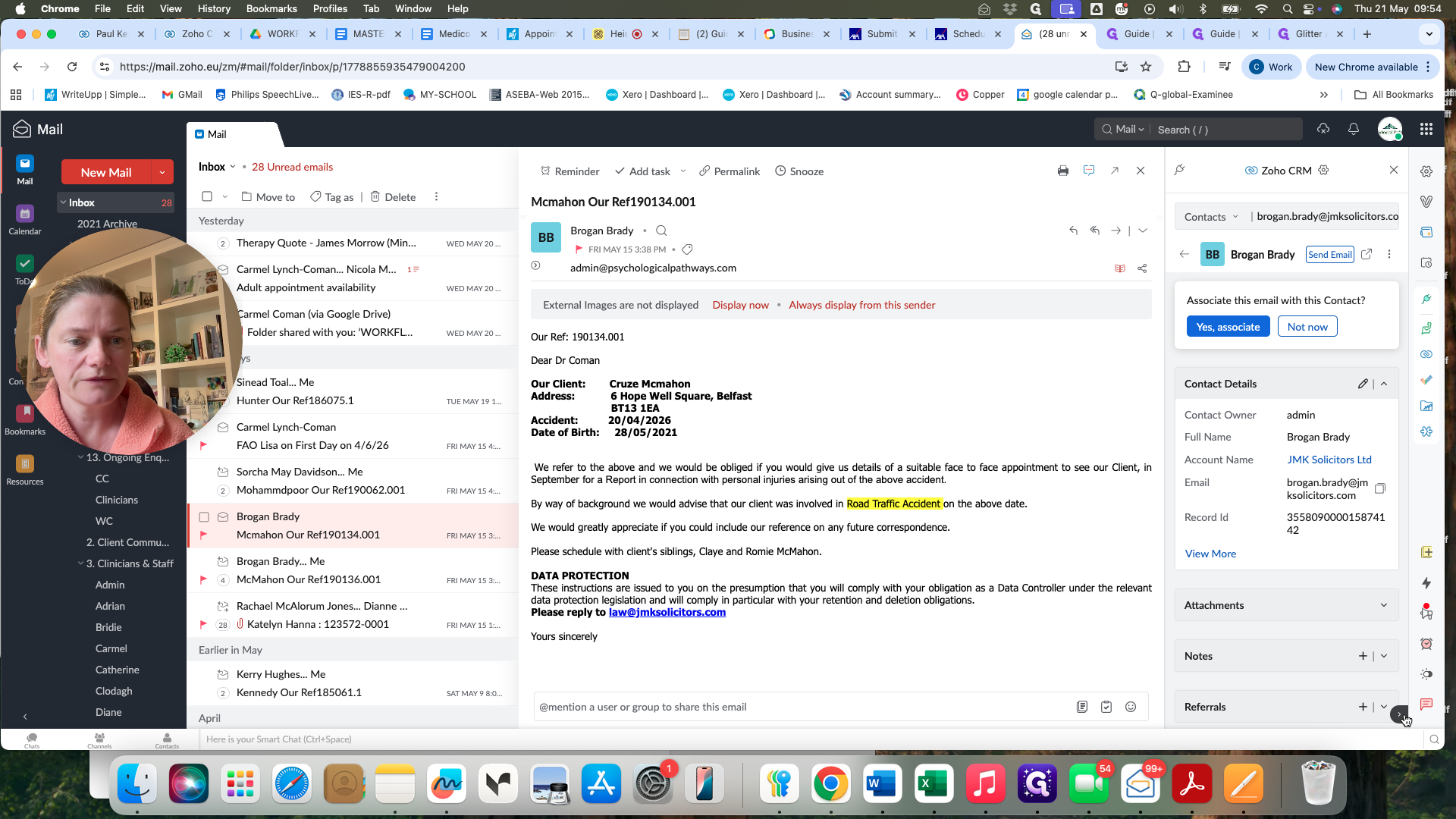
Open the email containing the new referral in your Zoho Mail inbox.
Step #1: Open the email containing the new referral in your Zoho Mail inbox.
2
Click the Zoho CRM icon in the right-hand sidebar to open the integration panel.
Step #2: Click the Zoho CRM icon in the right-hand sidebar to open the integration panel.
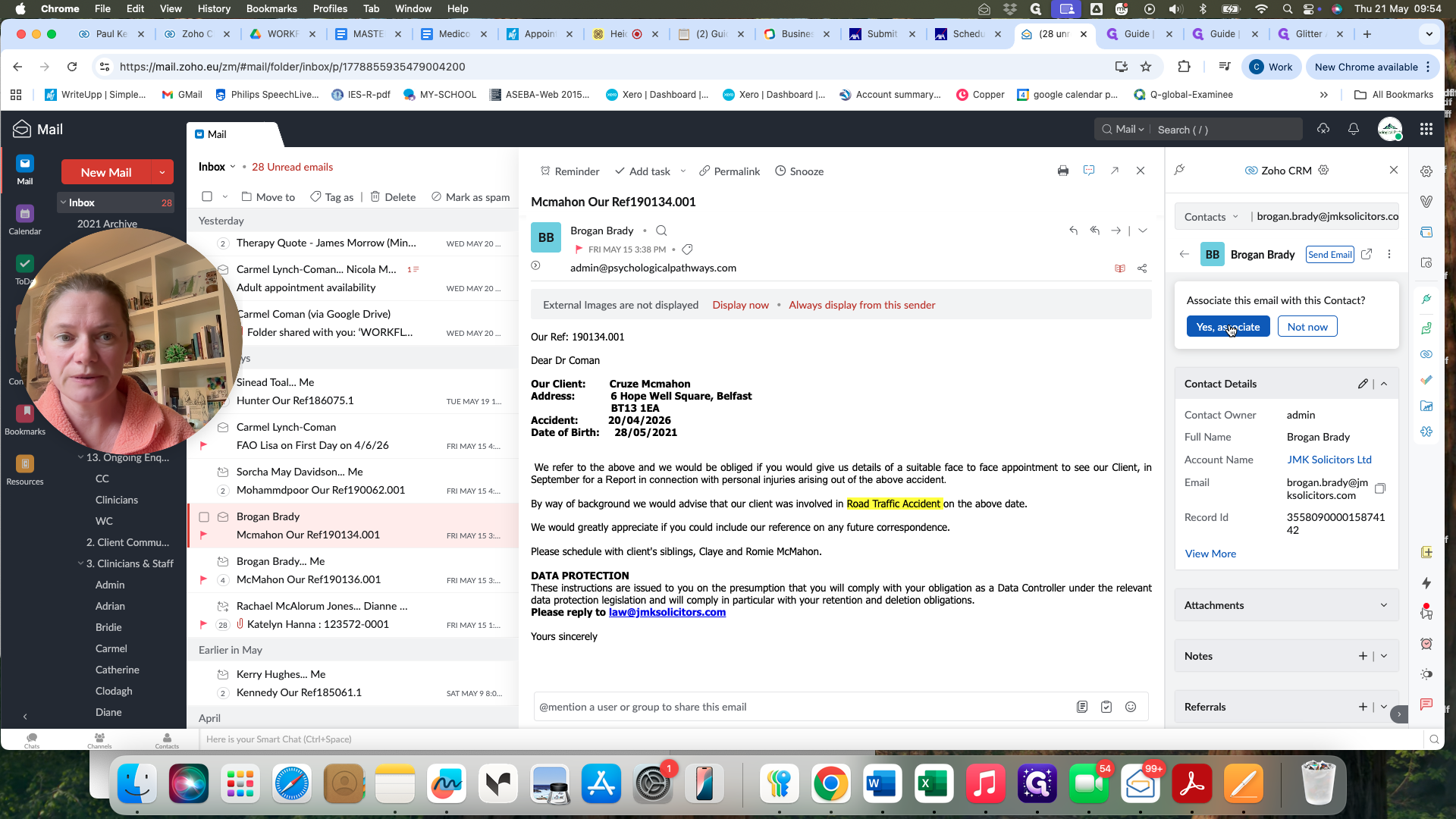
3
Click Yes, associate to link the email to the sender's existing contact record in the CRM.
Step #3: Click Yes, associate to link the email to the sender's existing contact record in the CRM.

Enter Referral Details

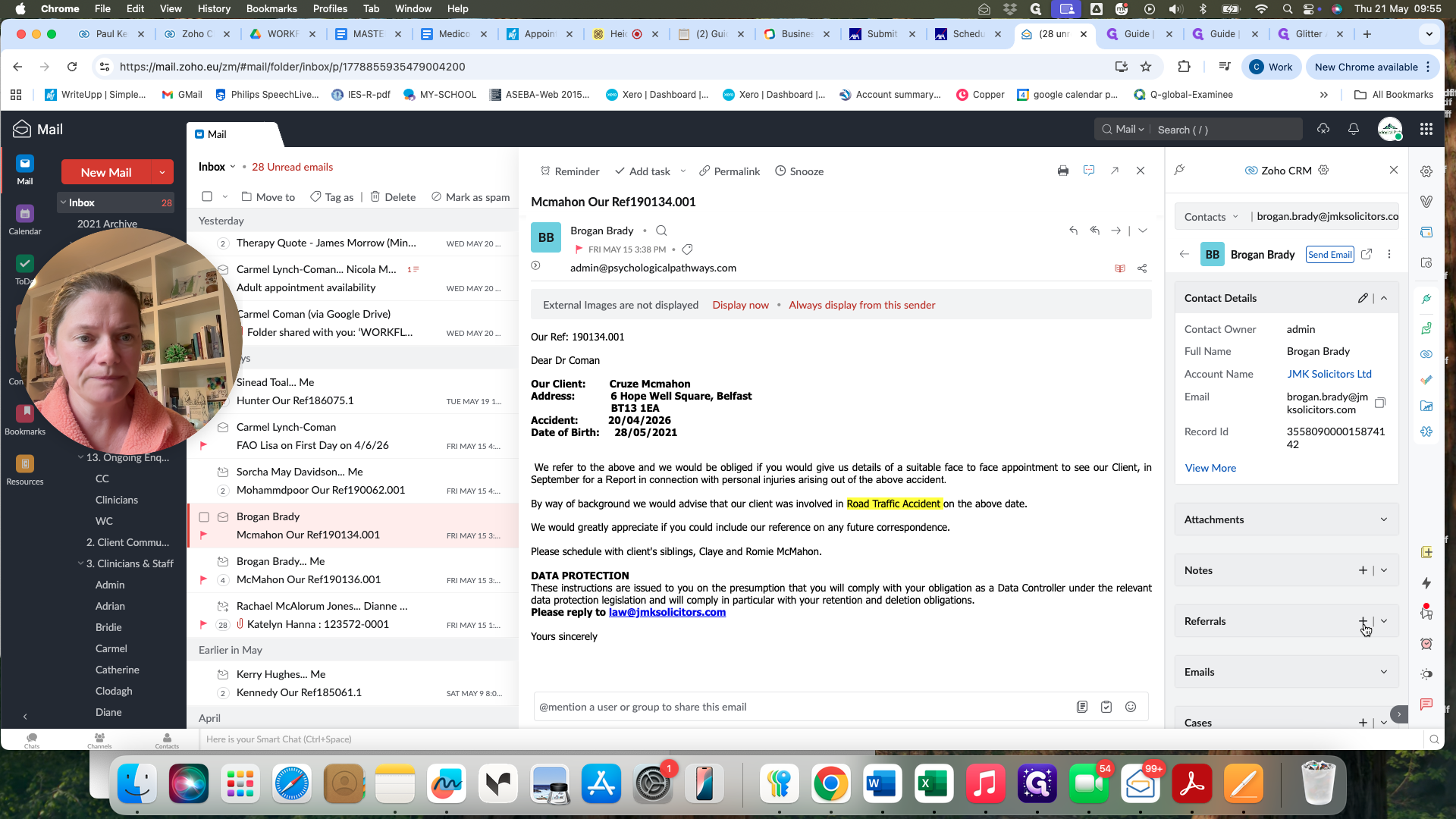
4
Scroll to the Referrals section and click the + (Add) icon to create a new referral directly from the email.
Step #4: Scroll to the Referrals section and click the + (Add) icon to create a new referral directly from the email.
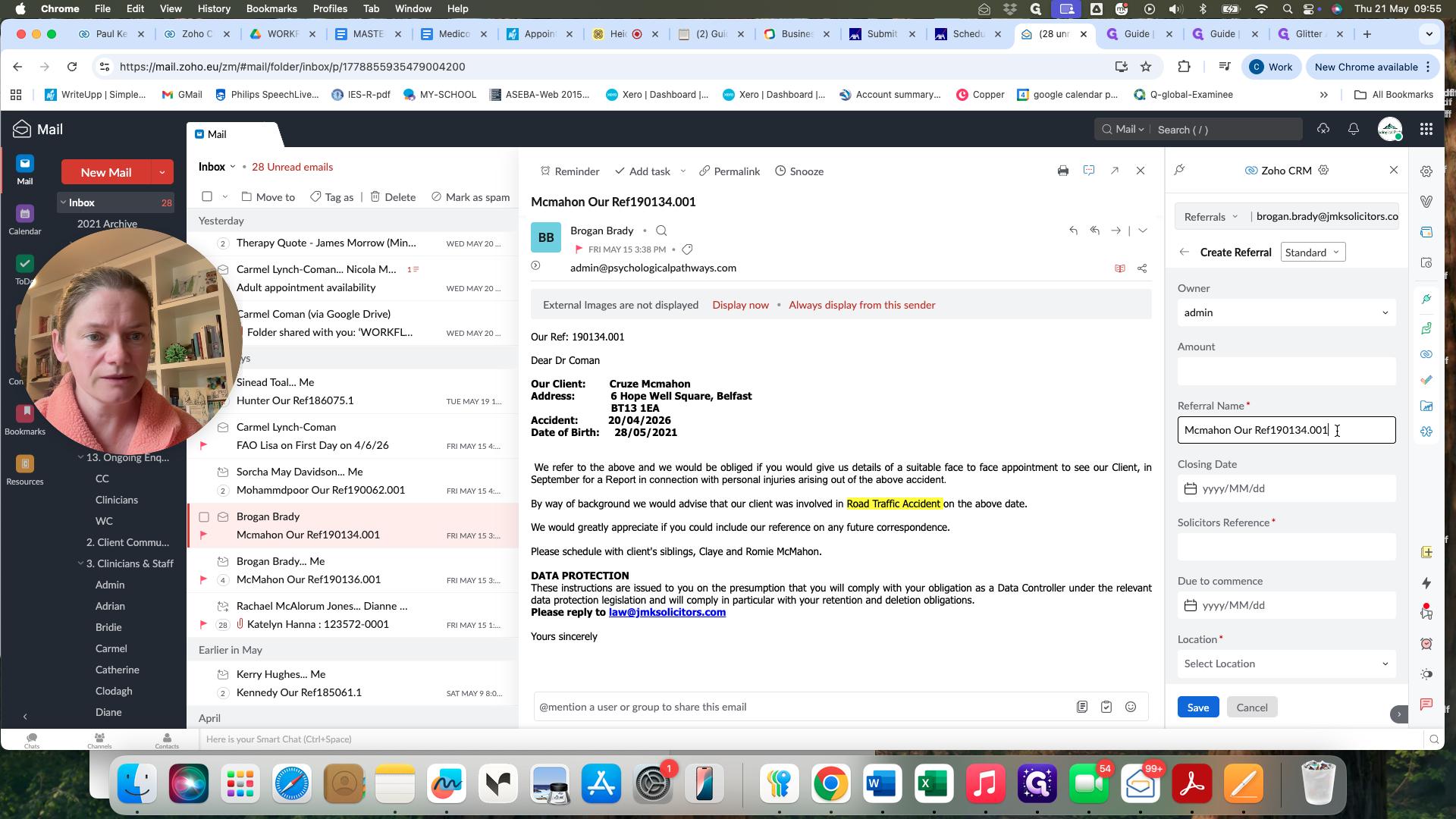
5
Copy the solicitor's reference from the email body and paste it into the Solicitor's Reference field.
Step #5: Copy the solicitor's reference from the email body and paste it into the Solicitor's Reference field.
6
Update the Referral Name field with the client's first and last name.
7
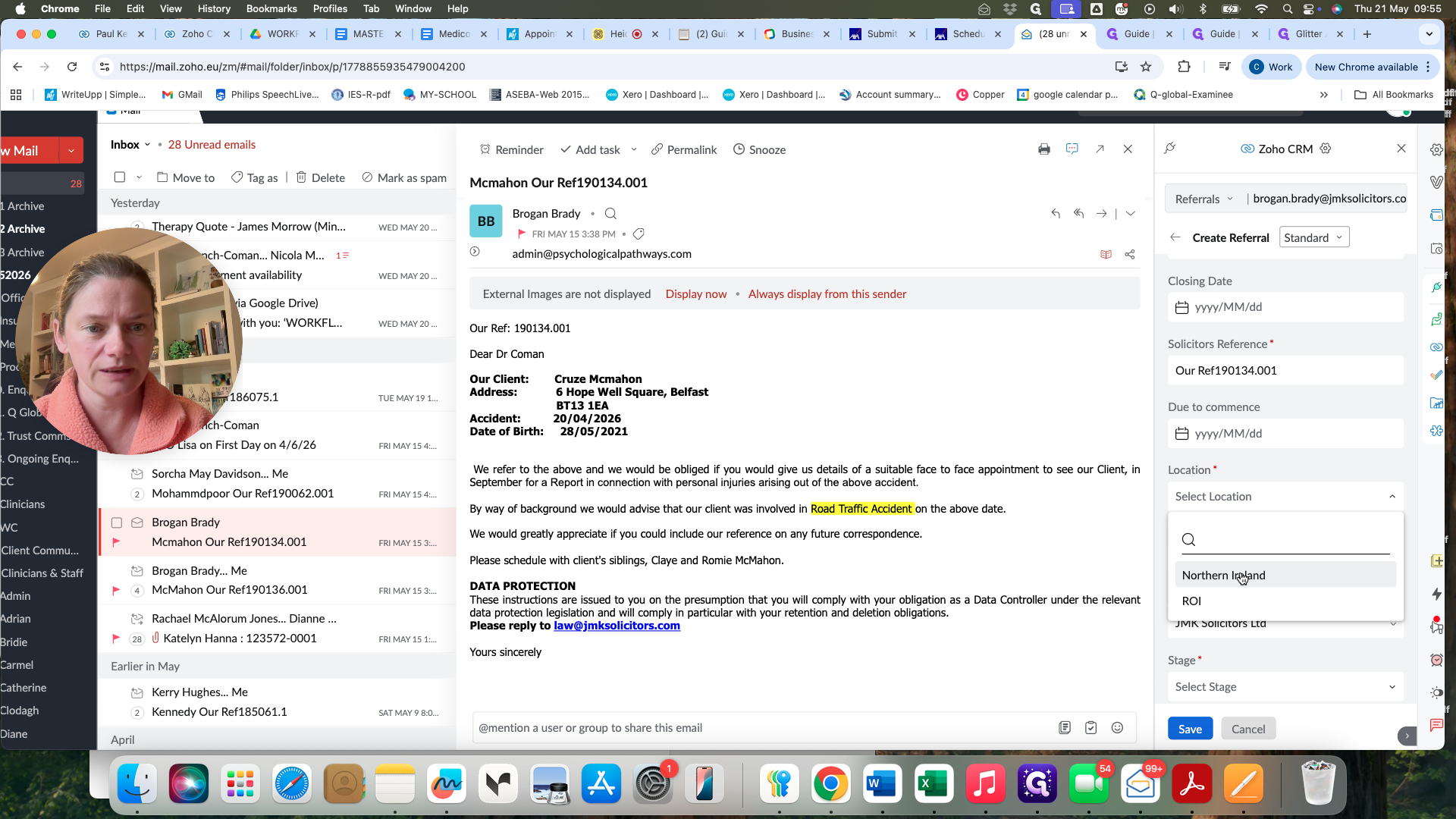
Select the correct jurisdiction from the Location dropdown menu (e.g., Northern Ireland or ROI).
Step #7: Select the correct jurisdiction from the Location dropdown menu (e.g., Northern Ireland or ROI).
8
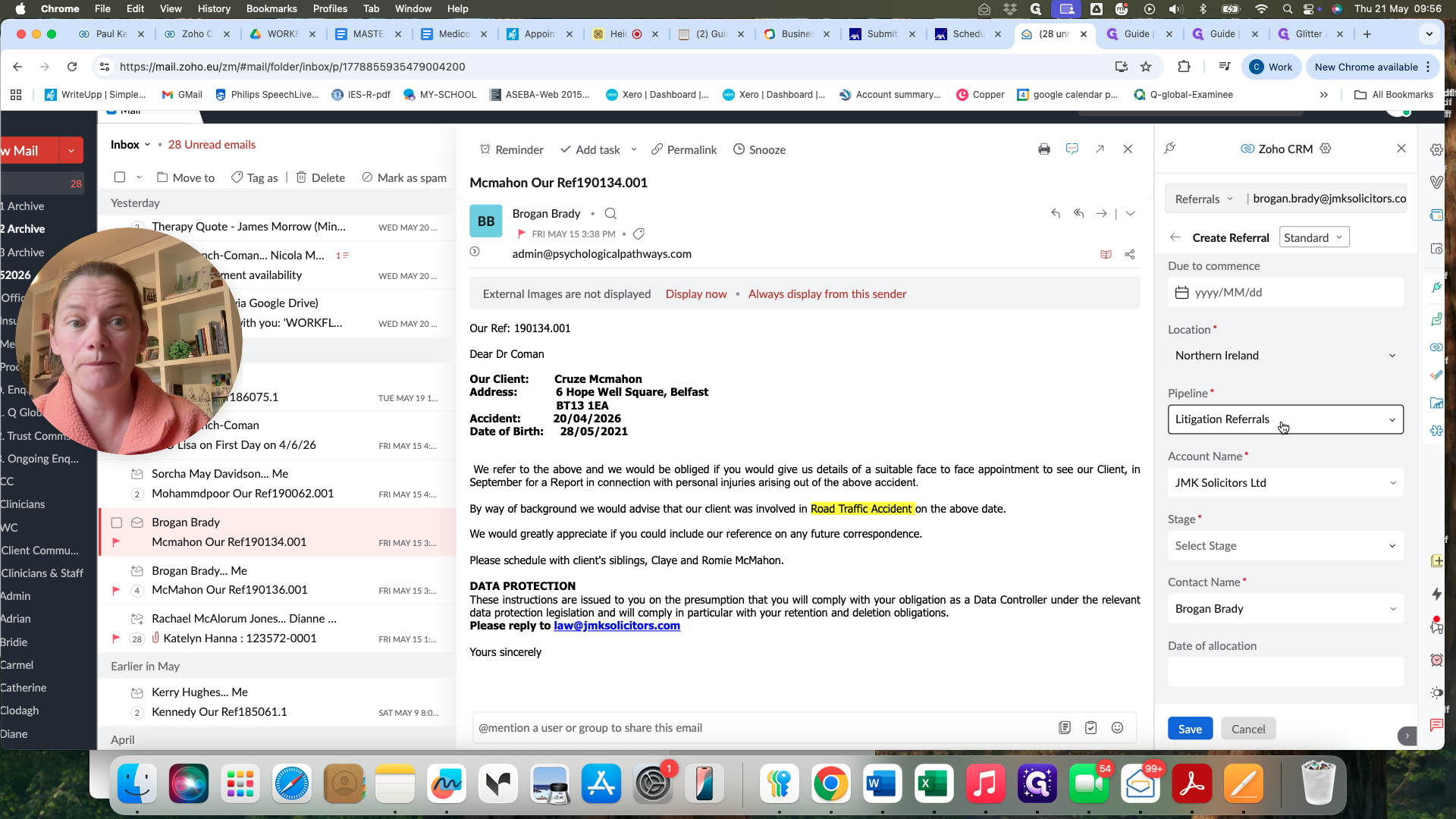
Set the Pipeline to Litigation Referrals.
Step #8: Set the Pipeline to Litigation Referrals.
9
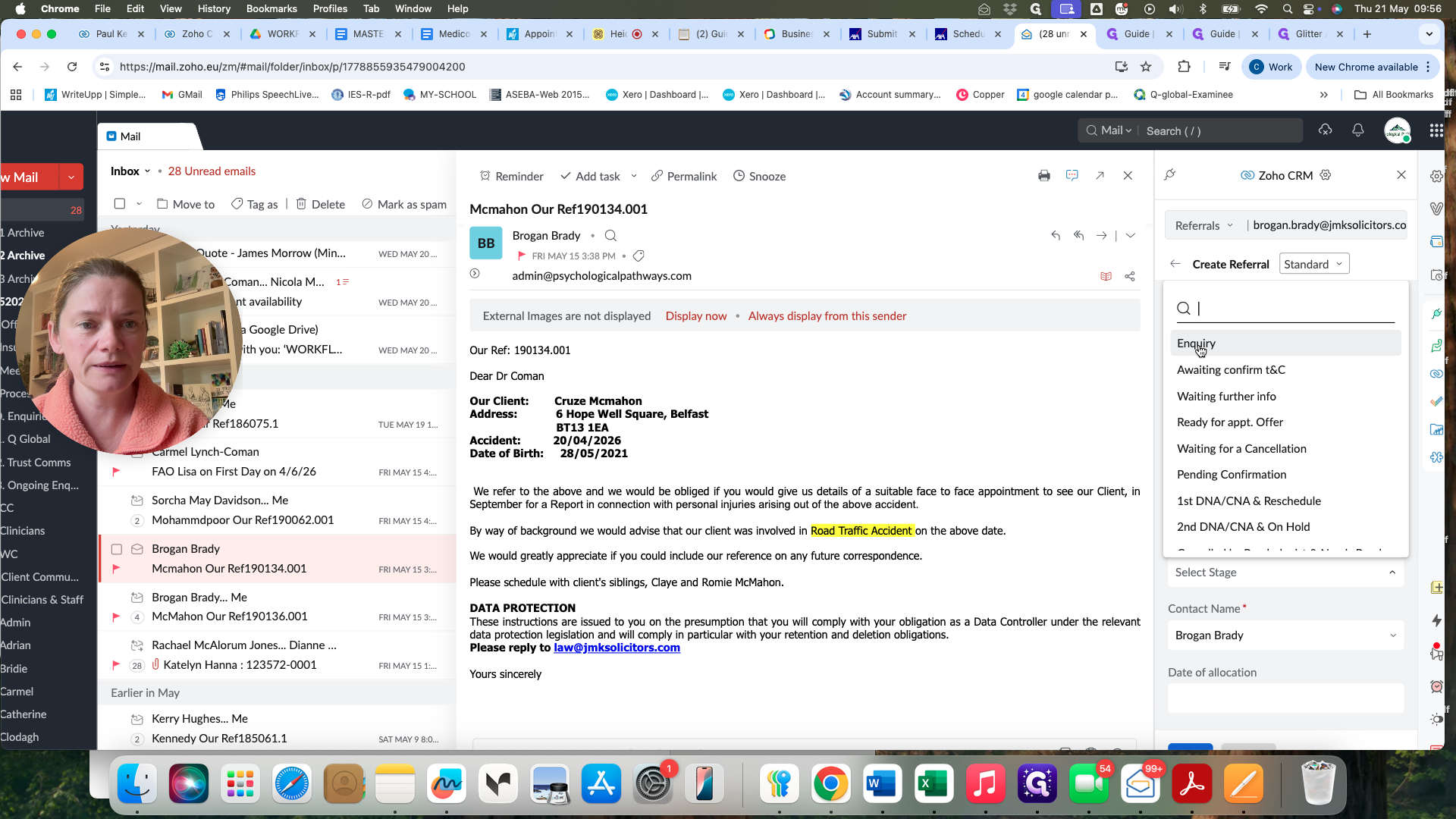
Select Enquiry from the Stage dropdown.
Step #9: Select Enquiry from the Stage dropdown.
10
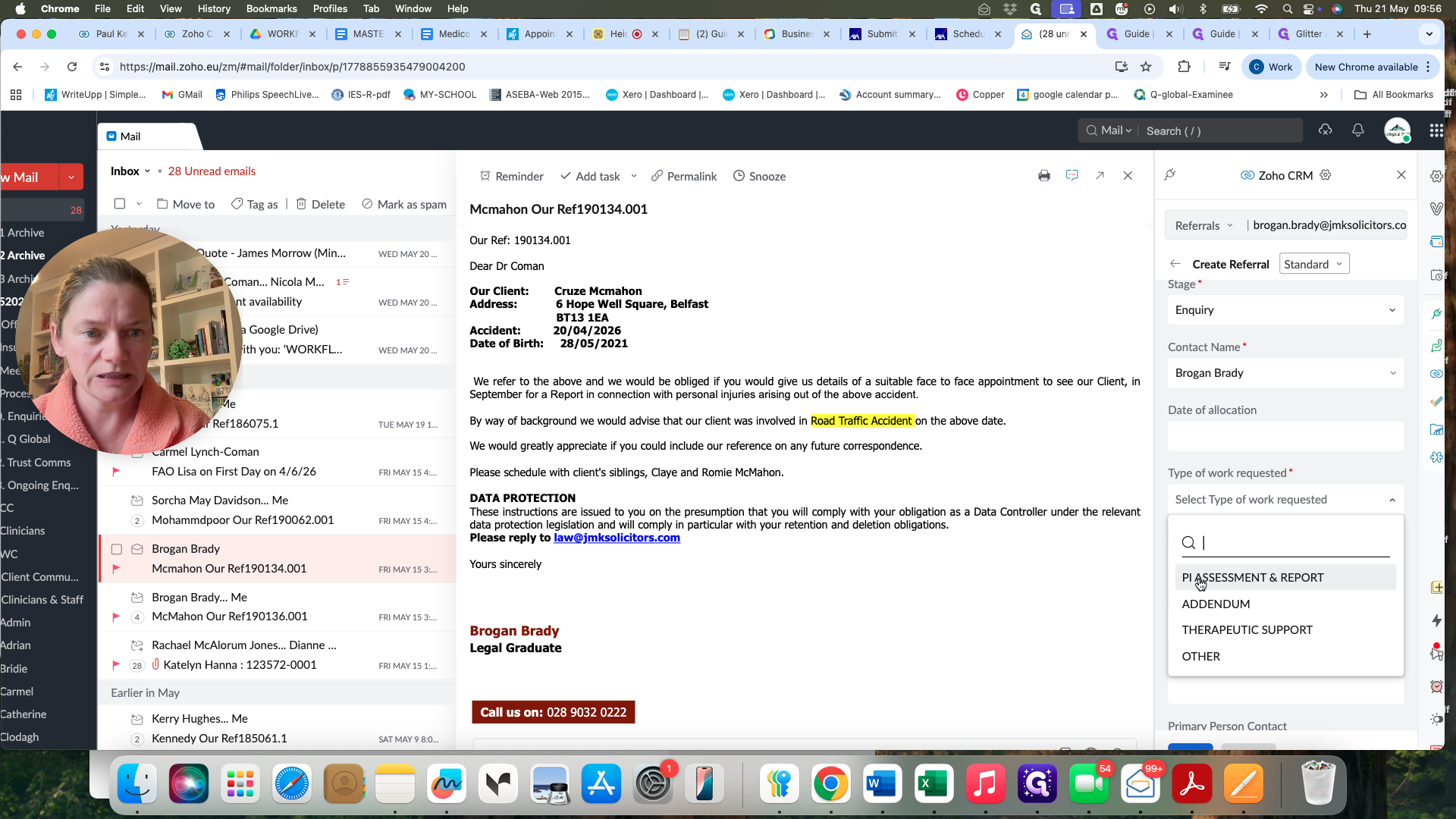
Choose the appropriate service from the Type of work requested dropdown (e.g., PI Assessment & Report).
Step #10: Choose the appropriate service from the Type of work requested dropdown (e.g., PI Assessment & Report).
11
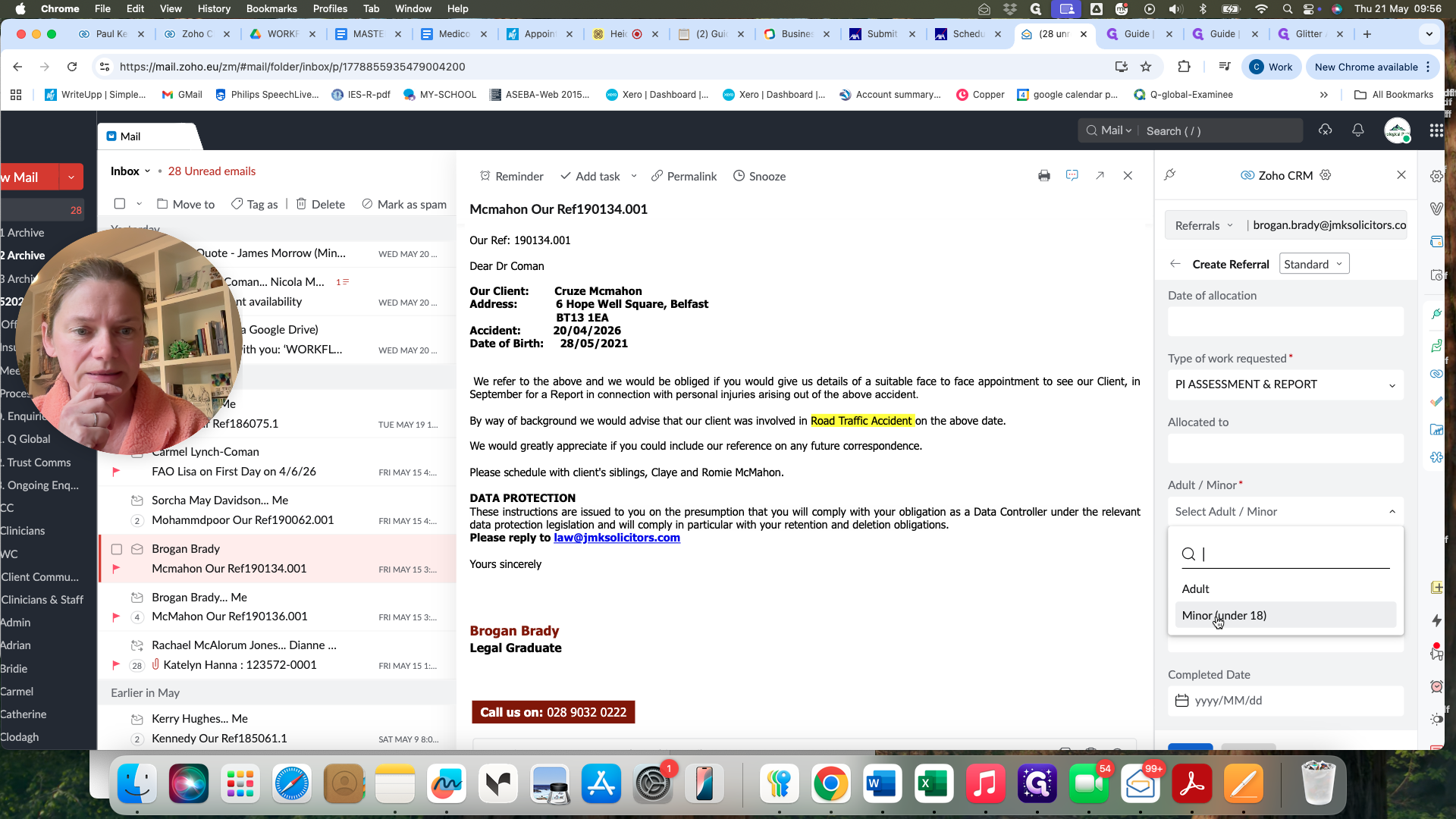
Set the Adult/Minor field based on the client's date of birth provided in the email.
Step #11: Set the Adult/Minor field based on the client's date of birth provided in the email.
12
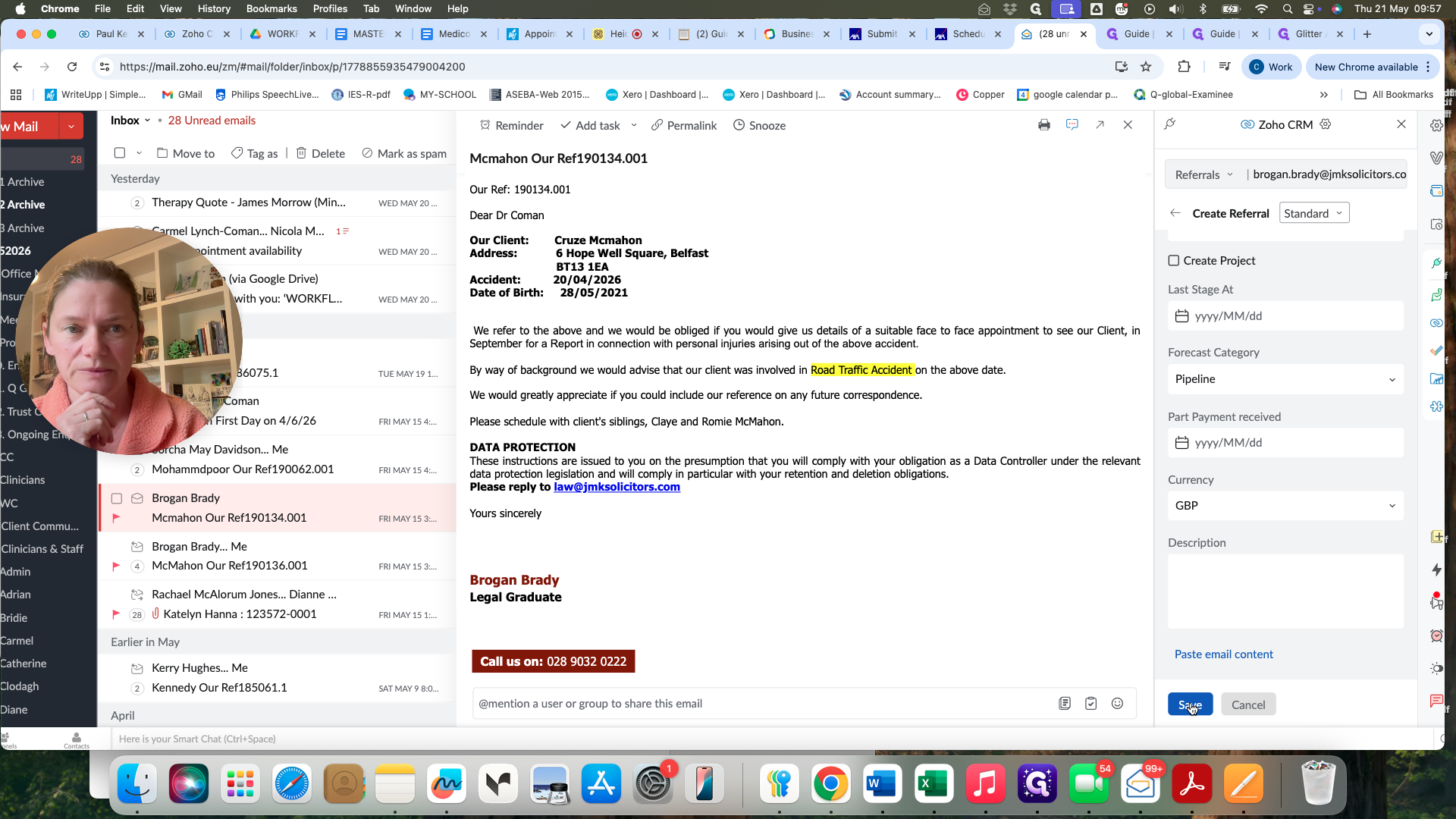
Click Save to create the record.
Step #12: Click Save to create the record.

Verify in Zoho CRM

Once the referral is logged from your inbox, it is immediately available for your team to begin processing.
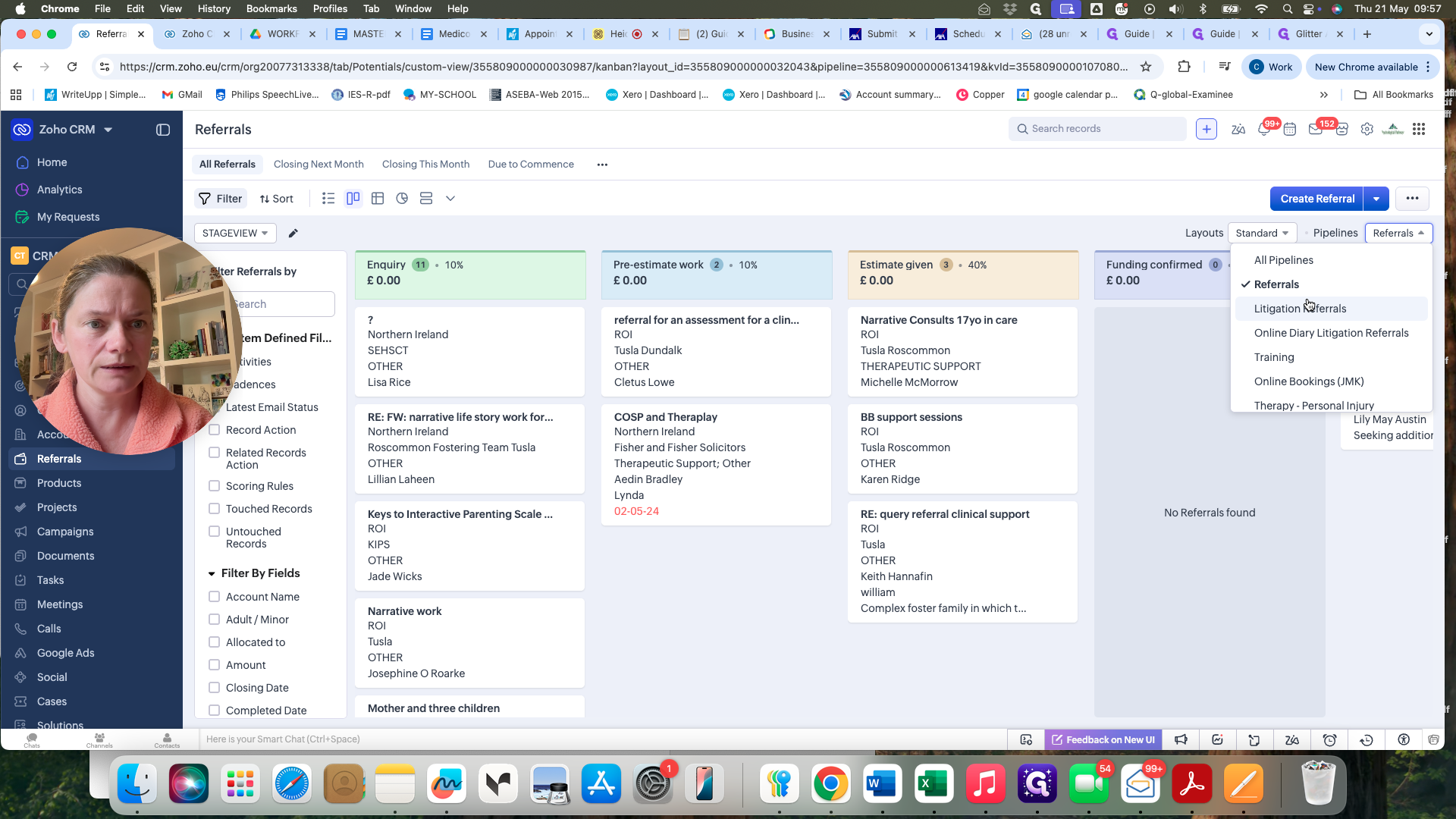
13
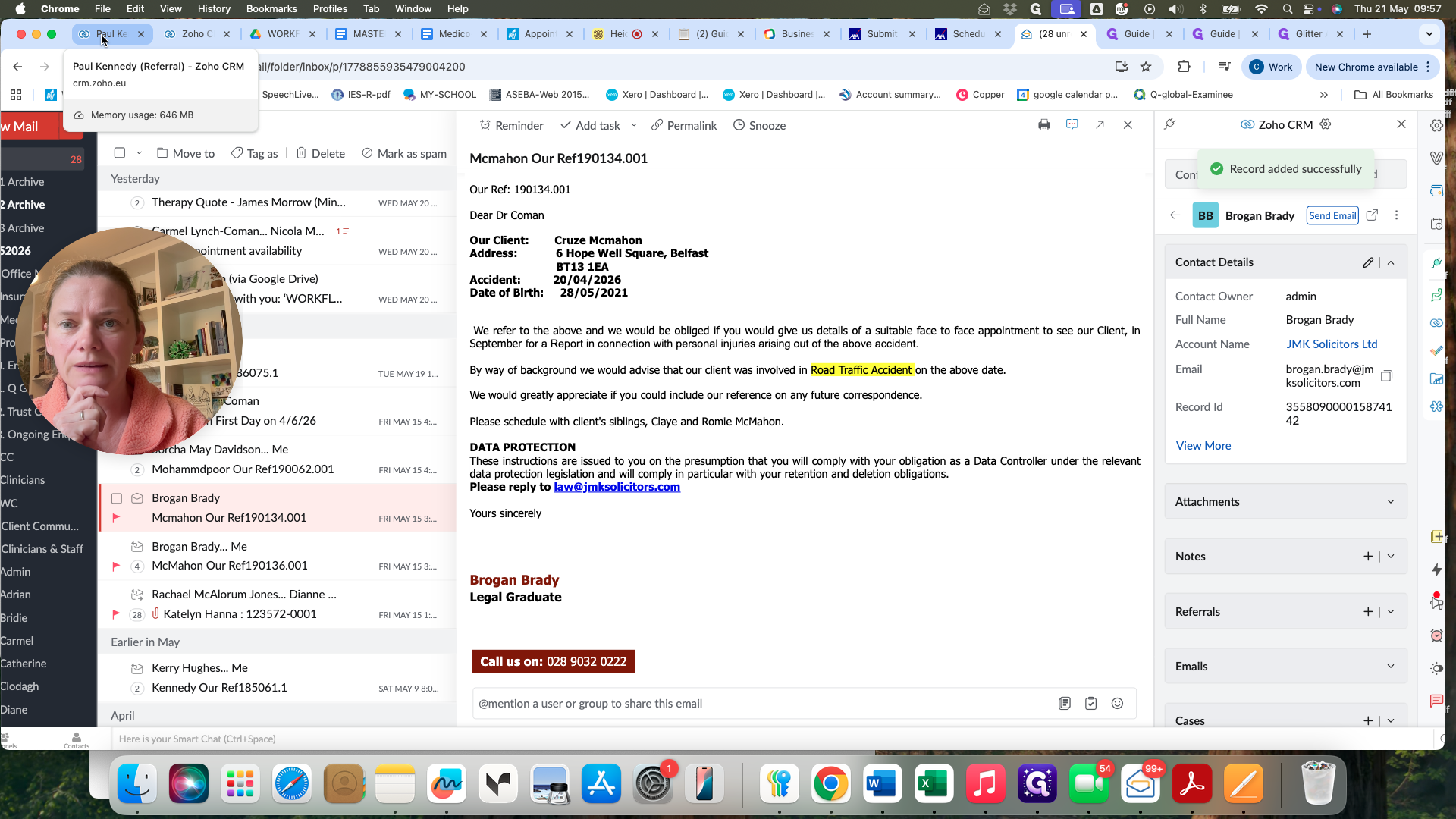
Open your Zoho CRM tab to verify the new entry.
Step #13: Open your Zoho CRM tab to verify the new entry.
14
Navigate to the Litigation Referrals pipeline to confirm the client appears in the active Kanban board.
Step #14: Navigate to the Litigation Referrals pipeline to confirm the client appears in the active Kanban board.

Pipeline Breakdown

When creating a new referral, it's critical to route it to the correct pipeline so it's managed appropriately.

Pipeline

When to use

Source

Litigation Referrals

Standard manual referral processing

Direct email requests to the inbox

Online Bookings

Automated scheduling flows

Submissions made through the web portal

FAQ

Q: Why do new manual referrals always default to the "Enquiry" stage?

A: All new manual referrals start their journey in the Enquiry stage because they typically require you to review the request and gather more information before you can proceed with a formal appointment offer.

Q: What should I do if a referral already exists in the sidebar for the client?

A: Do not create a duplicate referral. Simply associate the incoming email with the existing record and update the ongoing file if necessary.

Glossary

Term

Definition

Manual Referral

A referral request submitted manually via direct email from a solicitor, rather than an automated online form.

Association

The process of linking an incoming email in Zoho Mail to an existing contact or referral record in Zoho CRM.

Enquiry Stage

The initial pipeline step indicating a referral has been received but requires review before an appointment is offered.