How to Release On-Hold WooCommerce Orders to ShipStation
Learn how to update an order status from On Hold to Processing in WooCommerce and manually sync the changes to ShipStation for fulfillment.
By Jen F
This guide explains how to release an "On Hold" order in WooCommerce and synchronize it with ShipStation so it can be fulfilled.
This workflow applies to e-commerce administrators and fulfillment teams who need to manually push pending or held orders into their active shipping pipeline.
Update Order Status in WooCommerce
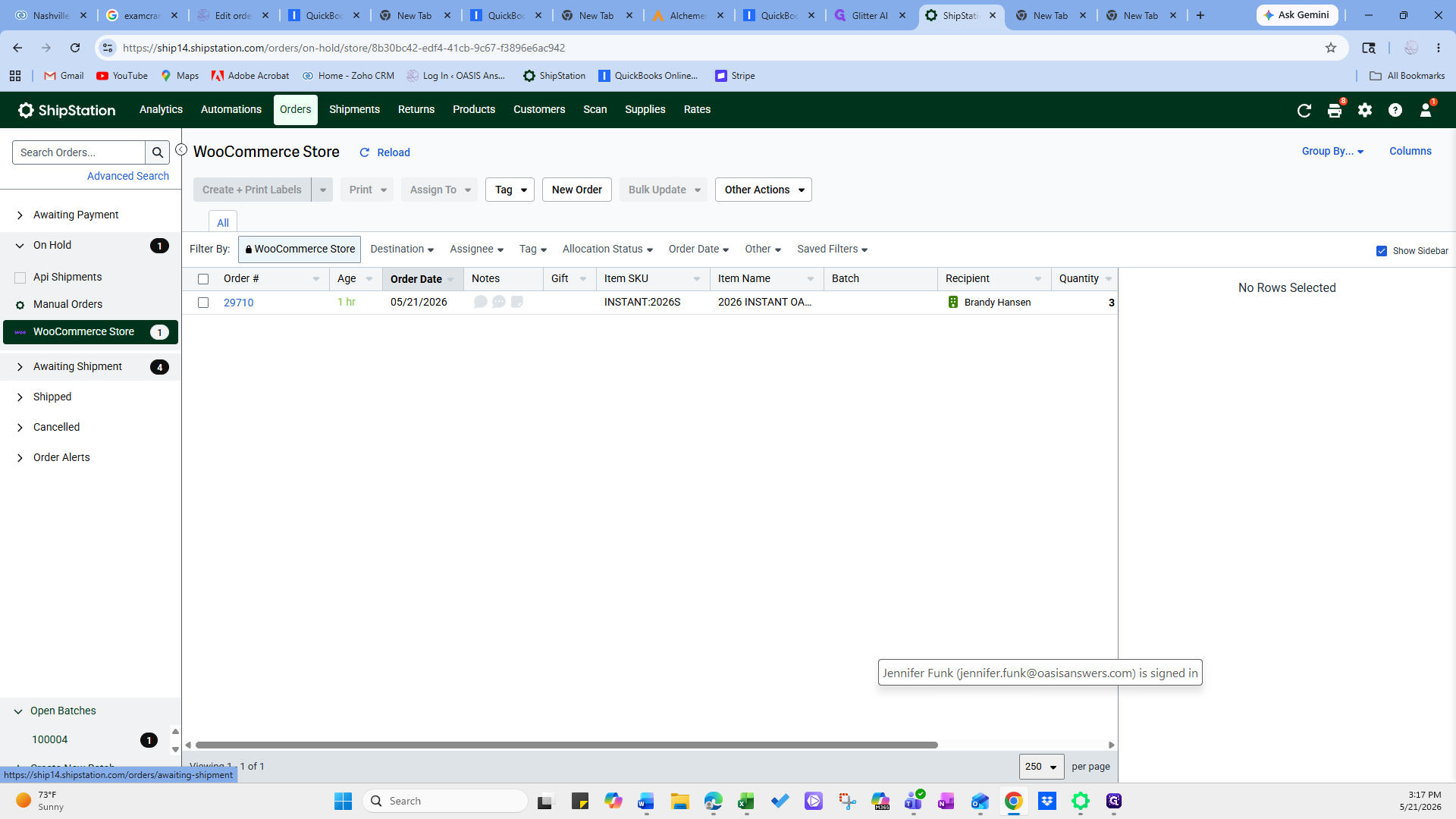
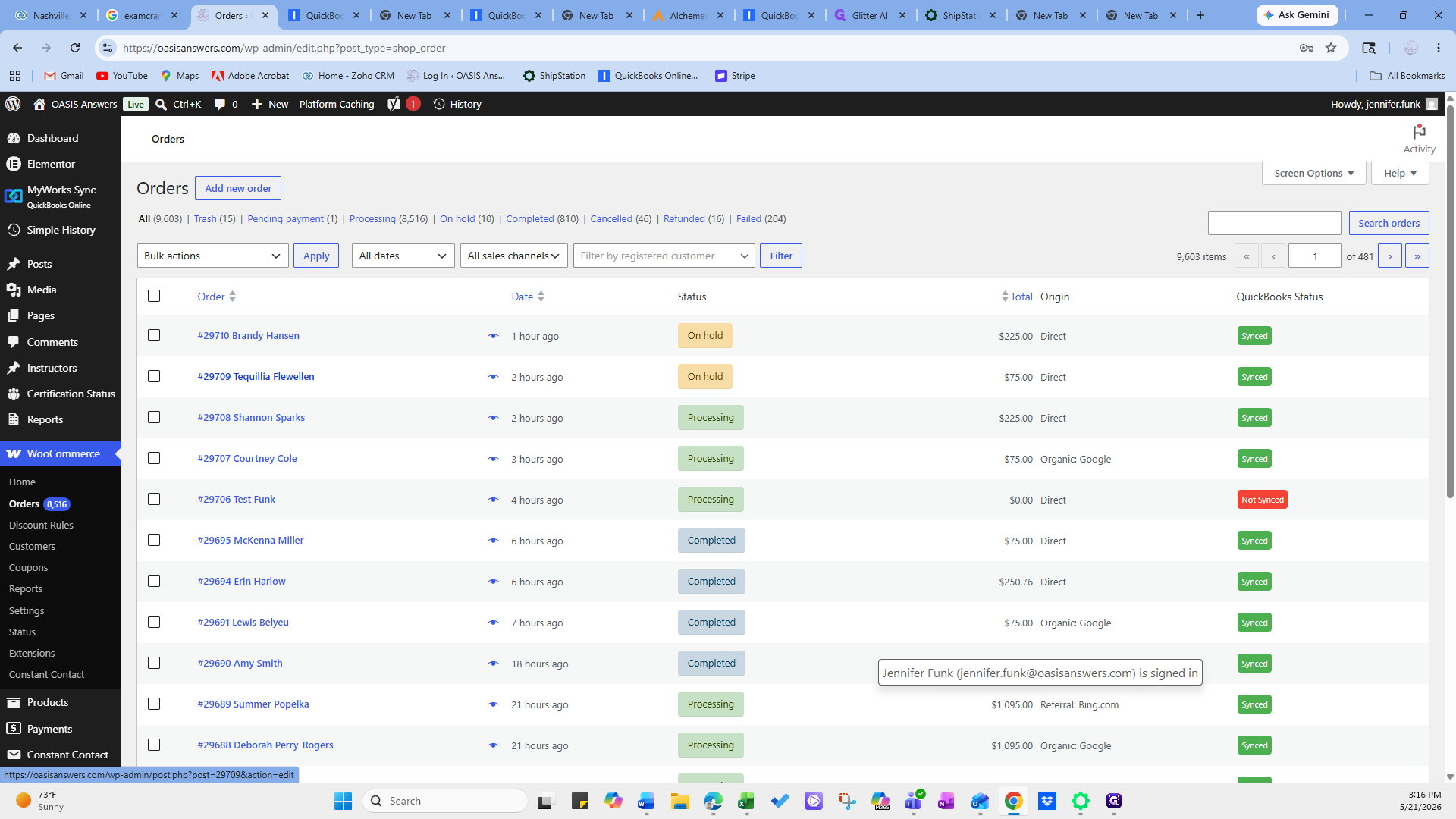
First, locate the order that is currently on hold within your WooCommerce dashboard.
1
Click on the specific order you need to release to open the order details page.
2
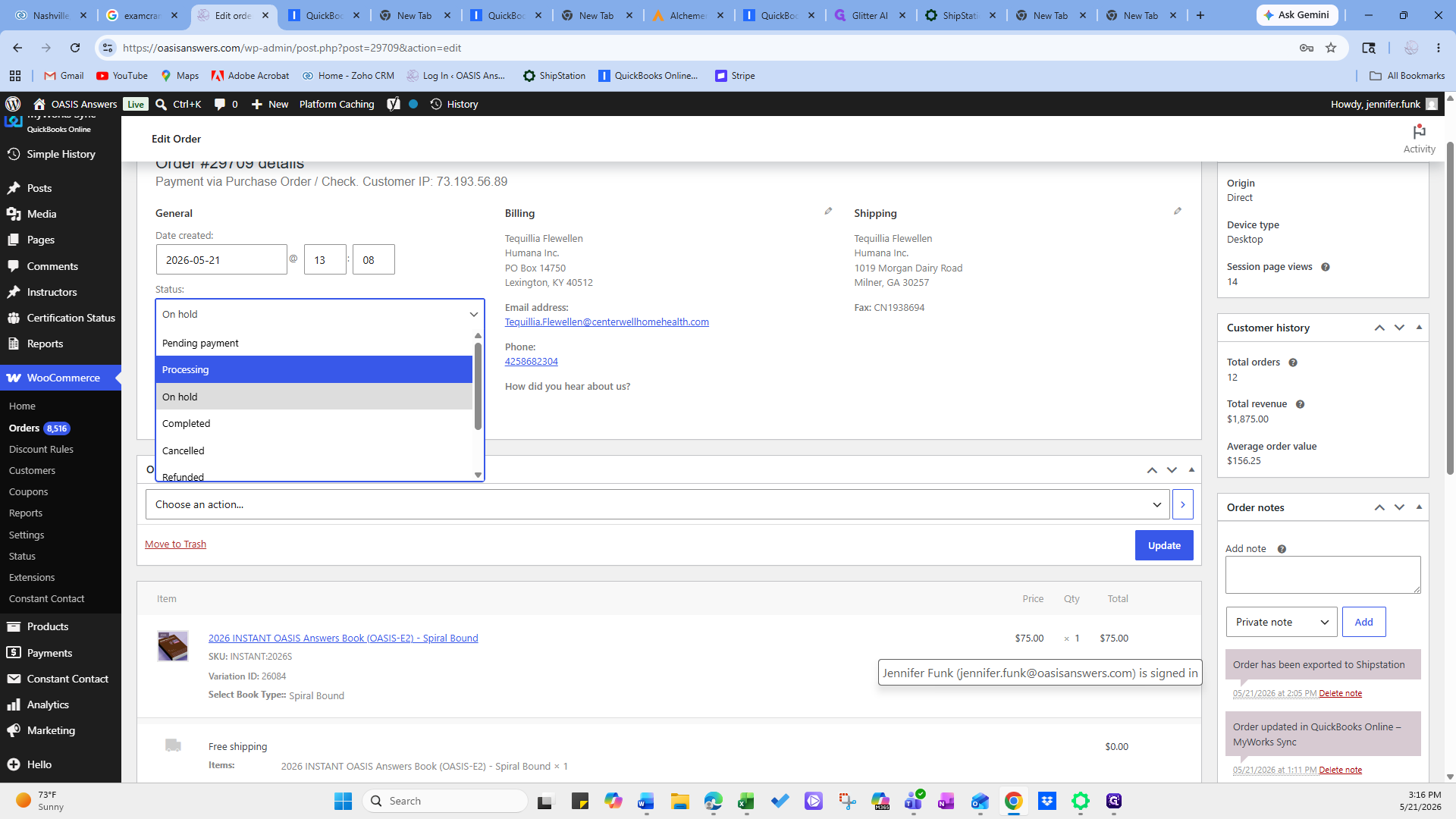
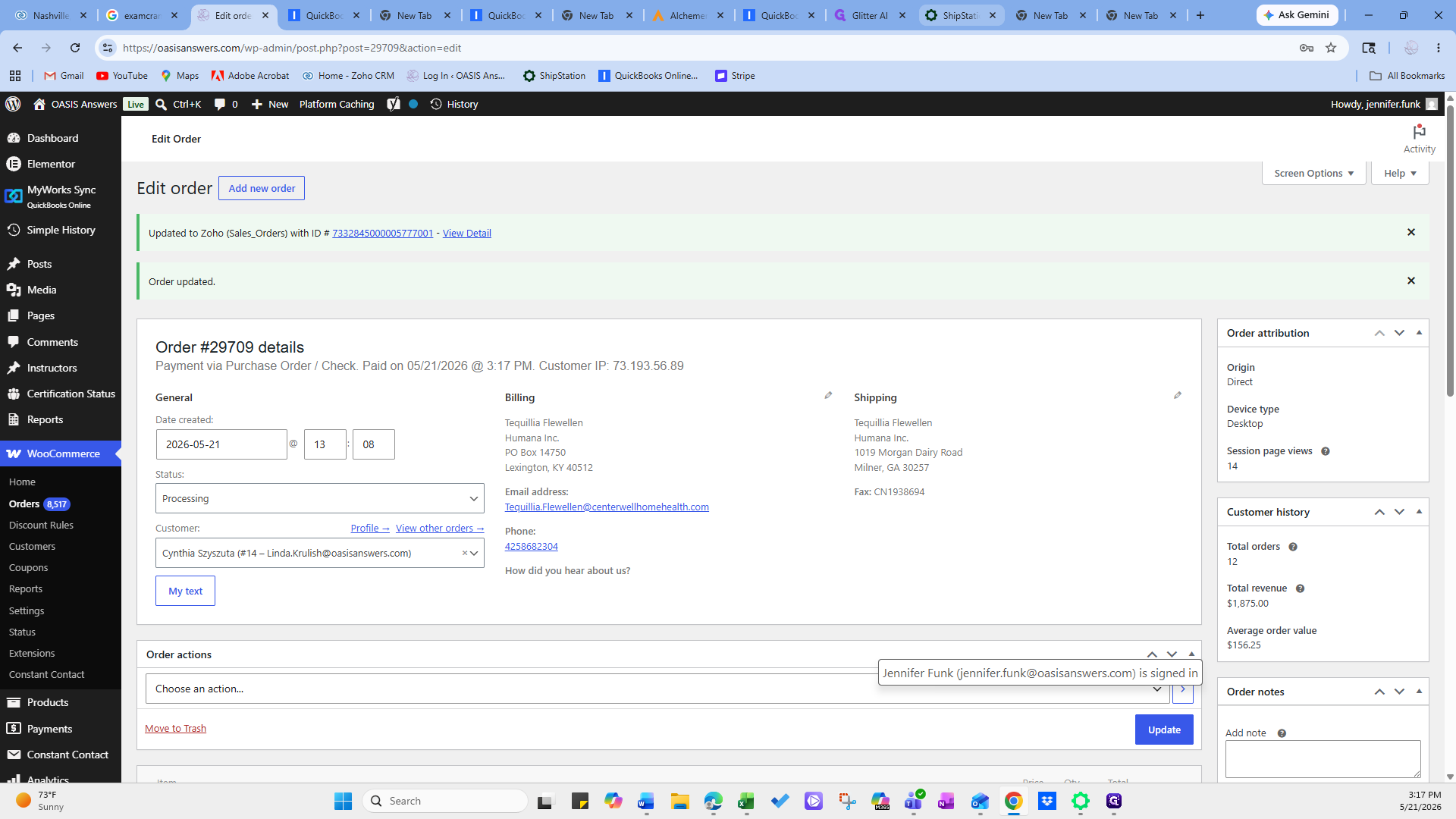
In the order details screen, open the Status dropdown menu and select Processing.
3
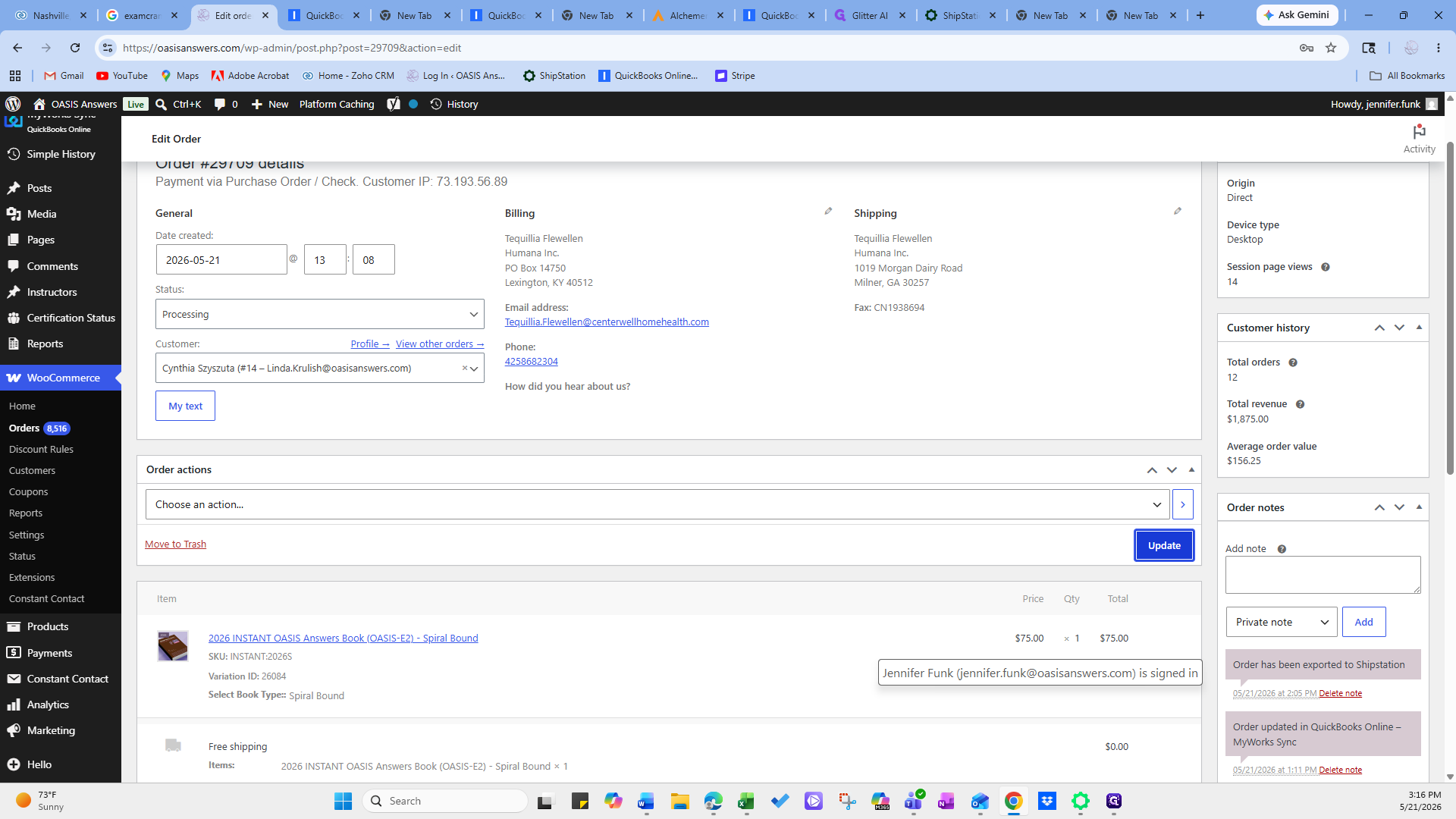
Click Update to save the new order status.
Sync and Verify in ShipStation
Next, manually refresh your store data in ShipStation to pull in the newly updated order status.
4
Navigate to your ShipStation dashboard.
5
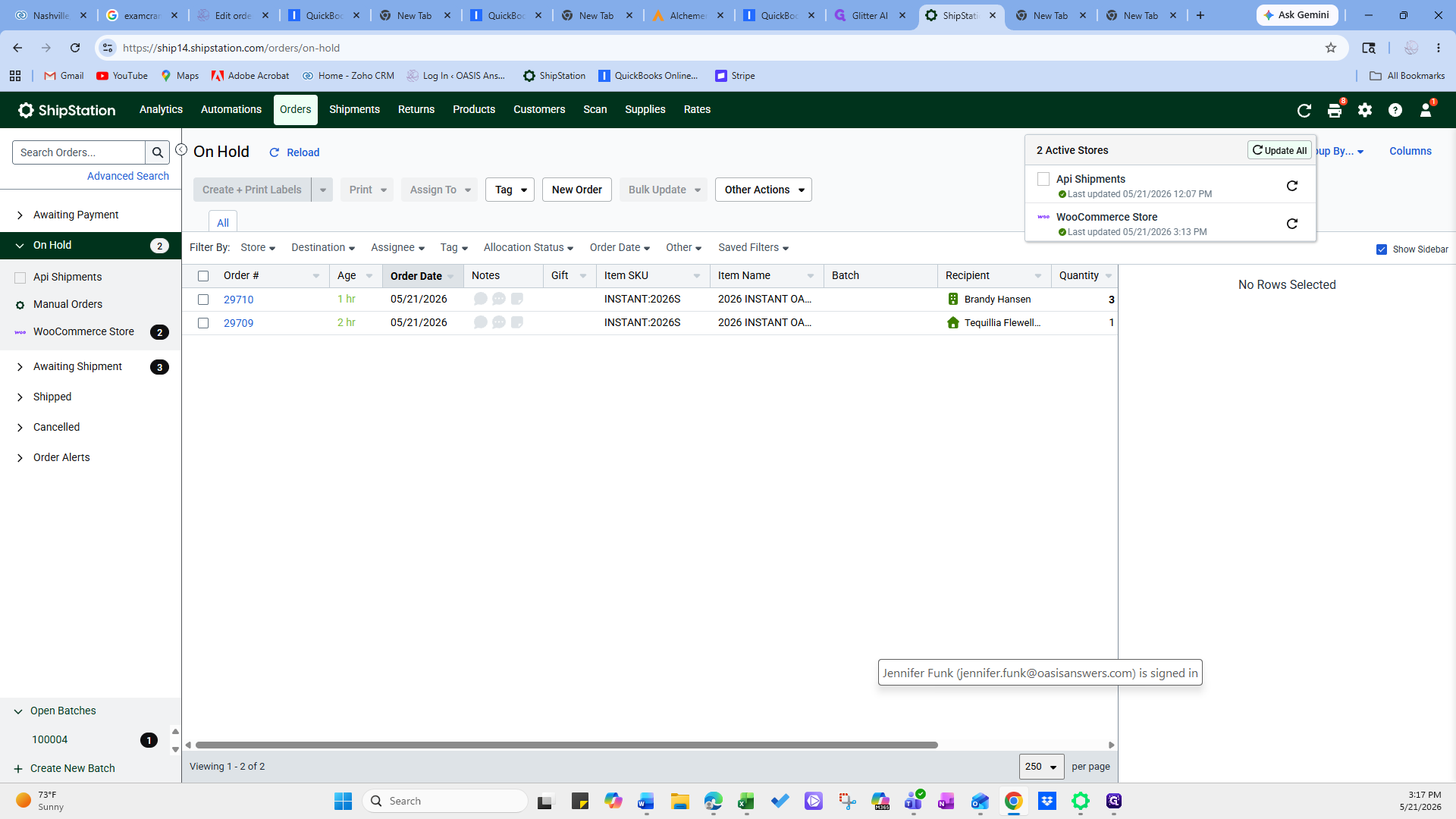
Click Update All in the top navigation bar to synchronize your connected stores, including WooCommerce.
6
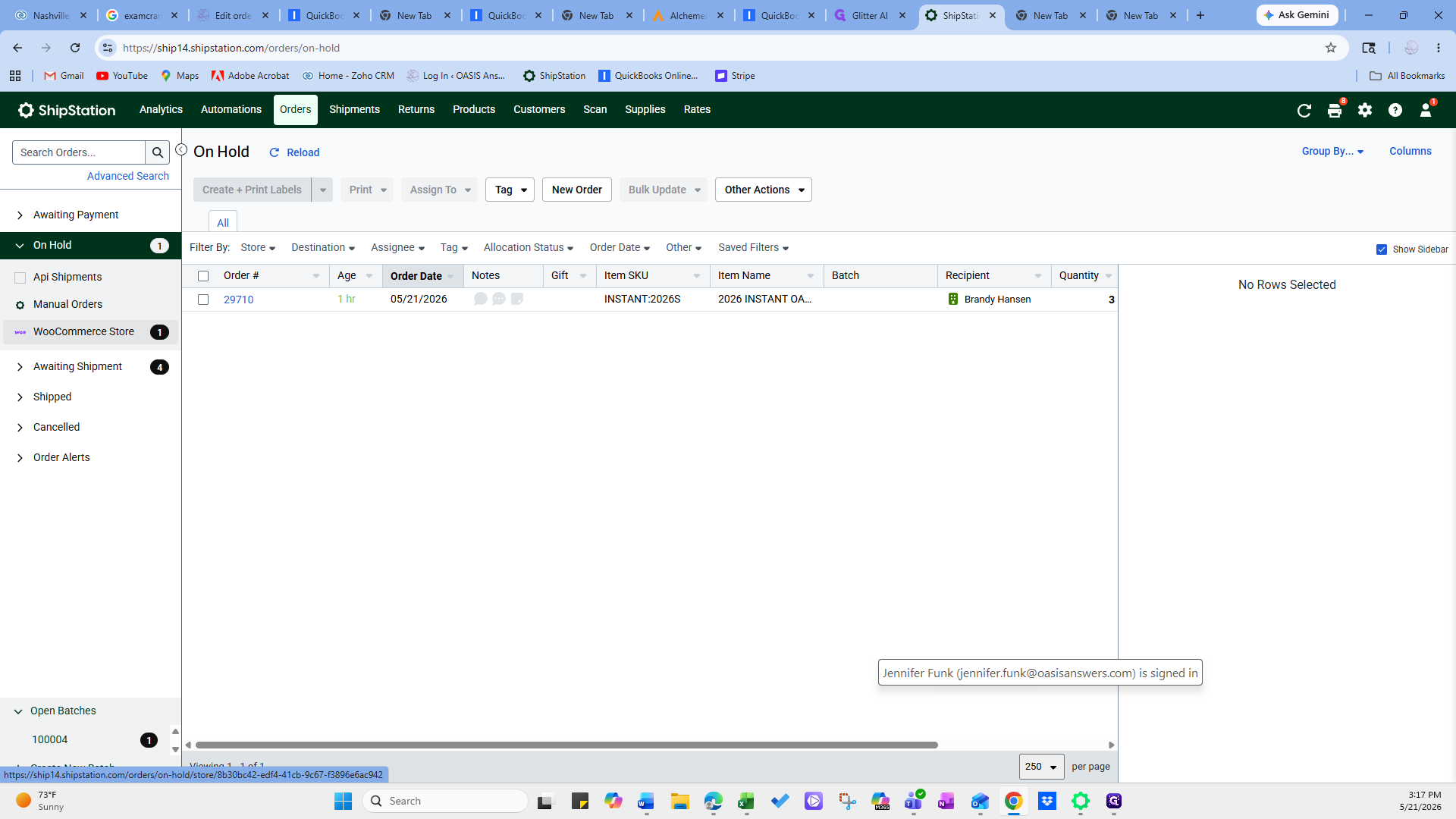
Select the WooCommerce Store filter from the left sidebar to isolate those orders.
7
Click Awaiting Shipment to verify the order has successfully moved out of the "On Hold" queue and is ready for your team to fulfill.