
How to Remove Duplicate Project Links
Learn how to clean up your project deliverables by editing and deleting duplicate video links in your order management dashboard.
By Kyle Lux
This guide explains how to remove duplicate or incorrect video links from project deliverables. Completing this ensures that clients receive accurate delivery notifications without broken or redundant files.
This process applies to project managers and fulfillment specialists who are finalizing deliverable handoffs. Use this workflow when multiple unexpected links appear in a client's final delivery dashboard.
To clean up the deliverables:
1
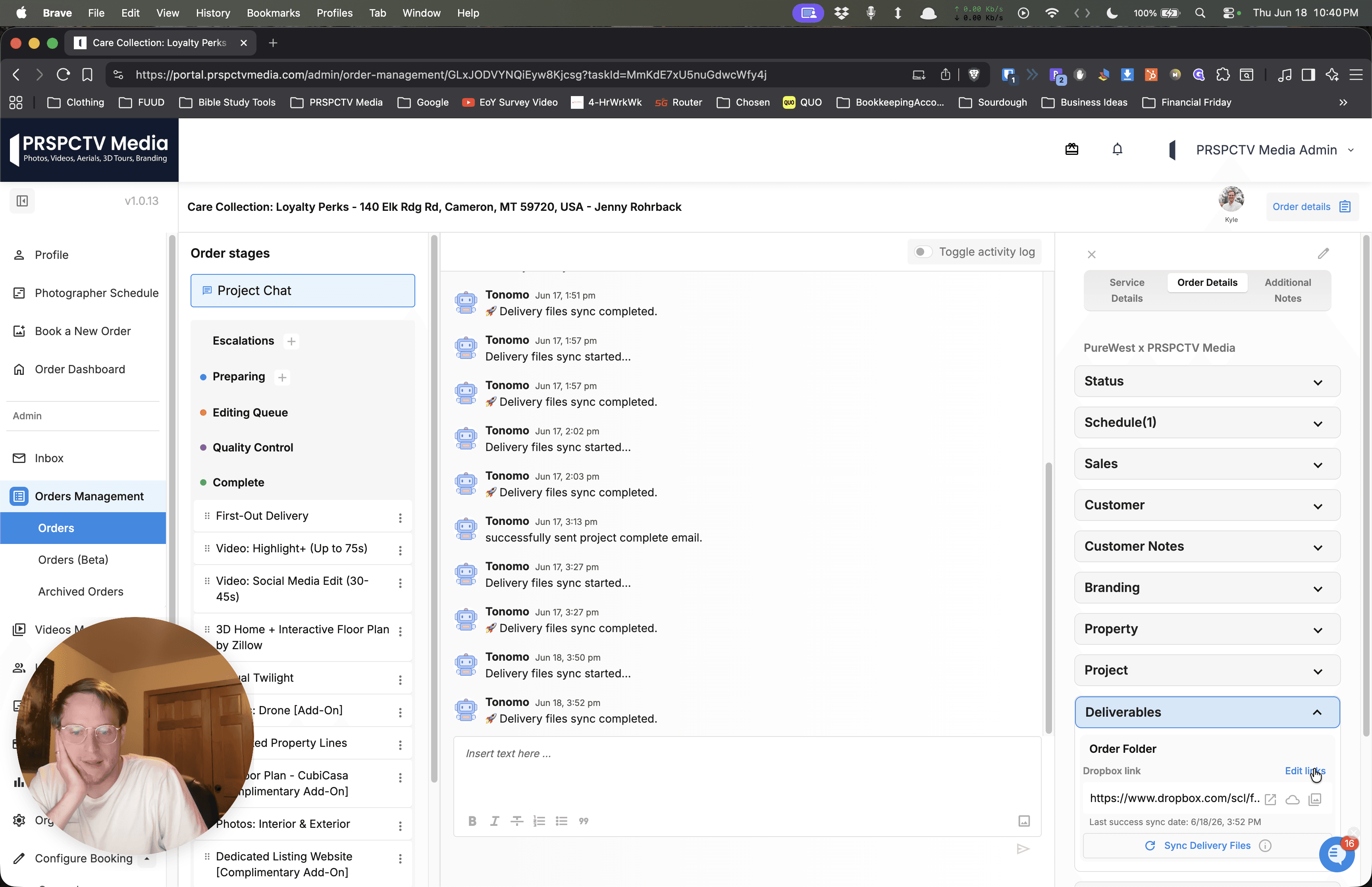
Click Edit links in the Deliverables section of your project dashboard.
2
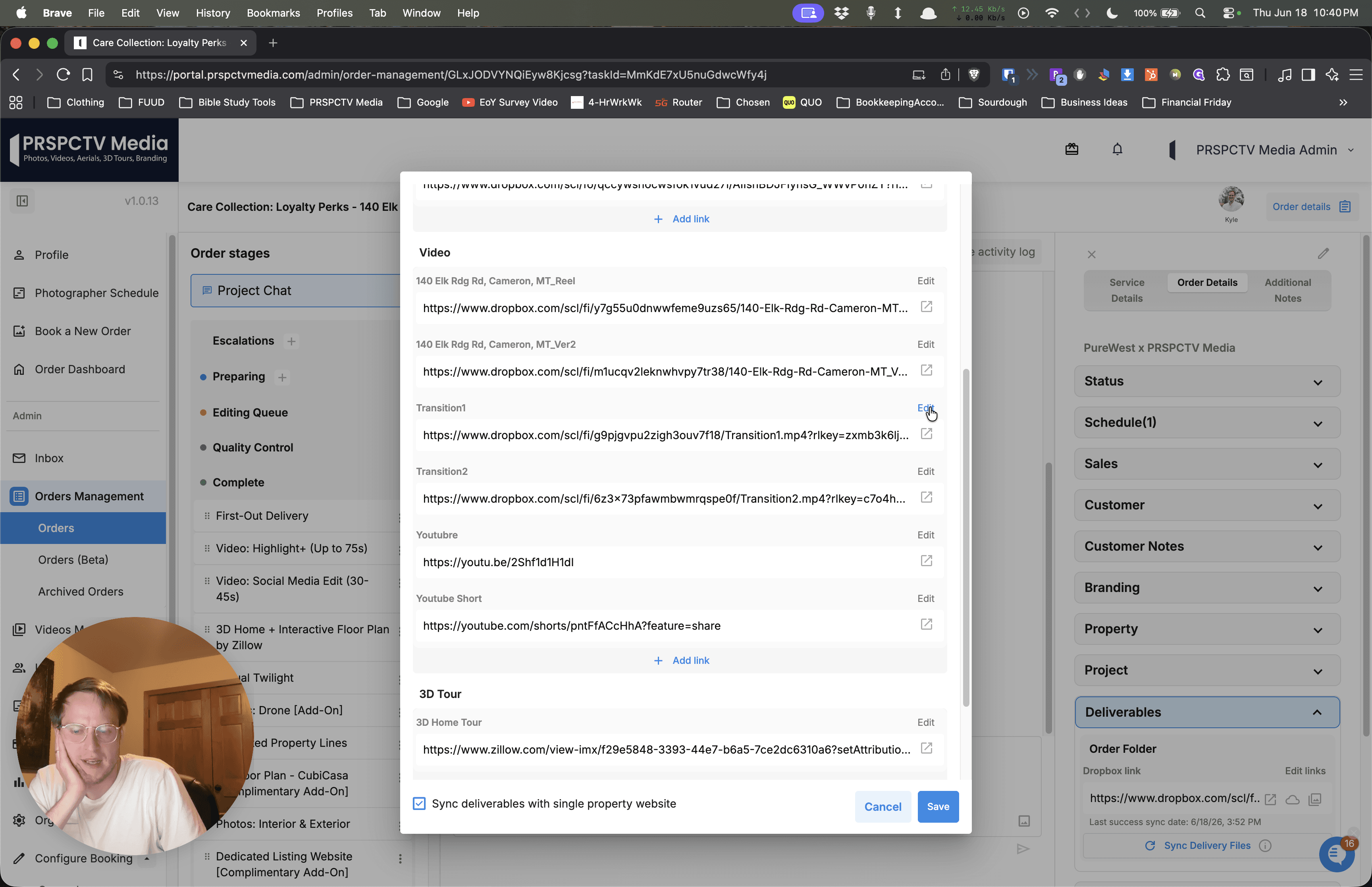
Locate the first duplicate video link and click Edit.
3
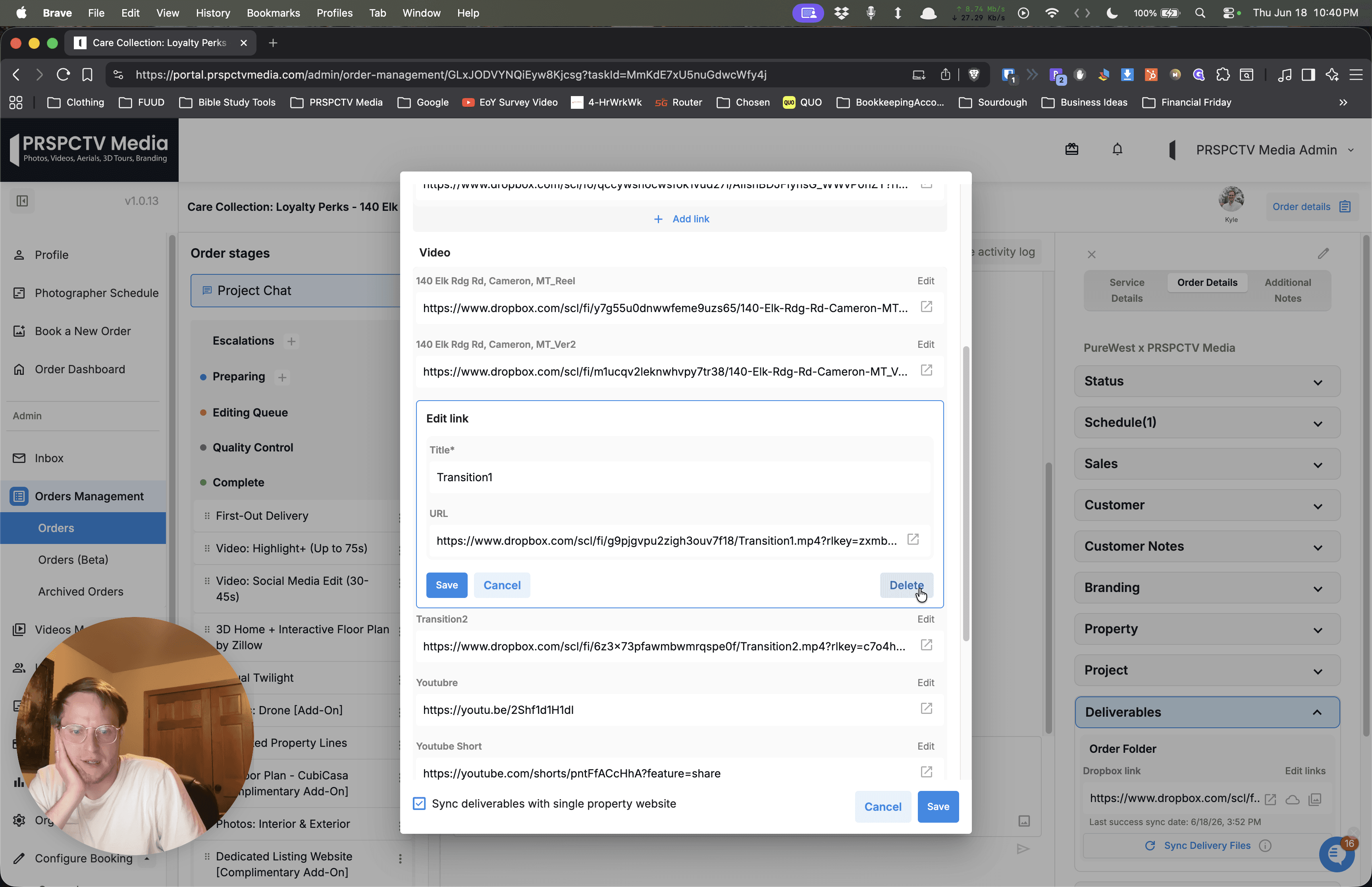
Click Delete to remove the link from the project.
4
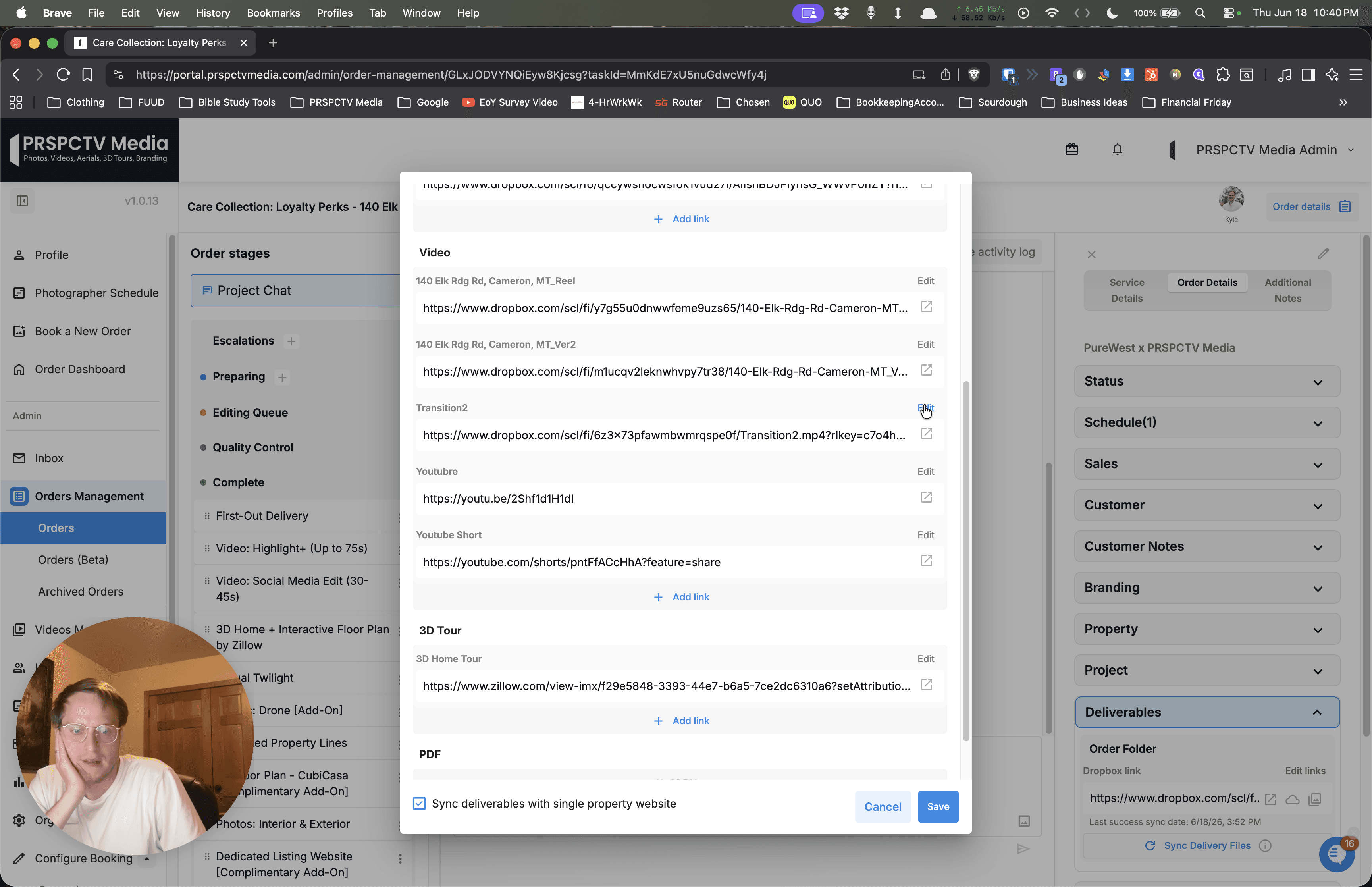
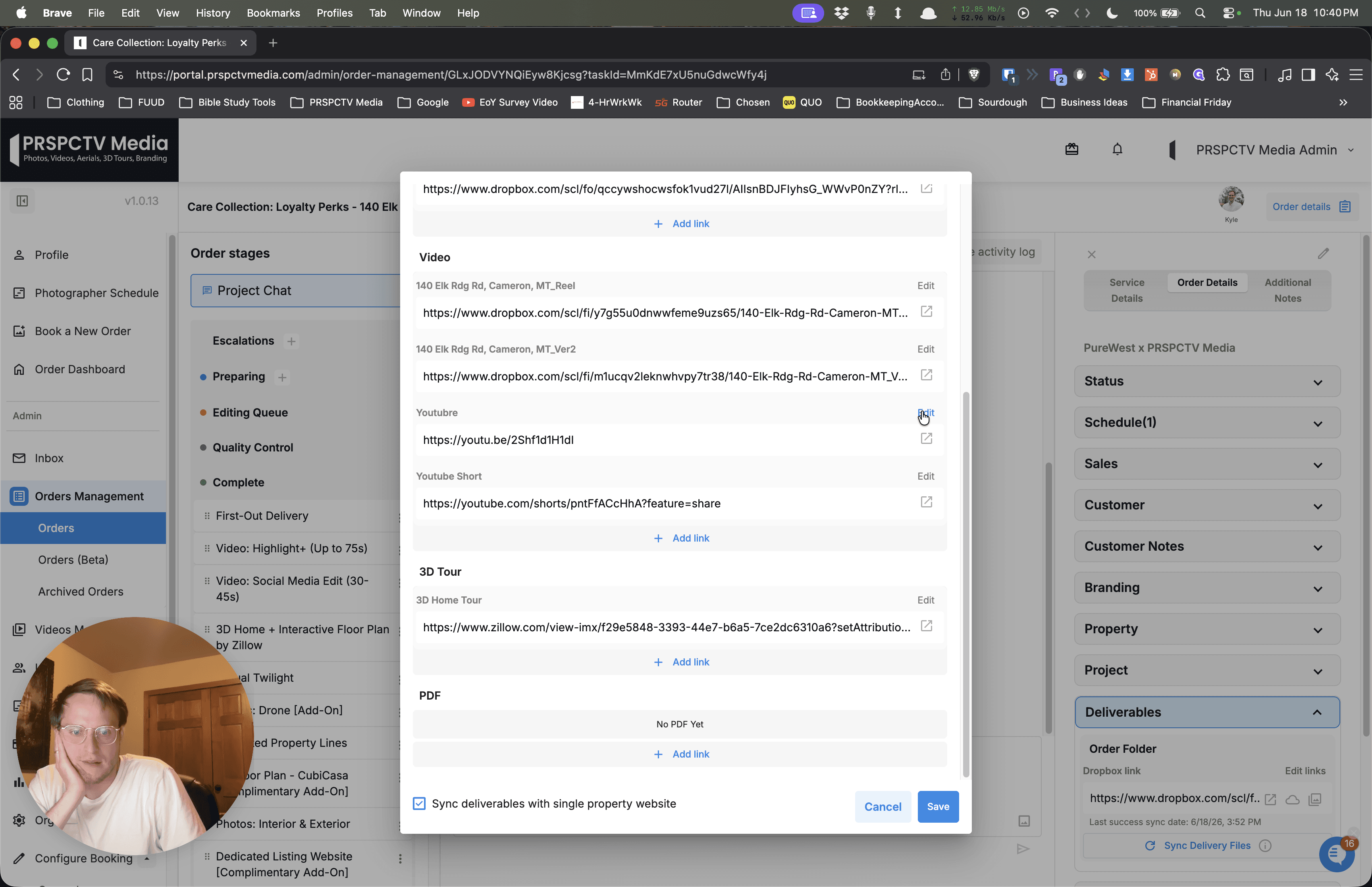
If there are additional duplicate files, click Edit next to the next unwanted link.
5
Click Delete to remove it. Repeat this process until only the correct assets remain.
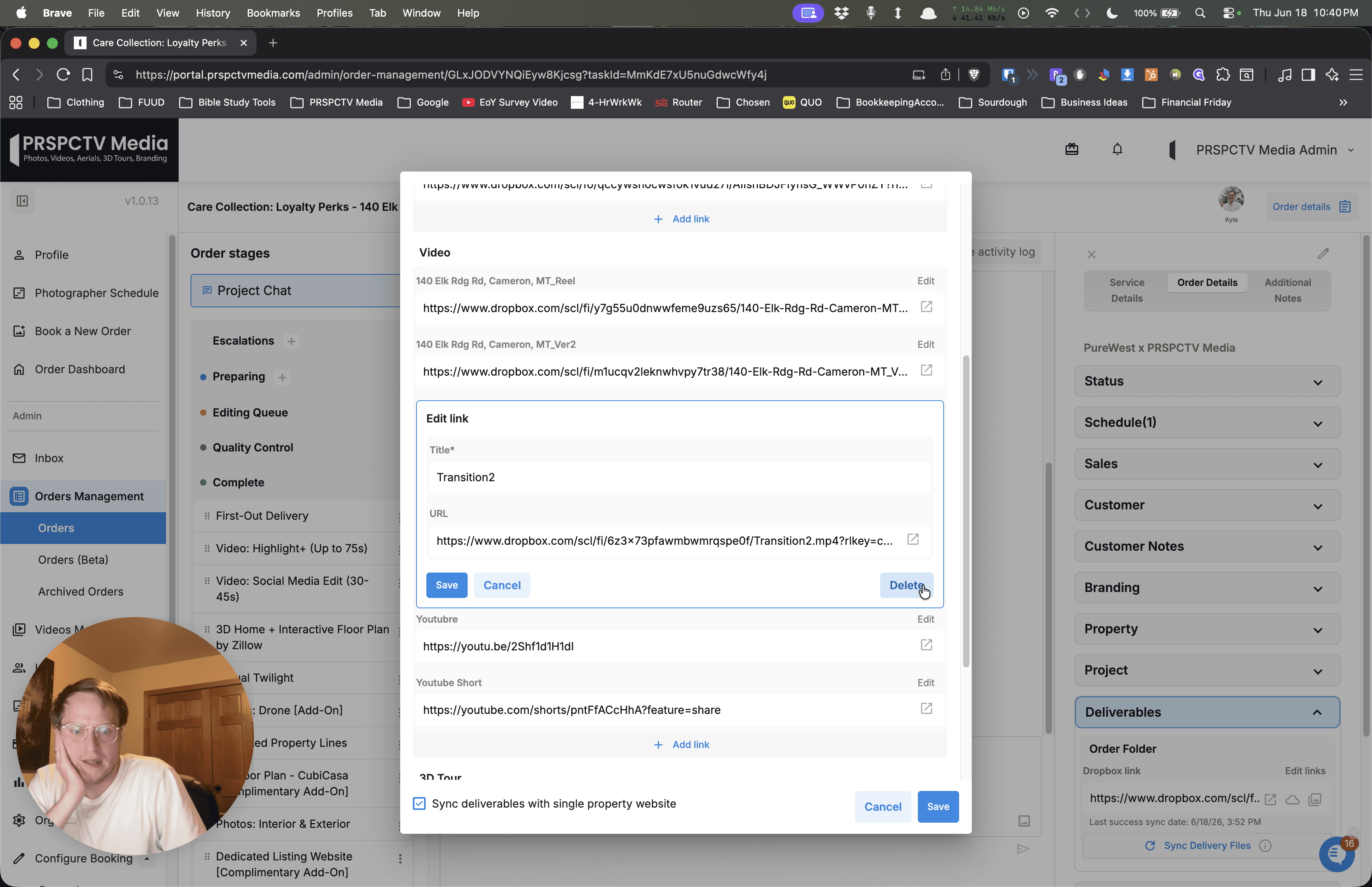
You can also rename the remaining correct links for clarity:
6
Click Edit next to the primary video link you want to keep.
7
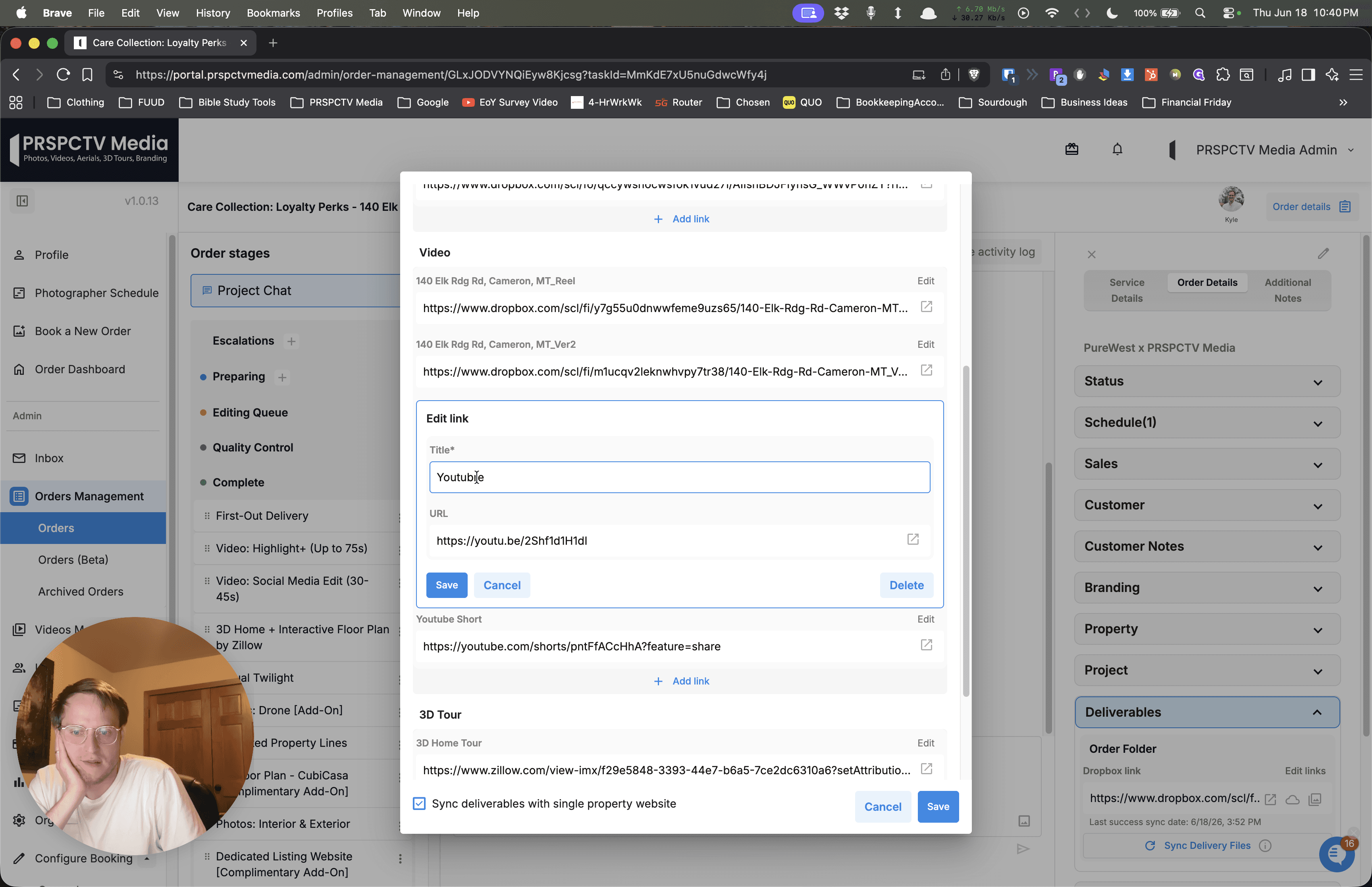
Update the title of the video (e.g., to "YouTube") in the text field.
8
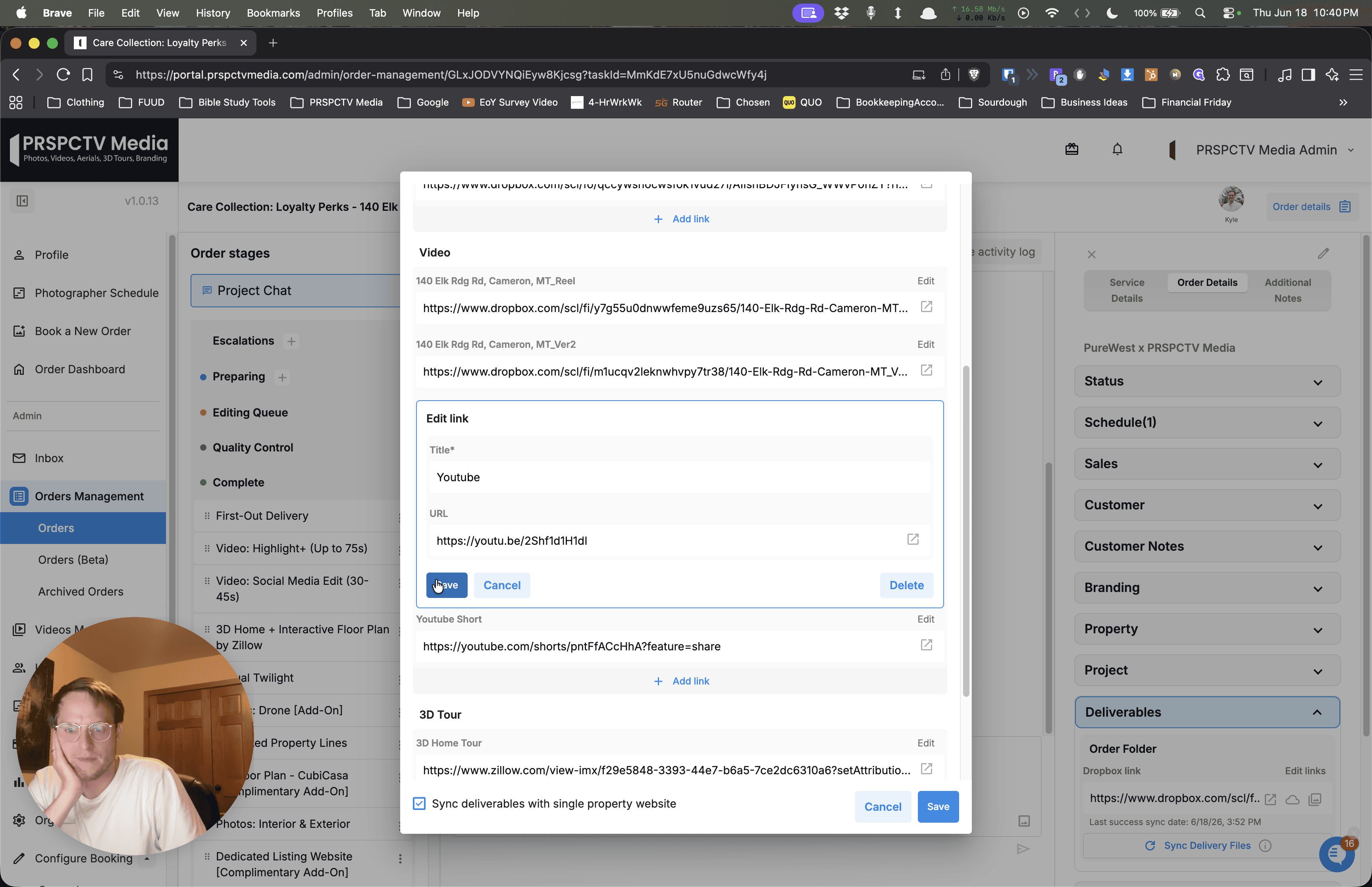
Click Save to confirm your changes and update the deliverable links.
Q: Why do multiple unexpected videos show up in the deliverables?
A: Duplicate or unexpected videos typically appear due to conflicting file types in the source project folder. You can fix this by manually editing the deliverables and deleting the extra links.