
How to Remove a Mercury SIO Device in QxControl
Learn how to safely remove a Mercury SIO daughter board, like an MR50, from a controller in QxControl and update your device configurations.
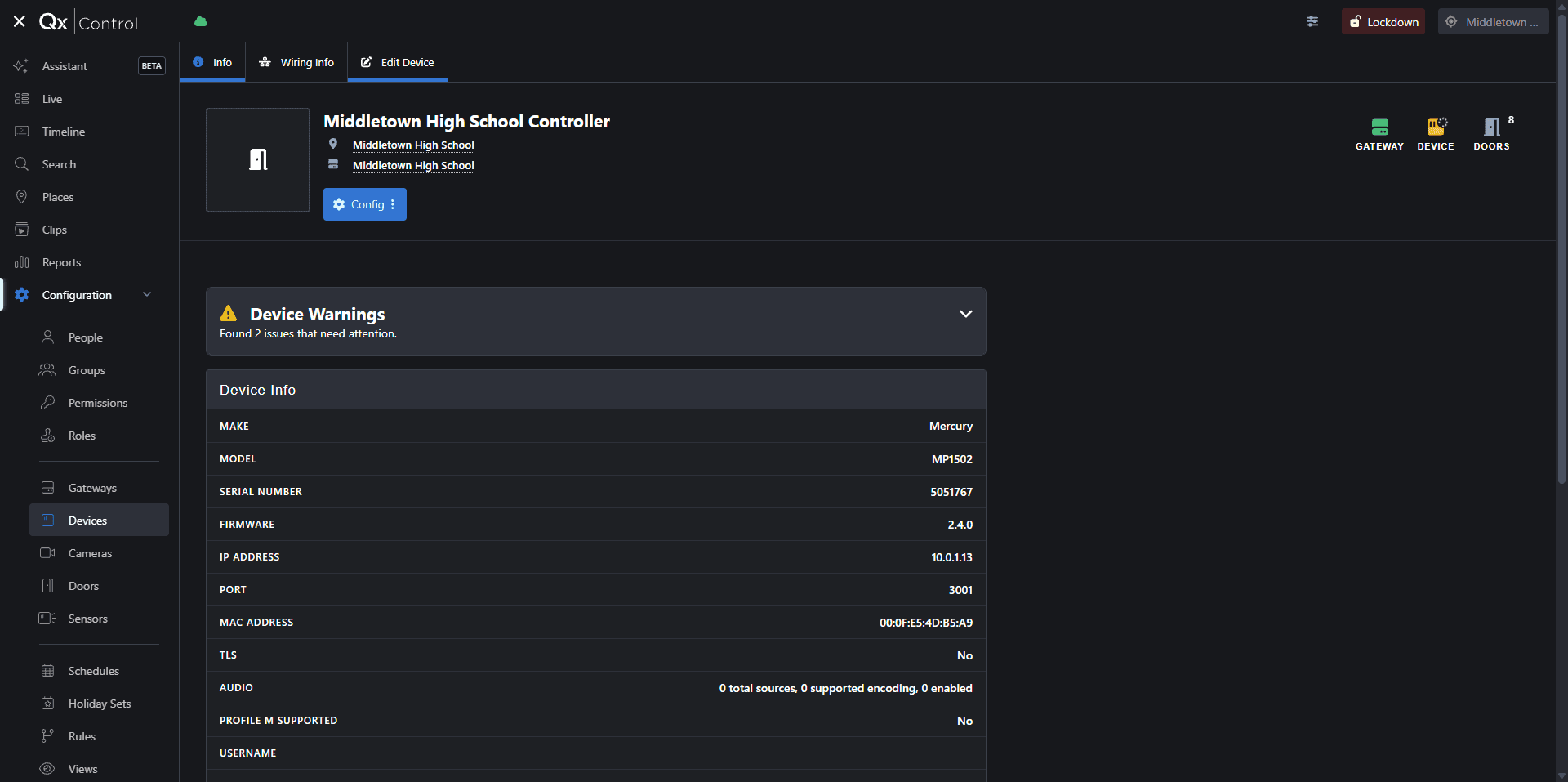
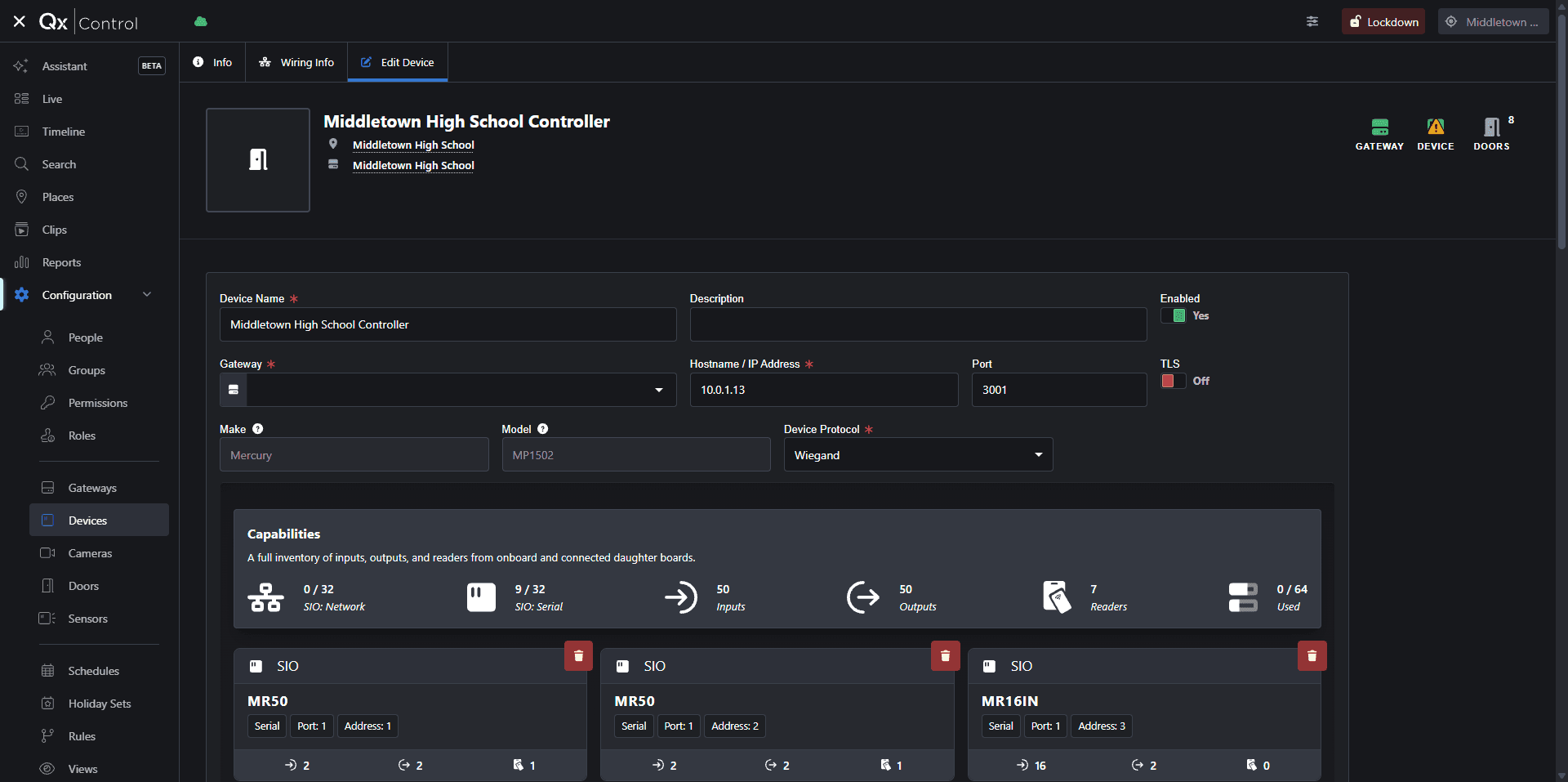
This guide explains how to remove a Mercury SIO daughter board (such as an MR50) from a controller in QxControl. Removing obsolete or disconnected hardware ensures your security device configurations remain accurate and up-to-date.
This workflow applies to security administrators and system technicians. Use this process when decommissioning hardware, replacing a faulty board, or restructuring your Mercury security inventory.
To manage your device inventory in QxControl, follow these steps to remove an SIO daughter board.
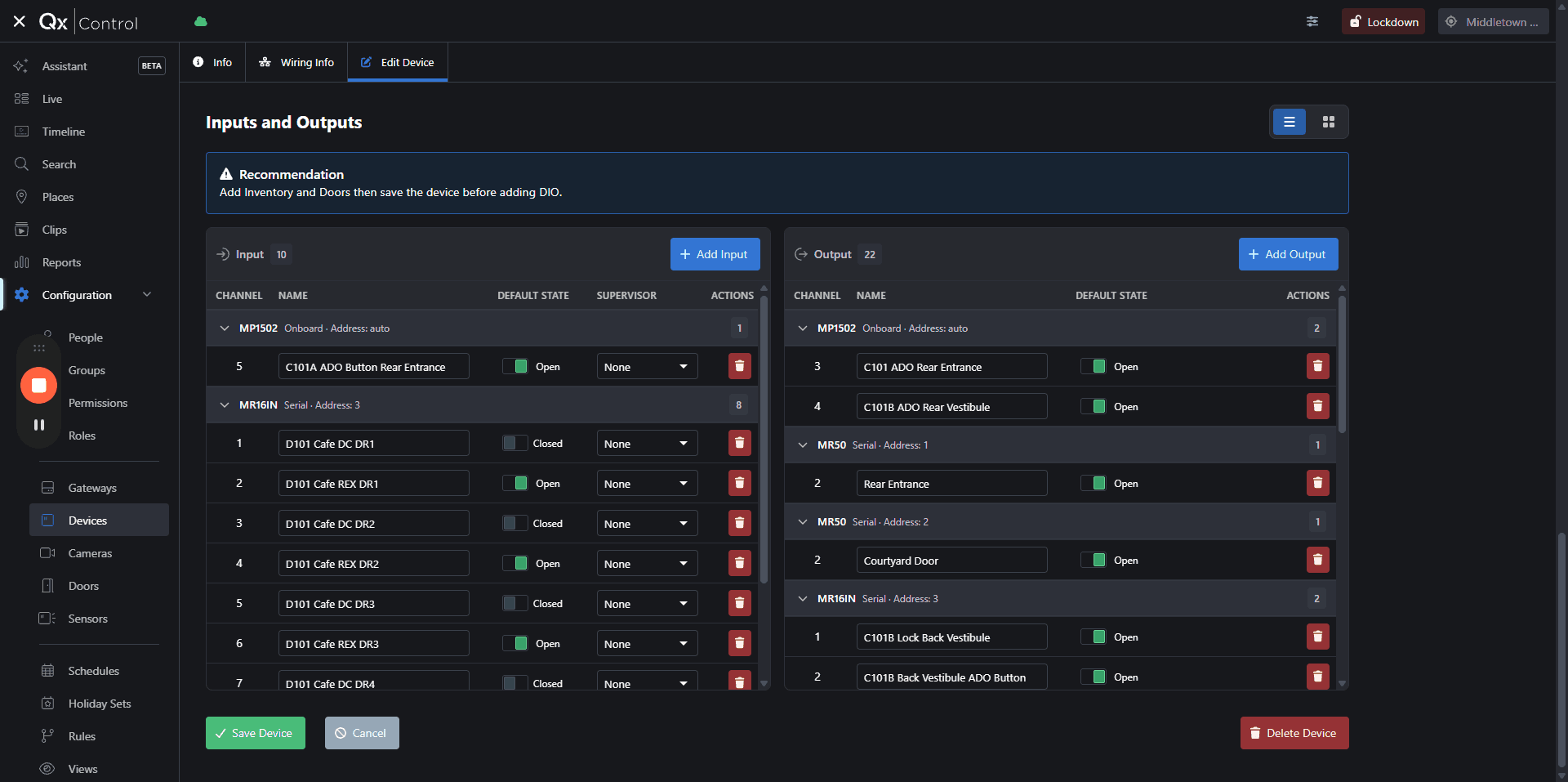
Q: Why am I getting an "unknown error" when trying to save after removing a device?
A: This can happen if the device's Gateway configuration is incomplete or if the controller has temporarily lost connection. Ensure the Gateway field is correctly populated before saving.
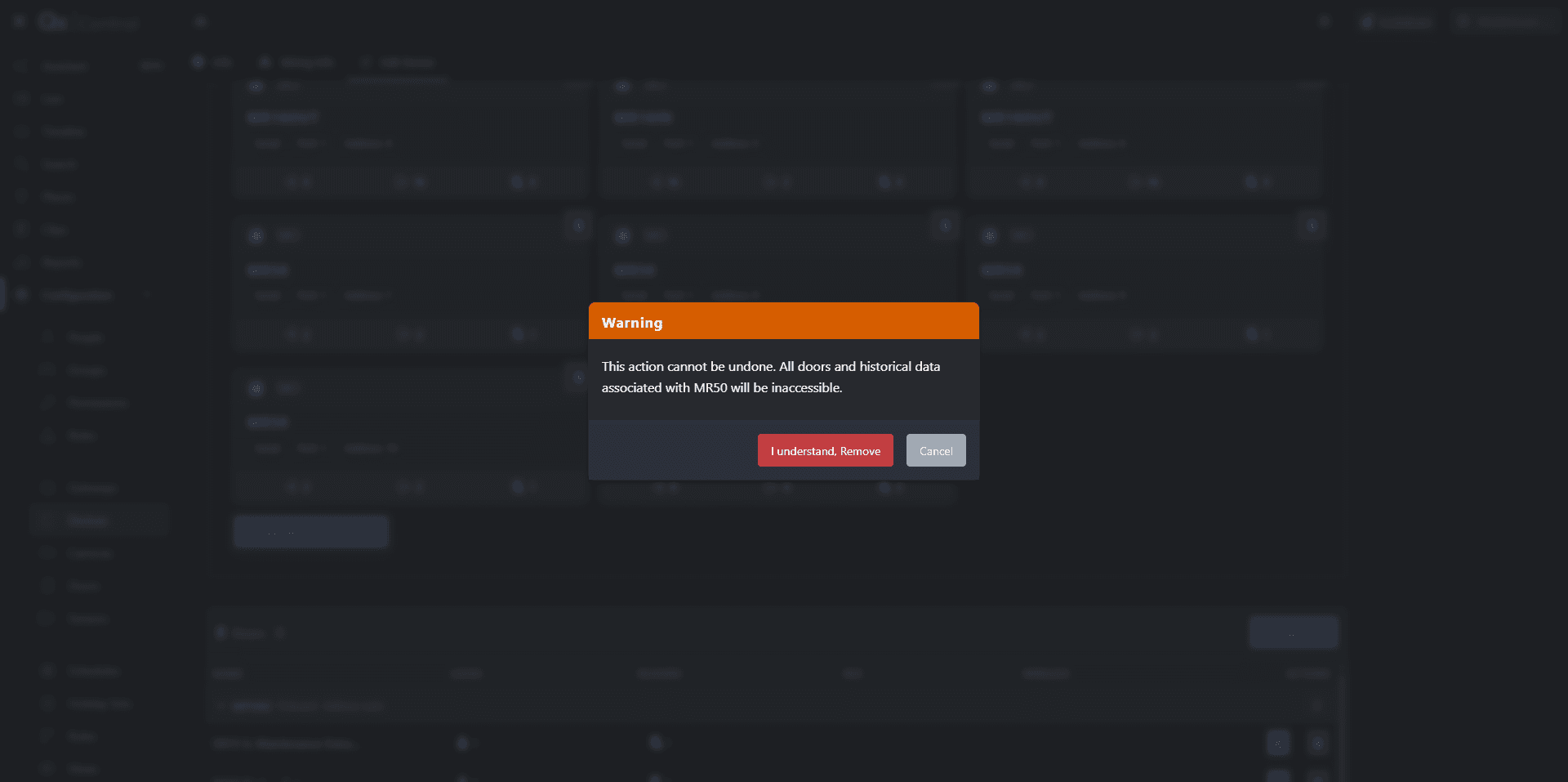
Q: What happens to the doors connected to the MR50 when I remove it?
A: All associated door configurations and historical access data tied specifically to that hardware module will be lost permanently once removed.
Term | Definition |
|---|---|
QxControl | The physical security and access control management software platform by Qumulex. |
Mercury SIO | Serial Input/Output daughter boards (like the MR50) used to interface with readers, doors, and alarms. |
MR50 | A specific model of single-reader Mercury access control board used to manage a single door. |
Gateway | The networking component or service that bridges communication between the cloud software and local physical security panels. |