Icon

How to Request an Invoice Payment in Excel

Learn how to propose and request invoice payments in the ageing payment spreadsheet by filling out the department request section.

By george chabrouni

This guide explains how to propose a specific vendor invoice for payment within the company's financial spreadsheet. Completing this ensures the treasury and management teams can process your payment requests accurately and on time.

This workflow applies to department members and managers responsible for reviewing vendor invoices and submitting payment approvals to the treasury team.

Open your aging payment Excel file to begin proposing invoices.
1
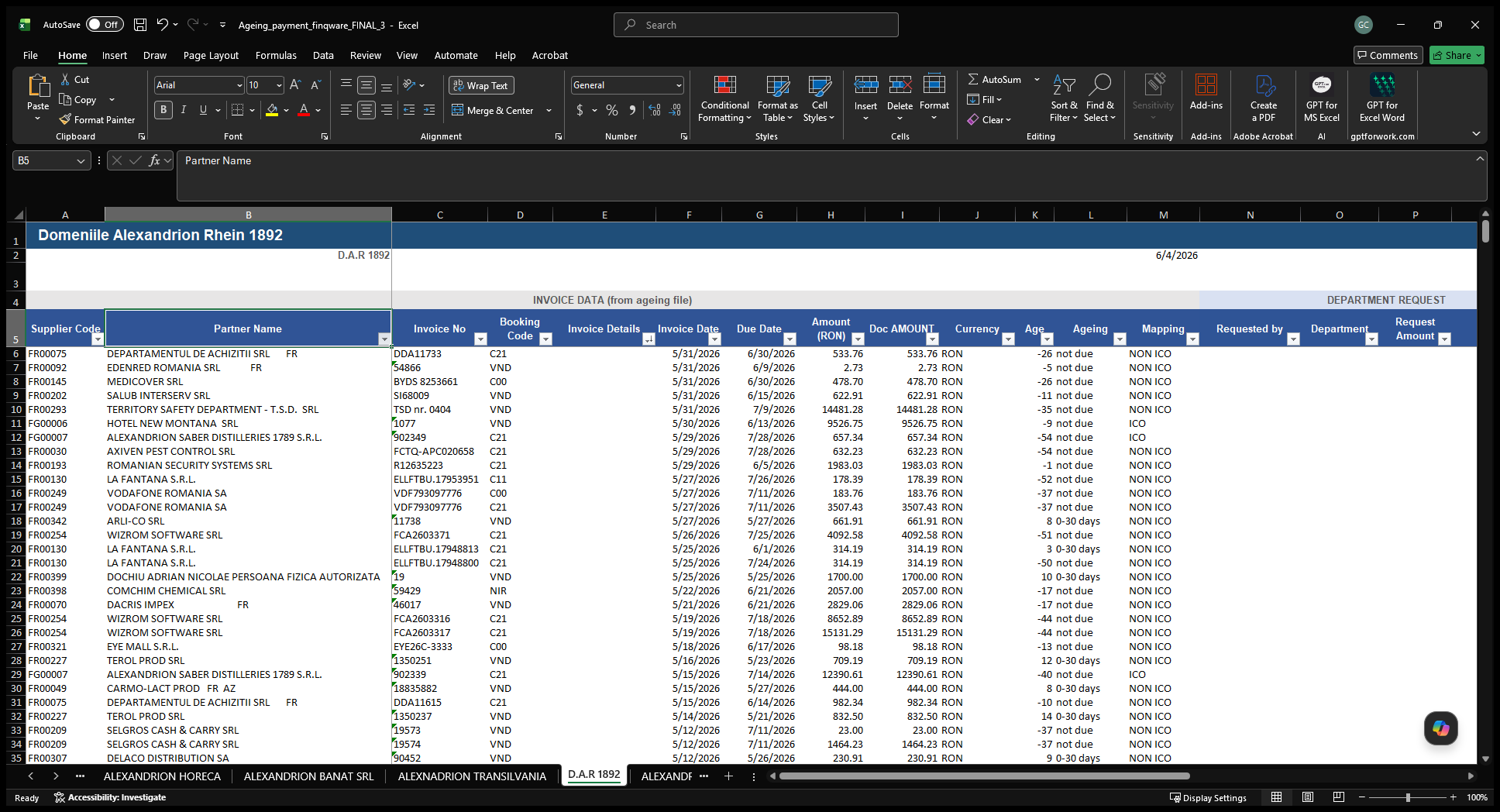
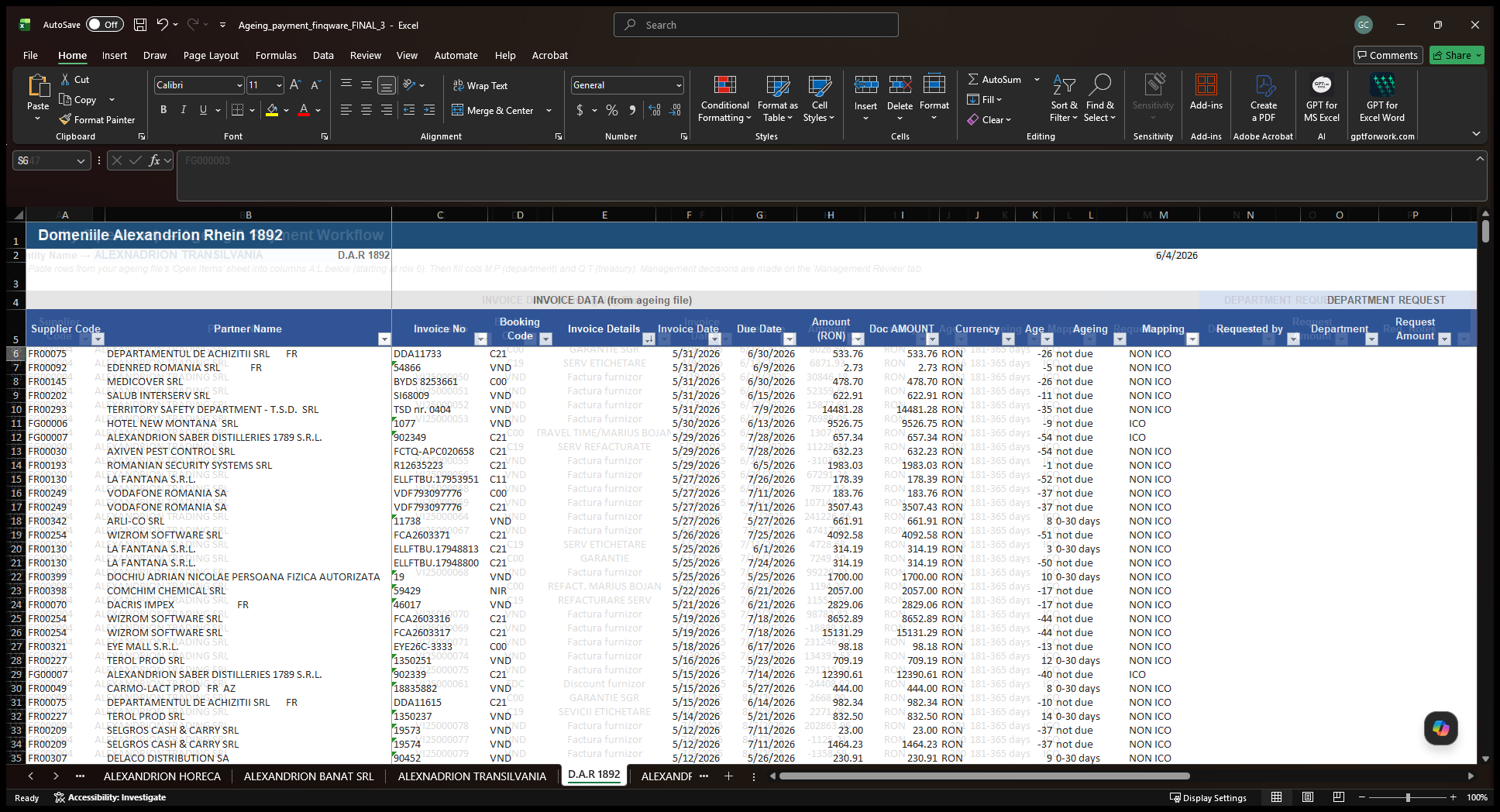
Click the worksheet tab at the bottom of the window corresponding to the company you want to process.
Step #1: Click the worksheet tab at the bottom of the window corresponding to the company you want to process.
2
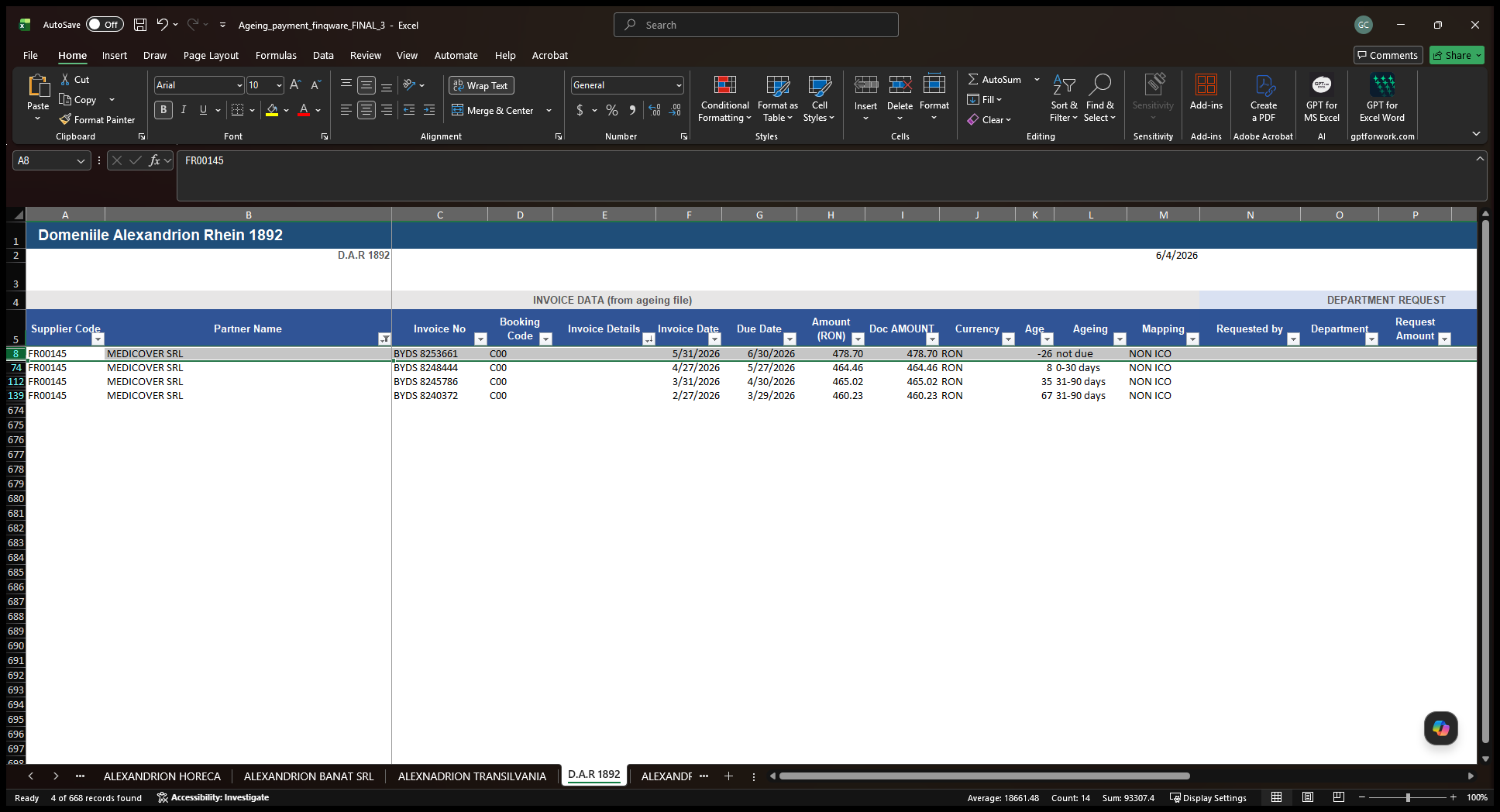
Click the filter dropdown in the Partner Name column to locate your specific vendor.
Step #2: Click the filter dropdown in the Partner Name column to locate your specific vendor.
3
Select the row containing the invoice you want to propose for payment.
Step #3: Select the row containing the invoice you want to propose for payment.
4
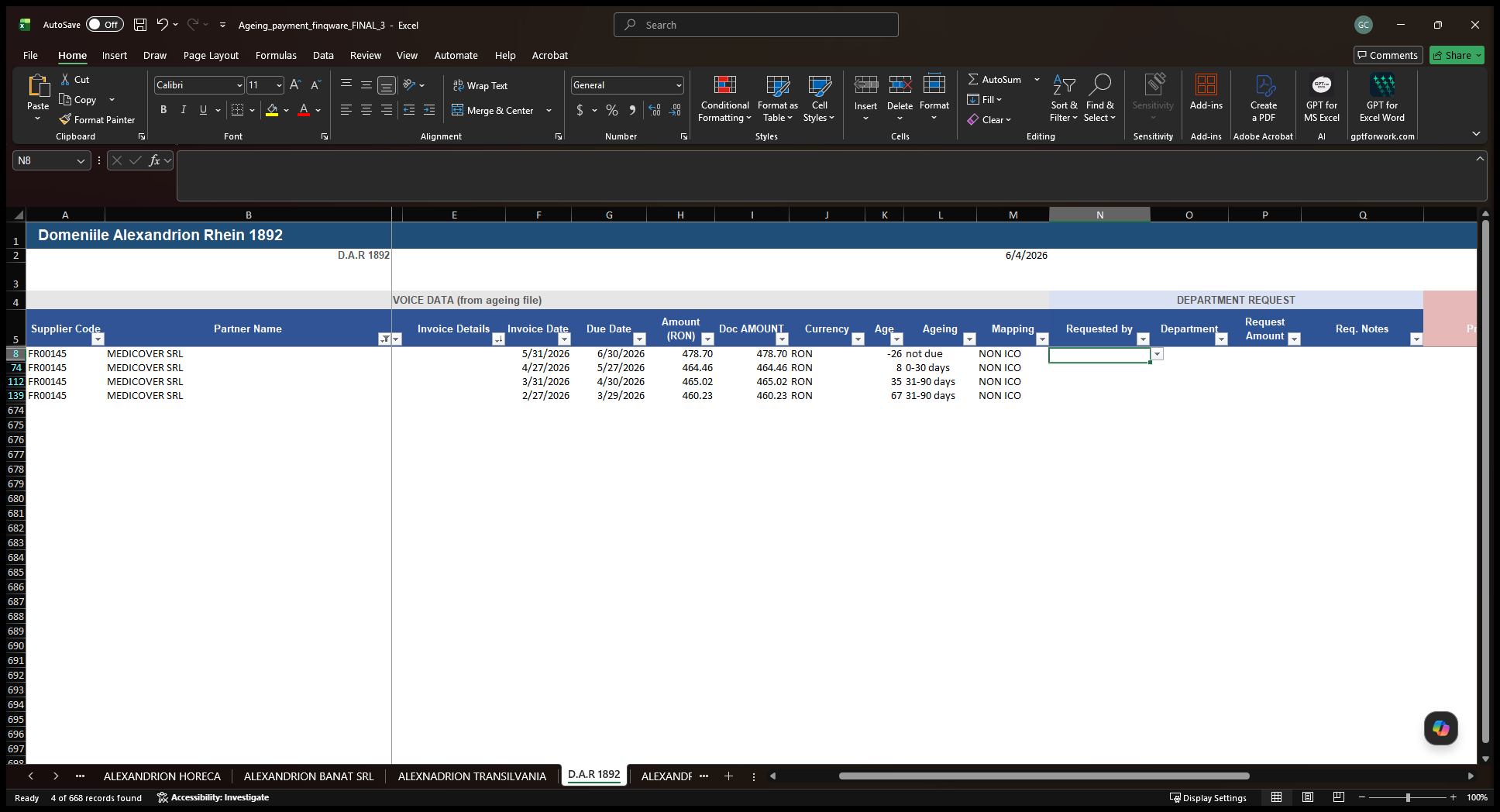
Scroll to the right and click the empty cell in the Requested by column (Column N) for that invoice.
Step #4: Scroll to the right and click the empty cell in the Requested by column (Column N) for that invoice.

Select your name in this cell. This action will automatically populate your department in the adjacent column.
5
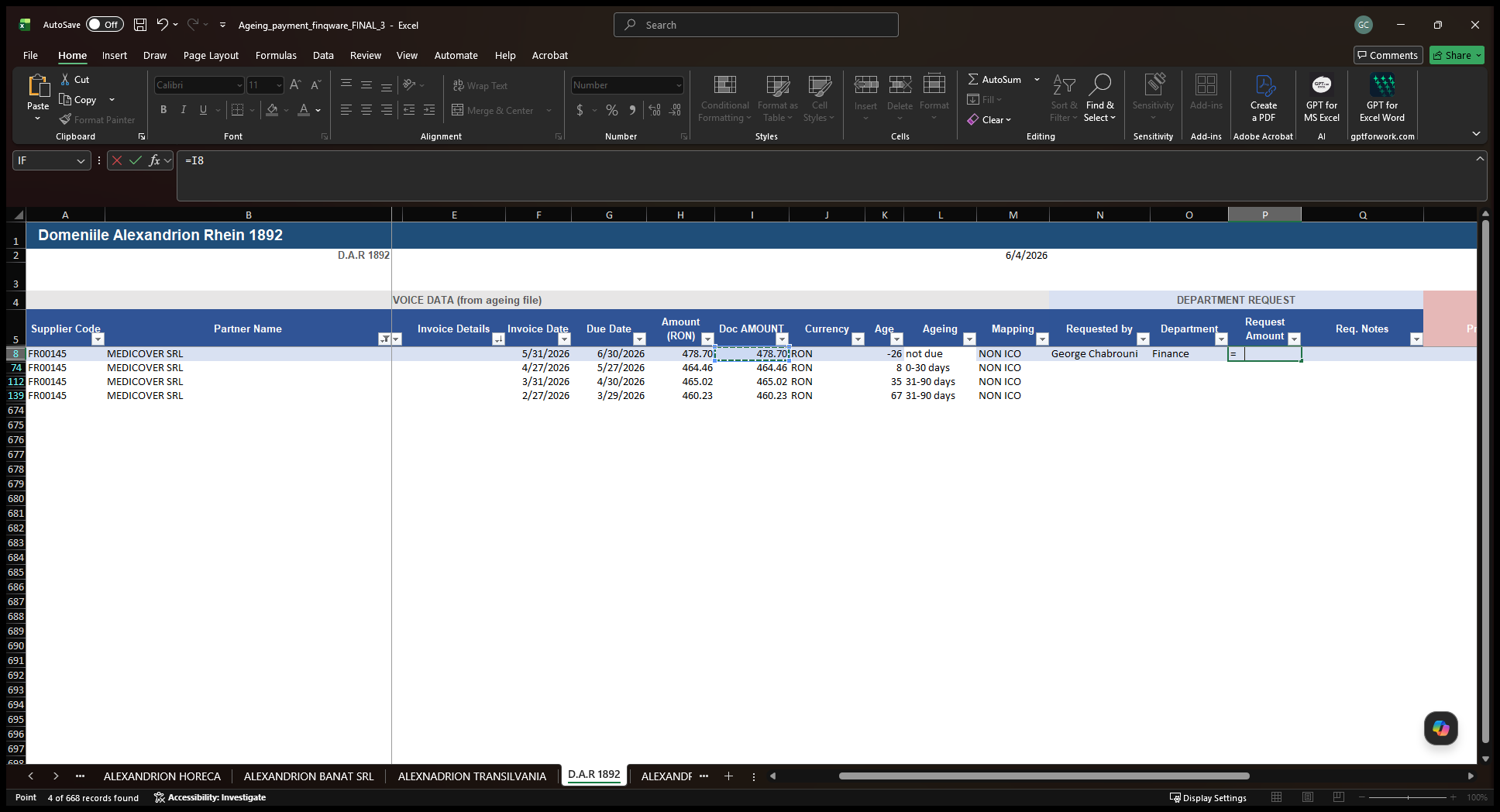
Click the corresponding cell in the Request Amount column (Column P) and enter the payment amount.
Step #5: Click the corresponding cell in the Request Amount column (Column P) and enter the payment amount.
6
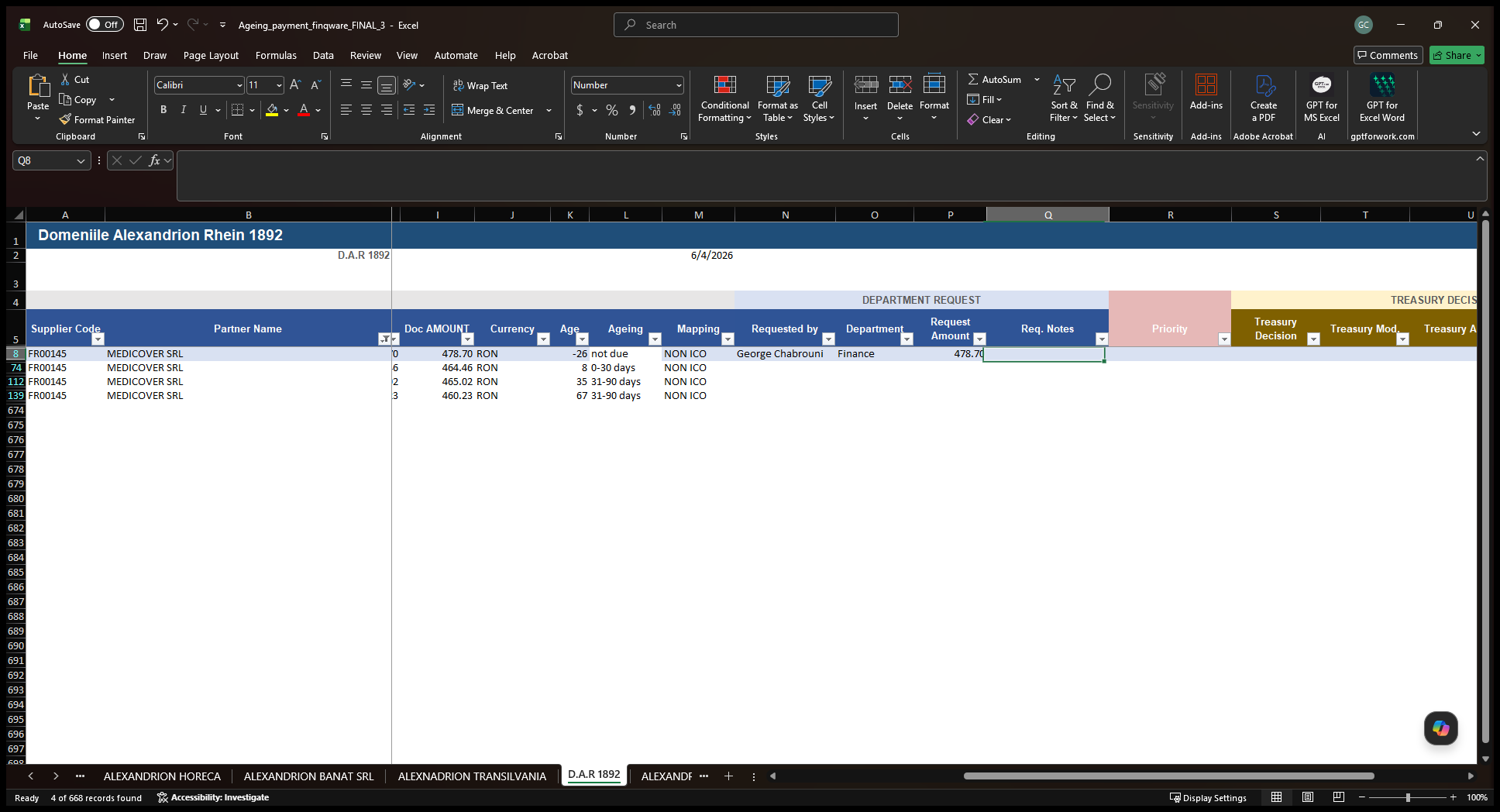
Click the cell in the Req. Notes column (Column Q) to add any necessary details or context for the treasury team.
Step #6: Click the cell in the Req. Notes column (Column Q) to add any necessary details or context for the treasury team.
7
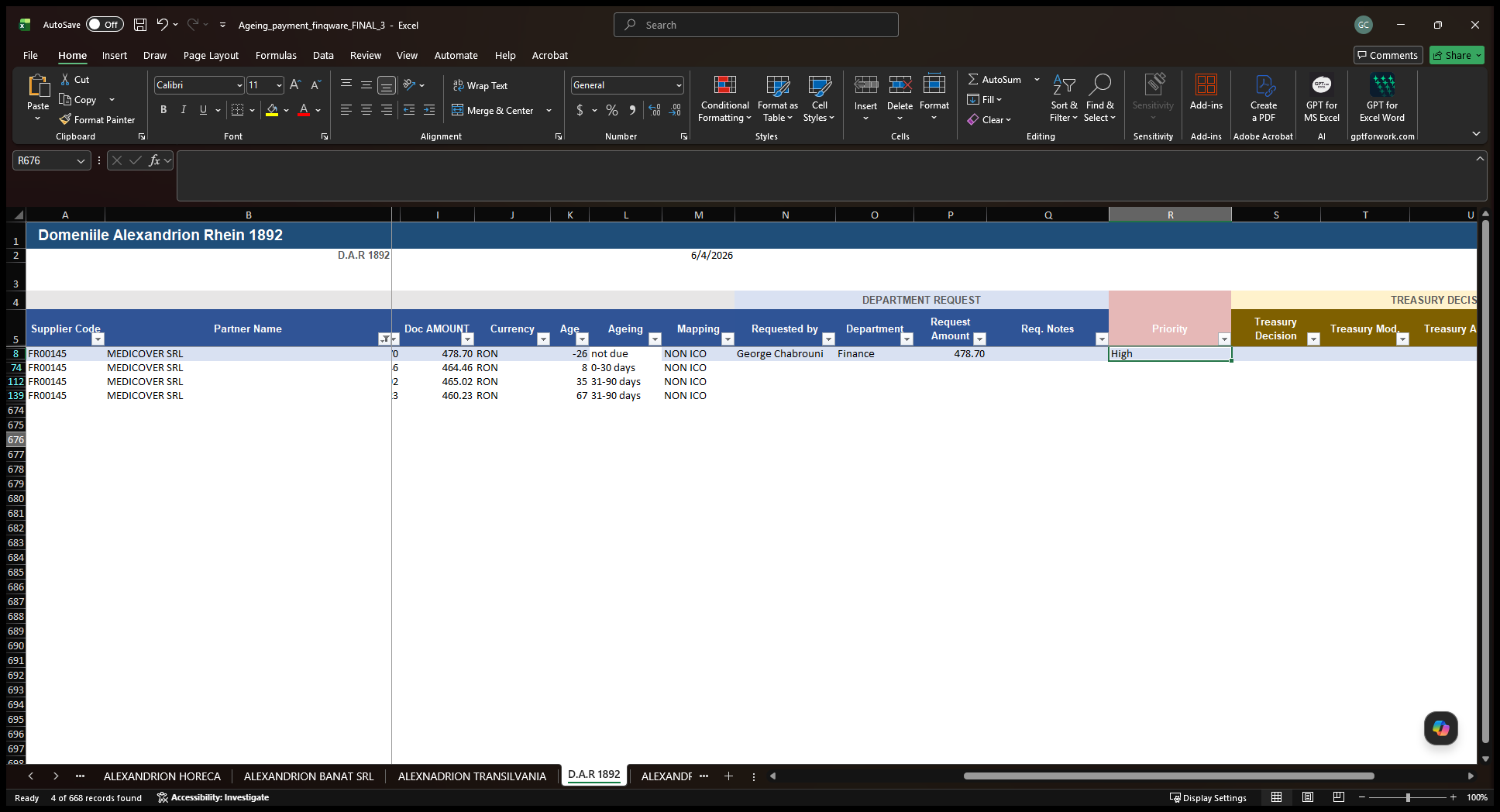
Click the dropdown in the Priority column (Column R) and select the payment priority (High, Medium, or Low).
Step #7: Click the dropdown in the Priority column (Column R) and select the payment priority (High, Medium, or Low).

Once completed, the treasury and management teams will review the spreadsheet and process the prioritized payments.

Q: How do I enter the requested amount for the invoice?

A: You can either manually type the specific amount you wish to pay, or type an equals sign (=) and select the full document amount cell to automatically copy the total over.

How to Request an Invoice Payment in Excel