
Resolve Missing SDS Issues in TikTok Shop
Learn how to resolve rejected listings by uploading a Safety Data Sheet (SDS) in TikTok Shop Seller Center.
Purpose
This guide demonstrates how to resolve product rejections in TikTok Shop Seller Center caused by a missing or invalid Safety Data Sheet (SDS). Following this procedure enables sellers to upload required compliance documents and resubmit listings until the product status updates to submitted successfully.
Scope
This workflow applies to TikTok Shop sellers, catalog managers, and compliance specialists managing product listings in TikTok Shop Seller Center. It is required when a listing is flagged under the "Needs attention" queue due to dangerous goods or chemical compliance documentation. Sourcing or authoring official SDS documents is outside the scope of this procedure.
Locate the Rejected Listing
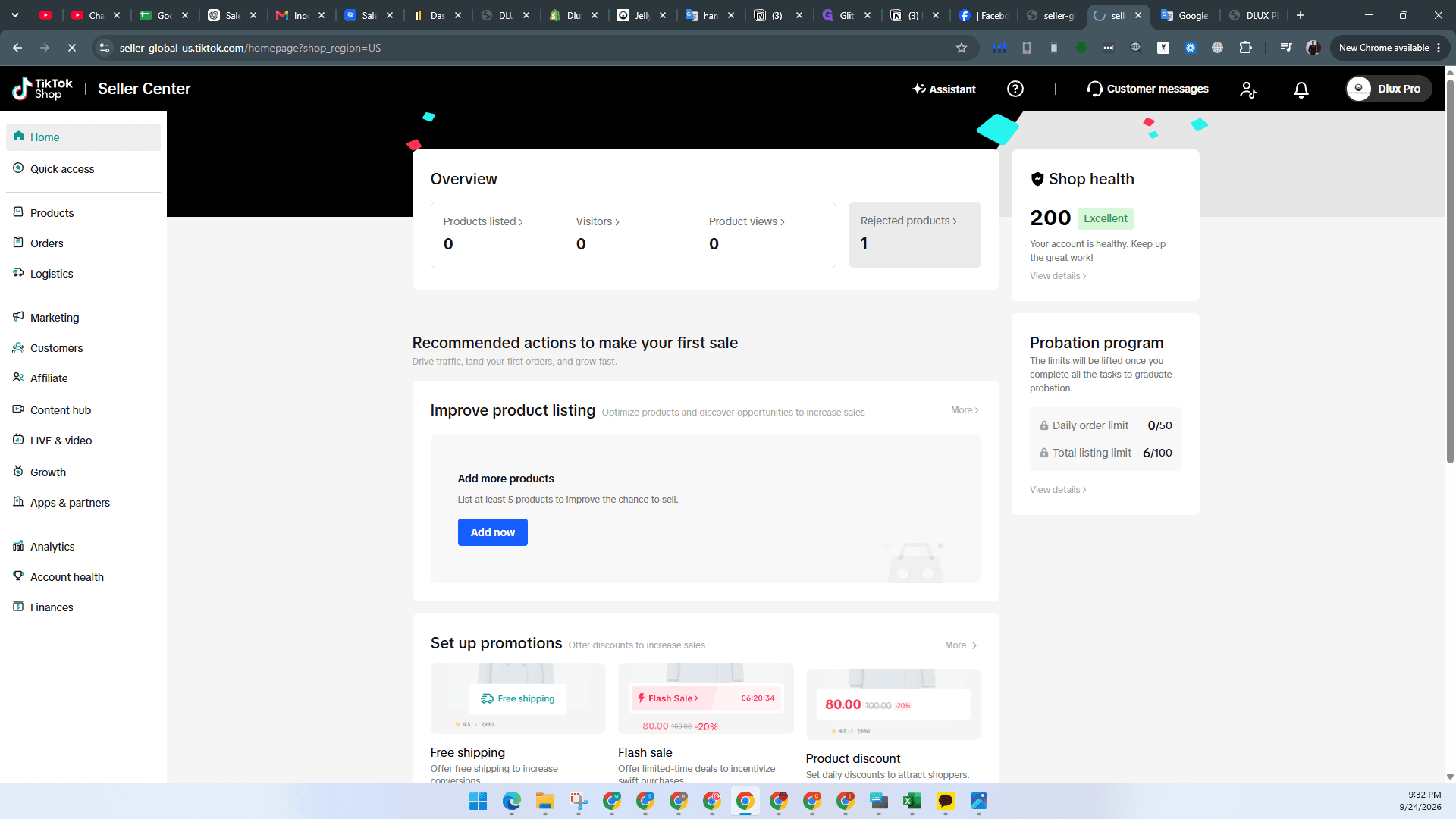
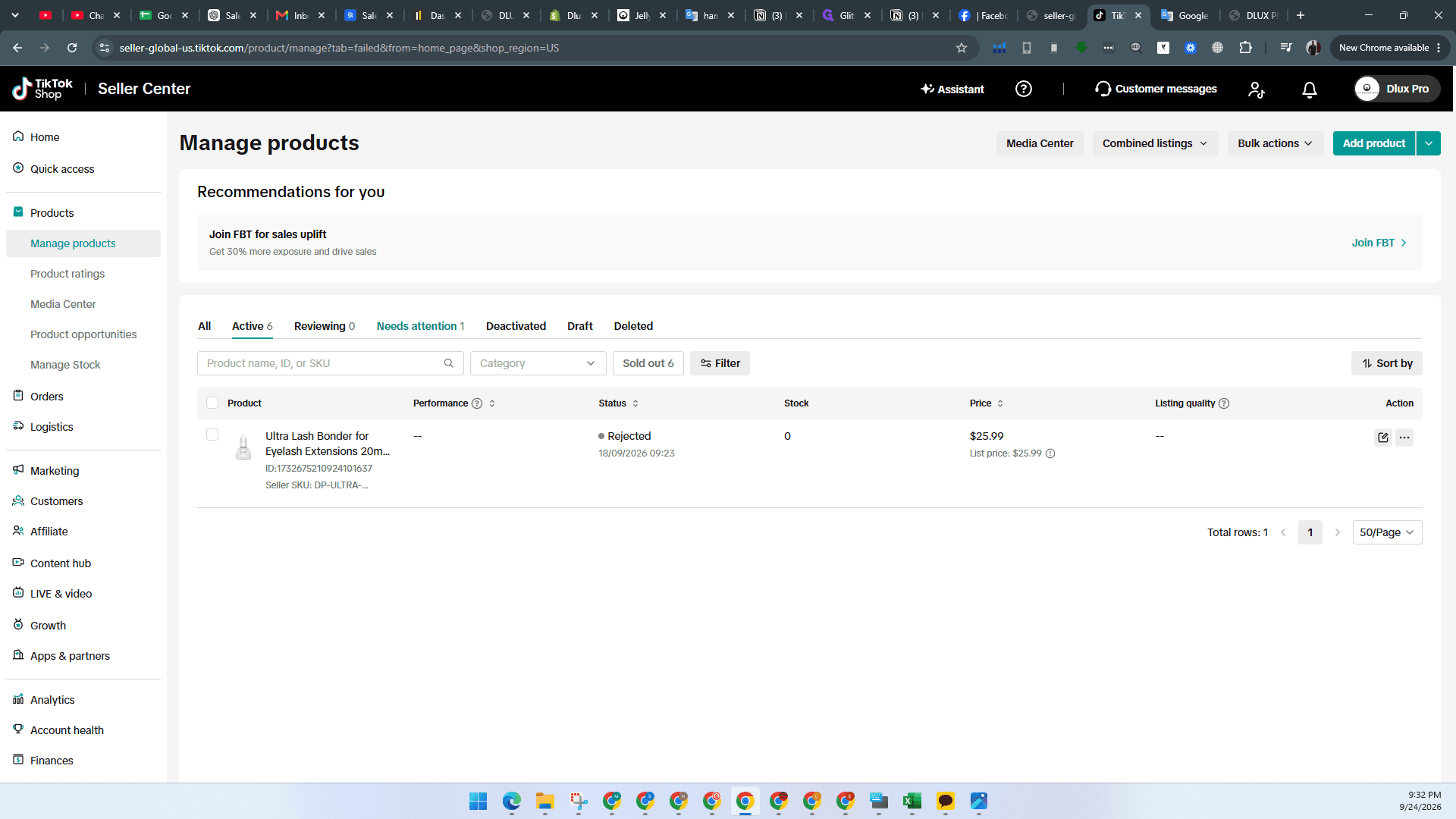
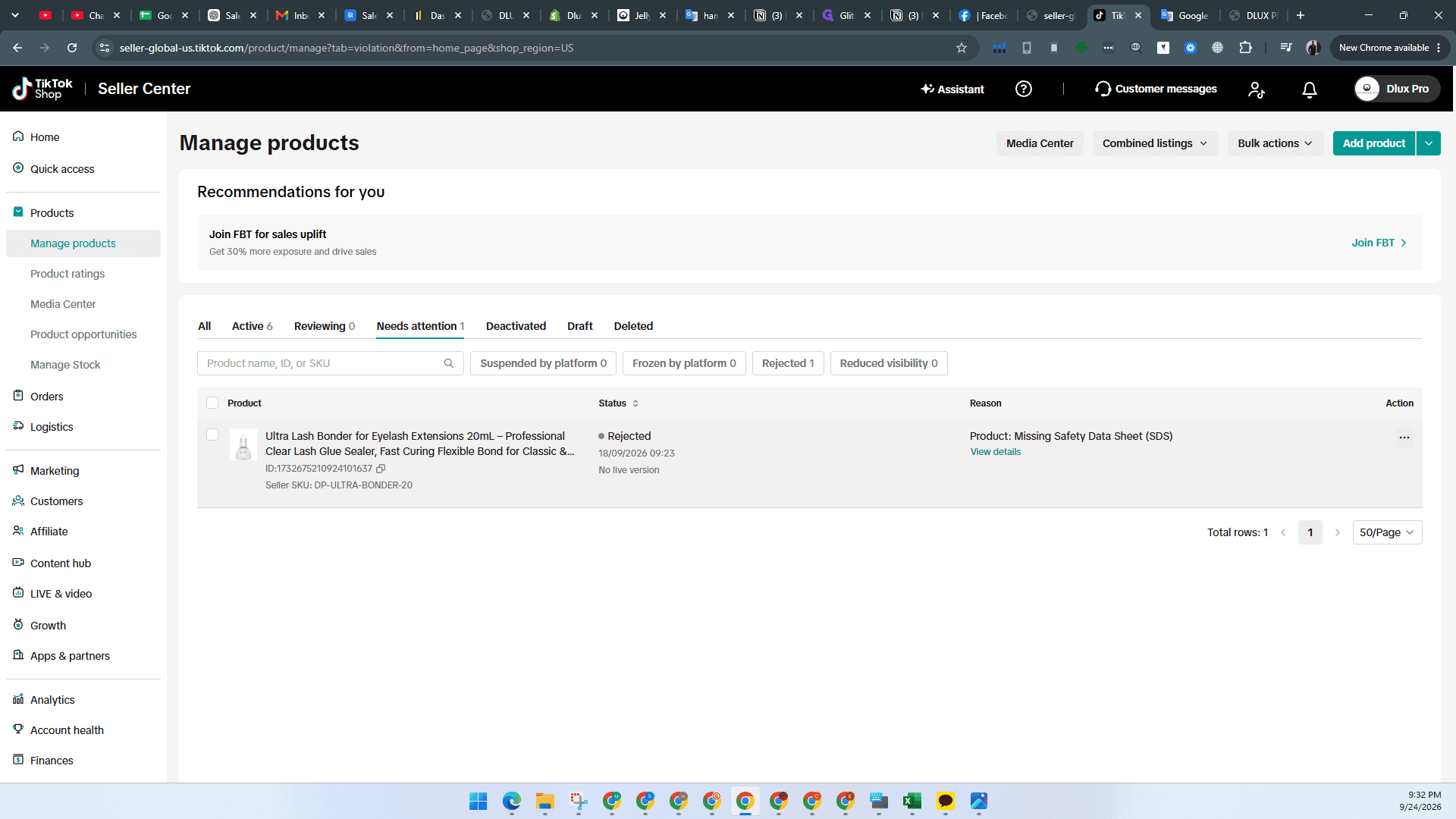
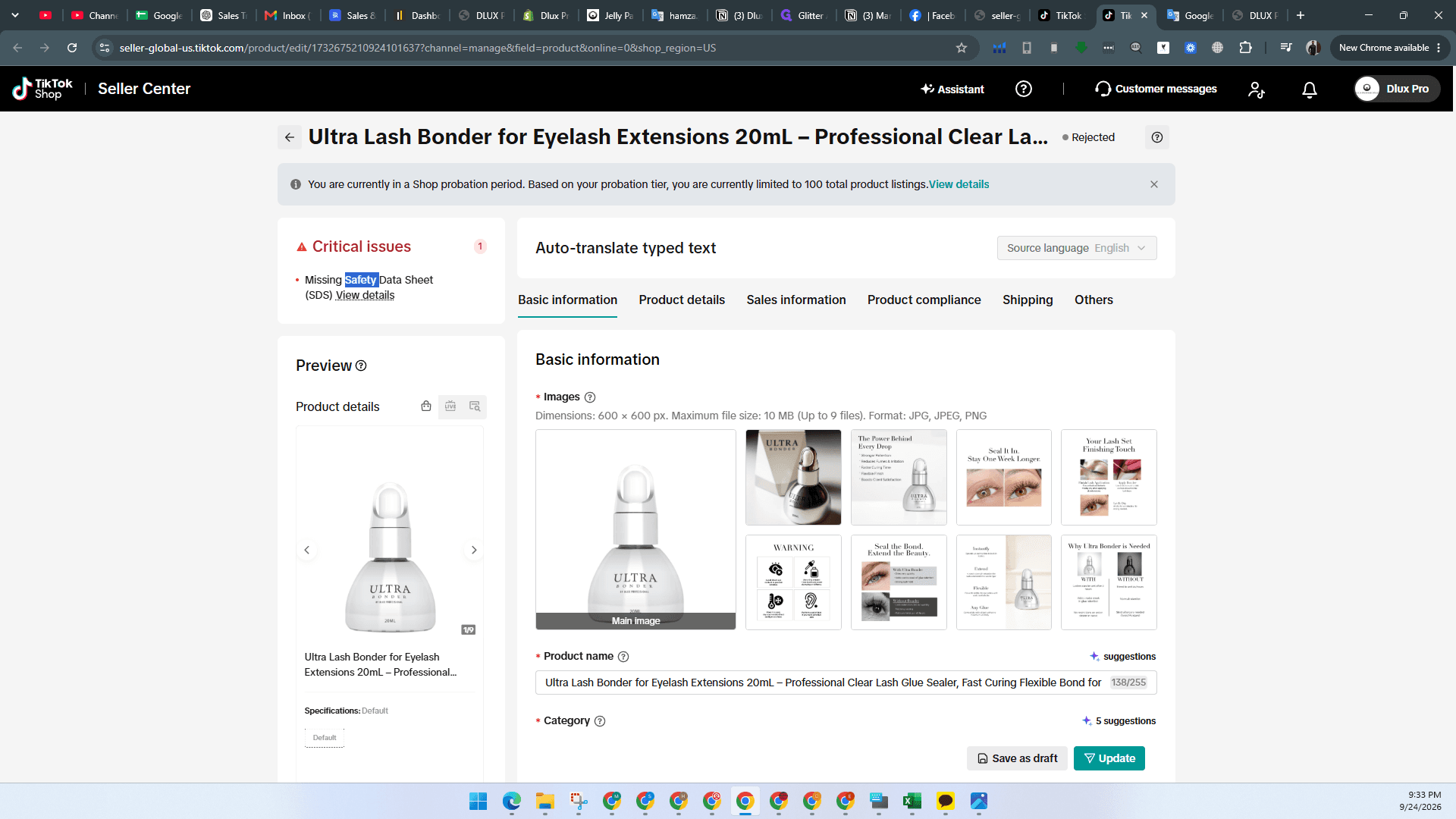
TikTok Shop flags listings where a Safety Data Sheet is missing or an invalid version was previously uploaded.
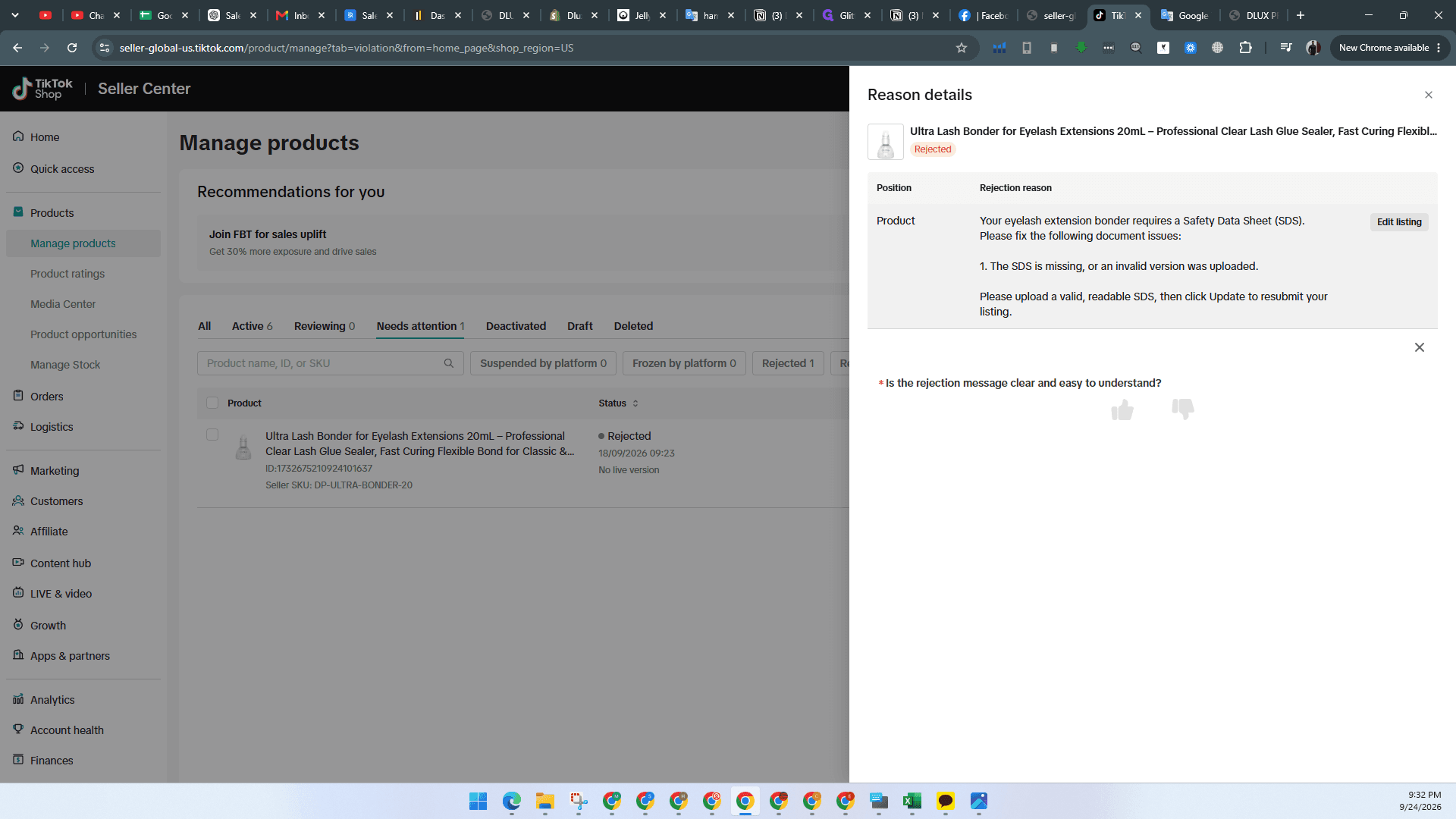
Upload Safety Data Sheet and Resubmit
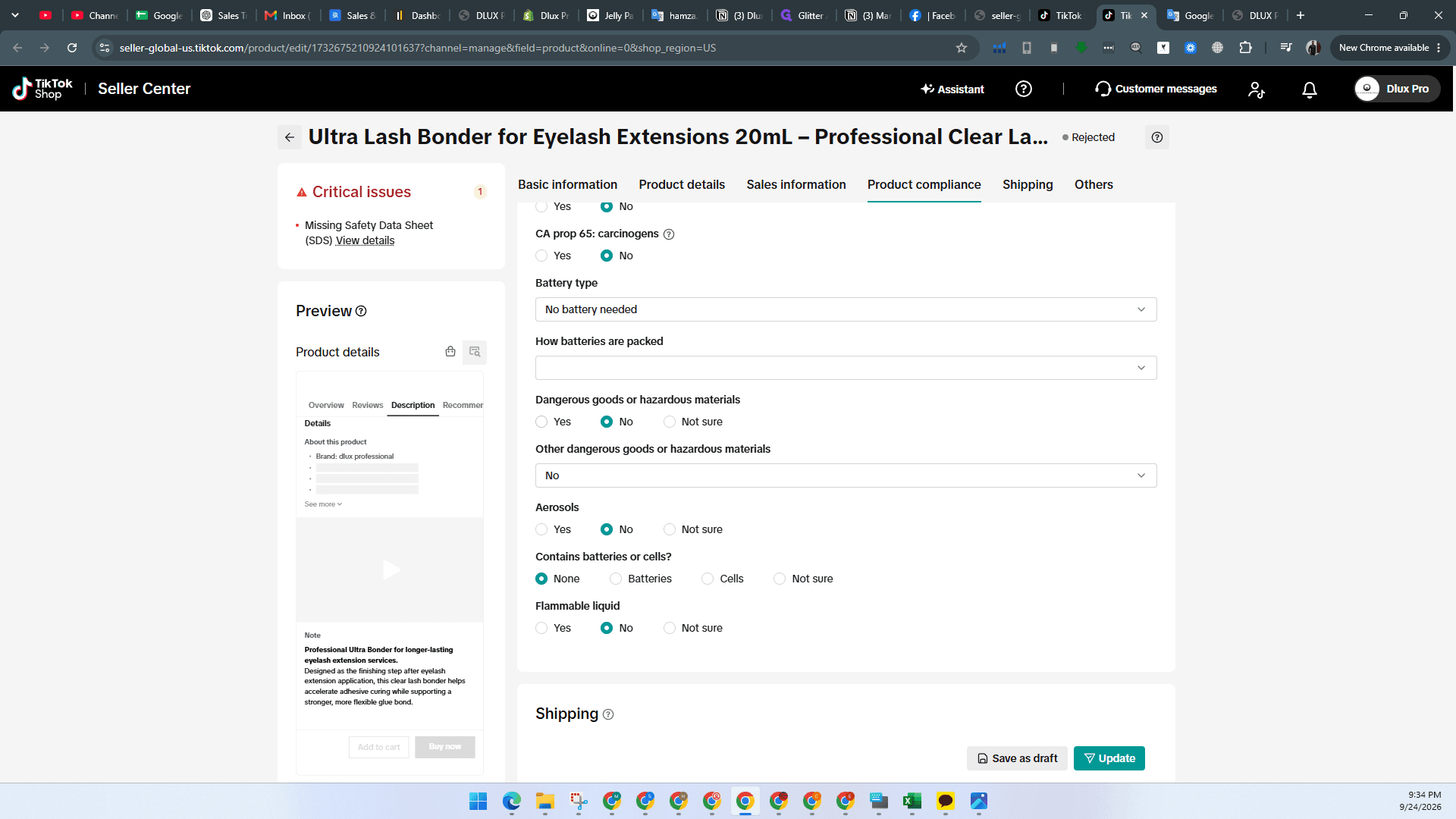
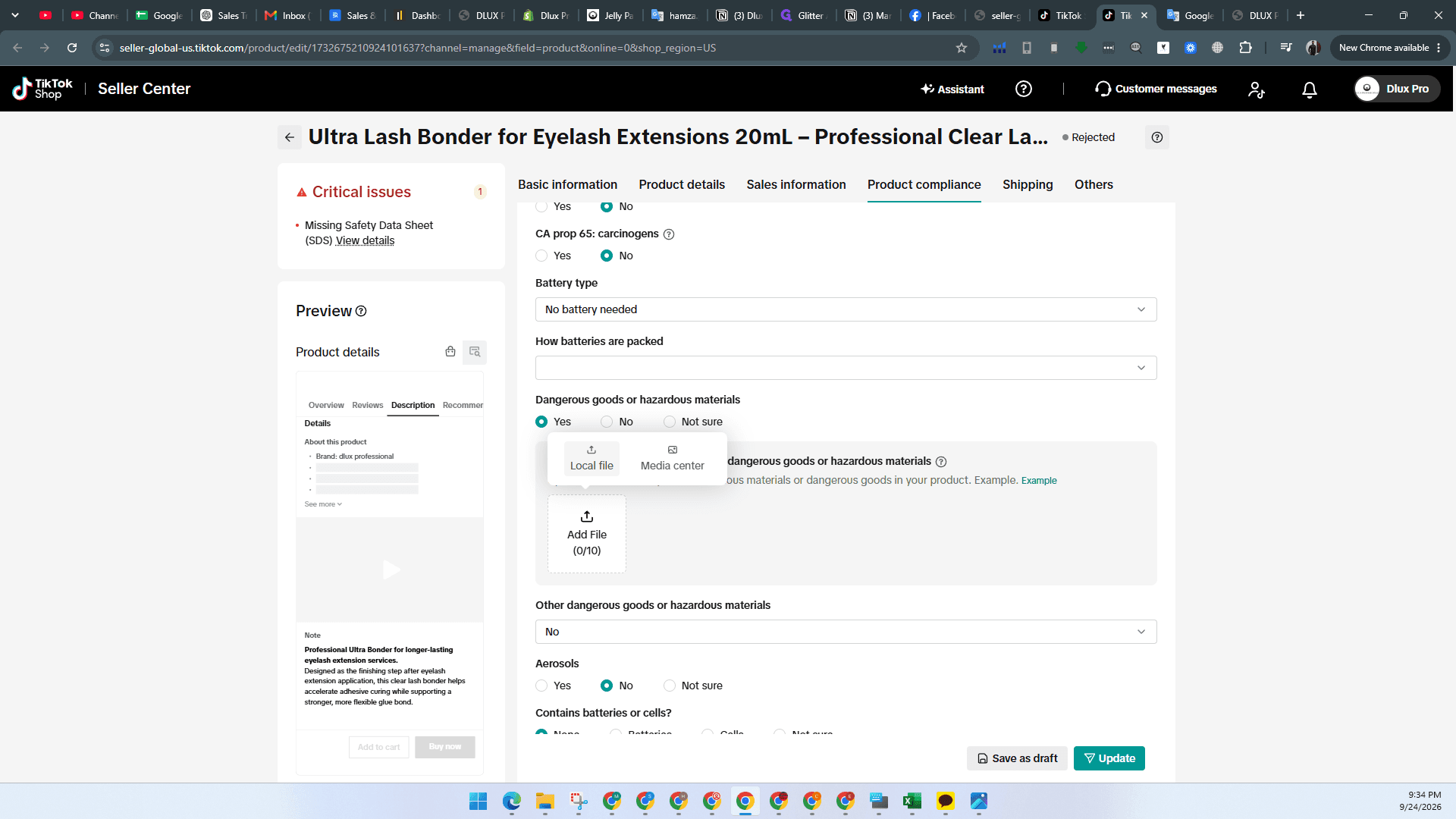
Select this option if the prompt to upload an SDS does not appear automatically.
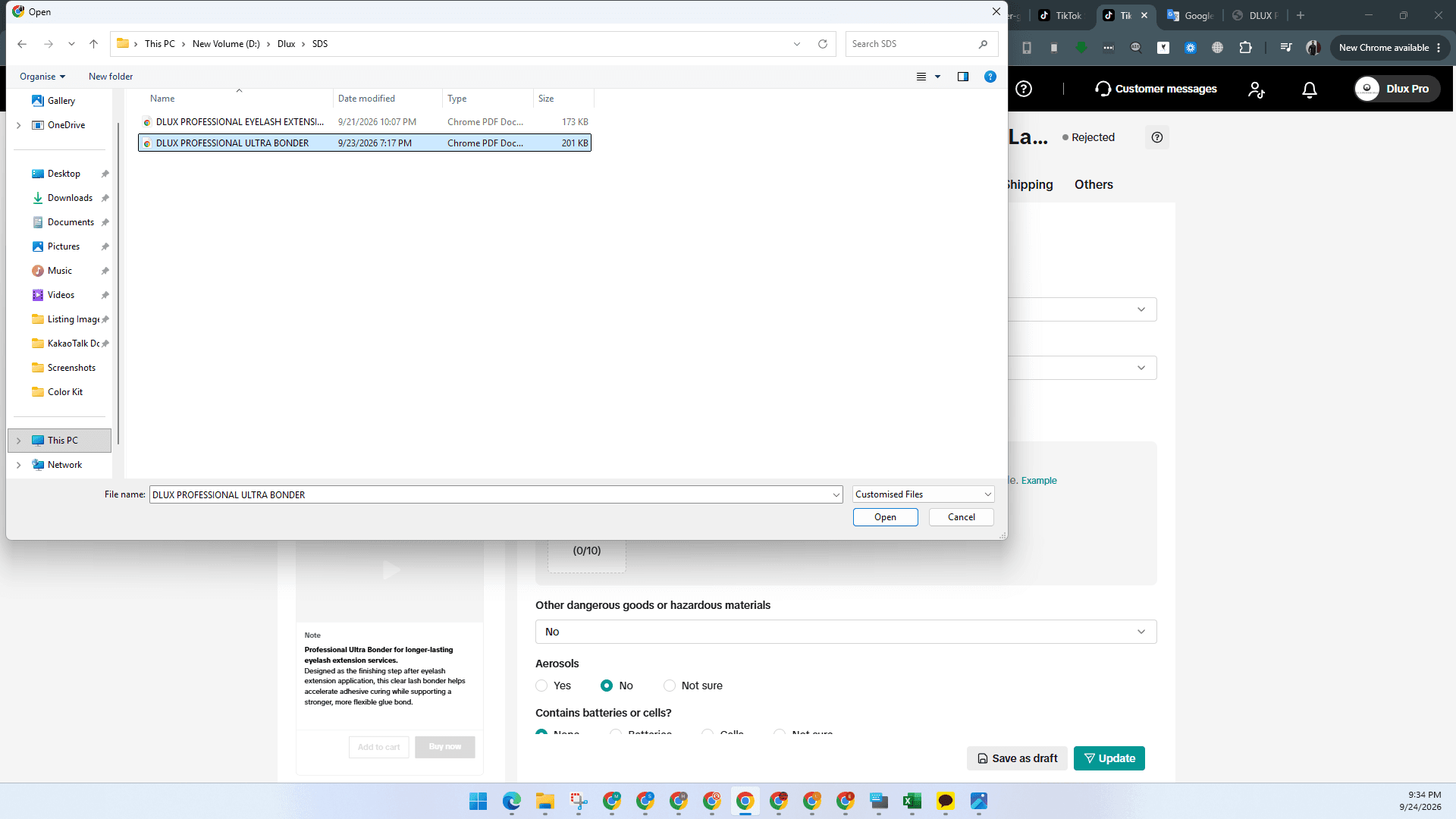
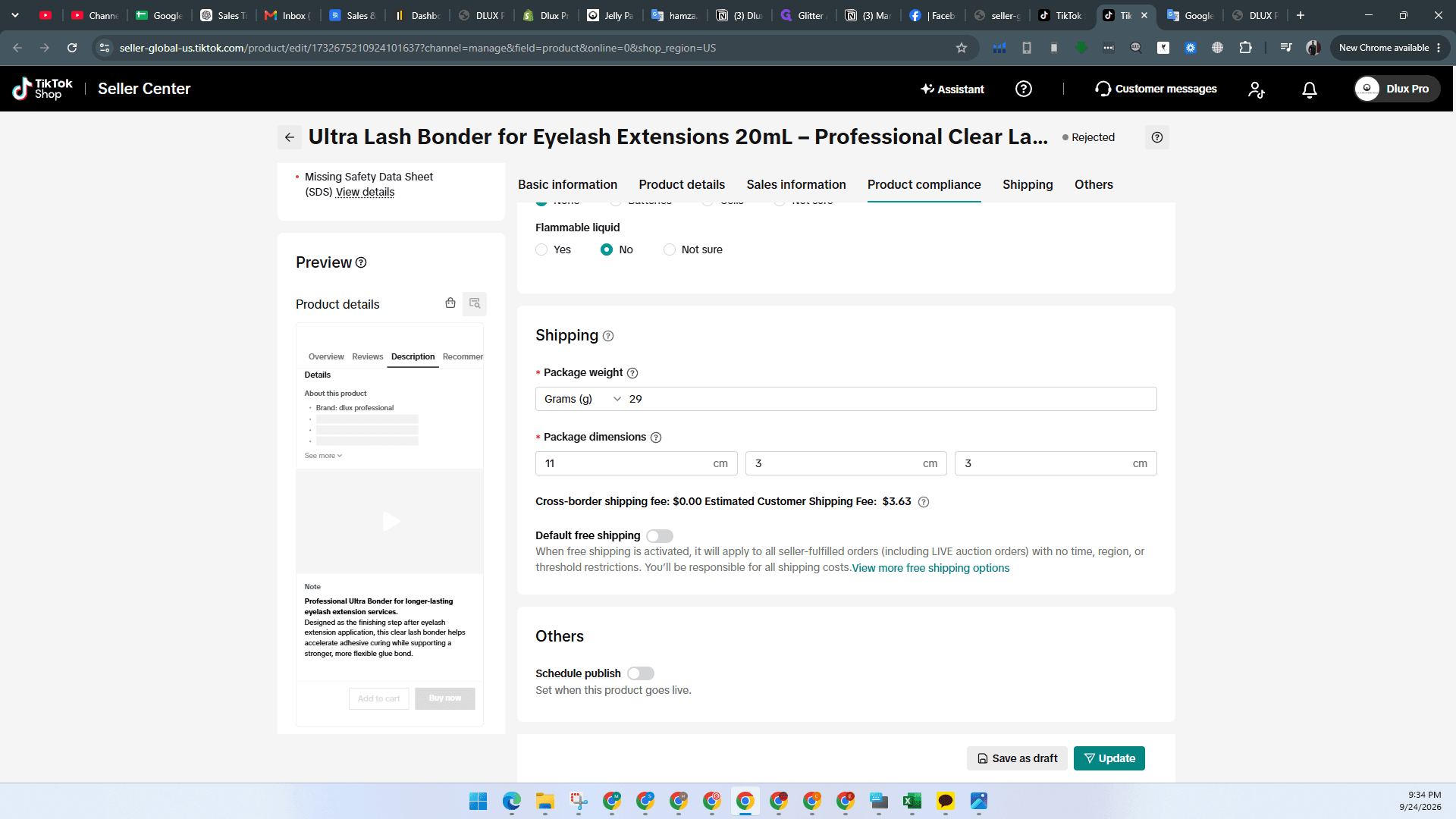
A confirmation will appear stating that the product was submitted successfully.
FAQ
Q: What should I do if the option to upload the SDS does not appear?
A: Under the Product compliance section, select Yes for the Dangerous goods or hazardous materials field to reveal the file upload options.
Q: What causes a product to be flagged under Needs Attention for SDS?
A: The listing was rejected because the Safety Data Sheet is missing entirely or an invalid version was uploaded.
Glossary
Term | Definition |
|---|---|
SDS | Safety Data Sheet, a compliance document outlining physical, chemical, and hazard specifications for goods. |
Needs attention | A status queue in TikTok Shop Seller Center displaying listings blocked or rejected due to compliance or data issues. |