Resolving Undefined Material Errors in SAP Orders
Learn how to troubleshoot and resolve undefined material errors in SAP orders by extracting the correct material numbers from EDI source files.
By Roland Aldag
This guide explains how to resolve undefined material errors in SAP orders by locating the correct material numbers within raw EDI source files and manually updating the order.
This workflow is intended for supply chain operators, sales administrators, and EDI specialists managing workflow errors in the SAP Business Workplace.
When a material isn't defined for a specific sales organization, SAP displays question marks (?????????) in the material field. You can resolve this by retrieving the actual material number from the EDI source file.
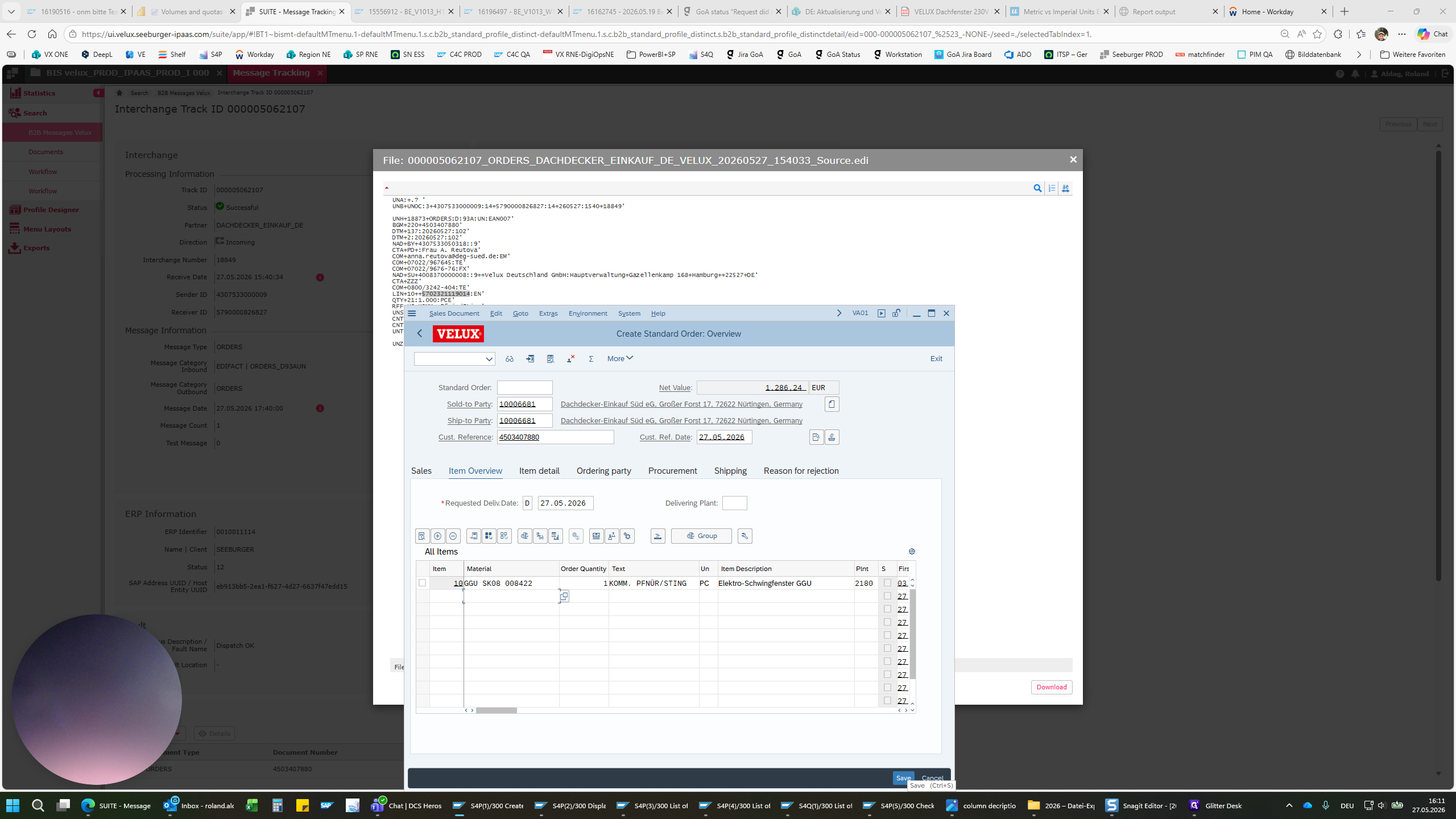
IDoc processing V-D customer DEK Süd
1
EDI Inbox V-D
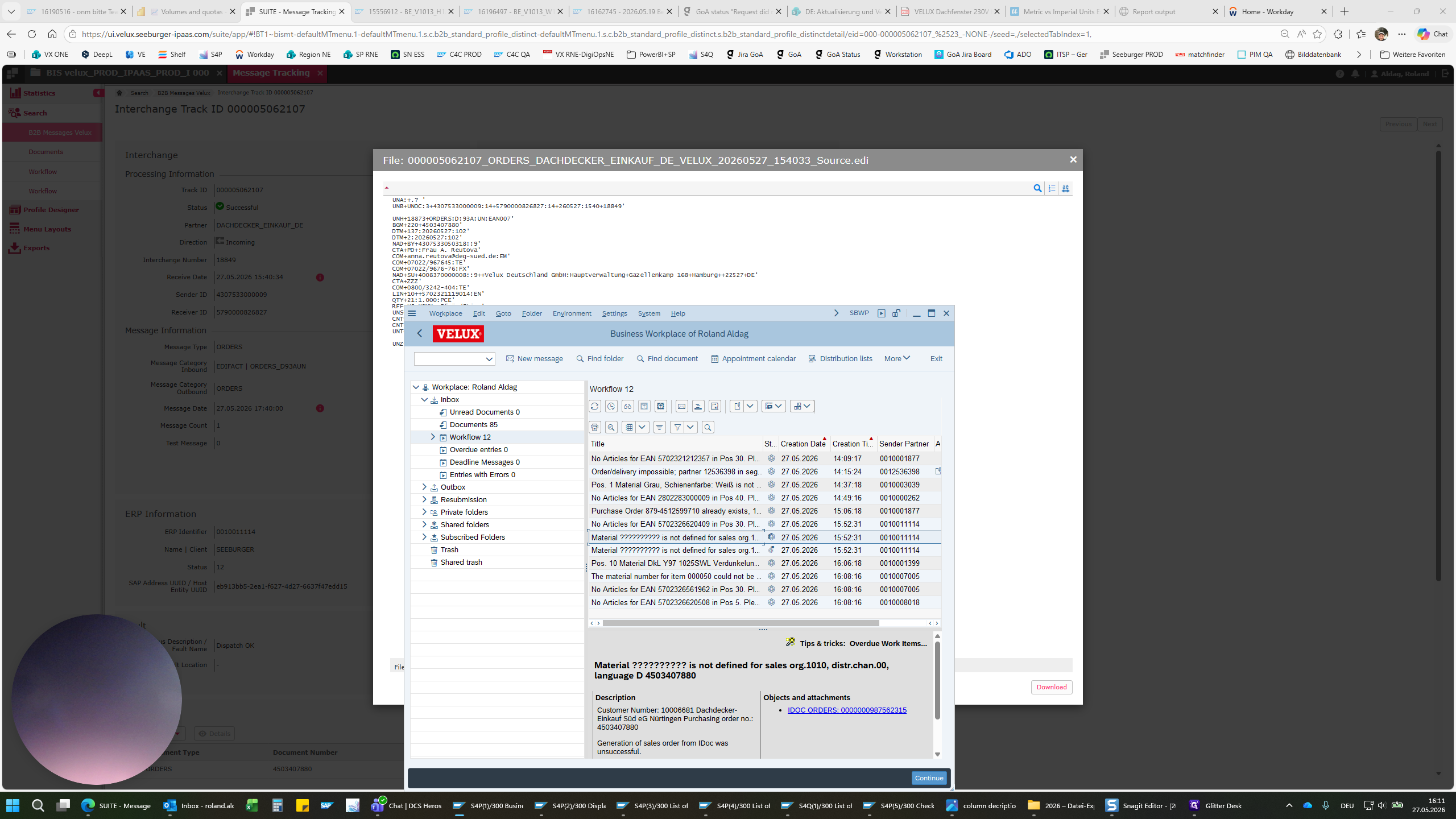
2
Seeburger ORDERS message
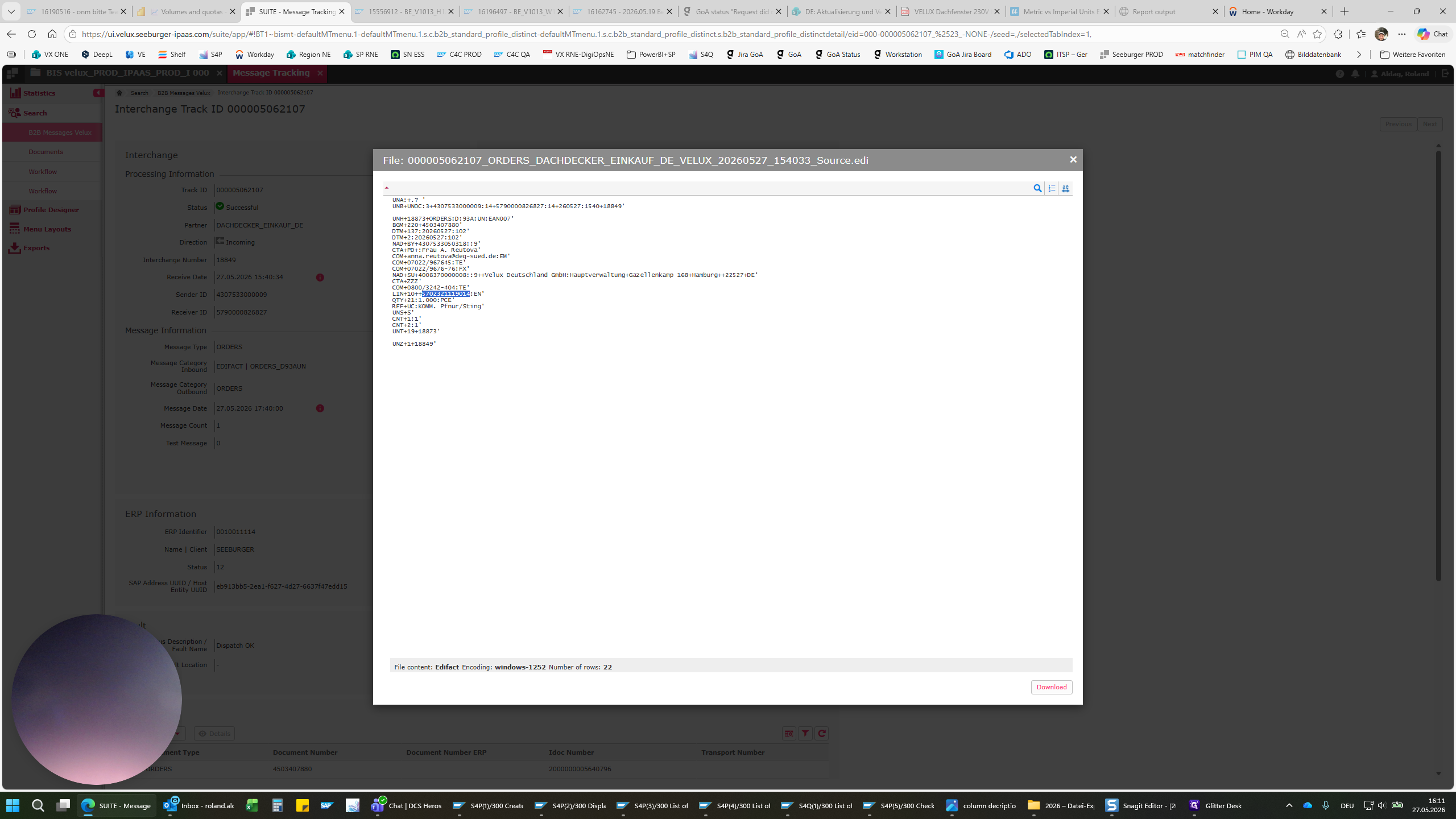
3
Converting EAN code to material number
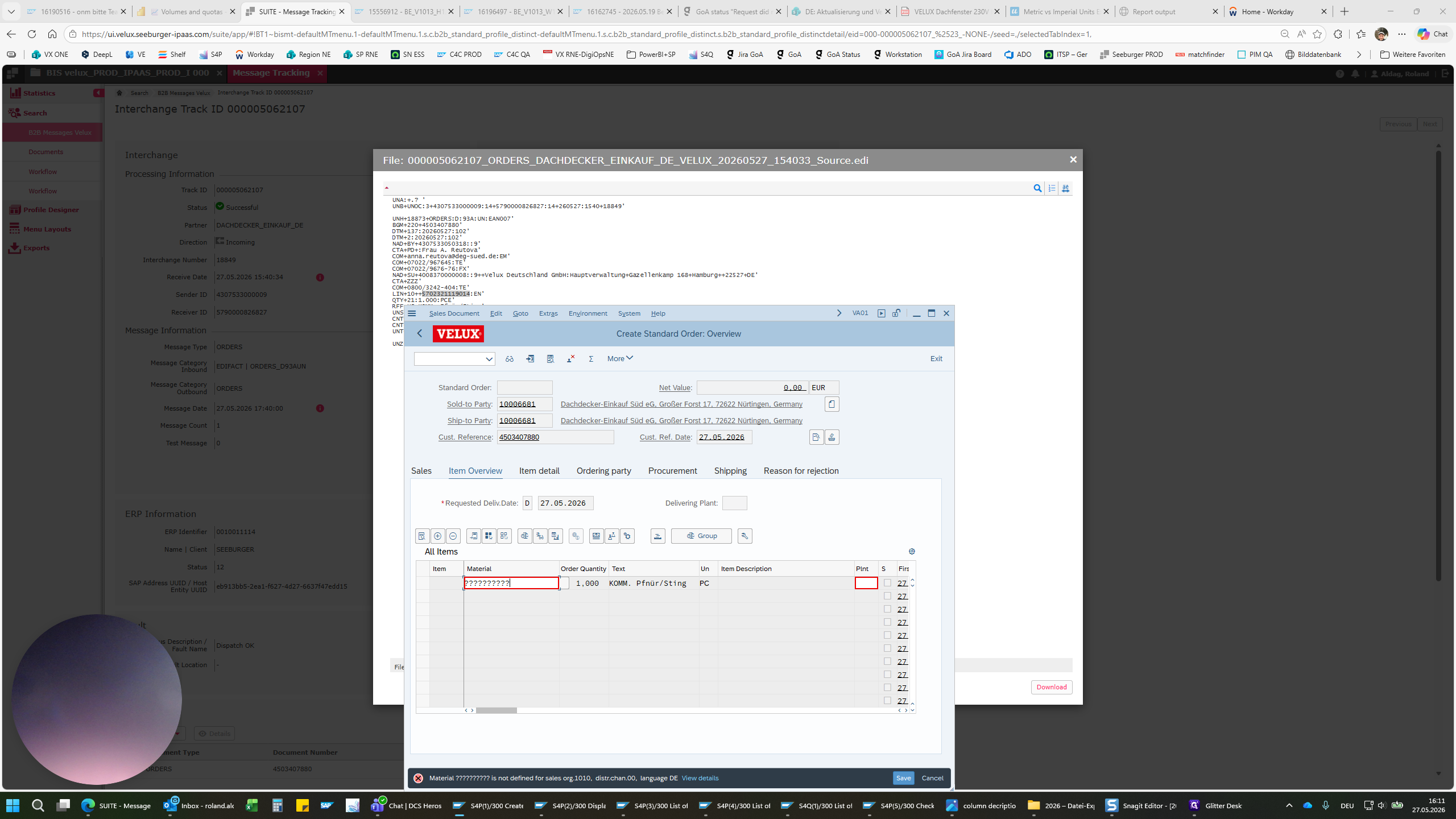
4
IDoc successfully processed