
Review Automated Client Reminder Emails
Learn how to review and understand the automated 14-day and 7-day reminder emails sent to clients for outstanding event booking requirements.
This guide explains how to review and interpret the automated reminder emails sent to clients before their events. Tracking these notifications ensures you know what information is still outstanding from the client to finalize their booking.
This workflow applies to event coordinators and booking managers responsible for monitoring client communications and ensuring all event requirements are met prior to the event date.
Comparison of Automated Emails
Email Type | When to use | How it works | Indicators |
|---|---|---|---|
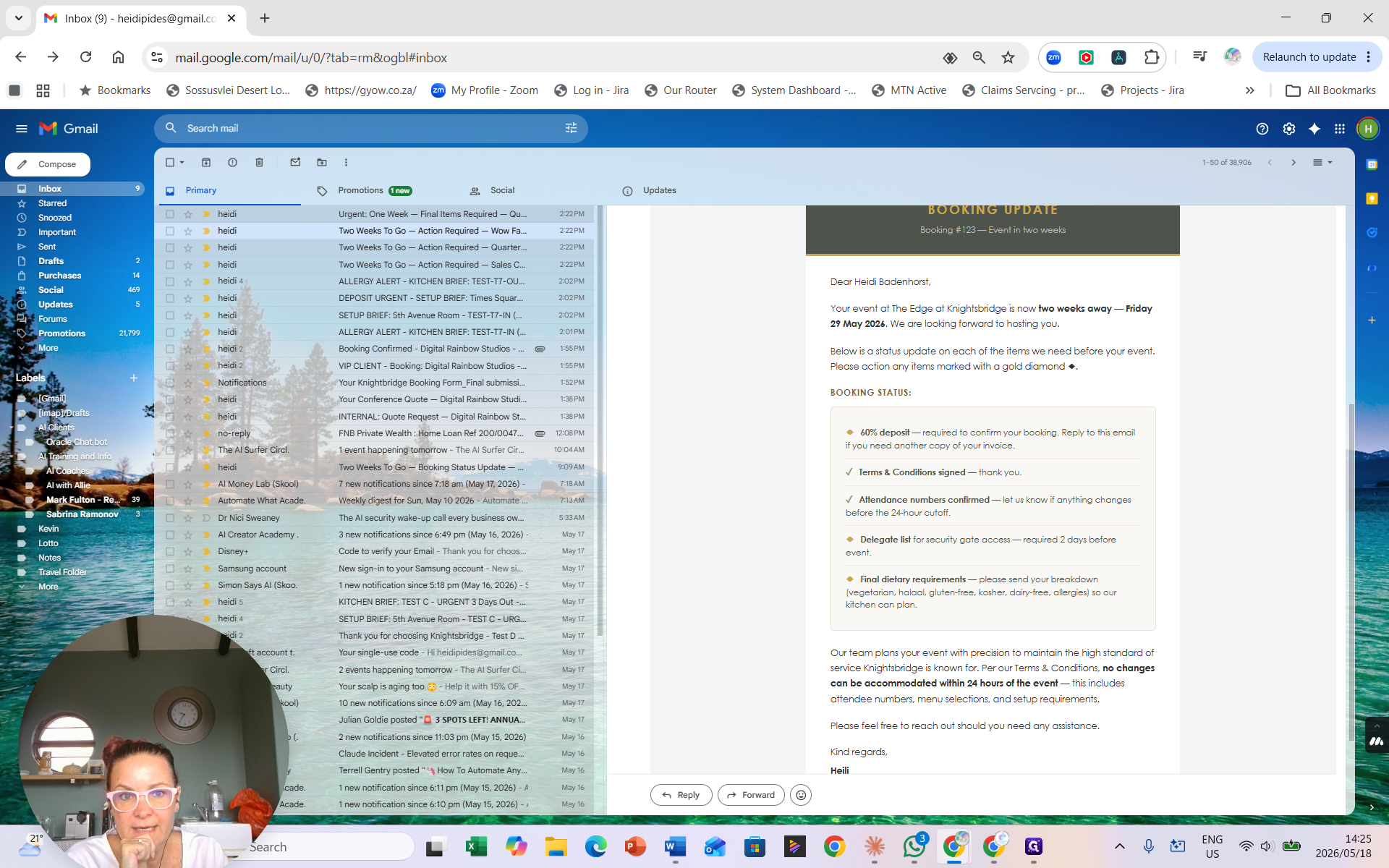
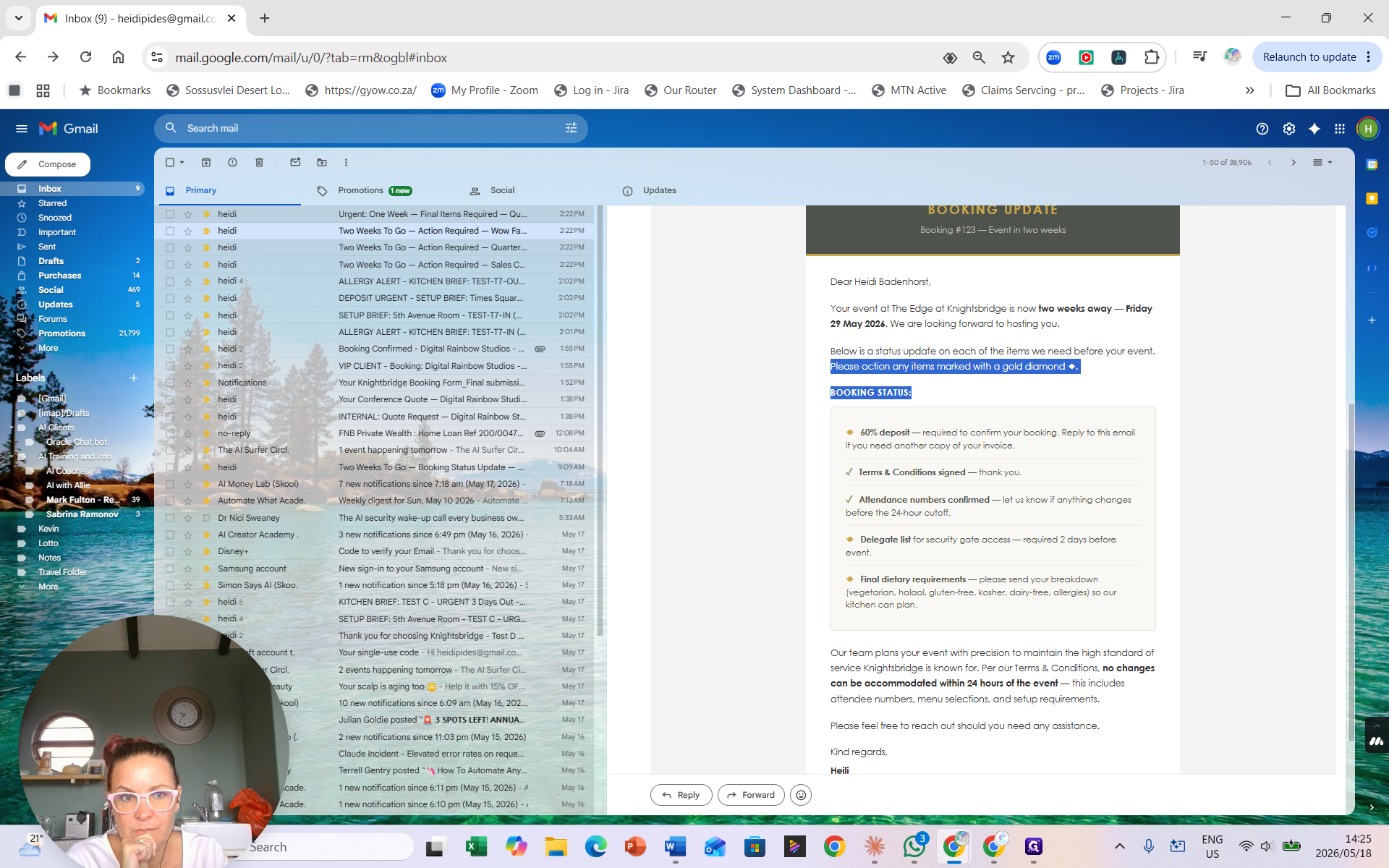
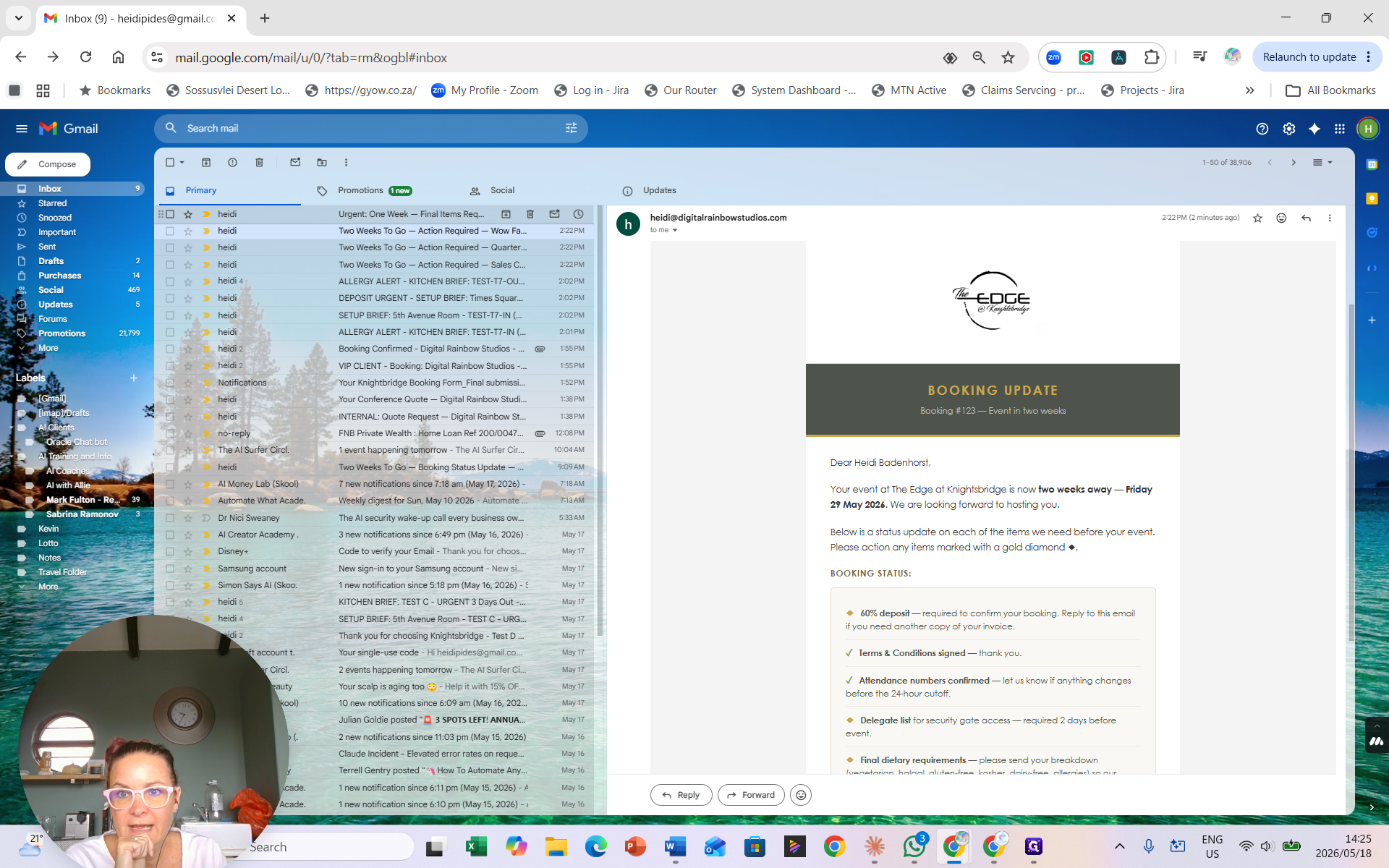
Two-Week Reminder | 14 days before the event | Gently reminds clients of missing details (e.g., deposits, dietary requirements). | Missing items are marked with a gold diamond. |
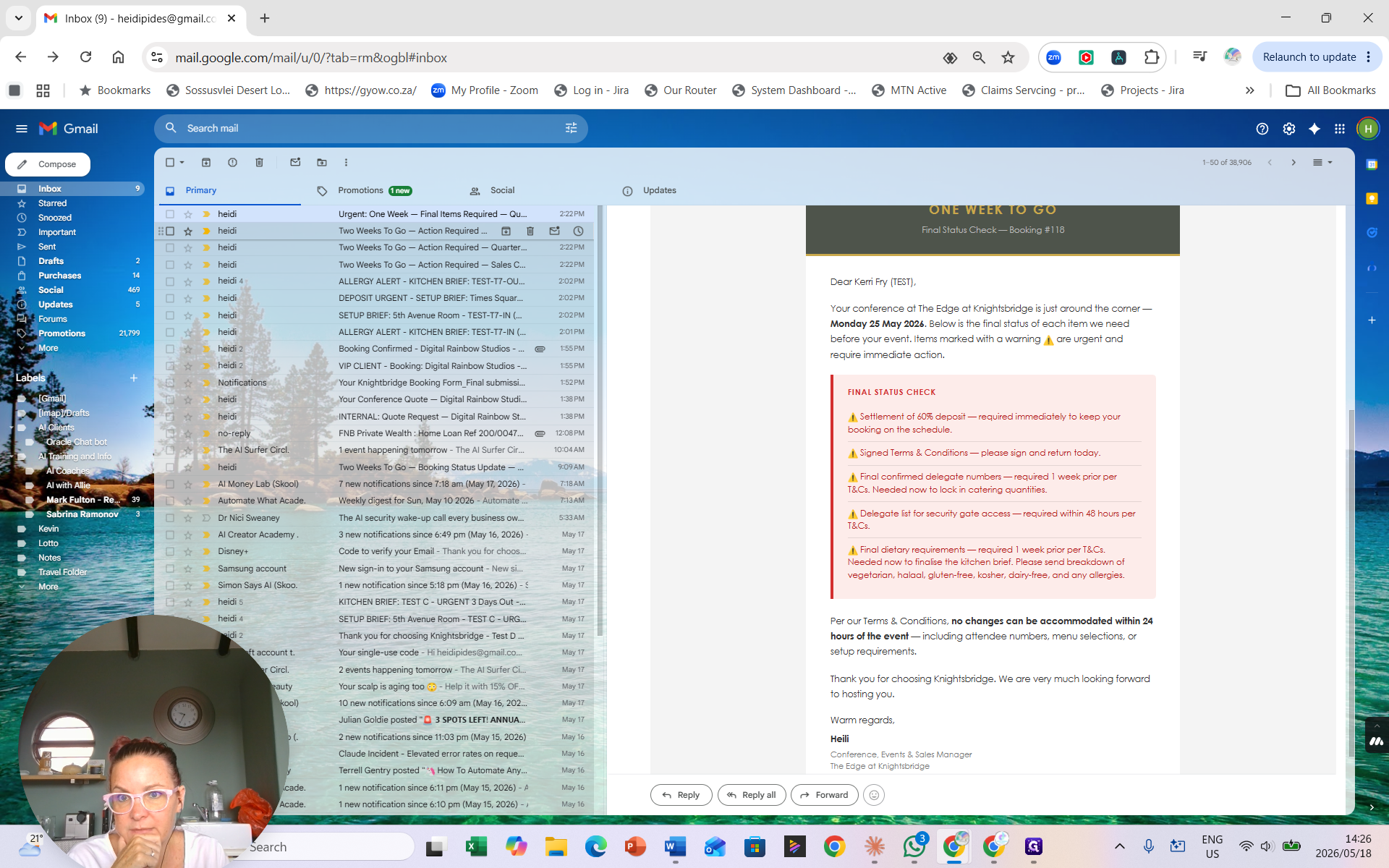
One-Week Final | 7 days before the event | Urgently requests missing information before the 24-hour cutoff. | Missing items are highlighted with red warning bars. |
Reviewing the Two-Week Reminder
Fourteen days before an event, the system checks the booking history for outstanding items (like a delegate list, deposit, or dietary requirements).
The email includes a status update detailing what has been received (e.g., signed terms and conditions) and what is missing.
Reviewing the One-Week Final Reminder
If items are still outstanding seven days before the event, a more urgent email is sent.
This email features stronger wording, reminding the client that no changes can be accommodated within 24 hours of the event. Critical missing items are clearly highlighted with red bars so the client knows they require immediate action.
FAQ
Q: Will the client receive these emails if they have already provided all the required information?
A: No. If the booking form is updated to show that all requirements (deposit, delegate list, dietary info) have been received, the automated reminders will not generate.
Q: When do the automated reminder checks run?
A: The system checks daily at 8:00 AM to see if an event is exactly 7 or 14 days away, and populates the email based on the booking's current status.