
How to Run a PC Connection Test with CloudPulse
Learn how to instantly test PC connectivity and RDP status using CloudPulse without scheduling client meetings.
This guide explains how to instantly verify PC connectivity for new clients using the CloudPulse automated testing tool. By initiating a test, you can immediately check machine network conditions without scheduling dedicated troubleshooting sessions.
This process is designed for system administrators and support technicians who need to confirm Remote Desktop Protocol (RDP) availability and network stability during client onboarding or routine maintenance.
Take a Pulse
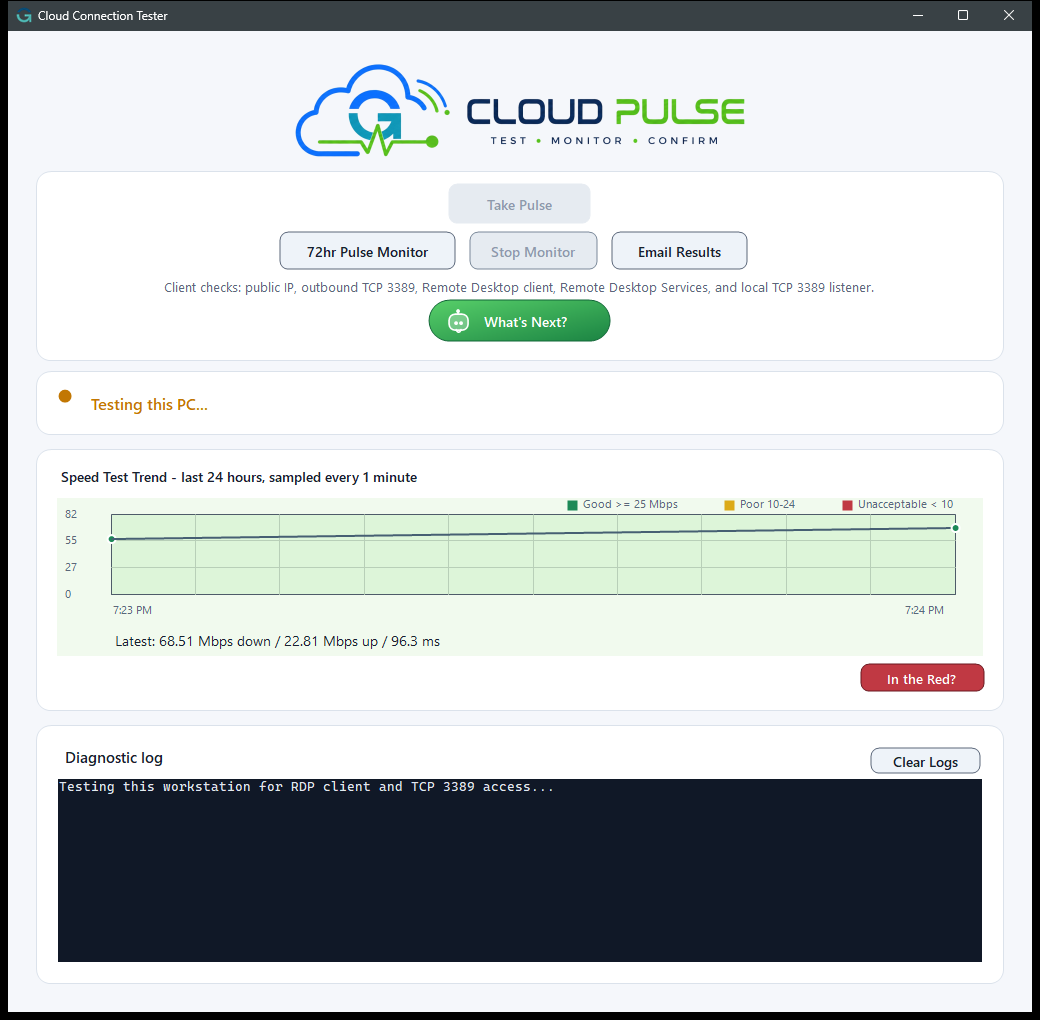
Once the test finishes, CloudPulse automatically reports the current network conditions of the target PC.
Review the results to confirm the machine is ready for remote access:
Condition | What it measures |
|---|---|
RDP Port | Verifies whether the Remote Desktop Protocol port is open and accepting connections. |
Ping Reply | Confirms if the machine successfully replies to basic network requests. |
Stability | Indicates the overall reliability and responsiveness of the connection over time. |