
How to Send a Mutual NDA in DocuSign
Learn how to send a standard Pilot Mutual NDA to external partners using predefined DocuSign templates.
By Dana Peck
This guide demonstrates how to quickly prepare and send a standard mutual Non-Disclosure Agreement (NDA) using a pre-configured DocuSign template. Completing this process ensures that confidentiality agreements are properly executed before sharing sensitive information.
This applies to team members working with external partners, vendors, or clients who need to execute an NDA before kicking off pilot projects or initial discussions.
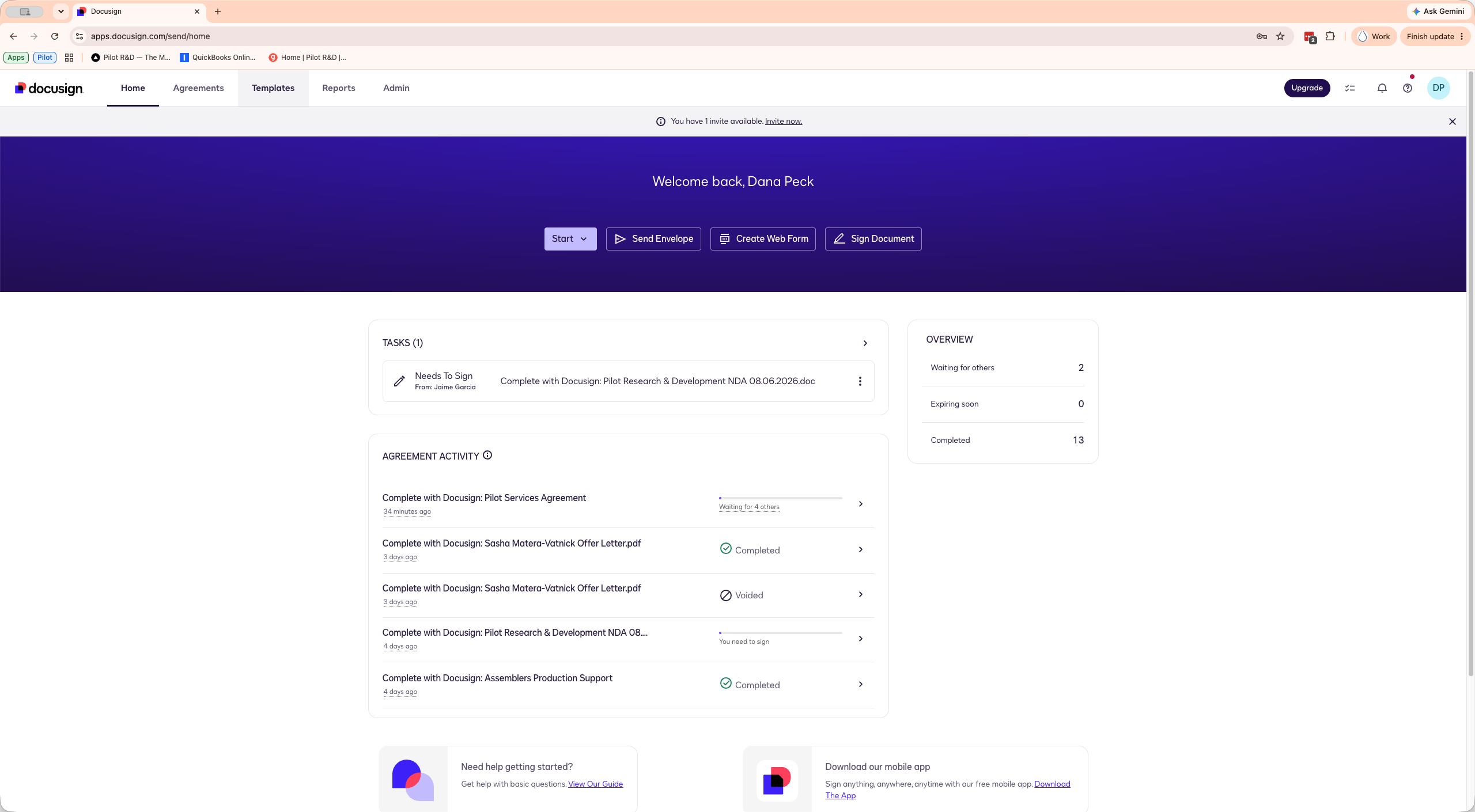
To send the standard mutual NDA to a new partner, start from your DocuSign homepage.
1
Click Templates in the main navigation menu.
2
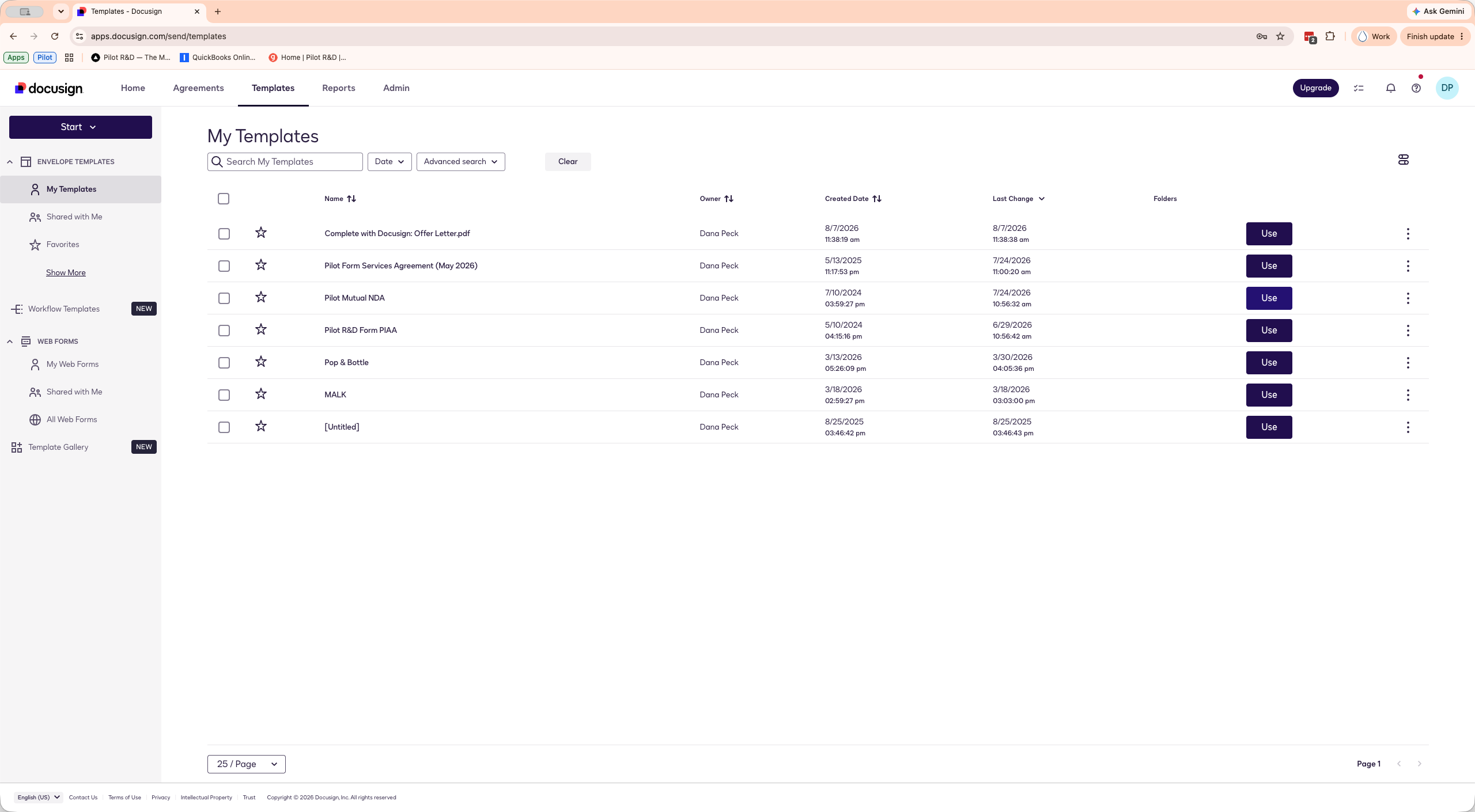
Locate the Pilot Mutual NDA in your templates list and click Use.
3
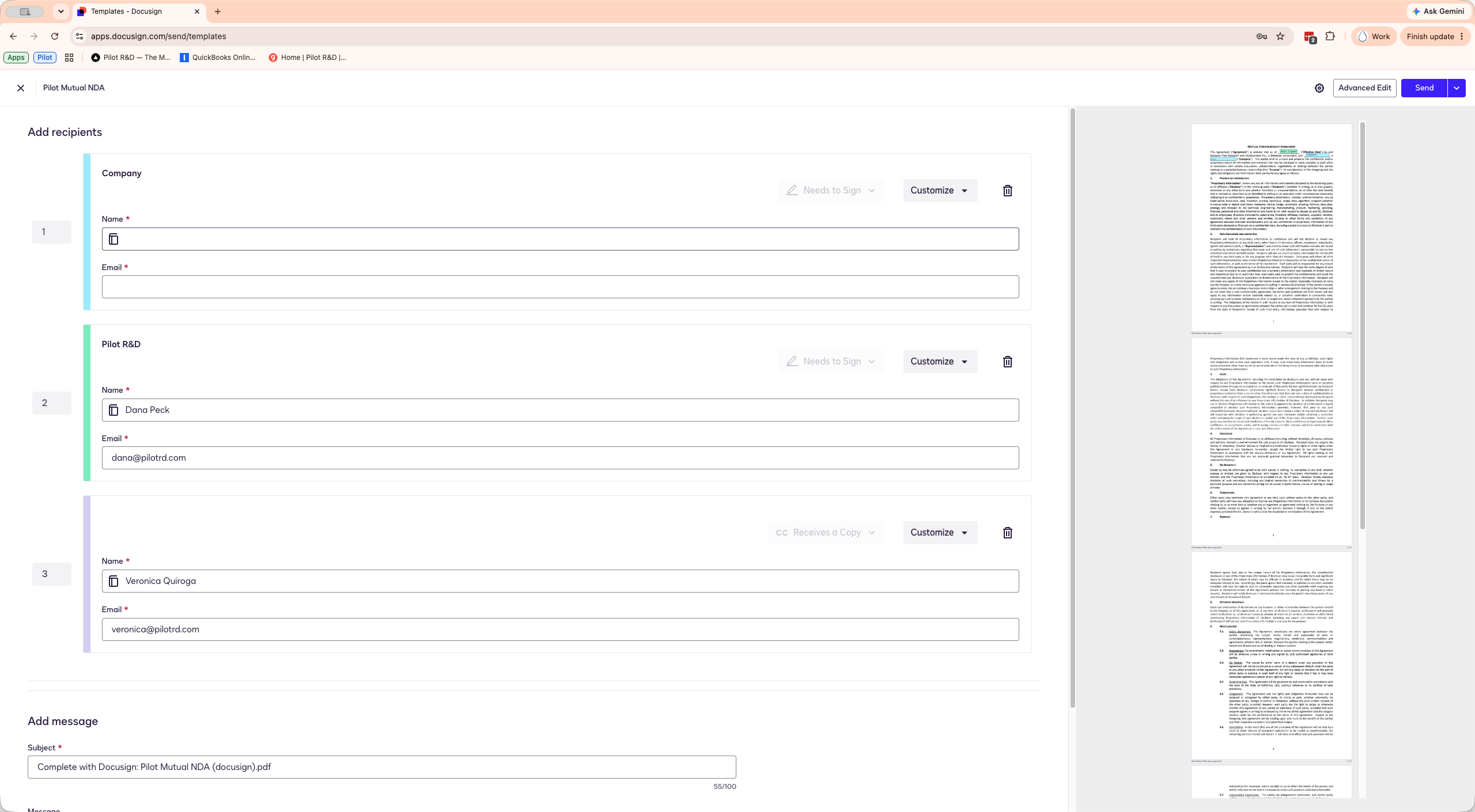
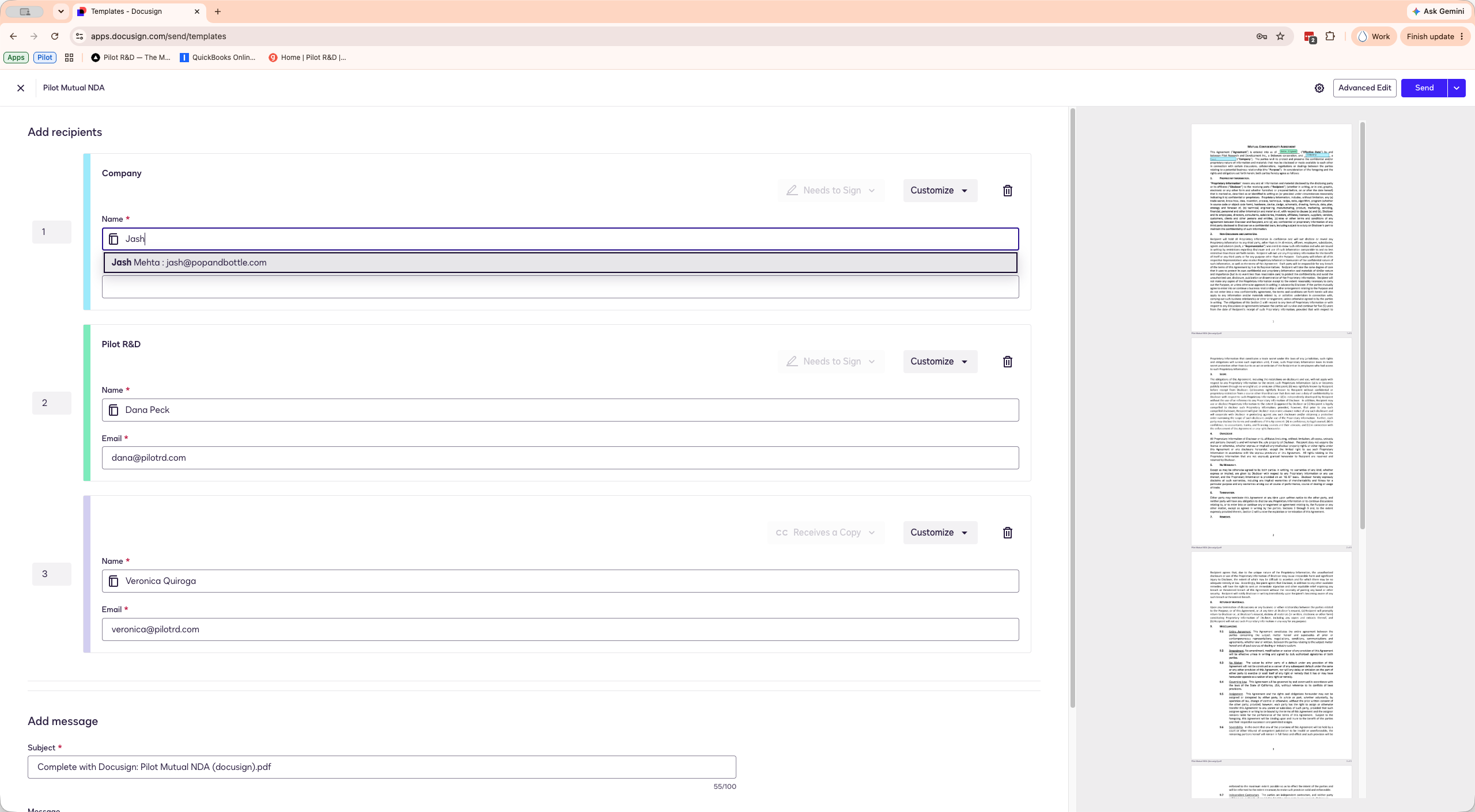
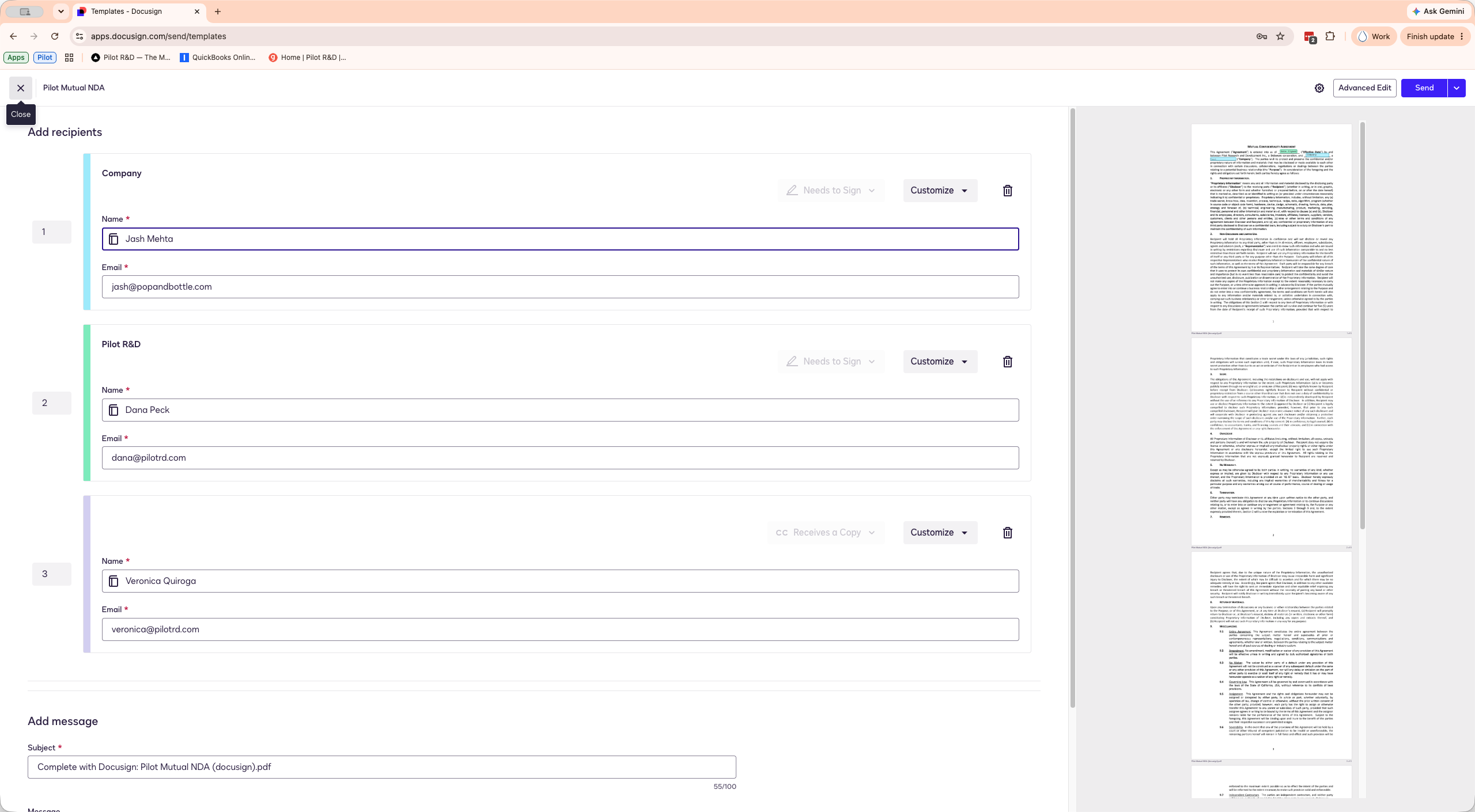
Click the name field for the first recipient (the client) and enter their full name.
4
Enter the recipient's email address.
5
Click Send to dispatch the mutual NDA to the first signer.
Q: Who needs to sign the mutual NDA and in what order?
A: The template routes the document automatically. The external client signs first, you sign second, and a finalized copy is sent to the designated internal contact for record-keeping.