
Setting Up Repeating Client Workflows and Tasks
Learn how to set up recurring client work schedules, apply workflow templates, and configure automated task creation for seamless accounting and compliance.
This guide walks you through setting up recurring work schedules for client onboarding. By completing this, you ensure that ongoing services like monthly compliance, quarterly reporting, and regular payroll are automatically scheduled and tracked without manual data entry each period.
This workflow is designed for accounting teams, bookkeepers, and project managers handling client onboarding and service delivery. You will use this process whenever a new client signs up for ongoing services that require standard, recurring task management.
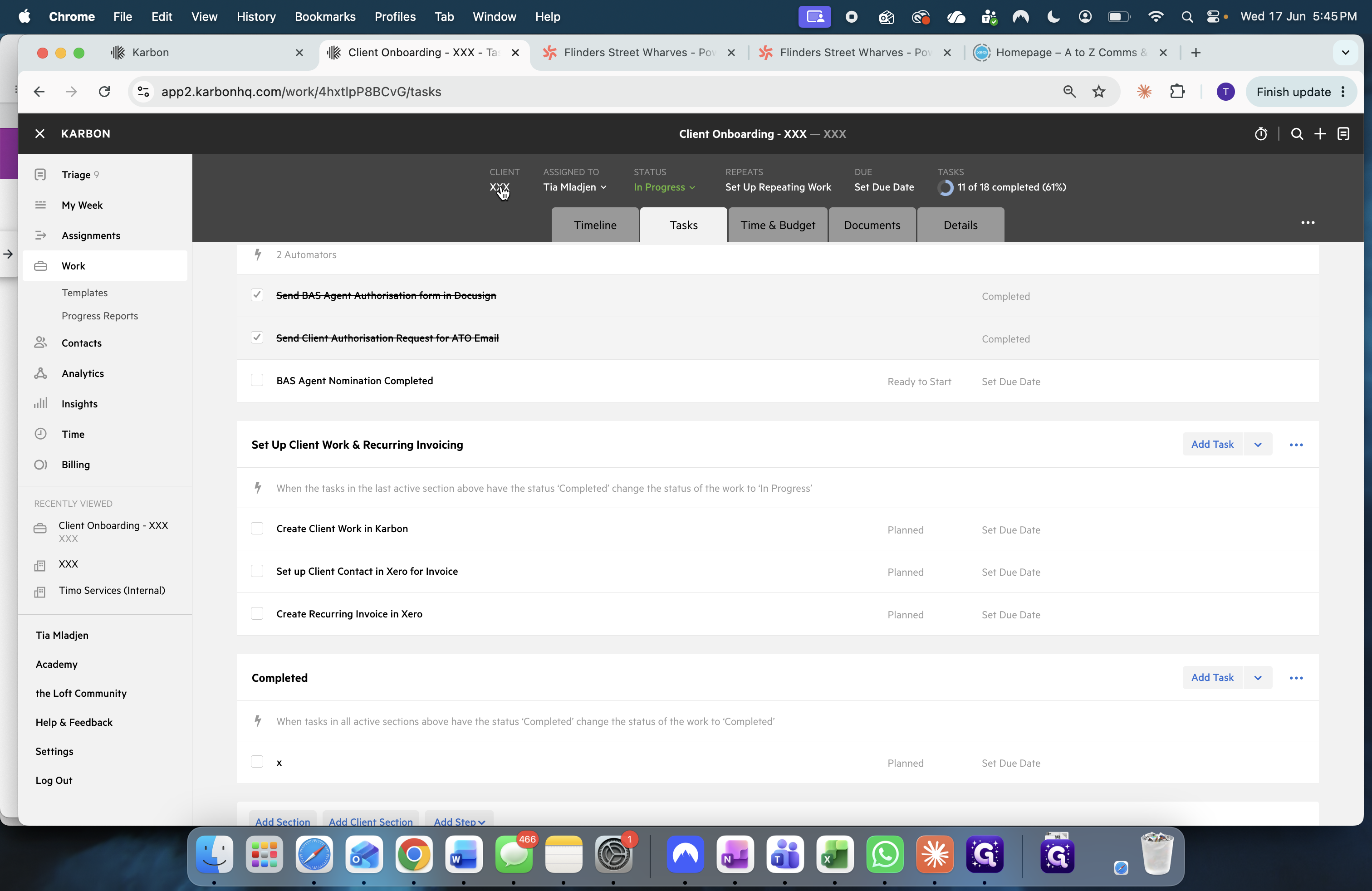
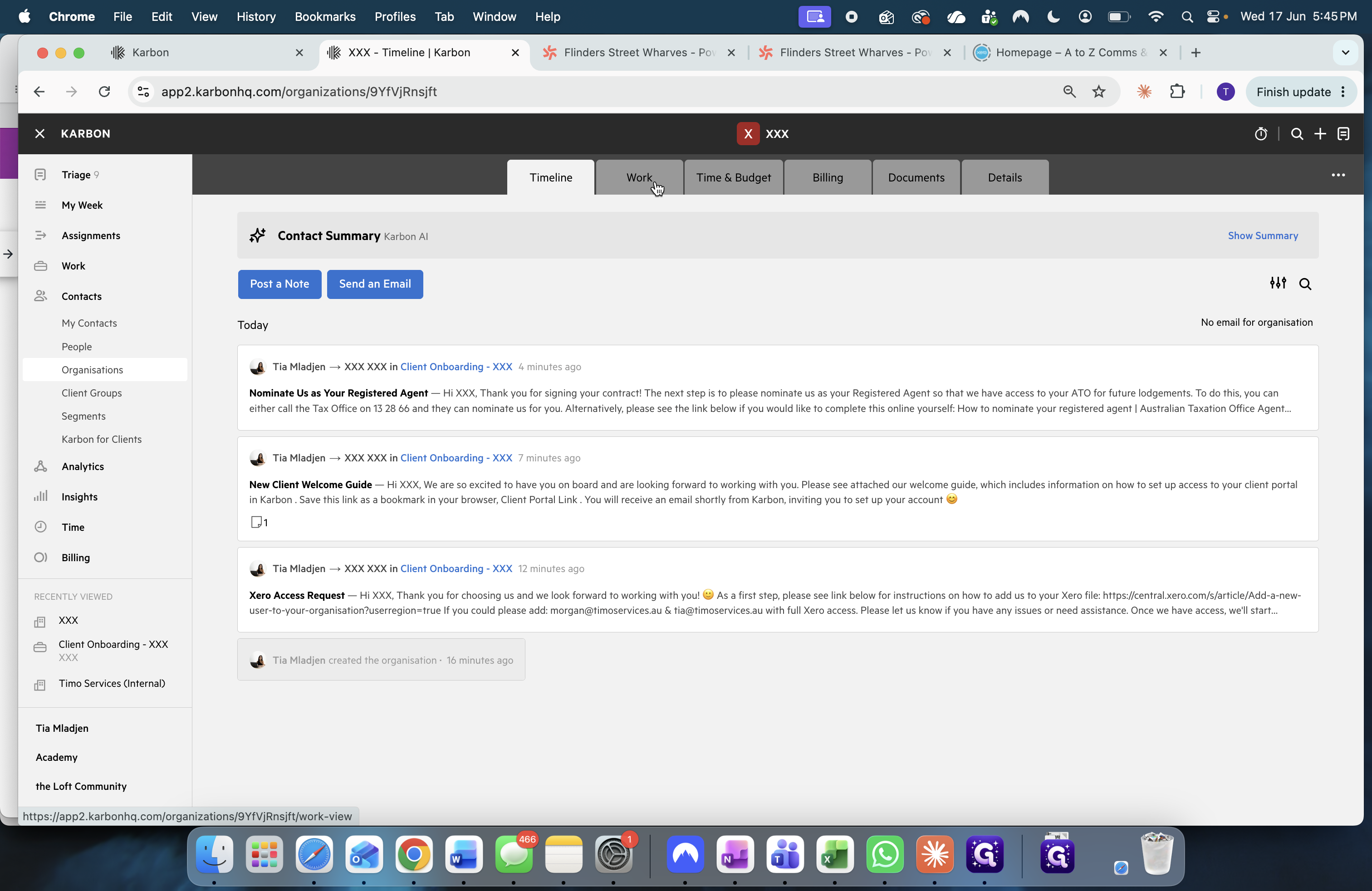
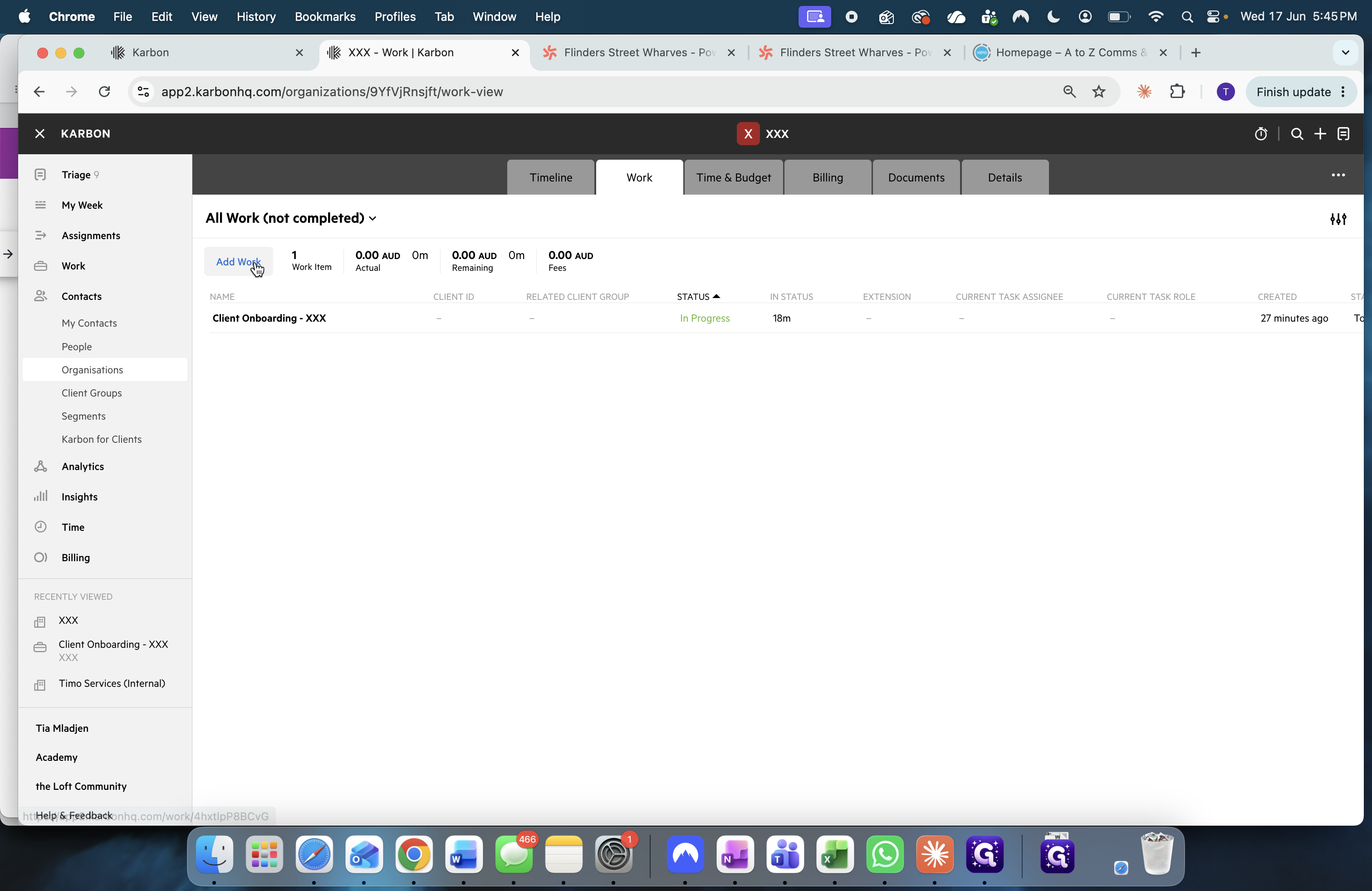
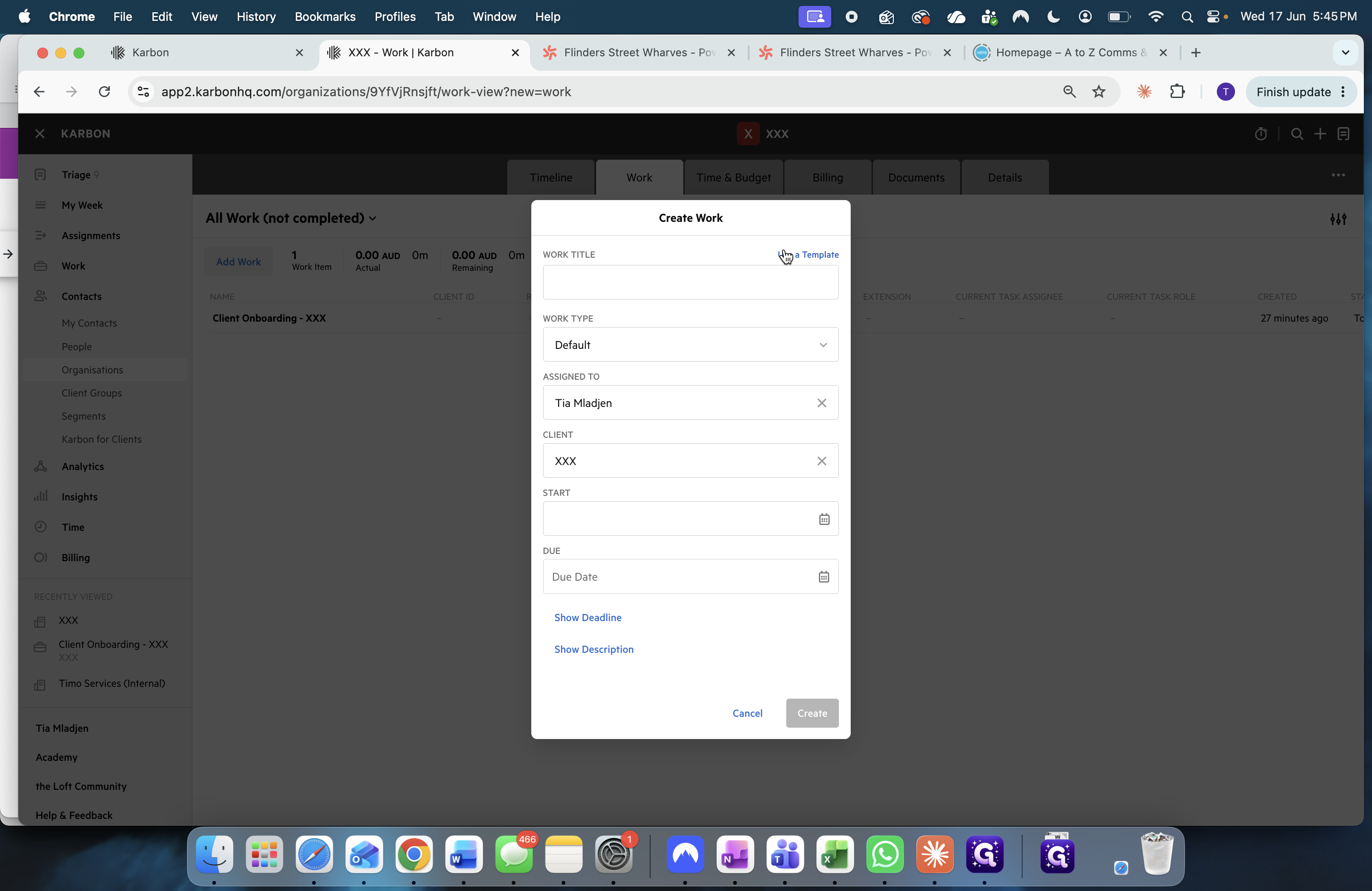
Create a New Work Item
Begin by creating the foundational work item on the client's profile before converting it into a recurring schedule.
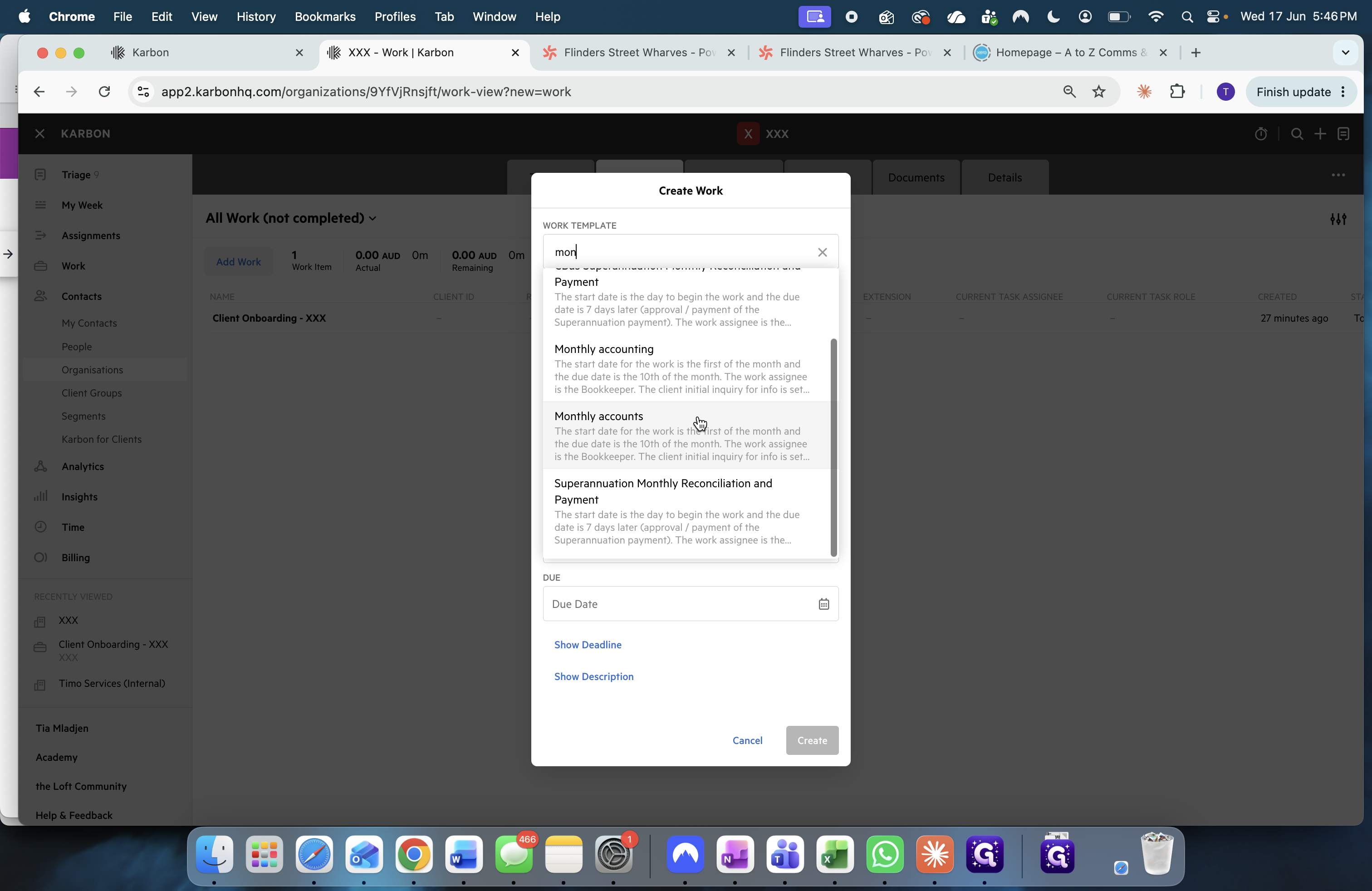
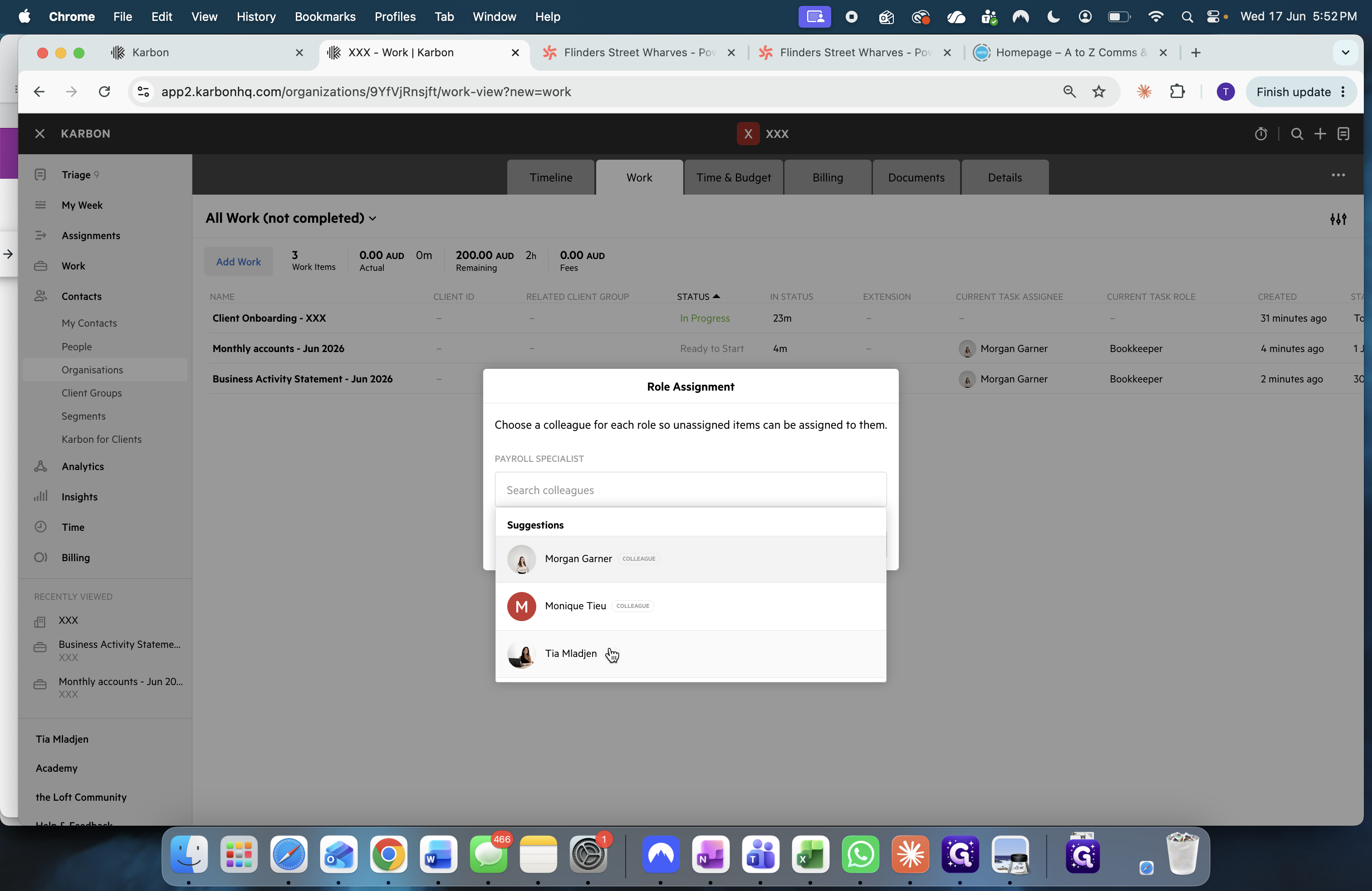
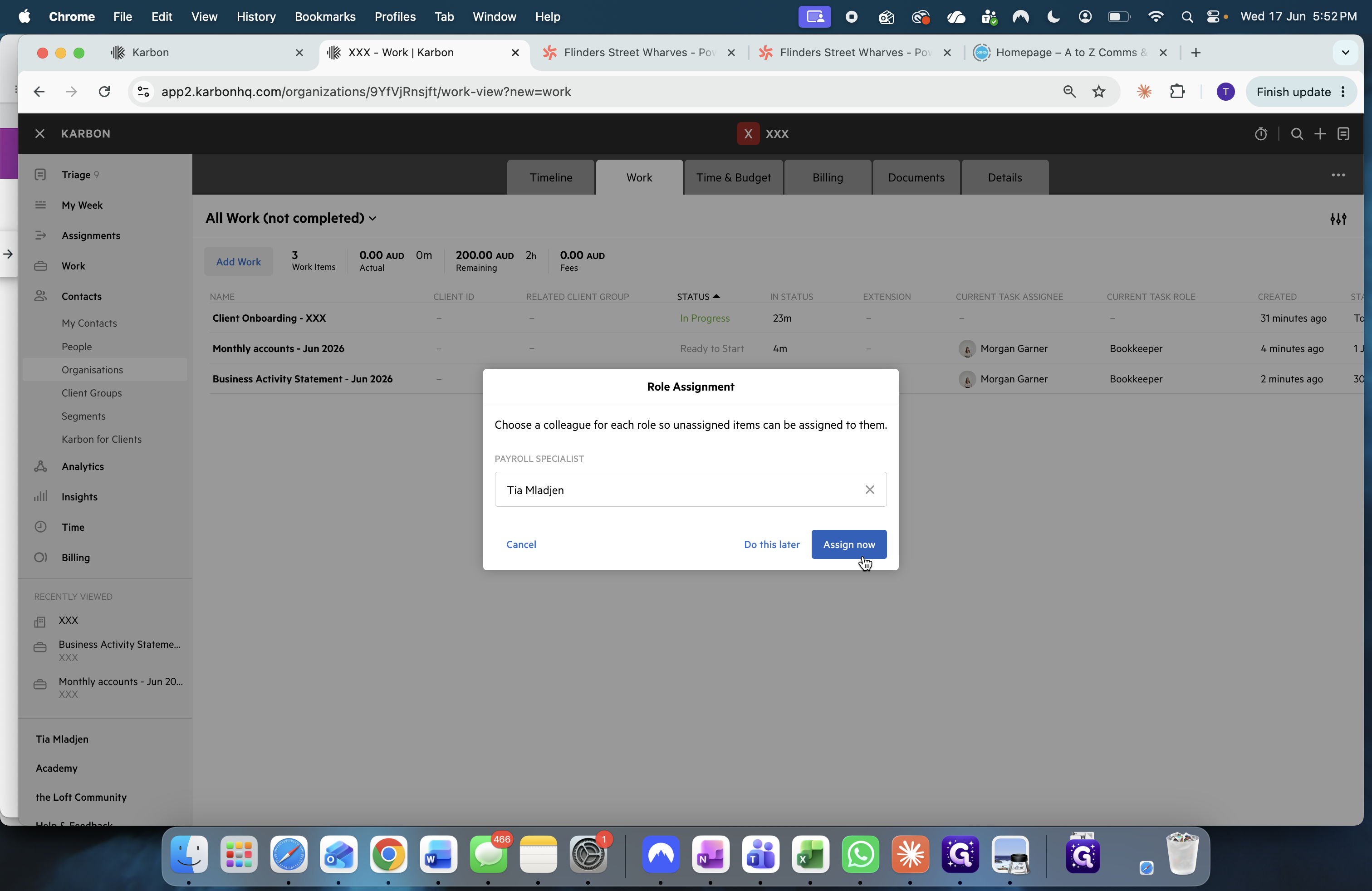
Compare Common Workflow Configurations
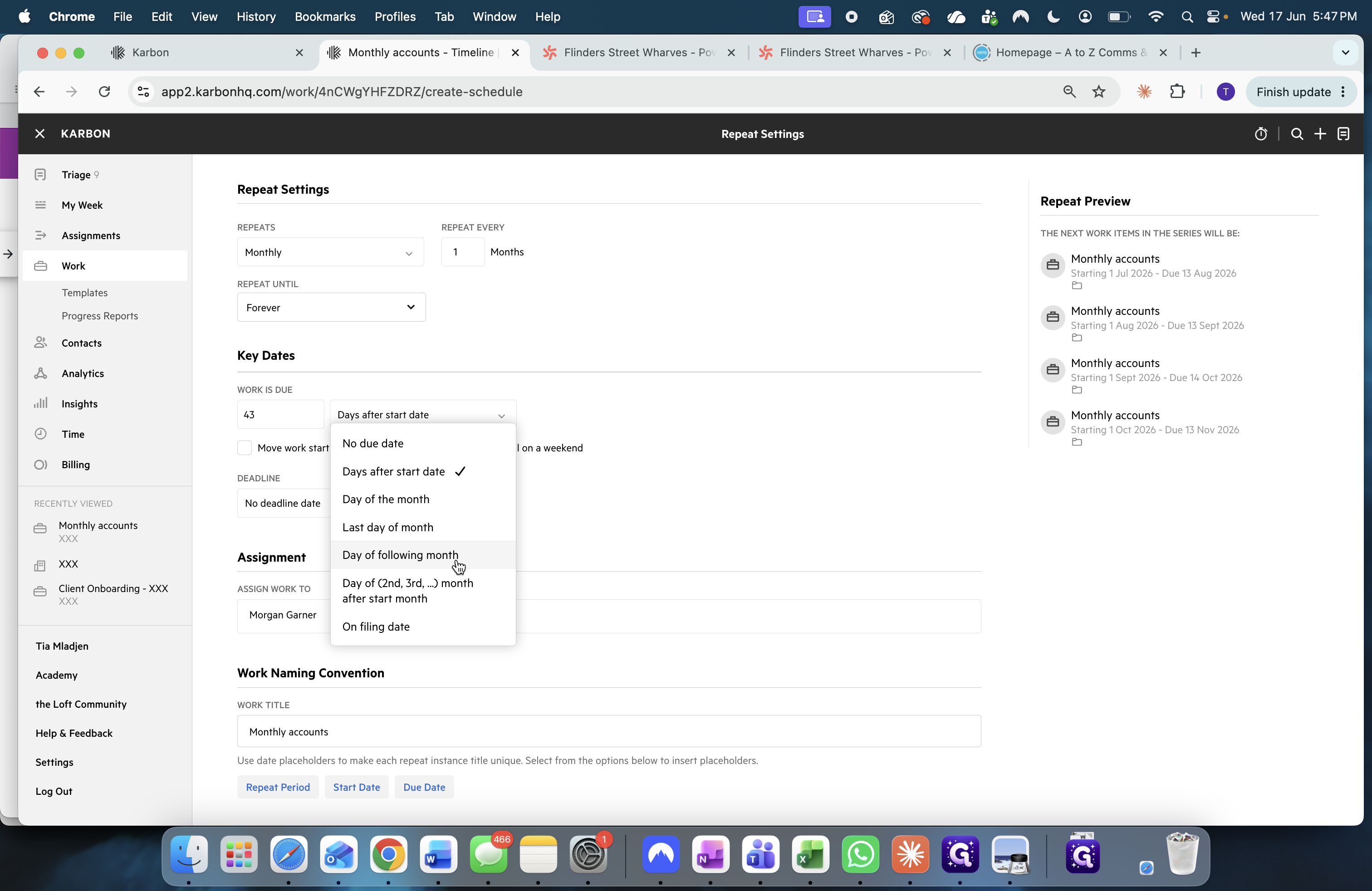
Depending on the service you are providing, you will need to adjust the frequency, start dates, and due dates accordingly. Use the following table to reference standard configurations for common tasks.
Workflow Type | Frequency | Start Date Logic | Due Date Logic | Naming Convention Example |
|---|---|---|---|---|
Monthly Accounts | Monthly | 1st day or last day of the month | 14th day of the following month |
|
BAS Quarterly | Quarterly | Last day of the financial quarter | 21st of the following month |
|
Fortnightly Payroll | Weekly (Repeat every 2 weeks) | The end date of the payroll cycle (e.g., Sunday) | The actual payment date (e.g., Wednesday) |
|
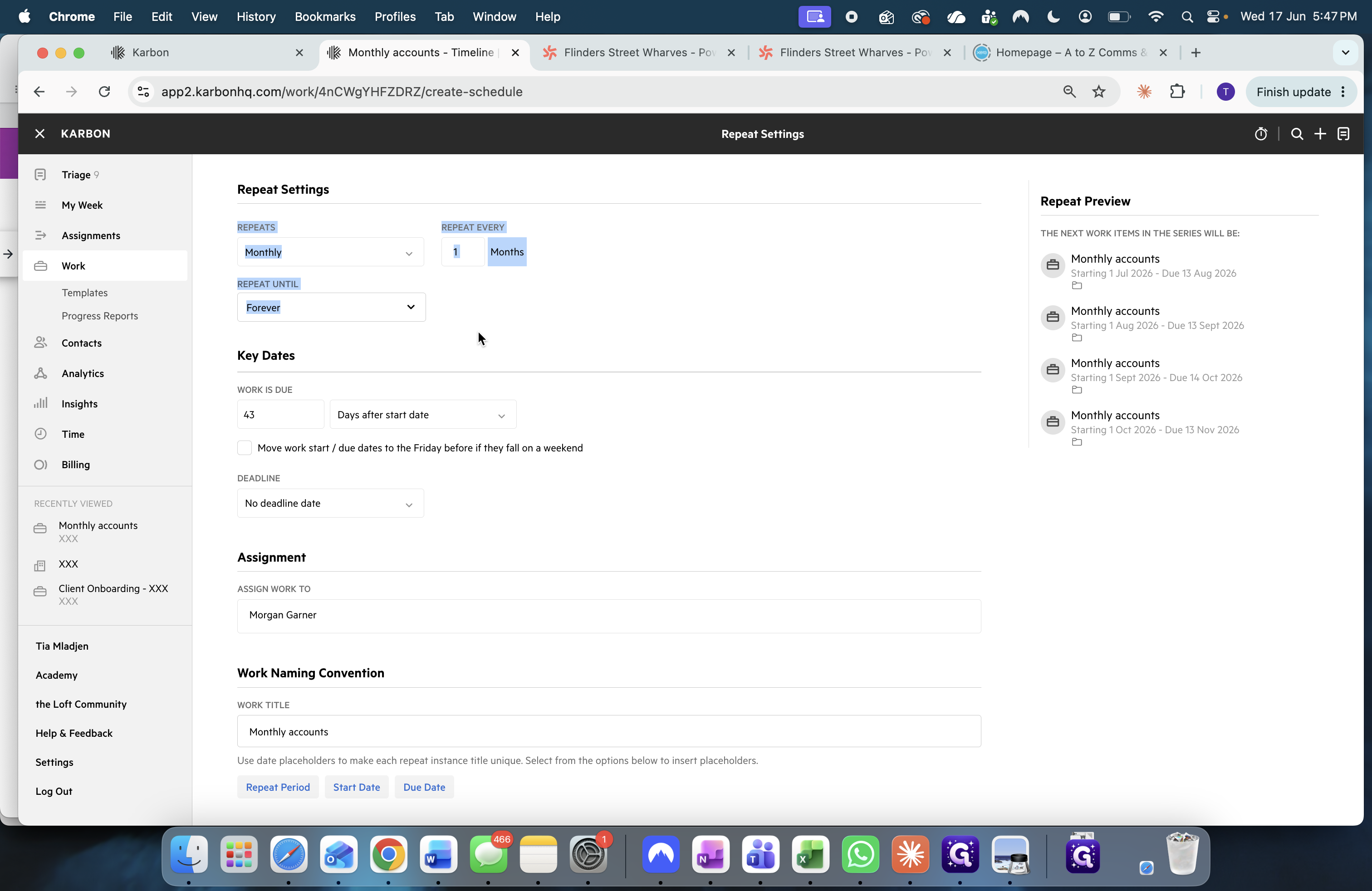
Configure Repeat Settings
Once the work item is created, configure it to repeat automatically on your required cadence.
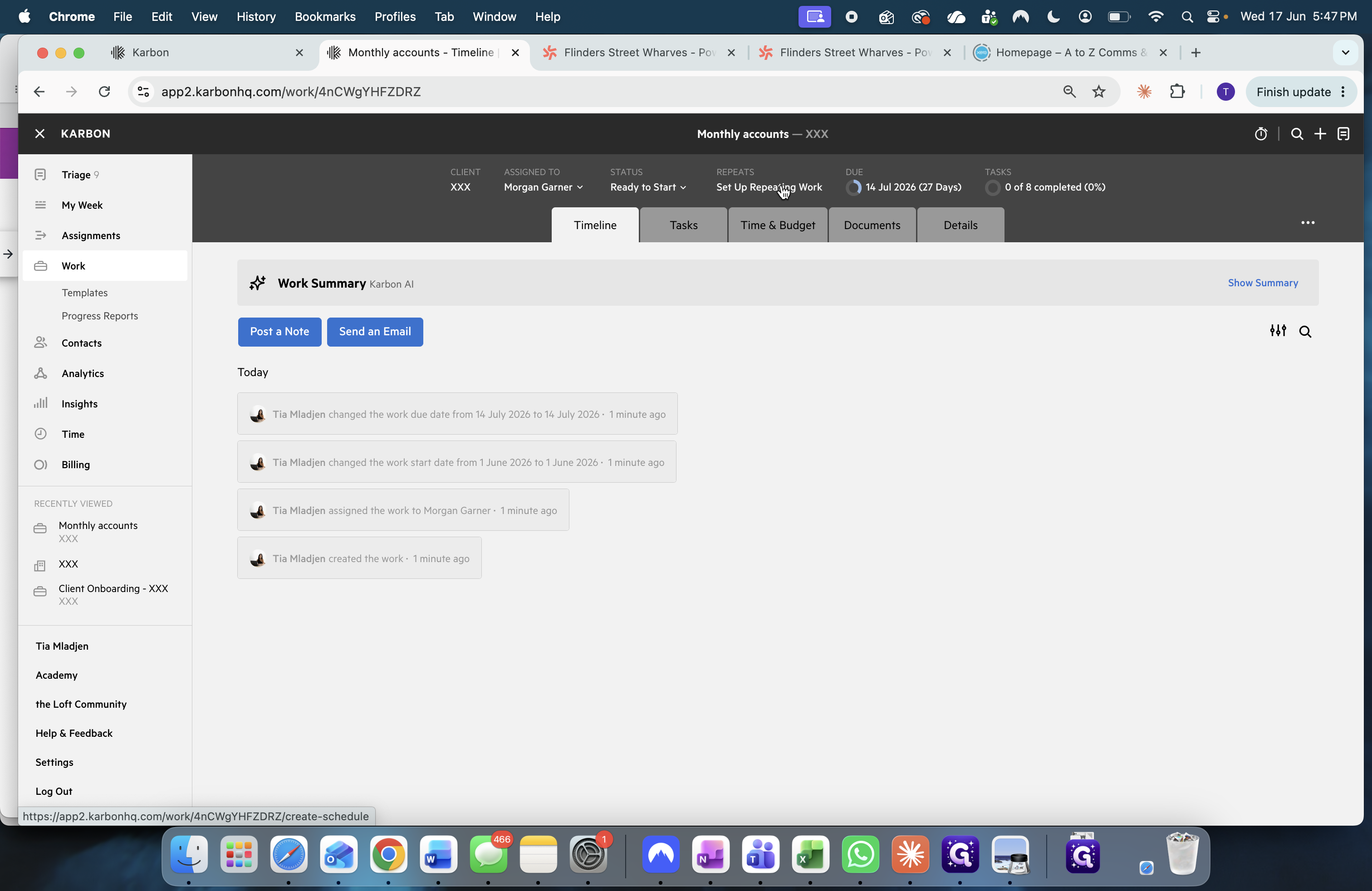
Apply Naming Conventions
Setting up a dynamic naming convention ensures each new task generated is automatically titled with the correct period or date.
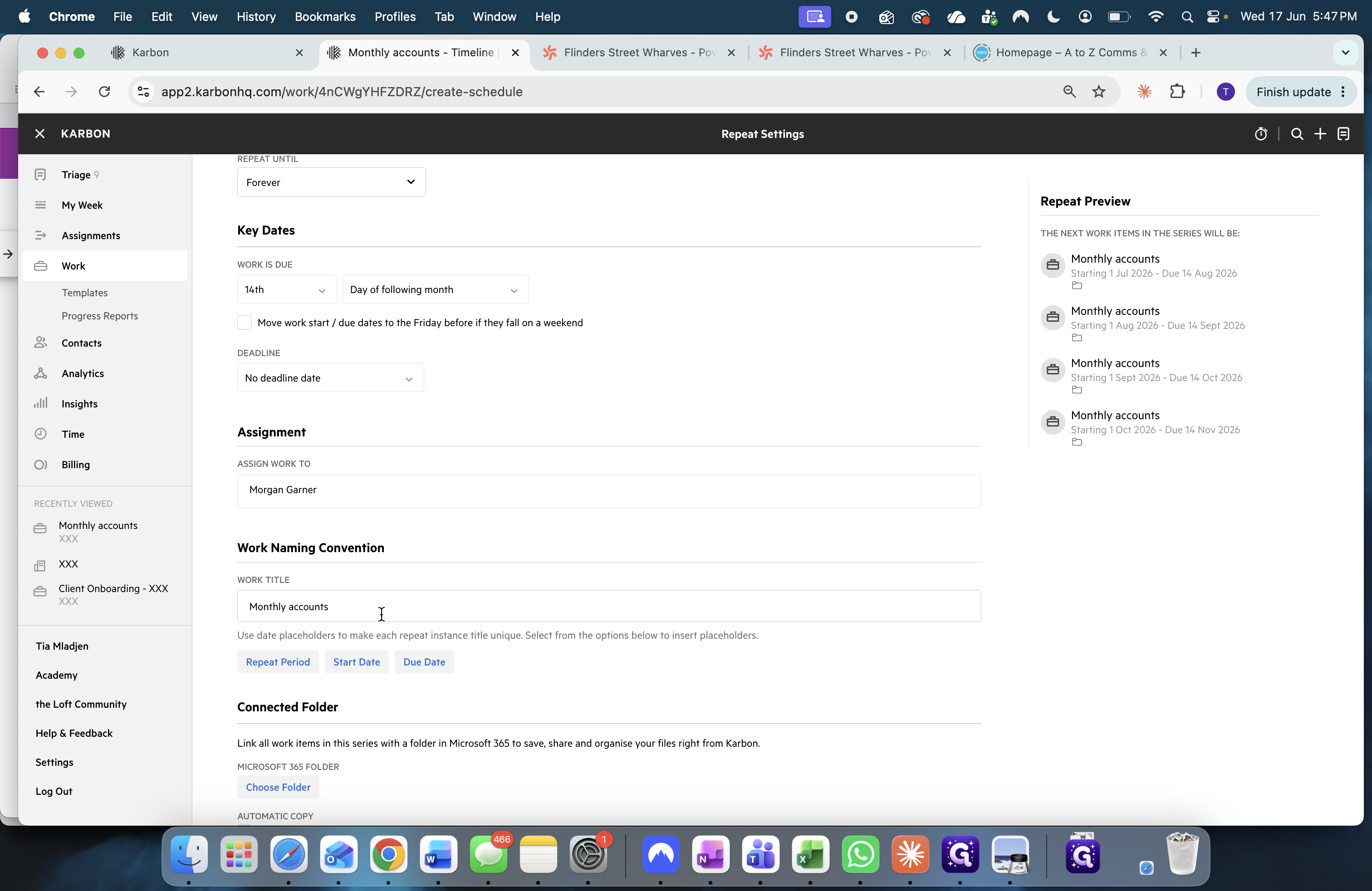
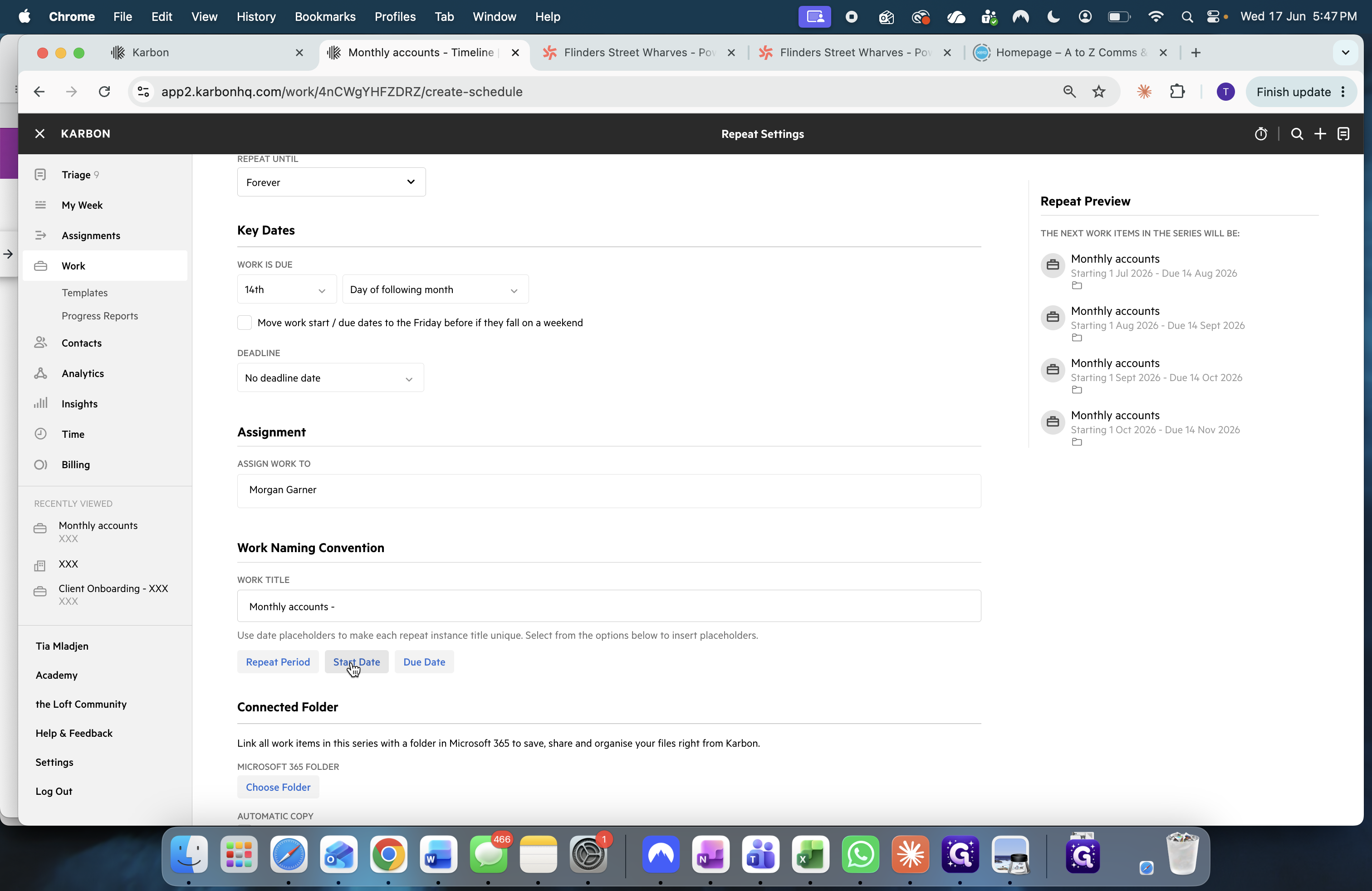
MMM YYYY or DD MMM, YYYY) from the list.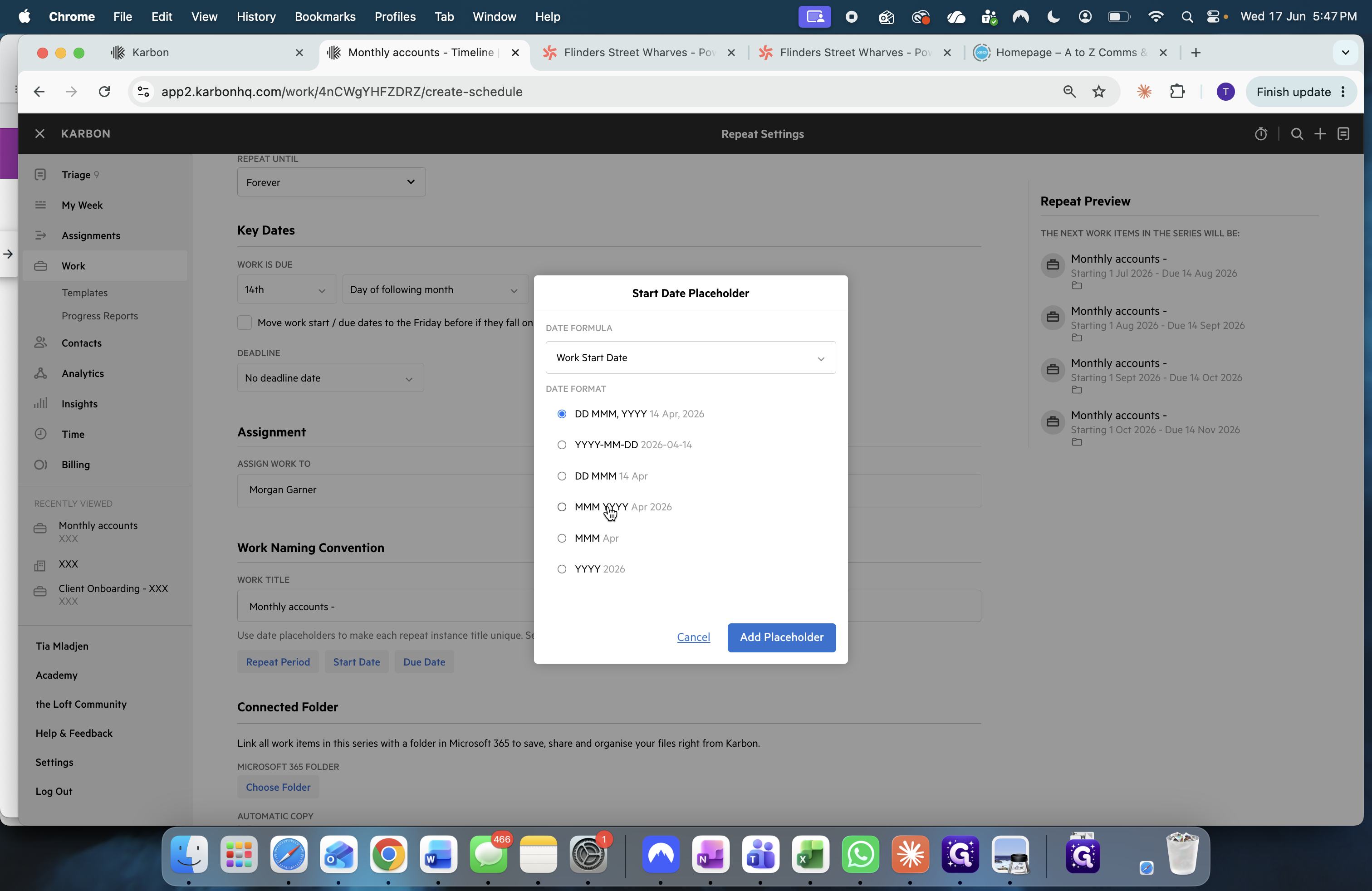
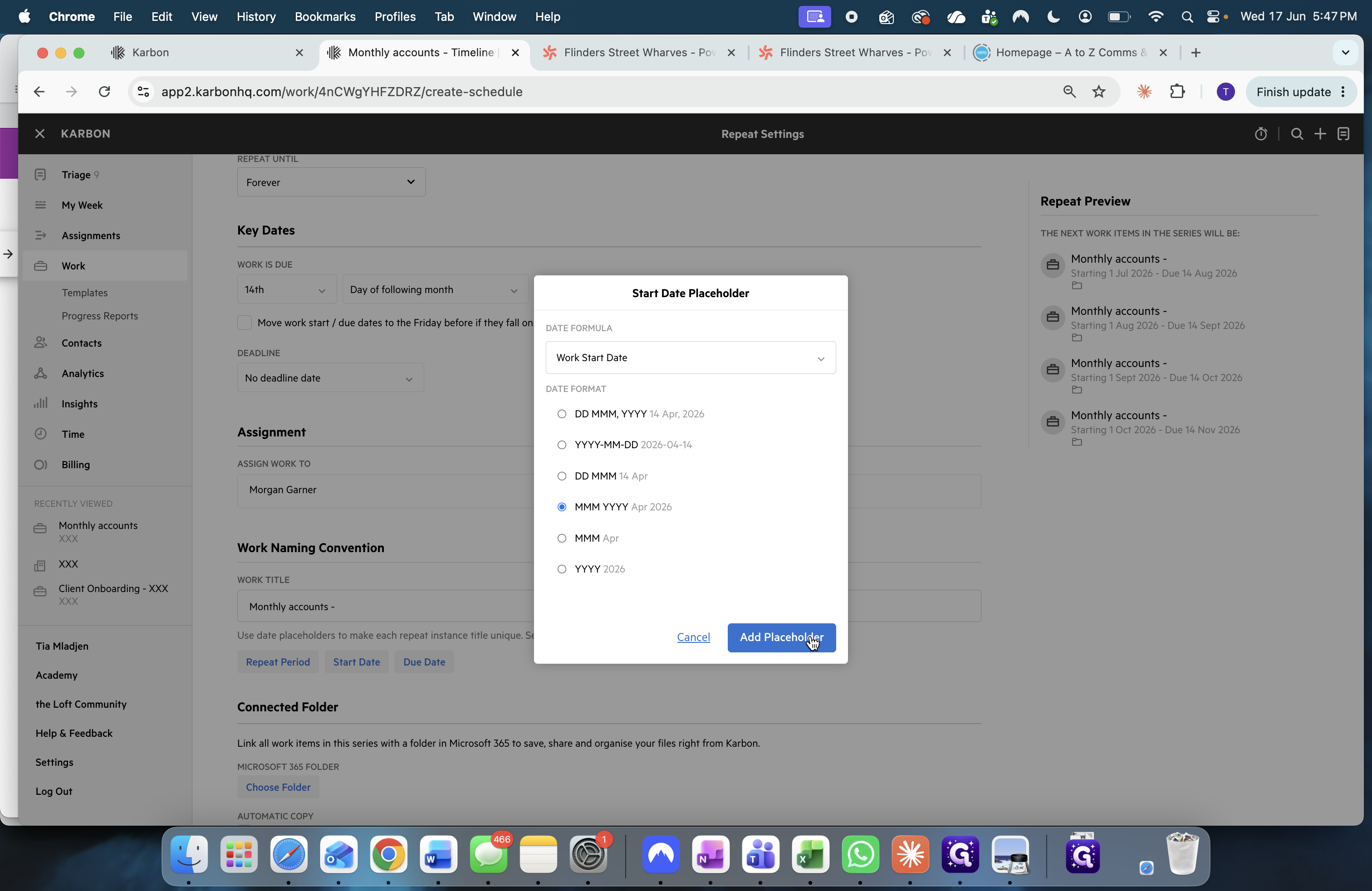
Automate Work Creation
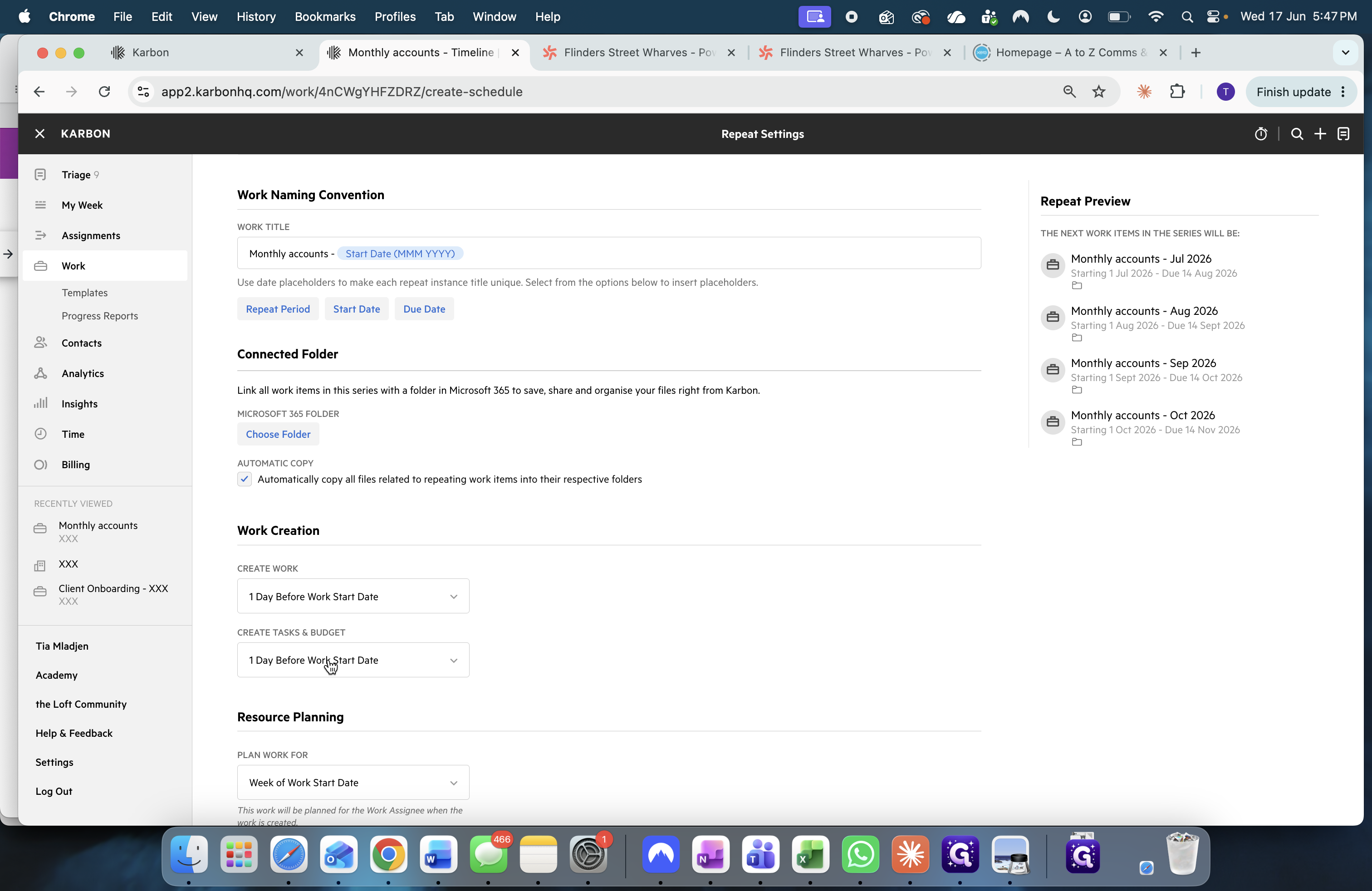
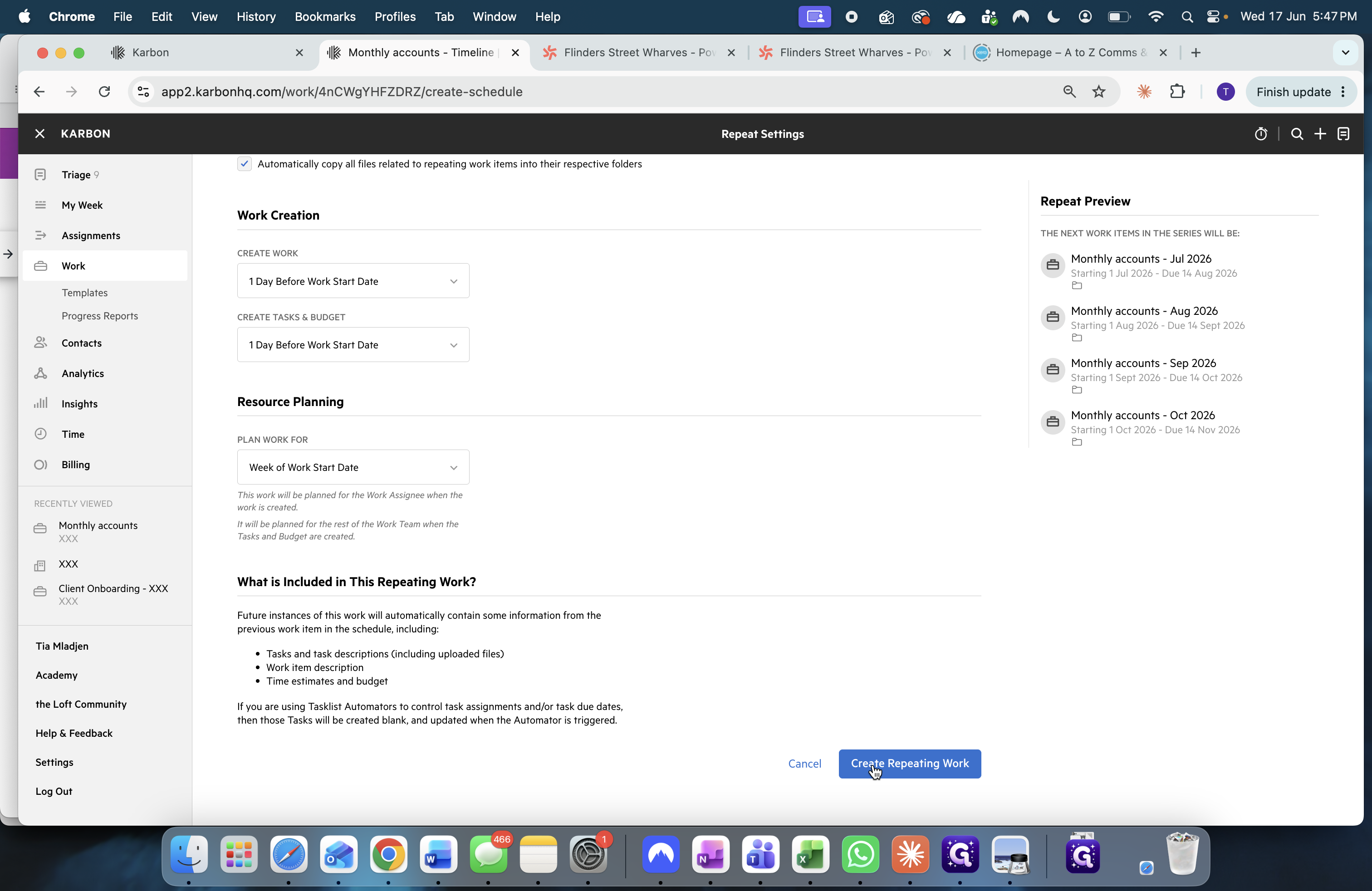
To keep your dashboard clean, configure the system to generate tasks shortly before they are actually needed.
Q: What should I do if the client hasn't specified exactly when their monthly compliance should start?
A: Reach out to the client directly via chat or email to confirm their preference. Some clients prefer it on the first of the month, while others prefer the last day of the month.
Q: What date should be used as the "Start Date" for a payroll workflow?
A: Set the start date to align with the payroll period's end date (the "week ending" date), rather than using the actual date the employees are paid.
Q: How far in advance should automated repeating tasks be created?
A: It is highly recommended to configure the system to create the task just one day before the work start date. This prevents long backlogs and keeps your dashboard clean.
Q: How do I handle "payday super" requirements in these workflows?
A: Because payday super requires superannuation to be paid at the same time as standard payroll, you will typically need to adjust your individual payroll workflow template to include a step for verifying super checks alongside normal payroll runs.
Term | Definition |
|---|---|
BAS (Business Activity Statement) | A tax reporting requirement in Australia submitted to the ATO to report and pay GST, PAYG installments, and other tax obligations. |
Fortnightly | Occurring every two weeks, commonly used to describe standard payroll processing cycles. |
Lodgment | The formal submission of statutory reports or tax returns to a regulatory or government body. |
Payday Super | A regulatory requirement where employers must pay superannuation contributions on the same day they pay their employees' regular salary. |
Reconciliation (Recs) | The accounting process of comparing two sets of records to ensure figures are correct and in agreement. |
Superannuation (Super) | A compulsory organizational system of placing a minimum percentage of an employee's income into a designated retirement fund. |