
How to Settle an AmWest Deal from an Investor Email
Learn how to accurately settle an AmWest deal by updating closing dates, balances, and final prices in the master tape using an investor settlement email.
This guide demonstrates how to settle an AmWest deal by extracting data from an investor settlement email and updating the master tape. Completing this workflow ensures all loan balances, closing dates, and final prices are accurately recorded in the database prior to funding.
This process applies to capital markets analysts and funding specialists responsible for updating and verifying loan data during the trade settlement phase.
Retrieve Settlement Data
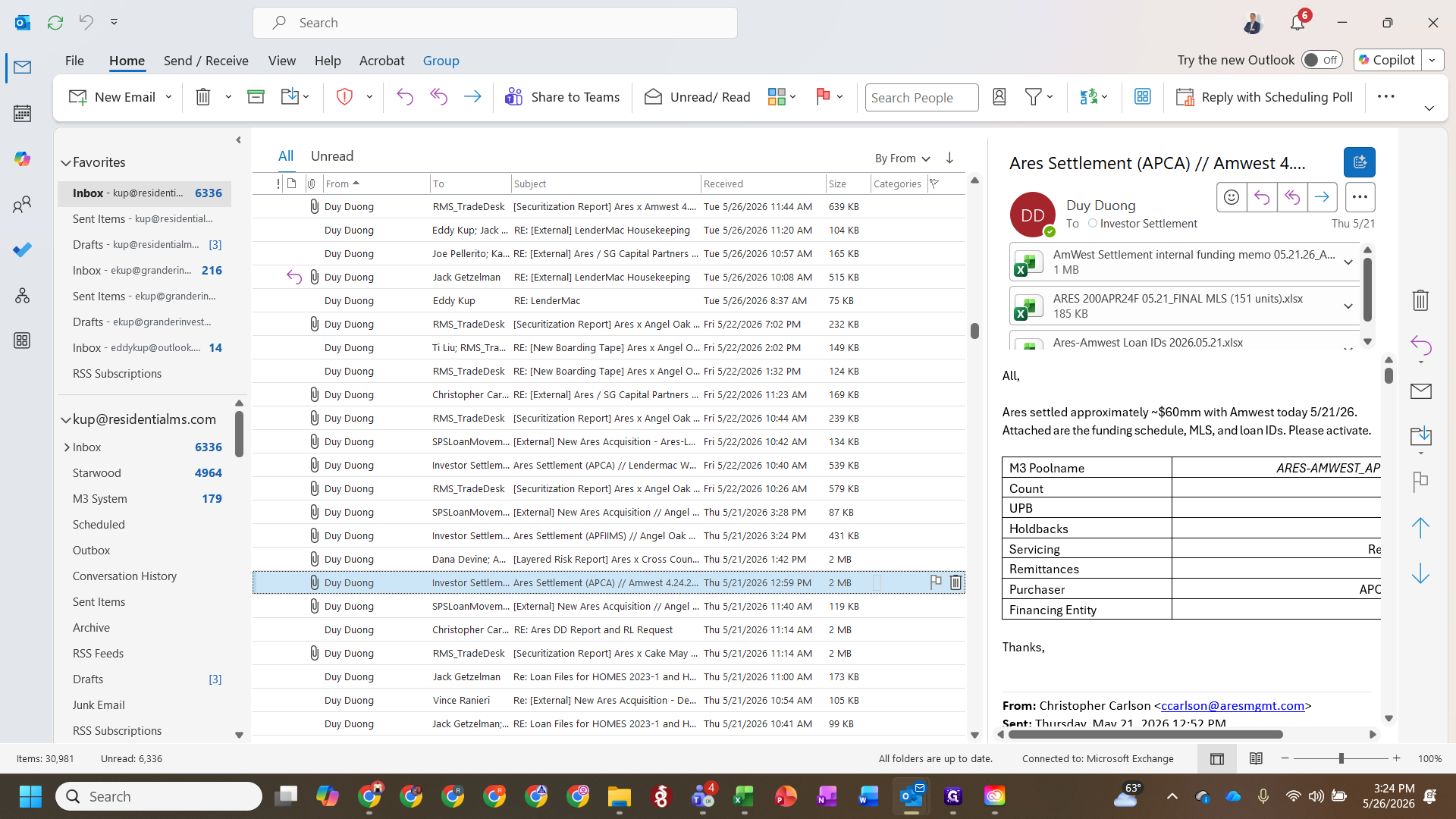
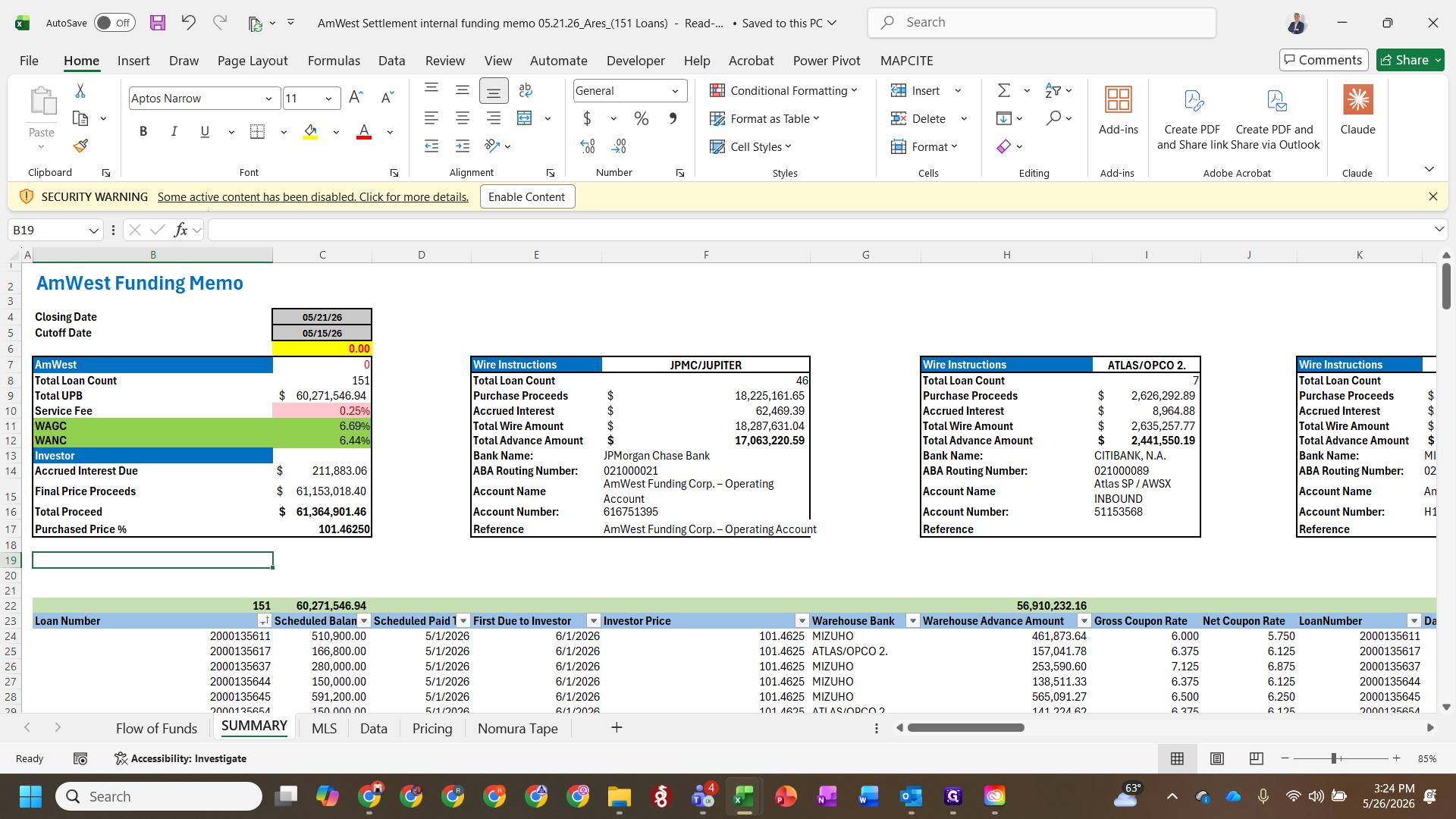
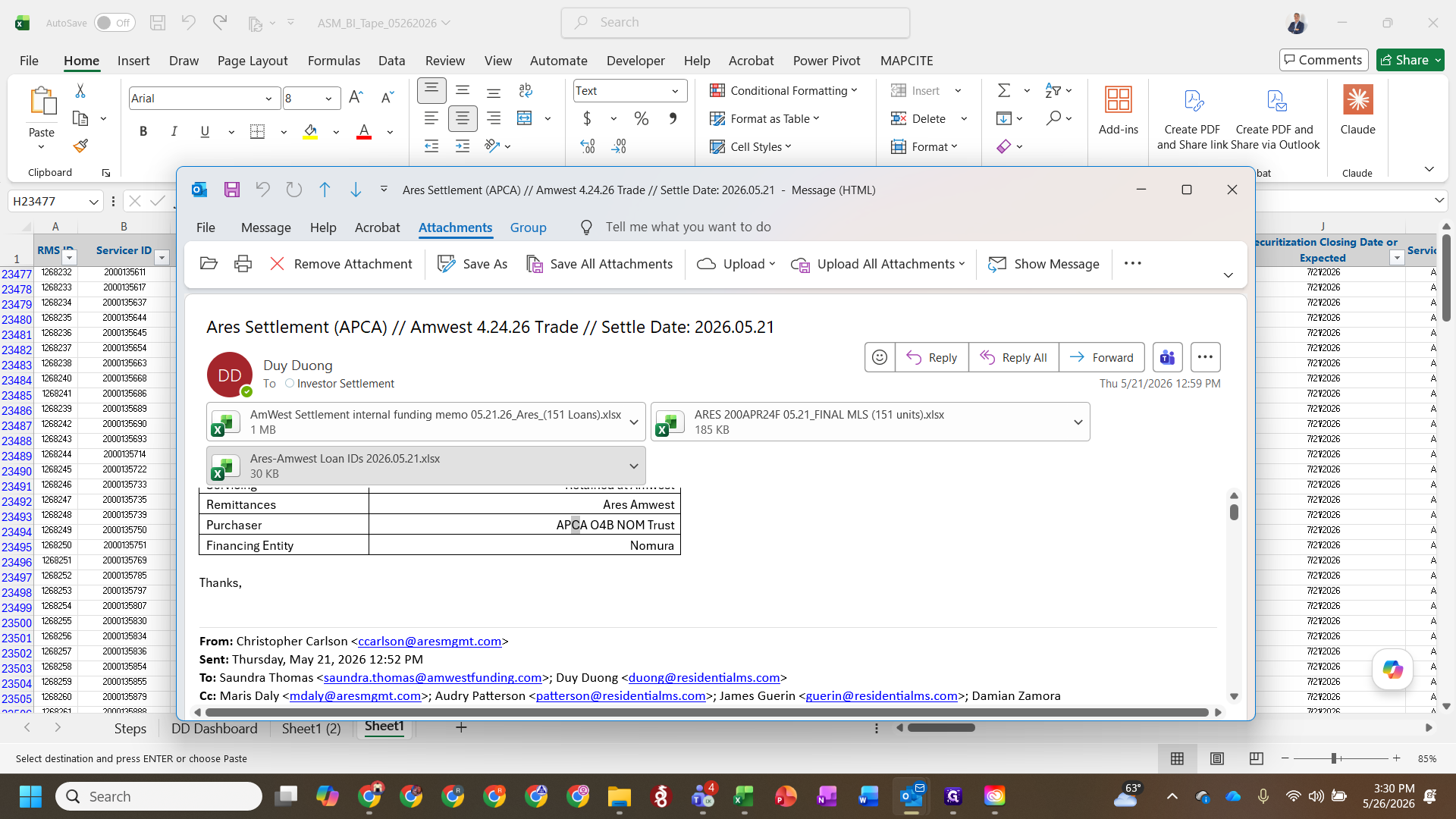
Match Closing Dates
=XLOOKUP( in the targeted cell to start mapping closing dates from the funding memo into your master tape.Filter and Validate Loan Records
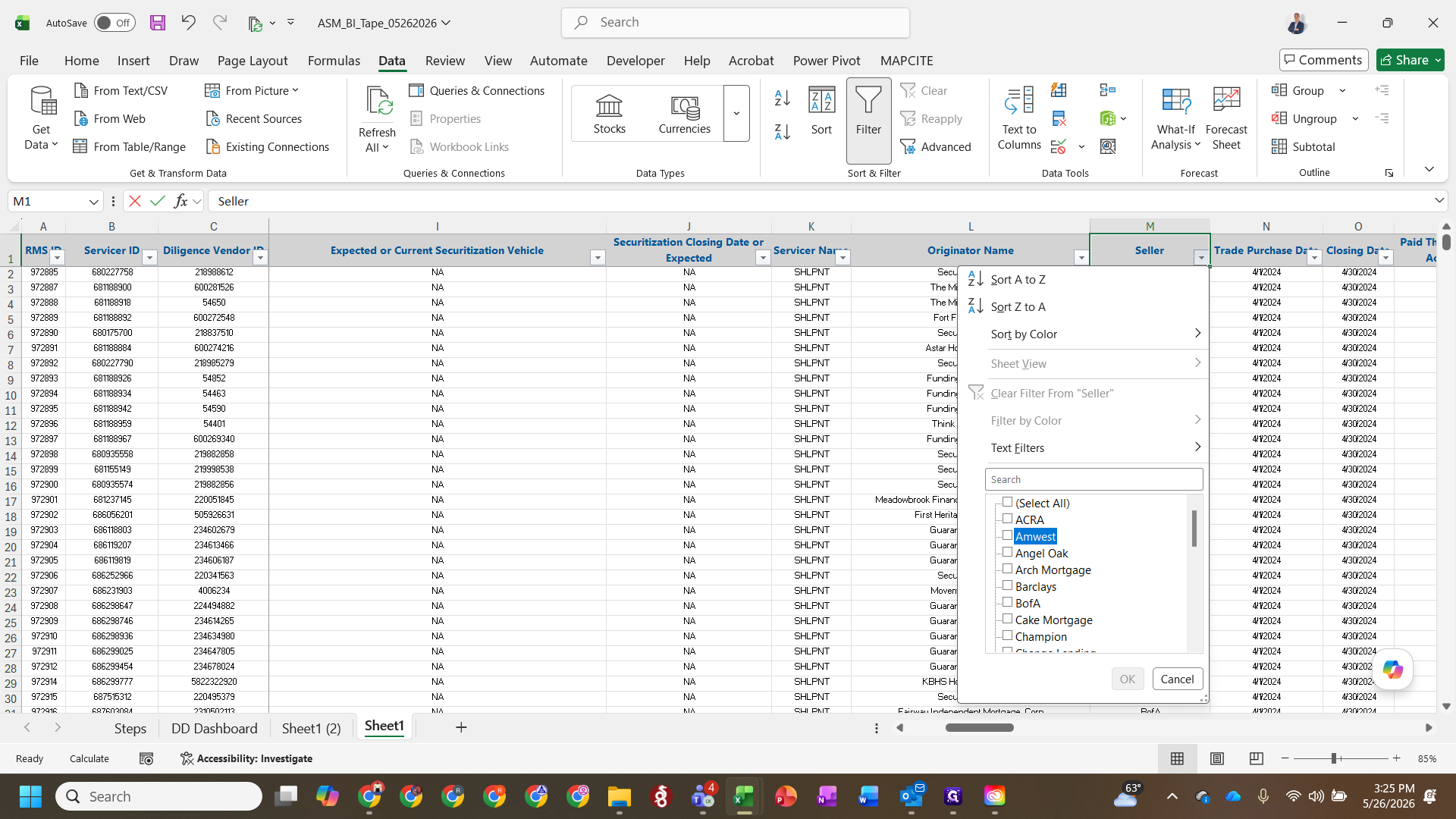
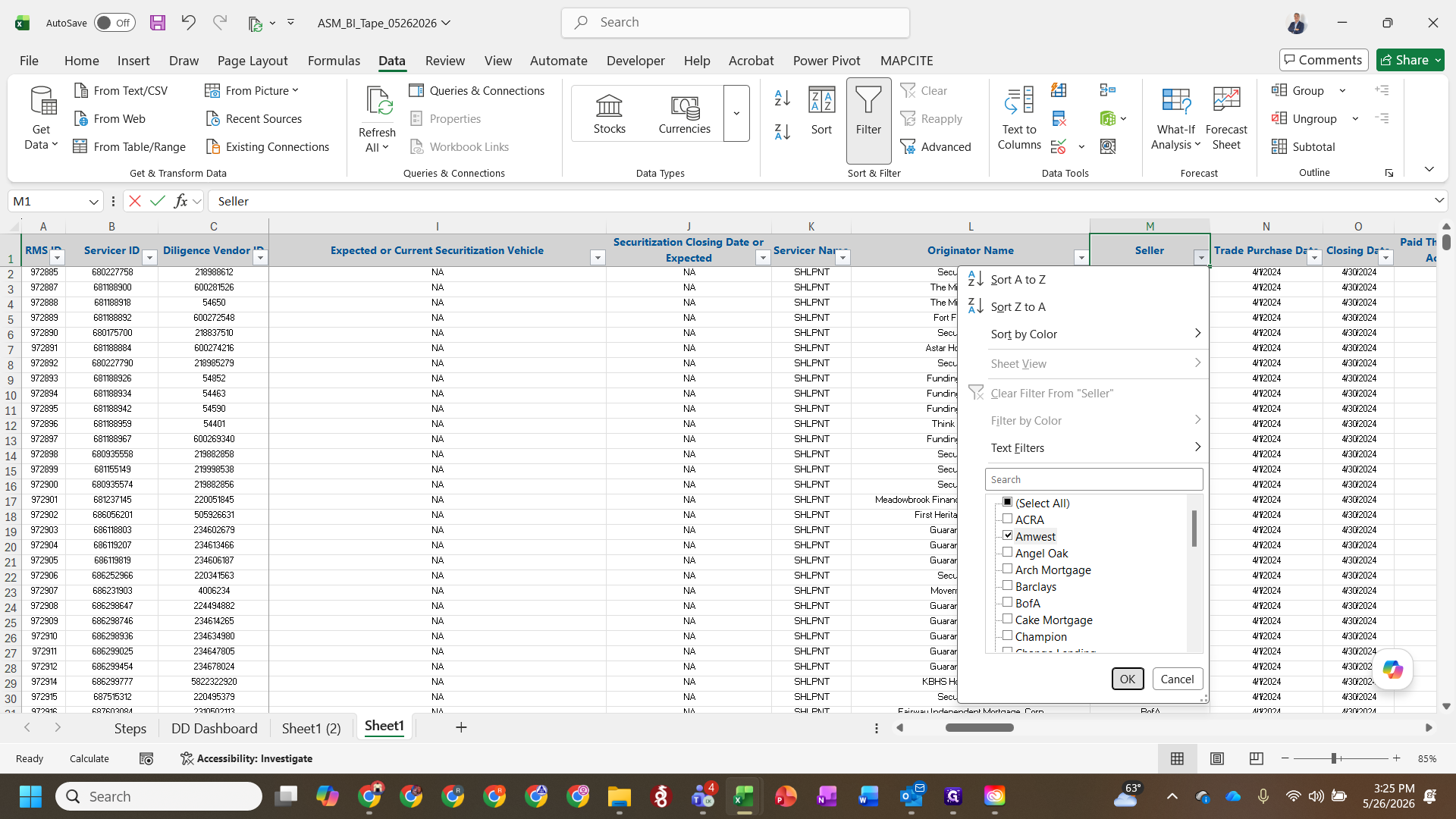
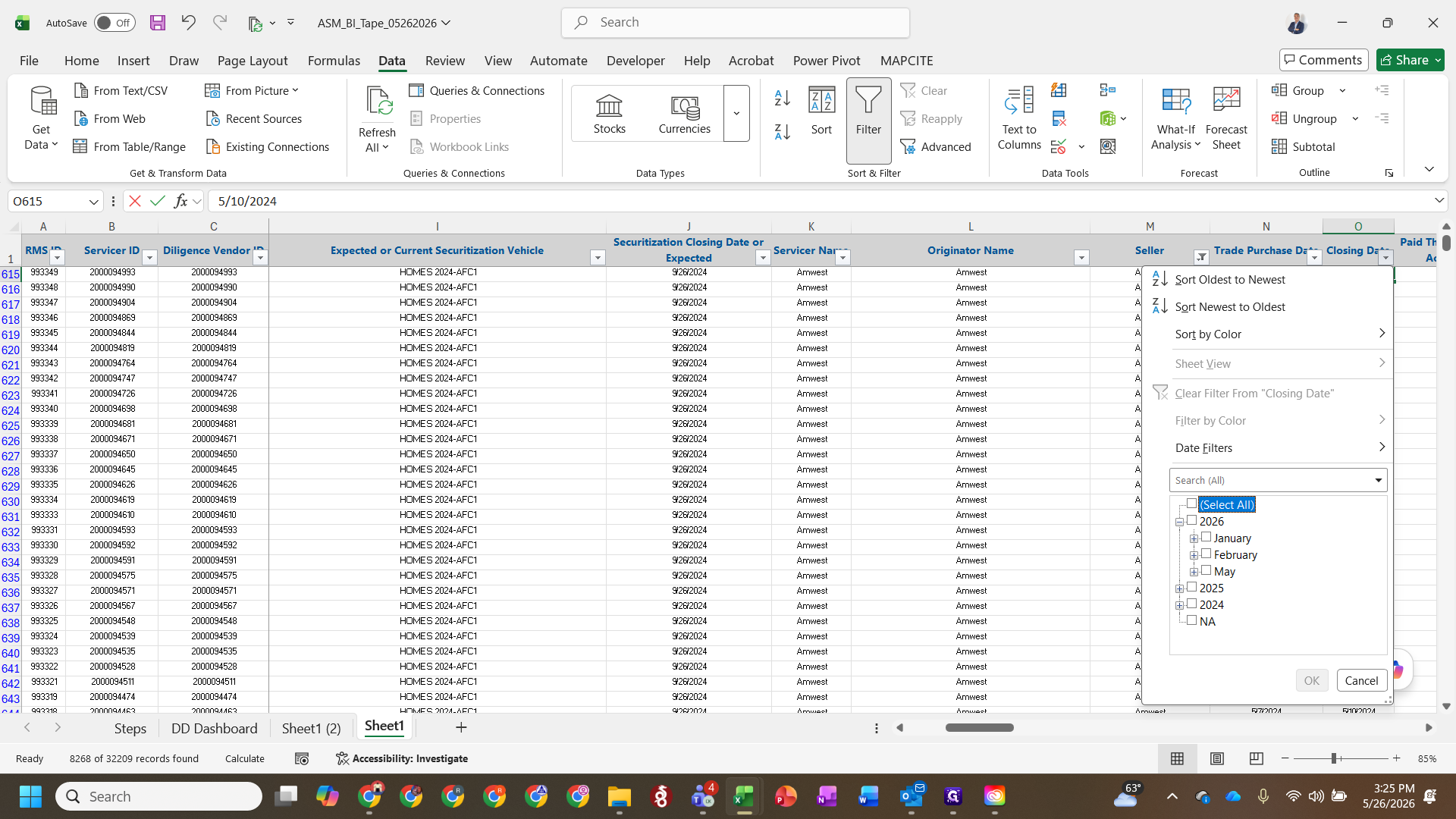
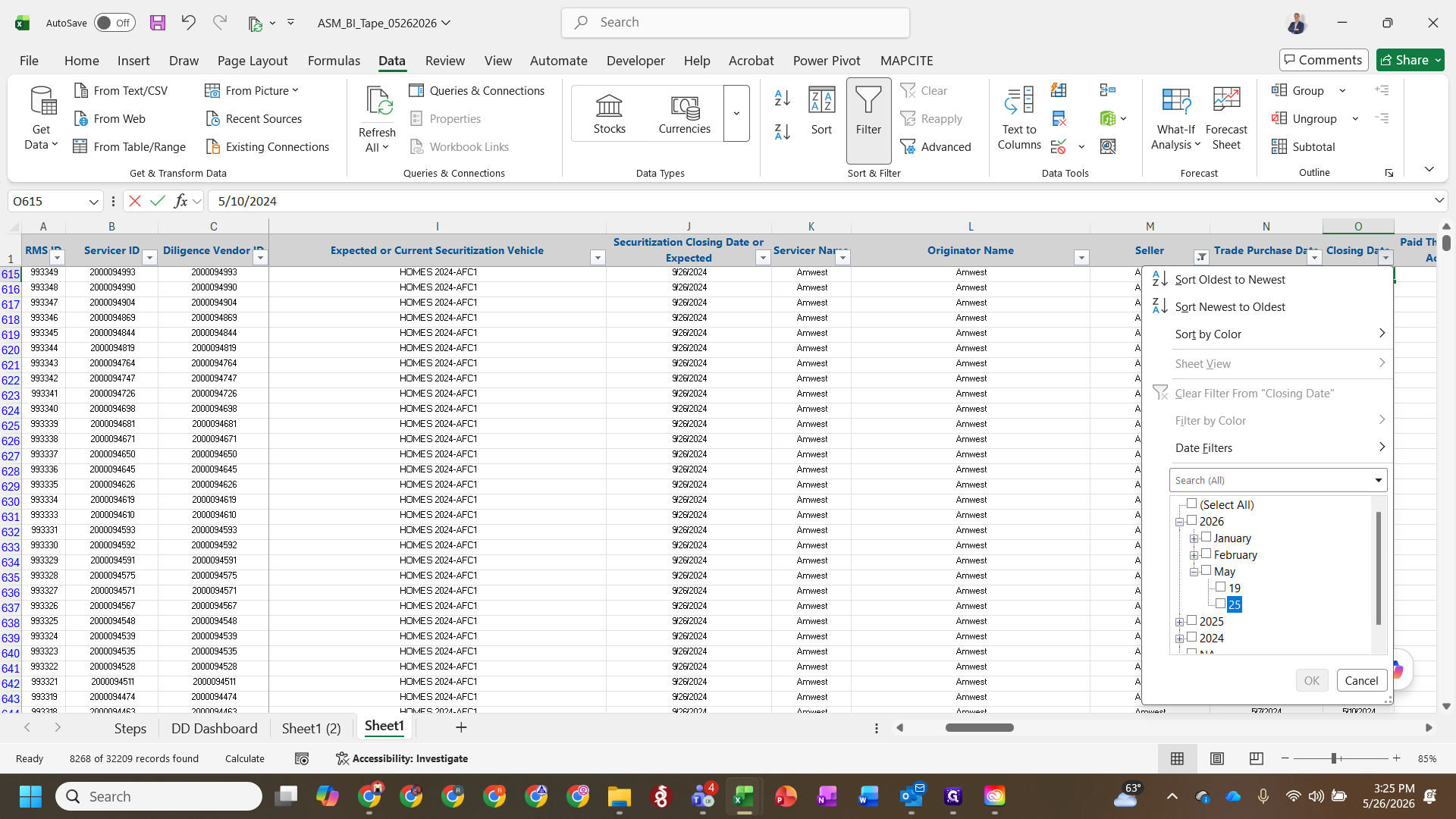
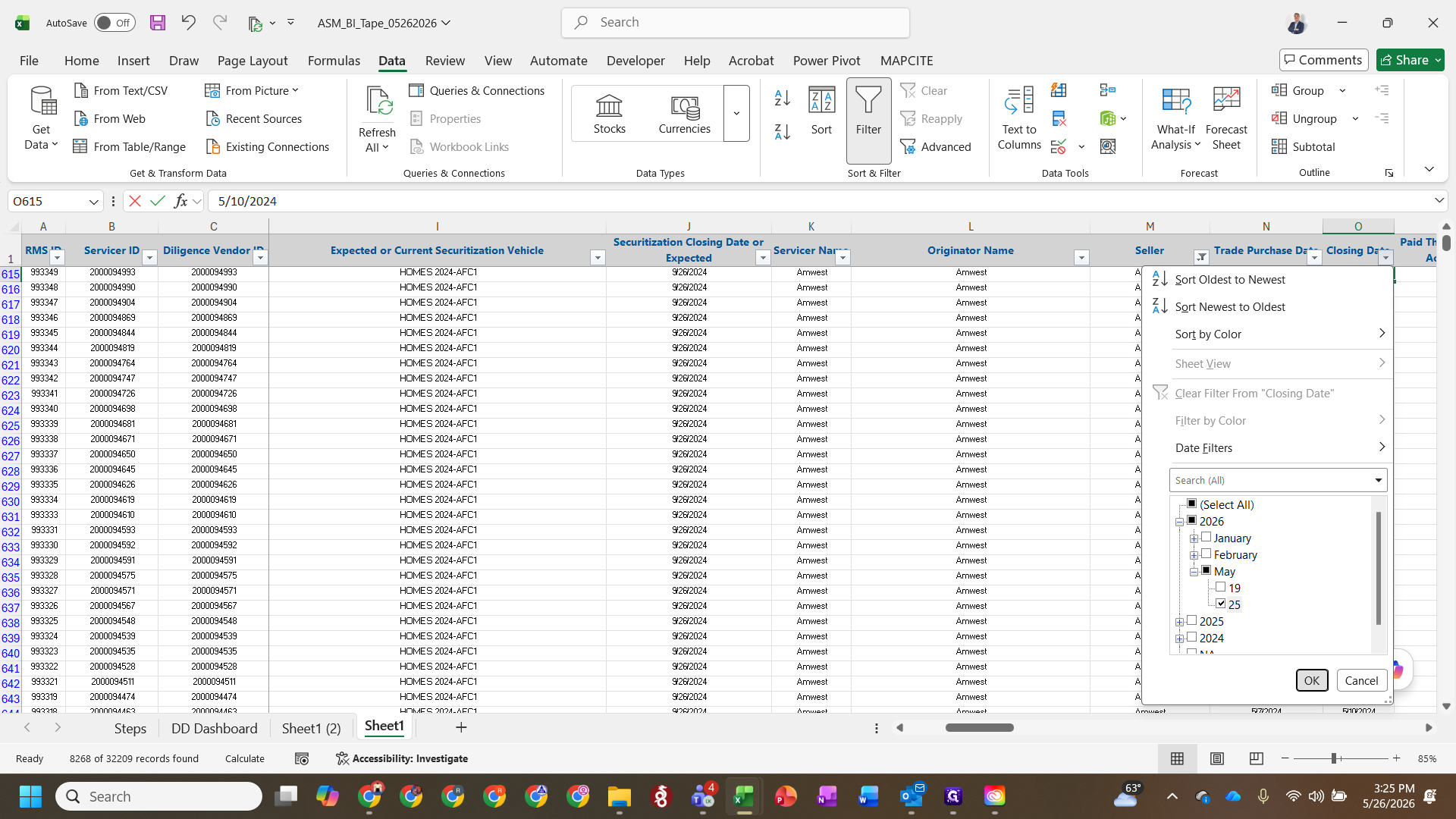
Handle Dropped Loans
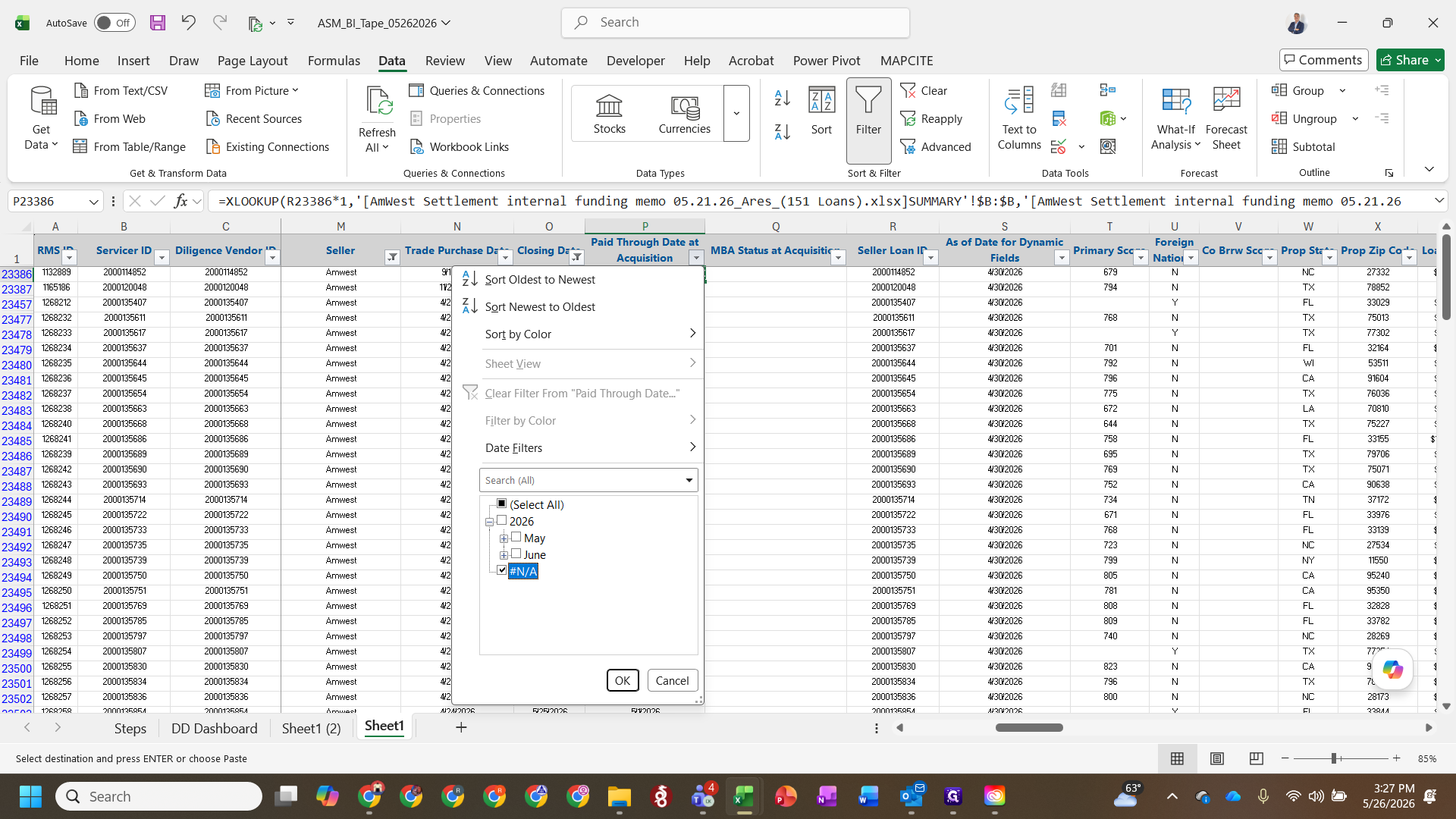
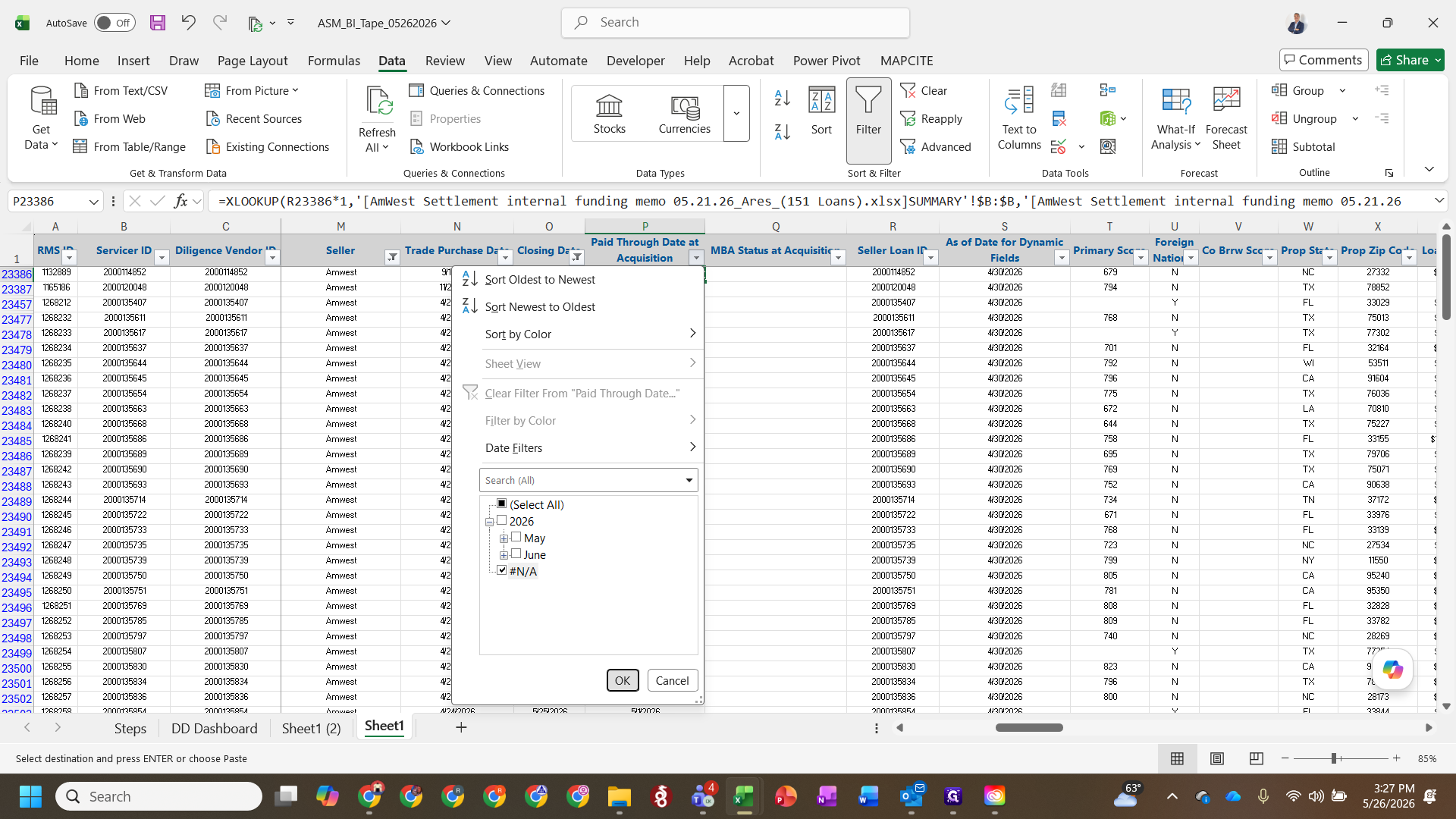
NA (or enter a 0% delivery rate) to clear the closing dates and fund names for these non-funding loans, then press Enter.Update Balances and Dates
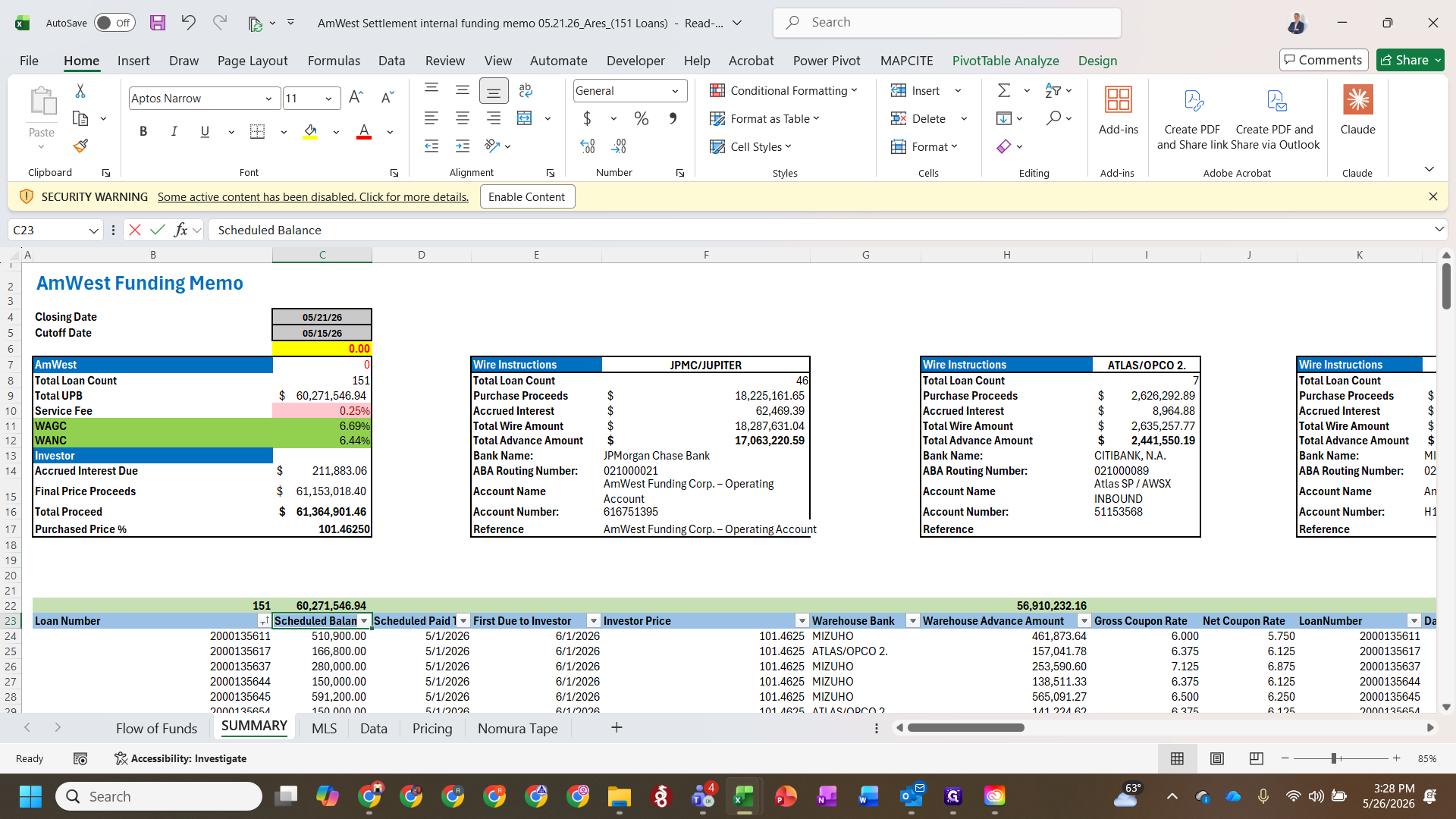
=EDATE([cell], 1) to automatically calculate the payday date as one month after the interest date.Finalize the Data Tape
Q: What if a loan is returning an N/A value and is not in the population?
A: For loans returning an N/A, change the closing date and fund names to NA, or set the delivery to 0% since they are likely to be removed before funding.
Q: How do we handle pools that are separated during funding?
A: Adjust and update the closing dates as accurately as possible based on the memos. If a definitive target closing date is unknown, add one to two weeks to the current date.
Q: Why do we multiply the scheduled pay-to date by one in Excel?
A: Multiplying by one forces Excel to convert text-formatted date strings into actual numeric date formats, preventing calculation errors.
Term | Definition |
|---|---|
Master Tape | The central database or spreadsheet containing comprehensive details of all loans in a transaction. |
TPR Vendor | Third-Party Review vendor responsible for conducting independent diligence on the loan files. |
Cut-off Date | The date on which loan balances and accrued interest are calculated for the purpose of the sale. |
XLOOKUP | An Excel function used to search a range or array and return the corresponding item from another column. |