
How to Submit FCR and SCN Forms in Smartsheet
Learn how to accurately complete and submit Field Change Request (FCR) and Service Completion Notice (SCN) forms directly from your Smartsheet dashboard.
This guide explains how to complete and submit both Field Change Request (FCR) and Service Completion Notice (SCN) forms via a Smartsheet WorkApps dashboard. Accurately filling out these forms ensures that site-specific project changes and milestone completions are formally documented alongside their required files.
This workflow applies to Site Project Managers. You will use this process whenever you need to officially report a change in project scope or sign off on completed service tasks.
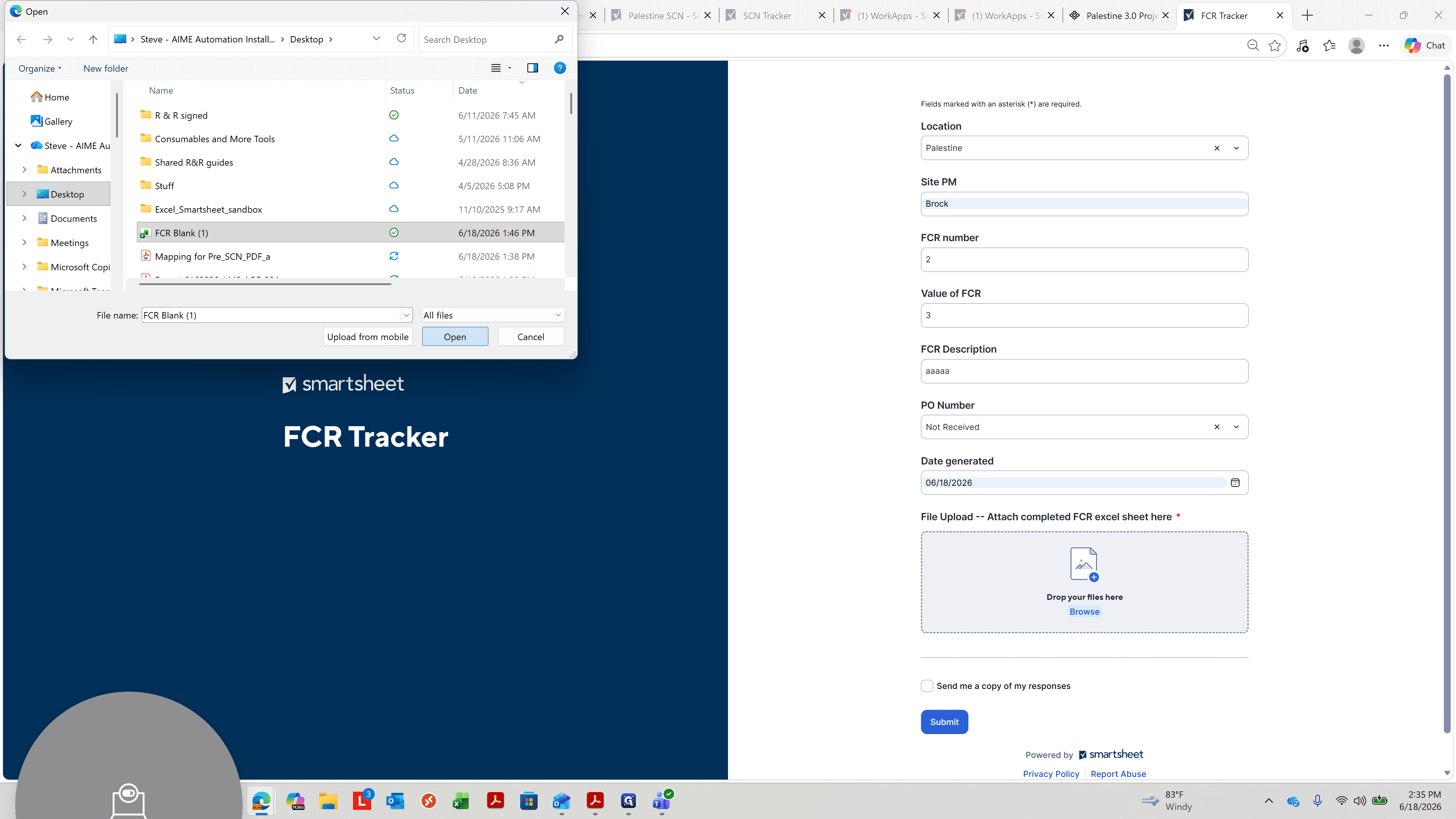
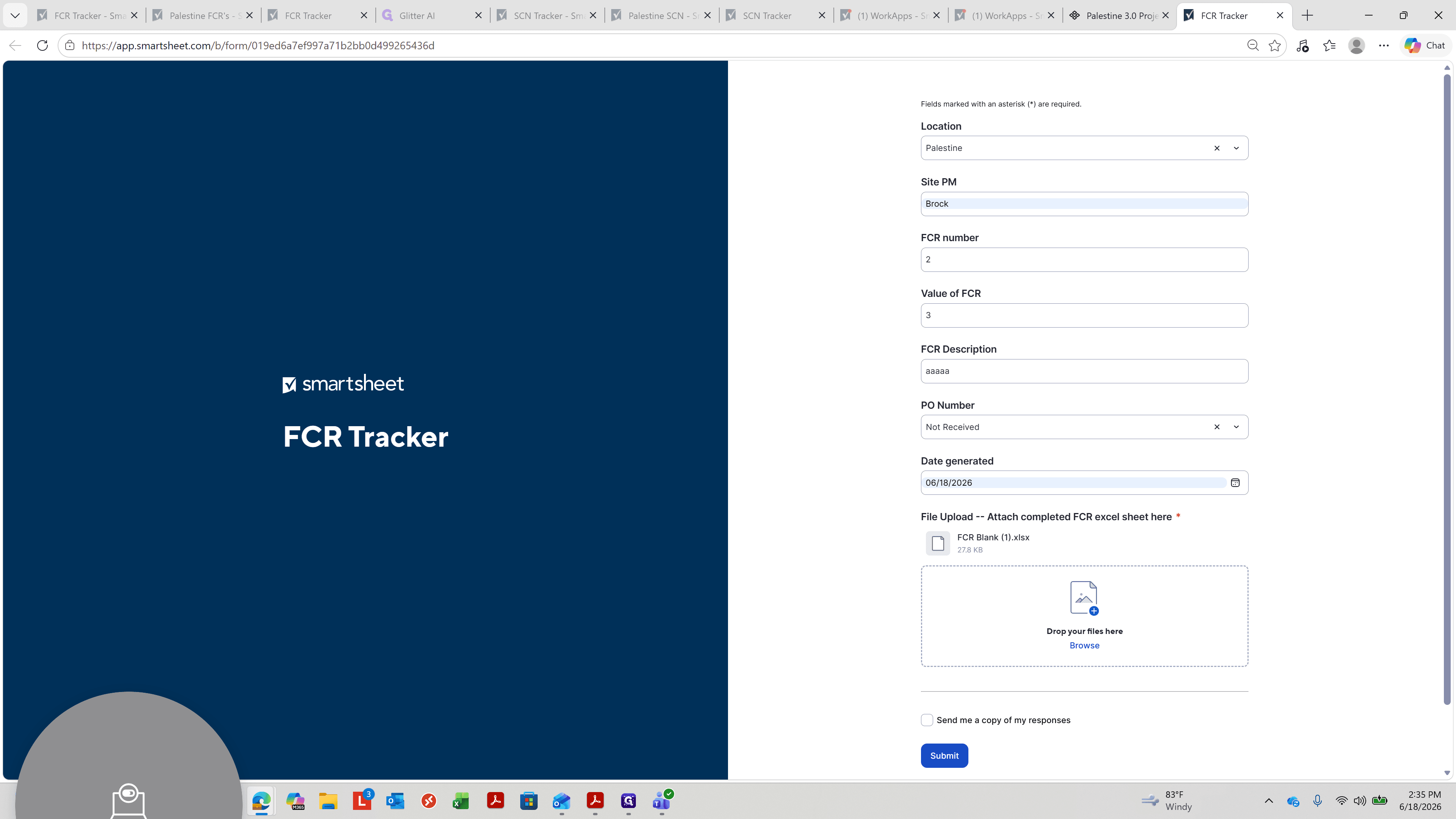
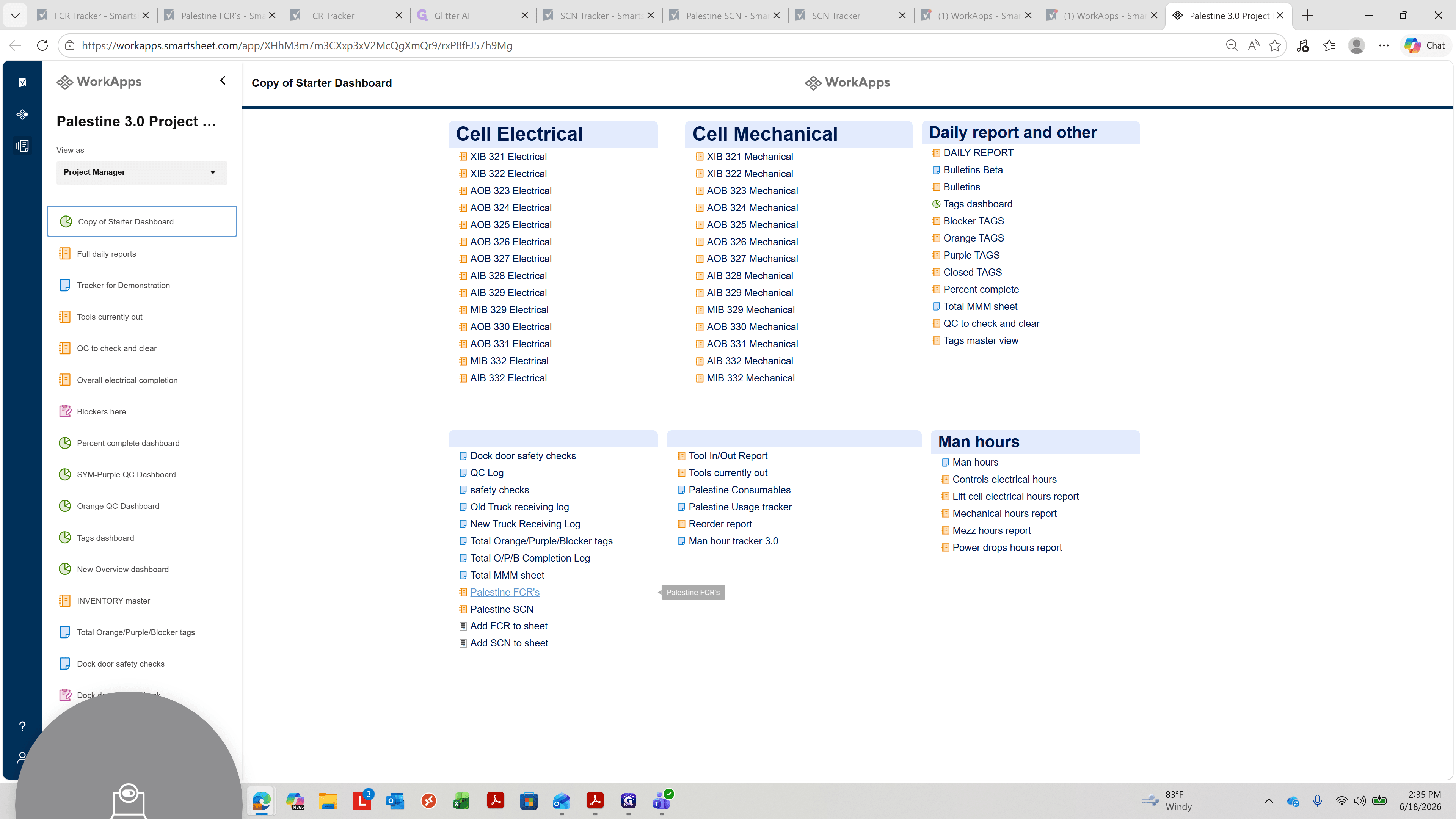
Submit a Field Change Request (FCR)
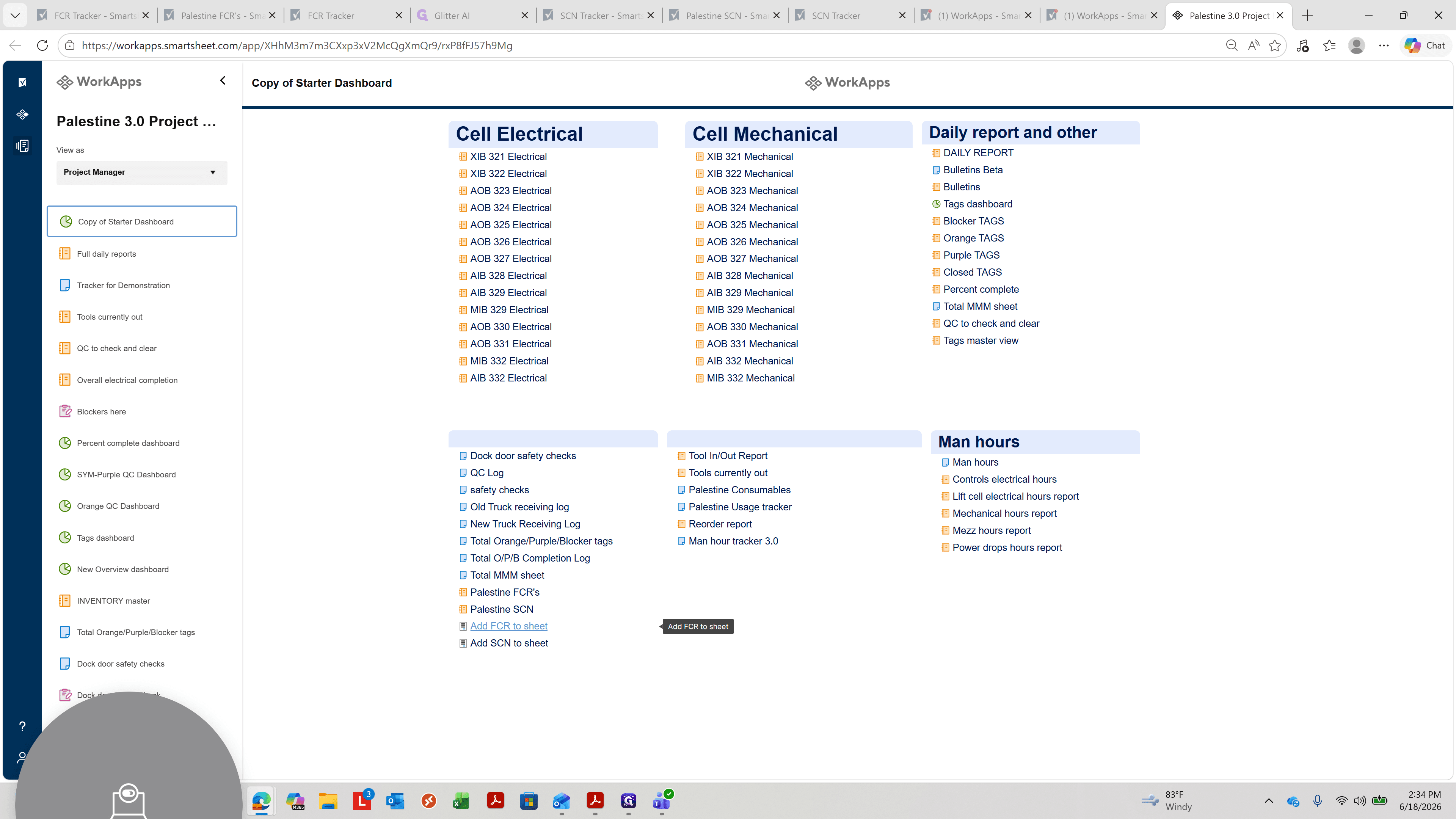
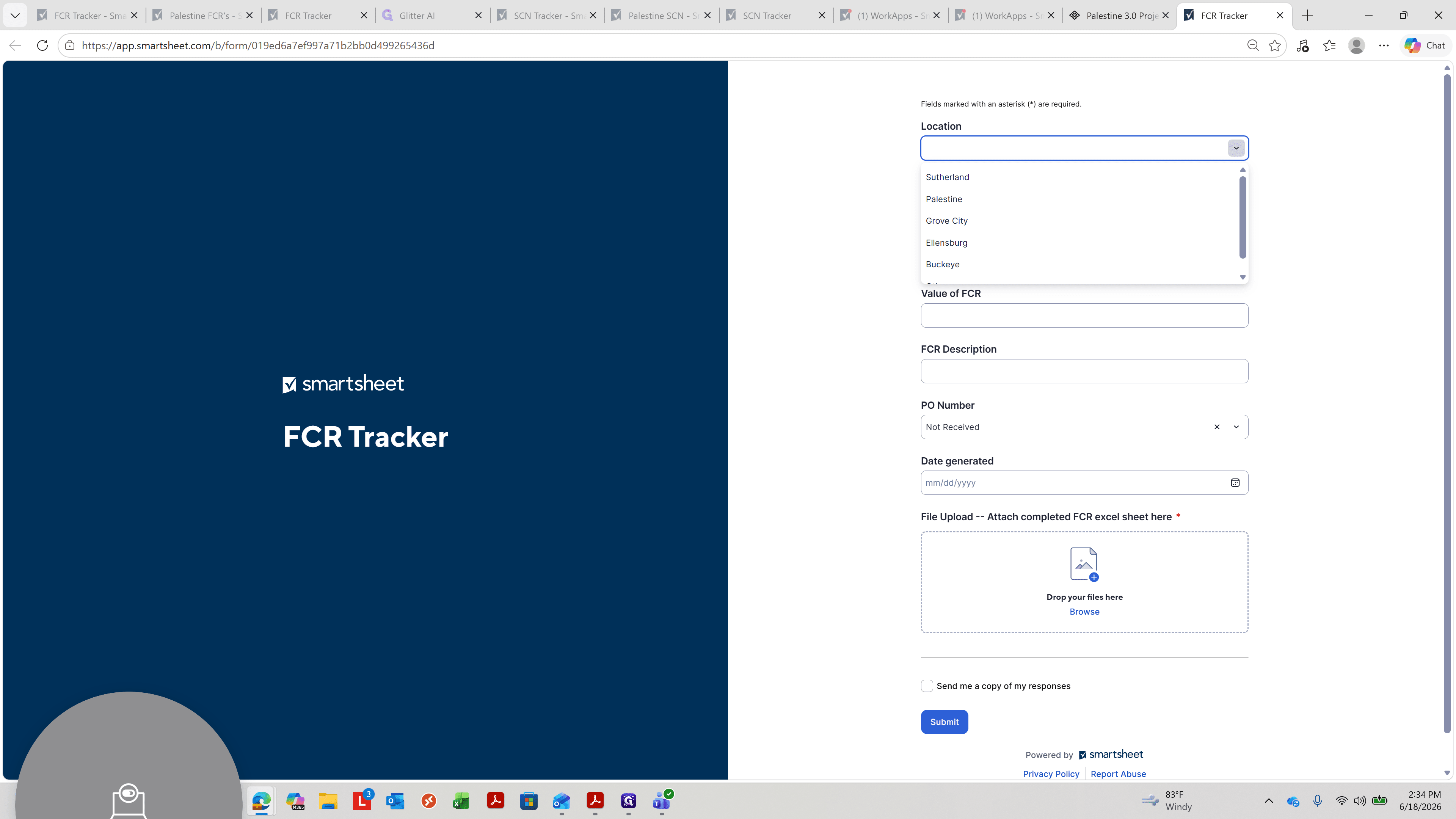
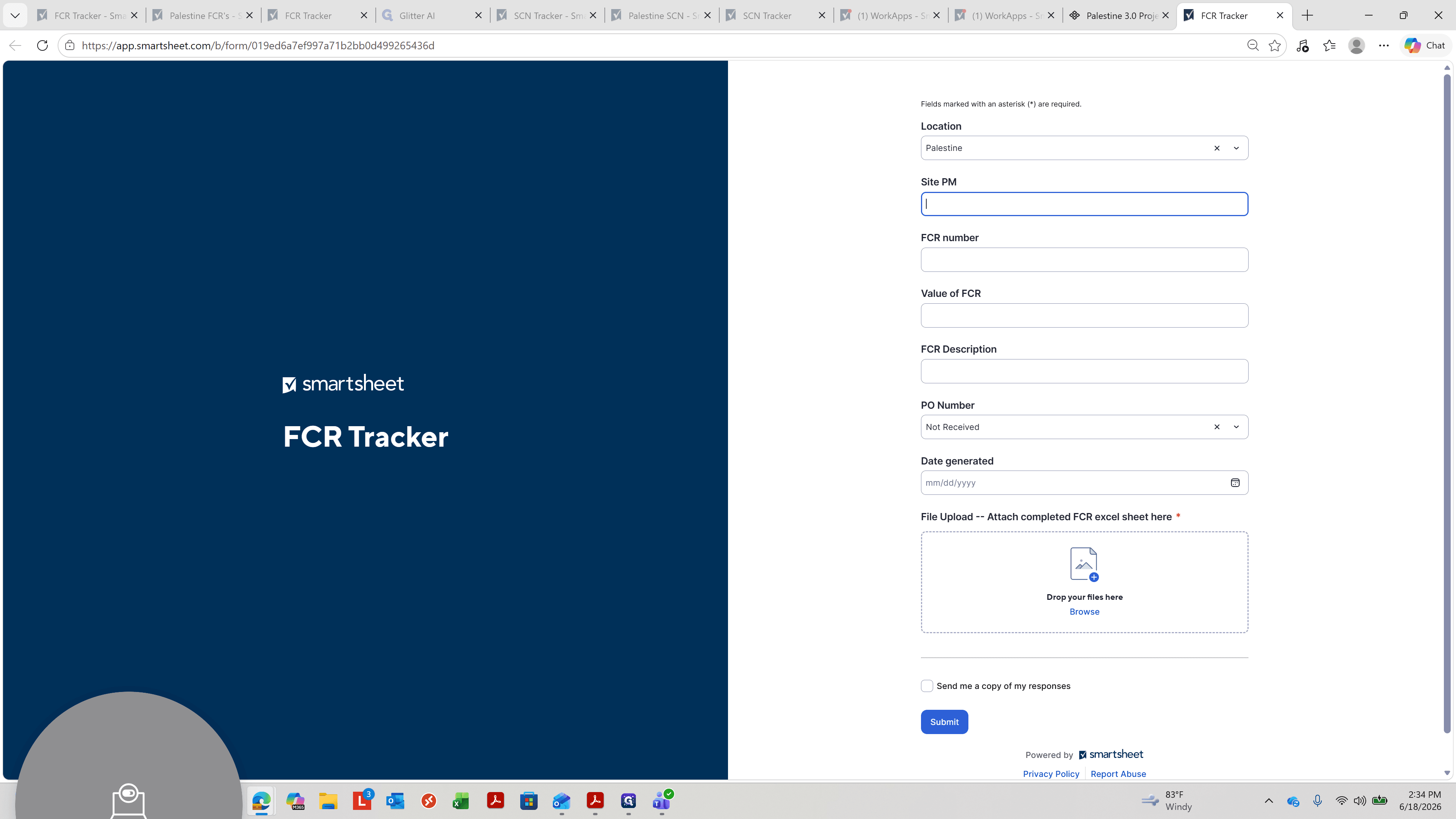
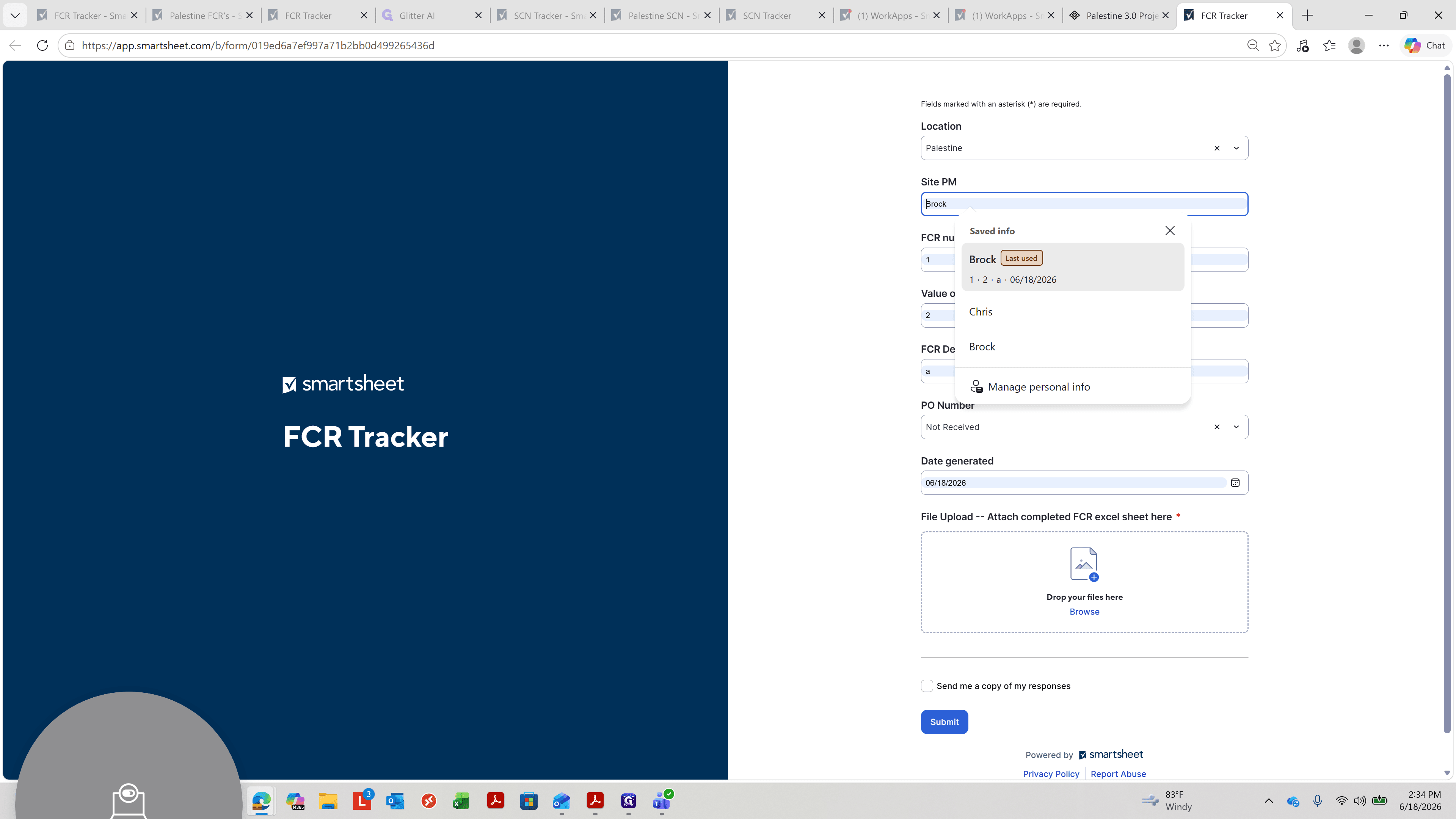
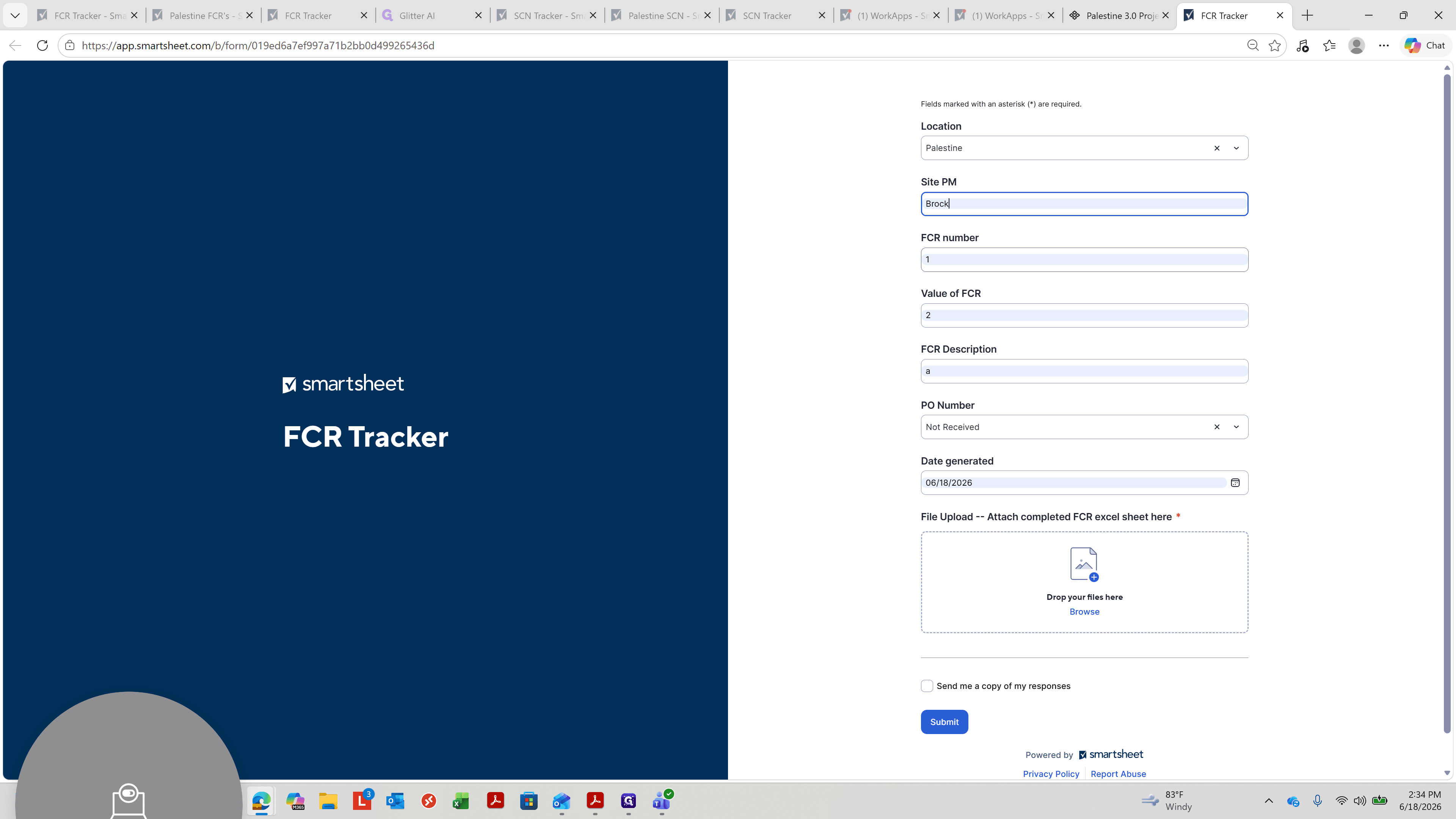
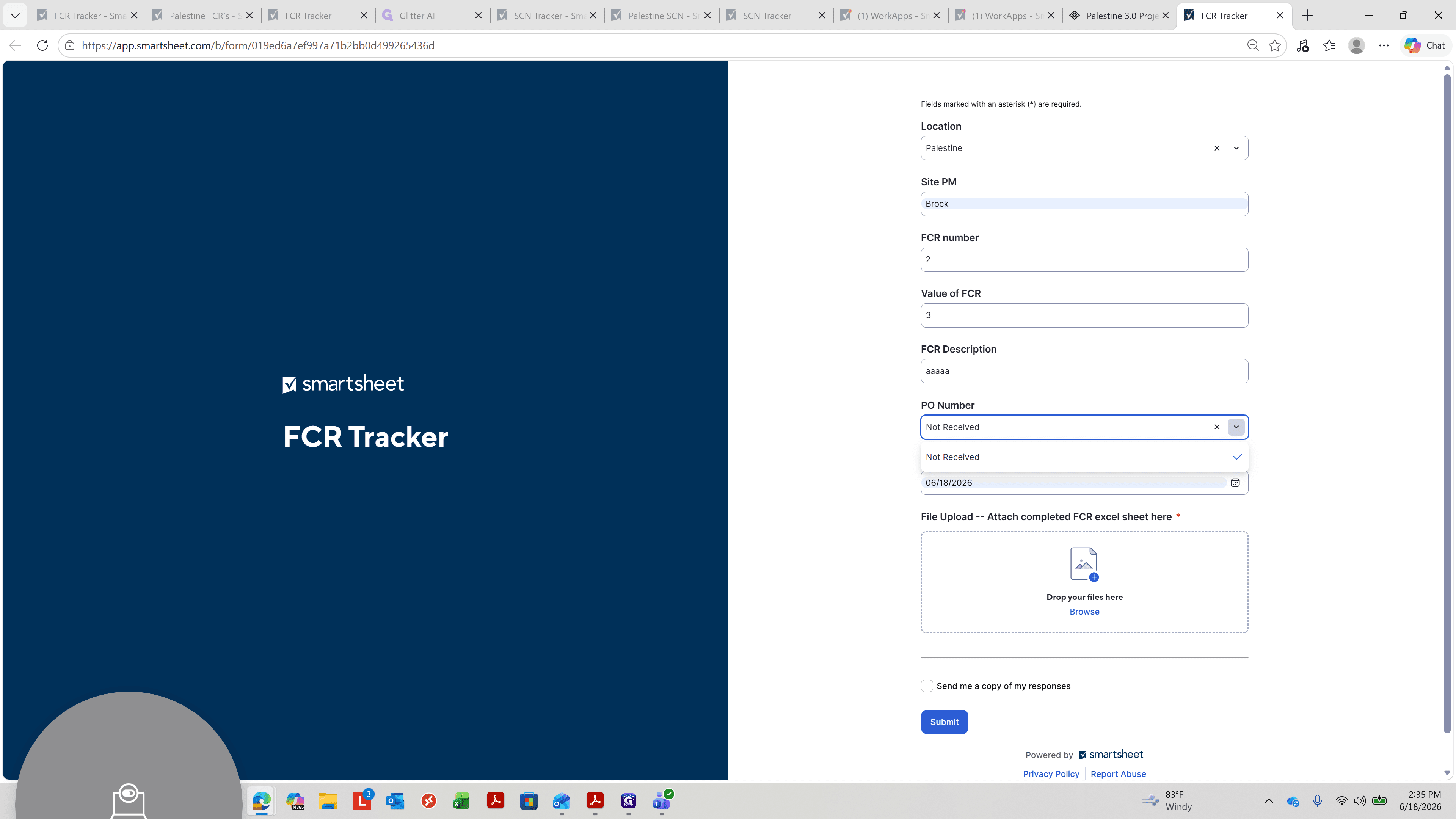
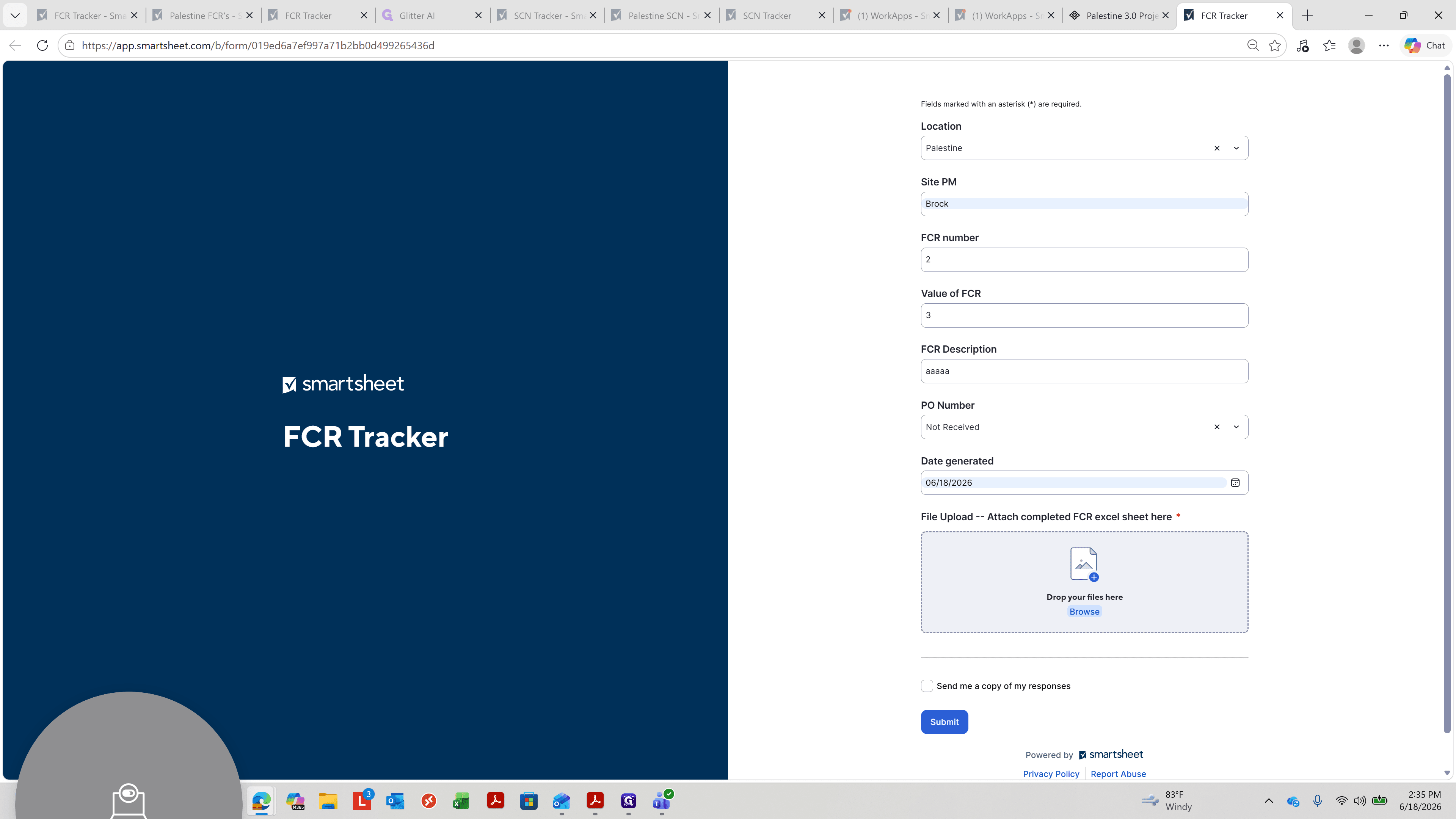
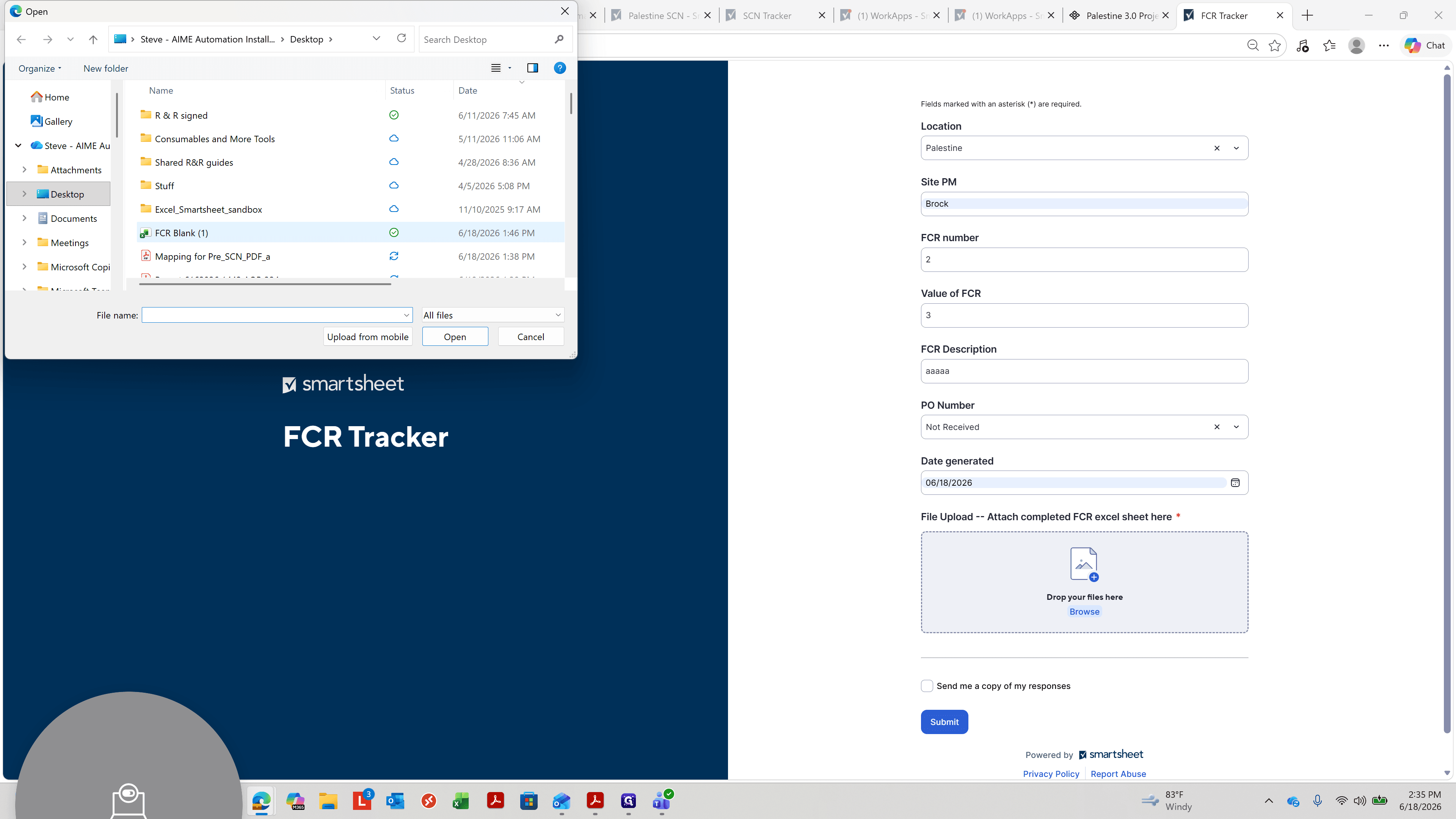
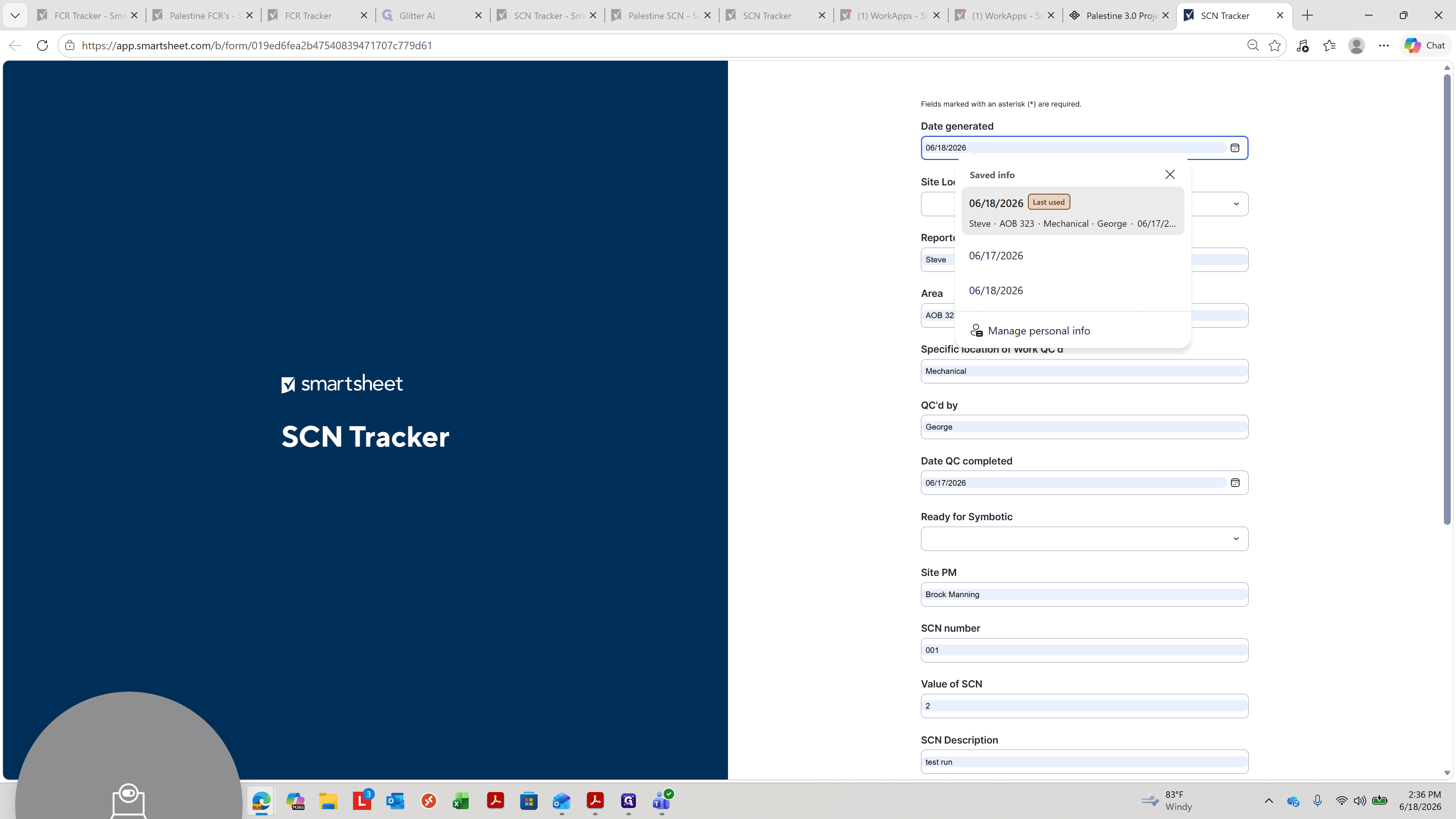
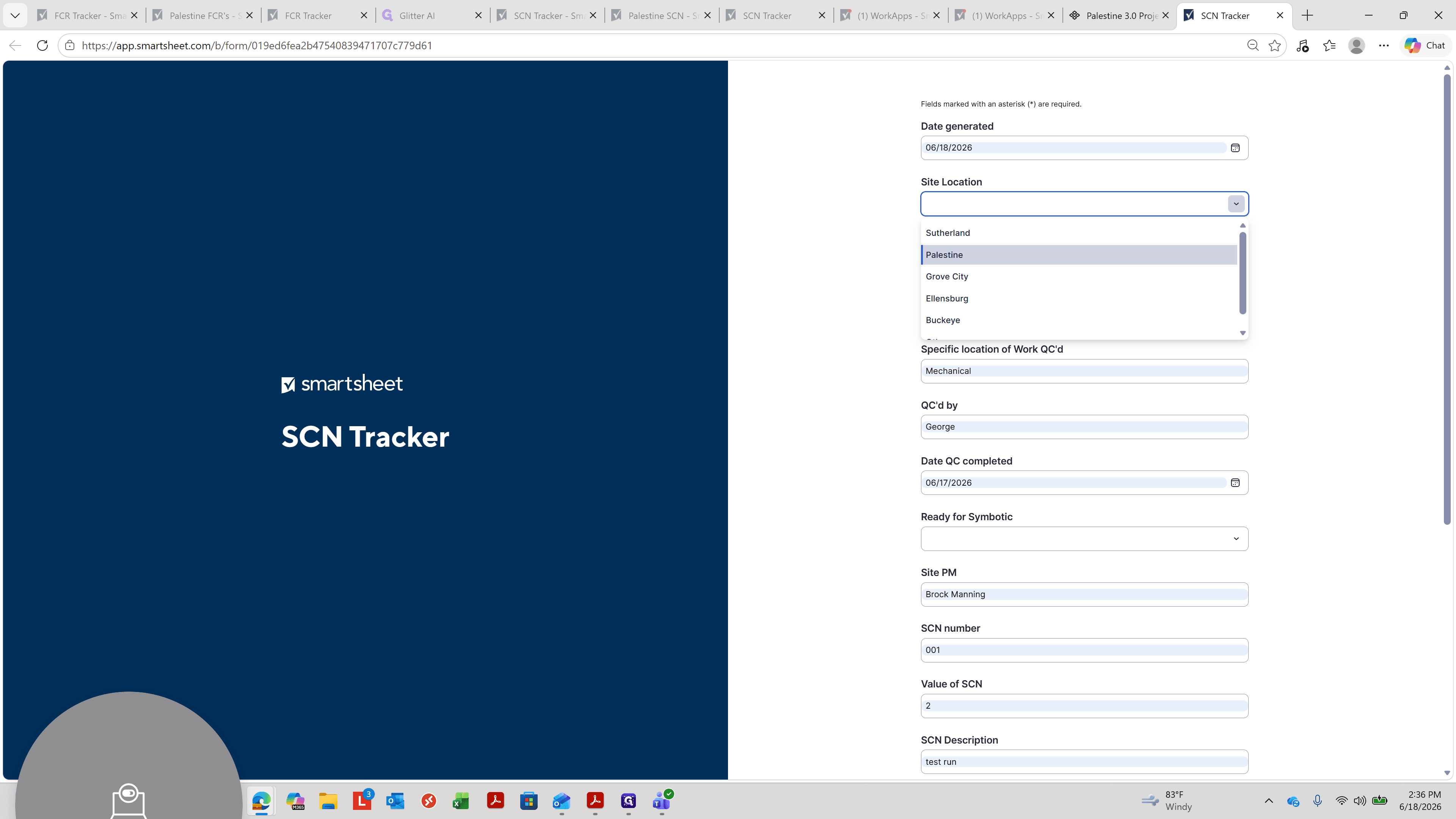
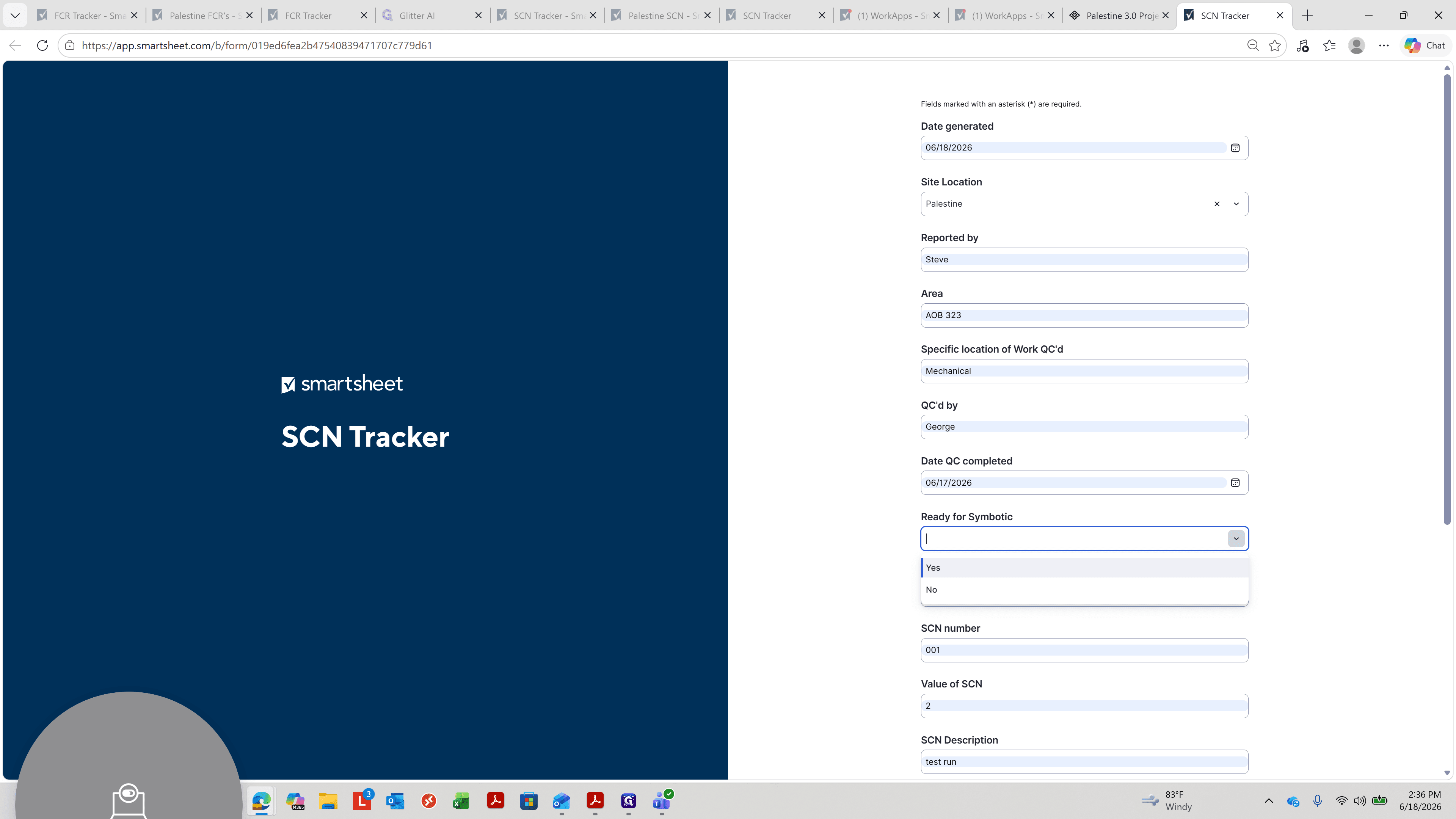
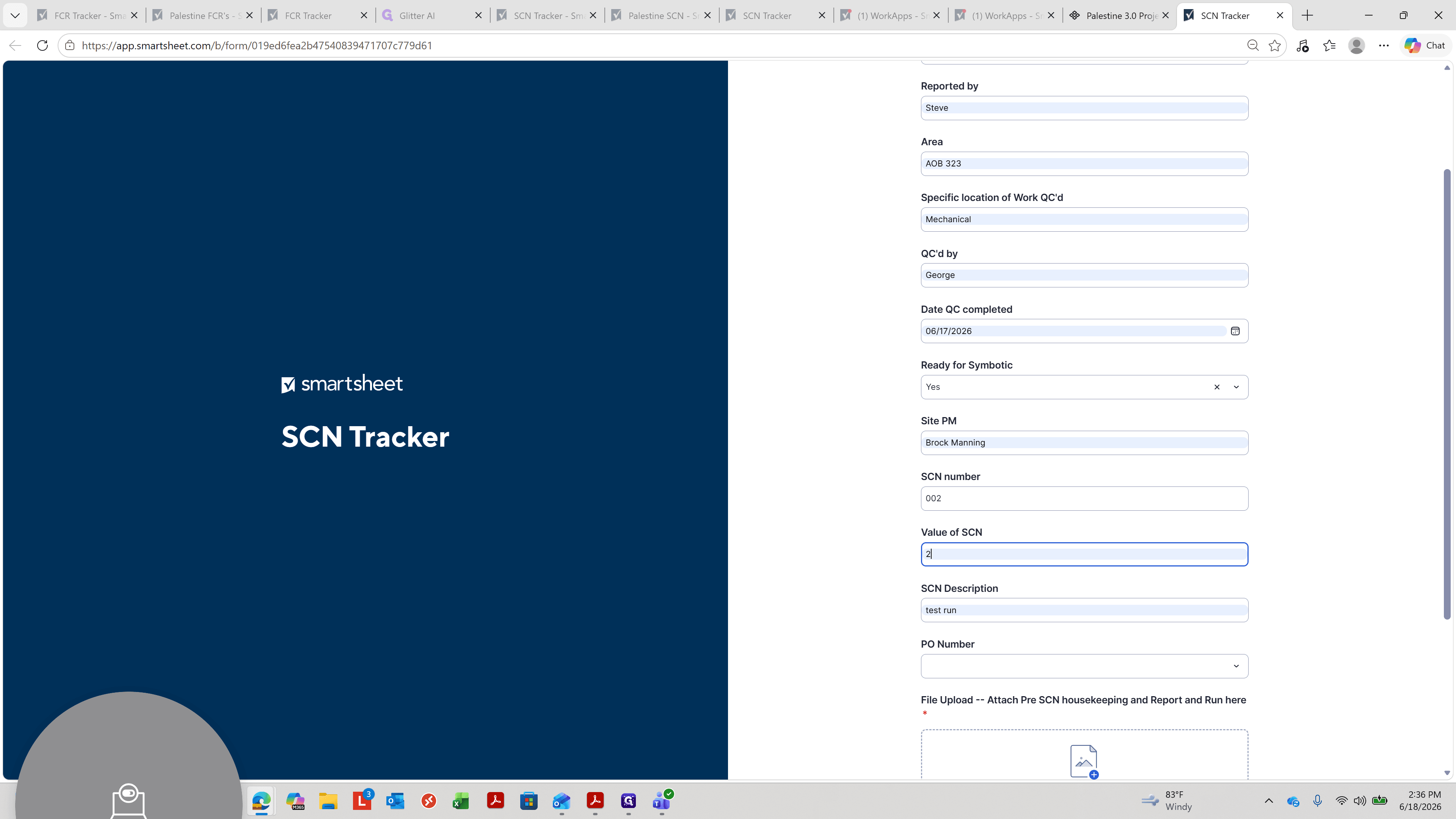
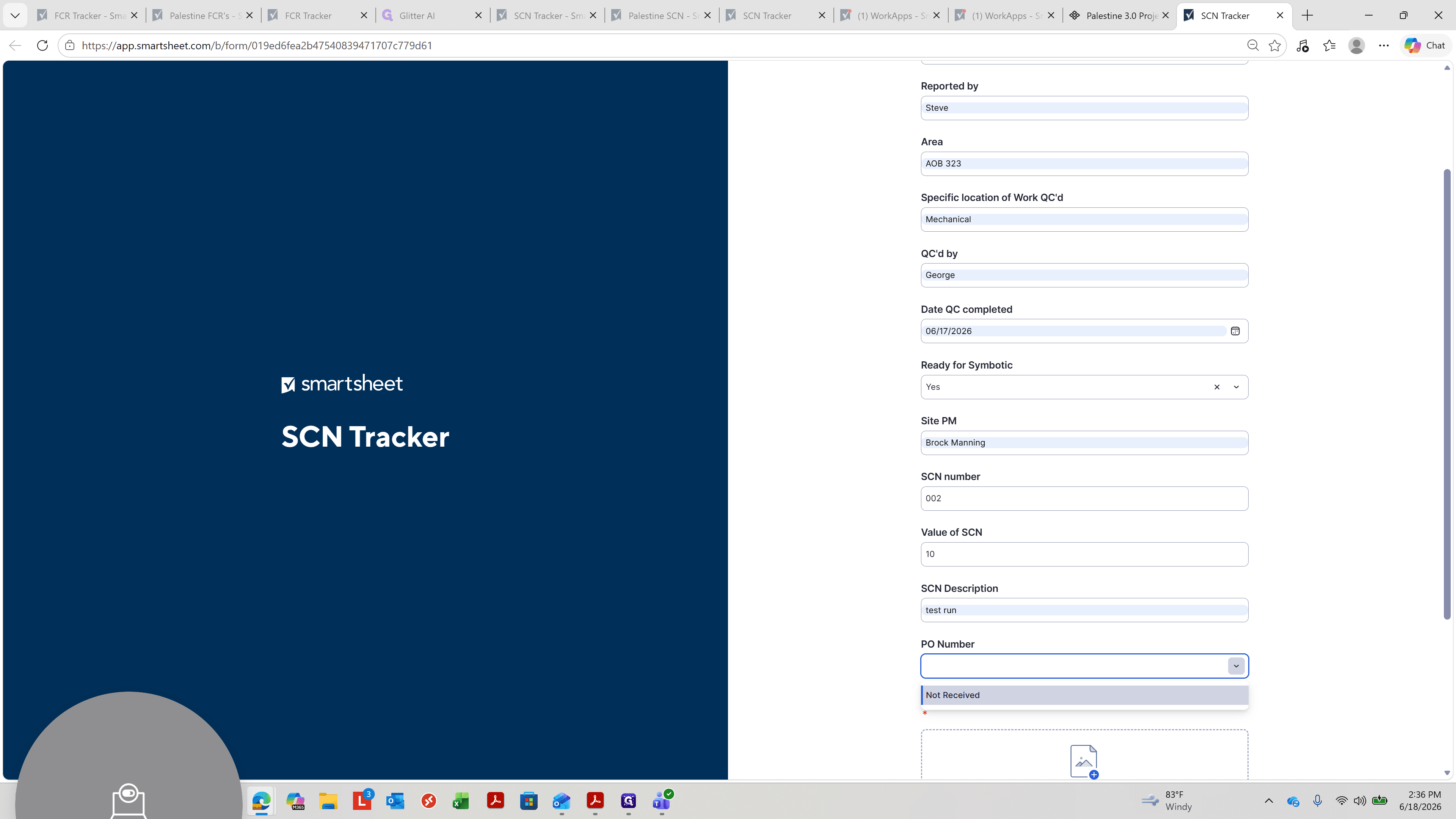
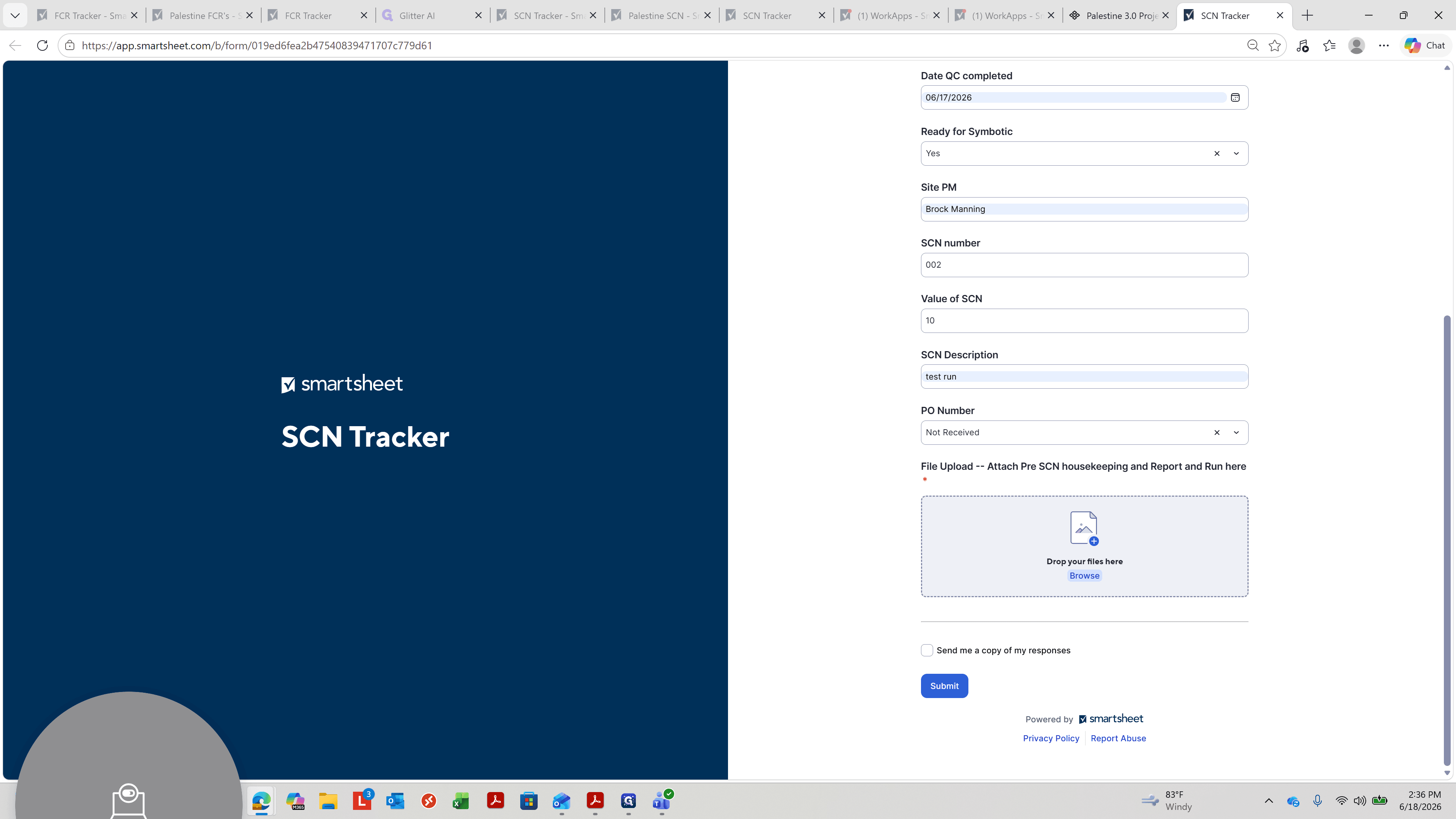
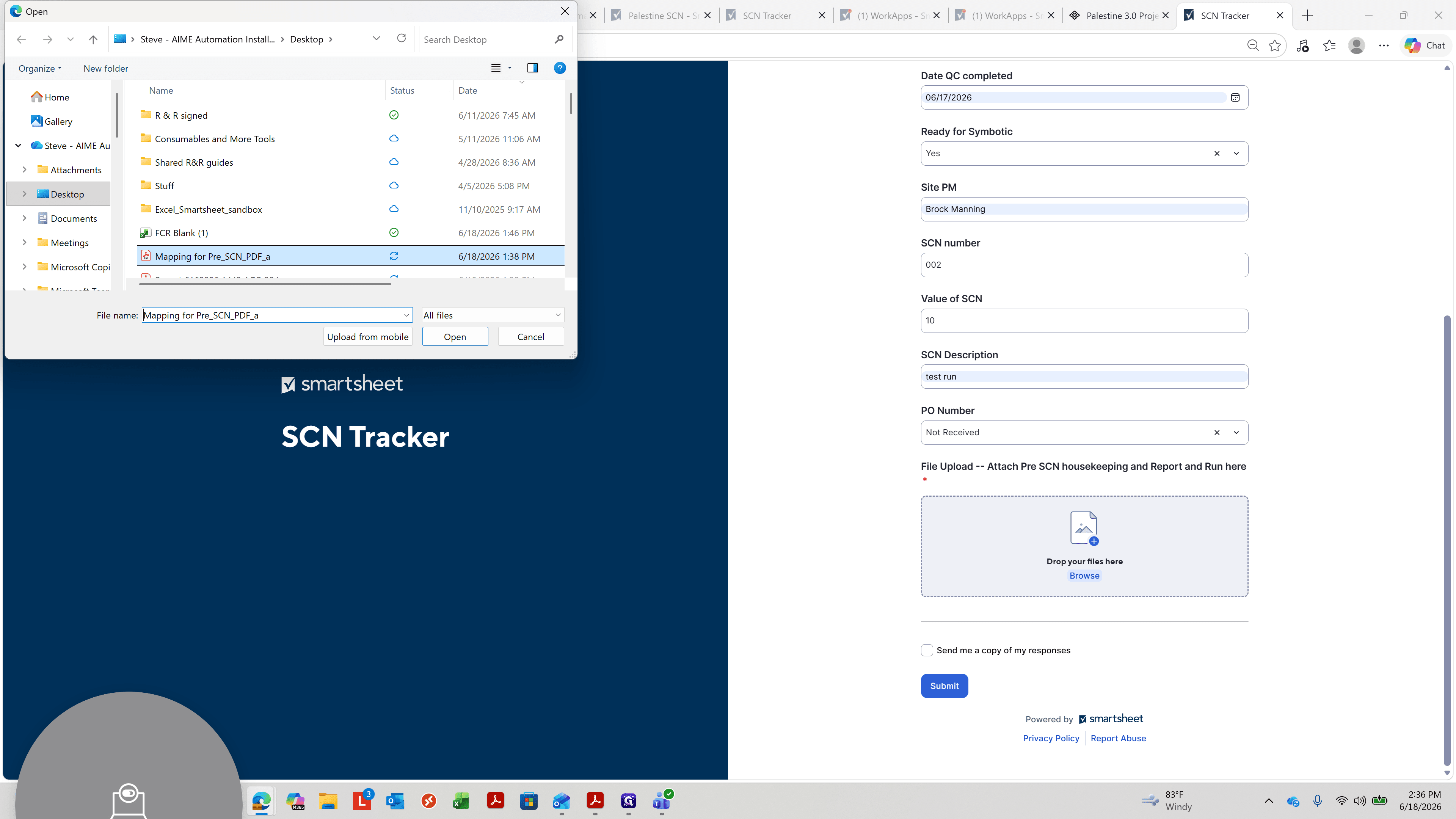
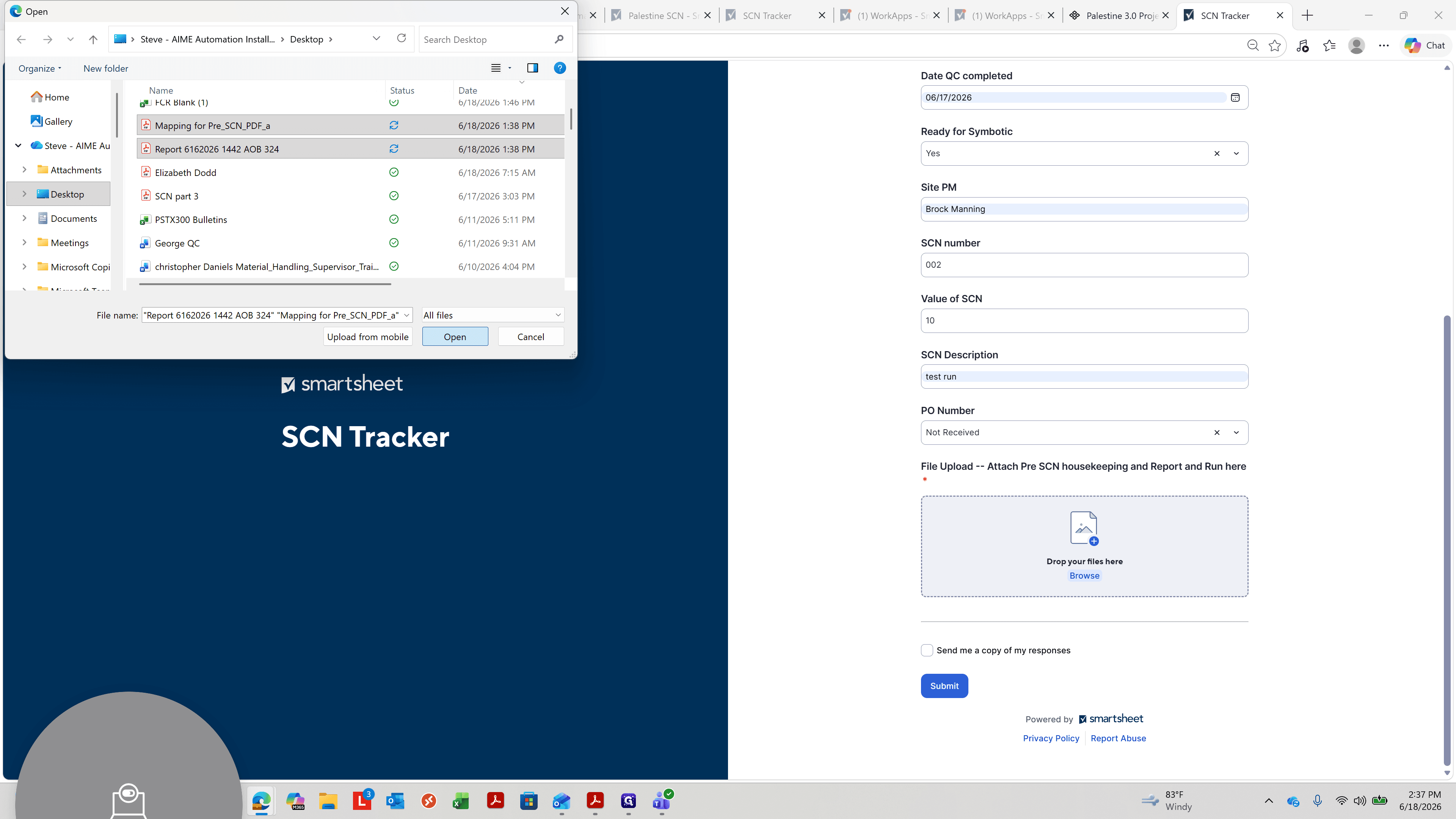
Submit a Service Completion Notice (SCN)
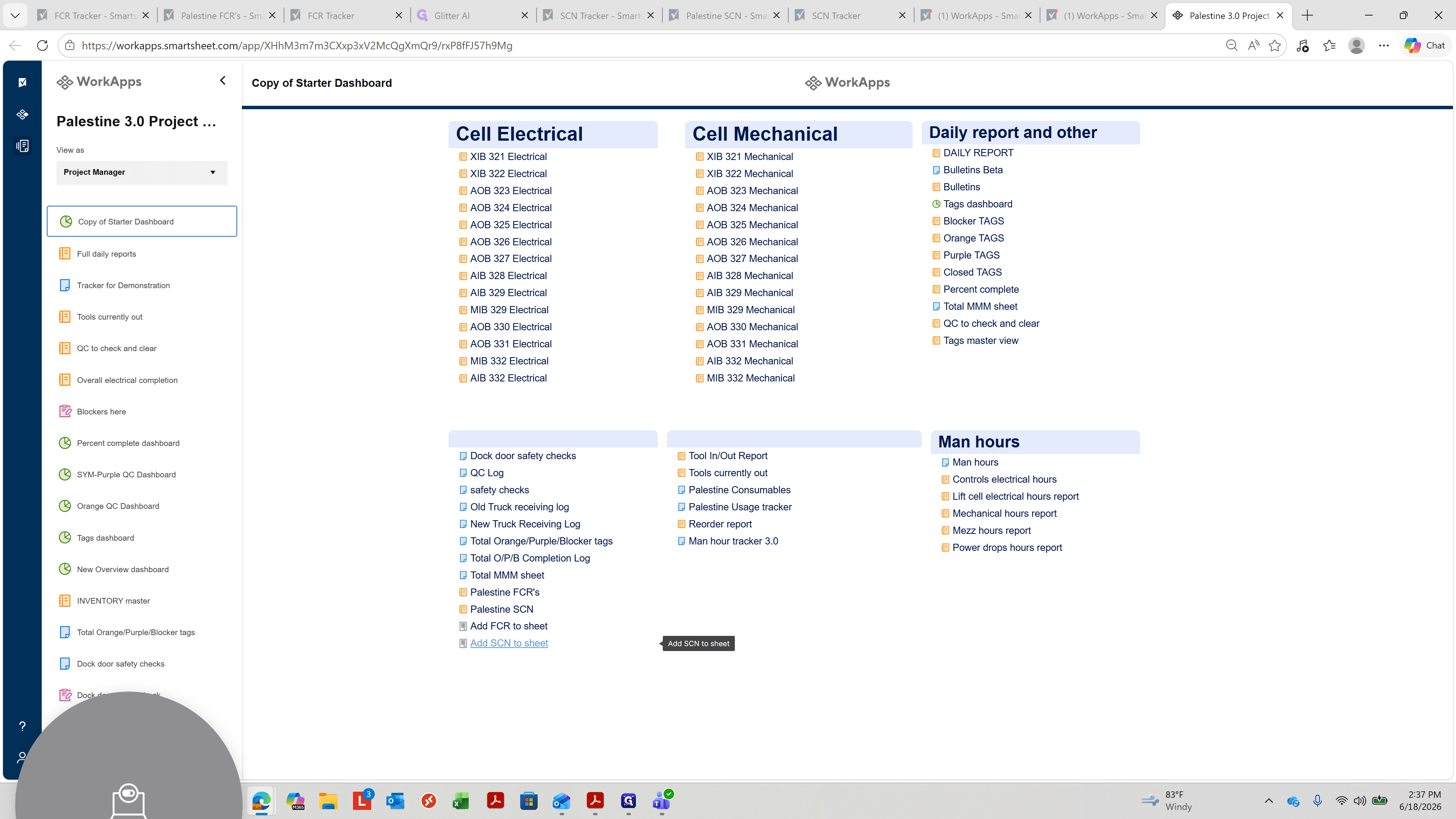
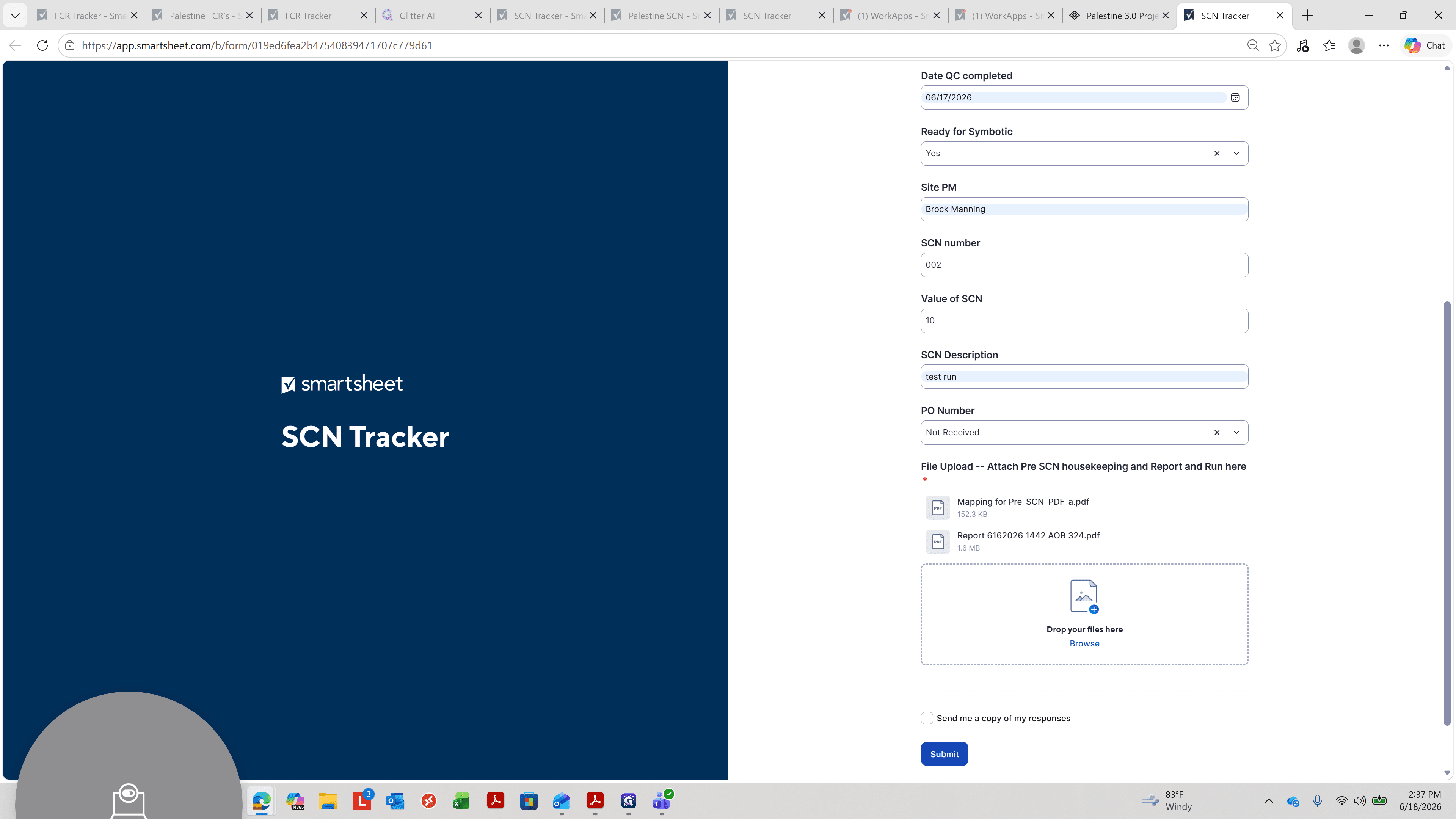
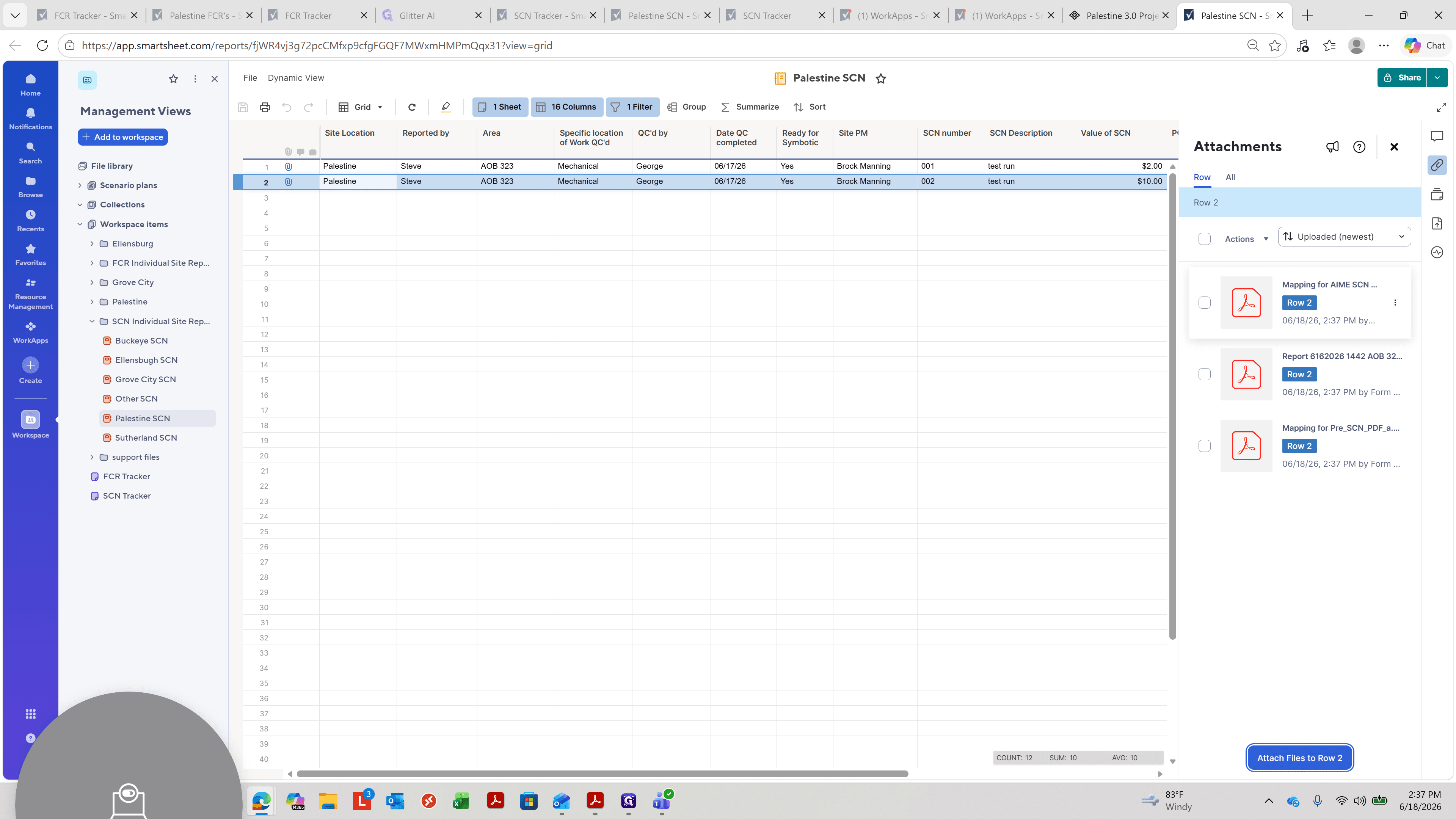
Verify SCN Attachments
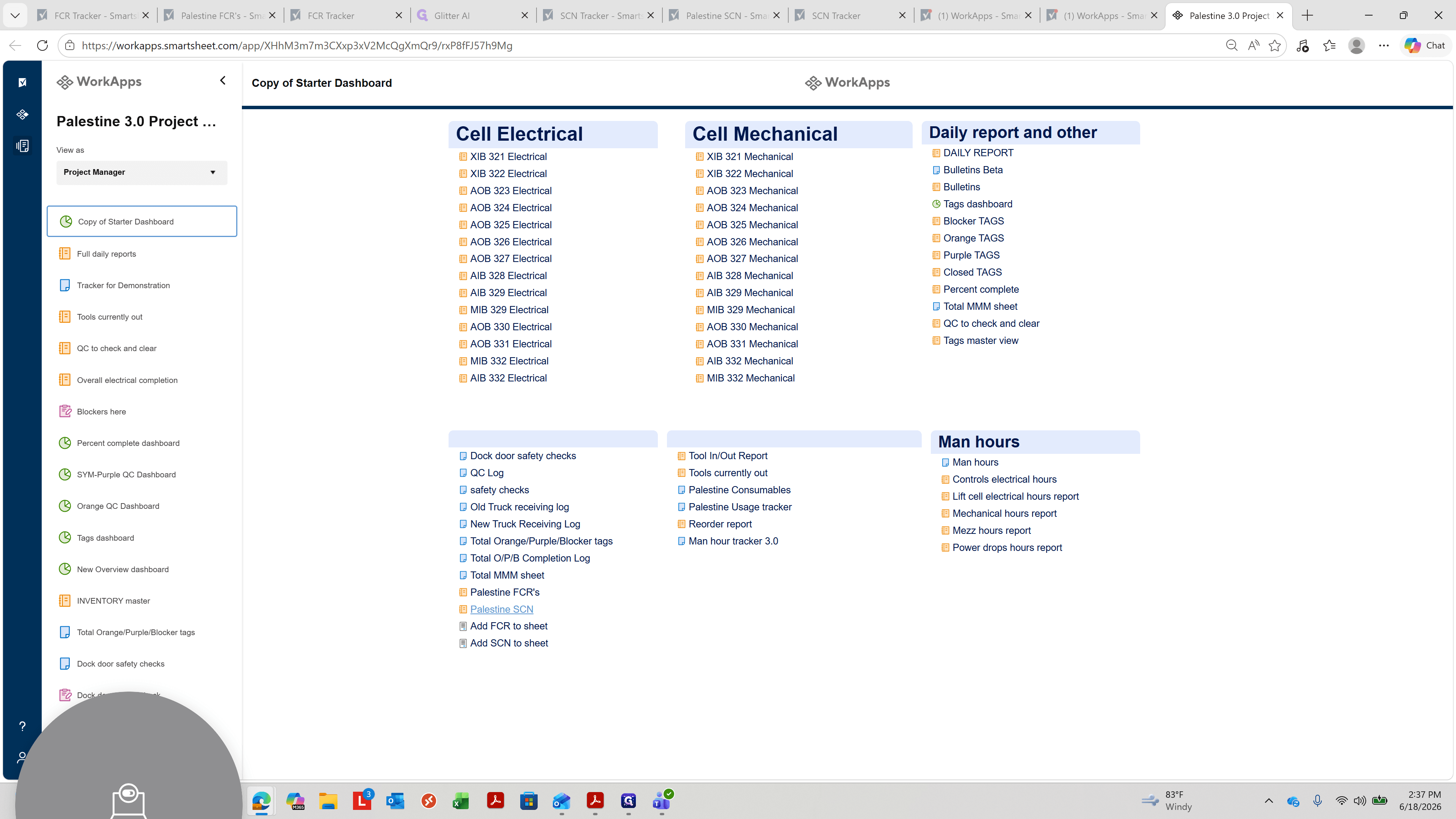
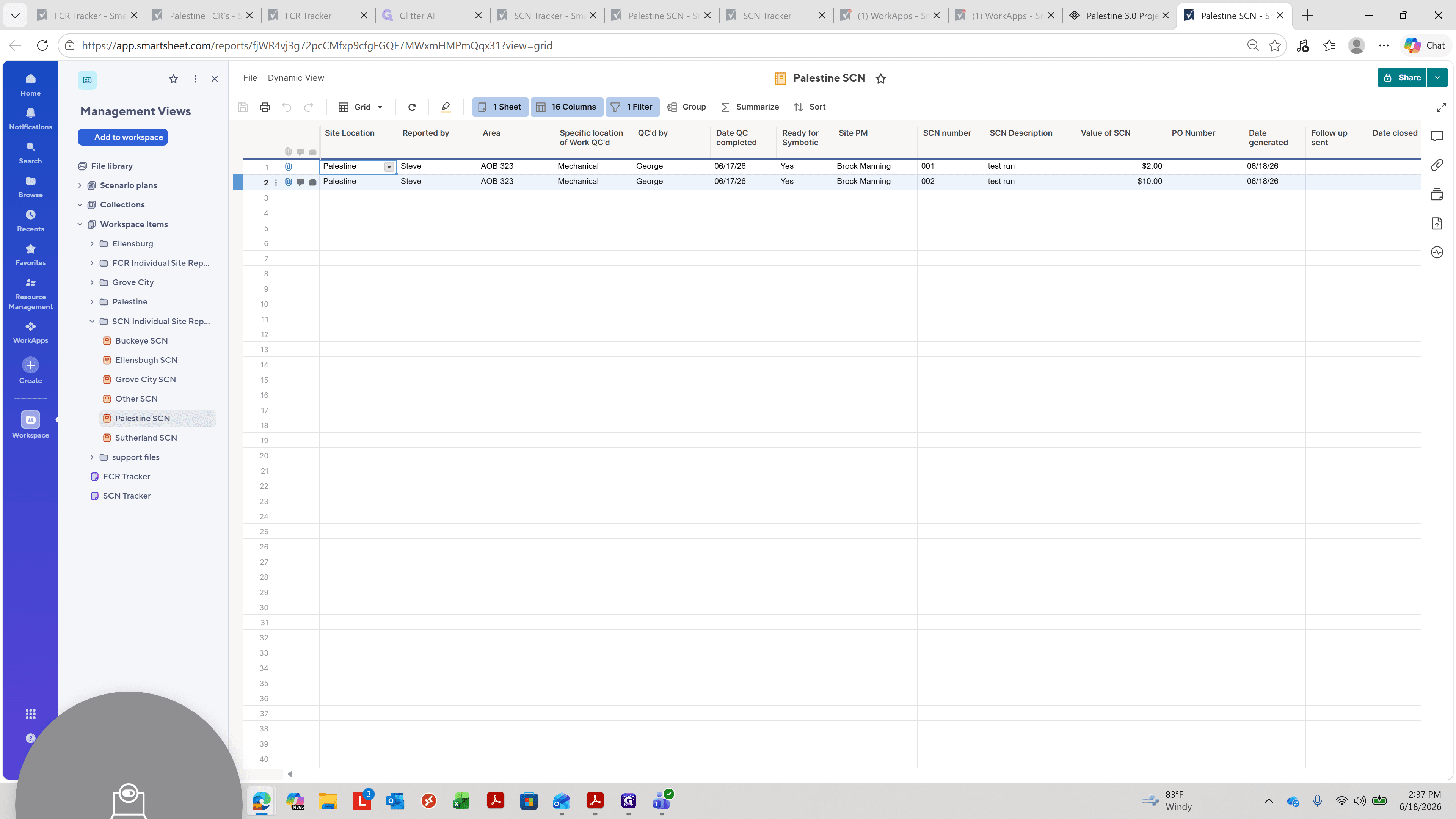
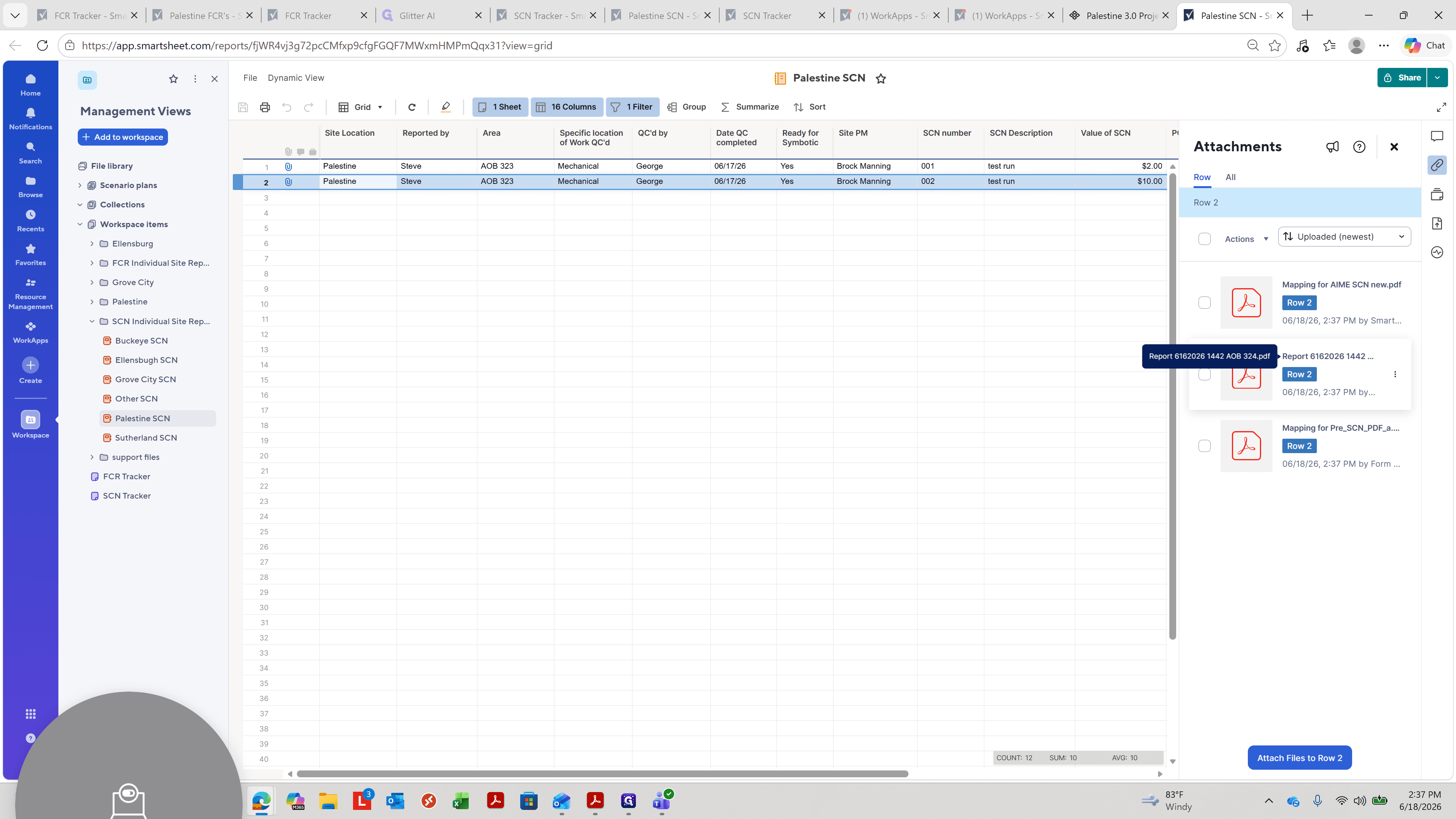
Q: Why doesn't the tracker sheet load immediately after I click the link?
A: The tracker sheets contain a large amount of historical data and attachments, making them slow to load. Give the system a minute to display the updated list.
Q: What files must be attached when submitting an SCN form?
A: You are required to attach the pre-SCN housekeeping form and your report/run document, which includes the project photos.
Term | Definition |
|---|---|
FCR | Field Change Request, a form used to document and request adjustments to project scope or site details. |
SCN | Service Completion Notice, a document confirming that specific project services or operational milestones have been achieved. |
Site PM | Site Project Manager, the individual responsible for overseeing operations, submissions, and documentation at a specific location. |
QC | Quality Control, the process of verifying that the site work meets the required standards before a milestone is recorded. |
WorkApps | A Smartsheet feature used to build tailored apps and dashboards from sheets, forms, and reports to streamline workflows. |