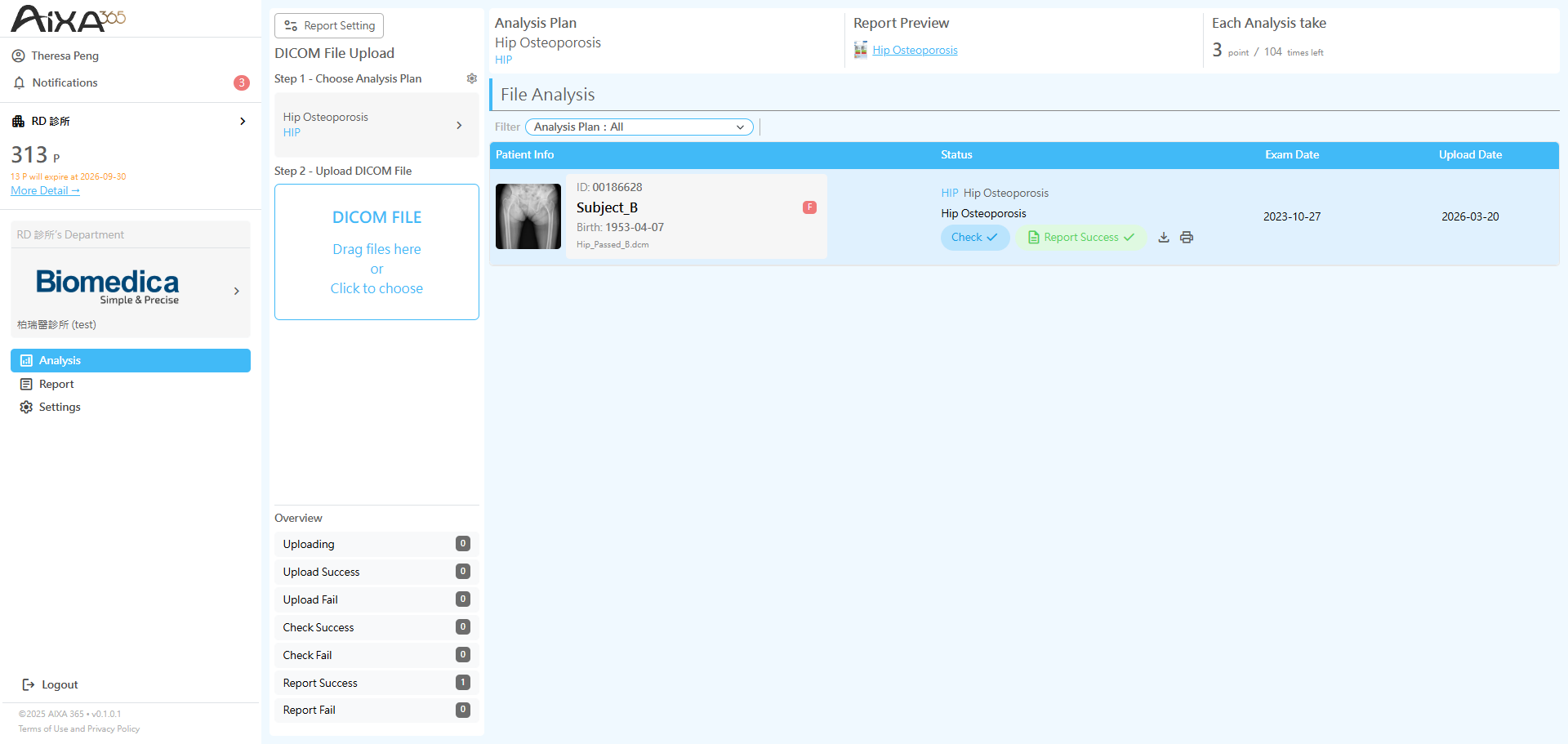
AIXA 365|分析步驟教學 Analysis Guide
By Theresa
1
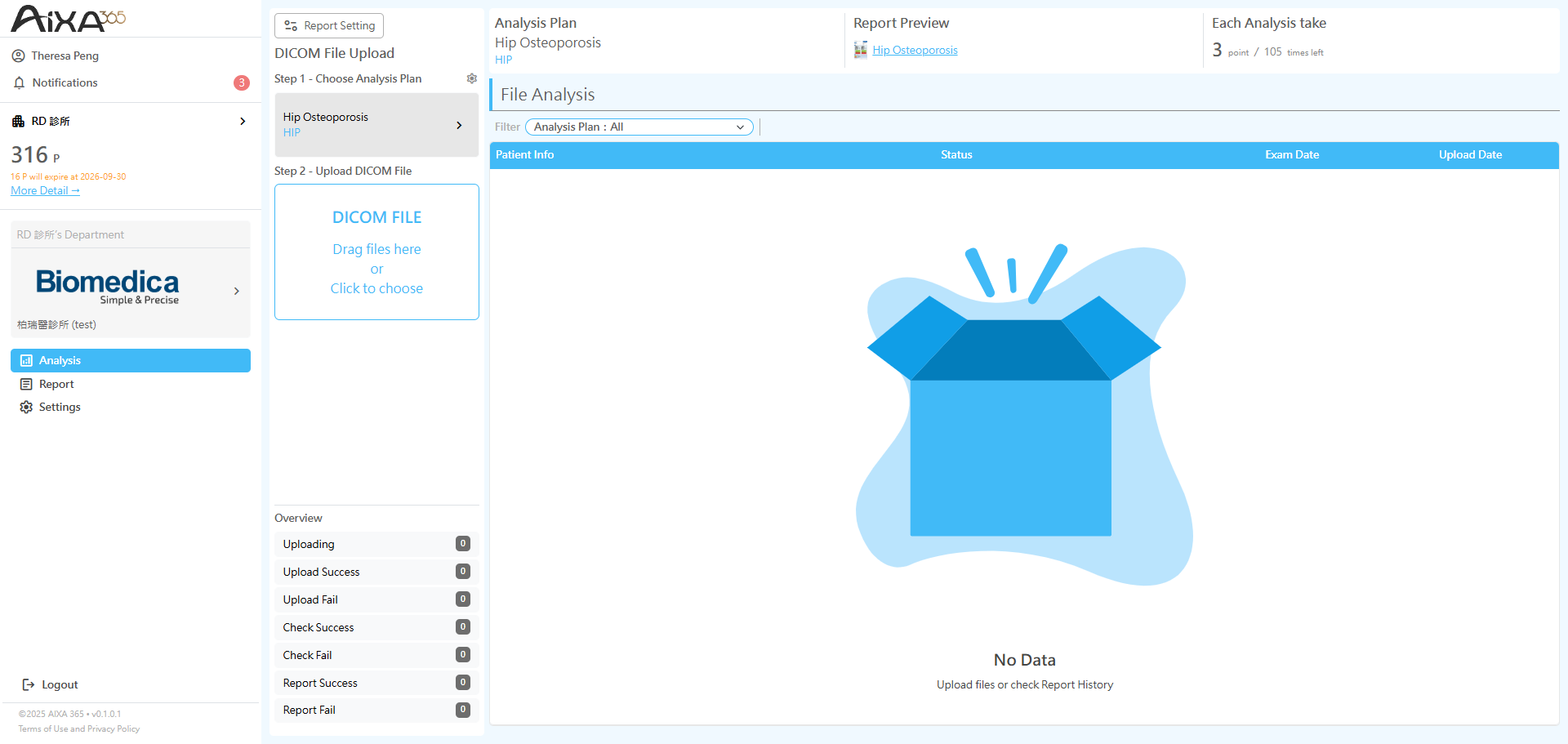
點選「Step 1 - 選擇商品計劃」
Click "Step 1 - Choose Analysis Plan".
Click "Step 1 - Choose Analysis Plan".
2
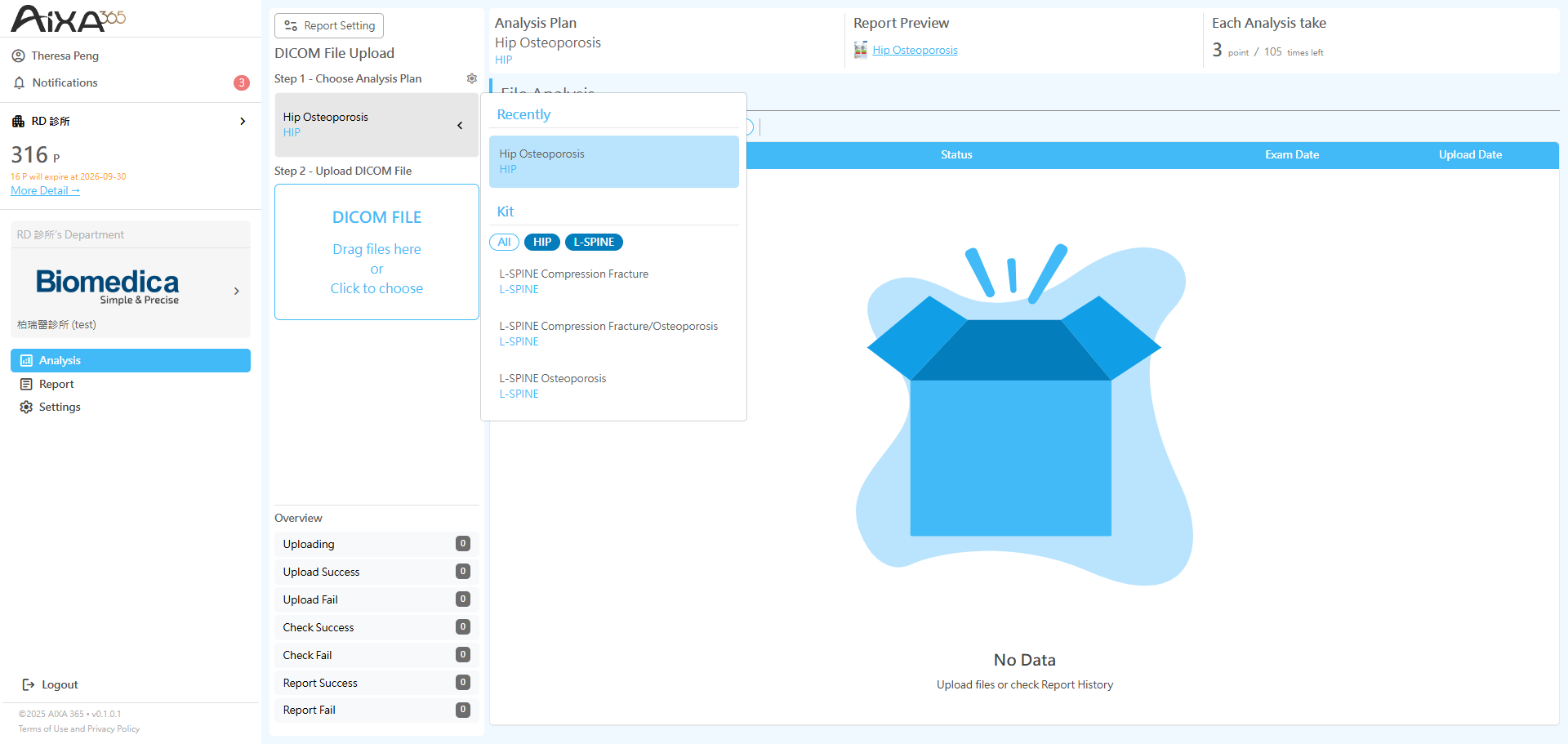
透過「Hip、Spine」分類標籤快速找到要分析的部位
Use the category tabs to quickly locate the region for analysis.
Use the category tabs to quickly locate the region for analysis.
3
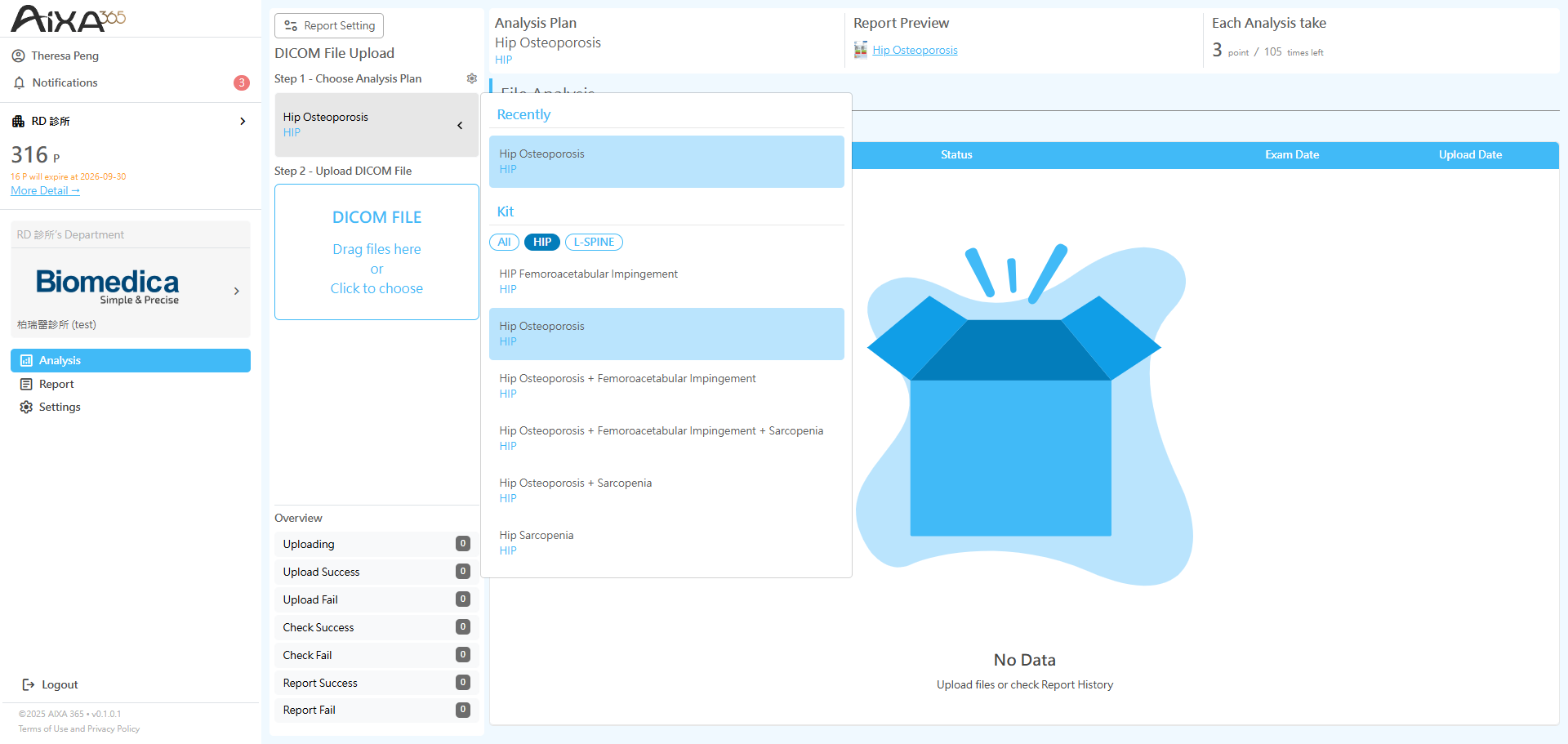
選擇要分析的項目 (提供單一及組合商品選擇)
Select the analysis item(s) (supports both single and bundled options).
Select the analysis item(s) (supports both single and bundled options).
4
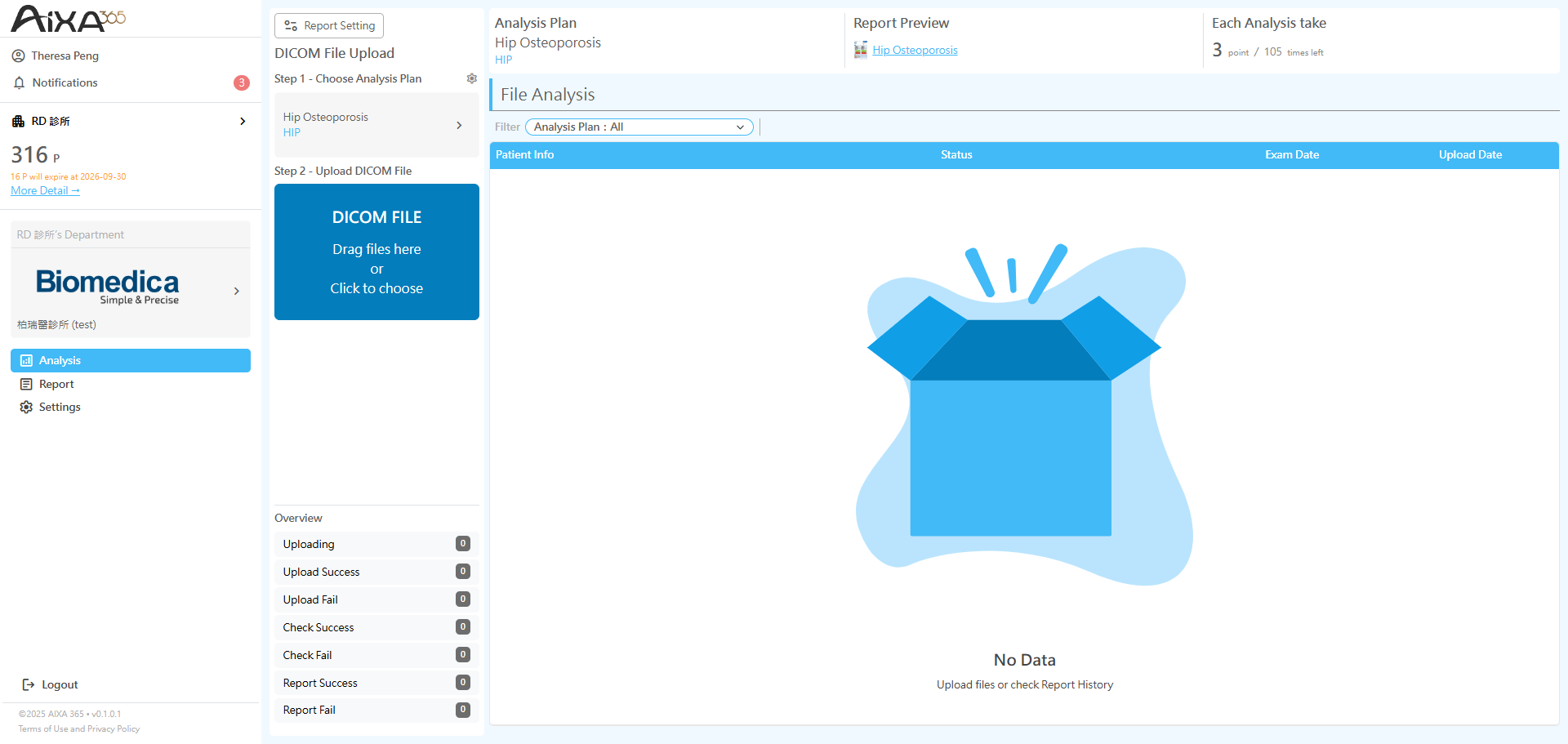
點選「Step 2 - 上傳DICOM檔案」,將DICOM檔案以拖曳或資料夾點選方式上傳 (支援單張及多張批量上傳)
Click "Step 2 - Upload DICOM Files" to upload DICOM files by drag-and-drop or by selecting a folder (supports single and batch uploads).
Click "Step 2 - Upload DICOM Files" to upload DICOM files by drag-and-drop or by selecting a folder (supports single and batch uploads).
5
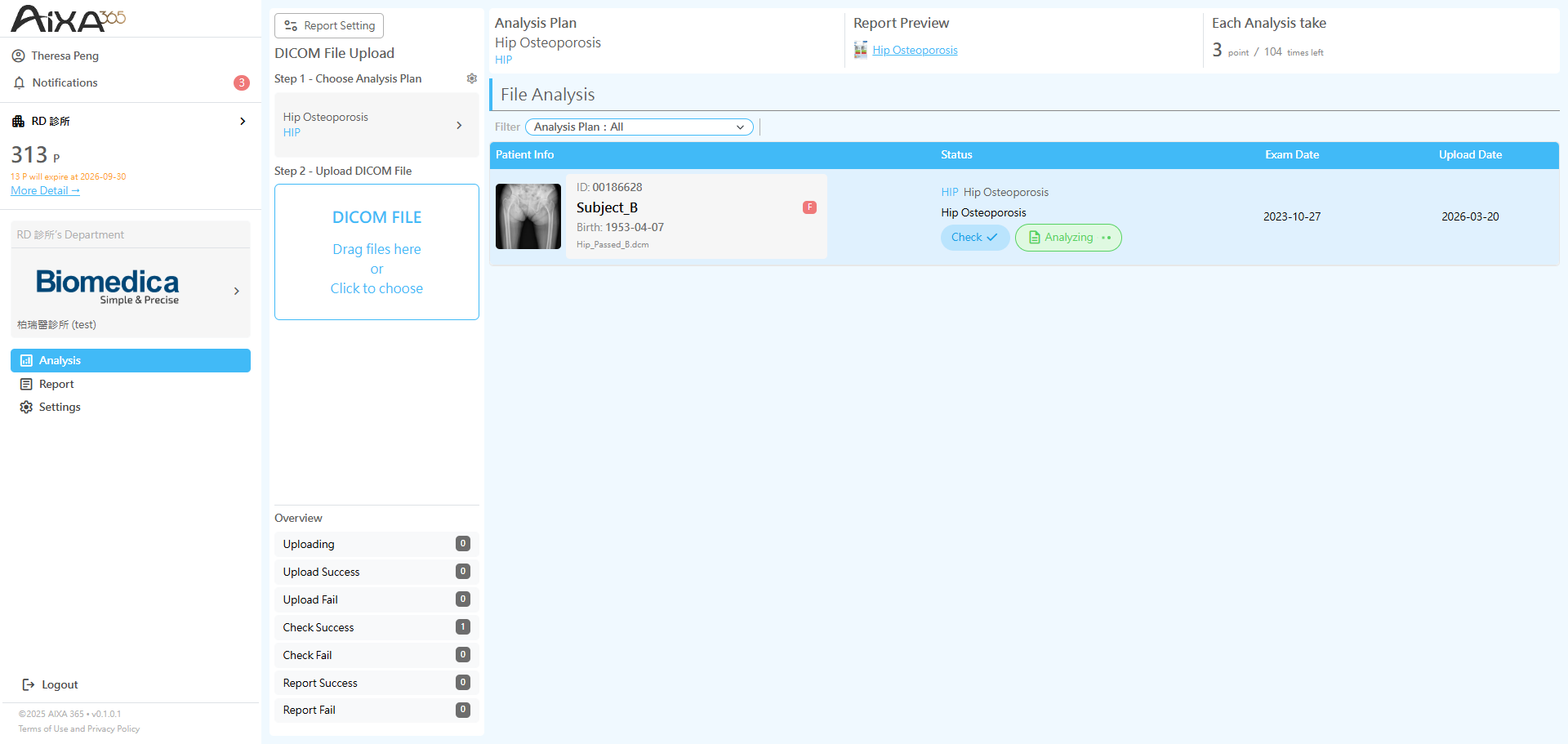
檔案上傳後,系統會自動啟動「ACC 影像品質巡航檢測系統」,確認上傳的影像是否部位正確以及是否符合分析的條件 (如:髖部是否有內旋站姿、影像是否清晰無過曝等)
After the files are uploaded, the system will automatically initiate the "ACC, AI AdaptiveImagec Condition Control" to verify whether the uploaded images are of the correct anatomical region and meet the analysis requirements (e.g., proper hip internal rotation, clear image quality without overexposure).
After the files are uploaded, the system will automatically initiate the "ACC, AI AdaptiveImagec Condition Control" to verify whether the uploaded images are of the correct anatomical region and meet the analysis requirements (e.g., proper hip internal rotation, clear image quality without overexposure).
6
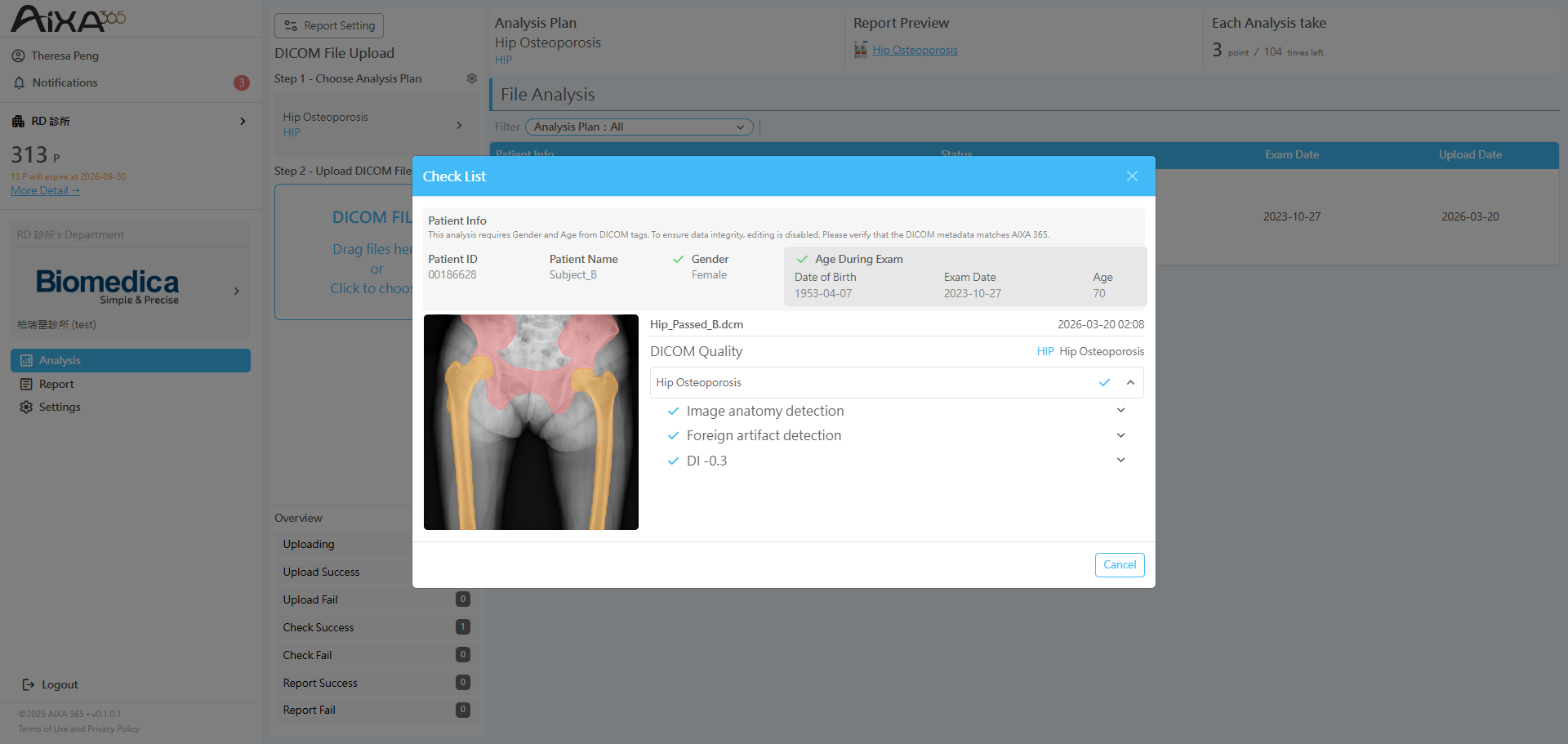
點選「檢查結果 Check / Check Failed」按鈕,可查看 ACC 影像品質檢查結果。
若出現三角形圖示,表示影像存在建議調整之項目;使用者可依實際需求,決定是否點選「強制分析」以進入下一步分析流程。
Click "Check / Check Failed" to review the ACC image quality check results.
If a warning triangle icon appears, it indicates that the image has recommended adjustments. Users may proceed by selecting "Force Analysis" based on their discretion to continue to the next step.
若出現三角形圖示,表示影像存在建議調整之項目;使用者可依實際需求,決定是否點選「強制分析」以進入下一步分析流程。
Click "Check / Check Failed" to review the ACC image quality check results.
If a warning triangle icon appears, it indicates that the image has recommended adjustments. Users may proceed by selecting "Force Analysis" based on their discretion to continue to the next step.
7
點選「分析報告 Report Success」按鈕,即可查看 AI 分析報告 PDF。
Click "Report Success" to view the AI analysis report (PDF).
Click "Report Success" to view the AI analysis report (PDF).