
How to Update the FBA Product Inventory Master Sheet
Learn how to update shelf life, expiration dates, case-pack configurations, and shipment tracking in your Amazon FBA inventory master spreadsheet.
This guide explains how to update the FBA Product Master spreadsheet with shelf life limits, expiration dates, and case-pack configurations. Completing this ensures accurate inventory tracking and seamless fulfillment center distribution through Amazon Seller Central.
This workflow is intended for inventory managers, Amazon FBA sellers, and fulfillment teams. Use this guide whenever you are producing new product batches, updating shipping box dimensions, or creating new inbound Amazon shipments.
Update the Per-Product Master
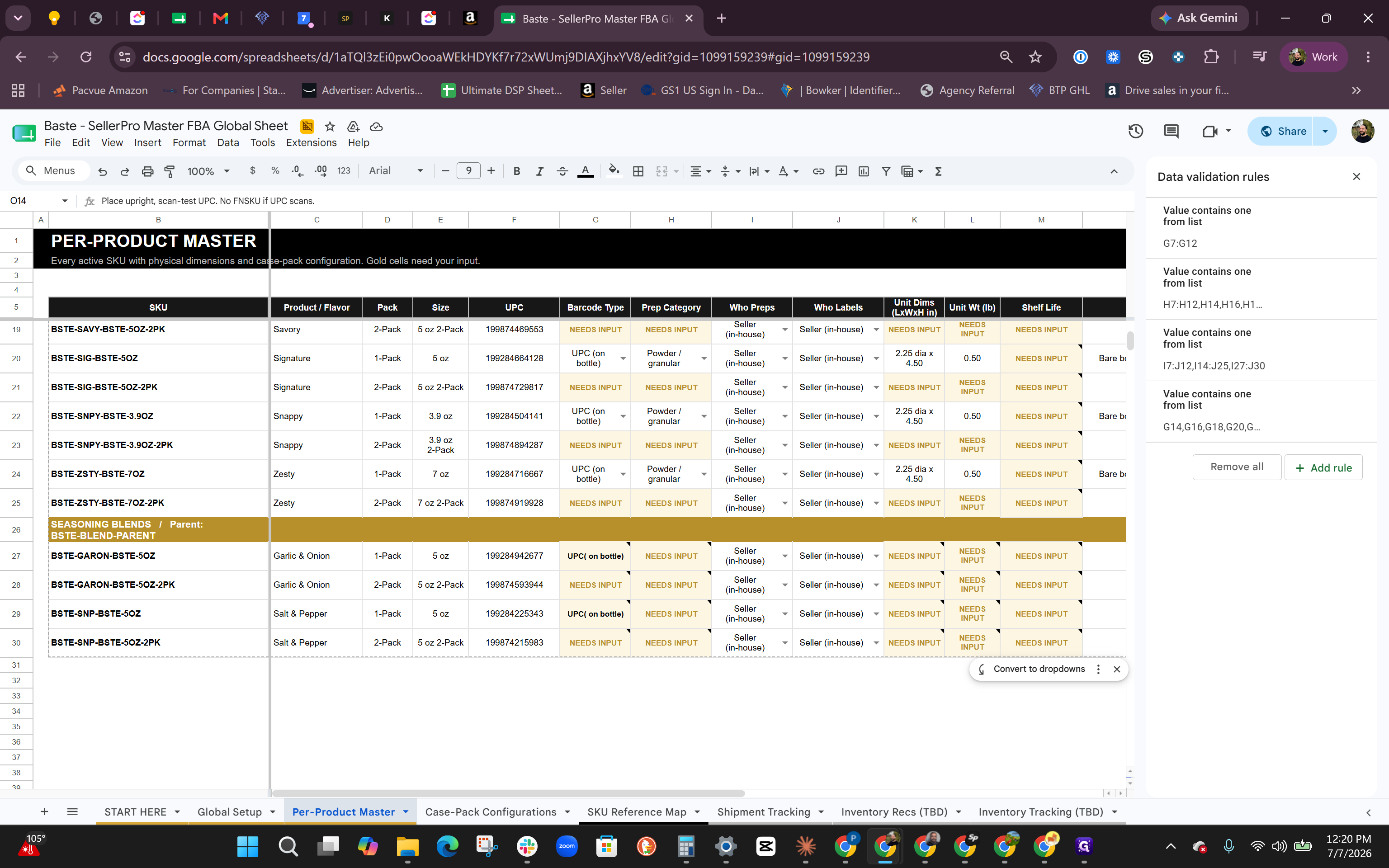
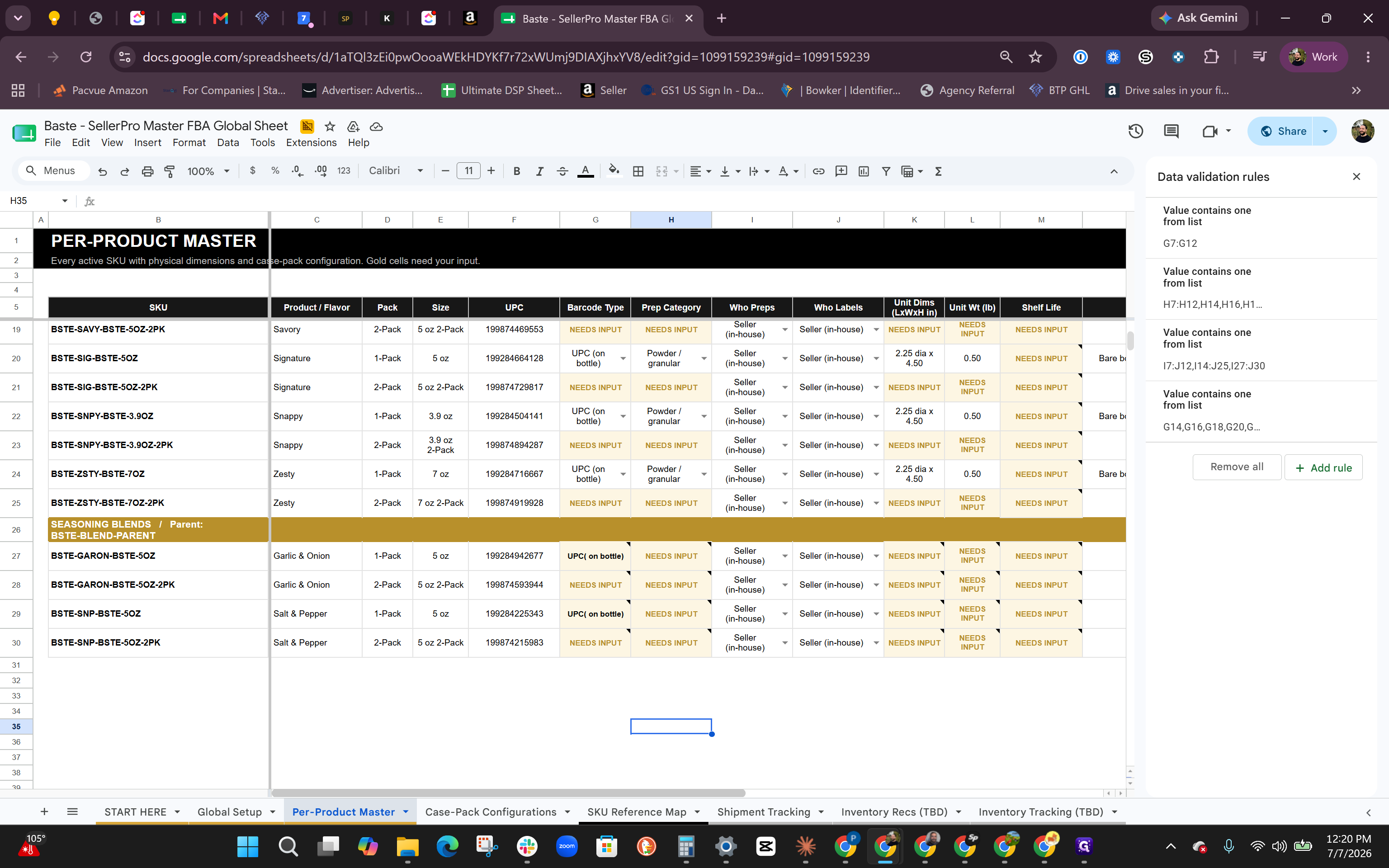
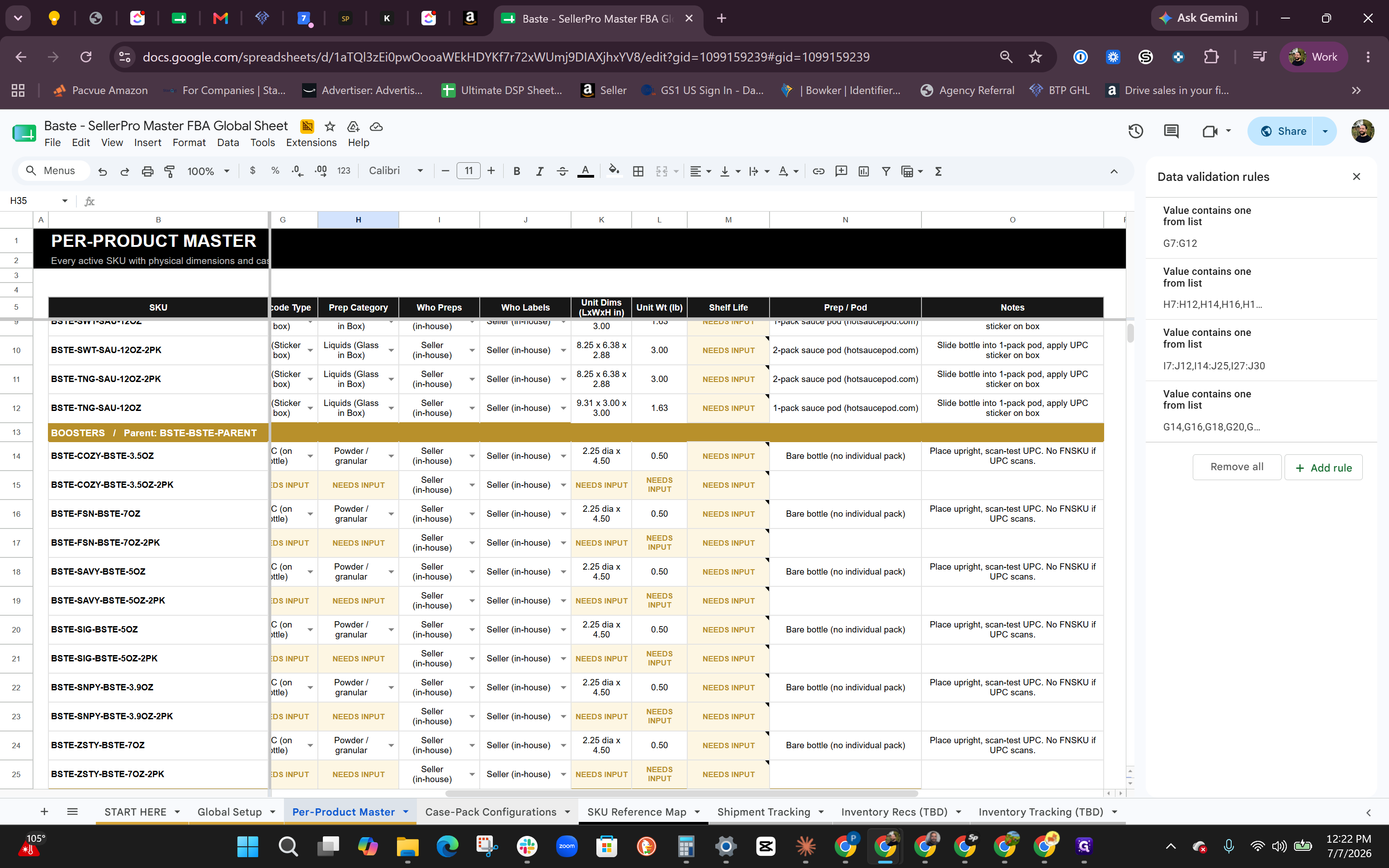
Products have different requirements for tracking longevity. For example, liquid sauces require explicit expiration dates, while dry boosters typically have a constant shelf life.
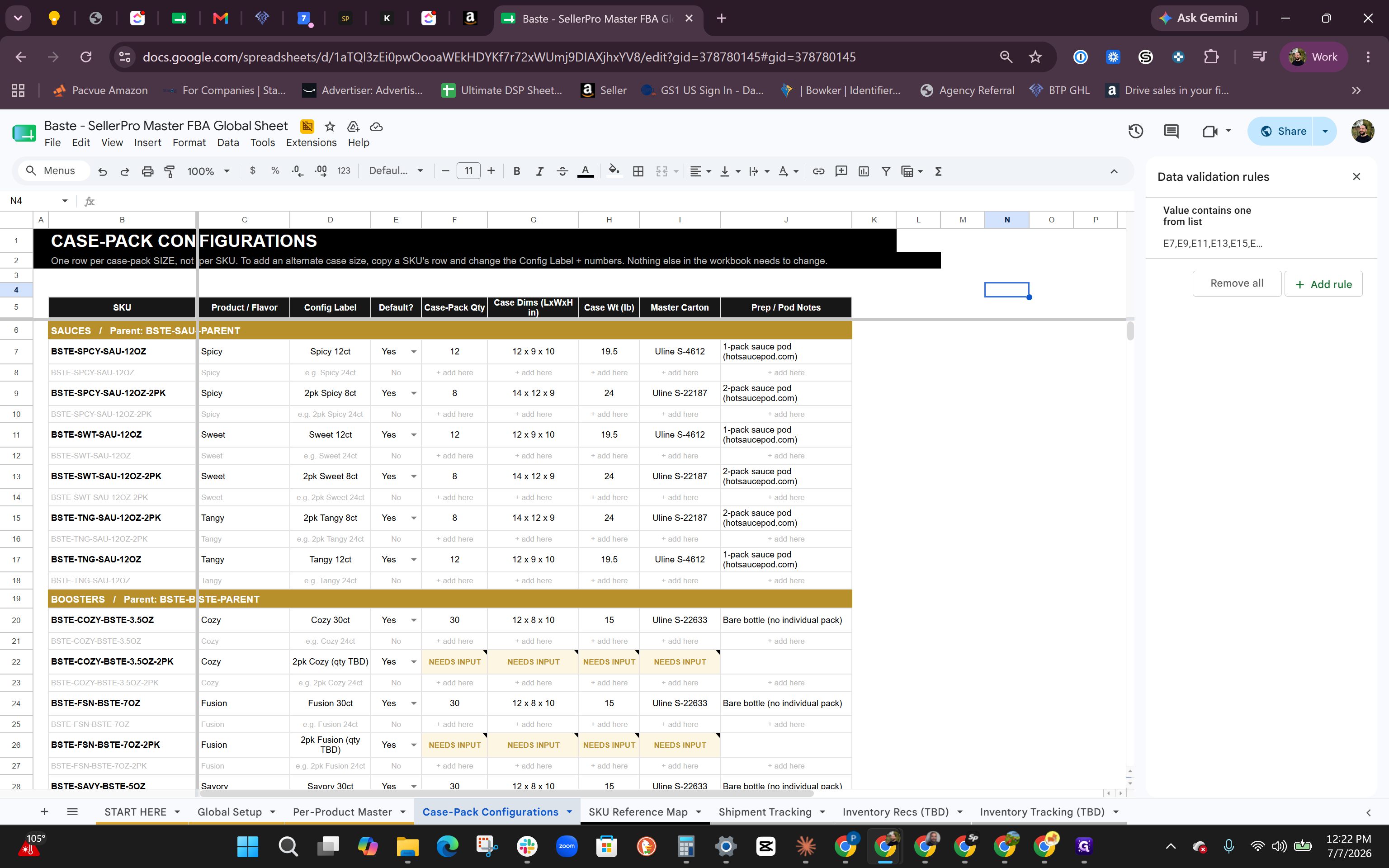
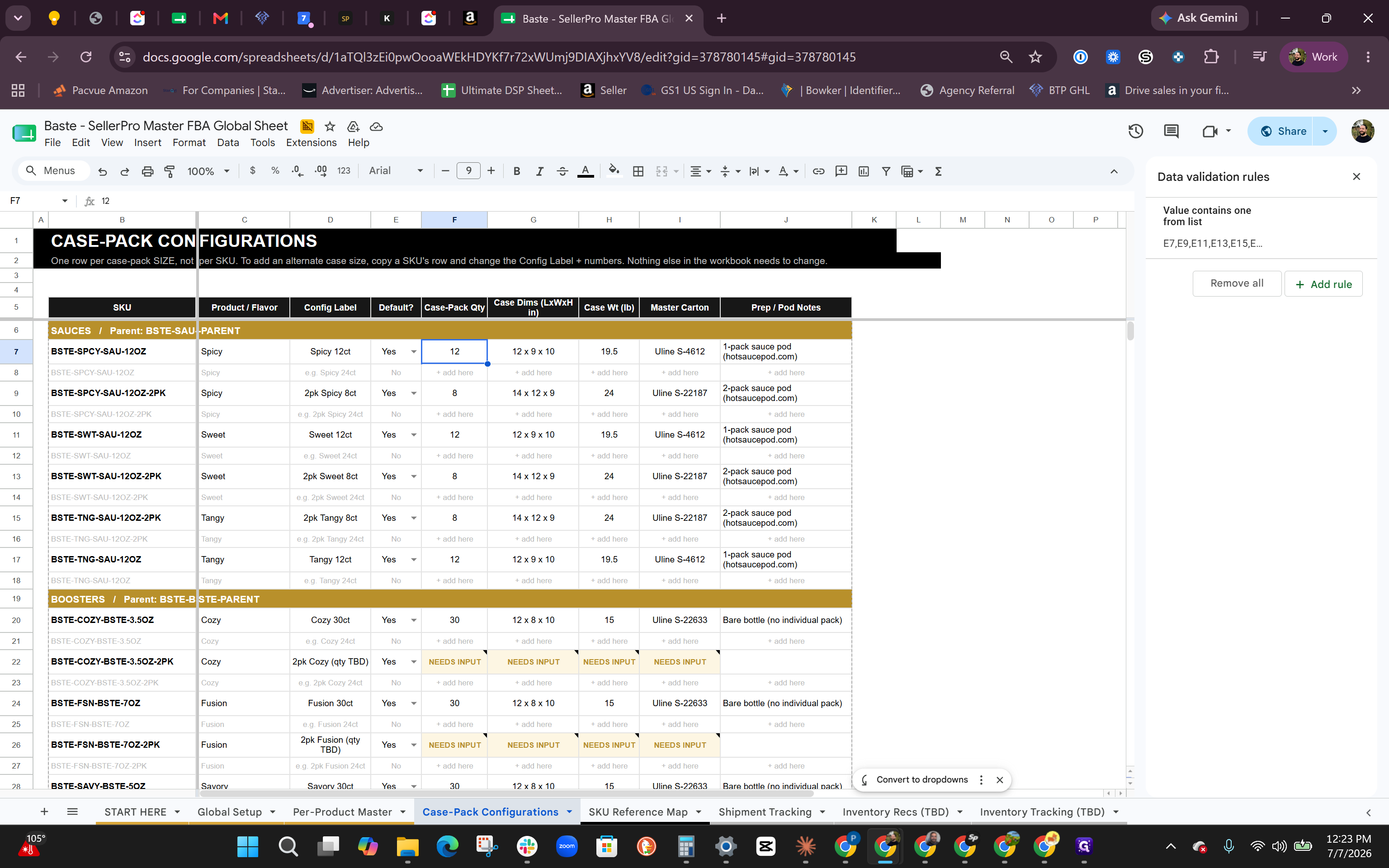
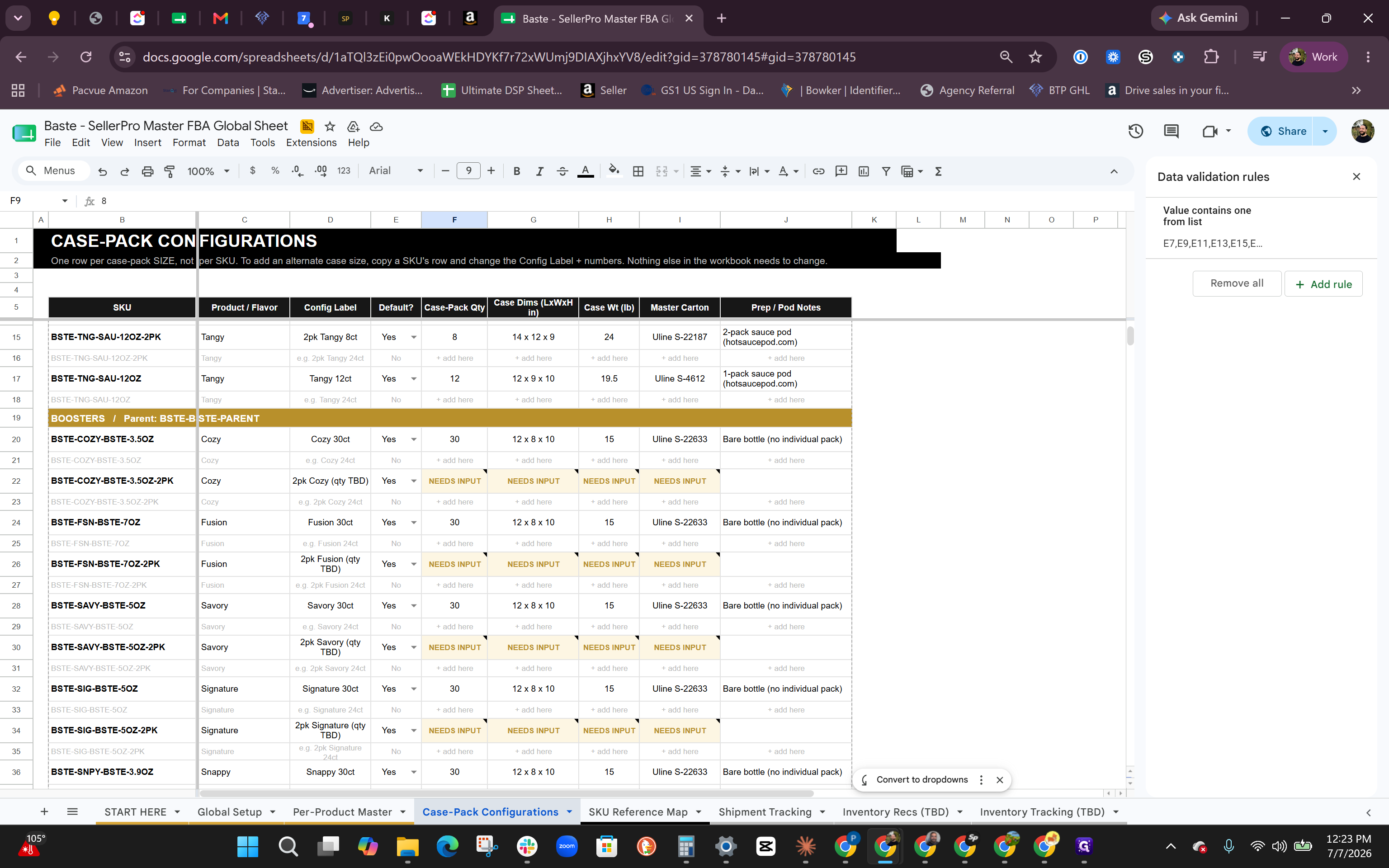
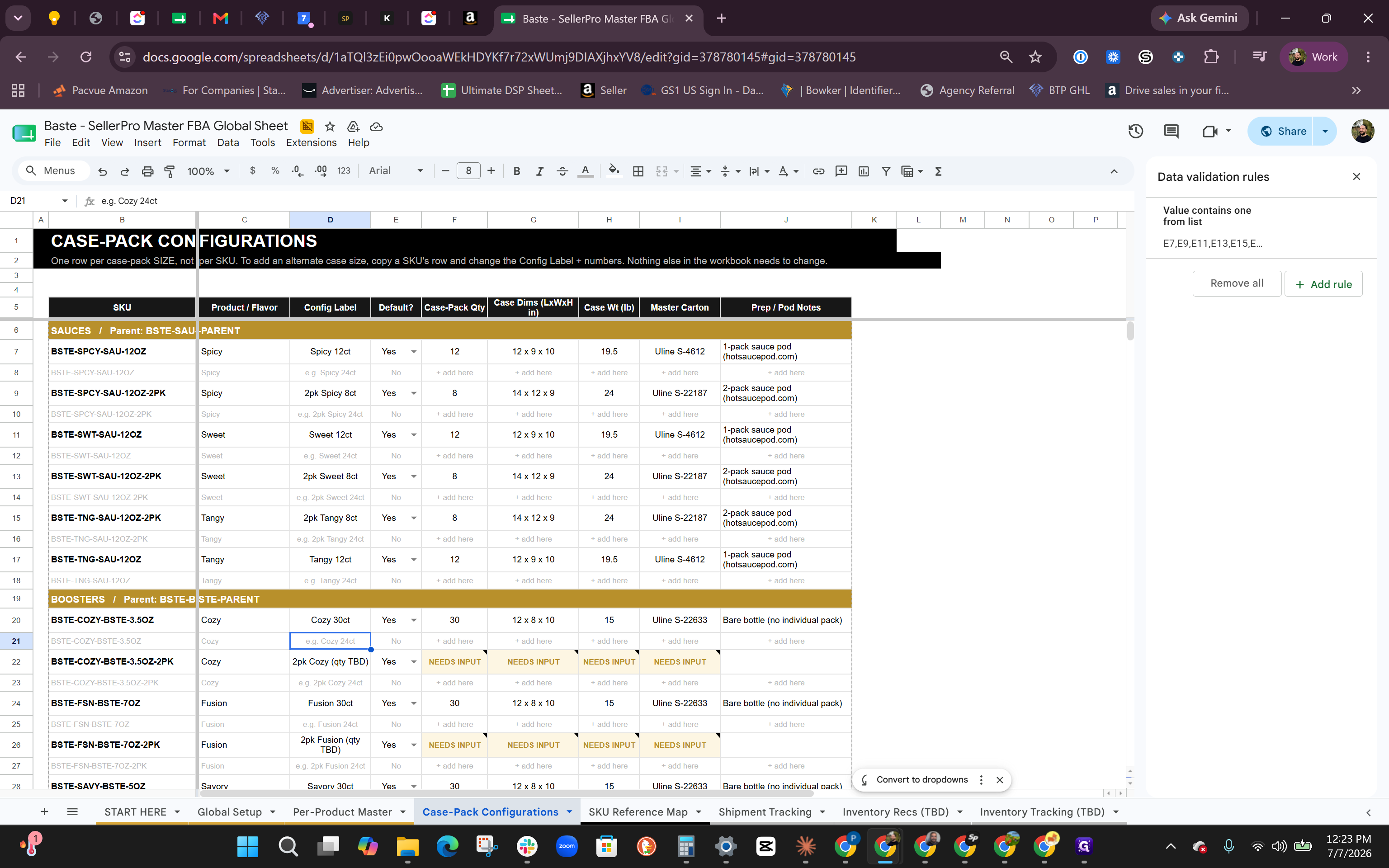
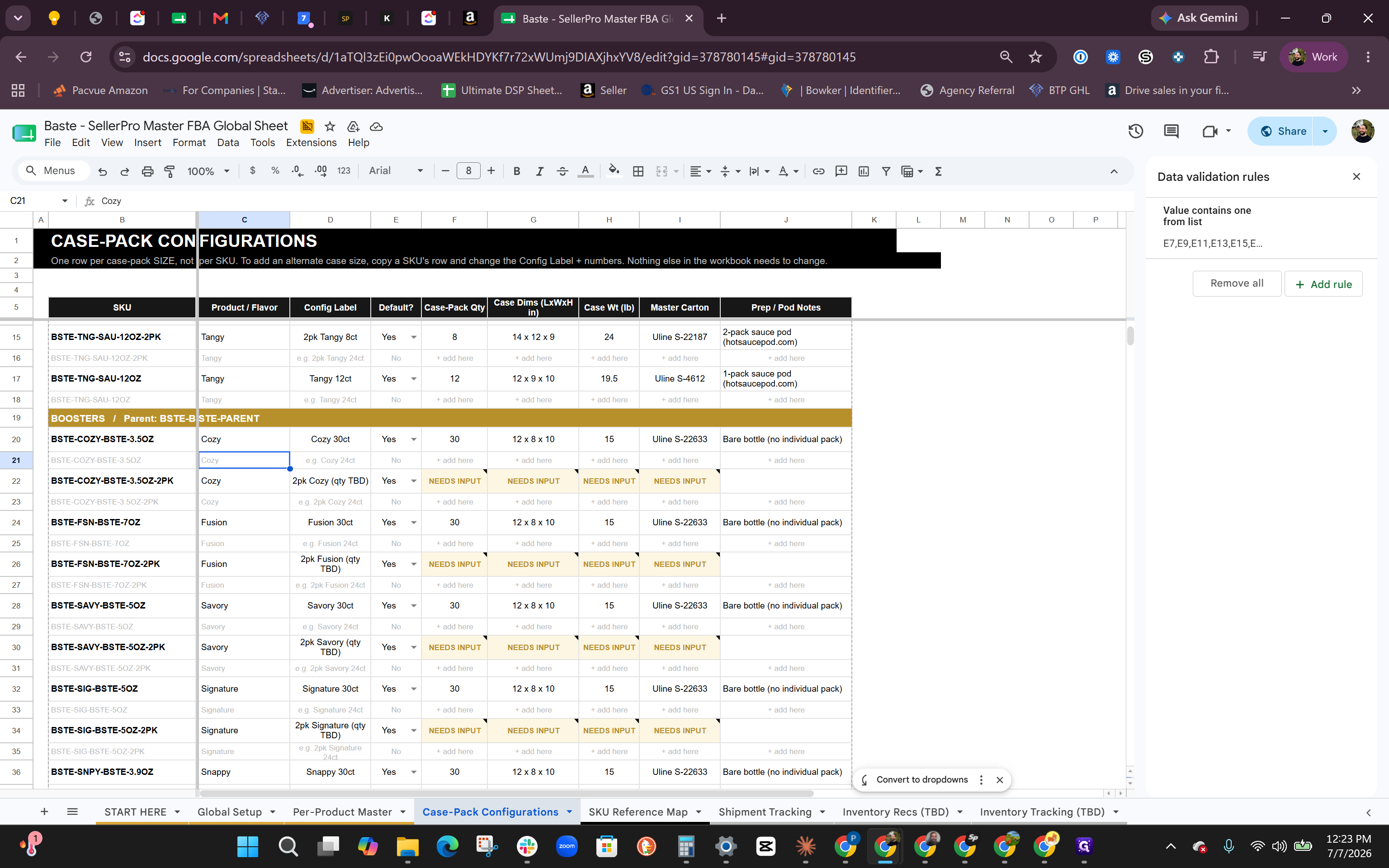
Configure Case Packs
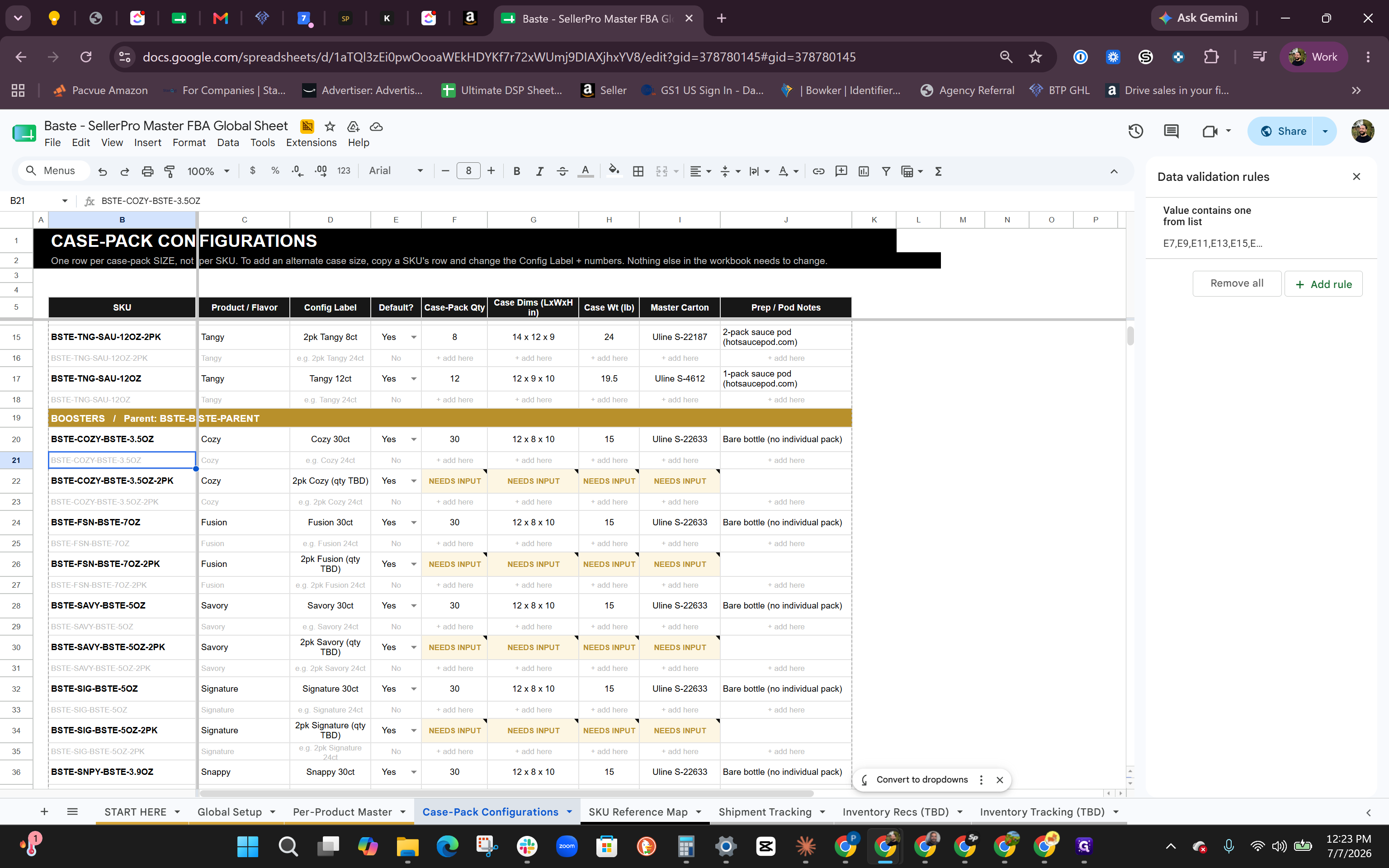
Instead of managing box dimensions on the master sheet, use the dedicated configuration tab. Lowering the unit count in a single case pack makes it easier to distribute inventory across multiple Amazon fulfillment centers, which can save on shipping costs.
Track Shipments and Expiration
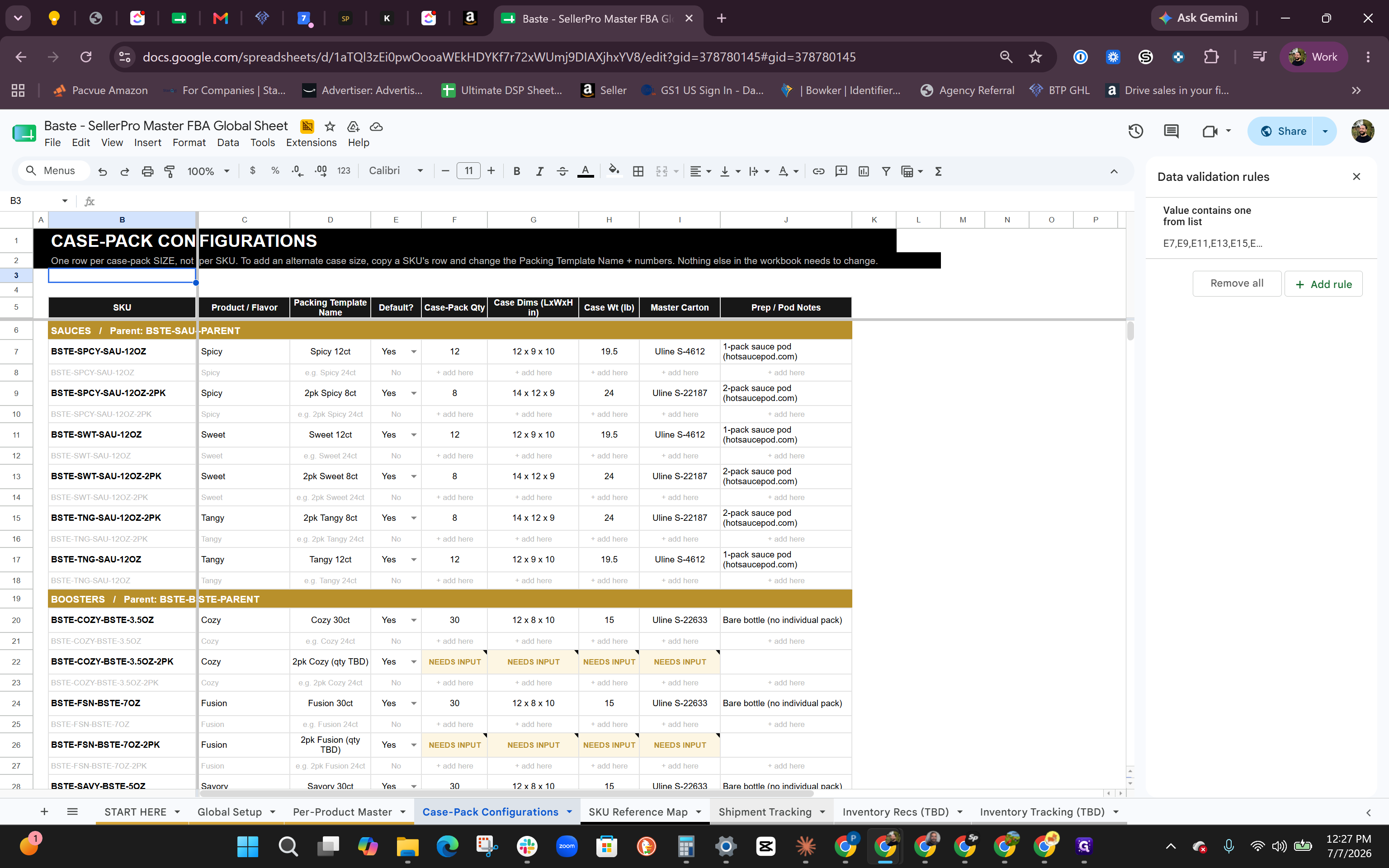
You must record dynamic expiration dates and lot numbers for each new shipment batch.
Summary of Tracking Tabs
Depending on what you need to record, refer to the correct sheet in the master document:
Tab Name | Best Used For | Data Type |
|---|---|---|
Per-Product Master | Setting baseline product details like static shelf life. | Static |
Case-Pack Configurations | Managing dimensions and unit counts for boxes sent to Amazon. | Semi-Static |
Shipment Tracking | Recording dynamic expiration dates and lot numbers for new batches. | Dynamic |
Inventory Recs / Tracking | Agency use or dispute management for missing fulfillment center units. | As Needed |
Q: How do I track shelf life versus expiration dates?
A: Shelf life is a static duration (e.g., 18 months) that Amazon tracks automatically once entered in Seller Central. Expiration dates are dynamic and must be updated in your tracking sheet for every new batch or shipment.
Q: Why should I configure smaller case packs?
A: Packing fewer units in a case allows you to distribute them more easily across multiple Amazon fulfillment centers, which can save on shipping and network fulfillment costs.
Q: What happens if a shelf-life product sits in inventory too long?
A: If a product gets too old and doesn't sell within Amazon's cutoff date (typically 90 days before the shelf life ends), Amazon will return the remaining inventory to you.
Q: Do I have to use the Inventory Recommendation and Tracking sheets?
A: No, these sheets are primarily designed for external agencies. You can find the same reconciliation and inventory tracking information directly within Amazon Seller Central to handle disputes.
Term | Definition |
|---|---|
FBA | Fulfillment by Amazon, a service where Amazon stores, packs, and ships products on behalf of sellers. |
Seller Central | The web interface used by brands and merchants to manage and market their products on Amazon. |
Case Pack | A standardized box containing multiple identical units of a product sent to a fulfillment center. |
Lot Number | An identification number assigned to a particular quantity or batch of material from a single manufacturer. |
Shelf Life | The fixed length of time that a product may be stored without becoming unfit for use, consumption, or sale. |