
Updating Product Pricing and Business Prices in Amazon Seller Central
Learn how to update product prices, fix Buy Box eligibility issues, configure list prices, and set up Amazon Business pricing and quantity discounts.
This guide explains how to effectively update your product prices on Amazon while maintaining Buy Box eligibility. You'll learn to manage regular pricing, configure list prices for future discounts, and establish Business Pricing tiers to attract bulk buyers.
This workflow is relevant for e-commerce managers and Amazon account specialists looking to optimize their pricing strategies or fix suppressed listings due to uncompetitive pricing flags.
Updating Standard Product Pricing
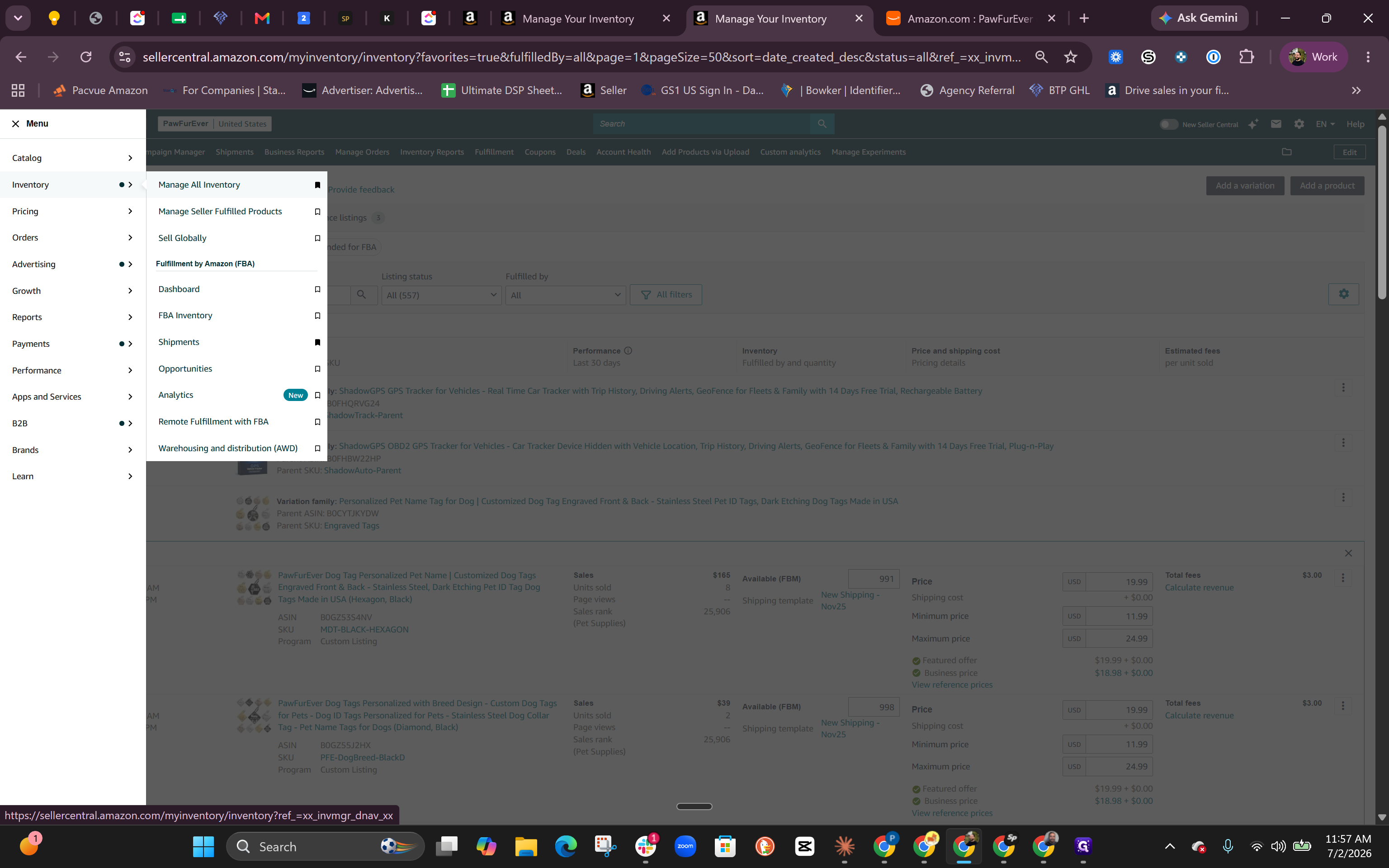
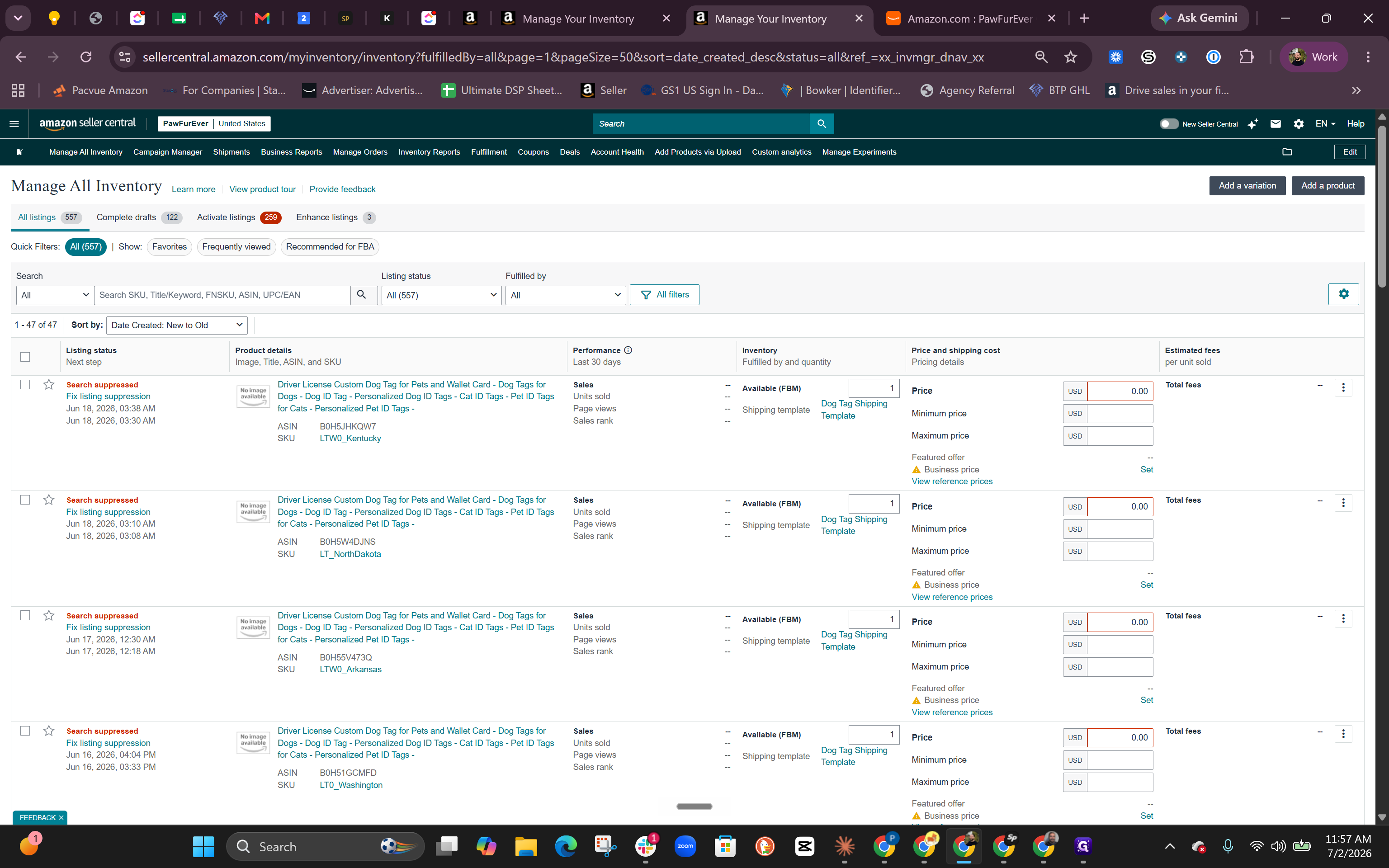
>) next to a parent product to expand and view its individual variations.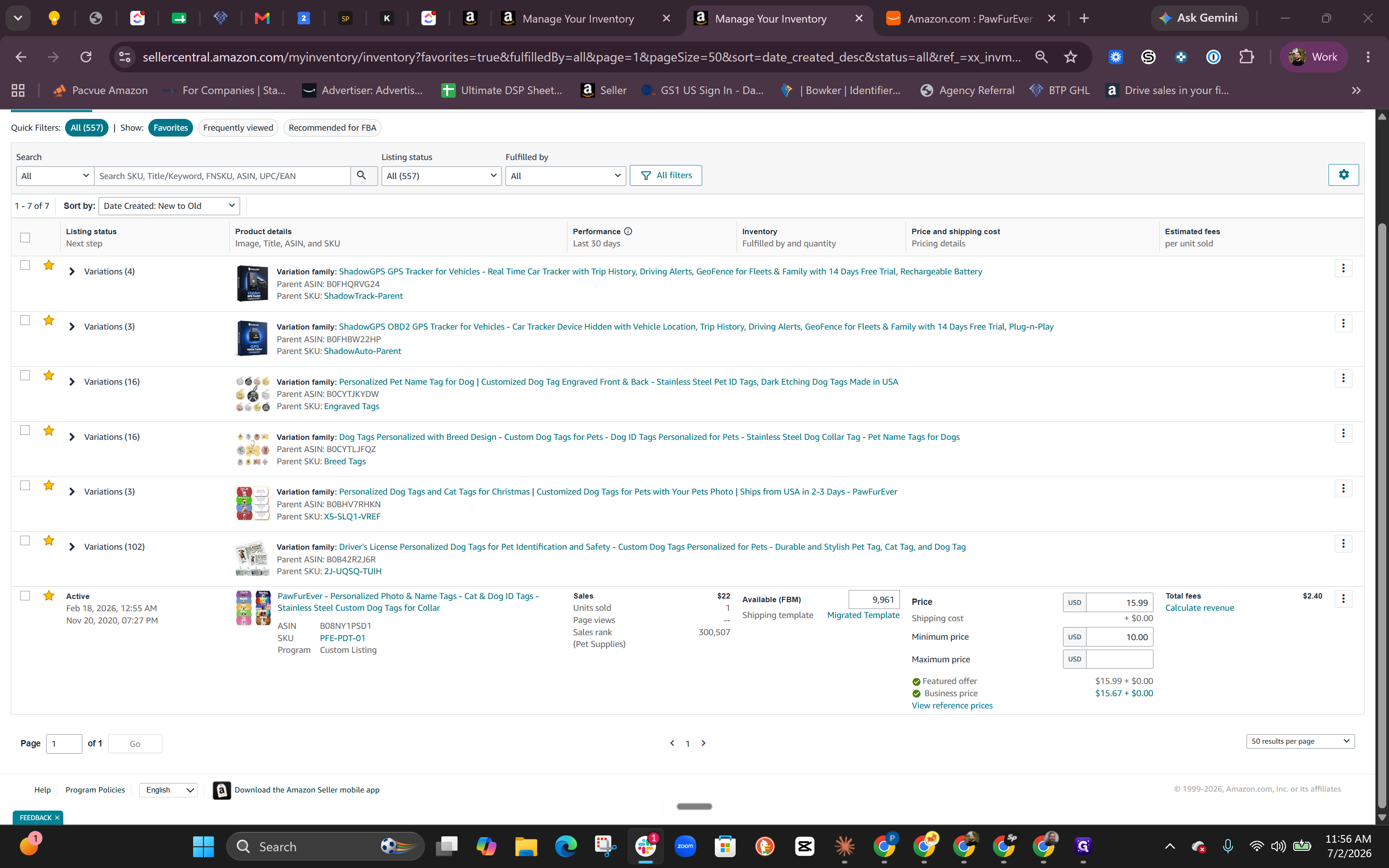
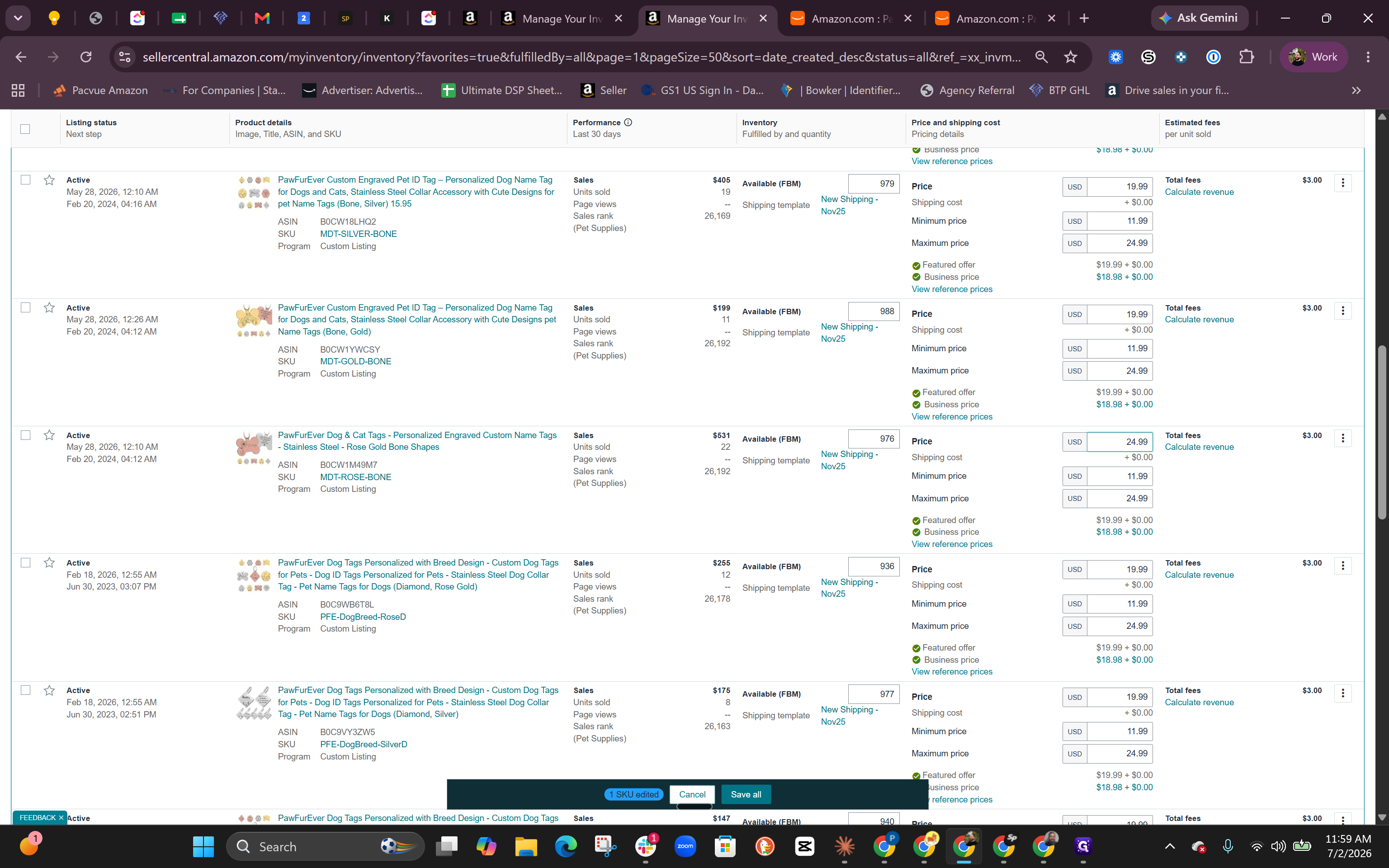
Resolving Pricing Health and Buy Box Issues
If you lose the Buy Box (Featured Offer) due to uncompetitive pricing flags, check your Pricing Health dashboard and verify your List Price.
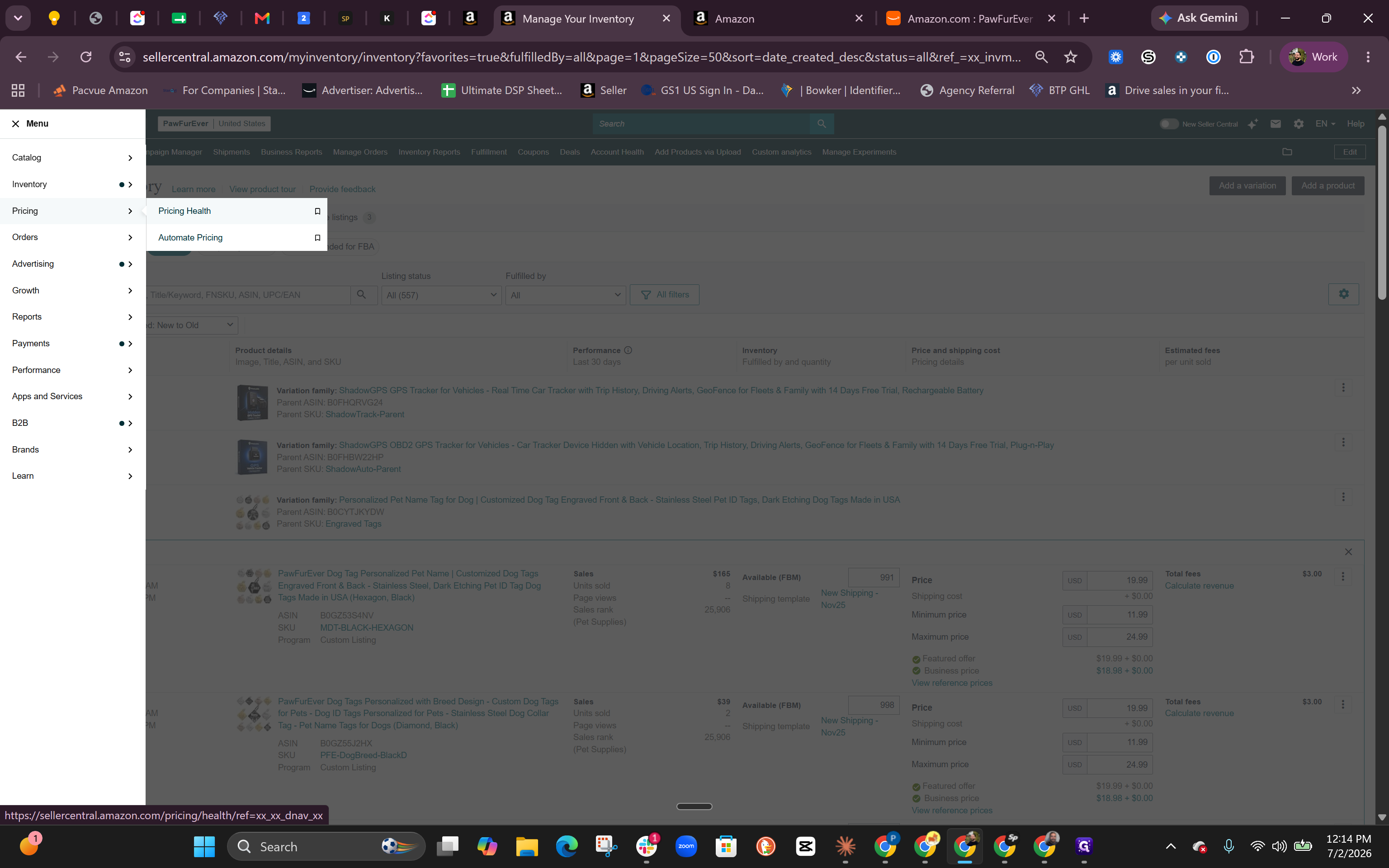
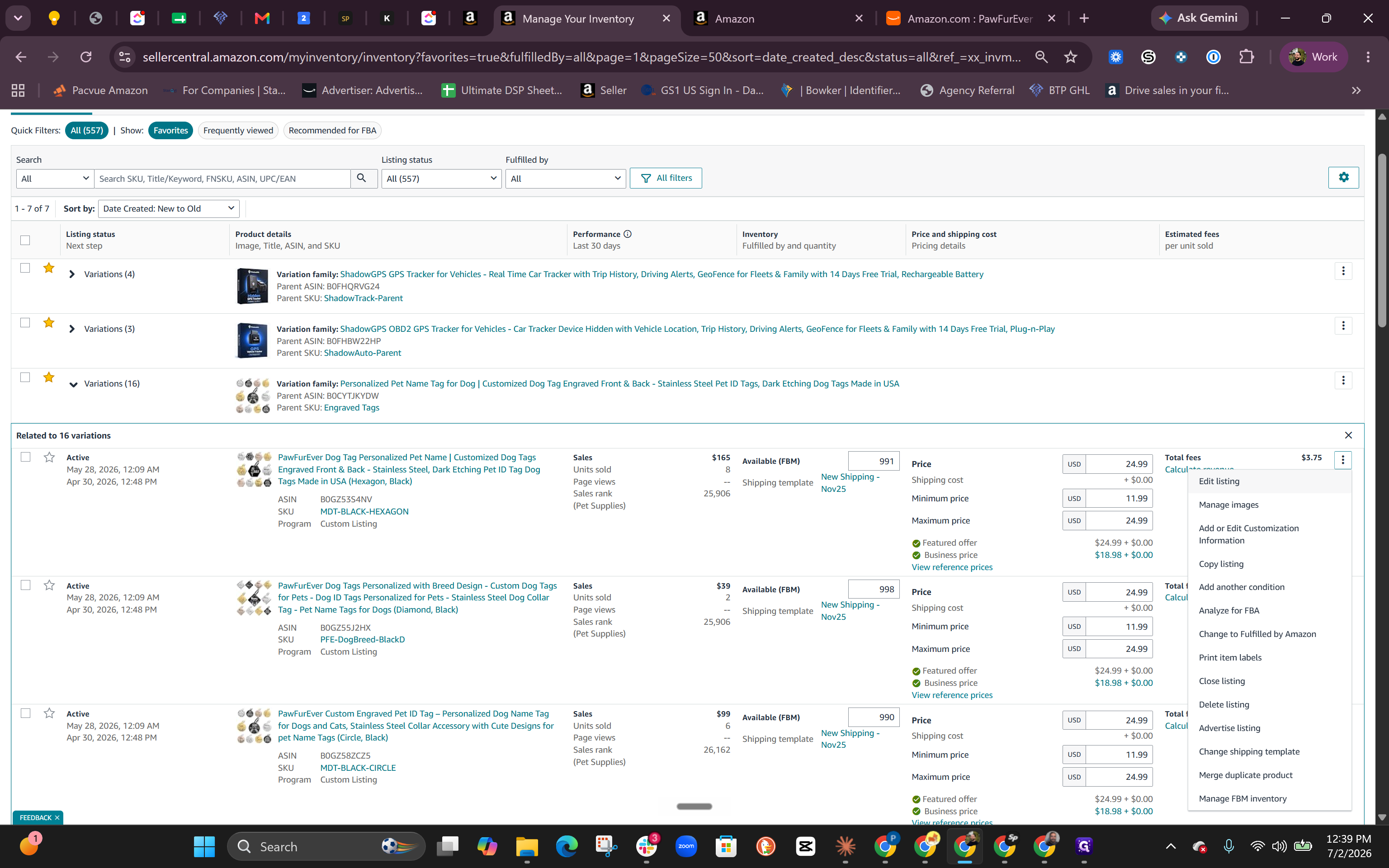
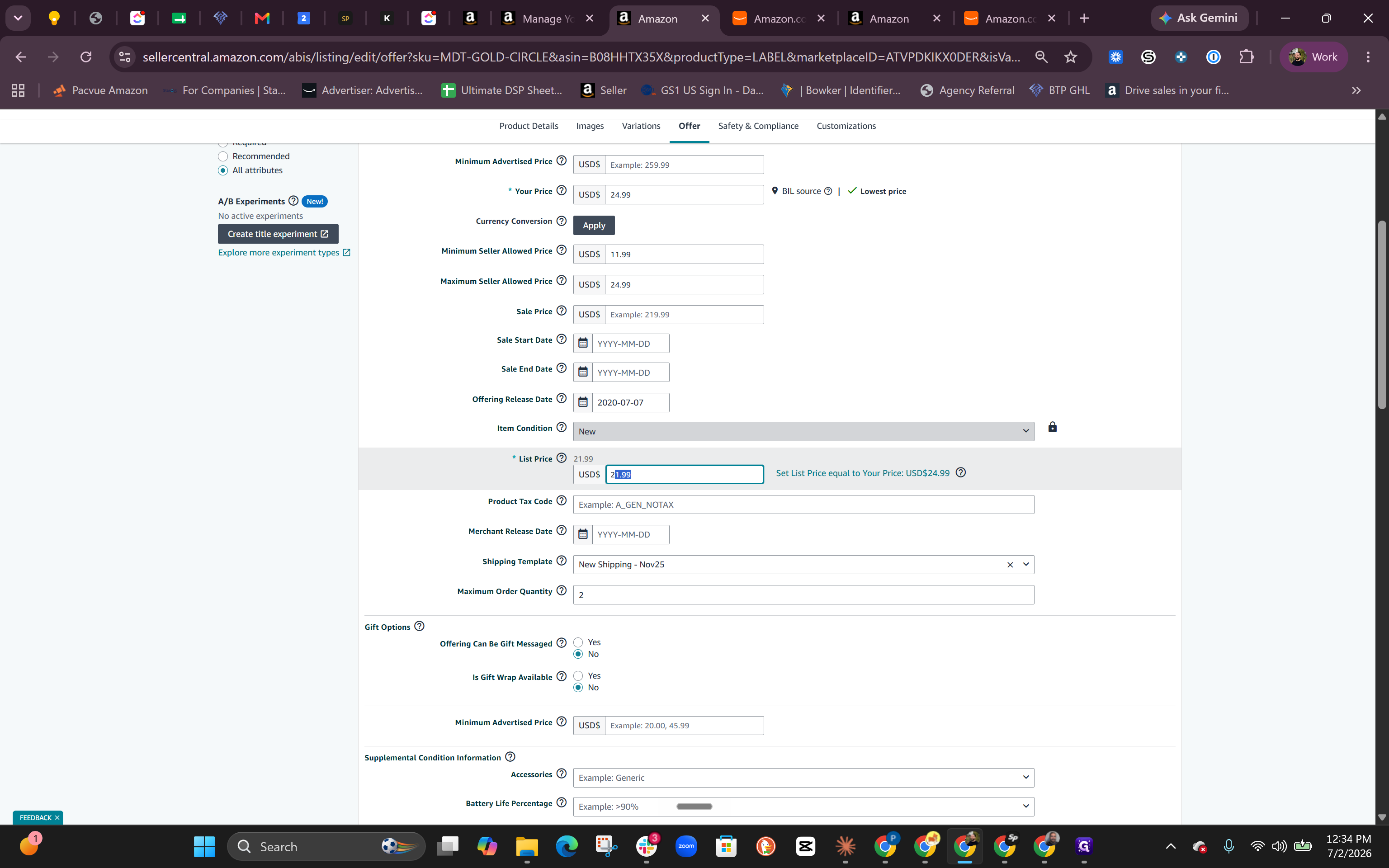
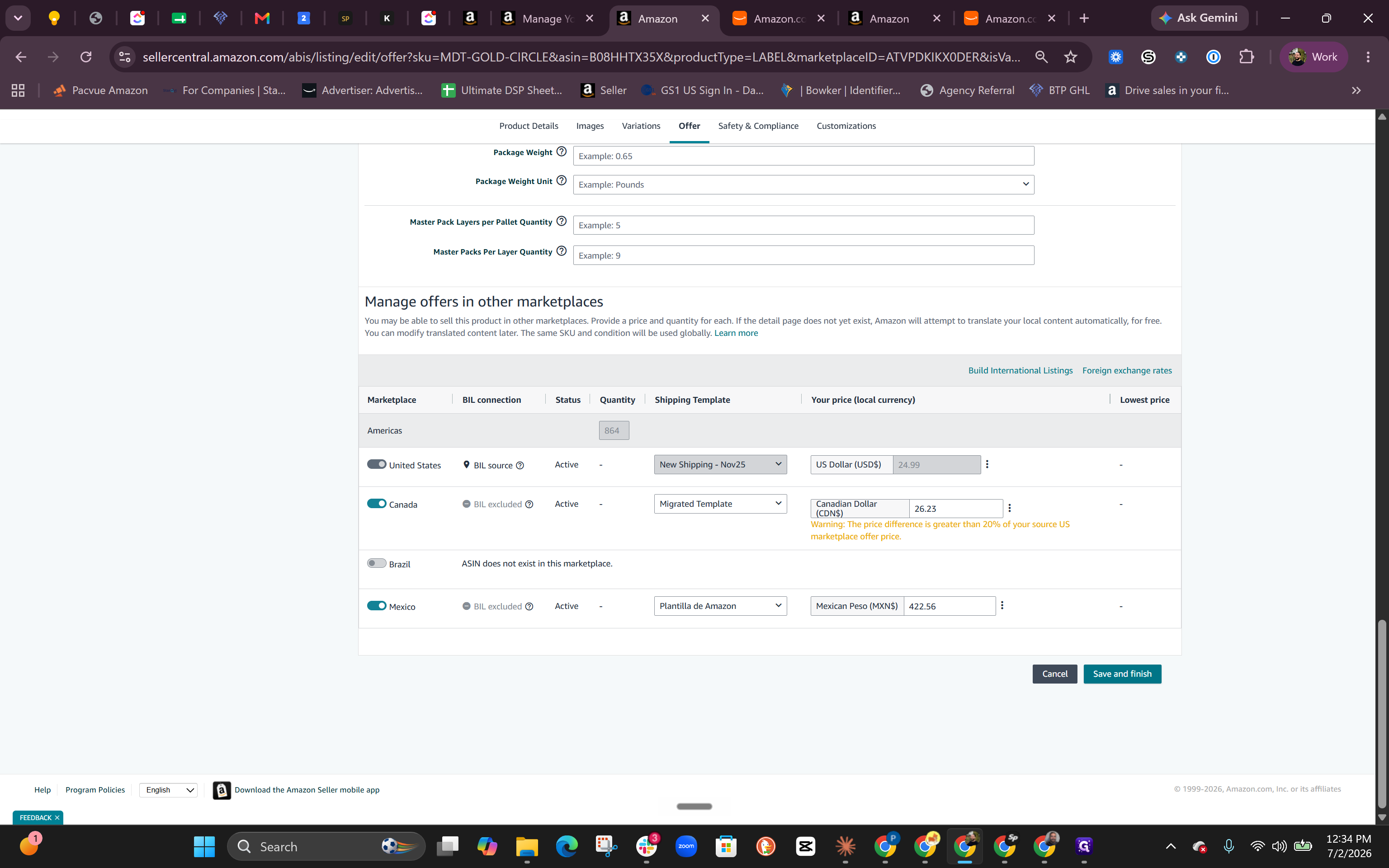
Configuring Business Pricing and Tiered Discounts
Setting up Business Prices targets commercial bulk buyers and unlocks the Business Savings Blue Badge on your product detail pages.
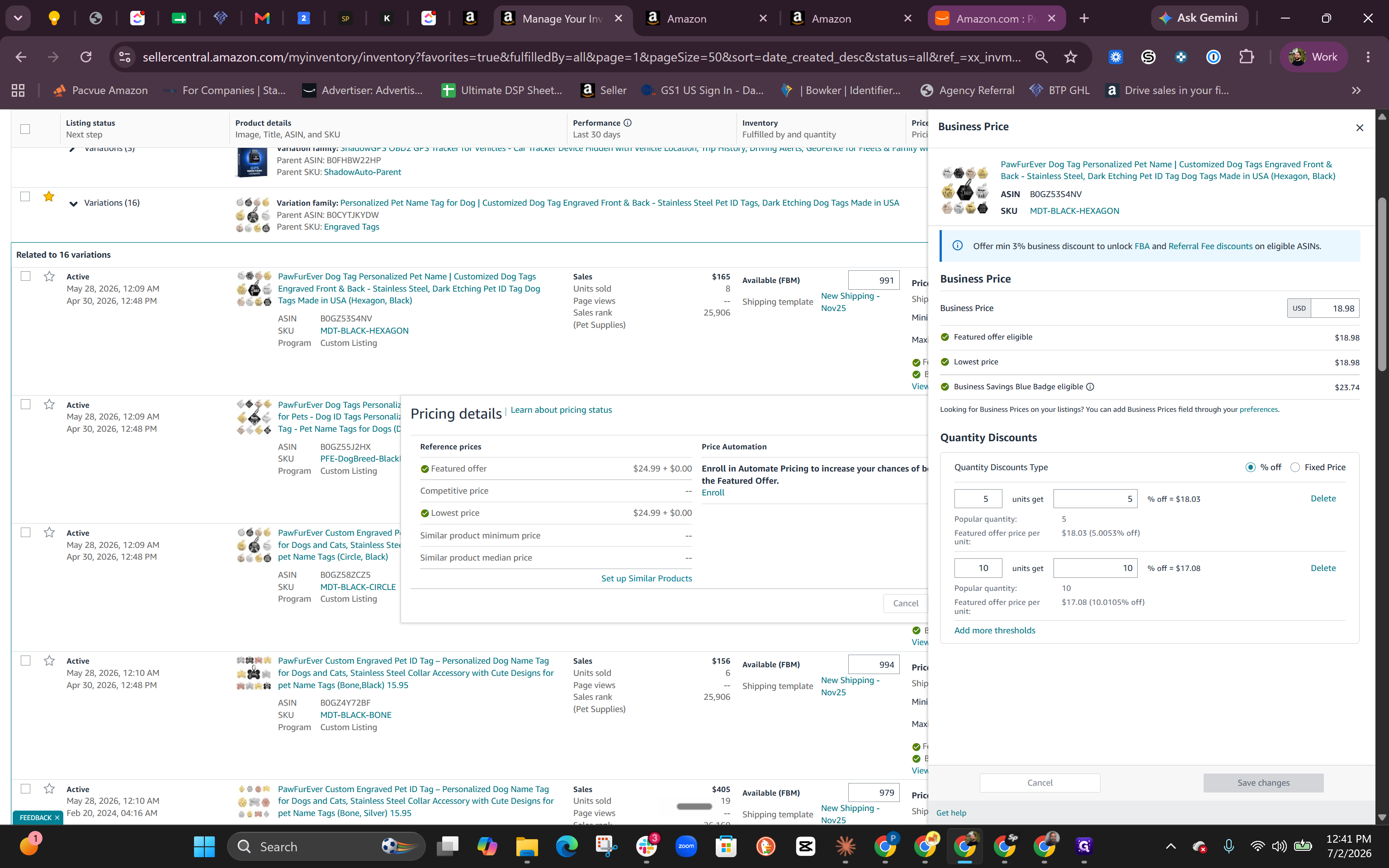
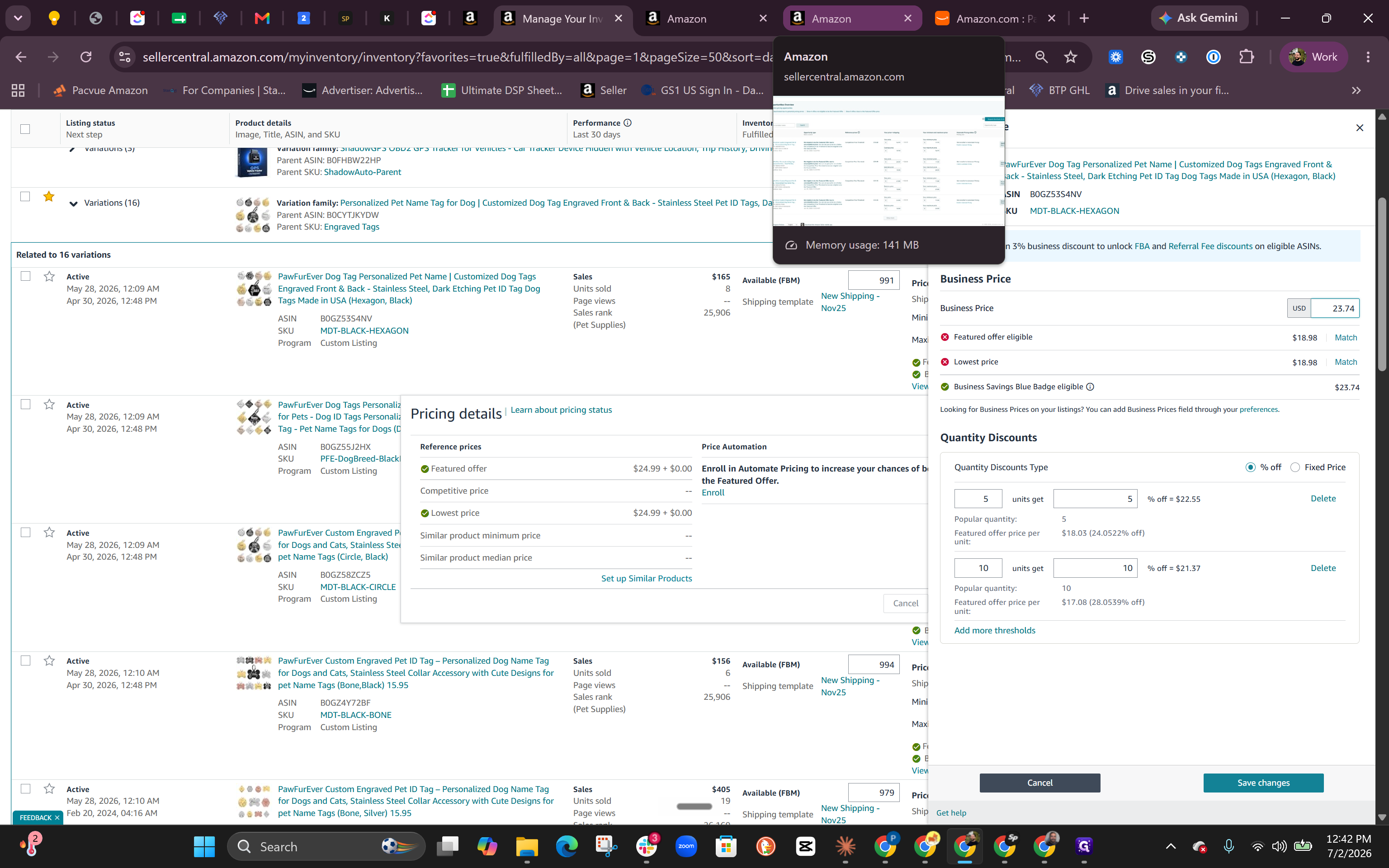
Amazon Pricing Types Overview
Pricing Type | Definition & Purpose | Key Requirement |
|---|---|---|
Standard Price | The regular consumer price shown on your Amazon detail page. | Must adhere to fair market pricing standards to maintain the Buy Box. |
List Price | The manufacturer's suggested retail price (MSRP). | Must be equal to or higher than the Standard Price. Required to run sales. |
Business Price | A discounted price available exclusively to registered Amazon Business accounts. | Must be at least 5% lower than the Standard Price to display the savings badge. |
Q: Why did I lose the Buy Box after raising my price?
A: Amazon monitors price increases and enforces a fair market pricing policy. If you raise your price too quickly (usually beyond 5-10% at a time) or if your product is sold cheaper on another external website, Amazon may revoke your Featured Offer status.
Q: Why is the List Price important?
A: The List Price acts as your MSRP. It must be higher than or equal to your standard price to prevent catalog errors, and it is strictly required by Amazon to run sales discounts or display strikethrough pricing.
Q: How do I get the Business Savings Blue Badge on my listings?
A: You must configure an Amazon Business Price in Seller Central that is at least 5% lower than your regular consumer standard price.
Term | Definition |
|---|---|
Buy Box (Featured Offer) | The primary section on an Amazon product page where customers can click "Add to Cart" or "Buy Now" to purchase directly from the winning seller. |
List Price | The manufacturer's suggested retail price (MSRP) for a product, used by Amazon to validate pricing limits and calculate discount percentages. |
Business Price | A special discounted rate exclusively available to corporate customers purchasing through verified Amazon Business accounts. |
Fair Market Pricing Policy | Amazon's rule requiring that a seller's item price must be equal to or less than the price offered for the same item on any other external website. |
Pricing Health | A dashboard in Seller Central that alerts sellers to pricing errors, uncompetitive prices, and lost Featured Offers. |
ASIN | Amazon Standard Identification Number, a unique block of 10 letters and/or numbers that identifies items across Amazon's catalog. |
SKU | Stock Keeping Unit, a custom unique identifier used by sellers to track and manage their own inventory items and inventory levels. |