
Updating Summit / BI Database - Post Funding
Learn how to settle loan pools on the BI format tape by reconciling data from settlement memos, updating loan attributes, and verifying IDs.
This guide explains how to settle pools on the BI format tape using funding schedules and settlement memos. Completing this workflow ensures that loan balances, closing dates, and entity IDs are accurately updated and formatted for securitization.
This guide applies to secondary marketing analysts, settlement teams, and capital markets personnel responsible for finalizing loan pool acquisitions and data reconciliation.
Open Settlement Documents
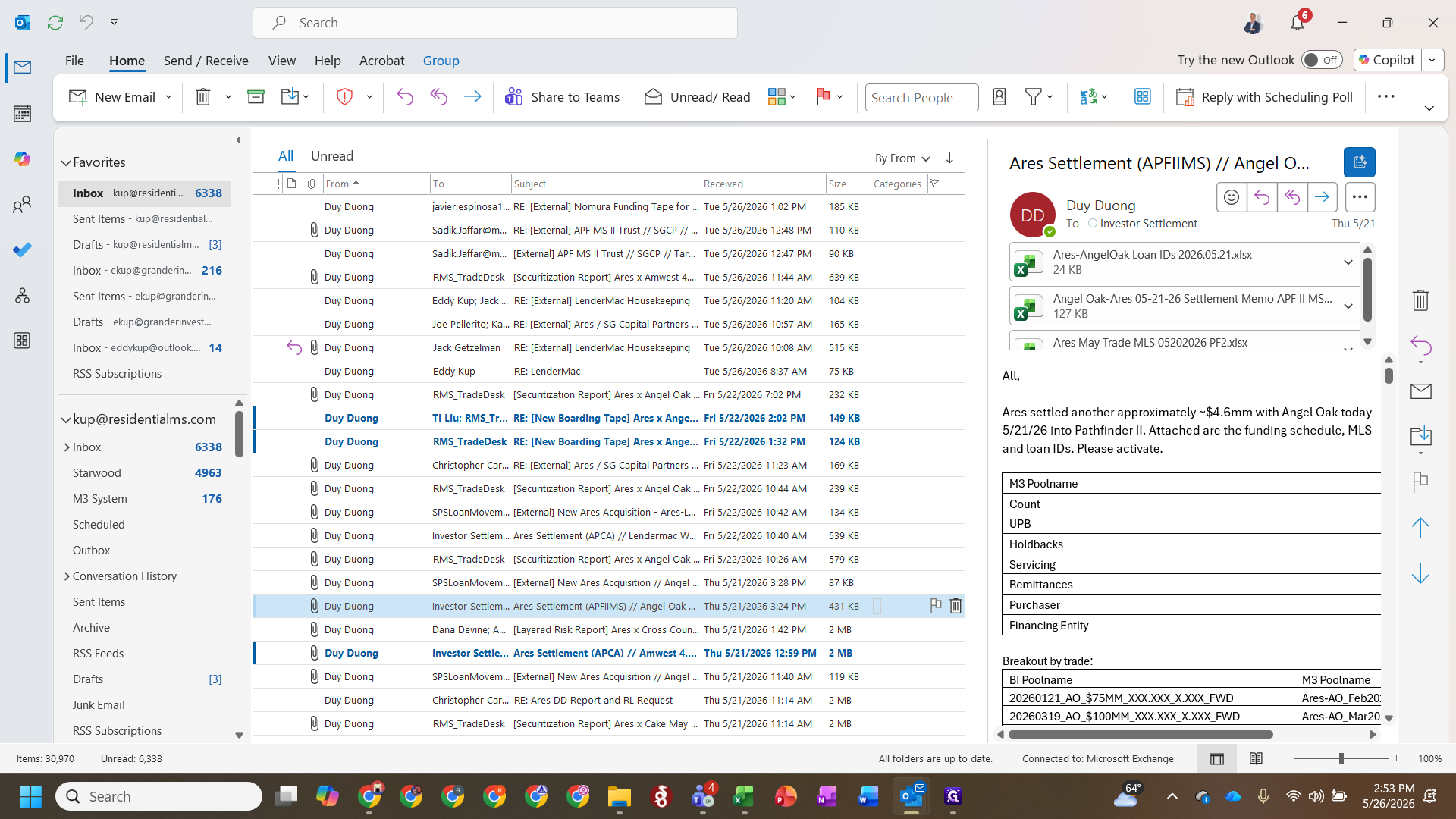
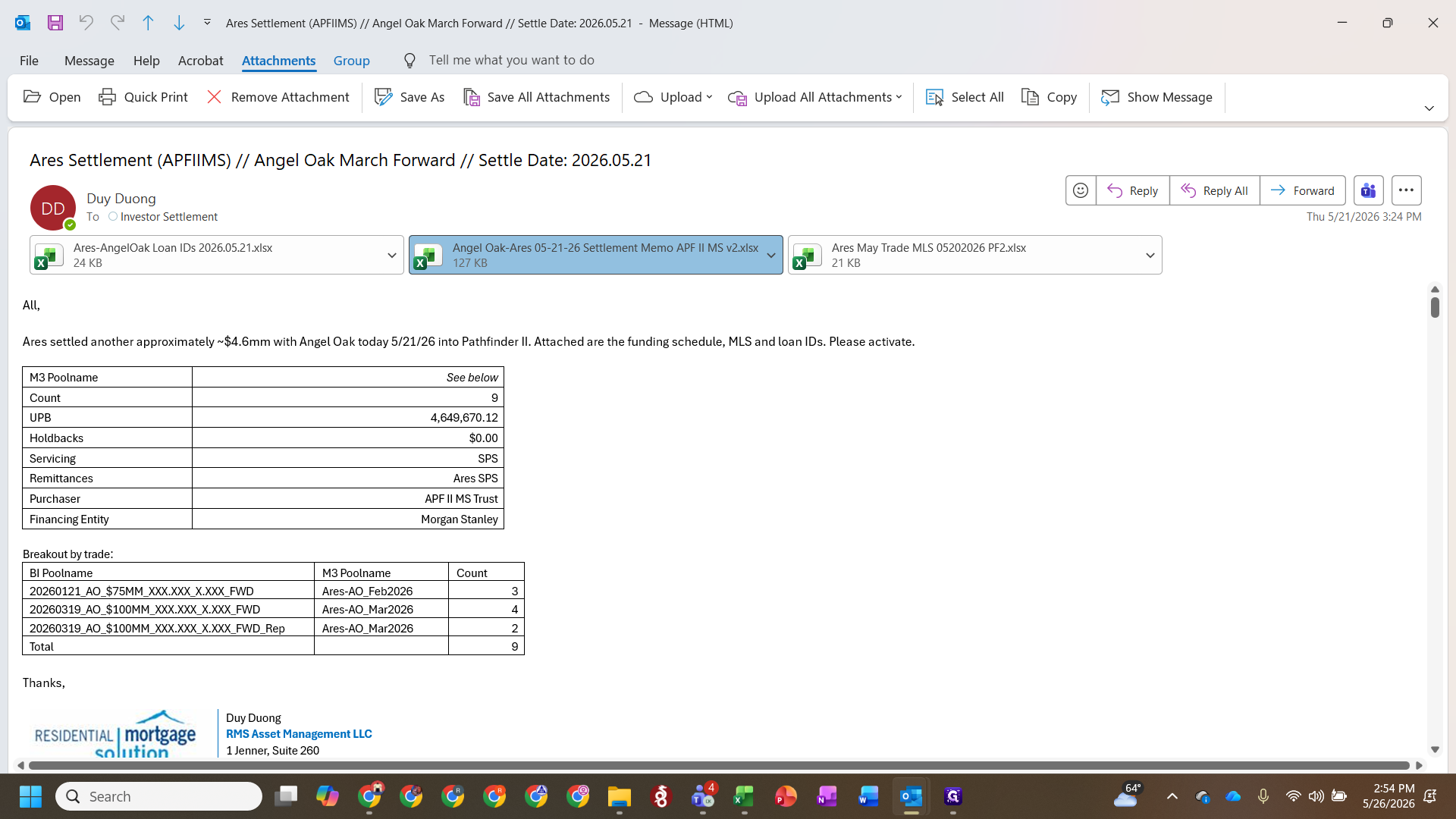
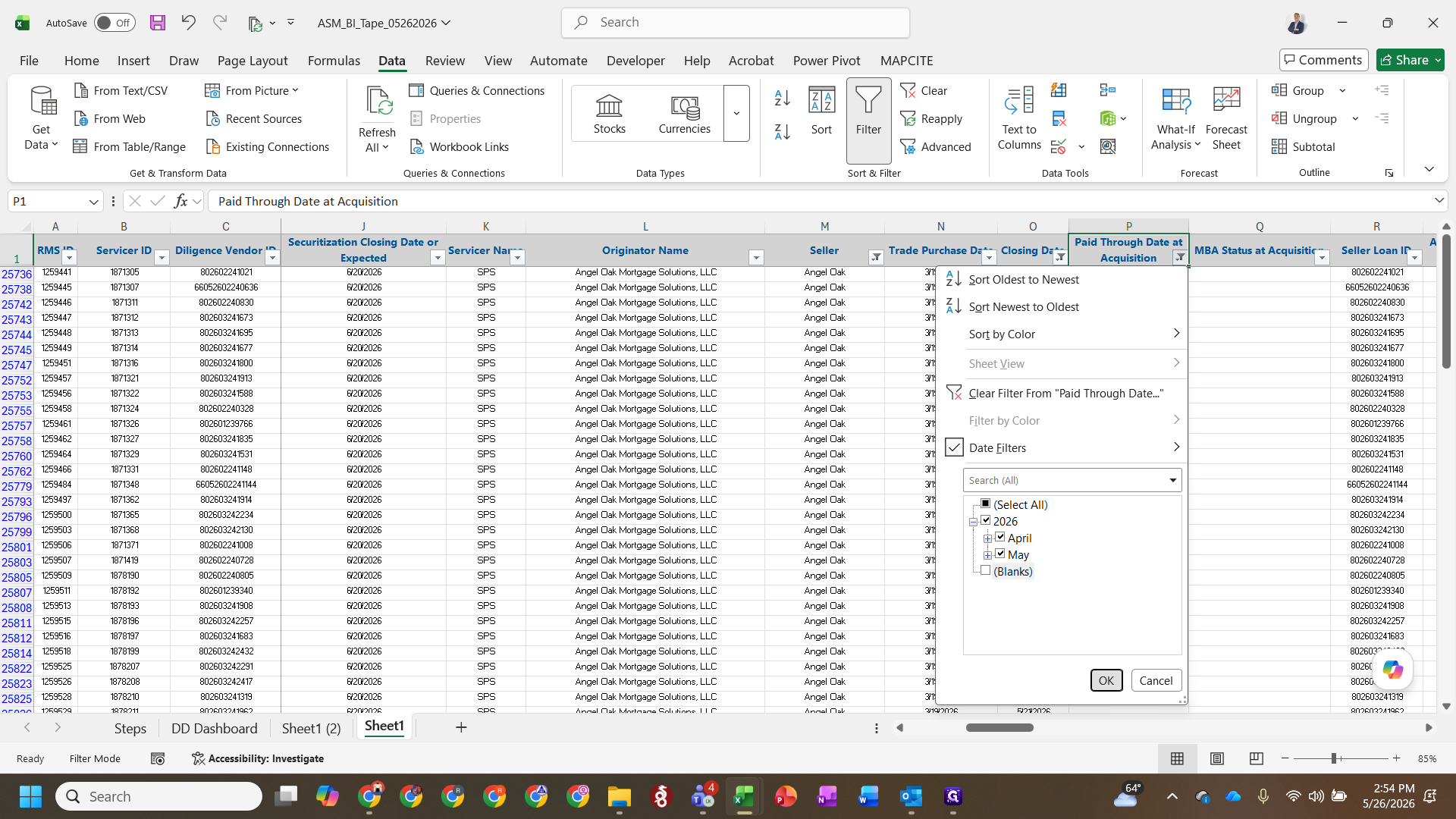
Filter the BI Format Tape
Update Loan Attributes
=EDATE([Cell], 1) formula.Map Identifying Data
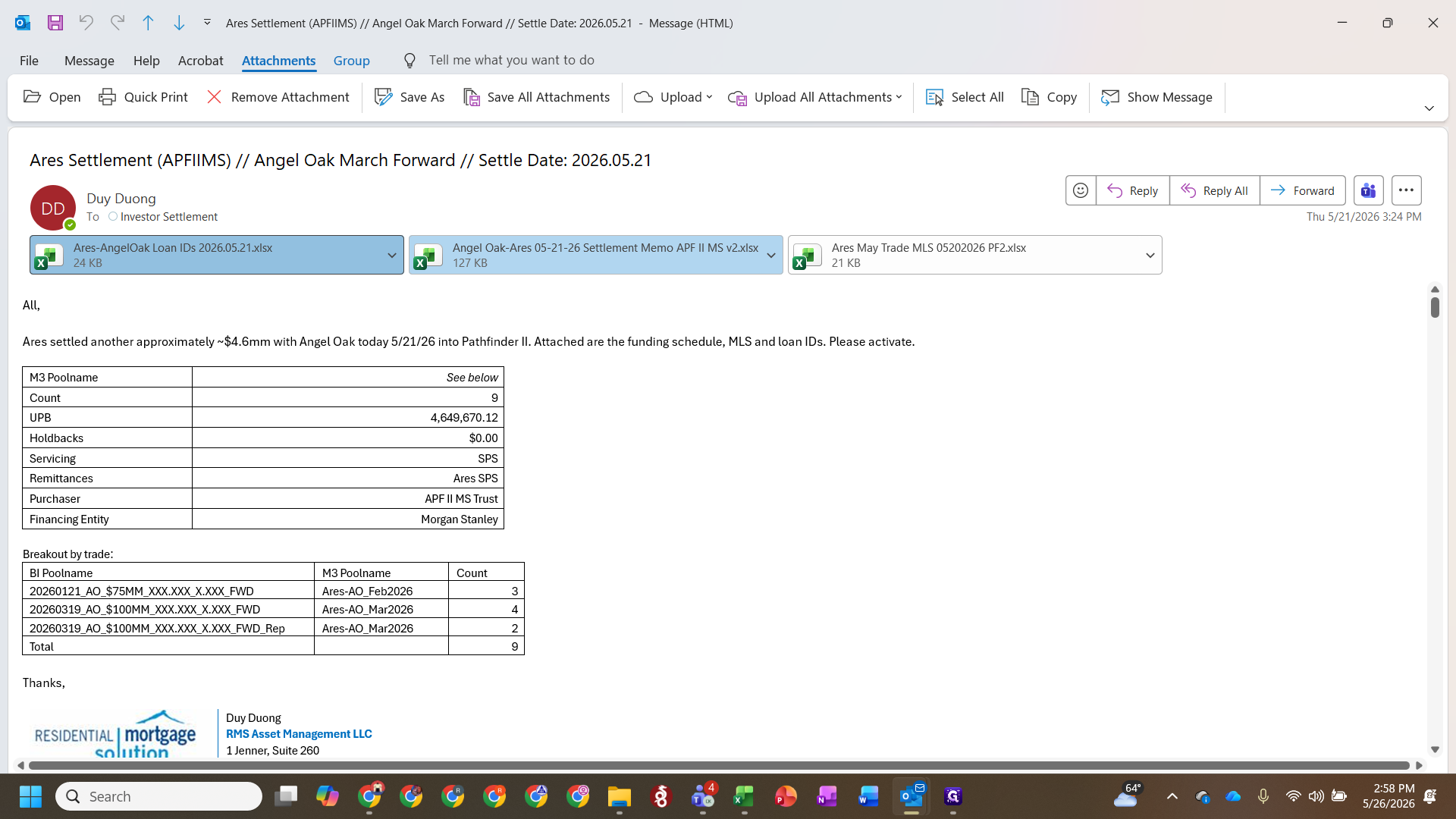
XLOOKUP formula referencing the Seller ID to pull in the corresponding M3 ID. Multiply the result by 1 or append an empty string (&"") within the formula to force the correct text or number formatting.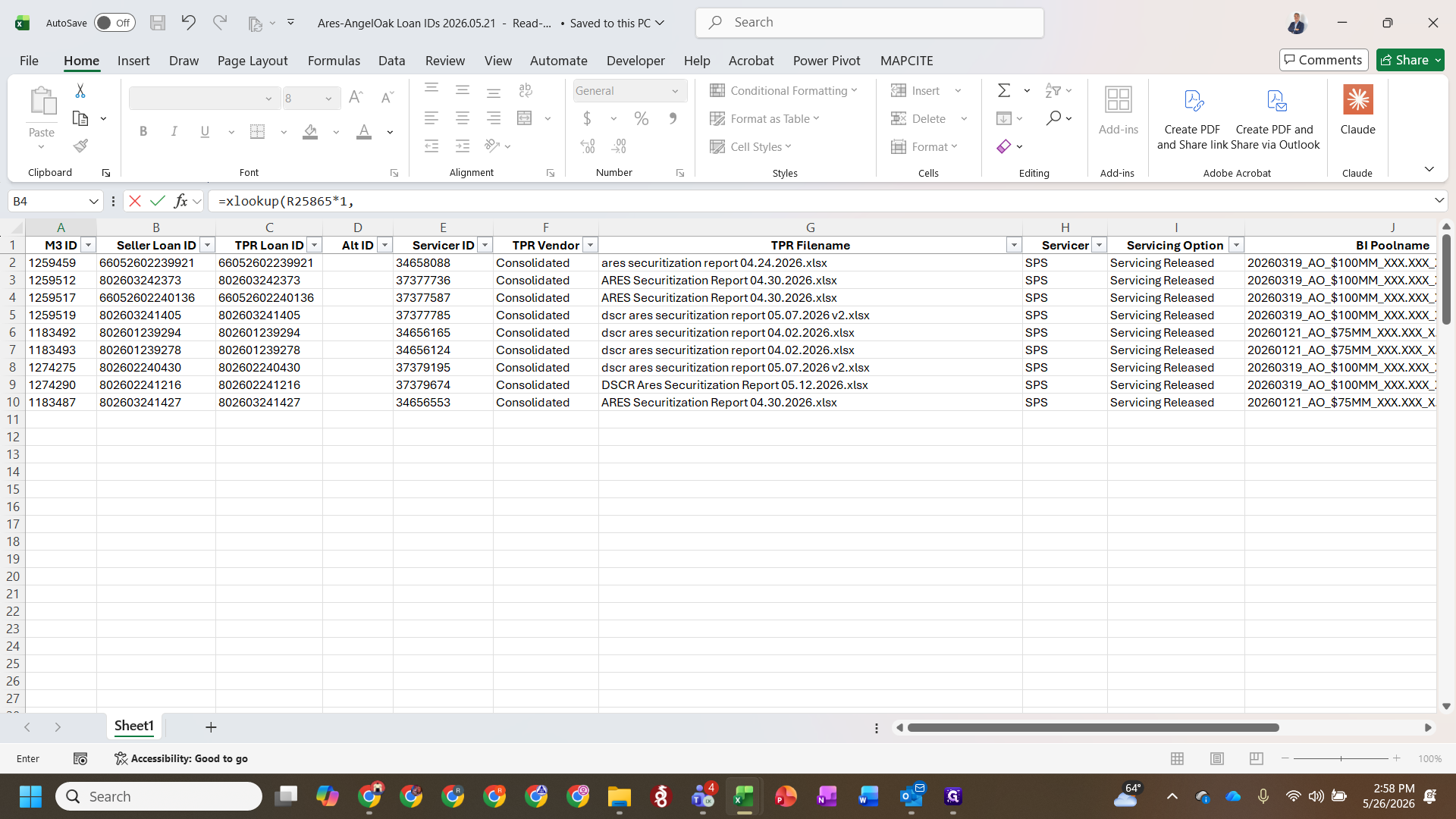
XLOOKUP formula to adjacent columns to pull in the Servicer ID and TPR ID.Q: What should I do if loans are marked for a different warehouse lender on the tape?
A: Override the previous allocation and update the investor fund to the new buyer (e.g., Morgan Stanley) since all the filtered loans are being consolidated into the same securitization.
Q: Do I need to update the tape with TPR data during this step?
A: No, this specific settlement workflow assumes that the closed loans have already been updated with the post-diligence TPR (Third-Party Review) data prior to settlement.
Term | Definition |
|---|---|
BI format tape | A master Excel data spreadsheet used to standardize, aggregate, and review loan pool attributes for settlement. |
TPR (Third-Party Review) | An independent audit of loan files to verify compliance, credit guidelines, and data integrity before securitization. |
IPD (Interest Payment Date) | The scheduled date on which interest payments are due to be paid by the borrower or remitted to investors. |
Securitization | The process of pooling financial assets, like mortgages, and repackaging them into interest-bearing securities sold to investors. |
M3 ID | A unique identification number assigned to a loan to ensure accurate tracking across different servicing platforms. |