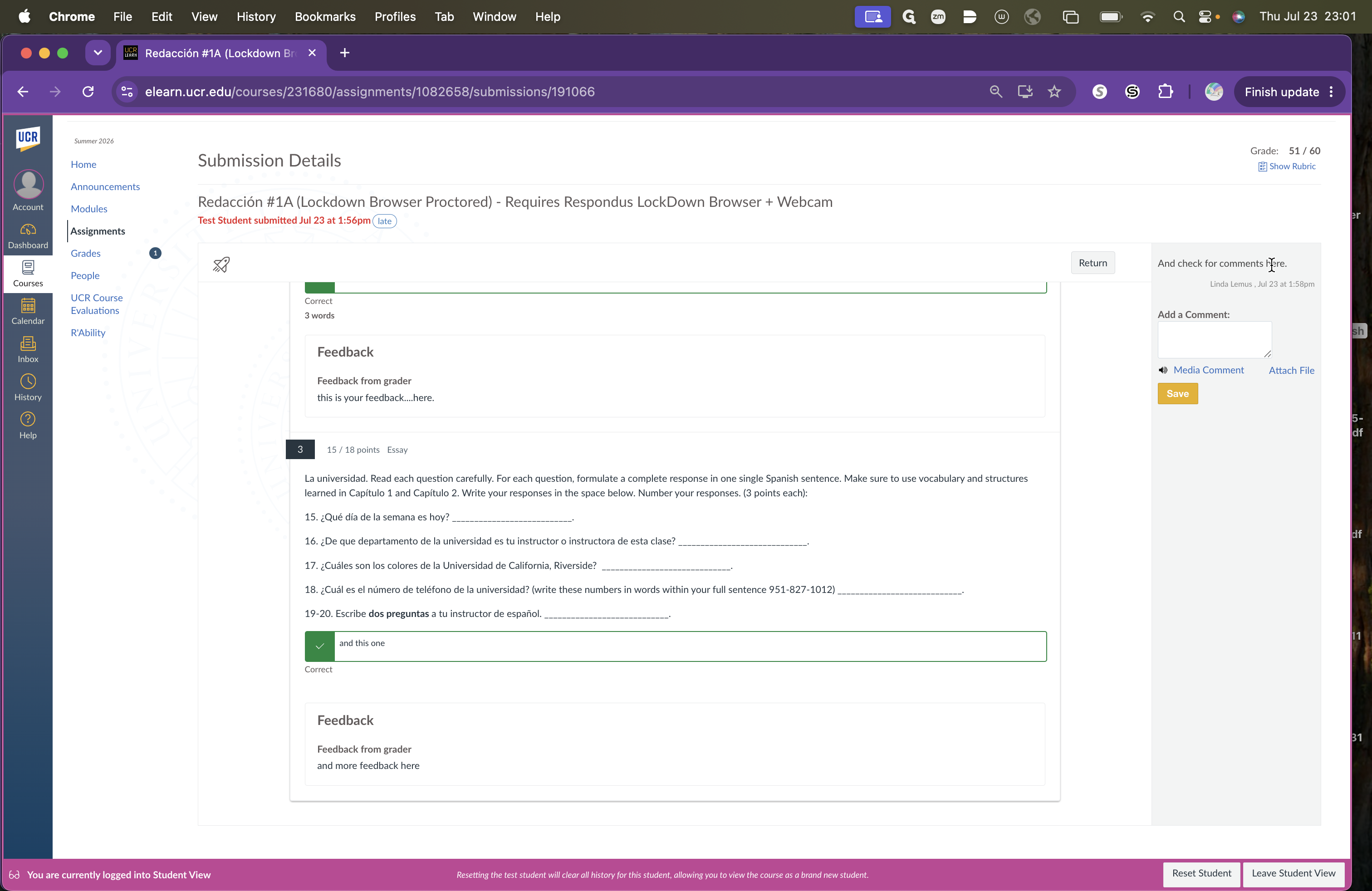
How to View Assignment Feedback in Canvas
Learn how to access your course grades, view inline instructor feedback, and read assignment comments in the Canvas learning management system.
By Linda Lemus
This guide explains how to access and review instructor feedback on your assignments in Canvas. By following these steps, you can easily view your grades, read inline document annotations, and check sidebar comments to understand your performance.
This workflow is for students using the Canvas learning management system. It is used after an instructor has graded an assignment and provided feedback or comments.
To view your assignment feedback and grades:
1
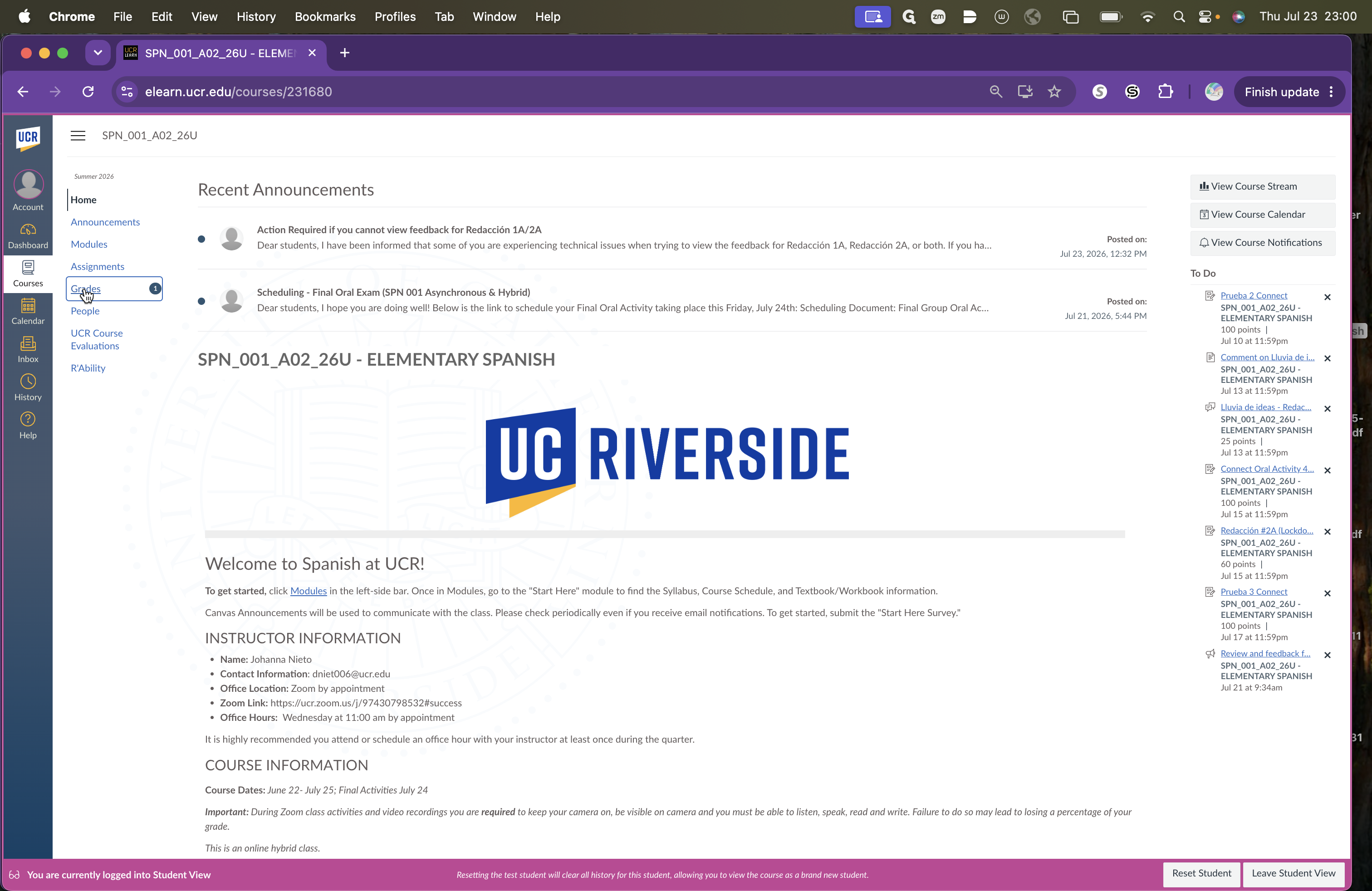
Click Grades in the left-hand navigation menu of your course.
2
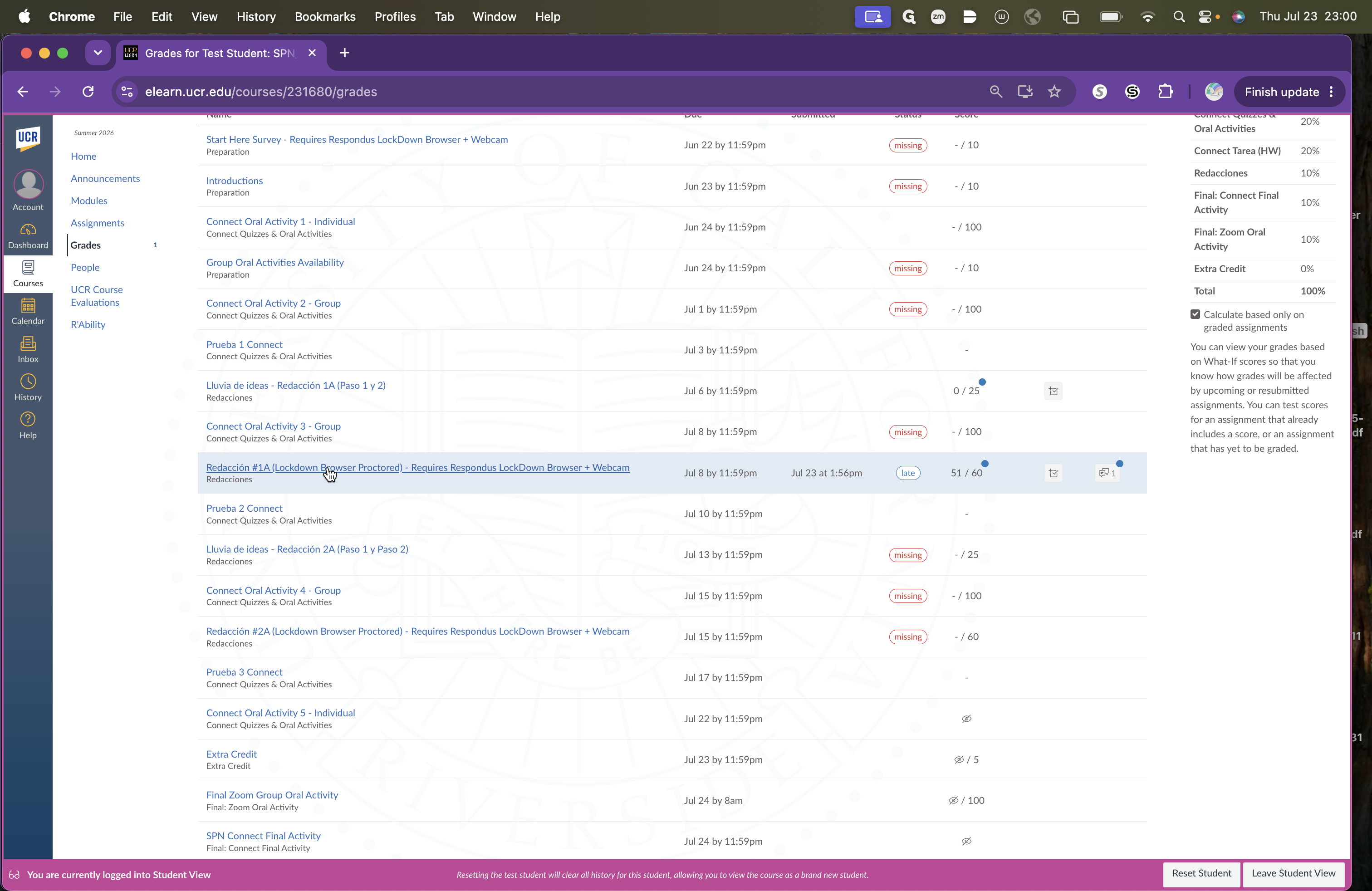
Locate the assignment you want to review and click on its title.
3
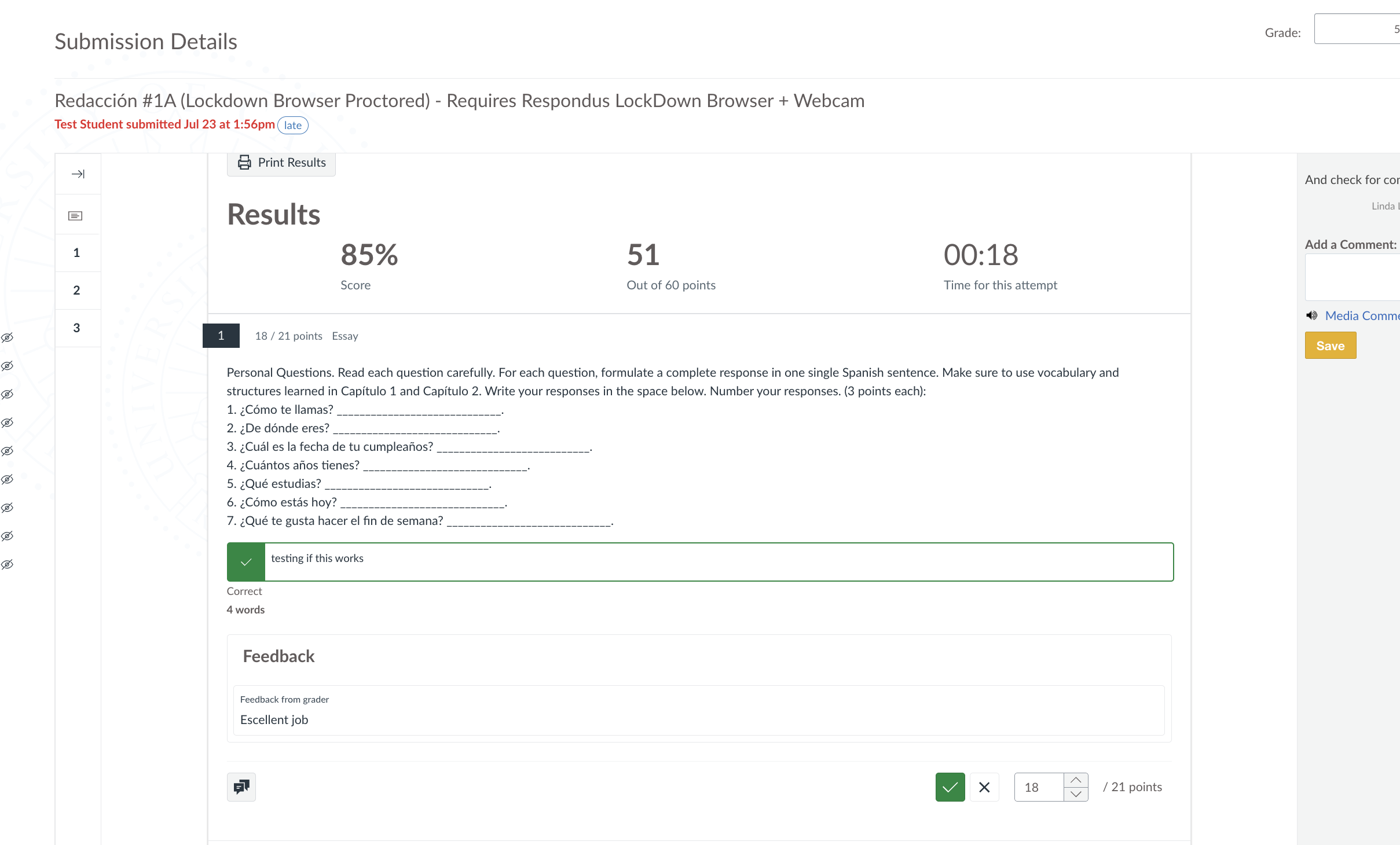
Review any inline feedback left directly on your submitted document.
4
Check the right-hand sidebar for additional comments from your instructor, and use the text box if you need to post a reply.